1
www.dell.com | support.dell.com
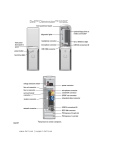
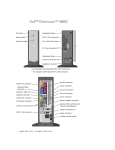
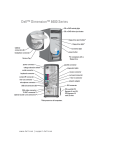
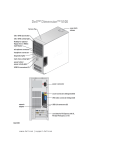
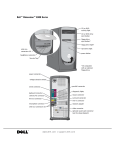
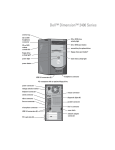
Controls and Lights
Power control
push button
Power light
green light — Blinking green in sleep state; solid green for power-on
state.
amber light — Blinking amber indicates a problem with an installed
device; solid amber indicates an internal power problem (see "Power
Problems" in your Dell Dimension Owner’s Manual).
Hard-drive access light
green
Link integrity light (on integrated
network adapter)
green light — A good connection exists between a 10-Mbps
network and the computer.
orange light — A good connection exists between a 100-Mbps
network and the computer.
off (no light) — The computer is not detecting a physical
connection to the network.
Activity light (on integrated network
adapter)
yellow blinking light
Diagnostic lights
four lights on the back panel (See "Diagnostic Lights" in your Dell
Dimension Owner’s Manual.)
Standby power light
AUX_PWR on the system board
Activity light (optional Media Card
Reader)
green blinking light
Power
DC power supply:
Wattage
160 W
270 W
Heat dissipation
460.7 BTU/hr
Voltage (See the safety instructions
in the Product Information Guide
for important voltage setting
information.)
fixed-voltage power supply — 110 V at 50/60 Hz
Backup battery
84
Appendix
manual selection and auto-sensing power supplies — 90 to 135 V at
50/60 Hz; 180 to 265 V at 50/60 Hz; 100 V at 50/60 Hz for Japanese
computers
3-V CR2032 lithium coin cell