1
83100711.qxd
21.06.01
06:00
Seite 1
Rolltec Plus 500
Der Kauf der Rolladensteuerung Vestamatic Rolltec Plus 500 war eine gute
Entscheidung. Sie haben damit ein hochwertiges Produkt erworben. Es verfügt über
eine Vielzahl sinnvoller Programmiermöglichkeiten und wird nach höchsten
Qualitätsanforderungen hergestellt. Das garantiert Ihnen eine optimale Ausnutzung
und hohe Zuverlässigkeit. Nehmen Sie sich bitte etwas Zeit und lesen diese Bedienungsanleitung vor der Inbetriebnahme. Wir haben uns bemüht, die Programmieranweisungen so verständlich wie möglich zu gestalten.
Sicherheitshinweise
Montage- und Bedienungsanleitung
Installation and Operating Instructions
· Die Steuerung ist sofort auf Beschädigungen zu prüfen, im Falle der Beschädigung darf das Gerät keinesfalls in Betrieb genommen werden. Sollte ein Transportschaden vorliegen, so ist unverzüglich der Lieferant zu informieren.
· Beachten Sie, dass die Rolladensteuerung Vestamatic Rolltec Plus 500
zum Betrieb eine Betriebsspannung von 230 VW, 50 Hz benötigt. Beauftragen Sie
mit der Installation und der Einstellung der DIP-Schalter auf der Geräterückseite
bitte einen Elektrofachbetrieb.
· Die Steuerung ist nur für den sachgemäßen Gebrauch (wie in der Bedienungsanleitung beschrieben) bestimmt. Änderungen oder Modifikationen dürfen nicht
vorgenommen werden, da ansonsten jeglicher Gewährleistungsanspruch entfällt.
· Wenn anzunehmen ist, dass ein gefahrloser Betrieb der Steuerung nicht gewährleistet ist, so ist diese unverzüglich außer Betrieb zu nehmen und gegen unbeabsichtigten Betrieb zu sichern. Dasselbe gilt, wenn Arbeiten an den Fenstern
oder Rolladen durchgeführt werden, an welchen diese Steuerung betrieben wird.
D
83100711.qxd
21.06.01
06:00
Seite 3
Detaillierte Angaben und Programmierhinweise finden Sie auf den folgenden Seiten.
Please find details and programming instructions on the following pages.
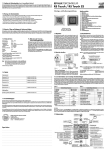
Kurzinformation / Short description
A Reset-Taste
Nach erfolgter Installation die Abdeckhaube
durch leichtes Ziehen entfernen und ResetTaste drücken. Dadurch werden die werksseitig voreingestellten Zeiten aktiviert.
.
B Sommer-/Winterzeit
Entspricht die momentane Einstellung nicht
der aktuellen Zeit, aktualisieren Sie diese
durch Drücken der S/W-Taste. Die gewählte
Einstellung erscheint im Display und die
Tageszeit ändert sich um eine Stunde.
C Tageszeit
1. Stell-Taste drücken (gedrückt halten)
2. Uhr-Taste drücken R schneller Vorlauf
Uhr-Taste tippen R langsamer Vorlauf
oder
1. Uhr-Taste drücken (gedrückt halten)
2. Stell-Taste drücken L schneller Rücklauf
Stell-Taste tippen L langsamer Rücklauf
D Auffahrzeit
Wichtig: Wahlschalter auf (A) stellen
1. Stell-Taste drücken (gedrückt halten)
2. Auf-Taste drücken R schneller Vorlauf
Auf-Taste tippen R langsamer Vorlauf
oder
1. Auf-Taste drücken (gedrückt halten)
2. Stell-Taste drücken L schneller Rücklauf
Stell-Taste tippen L langsamer Rücklauf
E Abfahrzeit
Wichtig: Wahlschalter auf (A) stellen
1. Stell-Taste drücken (gedrückt halten)
2. Ab-Taste drücken R schneller Vorlauf
Ab-Taste tippen R langsamer Vorlauf
oder
1. Ab-Taste drücken (gedrückt halten)
2. Stell-Taste drücken L schneller Rücklauf
Stell-Taste tippen L langsamer Rücklauf
A Reset button
After having completed the installation, carefully pull to remove the cover cap and press
the reset button. This will activate the times
preset by the manufacturer.
B Summer/winter time
If the manufacturer setting does not correspond to the correct current time, update the
setting to the current time by pressing the
summer/winter button. The display will indicate the selected time and the time will be
changed by one hour.
C Current time
1. Keep the set button pressed
2. Press the time button R fast forward
Tap the time button R slow forward
or
1. Keep the time button pressed
2. Press the set button L fast reverse
Tap the set button L slow reverse
D Up time
Important: Set the selector switch to (A)
1. Keep the set button pressed
2. Press the up button R fast forward
Tap the up button R slow forward
or
1. Keep the up button pressed
2. Press the set button L fast reverse
Tap the set button L slow reverse
E Down time
Important: Set the selector switch to (A)
1. Keep the set button pressed
2. Press the down button R fast forward
Tap the down button R slow forward
or
1. Keep the down button pressed
2. Press the set button L fast reverse
Tap the set button L slow reverse
83100711.qxd
21.06.01
06:00
Seite 5
Inhalt
Einleitung
Allgemeines
Hand-Steuerung
Automatik-Steuerung
Seite 5
Seite 6
Seite 7
Inhalt
Fehlersuchanleitung
Installation
Programmierung
der Grundfunktionen
Programmierung
der Sonderfunktionen
Allgemeines
Sommer-/Winterzeit
Tageszeit (aktuelle Uhrzeit)
Hinweis
Auffahrzeit
Abfahrzeit
Zufallsgenerator
Seite 8
Seite 9
Seite 10
Seite 11
Seite 12
Seite 13
Seite 14
Wochen-Funktion
Astro-Funktion / Fahrzeitkorrektur
Astro-Funktion – Einstellung BRD
Astro-Funktion – Einstellung Europa
Wende-Funktion
Beispiel Einstellung DIP-Schalter
Seite 15
Seite 16 – 19
Seite 20
Seite 21
Seite 22
Seite 23
-3-
Seite 24
Hinweise für den Elektrofachbetrieb
Montageanleitung / Technische Daten
Anschlussplan
Anschlussbild
Übersicht Bedienungselemente
D
D
Seite 25 – 26
Seite 27
Seite 28
Seite 29
Seite 30
-4-
83100711.qxd
21.06.01
06:00
Allgemeines
Seite 7
Einleitung
Der Lieferumfang der Rolladensteuerung Vestamatic Rolltec Plus 500
besteht aus:
1. Abdeckhaube
2. Grundgehäuse
3. Tragrahmen Grundgehäuse
4. Kombinationsrahmen 1-fach – Jung „CD 500“, alpinweiß
Im Falle eines Stromausfalls beginnt das gesamte Display zu blinken.
Die zuvor programmierten Zeiten bleiben dennoch mehrere Jahre
gespeichert.
Sie können die von Ihnen programmierten Zeiten oder andere Funktionen in einem Schnelllauf überprüfen. Drücken Sie für die Aktivierung des Schnelllaufs die Uhr- und Tag-Taste für 3 Sekunden
gemeinsam. Die Uhr-Funktion läuft dann um den Faktor 60 schneller.
Um den Schnelllauf zu beenden drücken Sie kurz die Uhr- und TagTaste nochmals gemeinsam.
-5-
D
Einleitung
Hand-Steuerung
Die Rolladensteuerung Vestamatic Rolltec Plus 500 verfügt über
einen Wahlschalter, der die Auswahl Hand-Steuerung (H) oder Automatik-Steuerung (A) regelt.
Um die Hand-Steuerung zu aktivieren, Wahlschalter auf (H) stellen
(ganz nach rechts schieben bis zum „Klick“).
Alle Automatik-Funktionen sind somit außer Kraft gesetzt. Wird die
Auf-Taste bzw. Ab-Taste gedrückt, fährt der Rolladen hoch bzw.
runter.
Um die Fahrt zu stoppen, drücken Sie einfach die Gegentaste, d.h.:
· fährt der Rolladen gerade hoch, drücken Sie die Ab-Taste,
· fährt der Rolladen gerade runter, drücken Sie die Auf-Taste.
Ein weiteres Hoch- bzw. Runterfahren ist erst nach erneutem Drücken
der Auf-Taste bzw. Ab-Taste möglich. Das garantiert eine exakte
Positionierung des Rolladens.
D
-6-
83100711.qxd
21.06.01
06:00
Automatik-Steuerung
Seite 9
Einleitung
Um die Automatik-Steuerung zu aktivieren, Wahlschalter auf (A)
stellen (ganz nach links schieben bis zum „Klick“).
Die Automatik-Steuerung ist somit aktiviert. Der Rolladen fährt nun zu
den jeweilig programmierten Zeiten hoch und runter. Es ist aber auch
weiterhin möglich, den Rolladen außerhalb der programmierten
Zeiten durch Drücken der Auf-Taste bzw. Ab-Taste hoch bzw. runter
zu fahren (der Programmablauf wird dadurch nicht gestört).
Wird die Auf-Taste bzw. Ab-Taste länger als 2 Sekunden gedrückt,
fährt der Rolladen hoch bzw. runter.
Um die Fahrt zu stoppen, drücken Sie einfach die Gegentaste, d.h.:
· fährt der Rolladen gerade hoch, drücken Sie die Ab-Taste,
· fährt der Rolladen gerade runter, drücken Sie die Auf-Taste.
Ein weiteres Hoch- bzw. Runterfahren ist erst nach erneutem Drücken
der Auf-Taste bzw. Ab-Taste möglich.
Die Automatik kann auch für längere Zeit unterbrochen werden. Hierzu
genügt es, den Wahlschalter auf Hand-Steuerung (H) zu stellen.
Nach Rückstellung auf Automatik-Steuerung wird dann der letzte
Befehl ausgeführt, den die Rolladensteuerung Vestamatic Rolltec
Plus 500 in Automatik-Stellung ausgeführt hätte. Das Gleiche geschieht bei Wiedereinschaltung des Stromes nach einem Netzausfall.
-7-
D
Grundfunktionen
Allgemeines
Nachdem die fachgerechte Installation beendet ist (Hinweise dazu
auf den Seiten 25 bis 28), können Sie mit der Programmierung beginnen.
Wichtig: Beachten Sie bitte, dass sich die Rolladensteuerung
Vestamatic Rolltec Plus 500 bei Netzausfall nicht programmieren lässt.
Entfernen Sie zuvor durch leichtes Ziehen die Abdeckhaube und
drücken Sie die Reset-Taste. Nehmen Sie dazu einen Kugelschreiber
oder etwas in ähnlicher Form.
Das Drücken der Reset-Taste bewirkt, dass die werksseitig vorprogrammierten Zeiten aktiviert werden.
· Aktuelle Tageszeit – 0ß8:0ß0 Uhr
· Auffahrzeit –
0ß6:0ß0 Uhr
· Abfahrzeit –
2ß0:0ß0 Uhr
Auf den nächsten Seiten wird beschrieben, wie Sie diese Zeiten auf
Ihre persönlichen Bedürfnisse einstellen können.
D
-8-
83100711.qxd
21.06.01
06:00
Seite 11
Sommer-/Winterzeit
Grundfunktionen
Im Display sehen Sie, welche Zeit eingestellt ist.
Grundfunktionen
Tageszeit
Zur Einstellung der aktuellen Tageszeit bedienen Sie sich der Tastenkombination aus Stell-Taste und Uhr-Taste.
Das (S) oben links im Display steht für Sommerzeit.
Die Einstellung kann wie folgt durchgeführt werden:
1. Zuerst die Stell-Taste drücken (gedrückt halten), danach:
A. Uhr-Taste drücken (gedrückt halten) erzeugt einen schnellen
Vorlauf der Tageszeit.
B. Ein kurzes Tippen der Uhr-Taste erzeugt einen langsamen
Vorlauf der Tageszeit.
(0S9:0ß0)
Das (W) oben rechts im Display steht für Winterzeit.
oder
(0ß8:0W0)
Entspricht die momentane Einstellung nicht der aktuellen Zeit, können Sie diese einfach durch Drücken der S/W-Taste aktualisieren. Die
gewählte Einstellung erscheint dann sofort im Display und die Tageszeit ändert sich entsprechend um eine Stunde.
-9-
D
2. Zuerst die Uhr-Taste drücken (gedrückt halten), danach:
A. Stell-Taste drücken (gedrückt halten) erzeugt einen schnellen
Rücklauf der Tageszeit.
B. Ein kurzes Tippen der Stell-Taste erzeugt einen langsamen
Rücklauf der Tageszeit.
D
- 10 -
83100711.qxd
21.06.01
06:00
Hinweis
Seite 13
Grundfunktionen
Ausgeliefert wird die Rolladensteuerung Vestamatic Rolltec Plus 500
mit einer werksseitigen Einstellung folgender Auf- bzw. Abfahrzeiten
(Tag-Funktion ist aktiv):
· Tägliche Auffahrzeit – 0ß6:0ß0 Uhr
· Tägliche Abfahrzeit – 2ß0:0ß0 Uhr
Die werksseitige DIP-Schaltereinstellung entnehmen Sie bitte den
Tabellen auf Seite 20 und Seite 23.
Grundfunktionen
Auffahrzeit
Zur Einstellung der Auffahrzeit bedienen Sie sich der Tastenkombination aus Stell-Taste und Auf-Taste.
Die Einstellung kann wie folgt durchgeführt werden:
1. Zuerst die Stell-Taste drücken (gedrückt halten), danach:
A. Auf-Taste drücken (gedrückt halten) erzeugt einen schnellen
Vorlauf der Auffahrzeit.
B. Ein kurzes Tippen der Auf-Taste erzeugt einen langsamen
Vorlauf der Auffahrzeit.
oder
Wichtig: Für die nächsten Programmierschritte ist es wichtig, dass
der Wahlschalter „Automatik-/Hand-Steuerung“ auf Automatik-Steuerung (A) steht.
Überprüfen Sie die momentane Einstellung. Steht der
Wahlschalter nicht auf (A), korrigieren Sie die Einstellung.
Dazu schieben Sie den Wahlschalter bis zum „Klick“ ganz
nach links.
- 11 -
D
2. Zuerst die Auf-Taste drücken (gedrückt halten), danach:
A. Stell-Taste drücken (gedrückt halten) erzeugt einen schnellen
Rücklauf der Auffahrzeit.
B. Ein kurzes Tippen der Stell-Taste erzeugt einen langsamen
Rücklauf der Auffahrzeit.
Im Display können Sie den eingestellten Wert ablesen. Wird die zur Programmierung notwendige Tastenkombination nicht mehr betätigt, schaltet
das Display wieder auf die aktuelle Tageszeit um. Zur Überprüfung des
eingestellten Wertes genügt ein kurzes Drücken der Auf-Taste. Im Display
erscheint jetzt abermals die von Ihnen eingestellte Auffahrzeit. Nach ca.
2 Sekunden schaltet das Display wieder auf die aktuelle Tageszeit um.
D
- 12 -
83100711.qxd
21.06.01
06:00
Abfahrzeit
Seite 15
Grundfunktionen
Zur Einstellung der Abfahrzeit bedienen Sie sich der Tastenkombination aus Stell-Taste und Ab-Taste.
Die Einstellung kann wie folgt durchgeführt werden:
1. Zuerst die Stell-Taste drücken (gedrückt halten), danach:
A. Ab-Taste drücken (gedrückt halten) erzeugt einen schnellen
Vorlauf der Abfahrzeit.
B. Ein kurzes Tippen der Ab-Taste erzeugt einen langsamen
Vorlauf der Abfahrzeit.
oder
2. Zuerst die Ab-Taste drücken (gedrückt halten), danach:
A. Stell-Taste drücken (gedrückt halten) erzeugt einen schnellen
Rücklauf der Abfahrzeit.
B. Ein kurzes Tippen der Stell-Taste erzeugt einen langsamen
Rücklauf der Abfahrzeit.
Im Display können Sie den eingestellten Wert ablesen. Wird die zur Programmierung notwendige Tastenkombination nicht mehr betätigt, schaltet
das Display wieder auf die aktuelle Tageszeit um. Zur Überprüfung des
eingestellten Wertes genügt ein kurzes Drücken der Ab-Taste. Im Display
erscheint jetzt abermals die von Ihnen eingestellte Abfahrzeit. Nach ca.
2 Sekunden schaltet das Display wieder auf die aktuelle Tageszeit um.
- 13 -
D
Grundfunktionen
Zufallsgenerator
Der Zufallsgenerator erzeugt eine sogenannte Zufallszeit. Sie bewirkt,
dass der Rolladen mit einer Abweichung von bis zu +/-15 Minuten von
den zuvor programmierten Zeiten(*) hoch- bzw. runterfährt.
Das „unregelmäßige“ Hoch- und Runterfahren des Rolladens vermittelt den Eindruck eines bewohnten Hauses und bietet somit einen
zusätzlichen Schutz bei längerer Abwesenheit.
Um den Zufallsgenerator zu aktivieren, drücken Sie einfach die
Zufall-Taste.
Im Display erscheint jetzt
oben rechts ein (Z).
(0ß8:0ß0Z
Hinweis: Der Zufallsgenerator setzt die ggf. eingestellte WendeFunktion (siehe Seite 22) außer Kraft.
Zum Deaktivieren des Zufallsgenerators drücken Sie bitte erneut die
Zufall-Taste. Jetzt ist der Zufallsgenerator wieder ausgeschaltet, das
(Z) im Display erlischt und der Rolladen fährt dann wieder exakt zu
den von Ihnen programmierten Zeiten hoch und runter.
(*)Anmerkung: Bei Aktivierung der Astro-Funktion +/-15 Minuten von
der sich dort ergebenden Zeit.
D
- 14 -
83100711.qxd
21.06.01
06:00
Wochen-Funktion
Seite 17
Sonderfunktionen
Die Wochen-Funktion ermöglicht es Ihnen, für jeden Tag der Woche
eine andere Auf- bzw. Abfahrzeit zu programmieren.
Um die Wochen-Funktion zu aktivieren, müssen die DIP-Schalter auf
dem Grundgehäuse gemäß Tabelle (siehe Seite 23) eingestellt werden.
Folgende Zeiten sind in dieser Betriebsart werksseitig voreingestellt:
· Auffahrzeit Montag bis Freitag – 0ß6:0ß0 Uhr
· Abfahrzeit Montag bis Freitag – 2ß0:0ß0 Uhr
· Samstag / Sonntag – keine Zeit voreingestellt.
Sollten andere Auf- bzw. Abfahrzeiten gewünscht werden,
gehen Sie wie folgt vor:
Drücken Sie die Tag-Taste.
Im Display erscheint nach jedem
Drücken ein neuer Wochentag.
(QS8:0ß0)
(0w8:0ß0)
… u.s.w.
Um für den Tag, der gerade im Display angezeigt wird, die Auf- und
Abfahrzeit zu programmieren, verfahren Sie wie bereits auf den
Seiten 12 und 13 beschrieben.
- 15 -
D
Sonderfunktionen
Astro-Funktion
Die Astro-Funktion ist im Prinzip ein elektronischer Kalender. In Abhängigkeit aller gespeicherten Sonnenauf- und Sonnenuntergangszeiten wird so – unter Berücksichtigung der geographischen Lage Ihres
Wohnortes – automatisch eine Fahrzeitkorrektur durchgeführt. Grundlage der Fahrzeitkorrektur sind die zuvor von Ihnen eingestellten Aufund Abfahrzeiten.
Erläuterungen zur Programmierung der Astro-Funktion finden Sie ab
Seite 18.
Beispiel:
Sie haben die Astro-Funktion aktiviert und zuvor folgende Auf- bzw.
Abfahrzeiten gemäß Anleitung (Seiten 12 und 13) programmiert:
Auffahrzeit – 0ß6:3ß0 Uhr (½ Std. vor Sonnenaufgangszeit,
gemäß Diagramm Seite 19)
Abfahrzeit – 1ß9:3ß0 Uhr (½ Std. vor Sonnenuntergangszeit,
gemäß Diagramm Seite 19)
Die aktuelle Kalenderwoche sei KW 14.
In unserem Beispiel fährt der Rolladen nicht, wie programmiert, um
6§= Uhr hoch, sondern zum Sonnenaufgang um ca. 7== Uhr.
Am Abend fährt der Rolladen zur programmierten Zeit um 19§= Uhr
runter.
D
- 16 -
83100711.qxd
21.06.01
06:00
Astro-Funktion
Seite 19
Sonderfunktionen
Merke:
Liegt die programmierte Auffahrzeit vor der Sonnenaufgangszeit,
fährt der Rolladen zur Sonnenaufgangszeit hoch.
Liegt die programmierte Auffahrzeit nach der Sonnenaufgangszeit,
fährt der Rolladen zur programmierten Auffahrzeit hoch.
Liegt die programmierte Abfahrzeit nach der Sonnenuntergangszeit,
fährt der Rolladen zur Sonnenuntergangszeit runter.
Liegt die programmierte Abfahrzeit vor der Sonnenuntergangszeit,
fährt der Rolladen zur programmierten Abfahrzeit runter.
Wichtig: Die Aktivierung der Astro-Funktion setzt automatisch die
Wochen-Funktion außer Kraft.
Sonderfunktionen
Astro-Funktion
Aktivierung der Astro-Funktion und Einstellung der aktuellen Kalenderwoche erfolgen in einem Programmierschritt.
Drücken Sie zuerst die Stell-Taste (gedrückt halten) und danach 2 x
die Tag-Taste.
Im Display sollte jetzt
folgendes erscheinen:
(ßßßß0ß1A
Stellen Sie jetzt die aktuelle Kalenderwoche ein.
Drücken Sie dazu die Tag-Taste (Stell-Taste weiterhin gedrückt halten). Jedes weitere Drücken der Tag-Taste bewirkt ein Hochzählen
um eine Woche.
Haben Sie die aktuelle Kalenderwoche eingestellt und beide Tasten
losgelassen, ist die Astro-Funktion aktiviert. Das Display schaltet wieder auf die aktuelle Uhrzeit um. Das (A) oben rechts bleibt weiterhin
sichtbar.
Zum Deaktivieren der Astro-Funktion drücken Sie die Tag-Taste (StellTaste weiterhin gedrückt halten) so oft, bis im Display „0ß0“ erscheint.
Hinweis: Um ein optimales Arbeiten der Astro-Funktion zu erzielen,
muss über die DIP-Schalter die geographische Lage Ihres
Wohnortes eingestellt werden (siehe Tabelle Seite 20 und
Seite 21).
- 17 -
D
D
- 18 -
83100711.qxd
21.06.01
06:00
Astro-Funktion / Fahrzeitkorrektur
Seite 21
Sonderfunktionen
Schaltungsverlauf im Laufe eines Jahres, unter Berücksichtigung von Sommer-/
Winterzeit, bei einer vorgewählten Auffahrzeit von 6§= Uhr und einer Abfahrzeit von
19§= Uhr. Diese Zeiten beziehen sich auf 10° östliche Länge und 50° nördliche Breite.
Das entspricht etwa der geographischen Lage der Stadt Würzburg.Wird der DIP-Schalter 6 auf „ON“ gestellt, verzögert sich das Abfahren des Rolladens um 30 Minuten.
Fahrzeitkorrektur:
DIP 6
OFF
ON
D
Astro-Funktion – Einstellung BRD
DIP 2
DIP 3
DIP 4
DIP 5
Gebiet
OFF
OFF
OFF
OFF
Schleswig-Holstein, Nord-Niedersachsen
OFF
OFF
OFF
ON
Mecklenburg-Vorpommern
OFF
OFF
ON
OFF
Nordrhein-Westfalen, Süd-Niedersachsen
OFF
OFF
ON
ON
Brandenburg, Sachsen-Anhalt
OFF
ON
OFF
OFF
Rheinland-Pfalz, Saarland, Hessen
OFF
ON
OFF
ON
Sachsen, Thüringen
OFF
ON
ON
OFF
Baden-Württemberg
OFF
ON
ON
ON
Bayern
Y12345C
Korrektur
keine Verzögerung
Ab-Befehl 30 Minuten später
- 19 -
Sonderfunktionen
D
= Werkseinstellung: Schleswig-Holstein,
Nord-Niedersachsen
- 20 -
83100711.qxd
21.06.01
06:00
Seite 23
Astro-Funktion – Einstellung Europa
Sonderfunktionen
DIP 2
DIP 3
DIP 4
DIP 5
Gebiet
ON
OFF
OFF
OFF
Skandinavien
ON
OFF
OFF
ON
Großbritannien
ON
OFF
ON
OFF
Nord-Frankreich, Benelux
ON
OFF
ON
ON
Deutschland
ON
ON
OFF
OFF
Süd-Frankreich
ON
ON
OFF
ON
Schweiz, Österreich, Nord-Italien
ON
ON
ON
OFF
Spanien
ON
ON
ON
ON
Süd-Italien, Sizilien, Korsika, Sardinien
- 21 -
Sonderfunktionen
Wende-Funktion
Die Wende-Funktion bewirkt, dass der Rolladen, nachdem er zur
programmierten Zeit automatisch runtergefahren ist, für kurze Zeit
wieder hochfährt (z.B. zur Belüftung oder als Öffnung für Haustiere).
Die Wendezeit ist über die DIP-Schalter 7 und 8 einstellbar und wird
nur im Automatikbetrieb zu den programmierten Tages-, Wochen- und
Astro-Abfahrzeiten ausgeführt. Die Wendezeit wird ebenfalls durch
Drücken der Ab-Taste im Automatikbetrieb ausgeführt.
Wichtig: Erst nach Ablauf des Abfahr-Impulses von 2 Minuten wird
die Wende-Funktion eingeleitet.
Einstellung Wendezeit:
D
DIP 7
DIP 8
Wendezeit
OFF
OFF
keine
OFF
ON
2 Sekunden
ON
OFF
4 Sekunden
ON
ON
10 Sekunden
D
- 22 -
Ist eine Wendezeit eingestellt, so wird dieses durch
Anzeigen des Symbols (O)
im Display angezeigt.
Während Ausführung der
Wendezeit blinkt dieses
Zeichen im Display.
83100711.qxd
21.06.01
06:00
Seite 25
Beispiel Einstellung DIP-Schalter
Sonderfunktionen
Die nachfolgende Tabelle zeigt die verschiedenen Einstellmöglichkeiten.
Die Stellung von S1 entscheidet, ob die Tages- oder die WochenFunktion gewählt wurde.
Fehlersuchanleitung
Der Rolladen fährt nicht automatisch hoch und runter.
· Ist die Spannungsversorgung gewährleistet?
(Bei Stromausfall blinkt das Display)
Werksseitige
Tag-Funktion (S1 = OFF)
Voreinstellungen: keine Astro-Korrekturzeit (S6 = OFF)
keine Wende-Funktion (S7 und S8 = OFF)
· Steht der Wahlschalter auf Automatik (A)?
· Überprüfen Sie, ob die programmierten Auf- und Abfahrzeiten
noch gespeichert sind (kurzes Antippen der Auf- bzw. Ab-Taste im
Automatik-Modus).
Tag
Y123$5678X
Beispiel der DIP-Schalterstellung für Nordrhein-Westfalen.
Andere Länder siehe Seiten 20 und 21.
DIP-Schalter S6 siehe Seite 19, S7 und S8 Seite 22.
Woche
Y!wert678X
DIP-Schalter S2 – S5 sind bei dieser Einstellung ohne Funktion.
DIP-Schalter S6 siehe Seite 19, S7 und S8 Seite 22.
- 23 -
D
D
- 24 -
83100711.qxd
21.06.01
06:00
Seite 27
Hinweise für den Elektrofachbetrieb
Installation
Einbau und Grundeinstellungen:
1. Betriebsspannung abschalten.
2. Tragrahmenanschlussklemme gemäß Anschlussplan (siehe Seite 28)
anschließen. Bitte beachten Sie die Position des Kombinationsrahmens Jung, CD 500, alpinweiß.
Achtung: Beim Anschluss sind die geltenden VDE-Bestimmungen, insbesondere DIN VDE 0100/0700 sowie die
geltenden Vorschriften der örtlichen EVU und UVV
zu beachten.
3. DIP-Schalter auf die gewünschte Funktion einstellen (siehe Seiten 20,
21 und 23).
4. Tragrahmen in Unterputzdose montieren und verschrauben.
5. Grundgehäuse in den Tragrahmen schieben und miteinander verschrauben.
6. Betriebsspannung einschalten und Reset-Taste drücken.
7. Wahlschalter auf Hand-Steuerung (H) stellen, d.h. bis zum Anschlag nach rechts schieben. Überprüfen, ob die Motorlaufrichtung
mit den Richtungstasten übereinstimmt. Liegt keine Übereinstimmung vor, Klemmen 4 und 5 vertauschen.
- 25 -
D
Installation
Hinweise für den Elektrofachbetrieb
Wichtig: Eine parallele Ansteuerung von mehreren RolladenAntriebsmotoren lässt sich nur über Trennrelais bzw. Gruppensteuergeräte realisieren.
Bei einem Stromausfall ändert sich der Display-Kontrast.
Der schwächere Display-Kontrast ist kein Anzeichen einer
leeren Batterie.
Passende Abdeckrahmen sind in folgenden Ausführungen der Marke
Jung „CD 500“, alpinweiß, lieferbar:
Kombinationsrahmen 1-fach,
Artikel-Nr. 01400201
Kombinationsrahmen 2-fach,
Artikel-Nr. 01400202
Kombinationsrahmen 3-fach,
Artikel-Nr. 01400203
Kombinationsrahmen 4-fach,
Artikel-Nr. 01400204
Kombinationsrahmen 5-fach,
Artikel-Nr. 01400205
Zur Aufputzmontage verwenden
Sie bitte unser Aufputzgehäuse, Artikel-Nr. 01030820
Zur Ansteuerung von 2 Antrieben empfehlen wir unsere Trennrelais:
Trennrelais TR N2S,
Artikel-Nr. 01054220
Trennrelais TR N2A,
Artikel-Nr. 01054120.
D
- 26 -
83100711.qxd
21.06.01
06:00
Seite 29
Montageanleitung / Technische Daten
Installation
Installation
Anschlussplan
Montageanleitung
Technische Daten
Betriebsspannung:
Leistungsaufnahme:
Ausgang:
Schaltleistung:
Schaltzeit:
Betriebstemperaturbereich:
Schutzart:
230 VW, 50 Hz
2W
230 VW, 50 Hz
3 A, 230 VW, cos f > 0,8
120 Sekunden
0 – 40 °C
IP 40
Dieses Gerät enthält eine schadstoffhaltige Batterie.
Der Endverbraucher ist zur ordnungsgemäßen Rückgabe verpflichtet
(Richtlinie 91/157/EWG).
Technische Änderungen vorbehalten!
- 27 -
D
D
- 28 -
83100711.qxd
21.06.01
06:00
Seite 31
Anschlussbild
Übersicht Bedienungselemente
Vestamatic Rolltec Plus 500
- 29 -
Vestamatic Rolltec Plus 500
D
D
- 30 -
83100711.qxd
21.06.01
06:00
Seite 33
Rolltec Plus 500
Congratulations for buying the Vestamatic Rolltec Plus 500 roller shutter control. You have purchased a high-quality product that features many practical programming options and has been manufactured according to the highest quality standards which will guarantee optimum efficiency and reliability. Please take the time to
read these operating instructions carefully before starting up. We have tried to make
sure that all programming instructions are easy to understand.
Safety precautions
· Check the control for any signs of damage immediately after unpacking. Do not
start up the control in case there is any damage. If there is damage due to the
shipping, please notify the supplier immediately.
· Please note that the Vestamatic Rolltec Plus 500 roller shutter control requires an operating voltage of 230 VW, 50 Hz. Make sure to contact a professional
electrician for the installation as well as for the setting of the DIP switches on the
rear panel of the device.
· The control was designed for correct use as described in the operating instructions. Any changes or modifications thereof are not permissible and result in loss
of all warranty claims.
· If safe operation of control or roller shutter can not be guaranteed, the control
must be turned off immediately and protected against unintentional operation.The
same applies for work on windows or roller shutters that are operated by this
control.
Installation and Operating Instructions
G
- 32 -
83100711.qxd
Introduction
21.06.01
06:00
Seite 35
General
Manual mode
Automatic mode
Contents
Contents
page 35
page 36
page 37
Troubleshooting
Installation
Programming
the basic
functions
Programming
the special
functions
General
Summer/winter time
Current time
Note
Up time
Down time
Random generator
page 38
page 39
page 40
page 41
page 42
page 43
page 44
Week function
Astro function / Run time correction
Astro function – Germany
Astro function – Europe
Reverse Function
Example for DIP switch setting
page 45
page 46 – 49
page 50
page 51
page 52
page 53
- 33 -
page 54
Notes for professional electricians
Installation instructions / Technical data
Wiring diagram
Overview operating elements
Wiring diagram
G
G
page 55 – 56
page 57
page 58
Inside back cover
Back cover
- 34 -
83100711.qxd
21.06.01
06:00
General
Seite 37
Introduction
The delivery extent of the Vestamatic Rolltec Plus 500 roller shutter
control includes the following items:
1. Cover cap
2. Basic housing
3. Supporting frame basic housing
4. Combination frame one-fold – Jung “CD 500”, alpine-white
In case of power failure, the entire display starts flashing. Yet, the previously programmed times remain saved for several years.
The times or functions, you have previously programmed, can be
checked by performing a quick run. Press the time and day button
simultaneously for 3 seconds to activate the quick run. The time function will now run 60 times faster. Shortly tap the time and day button
simultaneously to stop the quick run.
- 35 -
G
Introduction
Manual mode
The Vestamatic Rolltec Plus 500 roller shutter control features a
selector switch with which manual mode (H) or automatic mode (A)
can be selected.
Push the selector switch to (H), all the way to right until you hear the
“click”, in order to activate the manual mode.
All automatic functions are now disabled. Pressing the up or down
button will move the roller shutters up or down.
Simply press the opposite button to stop the motion, i.e.:
· press the down button, if the roller shutter is moving up,
· press the up button, if the roller shutter is moving down.
Accurate positioning of the roller shutter is guaranteed because the
roller shutter will only move up or down again after the up or down
button has been pressed.
G
- 36 -
83100711.qxd
21.06.01
06:00
Automatic mode
Seite 39
Introduction
Push the selector switch to (A), all the way to the left until you hear
the “click”, in order to activate the automatic mode.
The automatic mode is now activated and the roller shutter will move
up and down at the programmed times. Regardless of the programmed times, it is still possible to move the roller shutter up and
down by pressing the up or down button and the programming
remains unaffected.
If you press the up or down button longer than 2 seconds, the roller
shutter moves up or down.
Simply press the opposite button to stop the motion, i.e.:
· press the down button, if the roller shutter is moving up,
· press the up button, if the roller shutter is moving down.
The roller shutter will only move up or down again after the up or
down button has been pressed.
By simply pushing the selector switch to manual mode (H), the automatic mode can be interrupted for an extended period of time.
After selecting automatic mode again, the Vestamatic Rolltec Plus 500
roller shutter control will execute the last pending command from the
automatic mode. The last pending command will also be executed
when resetting after power failure.
- 37 -
G
Basic functions
General
After the installation has been completed correctly (for instructions
please see pages 55 to 58), you can start programming.
Important: Please note that the Vestamatic Rolltec Plus 500 roller
shutter control cannot be programmed in case of power
failure.
Carefully pull to remove the cover cap and press the reset button with
a ball-point pen or something else suitable.
Pressing the reset button will activate the default times preprogrammed
by the manufacturer.
· Current time – 0ß8:0ß0
· Up time –
0ß6:0ß0
· Down time – 2ß0:0ß0
On the following pages, you will find instructions how to customize
these times to your personal requirements.
G
- 38 -
83100711.qxd
21.06.01
06:00
Seite 41
Summer/winter time
Basic functions
The display will indicate which time has been set.
The (S) in the upper left hand corner of the display stands for summer
time.
(0S9:0ß0)
Basic functions
Current time
By operating the combination of set and time button you can set the
current time.
Setting the time can be performed as follows:
1. Press the set button first and keep it pressed, then:
A. Press the time button and keep it pressed to fast forward the
time.
B. Shortly tap the time button to slow forward the time.
or
The (W) in the upper right hand corner of the display stands for winter
time.
(0ß8:0W0)
2. Press the time button first and keep it pressed, then:
A. Press the set button and keep it pressed to fast reverse the
time.
B. Shortly tap the set button to slow reverse the time.
If the present setting is incorrect and does not correspond with the
current time, you can simply update the time by pressing the summer/
winter button. The selected setting will appear in the display and the
time will be changed by one hour.
- 39 -
G
G
- 40 -
83100711.qxd
21.06.01
06:00
Note
Seite 43
Basic functions
The Vestamatic Rolltec Plus 500 roller shutter control is delivered with
the following manufacturer’s default up and down times (day function
is activated):
· Daily up time
– 0ß6:0ß0 p.m.
· Daily down time – 2ß0:0ß0 a.m.
Please find the manufacturer’s default DIP switch settings in the
tables on page 50 and page 53.
Basic functions
Up time
By operating the combination of set and up button you can set the up
time.
Setting the up time can be performed as follows:
1. Press the set button first and keep it pressed, then:
A. Press the up button and keep it pressed to fast forward the
up time.
B. Shortly tap the up button to slow forward the up time.
or
Important: It is important to push the selector switch “automatic/
manual-mode” to automatic mode (A), in order to be
able to perform the following programming steps.
Check the current setting. If the selector switch is not set
on (A), correct the setting by pushing it all the way to the
left until you hear the “click”.
- 41 -
G
2. Press the up button first and keep it pressed, then:
A. Press the set button and keep it pressed to fast reverse the up
time.
B. Shortly tap the set button to slow reverse the up time.
The display will now indicate the set value. Once the programming
buttons are no longer operated, the display will indicate the current
time again. Tapping the up button will check the set value and the display will again indicate the previously set up time. After approx. 2 seconds, the display will indicate the current time again.
G
- 42 -
83100711.qxd
21.06.01
06:00
Down time
Seite 45
Basic functions
By operating the combination of set and down button you can set the
down time.
Setting the down time can be performed as follows:
1. Press the set button first and keep it pressed, then:
A. Press the down button and keep it pressed to fast forward the
down time.
B. Shortly tap the down button to slow forward the down time.
or
2. Press the down button first and keep it pressed, then:
A. Press the set button and keep it pressed to fast reverse the
down time.
B. Shortly tap the set button to slow reverse the down time.
The display will now indicate the set value. Once the programming
buttons are no longer operated, the display will indicate the current
time again. Tapping the down button will check the set value and the
display will again indicate the previously set down time. After approx.
2 seconds, the display will indicate the current time again.
- 43 -
G
Basic functions
Random generator
The random generator generates the so-called random time which
causes the roller shutters to move up or down with a deviation of
+/-15 minutes to the previously programmed times(*).
The “randomly” moving up and down roller shutters give the impression of an inhabited house and thus provide additional protection in
case the house owner is absent for an extended period of time.
Simply press the random button to activate the random generator.
The display will now indicate
a (Z) in the upper right hand
corner.
(0ß8:0ß0Z
Note: The random generator will disable any previously set reverse
function (please see page 52).
Press the random button again to deactivate the random generator.
The random generator is now turned off, the (Z) in the display will disappear and the roller shutter will move up and down accurately at the
times you have previously programmed.
(*)Annotation: If the Astro function is activated, the times will deviate
by +/-15 minutes from the actual sunrise and sunset
times.
G
- 44 -
83100711.qxd
21.06.01
06:00
Week function
Seite 47
Special functions
The week function enables you to program a particular up and down
time for each individual day of the week.
In order to activate the week function, all DIP switches in the rear of
the housing must be set according to the table on page 53.
The following times were preset for this operation mode by the manufacturer:
· Up time Monday through Friday
– 0ß6:0ß0
· Down time Monday through Friday – 2ß0:0ß0
· Saturday / Sunday – no preset time.
If you wish different up or down
times, perform the following steps:
Press the day button. The display
will show a new day of the week
after every press.
(QS8:0ß0)
(0w8:0ß0)
… etc.
Perform the steps described on page 42 and 43 to program the up
and down times for the currently displayed day.
- 45 -
G
Special functions
Astro function
The Astro function is basically an electronical calendar. Depending
on the stored sunrise and sunset times, the up or down times are
automatically corrected under consideration of the geographical location of your residence. This correction is based on the up or down
times you previously set.
For more information on the programming of the Astro function please
see page 48.
Example:
You have activated the Astro function and previously programmed the
following up and down times according to the instructions on page 42
and page 43:
Up time
– 0ß6:3ß0 (½ an hour before sunrise according to
the diagram on page 49)
Down time – 1ß9:3ß0 (½ an hour before sunset according to
the diagram on page 49)
Given the current calendar week 14.
In this example, the roller shutter does not move up at 6: 30, as programmed but moves up at 7:00 when the sun rises.
In the evening, it moves down at 19 : 30 at the programmed time.
G
- 46 -
83100711.qxd
21.06.01
06:00
Astro function
Seite 49
Special functions
Note:
If the up time is programmed before sunrise, the roller shutter moves
up at sunrise.
If the up time is programmed after sunrise, the roller shutter moves
up at the programmed up time.
If the down time is programmed after sunset, the roller shutter moves
down at sunset.
If the down time is programmed before sunset, the roller shutter moves
down at the programmed down time.
Important: Activating the Astro function automatically disables the
week function.
Special functions
Astro function
Activating the Astro function and setting the current calendar week
will be performed in one programming step.
First press the set button and keep it pressed. Then press the day
button twice.
The display will indicate
the following:
(ßßßß0ß1A
Now set the current calendar week by pressing the day button.
Keep pressing the set button. Each additional pressing of the day
button will move to the next calendar week.
After you have set the current calendar week and released both buttons, the Astro function will be activated. The display will now switch
to the current time. The display will continue to indicate the (A) in the
upper right hand corner.
Keep the set button pressed and press the day button until the display indicates “ 0ß0 ” in order to deactivate the Astro function.
Note: In order to obtain optimum performance of the Astro function,
the geographical location of your residence must be set by
means of the DIP switches (see tables on page 50 and 51).
- 47 -
G
G
- 48 -
83100711.qxd
21.06.01
06:00
Seite 51
Special functions
Astro function / Run time correction
Below the switching sequence is presented in the course of an entire year under consideration of summer/winter time, at an up time preset at 6:30 and a down time preset
at 19:30. These times relate to 10° of eastern longitude and 50° of northern latitude
which corresponds to the geographical location of the city of Würzburg. Setting DIP
switch 6 to “ON” will delay the down time of the roller shutter by 30 minutes.
Run time
correction:
DIP 6
OFF
ON
Correction
no delay
down command 30 minutes delayed
- 49 -
G
Special functions
Astro function – Germany
DIP 2
DIP 3
DIP 4
DIP 5
Area
OFF
OFF
OFF
OFF
Schleswig-Holstein, Northern Lower-Saxony
OFF
OFF
OFF
ON
Mecklenburg-Vorpommern
OFF
OFF
ON
OFF
North-Rhine Westphalia, Southern Lower-Saxony
OFF
OFF
ON
ON
Brandenburg, Saxony-Anhalt
OFF
ON
OFF
OFF
Rhineland-Palatinate, Saarland, Hesse
OFF
ON
OFF
ON
Saxony, Thuringia
OFF
ON
ON
OFF
Baden-Württemberg
OFF
ON
ON
ON
Bavaria
Y12345C
G
= Manufacturer’s default setting:
Schleswig-Holstein,
Northern Lower-Saxony
- 50 -
83100711.qxd
21.06.01
06:00
Seite 53
Astro function – Europe
Special functions
DIP 2
DIP 3
DIP 4
DIP 5
Area
ON
OFF
OFF
OFF
Scandinavia
ON
OFF
OFF
ON
Great Britain
ON
OFF
ON
OFF
Northern France, Benelux
ON
OFF
ON
ON
Germany
ON
ON
OFF
OFF
Southern France
ON
ON
OFF
ON
Switzerland, Austria, Northern Italy
ON
ON
ON
OFF
Spain
ON
ON
ON
ON
Southern Italy, Sicily, Corsica, Sardinia
- 51 -
Special functions
Reverse function
After the roller shutter has moved down automatically at the programmed time, the reverse function causes the roller shutter to shortly
move up shortly for airing purposes or to let pets go outside.
The reverse time can be set with DIP switches 7 and 8 and will only
be executed at the programmed day, week and sunrise/sunset times
during automatic operation. The reverse function can also be executed by pushing the down button during automatic operation.
Important: The reverse function is only initiated 2 minutes after the
down pulse has been transmitted.
Setting reverse time:
G
DIP 7
DIP 8
OFF
OFF
none
OFF
ON
2 seconds
ON
OFF
4 seconds
ON
ON
10 seconds
G
Reverse Time
- 52 -
The display will indicate the
set reverse time with the
symbol (O).
This symbol flashes on the
display during execution of
the reverse time.
83100711.qxd
21.06.01
06:00
Seite 55
Example for DIP switch setting
Special functions
The table below shows the various setting options. The position of S1
determines whether day or week function was selected.
Preset default
setting:
Troubleshooting
The roller shutter does not move up and down automatically.
· Is the power supply connected?
(The display flashes in case of power failure)
Day function (S1 = OFF)
No Astro correction time (S6 = OFF)
No reverse function (S7 and S8 = OFF)
· Is the selector switch set to automatic (A)?
· Check, if the programmed up and down times are still stored in the
memory by shortly tapping the up or down button in automatic
mode.
Day
Y123$5678X
Example of the DIP switch position for North-Rhine Westphalia.
For other states, please see pages 50 and 51.
For DIP switch S6, see page 49, for S7 and S8 see page 52.
Week
Y!wert678X
DIP switches S2 – S5 do not have any function for this setting.
For DIP switch S6, see page 49, for S7 and S8 see page 52.
- 53 -
G
G
- 54 -
83100711.qxd
21.06.01
06:00
Notes for professional electricians
Seite 57
Installation
Installation and basic settings:
1. Switch off the power supply.
2. Connect the supporting frame terminal according to the wiring diagram (see page 58). Please note the position of the combination
frame Jung CD 500, alpine-white.
Attention: Currently valid VDE standards must be observed
when connecting the device, in particular DIN VDE
0100/0700 as well as the currently valid regulations
of your local power company and accident prevention regulations.
3. Set the DIP switches to the desired function (see pages 50, 51
and 53).
4. Mount the supporting frame in the flush-type box and screw them
together.
5. Slide the basic housing in the supporting frame and screw them
together.
6. Switch on the power supply and press the reset button.
7. Set the selector switch to manual mode (H), i.e. push it to the
right all the way to the “click”. Check, if the direction of the motor
rotation corresponds with the direction buttons. If not, exchange
terminal 4 with terminal 5.
- 55 -
G
Installation
Notes for professional electricians
Important: Parallel control of several roller shutter drive motors can
only be implemented by means of isolating relays or
group control devices.
In case of power failure, the display contrast will fade
which does not indicate that the battery is empty.
The following versions of cover frame Jung “CD 500”, alpine-white,
are available:
Combination frame one-fold,
article-no. 01400201
Combination frame two-fold,
article-no. 01400202
Combination frame three-fold,
article-no. 01400203
Combination frame four-fold,
article-no. 01400204
Combination frame five-fold,
article-no. 01400205
For surface-type installation
please use our surface-type housing, article-no. 01030820
For controlling two drives, we recommend our isolating relays:
Isolating relays TR N2S,
article-no. 01054220
Isolating relays TR N2A,
article-no. 01054120.
G
- 56 -
83100711.qxd
21.06.01
06:00
Seite 59
Installation instructions / Technical data
Installation
Installation
Wiring diagram
Installation instructions
Technical data
Power supply:
Rated power:
Output:
Maximum load:
Switching time:
Operating temperature:
IP class:
230 VW, 50 Hz
2W
230 VW, 50 Hz
3 A, 230 VW, cos f > 0.8
120 seconds
0 °C (32 °F) to +40 °C (104 °F)
IP 40
This device comprises a battery containing toxic substances.
The consumer is obliged to correctly recycle the battery
(Guideline 91/157/EWG).
All technical data is subject to change!
- 57 -
G
G
- 58 -
83100711.qxd
21.06.01
Notizen / Notes
06:00
Seite 61
Übersicht Bedienungselemente / Overview operating elements
Vestamatic Rolltec Plus 500
DG
DG
83100711.qxd
21.06.01
06:00
Seite 63
Anschlussbild / Wiring diagram
Art.-Nr.: 83100711 H1
Vestamatic Rolltec Plus 500
DG