1
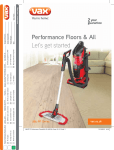
Performance
Floors & All
Pets & Family
User Guide
vax.com.au
vax.co.nz
VX6
Contents
1
Contents
1
Machine Overview
2
General Safety Information
3
Getting Started
5
How To Use
6
Looking After Your Machine
8
FAQs
13
Other Information
14
Machine Overview
1
Handle
2
Extension tube
3
Main body release button
4
Dirt container release button
5
Three way on/off switch
6
Separator
7
Dirt container
8
Post motor filter
9
Hose to machine connector
10
Hose to handle connector
11
Hose
12
Extension tube release button
13
Quick release cord hook
14
Power Cord
15
TurboTool
16
Pre-motor filter
17
2 in 1 tool
18
Post-motor filter
1
2
10
3
4
11
5
6
7
12
8
9
13
15
16
14
17
17
18
vax.com.au
vax.co.nz
2
General Safety Information
This vacuum cleaner is intended for household use only and NOT for commercial or industrial use.
When using the vacuum cleaner basic safety precautions should always be observed, including the following:
1. Only use the vacuum cleaner indoors on dry surfaces.
2.Turn off the on/off switch on the vacuum cleaner controls before disconnecting or connecting from the mains supply.
3.Always unplug the vacuum cleaner before connecting or disconnecting the vacuum hose and accessories.
4.Children should be supervised to ensure that they do not play with the appliance.
5.This appliance is not intended for use by children and persons with reduced physical, sensory or mental capabilities
or lack of experience and knowledge, unless they have been given supervision or instruction concerning use of the
appliance in a safe way and understands the hazards involved.
6. Cleaning and maintenance shall not be made by children.
7.The appliance should only be used as described in this user guide.
8.Only Vax recommended attachments should be used with this appliance.
9. Do not use this vacuum cleaner if it has been dropped, damaged, left outdoors or dropped into water. Do not use
this vacuum cleaner with a damaged cord or plug.
10.Do not pull or carry this appliance by the cord. Do not use the cord as a handle, close a door on the cord or
pull the cord around sharp edges or corners. Do not run the vacuum cleaner over the cord. Keep the cord away
from heated surfaces.
11. Do not handle the plug or the vacuum cleaner with wet hands.
12.Keep hair, loose clothing, fingers and all parts of the body away from openings and moving parts.
13.Do not pick up any hot coals, ash, cigarette butts, matches or any hot, smoking or burning objects.
14.Do not pick up any flammable or combustible materials (lighter fluid, petrol, kerosene etc.) or use in the presence of
explosive liquids or vapours.
15.Do not vacuum harmful or toxic material (chlorine, bleach, ammonia, drain cleaner etc.).
16.Do not vacuum hard or sharp objects such as glass, nails, screws, coins etc.
17.Do not vacuum plaster dust, concrete dust or any other building or vitreous materials.
18.Do not vacuum flour, baking soda or any other powder-based carpet refresher or deodoriser.
19. Store the vacuum cleaner in a cool, dry area.
20.Use only SAA approved 10amp extension cords. Non-approved cords may overheat. Care should be taken to
arrange the cord so that the cord cannot be tripped over.
21.Do not put any objects into openings. Do not use with any openings blocked and do not restrict airflow.
Keep all openings free of dust, lint, hair or anything that might reduce airflow.
22.Do not use the vacuum cleaner with blocked filters and without all of the filters in place.
23.Take extra care when positioning the vacuum cleaner on the stairs.
24.Keep vacuuming area well lit.
3
General Safety Information
WARNING: Always switch off and unplug the vacuum cleaner from the electrical socket before assembling,
opening or emptying the dirt container, or before connecting/disconnecting the attachments.
CAUTION: The vacuum cleaner is a very powerful unit. Before plugging the cord into the electrical socket,
make sure the switch is in the ‘off’ position.
IMPORTANT: If the inlet, hose or telescopic tube is blocked, switch off the vacuum cleaner and remove the
blockage(s) before re-starting the vacuum cleaner.
IMPORTANT: Vax recommends the use of Residual Current Device Rating of 30mA or less.
IMPORTANT: It is very important that filters are kept clean to obtain maximum performance from your vacuum
cleaner. Not cleaning and not replacing your filters regularly can reduce the suction power and cause overheating
and permanent damage to the vacuum cleaner.
NOTE: If the supply cord is damaged it must be replaced by the manufacturer, or a similarly qualified person
in order to avoid hazard, or invalidating the warranty.
IMPORTANT: The motor is equipped with a thermal cut-out. If for any reason the unit should overheat
(eg. from blocked nozzles, a full dust container or unclean filters), the thermostat will automatically turn off the
switch. Should this occur, unplug the vacuum cleaner from the electrical socket and turn off the switch. Remove
dirt container and empty. Clean filters. Allow the unit to cool for approximately one (1) hour. To re-start, plug into
an electrical socket and switch back on.
DAMAGE TO THE VACUUM CLEANER CAUSED AS A DIRECT RESULT OF NOT ADHERING TO THE GENERAL
SAFETY INFORMATION AND THE INSTRUCTIONS IN THIS USER GUIDE INVALIDATES THE WARRANTY.
Please keep instructions for further use.
Taking care of your carpets and hard floors
The Performance Floors & All is designed to make vacuuming carpets and hard floors regularly, as effective and
efficient as possible and this user guide will help you get the most out of your machine.
Maintaining your carpets and hard floors will ensure they keep their appearance for longer. You’ve chosen carpets and
hard floors for your home for a reason and Vax will help you take good care of them.
Taking care of your Performance Floors & All
Also inside this guide are instructions on maintaining your new machine, so that it’s always ready when you are to
tackle your carpets and hard floors.
vax.com.au
vax.co.nz
4
Getting Started
Assembling your upright
Place the dirt container onto the
main body and click into position.
Align the main body with the floor head
and push into place.
Push the hose into the hose to machine
connector and twist to lock into position.
Insert the extension tube into the top of
the main body and click into place.
Push the hose into the hose clips
on the machine.
Wrap the power cord around the quick
release cord hook and the lower cord
hook, continue wrapping the power
cord until it is secure.
5
How To Use
Before you begin cleaning
• Always switch off and unplug the vacuum cleaner before connecting or disconnecting the hose/attachments, or removing and
emptying the dirt container.
• The vacuum cleaner is equipped with a thermal cut-out. If for any reason the vacuum cleaner does overheat the thermostat will
automatically turn the vacuum cleaner off. If this happens, switch the vacuum cleaner off and unplug from electrical socket. Remove
and empty the dirt container also check the vacuum cleaner for blockages. Allow the vacuum cleaner to cool for approximately 1
hour (if you have cleaned the filters please wait 24 hours for the filters to fully dry before putting back into the vacuum).
• For best cleaning results filters require cleaning at least every 3 months.
• If the vacuum cleaner is blocked, switch off and unplug before removing the blockage.
• When using the accessories always make sure the brushbar is switched to the off position.
Twist the quick release
cord hook to release the
power cord.
vax.com.au
vax.co.nz
Plug in the machine.
Press the three way on/off
switch to turn on.
Place your foot gently
onto the floorhead and pull
the handle back to recline
the machine.
To release the handle with
extension tube press the
extension tube release
button and lift the handle
to remove.
6
How To Use
Using the floorhead without the main body
To remove the canister
from the main body of the
vacuum cleaner: Hold the
dirt container handle, press
the main body release
button and lift to remove.
Put the main body to one
side, use floorhead for
difficult to reach places.
Press extension tube release
button and lift the handle to
remove.
Press handle release button,
pull extension tube to
remove.
Attaching accessories to telescopic tube or handle
WARNING: Turn off brush bar when using the wand or hose.
Press extension tube release
button and lift handle to
remove extension tube.
7
Choose an accessory.
Attach accessories to the
end of extension tube
or handle.
Always hold the vacuum
cleaner when using the
hose or extension tube.
Looking After Your Machine
Emptying and cleaning the dirt container
NOTE: Don’t overfill the dirt container to avoid clogging the filter.
Press the dirt container release button
and pull to remove the dirt container.
vax.com.au
vax.co.nz
Hold dirt container over a bin and press
the dirt container release button to open,
allowing dirt to fall out.
When re-attaching the dirt container,
align the base first then push until you
hear an audible click. The dirt container
is now locked in place.
8
Looking After Your Machine
NOTE: For best cleaning results filters require cleaning at least every three months.
Cleaning the pre-motor filter
Turn the dirt container lid anti-clockwise
and lift to remove.
Grasp tab on filter and pull to remove.
Wash the filter under running water
(40oC max).
Leave to fully dry for at least 24 hours
before putting back into the
vacuum cleaner.
9
Tap the filter over a bin to release
any dirt.
Looking After Your Machine
NOTE: Always make sure the shroud is fully dry and correctly fitted before replacing back into the machine.
Cleaning the shroud
Turn the dirt container lid anti-clockwise
and lift to remove.
Grasp tab on filter and pull to remove.
Lift the shroud from the dirt container
and tap over a bin to remove dirt
and debris.
Wash the shroud under running water
(Max 40oC) and leave to fully dry for
at least 24 hours before replacing back
into the dirt container.
vax.com.au
vax.co.nz
Grasp the centre of the shroud and pull
to remove.
10
Looking After Your Machine
Cleaning the post motor filter
Press button on post motor
filter cover and remove.
Pull the post motor filter from
the machine.
Removing debris from the brushbar
Switch off your vacuum cleaner at the
main socket. Using a pair of scissors,
cut any hair or debris free from around
the brushbar.
11
Tap the post motor filter over a bin to
remove any dirt and debris and replace
it into the machine.
Looking After Your Machine
Removing blockages from the TurboTool
Remove the rubber ring.
Push both buttons to open
the turbo tool.
Using a pair of scissors, cut any hair or
debris free from around the brushes.
Changing the belt
Switch off and unplug your
vacuum cleaner. Recline
the vacuum and lie it on its
front, remove 5 screws to
release brushbar cover.
vax.com.au
vax.co.nz
Remove the brushbar cover
and push the floor head
into reclined position.
Lift the brushbar out of the
floor head and remove the
drive belt.
Remove the drive belt and
any debris from the spindle.
Loop new drive belt around
the spindle first and then
onto the brushbar. Insert the
brushbar back into floor
head and replace the
brushbar cover, insert 5
screws to secure.
12
FAQs
Warning: To reduce the risk of personal injury, unplug the vacuum cleaner before performing maintenance/troubleshooting checks.
There is an accessory missing
• Check the ‘This pack contains’ panel on the box to make sure the part is included with your machine.
Why does my vacuum cleaner have no power?
• The plug may not be fully pushed into the electrical socket.
•T
he motor thermostat may have tripped. If this has happened, unplug the vacuum cleaner. Remove and empty the dirt container and
check the hose for blockages Clean the filters and allow the vacuum cleaner to cool for approximately 1 hour (if you have washed the
filters you will need to wait 24 hours for the filters to fully dry before putting them back into the vacuum cleaner).
Why won’t the vacuum cleaner pick up?
• The dirt container may not be installed correctly, remove the dirt container and re-attach making sure it is clicked firmly into place.
• There may be a blockage in the hose. Please remove the hose from the vacuum cleaner, check and clear any blockages.
• Dirt container may be blocked, empty the dirt container and clean filters. Go to ‘Looking after your machine’, pages 8-10.
• If the accessory/tool will not pick up, check and clear any blockages.
• The brushbar may not be turning. Go to ‘My brushbar isn’t turning’ below.
My brushbar isn’t turning?
• The brushbar may be clogged, check the brushbar and clear any hair or debris.
• The belt may be broken, go to ‘Looking after your machine – changing the belt’, on page 12.
we’re here to help
For troubleshooting please
call or visit our website:
AU: 1300 361 505
vax.com.au
NZ: 0800 800 900
vax.co.nz
13
Other Information
Vax Service & Help
Vax Careline:
Australia
New Zealand
1300 361 505
0800 800 900
Monday-Friday
8.30am to 5.00pm
If you have queries or concerns about using your Vax, call the Vax Careline. Calls are charged at the standard
local rate. Please make a note of the serial number and model number of the vacuum cleaner before calling.
For the nearest Service Agent, please call the Vax Customer Careline or visit vax.com.au in Australia
or vax.co.nz in New Zealand.
Technical Specification
Model no.:
VX6
Voltage:
220-240V ~50Hz
Wattage:
1200W
Capacity:
2L
Cord length:
10m
Weight:
7.5kg
Subject to technical change without notice.
Double
Insulated
vax.com.au
vax.co.nz
Indoor
Use
Read
Instructions
14
Distributed by Techtronic Industries Australia Pty. Ltd.
31 Gilby Road, Mt Waverley, VIC 3149 Australia.
www.vax.com.au Careline AU: 1300 361 505
www.vax.co.nz Careline NZ: 0800 800 900
vax.com.au
vax.co.nz
Performance is everything.