1
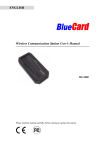
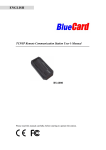
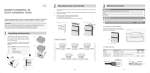
ENGLISH Inductive Guard Tour Reader Usage Manual BP-2002S Guard Tour Reader BP-2002F Guard Tour Reader Please read this manual carefully, before starting to operate the reader. Main Features BP-2002S/BP-2002F Guard Tour Reader employs inductive data collection (RFID), and single-chip manufacturing technologies. It conveniently operates without needing a button, and automatically detects and reads radio-frequency ID Tags. The BP-2002S/BP-2002F product is used to collect relevant patrol information at set points such as route, guard, location, time, and events, then upload them to the PC for processing and verification. The main difference between BP-2002S and BP-2002F is the BP-2002F has a LCD display window. First-Time Usage Before reading Tags, first connect with the PC and start the software to synchronize the reader’s internal clock. Wait until it automatically shuts down before performing readings. After synchronization please delete the reader to make sure the reader does not have any useless records. 1 TABLE OF CONTENT FIRST-TIME USAGE ................................................................................................................. 1 OPERATION INSTRUCTIONS ................................................................................................. 3 BP-2002S ...............................................................................................................................3 BP-2002F ................................................................................................................................3 STATUS INDICATIONS ............................................................................................................ 4 BP-2002S ...............................................................................................................................4 BP-2002F ................................................................................................................................4 DATA UPLOAD ......................................................................................................................... 5 BS-1000 ..................................................................................................................................5 BS-2000 ..................................................................................................................................5 BS-3010/BS-3010M................................................................................................................6 BS-3300 ..................................................................................................................................6 BS-4000/BS-4000M................................................................................................................6 BS-6000 ..................................................................................................................................7 MISCELLANEOUS ................................................................................................................... 7 WORKING AS CARD READER ............................................................................................... 7 TROUBLESHOOTING .............................................................................................................. 7 BP-2002S DATA SHEET ........................................................................................................ 10 BP-2002F DATA SHEET ......................................................................................................... 10 BATTERY USAGE GUIDELINES ............................................................................................11 CHANGING THE BATTERY ON THE BP-2002S/BP-2002F READER ................................. 12 DISCLAIMER .......................................................................................................................... 14 2 Operation Instructions BP-2002S Turning On and Off The system will turn on automatically to perform Tag reading when it is within the range of a valid Tag. It will automatically shut off when card reading is complete. Reading Tag Position a Tag in front of the blue reading head. 4 flashes of the red indicator light accompanied by 1 “beep” sound means that a reading has been made. BP-2002F Turning On and Off The system will turn on automatically to perform Tag reading when it is within the range of a valid Tag. It will automatically shut off when card reading is complete. Reading Tags Position a Tag in front of the blue reading head. 4 flashes of the red indicator light accompanied by 1 “beep” sound means that a reading has been made. The BP-2002F will display the last four digits of the signal card’s hexadecimal ID number. For example: This number can be later referred to during status indications (see page 4). 3 Status indications BP-2002S 1 Beep With 4 Flashes Reading is successful. After Reading a Tag, 4 Beeps With 4 Flashes The reading was not successful. The reader memory is full; the data needs to be uploaded before more readings can be made. After Reading a Tag, 1 Beep With 4 Flashes, Followed By 4 Beeps with 4 Flashes The reading was successful, but the reader’s internal clock should be synchronized with the PC before further readings are made After Reading a Tag, The LED Light Flashes Continuously The battery is low and needs to be changed. After Reading a Tag, 1 Beep with 4 Flashes Followed by 8 “Beep” Sounds With 8 Flashes of the LED There is an error within the reader. It needs to be connected with the computer, have its data uploaded, then deleted. BP-2002F A display of the current time. (If a card reading has just been made, is accompanied by 4 beeps with 4 flashes of the LED.) The reader’s memory is full. It needs to upload its data before further readings can be performed. (If reader makes 4 beeps with 4 flashes of LED, when the reader just has been turned on.) The reader’s internal clock needs to be synchronized with the PC before further readings can be made After Reading a Tag, The LED Light Flashes Continuously The battery is low and the reader needs a new battery. After Reading a Tag, 1 Beep with 4 Flashes Followed by 8 “Beep” Sounds With 8 Flashes of the LED There is an error within the reader. It needs to be connected with the computer, have its data uploaded, then deleted. 4 Data Upload BP-2002S/BP-2002F reader could upload the data via communication station from BS-1000, BS-2000, BS-3010/BS-3010M, BS-3300, BS-4000/BS-4000M, BS-6000. Please keep rest of the BP-2002S, BP-2002F readers and EM Cards at lest one foot away from the stations when the readers are in the uploading process. BS-1000 Connect the BS-1000 wireless communication station to the PC, and place the BP-2002S/BP-2002F guard tour reader. The reading head of the BP-2002S/BP-2002F should be between the status lights of the BS-1000, and its top should be flush against the inside edge of the BS-1000. The “Connect” window should be started in the PC software, and the data upload process will be automatically started. BS-2000 Turn on the BS-2000 by turning on the power switch. Place the BP-2002S/BP-2002F guard tour reader in its indentation. The reading head of the BP-2002S/BP-2002F should be between the status lights of the BS-2000, and its top should be flush against the inside edge of the BS-2000. The data upload process will be automatically started. All of the data will be uploaded into the station. 5 BS-3010/BS-3010M Turn on the BS-3010 by turning on the power switch or attaching a power source. Place the BP-2002S/BP-2002F guard tour reader in its indentation. The reading head of the BP-2002S/BP-2002F should be between the status lights of the BS-3010, and its top should be flush against the inside edge of the BS-3010. The data upload process will be automatically started. All of the data will be uploaded into the station. BS-3300 Turn on the BS-3300 by attaching a power source. Place the BP-2002S/BP-2002F guard tour reader in its indentation. The reading head of the BP-2002S/BP-2002F should be between the status lights of the BS-3300, and its top should be flush against the inside edge of the BS-3300. The data upload process will be automatically started. All of the data will be uploaded into the station. BS-4000/BS-4000M Turn on the BS-4000 by attaching a power source. Place the BP-2002S/BP-2002F guard tour reader in its indentation. The reading head of the BP-2002S/BP-2002F should be between the status lights of the BS-4000, and its top should be flush against the inside edge of the BS-4000. The data upload process will be automatically started. All of the data will be uploaded into the station. 6 BS-6000 Turn on the BS-6000 by attaching a power source. Place the BP-2002S/BP-2002F guard tour reader in its indentation. The reading head of the BP-2002S/BP-2002F should be between the status lights of the BS-6000, and its top should be flush against the inside edge of the BS-6000. The data upload process will be automatically started. All of the data will be uploaded into the station. Miscellaneous After communicating with the PC, the BP-2002S/BP-2002F will not be ready of reading Tags before after 5 seconds. The interval between signal card readings should be longer than 5 seconds. Working as Tag Reader The BP-2002S/BP-2002F guard tour reader can be used as a standard Tag reader used for various applications. Troubleshooting After reading a Tag, 1 beep with 4 flashings, followed by 4 beeps with 4 flashes The reading was successful, but the reader’s internal clock should be synchronized with the PC before further readings are made. After reading a card, 4 beeps with 4 flashes The reading was not successful. The reader memory is full. The data needs to be uploaded and the pen deleted before more readings can be made. After reading a card, 1 beep with 4 flashes, followed by 8 beeps with 8 flashes There is an error within the reader. It needs to be connected with the computer have its data uploaded then synchronized. 7 The LED continuous flashes The battery is low and needs to be charged. Please follow the “BP-2002S Reader Battery Change Instruction” to change the battery. Failed to upload data to the software and followed by 8 beeps with 8 flashes There is an error when uploading data. It needs to be synchronized, and some times deleted. When the reader communicate with the software followed by 1 beep and 1flash There is a hardware error within the reader. It needs to be returned to the distributor. Failed to scan signal card Solution 1: after communicating with the PC, wait 5 seconds before starting to scan Tags. Solution 2: make sure the tag was not read within 5 seconds of the previous reading. (when you finished once reading, please position the card outside of the reading range of the reader.) Solution 3: the reader’s memory may be full. Connect with a PC to upload data before scanning more signal cards. Solution 4: the reader may run out of the battery, please change the battery Failed to communicate with PC Solution 1: check to see if the PC software is opening properly, and whether it is set up to communicate with the BP-2002S/BP-2002F. Solution 2: make sure that the BS-1000 wireless communication station is properly connected to the PC, and that it has been found by the PC software. Solution 3: check to see if the BP-2002S/BP-2002F is placed properly on the BS-1000. The reading head of the BP-2002S/BP-2002F should be between the status lights of the BS-1000, and its top should be flash against the inside edge of the BS-1000. Failed to scan Tag, and failed to communicate with PC The reader may run out of the battery, please change the battery. The data has been successfully uploaded, but there is not data in Custom Report If the data has been successfully uploaded, which could provide the reader is working properly. Please go to the Custom report and Restore Default or Custom Tablelayout Failed to synchronize the reader Please check COM Port and Communication Type 8 “Failed to transfer data” message comes out in the records uploading process. When you are uploading the records from BP-20002S or BP-2002F reader into software via BS-1000, please keep rest of the BP-2002S, BP-2002F readers and EM Cards at lest one foot away from the BS-1000 station. Please refer to the following picture for the details Further on the above issue when you upload the record from BP-2002S or BP-2002F via BS-2000, BS-3000/BS-3000M, BS-4000/BS-4000M, and BS-6000, also please keep rest of the BP-2002S, BP-2002F readers and EM Cards at least one foot away from the stations. Please contact with the distributor support if you can not solve the problem by using above solutions. 9 BP-2002S Data Sheet Inductive / Non-Contact Card-Reading Card Format 125 Khz EMID Model Size Range BLC-02 86mm×54mm 6.0cm Maximum BLC-40 Φ40mm 4.0cm Reading Range BLC-30 Φ30mm 3.5cm Tags BLC-22 Φ22mm 3.5cm BLC-6-28 Φ6mm×28mm 3cm Power Capacity >330,000 Readings Battery Type CR123A 3v Single-Use Lithium Display LED Status light Shock External: metal tubing, rubber shell. Absorbency Internal: silicone gel padding, epoxy resin. Tested to withstand drops from 2 m (cement floor) Waterproofing Completely Sealed Memory 30,719 Records Data Reliability Flash Memory, Stores Data Without Electricity PC Connection Wireless Comm Station Working Temp. -40°C to 70°C Working Hum. 0 to 95% Dimensions 120mm×35mm×26mm Weight 142g±5g BP-2002F Data Sheet Card-Reading Card Format Maximum Reading Range Tags Inductive / Non-Contact 125 Khz EMID Model Size Range BLC-02 86mm×54mm 6.0cm BLC-40 Φ40mm 4.0cm BLC-30 Φ30mm 3.5cm Φ22mm 3.5cm Φ6mm×28m BLC-6-28 3cm m Power Capacity >330,000 Readings Battery Type CR123A 3v Single-Use Lithium Display LCD display, LED Status light Shock External: metal tubing, rubber shell. Absorbency Internal: silicone gel padding, epoxy resin. Tested to withstand drops from 2 m (cement floor) Waterproofing Completely Sealed Memory 30,719 Records Data Reliability Flash Memory, Stores Data Without Electricity PC Connection Wireless Comm Station Working Temp. -20°C to 70°C Working Hum. 0 to 95% Dimensions 140mm×42mm×30mm Weight 172g±5g BLC-22 10 Battery Usage Guidelines Always follow your battery manufacturer’s directions fully. Do not attempt to disassemble, recharge, short circuit, or subject the battery to high temperature or fire. Please be sure to read this manual thoroughly before use. Also, refer to the manual of the equipment for which you see this battery pack. Failure to replace the batteries when they are low may cause the reader to shut down and stop to reading the checkpoint cards. NOT ALL BATTERIES ARE CREATED EQUAL! Battery life depends significantly on age, usage conditions, type and brand. DANGER! Keep the battery pack away from fire (or it might explode). Do not expose it to temperatures greater than 60℃ (140℉). Do not leave it near a heater or inside a car in hot weather, for example. Do not try to disassemble or modify it. Do not drop or knock it. Do not get it wet. 11 Changing the Battery on the BP-2002S/BP-2002F Reader NOTE 1: the battery type used on the BP-2002S reader is type CR123A, which can be purchased in many convenience stores. Below is an example of the battery: NOTE 2: BP-2002F use the exactly same way to change the battery. Please follow the instructions to replace the BP-2002F battery. Tools you need OR Please order this tool from your distributor. 1. Lift up the label from the battery cover. 2. Two round depressions are revealed beneath the label. 12 Round depressions 3. Use needle-nosed pliers to hold onto the depressions and turn the battery cover counter-clock wise. 4. The battery cover is opened. Please note the location of the silicone-waterproofing ring. If the ring is damaged during the battery replacement process, please replace it with the spares provided. In addition, please note that the cathode (negative end) of the battery is facing outwards. Silicone waterproofing ring 5. Open the battery cap and remove the battery 13 6. Use the pliers to install the battery cover. Please note the notch on the inside tubing of the reader. The battery cover should go down to a same or lower level than the bottom of the notch. Notch DISCLAIMER The information in this documentation is subjective to change notice and does not represent a commitment on the part of Scan Secure AS. No part of this manual may be reproduced or transmitted in any form or by any means, electronic or mechanical, including photocopying, recording, or information storage and retrieval systems, for any purpose other than the purchaser’s personal use, without the written permission of Scan Secure AS. All trademarks mentioned in the document, belong to their respective owners. 14