1
4.
Using the buttons
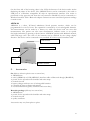
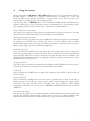
On the front side of ABPM-05 and BlueBP-05, below the LCD, you can find three buttons:
START button is marked by a triangle, EVENT button is marked by a heart and
DAY/NIGHT button, which is marked by a crescent moon. If the device operates, each
button press is accompanied by a short beeping sound.
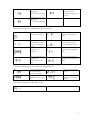
On the front side of ABPM-04 there is the unmarked START and the EVENT button,
which is marked by a circle. Each button press is accompanied by a short beeping sound.
The following functions relate to all devices – otherwise it is clearly indicated.
Cancel a blood pressure measurement
The patient can interrupt a blood pressure measurement by pressing a button at any time
while the cuff is inflated. This will result in immediate fast cuff deflation.
Manual blood pressure measurement
If it seems necessary, the patient can start an additional, manual blood pressure measurement
by pressing the START button shortly (less than 5 seconds). Results with a manual
measurement marker will be stored in the memory of the device. Typical causes for this use:
dizzines, pain (angina pectoris or headache), palpitation.
Switching the device off
Press and hold the START button for more than 10 seconds, then release it when two
horizontal segments appear on the LCD. If the device is switched off, it can be switched on
again manually. While the recorder is switched off normal functions are not available, even
prescheduled measurements will not be triggered. Therefore switching off the device is only
justified in case of valid reasons.
Switching the device on
The device can be switched on by pressing and holding the START button for more than 3
seconds. If the device is switched off, no other functions are available.
LCD check
Press and hold the START button to light up all segments of the LCD to check if they all
work correctly.
Battery voltage check
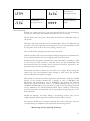
Press and hold the START button for more than 5 seconds, but less than 10 seconds to
display voltage on the LCD (e.g. 2_64 is equal to 2,64V). After checking the voltage, release
the button. The unit will then return to display time. The voltage for fully charged
accumulators should be over 2,5V in case of ABPM-05and BlueBP-05 and 5,37V in case of
ABPM-04.
Set a patient event marker
The patient can mark any event without starting a manual blood pressure measurement by
pressing the EVENT button briefly. Typical cause for this use is taking medicine. The
patient should be instructed to record the reason for setting an event marker in a diary.
7