1
Back to Contents Page
Coin-Cell Battery
Dell™ Inspiron™ N3010 Service Manual Removing the Coin-Cell Battery
Replacing the Coin-Cell Battery
WARNING: Before working inside your computer, read the safety information that shipped with your computer. For additional safety best
practices information, see the Regulatory Compliance Homepage at www.dell.com/regulatory_compliance.
CAUTION: To avoid electrostatic discharge, ground yourself by using a wrist grounding strap or by periodically touching an unpainted metal
surface (such as a connector on your computer).
CAUTION: Only a certified service technician should perform repairs on your computer. Damage due to servicing that is not authorized by Dell™ is not covered by your warranty.
CAUTION: To help prevent damage to the system board, remove the main battery (see Removing the Battery) before working inside the
computer.
Removing the Coin-Cell Battery
1.
Follow the instructions in Before You Begin.
2.
Follow the instructions from step 2 to step 16 in Removing the System Board.
3.
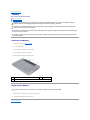
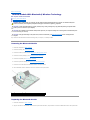
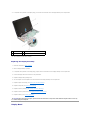
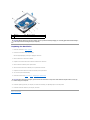
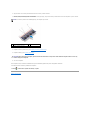
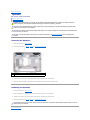
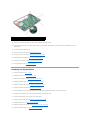
Use a plastic scribe and gently pry the coin-cell battery out of the battery socket on the system board.
1
coin-cell battery
2
plastic scribe
Replacing the Coin-Cell Battery
1.
Follow the instructions in Before You Begin.
2.
With the positive side facing up, snap the coin-cell battery into the battery socket on the system board.
3.
Follow the instructions from step 7 to step 21 in Replacing the System Board.
CAUTION: Before turning on the computer, replace all screws and ensure that no stray screws remain inside the computer. Failure to do so may
result in damage to the computer.
Back to Contents Page