1
Settings
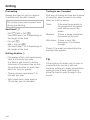
Time
Display
Select how you want the time of day to
show in the display when the oven is
switched off:
– On
The time always shows in the
display.
– Off
The display is switched off to save
energy. The oven has be to be
switched on before you can use it.
This also applies to using the
following functions: Quick MW W,
Popcorn Æ, the Oven lighting I
and the Minute minder N.
– Night dimming
To save energy the time is only
shown in the display between 5:00
and 23:00. The rest of the time it is
not visible.
Clock format
You can select whether the time shows
as a 24 h or 12 h clock.
Set
Set the hours and the minutes.
If there is a power cut, the current
time of day will reappear once
power has been restored. The time
is stored in memory for about
200 hours.
Date
Use the numerical keypad to set the
date.
Lighting
– On
The interior lighting is switched on
during the entire cooking period.
– "On" for 15 seconds
The oven lighting switches off
15 seconds after a programme
starts.
Touching I switches it on for
another 15 seconds.
– 24 h
The time of day is shown in 24 hour
clock format.
– 12 h
The time of day is shown in 12 hour
clock format.
43