1
8
www.aeg.com
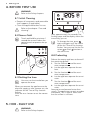
4. BEFORE FIRST USE
WARNING!
Refer to the Safety chapters.
4.1 Initial Cleaning
• Remove all accessories and removable
shelf supports (if applicable).
• Clean the appliance before first use.
Refer to the chapter "Care and
cleaning".
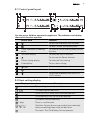
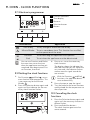
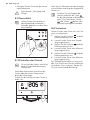
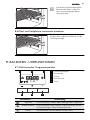
4.2 Sensor field
Touch and hold for minimum 1
second the sensor filed on the
control panel to operate the appliance.
After approximately five seconds, the
flashing stops and the display shows the
time of day you set.
To change the time, press
again and again until the indicator for the Time of Day function
flashes. You must not set the Duration
or End
function at
the same time.
4.4 Preheating
1s
Preheat the empty appliance to burn off
the remaining grease.
1.
Set the function
and the maximum temperature.
2. Let the appliance operate for one
hour.
3.
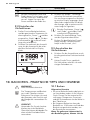
4.3 Setting the time
You must set the time before you
operate the oven.
When you connect the appliance to the
electrical supply or after a power cut, the
indicator for the Time of Day function
flashes.
Press the + or - button to set the correct
time.
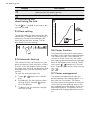
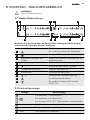
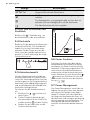
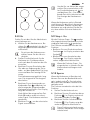
5. HOB - DAILY USE
WARNING!
Refer to the Safety chapters.
Set the function
and the maximum temperature.
4. Let the appliance operate for ten minutes.
5.
Set the function
and the maximum temperature.
6. Let the appliance operate for ten minutes.
Accessories can become hotter than
usually. The appliance can emit an odour
and smoke. This is normal. Make sure
that the airflow is sufficient.