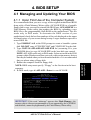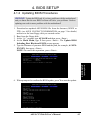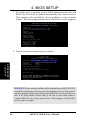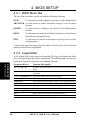
1
3. HARDWARE SETUP
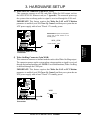
Motherboard Frequency Settings (DIP Switches)
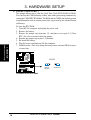
The motherboard frequency is adjusted through the DIP switches. The white block
represents the switch’s position. The illustration below shows all the switches in the
OFF position.
0 1
0 1
0 1
0 1
®
DIP_F
ON
5 4 3 2 1
OFF
ON
5
1 2 3 4 ON
CUV266-D
1. Frequency Multiple
2. Frequency Multiple
3. Frequency Multiple
4. Frequency Multiple
5. Frequency Multiple
3. H/W SETUP
Motherboard Settings
CUV266-D DIP Switches
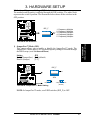
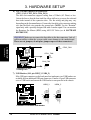
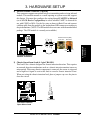
1) JumperFree™ Mode (JEN)
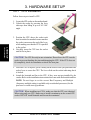
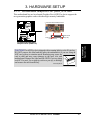
This jumper allows you to enable or disable the JumperFree™ mode. The
JumperFree™ mode allows CPU external frequency settings to be made through
the BIOS setup (see 4.4 Advanced Menu).
Setting
JEN
Enable (JumperFree) [2-3] (default)
Disable (Jumper)
[1-2]
0 1
0 1
0 1
0 1
DIP_F
OFF
®
ON
5 4 3 2 1
5
1 2 3 4 ON
JEN
CUV266-D
1 2
Jumper Mode
2 3
JumperFree Mode
(Default)
CUV266-D JumperFree™ Mode Setting
NOTE: In JumperFree™ mode, set all DIP switches (DIP_F) to OFF.
ASUS CUV266-D User’s Manual
17