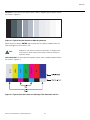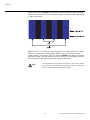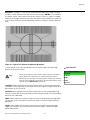
1
O W N E R ’S O P E R A T I N G M A N U A L VX-2000d 1080p Digital Light ProcessingTM Projector and Digital High Definition (DHD™) Controller TWO YEAR LIMITED WARRANTY For Projectors, Video Processors and Controllers Congratulations on your purchase of a Runco video product and welcome to the Runco family! We believe Runco produces “The World’s Finest Home Theater Products.” With proper installation, setup and care, you should enjoy many years of unparalleled video performance. This is a LIMITED WARRANTY as defined in the Magnuson-Moss Warranty Act. Please read it carefully and retain it with your other important documents. Y WHAT IS COVERED UNDER THE TERMS OF THIS LIMITED WARRANTY: EL IM IN A R SERVICE LABOR: Runco will pay for service labor by a Runco Authorized Service Center when needed as a result of manufacturing defect for a period of two (2) years from the effective date of delivery to the end user (excluding the lamp). PARTS (not including the lamp): Runco will provide new or rebuilt replacement parts for the parts that fail due to defects in materials or workmanship for a period of two (2) years from the effective date of delivery to the end user. Such replacement parts are then subsequently warranted for the remaining portion (if any) of the original warranty period. PROJECTOR LAMP: Runco will pay for service labor by a Runco Authorized Service Center when needed as a result of a manufacturing defect for a period of six (6) months or 1000 hours, whichever comes first, from the effective date of delivery to the end user. In addition, Runco will provide a new or rebuilt replacement lamp for the lamp that fails due to defects in materials or workmanship for a period of six (6) months or 1000 hours, whichever comes first, from the effective date of delivery to the end user. Such replacement lamps are then subsequently warranted for the remaining portion (if any) of the original warranty period. WHAT IS NOT COVERED UNDER THE TERMS OF THIS LIMITED WARRANTY: PR This Limited Warranty only covers failure due to defects in materials and workmanship that occur during normal use and does not cover normal maintenance. This Limited Warranty does not cover cabinets or any appearance items; failure resulting from accident, misuse, abuse, neglect, mishandling, misapplication, faulty or improper installation or setup adjustments; improper maintenance, alteration, improper use of any input signal; damage due to lightning or power line surges, spikes and brownouts; damage that occurs during shipping or transit; or damage that is attributed to acts of God. In the case of remote control units, damage resulting from leaking, old, damaged or improper batteries is also excluded from coverage under this Limited Warranty. CAUTION: THIS LIMITED WARRANTY ONLY COVERS RUNCO PRODUCTS PURCHASED FROM RUNCO AUTHORIZED DEALERS. ALL OTHER PRODUCTS ARE SPECIFICALLY EXCLUDED FROM COVERAGE UNDER THIS WARRANTY. MOREOVER, DAMAGE RESULTING DIRECTLY OR INDIRECTLY FROM IMPROPER INSTALLATION OR SETUP IS SPECIFICALLY EXCLUDED FROM COVERAGE UNDER THIS LIMITED WARRANTY. IT IS IMPERATIVE THAT INSTALLATION AND SETUP WORK BE PERFORMED ONLY BY AN AUTHORIZED RUNCO DEALER TO PROTECT YOUR RIGHTS UNDER THIS WARRANTY. THIS WILL ALSO ENSURE THAT YOU ENJOY THE FINE PERFORMANCE OF WHICH YOUR RUNCO PRODUCT IS CAPABLE WHEN INSTALLED AND CALIBRATED BY RUNCO AUTHORIZED PERSONNEL. RIGHTS, LIMITS AND EXCLUSIONS: Runco limits its obligations under any implied warranties under state laws to a period not to exceed the warranty period. There are no express warranties. Runco also excludes any obligation on its part for incidental or consequential damages related to the failure of this product to function properly. Some states do not allow limitations on how long an implied warranty lasts, and some states do not allow the exclusion or limitation of incidental or consequential damages. So the above limitations or exclusions may not apply to you. This warranty gives you specific legal rights, and you may also have other rights that vary from state to state. Runco VX-2000d Owner’s Operating Manual iii EFFECTIVE WARRANTY DATE: This warranty begins on the effective date of delivery to the end user. For your convenience, keep the original bill of sale as evidence of the purchase date. IMPORTANT -- WARRANTY REGISTRATION: Y Please fill out and mail your warranty registration card. It is imperative that Runco knows how to reach you promptly if we should discover a safety problem or product update for which you must be notified. EL IM IN A R CONTACT A RUNCO AUTHORIZED SERVICE CENTER TO OBTAIN SERVICE: Repairs made under the terms of this Limited Warranty covering your Runco video product will be performed at the location of the product, during usual working hours, providing location of product is within normal operating distance from a Runco Authorized Service Center. In some instances it may be necessary for the product to be returned to the Runco factory for repairs. If, solely in Runco’s judgment, location of product to be repaired is beyond normal operating distance of the closest Runco Authorized Service Center, or the repair requires the unit be returned to the Runco factory, it is the owner’s responsibility to arrange for shipment of the product for repair. These arrangements must be made through the selling Runco Dealer. If this is not possible, contact Runco directly for a Return Authorization number and shipping instructions. Runco will return product transportation prepaid in the United States, unless no product defect is discovered. In that instance, shipping costs will be the responsibility of the owner. COPYRIGHT AND TRADEMARKS: PR © Copyright 2007 Runco International. This document contains proprietary information protected by copyright, trademark and other intellectual property laws. All rights are reserved. No part of this manual may be reproduced by any mechanical, electronic or other means, in any form, without prior written permission of the manufacturer. Reflection, Enhanced GEN3, DHD, Vivix, Virtual Cinema, CineWide, AutoScope, O-Path, CinOptx, LiveLink, CSMS, SuperOnyx and VirtualWide are trademarks of Runco International. THX and the THX logo are trademarks of THX Ltd. which may be registered in some jurisdictions. All rights reserved. All other trademarks and registered trademarks used in this document are the property of their respective owners. Runco International products are manufactured under one or more of the following patents: US. Patent 6755540 and Other Patents Pending. iv Runco VX-2000d Owner’s Operating Manual ADDITIONAL INFORMATION: To locate the name and address of the nearest Runco Authorized Service Center, or for additional information about this Limited Warranty, please call or write: EL IM IN A R Y RUNCO INTERNATIONAL, INC. Attn: Customer Service Department 2900 Faber Street Union City, CA 94587 Ph: (510) 324-7777 Fax: (510) 324-9300 Toll Free: (800) 23-RUNCO RUNCO VIDEO-PRODUCT INFORMATION RETAIN THIS INFORMATION FOR YOUR RECORDS _________________________________________________________ ________________________________________ Model Purchased Date Serial Number PR ____________________________________________________________________________________________________________ ____________________________________________________________________________________________________________ Runco Authorized Dealer Name ____________________________________________________________________________________________________________ Address ____________________________________________ __________________ ________________________ City State/Province Postal Code ____________________________________________ _______________________________________________________ Phone Fax Runco VX-2000d Owner’s Operating Manual v Safety Precautions Thank you for your purchase of this quality Runco video projector! It has been designed to provide you with the quality of video that is expected in a home theater. For the best performance, please read this manual carefully as it is your guide through the menus and operation. This symbol is intended to alert the user to the presence of important operating and maintenance (servicing) instructions in the literature accompanying the appliance. EL IM IN A R CAUTION: TO REDUCE THE RISK OF ELECTRIC SHOCK DO NOT REMOVE COVER (OR BACK) NO USER SERVICEABLE PARTS INSIDE. REFER SERVICING TO QUALIFIED SERVICE PERSONNEL. Y CAUTION RISK OF ELECTRIC SHOCK DO NOT OPEN WARNING This symbol is intended to alert the user to the presence of uninsulated “dangerous voltage” within the product’s enclosure that may be of sufficient magnitude to constitute a risk of electric shock. This equipment has been tested and found to comply with the limits for a Class B digital device, pursuant to Part 15 of the FCC Rules. These limits are designed to provide reasonable protection against harmful interference in a residential installation. 1. Read these instructions. 2. Keep these instructions. 3. Heed all warnings. 4. Do not use this equipment near water, outdoors or otherwise exposed to the elements. 5. Clean only with a dry cloth. 6. Do not block any ventilation openings. PR 7. Do not install near any heat sources such as radiators, heat registers, stoves, or other apparatus (including amplifiers) that produce heat. 8. Do not defeat the safety feature of the polarized or grounding type plug. A polarized type plug has two blades with one wider than the other. A grounding type plug has two blades and a third grounding prong. The third prong is provided for your safety. If the provided plug does not fit into your outlet, consult an electrician for the replacement of the obsolete outlet. 9. The 12V trigger only outputs DC 12V signal for triggering. Do not connect to any other power input or output. This could cause damage to this unit. 10. Only use accessories specified by Runco International. 11. Keep the packing material in case the equipment should ever need to be shipped. 12. Unplug this projector during lightning storms or when it will not be used for an extended period of time. 13. The lamp becomes extremely hot during operation. Allow the projector to cool down for approximately 45 minutes prior to removing the lamp assembly for replacement. Do not operate lamps beyond the rated lamp life. Excessive operation of lamps beyond rated life could cause them to explode in rare occasions. 14. Refer all servicing to qualified service personnel. Servicing is required when the projector has been damaged in any way, objects have fallen or spilled into the projector, the projector has been exposed to rain or moisture, does not operate normally, or has been dropped. vi Runco VX-2000d Owner’s Operating Manual 1 Table of Contents TWO YEAR LIMITED WARRANTY ................................................................................. iii Safety Precautions ......................................................................................................... vi 1. Introduction ...............................................................................................................1 About This Manual .......................................................................................................1 Y Target Audience .....................................................................................................1 EL IM IN A R If You Have Comments About This Manual... ..........................................................1 Textual and Graphic Conventions ...........................................................................1 Using This Manual ........................................................................................................2 Description, Features and Benefits ...............................................................................3 Key Features and Benefits ......................................................................................4 Parts List ................................................................................................................4 2. Controls and Functions ............................................................................................5 VX-2000d at a Glance ..................................................................................................5 VX-2000d Rear Panel ...................................................................................................7 DHD Controller Front Panel ..........................................................................................8 DHD Controller Rear Panel .........................................................................................10 PR Outputs ................................................................................................................10 Inputs ...................................................................................................................10 VX-2000d Remote Control Unit ..................................................................................12 VX-2000d Built-In Keypad ..........................................................................................15 3. Installation ...............................................................................................................17 Remote Control ..........................................................................................................17 Battery Installation ................................................................................................17 Notes on Remote Control Operation .....................................................................17 Quick Setup ...............................................................................................................19 Installation Considerations ..........................................................................................20 Installation Type ....................................................................................................20 Ambient Light .......................................................................................................20 Throw Distance.....................................................................................................21 Vertical and Horizontal Position.............................................................................22 Vertical Lens Shift .................................................................................................22 Folded Optics .......................................................................................................23 Other Considerations ............................................................................................23 Runco VX-2000d Owner’s Operating Manual vii Table of Contents Mounting the VX-2000d .............................................................................................24 Floor Mounting (Upright) .......................................................................................24 Ceiling Mounting (Inverted)....................................................................................24 Adjusting the Projection Angle ..............................................................................24 Connections to the VX-2000d and DHD Controller .....................................................25 Connector Panel Access.......................................................................................25 Connecting the Projector to the DHD Controller....................................................25 Connecting Source Components to the DHD Controller .......................................26 Y Connecting a PC or Automation System to the DHD Controller ............................30 Connecting 12-Volt Trigger Outputs to External Equipment ..................................30 EL IM IN A R Connecting an External IR Receiver to the DHD Controller ....................................31 Connecting to AC Power ......................................................................................32 Turning on the Power .................................................................................................32 Adjusting the Picture Orientation ................................................................................32 Primary Lens Adjustments ..........................................................................................33 Focus and Zoom ..................................................................................................33 Vertical Lens Shift .................................................................................................33 Installing and Adjusting the CineWide Anamorphic Lens .............................................34 4. Operation .................................................................................................................37 Using the On-Screen Menus ......................................................................................37 PR On-Screen Menus for 1080i (Analog) and Lower-Resolution Signals ...........................37 Main Menu............................................................................................................39 Input Source .........................................................................................................39 Aspect Ratio ........................................................................................................39 Picture .................................................................................................................41 Input Position........................................................................................................45 ISF Presets ...........................................................................................................46 Information ...........................................................................................................46 Calibration ............................................................................................................47 Service .................................................................................................................49 viii Runco VX-2000d Owner’s Operating Manual Table of Contents On-Screen Menus for 1080i (Digital) or 1080p Signals ................................................53 Main Menu............................................................................................................54 Language .............................................................................................................55 Picture Adjust .......................................................................................................55 Picture Adjust (Advanced) .....................................................................................57 White Balance.......................................................................................................59 Information ...........................................................................................................60 Options.................................................................................................................60 Y 5. Maintenance and Troubleshooting ........................................................................63 EL IM IN A R Lamp Replacement ....................................................................................................63 Troubleshooting Tips ..................................................................................................64 6. Serial Communications ..........................................................................................67 RS-232 Connection and Port Configuration ...............................................................67 Serial Command Syntax .............................................................................................67 7. Specifications ..........................................................................................................73 VX-2000d Specifications ............................................................................................73 DHD Controller Specifications ....................................................................................75 PR VX-2000d Dimensions ................................................................................................76 Runco VX-2000d Owner’s Operating Manual ix Table of Contents PR EL IM IN A R Y Notes: x Runco VX-2000d Owner’s Operating Manual 1 List of Figures 2-1. VX-2000d Front/Top/Side/Bottom/Rear View ...............................................................5 2-2. VX-2000d Rear Panel ...................................................................................................7 2-3. DHD Controller Front Panel ..........................................................................................8 2-4. DHD Controller Rear Panel .........................................................................................10 Y 2-5. DHD Controller/VX-2000d Remote Control.................................................................12 EL IM IN A R 2-6. VX-2000d Built-In Keypad ..........................................................................................15 3-1. Available Range of the Remote Control ......................................................................17 3-2. Estimating Throw Distance .........................................................................................21 3-3. Projector Placement ...................................................................................................22 3-4. Vertical Lens Shift (Example Only)...............................................................................22 3-5. Folded Optics.............................................................................................................23 3-6. Connecting the Projector to the DHD Controller .........................................................25 3-7. HDMI Source Connections .........................................................................................26 3-8. Digital (DTV) RGB or Component Video Connections .................................................27 3-9. Analog RGB Connections...........................................................................................28 3-10. Composite, S-Video and Component Video Connections.........................................29 PR 3-11. RS-232 Control System Connection.........................................................................30 3-12. 12-volt Trigger Output Connections (from DHD Controller) .......................................30 3-13. 12-volt Trigger Output Connection (from Projector)...................................................31 3-14. External IR Receiver Connection...............................................................................31 3-15. Vertical Lens Shift Adjustments ................................................................................33 3-16. VX-2000d Anamorphic Lens Mounting Assembly - Exploded View...........................34 4-1. DHD Controller OSD Menu Structure for VX-2000d (1080i Analog and Lower-Resolution Sources) ............................................................38 4-2. Typical PLUGE Pattern for Adjusting Brightness .........................................................42 4-3. Typical Gray Bar Pattern for Adjusting Contrast ..........................................................43 4-4. Typical Color Bar Pattern for Adjusting Color Saturation and Tint................................43 4-5. Typical Test Pattern for Adjusting Sharpness..............................................................45 4-6. OSD Menu Structure for VX-2000d (1080i Digital or 1080p Sources)..........................53 7-1. VX-2000d/CineWide Dimensions................................................................................76 Runco VX-2000d Owner’s Operating Manual xi List of Figures PR EL IM IN A R Y Notes: xii Runco VX-2000d Owner’s Operating Manual 1. Introduction This Owner’s Manual describes how to install, set up and operate the Runco VX-2000d DLP Projector and DHD Controller. 1.1 About This Manual Y Throughout this manual, the Runco VX-2000d DLP Projector and DHD Controller are referred to collectively as the “VX-2000d.” EL IM IN A R Runco has prepared this manual to help home theater installers and end users get the most out of the VX-2000d. Target Audience Runco has made every effort to ensure that this manual is accurate as of the date it was printed. However, because of ongoing product improvements and customer feedback, it may require updating from time to time. You can always find the latest version of this and other Runco product manuals on-line, at www.runco.com. Runco welcomes your comments about this manual. Send them to [email protected]. If You Have Comments About This Manual... Text Conventions: The following conventions are used in this manual, in order to clarify the information and instructions provided: Textual and Graphic Conventions • Remote and built-in keypad button identifiers are set in upper-case bold type; for example, “Press EXIT to return to the previous menu.” PR • Computer input (commands you type) and output (responses that appear on-screen) is shown in monospace (fixed-width) type; for example: “To change the aspect ratio to Letterbox, type LETTERBOX <Enter>.” • All keys with functional names are initial-capped, set in bold type and enclosed in angle brackets. These keys are the following: <Enter>, <Spacebar>, <Control>, <Esc> and <Tab>. • <Enter> indicates that you may press either the RETURN or ENTER key on your keyboard if it has both keys. In addition to these conventions, underlining, boldface and/or italics are occasionally used to highlight important information, as in this example: Note A carriage return must be used after each command or string. Runco VX-2000d Owner’s Operating Manual 1 Introduction Graphic Conventions: These symbols appear in numerous places throughout the manual, to emphasize points that you must keep in mind to avoid problems with your equipment or injury: Note NOTES emphasize text with unusual importance or special significance. They also provide supplemental information. Caution CAUTIONS alert users that a given action or omitted action can degrade performance or cause a malfunction. Y TIPS highlight time-saving short cuts and helpful guidelines for using certain features. EL IM IN A R 1.2 Using This Manual Tip WARNING WARNINGS appear when a given action or omitted action can result in damage to the equipment, or possible non-fatal injury to the user. DANGER! DANGER appears when a given action can cause severe injury or death. Use the following table to locate the specific information you need in this manual. PR If you need... ... Turn to page: Information about obtaining service iv General information about the VX-2000d DLP Projector and DHD Controller 3 Installation instructions 17 First-time configuration instructions 32 Advanced configuration instructions 47 Troubleshooting tips 64 Product specifications 73 2 Runco VX-2000d Owner’s Operating Manual Introduction The Runco VX-2000d DLP Projector and DHD Controller retains all of the features and performance of the VX-1000d – our most popular projector ever – while incorporating new, cutting edge technology and 1080p performance. Its performance is so impressive, in fact, that the VX-2000d has earned its place in our exclusive, Video Xtreme™ family of products – our top of the line and the world’s first video products to earn prestigious THX® certification. The VX-2000d incorporates Runco’s exclusive Enhanced GEN 3™ engineering advancements to make more efficient use of optical light engine design. This results in greater light output and dramatically increases contrast ratio. EL IM IN A R Y Runco has implemented a host of improvements into the VX-2000d light engine to take full advantage of its 16:9 SuperOnyx™ Digital Micromirror Device™ (DMD™) chip. These include a sophisticated color balancing system resulting in the industry’s best gray scale tracking. Additionally, the VX-2000d incorporates Reflectance Volume Regulation™ (RVR™), which provides for variable adjustment of the light path through the optics, enabling the perfect blend of black and white levels for each individual installation. The VX-2000d is supplied with Runco’s next-generation, Digital High Definition (DHD™) Controller featuring advanced Vivix II™ processing, superb scaling and aspect ratio control. The DHD Controller produces stunning video imagery, elevating even standard NTSC material to near high-definition levels. The VX-2000d produces an impressive 1550 ANSI lumens of light output (CSMS™ light output of 15.9 to 24.4 ft-Lamberts). This advanced design provides pure digital connections from input to light engine for absolutely stellar pictures. In addition, Runco’s multiple aspect ratio control includes its unique VirtualWide™ mode for viewing standard video formats in widescreen without loss of image quality. PR For uncompromising widescreen reproduction of movies originally filmed in the “scope” (2.35:1) format, the VX-2000d can be equipped with Runco’s patent-pending CineWide™ technology, a combination of software, electronics and high-quality anamorphic optics. CineWide maintains constant vertical height on the screen just as in a movie theater. When a viewer transitions from 1.78:1 (16:9) program material to 2.35:1, the image simply gets wider while full height is maintained. Note CineWide requires the use of a 2.35:1 or similar aspect ratio superwide format screen. Discrete infrared (IR) and RS-232 control make custom installation seamless, while discrete source and aspect ratio selection accommodate any automation control system. Runco VX-2000d Owner’s Operating Manual 3 1.3 Description, Features and Benefits Introduction Key Features and Benefits ➤ The VX-2000d offers these key features and benefits: • Runco-engineered, Enhanced GEN 3 Technology™ with RVR • Native Resolution: 1920 x 1080 (16:9 Native Aspect Ratio) • Two HDMI Inputs (on DHD Controller) with High-bandwidth Digital Content Protection (HDCP) • HDTV Compatible Parts List ➤ Your VX-2000d is shipped with the following items. If any items are missing or damaged, please contact your Runco dealer or Runco Customer Service at (800) 23-RUNCO. • VX-2000d DLP Projector and DHD Controller Y • Remote Control Unit and two (2), AAA-size batteries EL IM IN A R • AC Power Cords (2) • RJ-11 Telephone Cable, 50 feet (15.24 meters) • 9/64” Hex Wrench (for lens adjustments) • Rack-mount hardware for the DHD Controller • Warranty information and registration card • Runco VX-2000d Owner’s Operating Manual (this document) Optional Accessories: • CineWide™ technology (fixed, secondary anamorphic lens) PR • Ceiling mount kit (part number RUHK-004100) 4 Runco VX-2000d Owner’s Operating Manual 2. Controls and Functions 2.1 VX-2000d at a Glance Figure 2-1 shows the key VX-2000d components. 2 3 9 8 7 11 EL IM IN A R Y 1 6 5 4 6 PR 4 10 12 9 Figure 2-1. VX-2000d Front/Top/Side/Bottom/Rear View Runco VX-2000d Owner’s Operating Manual 5 Controls and Functions 1. VERTICAL LENS SHIFT Using a 9/64” hex wrench, turn this to move the lens up or down. 2. POWER LED Lights red to indicate that the projector is in standby; flashes blue during warm-up or cool-down or lights blue to indicate normal operation. 3. TEMP LED Lights red to indicate that the projector has overheated and shut down. 4. INTAKE VENTS Cool air enters the projector through these vents. To prevent overheating, ensure that these vents are never blocked. Y 5. LAMP LED Lights blue to indicate normal lamp operation; lights red if the lamp has failed. EL IM IN A R 6. EXHAUST VENTS Hot air exits the projector through these vents. This air can be quite hot. Ensure that there are no heat-sensitive objects near it and that it is never blocked. 7. ZOOM TAB Turn this tab to make the projected image larger or smaller. 8. FOCUS RING Turn this ring to focus the image. 9. RUNCO LOGO You can rotate the logo to match the projector orientation: inverted (ceiling-mounted) or upright. To rotate the logo, grip it at the sides, pull it away from the projector and rotate it 180 degrees. 10. CABLE OPENING Pass cables through this opening. PR 11. LAMP COVER Remove this cover to access the lamp compartment. 12. REAR PANEL ACCESS DOOR Open this door to access the rear-panel connectors and built-in keypad. To open the door, push on the left side of the lever and rotate it 90 degrees clockwise. Then, pull the lever toward you and down slightly. 6 Runco VX-2000d Owner’s Operating Manual Controls and Functions 2.2 VX-2000d Rear Panel Figure 2-2 shows the VX-2000d rear panel. RETURN ENTER DOWN UP LEFT RIGHT MENU UP LEFT RIGHT MENU ASPECT RATIO DOWN ASPECT RATIO IR RS-232 OUT HDMI AC IN 100-240V 50-60Hz ON EL IM IN A R AC IN 100-240V 50-60Hz 1 STANDBY Y TRIGGER IR RS-232 OUT TRIGGER STANDBY ENTER ON RETURN (behind rear cover) HDMI 2 3 4 5 6 Figure 2-2. VX-2000d Rear Panel 1. POWER INPUT (100 to 240 VAC) Connect the VX-2000d to power here. 2. HDMI INPUT An HDCP-compliant, digital video input for connecting the HDMI output from the DHD Controller. PR 3. BUILT-IN KEYPAD Used to navigate the VX-2000d on-screen menus. Refer to VX-2000d Built-In Keypad on page 15 for more information. 4. 12-VOLT (200 mA) TRIGGER OUTPUT (cylindrical, DC power supply-type jack) Connection for a retractable screen, screen masking or other, 12-volt trigger-activated equipment. Outputs +12 volts/200 mA when the projector is turned on. 5. WIRED IR (3.5-mm, mini phono jack) Not used. To use an external infrared receiver or wired remote control with this projector, connect it to the IR input on the DHD Controller (see Figure 2-4). 6. RS-232C INPUT (RJ-11 female connector) Connect the RS-232 output from the DHD Controller here, using the provided communication cable. Runco VX-2000d Owner’s Operating Manual 7 Controls and Functions 2.3 DHD Controller Front Panel 1 2 EL IM IN A R Y Figure 2-3 shows the controls and indicators on the DHD Controller front panel; the paragraphs that follow describe them. 3 4 5 6 7 8 9 10 Figure 2-3. DHD Controller Front Panel 1. RUNCO ICON Lights red to indicate that the DHD Controller is in standby mode; lights blue to indicate that the unit is on. PR 2. POWER BUTTON Press once to toggle from standby mode to on mode. Press it again to return to standby mode. For a discrete on or off command, you can use the direct access buttons on the remote control. 3. IR SENSOR Receives IR commands from the remote. 4. VACUUM FLUORESCENT DISPLAY Can be used instead of the On-Screen Display (OSD). Displays currently-selected menu or – if no menu is selected – the current source, signal format (NTSC or PAL), input resolution and aspect ratio. 5. UP BUTTON Used to direct select aspect ratios or move the menu cursor up in the OSD. When no menu is present on-screen, the UP button toggles through aspect ratios in the following order: 16:9 - 4:3 - Letterbox - VirtualWide - Cinema - Virtual Cinema Note Virtual Cinema is available only on the VX-2000d/CineWide. For more information about aspect ratios, refer to Table 4-1. 6. LEFT BUTTON Used to direct select inputs or move the menu cursor left in the On-Screen Display. When no menu is present on-screen, the LEFT button toggles through the different sources, in this order: HDMI 2 - HDMI 1 - HD/RGB 2 - HD/RGB1 - Component SD - S-Video 2 - S-Video 1 - Composite 8 Runco VX-2000d Owner’s Operating Manual Controls and Functions 7. ENTER BUTTON Press ENTER to select a highlighted menu item. 8. DOWN BUTTON Used to direct select aspect ratios or move the menu cursor down in the OSD. When no menu is present on-screen, this button toggles through the different aspect ratios, in this order: Virtual Cinema - Cinema - VirtualWide - Letterbox - 4:3 - 16:9 Note EL IM IN A R Y 9. RIGHT BUTTON Used to direct select inputs or move the menu cursor right in the OSD. When no menu is present on-screen, the RIGHT button toggles through the different sources, in this order: Composite - S-Video 1 - S-Video 2 - Component SD - HD/RGB 1 - HD/RGB 2 HDMI 1 - HDMI 2 The “direct select” function of the UP, DOWN, LEFT and RIGHT buttons is available only on the analog inputs (HD/RGB, SD Component, Composite and S-Video). PR 10. MENU BUTTON Press this button to access the OSD controls, or to exit the current menu and return to the previous one. Runco VX-2000d Owner’s Operating Manual 9 Controls and Functions 2.4 DHD Controller Rear Panel Figure 2-4 shows the rear connector panel on the DHD Controller. 7 3 9 SYSTEM CONTROL INTERFACE CAUTION INPUTS Serial No R/Pr G/Y B/Pb RISK OF ELECTRIC SHOCK DO NOT OPEN H V TRIGGERS CAUTION: TO REDUCE THE RISK OF ELECTRIC SHOCK, DO NOT REMOVE COVER. NO USERSERVICEABLE PARTS INSIDE. REFER SERVICING TO QUALIFIED SERVICE CENTER. HD1 HD2 Video Processor / Controller B/Pb H V EL IM IN A R G/Y Pb HDMI Out 1 HDMI 1 Pr Component Video HDMI 2 2 4 2 Y 1 Model R/Pr ! AVIS: RISQUE DE CHOC ELECTRIQUE-NE PAS OUVRIR Y Video 5 6 IR 3 WARNING: TO REDUCE THE RISK OF FIRE OR ELECTRIC SHOCK, DO NOT EXPOSE THIS APPLIANCE TO RAIN OR MOISTURE. S-Video 1 100-230VAC 50-60 Hz, 165 Watts Max S-Video 2 RS-232 Out 8 RS-232 Control 10 Made In USA 11 12 13 Figure 2-4. DHD Controller Rear Panel Outputs ➤ PR Inputs ➤ 1. HDMI OUT Connect this to the HDMI Input on the VX-2000d (see Figure 2-2). 2. HDMI 1 / HDMI 2 (Digital) Two, HDCP-compliant digital video inputs for connecting a DVD player or HD tuner with a DVI or HDMI output. 3. HD1 / HD2 (5 x Analog BNCs) Two inputs (five BNCs per input) for connecting either RGB or component high-definition television signals. The DHD Controller automatically detects the signal format: RGB(HV) or YPrPb, 480p, 720p, 480i, 576i or 1080i. 4. COMPONENT VIDEO (RCA connectors) Standard Definition (480i/576i) Component (YPrPb) input. This is the input for component video from sources such as DVD players. Tip For best results, do not run your DVD player in progressive mode. 10 Runco VX-2000d Owner’s Operating Manual Controls and Functions 5. COMPOSITE VIDEO INPUT Standard composite video input for connecting a VCR, laser disc player or other composite video source. 6. S-VIDEO 1 / S-VIDEO 2 Two, standard S-Video inputs for connecting a DVD player, satellite receiver or Super VHS (S-VHS) VCR. 7. 12-VOLT (750 mA) TRIGGER OUTPUTS Connection for up to three (3), 12-volt trigger-controlled devices such as retractable screens or screen masks. Y 8. ComLink (RS-232) OUTPUT Connect this to the ComLink (RS-232) input on the projector, using the provided communication cable. Note EL IM IN A R 9. IR Wired input from a wired remote control or infrared receiver. It is a 3.5-mm, mini phono jack, wired as follows: Ring = +5V Tip = IR Input Sleeve = Ground When an external remote control or infrared receiver is connected to the wired IR input, the IR sensor on the front of the DHD is disabled. 10. RS-232 CONTROL PORT A female, 9-pin D-sub connector for interfacing with a PC or home theater automation/control system. 11. POWER INPUT (100 to 240 VAC) Connect the DHD Controller to power here. PR 12. MAIN AC FUSE This is the main AC input fuse (5mm x 20mm, 500 mA, 250V slow-blow). 13. MAIN POWER SWITCH Disconnects or applies power to the DHD Controller. Runco VX-2000d Owner’s Operating Manual 11 Controls and Functions 2.5 VX-2000d Remote Control Unit Figure 2-5 shows the VX-2000d remote control, and the paragraphs that follow describe its functionality. 2 EL IM IN A R Y 1 3 4 (not available on some models) 5 RETURN EXIT 6 8 7 9 16 : 9 11 4:3 PR 12 13 HDMI 1 10 HDMI 2 14 CUST CUST 1 2 SVC Figure 2-5. DHD Controller/VX-2000d Remote Control 12 Runco VX-2000d Owner’s Operating Manual Controls and Functions 1. IR OUTPUT INDICATOR Lights when a button is pressed to indicate that an IR signal is being transmitted. 2. ON / OFF Press to turn the projector on or off. 3. ENTER Press to select a highlighted menu item or confirm a changed setting. 4. Cursor Buttons ( , , , ) Use these buttons to select items or settings, adjust settings or switch display patterns. Note EL IM IN A R Y When no menu is present on-screen, the UP and DOWN buttons toggle through the available aspect ratios, in this order: UP Button = 16:9 - 4:3 - Letterbox - VirtualWide - Cinema - Virtual Cinema DOWN Button = Virtual Cinema - Cinema - VirtualWide - Letterbox - 4:3 - 16:9 Virtual Cinema is available only on the VX-2000d/CineWide. For more information about aspect ratios, refer to Table 4-1. Likewise, the LEFT and RIGHT buttons toggle through the different source inputs, in this order: LEFT Button = HDMI 2 - HDMI 1 - HD/RGB2 - HD/RGB 1 - Component SD - S-Video 2 - S-Video 1 - Composite RIGHT Button = Composite - S-Video 1 - S-Video 2 - Component SD - HD/RGB 1 HD/RGB 2 - HDMI 1 - HDMI 2 The “direct select” function of the UP, DOWN, LEFT and RIGHT buttons is available only on the analog inputs (HD/RGB, SD Component, Composite and S-Video). PR Note 5. RETURN / EXIT Press this button to exit the current menu or cancel an operation. Note Not all remote control units have this button. If yours does not, use the MENU button (see below) to exit the menu. 6. LIGHT Press to illuminate the buttons. 7. MENU Press this button to show or hide the OSD controls. 8. VIDEO (1) Press to select Composite video input as the source or to enter the numeric character “1.” 9. COMP (Component) (2) Press to select Component SD (480i/576i) video input as the source or to enter the numeric character “2.” Runco VX-2000d Owner’s Operating Manual 13 Controls and Functions 10. Aspect Ratio Selection Buttons Use the red buttons to select an aspect ratio directly or to enter numeric characters, as follows: 16 : 9 (3) For viewing 16:9 DVDs or HDTV programs in their native aspect ratio. 4 : 3 (6) Scales the input signal to fit 4:3 display mode in the center of the screen. Y LETBOX (Letterbox) (9) For viewing LaserDisc movies or non-anamorphic DVDs on a 16:9 screen. EL IM IN A R V-WIDE (VirtualWide) Enlarges a 4:3 image horizontally in a NON-linear fashion to fit 16:9 full screen display. CINEMA For viewing 2.35:1 source material. SVC (CineWide-equipped projectors only) Selects the Virtual Cinema aspect ratio, used for viewing 16:9 source material on a 2.35:1 screen. 11. S-VID 1 (4) / S-VID 2 (5) (S-Video) Press to select an S-Video input or to enter the numeric character “4” or “5.” PR 12. HD 1 (7) / HD 2 (8) Press to select a HD (RGBHV or YPbPr component) input or to enter the numeric character “7” or “8.” 13. HDMI 1 / HDMI 2 (0) Press to select a Digital Video input. Press HDMI 2 to enter the numeric character “0.” 14. Memory Preset Buttons: ISF NIGHT Press to recall settings for the current input from the “ISF Night” memory preset. ISF DAY Press to recall settings for the current input from the “ISF Day” memory preset. CUST 1 Press to recall settings for the current input from the “Custom 1” memory preset. CUST 2 Press to recall settings for the current input from the “Custom 2” memory preset. 14 Runco VX-2000d Owner’s Operating Manual Controls and Functions 2.6 VX-2000d Built-In Keypad The VX-2000d has a built-in keypad that you can use to access the menu system for working with digital 1080i or 1080p sources. Figure 2-6 shows the VX-2000d built-in keypad; the paragraphs that follow describe its use. LEFT RIGHT MENU ASPECT RATIO STANDBY ON 1 2 3 EL IM IN A R Y RETURN ENTER DOWN UP LEFT RIGHT MENU UP ASPECT RATIO DOWN STANDBY ENTER ON RETURN 4 5 6 7 Figure 2-6. VX-2000d Built-In Keypad 1. RETURN Press RETURN to exit the current menu or cancel an operation. 2. ENTER Press ENTER to confirm a menu item selection. 3. DOWN / UP / LEFT / RIGHT Use these buttons to select menu items or adjust settings. 5. (not used) PR 4. MENU Press MENU to display or hide the OSD menus for digital 1080i or 1080p sources. 6. STANDBY Press STANDBY to put the projector into standby mode. 7. ON Press ON to turn the projector on or off. Note Only trained service personnel should use the built-in keypad. Almost all projector configuration and operational tasks can be performed using the DHD Controller. It is only necessary to use the built-in keypad if IR signals from the remote control cannot reach the DHD Controller, or for performing service-related tasks such as resetting the lamp hour counter (refer to Lamp Replacement on page 63). Runco VX-2000d Owner’s Operating Manual 15 Controls and Functions PR EL IM IN A R Y Notes: 16 Runco VX-2000d Owner’s Operating Manual 3. Installation 3.1 Remote Control To install batteries in the remote control: Battery Installation EL IM IN A R Y 1. Remove the battery cover from the back of the remote control. 2. Insert the batteries included with the remote control. Ensure that the polarities correctly match the and markings inside the battery compartment. 3. Replace the battery cover. Note 1. Do not mix an old battery with a new one or different types of batteries. PR 2. If you will not use the remote control for a long time, remove the batteries to avoid damage from battery leakage. The remote control can be used to control the VX-2000d within the ranges shown in Figure 3-1. Approx. 7m /23ft Figure 3-1. Available Range of the Remote Control Runco VX-2000d Owner’s Operating Manual 17 Notes on Remote Control Operation Installation • Do not drop the remote control or expose it to moisture or high temperature. • The remote control may malfunction under a fluorescent lamp. If that occurs, move the DHD Controller away from the fluorescent lamp. • Make sure that there is nothing obstructing the infrared beam between the remote control and the IR receiver on the DHD Controller or projector. Note The signal from the remote control can be reflected by walls or other surfaces. Y • If the effective range of the remote control decreases, or it stops working, replace the batteries with new ones. PR EL IM IN A R • Ambient conditions may possibly impede the operation of the remote control. If this happens, point the remote control at the DHD Controller or projector and repeat the operation. 18 Runco VX-2000d Owner’s Operating Manual Installation Table 3-1 gives a quick overview of the VX-2000d installation process. The sections following this one provide detailed instructions. Note Installation should be performed by a qualified custom video installation specialist. Table 3-1. Installation Overview For Details, Refer to page... Procedure Choose a location for the projector 20 2 Connect the DHD Controller to the projector 25 3 Connect signal sources to the DHD Controller 26 4 Connect external controller to RS-232 port (optional) 30 5 Connect other home theater components to 12-volt trigger outputs (optional) 30 6 Apply power to the projector 32 7 For rear-screen and/or ceiling-mount installations, select the proper picture orientation 32 8 Primary lens adjustments: projected image size (zoom), position (shift) and focus 22, 33 9 Install CineWide anamorphic lens (optional) 34 10 CineWide lens adjustments: position, pitch (angle), geometry and focus 11 Projector calibration – Analog 1080i and lower-resolution signals: Adjust the following for Component SD input; save settings when finished: • Aspect ratio • Brightness • Contrast • Color level • Tint • Input position PR EL IM IN A R 1 Y Step 35 12 Repeat Step 11 for S-Video 1, S-Video 2, Composite Video, HD1 and HD2 inputs 13 Projector Calibration – Digital 1080i or 1080p signals: Adjust the following for HDMI 1 and HDMI 2 inputs: • Brightness • Contrast • Color level • Tint • Input position Runco VX-2000d Owner’s Operating Manual 19 39 through 52 53 through 62 3.2 Quick Setup Installation 3.3 Installation Considerations Proper installation of your projector will ensure the quality of your display. Whether you are installing a projector temporarily or permanently, you should take the following into account to ensure your projector performs optimally. Installation Type ➤ Choose the installation type that best suits your needs: front or rear screen, floor mount or inverted mount. Table 3-2 compares these various installation methods. Advantages Y Table 3-2. Projector Installation Options Considerations EL IM IN A R Front Screen, Floor Mount Installation • Easy to set up • Can be moved or changed quickly • Easy to access • Shares floor space with audience Front Screen, Inverted Mount (ceiling) Installation • Does not take up audience space • Projector is unobtrusive • Projector cannot be accidentally moved • Installation is more permanent • Projector access is more difficult Rear Screen, Floor Mount Installation • Projector is completely hidden • Projector is easily accessed • Usually good ambient light rejection • Requires separate room • Installation cost is usually higher PR Rear Screen, Inverted Mount (ceiling) Installation Ambient Light ➤ • Projector is completely hidden • Usually good ambient light rejection • Requires separate room • Installation cost is usually higher Rear Screen, Floor Mount with Mirror • Projector is completely hidden • Usually good ambient light rejection • Requires less space behind screen than other rear screen installations • Requires separate room • Installation cost is usually higher In general, minimize or eliminate light sources directed at the screen. Contrast ratio in your images will be noticeably reduced if light directly strikes the screen, such as when a shaft of light from a window or floodlight falls on the image. Images may then appear washed out and less vibrant. 20 Runco VX-2000d Owner’s Operating Manual Installation Throw distance is the distance measured from the front of the projector to the screen. This is an important calculation in any projector installation as it determines whether or not you have enough room to install your projector with a desired screen size and if your image will be the right size for your screen. You can quickly estimate the throw distance by taking the width of the screen and multiplying it by the lens throw ratio; see Figure 3-2. The result of this calculation tells you roughly how far back the projector should be positioned from the screen in order to project a focused image large enough to fill the screen. VX-2000d Throw Ratio: 1.84 to 2.47 VX-2000d/CineWide Throw Ratio: 1.90 to 2.47 Scr een wid Y Estimating Throw Distance Throw Distance (TD) = Screen Width (w) x Lens Throw Ratio EL IM IN A R th ( w) TD Figure 3-2. Estimating Throw Distance The VX-2000d offers a throw ratio of between 1.84 and 2.47. For example, with a 100-inch wide screen, the VX-2000d has a throw distance range of between 184 inches (4.67 meters) and 247 inches (6.27 meters). PR The VX-2000d/CineWide offers a throw ratio of between 1.90 and 2.47. For example, with a 100-inch wide screen, the VX-2000d has a throw distance range of between 190 inches (4.83 meters) and 247 inches (6.27 meters). Runco VX-2000d Owner’s Operating Manual 21 Throw Distance Installation Vertical and Horizontal ➤ Position Proper placement of the projector relative to the screen will yield a rectangular, perfectly-centered image that completely fills the screen. Ideally, the projector should be positioned perpendicular to the screen and in such a way that the lens center and screen center are aligned with each other, as shown in Figure 3-3. Ceiling Installation Ceiling Height Projection Distance Lens Center EL IM IN A R Y x Screen Lens Center Floor Installation Height Screen Lens Center Lens Center x Projection Distance Floor Figure 3-3. Projector Placement PR Vertical Lens Shift ➤ If it is not possible to align the projector and screen as shown in Figure 3-3, you can use the lens shift controls to center the image on the screen. Lens shift is generally expressed as a percentage of the screen height or width, as shown in Figure 3-4. Screen Center 0% 50% Height Lens Shift (0.5 x H) 100% Height Lens Shift (1.0 x H) Note: This is a general example of lens shift. Lenses vary in their shift capabilities. No particular lens or projector is used in this example. Figure 3-4. Vertical Lens Shift (Example Only) 22 Runco VX-2000d Owner’s Operating Manual Installation The VX-2000d provides up to 50% of vertical lens shift in either direction. For example, with a 96 x 54-inch (16:9) screen, you can shift the image up to 27.00 inches (0.69 meters) above or below the screen center. In rear screen applications where space behind the projector is limited, a mirror may be used to fold the optical path, as shown in Figure 3-5. The position of the projector and mirror must be accurately set. If you are considering this type of installation, contact your dealer for assistance. Folded Optics Screen Figure 3-5. Folded Optics EL IM IN A R Y Mirror Other considerations and tips that can help improve your installation: • Keep the ambient temperature constant and below 35°C (95°F). Keep the projector away from heating and/or air conditioning vents. Changes in temperature may cause drifts in the projector circuitry, which may affect performance. PR • Keep the projector away from devices that radiate electromagnetic energy such as motors and transformers. Common sources of these include slide projectors, speakers, power amplifiers and elevators. Runco VX-2000d Owner’s Operating Manual 23 Other Considerations Installation 3.4 Mounting the VX-2000d There are several methods for mounting the projector. Depending on your chosen installation, one method may be more suitable than another. For fixed installations, and for those that want the projector out of sight or have a limited space for projector and audience, you can invert the VX-2000d and suspend it from the ceiling using a specially-designed ceiling mount fixture. EL IM IN A R Ceiling Mounting ➤ (Inverted) In typical front and rear screen installations, the projector can be mounted to a secure and level surface such as a table or cart. Carts are useful when moving a projector during a presentation or from site to site. If possible, lock the wheels when it’s in position to prevent it from being moved during a presentation. Y Floor Mounting (Upright) ➤ Note Use only the Runco-approved ceiling mount kit (part number RUHK-004100) designed for your projector. Install the mount kit according to the instructions provided with it. The projector can also be inverted and placed in an enclosure above and behind the viewing area. Install four feet on the inside bottom surface of the enclosure on which the projector can rest. A variety of materials can be used for this purpose (for example, rubber crutch tips or turntable feet). Adjusting the Projection ➤ Angle If the VX-2000d is ceiling-mounted and the screen is significantly lower than the projector, you can tilt the projector at a slight angle by adjusting the ceiling mount. PR If you do this, you may need to shift the image using the OSD controls, to compensate. For detailed instructions, refer to Using the On-Screen Menus on page 37. 24 Runco VX-2000d Owner’s Operating Manual Installation Proceed as follows to connect the DHD Controller to the VX-2000d, your video sources, external controller(s) – if present – and AC power. When connecting your equipment: • Turn off all equipment before making any connections. 3.5 Connections to the VX-2000d and DHD Controller • Use the correct signal cables for each source. • Ensure that the cables are securely connected. Tighten the thumbscrews on connectors that have them. Connector Panel Access EL IM IN A R Y You can access the VX-2000d connector panel through either the cable opening at the bottom rear of the projector (see Figure 2-1) or the rear connector panel access door. The VX-2000d is designed to receive only video input signals directly from the companion DHD Controller/Processor. Connect all signal sources to the appropriate inputs on the rear panel of the DHD. The signal from the DHD is then output to the VX-2000d projector through an HDMI cable. You CANNOT connect signal sources directly to the VX-2000d. They MUST be routed through the DHD Controller for proper operation. Note 5(7851 (17(5 '2:1 83 /()7 5,*+7 0(18 '2:1 83 /()7 5,*+7 0(18 $63(&7 5$7,2 (17(5 $63(&7 5$7,2 67$1'%< 5(7851 21 PR Connect the HDMI and RS-232 outputs of the DHD Controller to the corresponding inputs of the VX-2000d; see Figure 3-6. 67$1'%< 21 +'0, +'0, 75,**(5 ,5 56287 75,**(5 ,5 56287 $&,19+] $&,19+] 6<67(0&21752/,17(5)$&( 53U *< %3E &$87,21 5,6.2)(/(&75,&6+2&. '212723(1 ,13876 6HULDO1R + 9 $9,65,648('(&+2&(/(&75,48(1(3$62895,5 75,**(56 &$87,21725('8&(7+(5,6.2)(/(&75,& +' ,5 6+2&.'21275(029(&29(51286(5 6(59,&($%/(3$576,16,'(5()(56(59,&,1* 7248$/,),('6(59,&(&(17(5 0RGHO +' 9LGHR3URFHVVRU&RQWUROOHU :$51,1*725('8&(7+(5,6.2)),5( 53U *< %3E + 5XQFR,QWHUQDWLRQDO 8QLRQ&LW\&$ 25(/(&75,&6+2&.'2127(;326( 7+,6$33/,$1&(725$,12502,6785( 9 6', 3E 3U 69LGHR < 9$&+]:DWWV0D[ +'0,2XW +'0, +'0, 2SWLRQ )%.*065 &RPSRQHQW9LGHR 9LGHR 69LGHR 562XW 56&RQWURO 0DGH,Q86$ 34065 Figure 3-6. Connecting the Projector to the DHD Controller Runco VX-2000d Owner’s Operating Manual 25 Connecting the Projector to the DHD Controller Installation Connecting Source ➤ Components to the DHD Controller Connect your video sources to the DHD Controller as shown and described in the sections that follow. HDMI Connections: See Figure 3-7. Use the HDMI inputs whenever possible. This ensures the highest video quality because the signal is carried in the digital domain throughout the entire signal path, from source component output into the projector. Tip INPUTS G/Y B/Pb H V Y R/Pr TRIGGERS EL IM IN A R HD1 1 2 3 IR HD2 R/Pr G/Y B/Pb H V Pb HDMI 2 Y Component Video S-Video 1 Video S-Video 2 HDMI Source (HD-DVD/BD/DVD Player or HD Tuner with HDMI or DVI out) PR HDMI 1 Pr Figure 3-7. HDMI Source Connections 26 Runco VX-2000d Owner’s Operating Manual Installation Digital (DTV) RGB or Component Video Connections: See Figure 3-8. R/Pr G/Y INPUTS B/Pb H V TRIGGERS HD1 1 2 3 HD2 R/Pr G/Y B/Pb H V S-Video 1 Pb HDMI 2 Pr Y Component Video Video S-Video 2 EL IM IN A R Y HDMI 1 Horiz Vert PR Red/Pr Green/Y Blue/Pb DTV or Progressive Component (YPbPr) Source Figure 3-8. Digital (DTV) RGB or Component Video Connections Runco VX-2000d Owner’s Operating Manual 27 Installation Analog (Computer) RGB Connections: See Figure 3-9. R/Pr G/Y INPUTS B/Pb H V TRIGGERS HD1 1 2 3 HD2 R/Pr G/Y B/Pb H V S-Video 1 Pb HDMI 2 Y Pr Component Video Video S-Video 2 EL IM IN A R Y HDMI 1 PR Red Green Blue Horiz Vert Personal Computer Figure 3-9. Analog RGB Connections 28 Runco VX-2000d Owner’s Operating Manual Installation Composite/S-Video/Component Video Connections: See Figure 3-10. R/Pr G/Y INPUTS B/Pb H V TRIGGERS HD1 1 2 3 HD2 R/Pr G/Y B/Pb H V S-Video 1 HDMI 2 Pb Y Pr Component Video Video S-Video 2 EL IM IN A R Y HDMI 1 Pr Y PR Pb DVD Player, VCR, Satellite Receiver, Laser Disc etc. Figure 3-10. Composite, S-Video and Component Video Connections Runco VX-2000d Owner’s Operating Manual 29 Installation Connecting a PC or ➤ Automation System to the DHD Controller Use a straight-through, 9-pin RS-232 cable to connect a PC or home theater control/automation system (if present) to the RS-232 Control port on the DHD Controller; see Figure 3-11. For more information about using this connection, refer to Serial Communications on page 67. 5 4 3 1 2 TRIGGERS Pr 3 9 IR S-Video 1 Y Component Video Video 8 7 6 2 Transmit Data 3 Receive Data 5 Ground EL IM IN A R Pb 2 Y 1 S-Video 2 RS-232 Out RS-232 Control (none of the other pins are used) to Automation/ Control System or PC Figure 3-11. RS-232 Control System Connection PR Connecting 12-Volt ➤ Trigger Outputs to External Equipment DHD Controller: If your home theater contains equipment that responds to 12-volt triggers (such as a retractable screen or screen mask), connect them to the 12-volt trigger outputs of the DHD Controller as shown in Figure 3-12. For more information on using the DHD Controller triggers, refer to Triggers on page 51. TRIGGERS 2 1 Pb Pr Component Video 3 IR S-Video 1 Y Video S-Video 2 RS-232 Out RS-232 Control 3.5-mm mini plug to other, 12-volt trigger-activated equipment (screen, screen mask etc.) Sleeve = Ground Tip = +12V Figure 3-12. 12-volt Trigger Output Connections (from DHD Controller) 30 Runco VX-2000d Owner’s Operating Manual Installation Projector: The projector is equipped with an additional 12-volt trigger output. This trigger activates when the projector is turned on. Connect it to your retractable screen or other, 12-volt trigger-activated equipment as shown in Figure 3-13. RETURN ENTER DOWN UP LEFT RIGHT MENU UP LEFT RIGHT MENU ASPECT RATIO DOWN ASPECT RATIO STANDBY ENTER ON RETURN STANDBY ON HDMI HDMI IR RS-232 OUT AC IN 100-240V 50-60Hz Y TRIGGER IR RS-232 OUT TRIGGER EL IM IN A R AC IN 100-240V 50-60Hz (cylindrical, DC power supply-type plug) to retractable screen or other, 12-volt trigger-activated equipment Sleeve = Ground Tip = +12V Figure 3-13. 12-volt Trigger Output Connection (from Projector) PR If infrared signals from the remote control cannot reach the DHD Controller due to excessive distance or obstructions such as walls or cabinet doors, you can connect an external IR receiver to the DHD Controller to extend the range of the remote control. See Figure 3-14. SYSTEM CONTROL INTERFACE CAUTION RISK OF ELECTRIC SHOCK DO NOT OPEN 1 2 3 ! AVIS: RISQUE DE CHOC ELECTRIQUE-NE PAS OUVRIR TRIGGERS CAUTION: TO REDUCE THE RISK OF ELECTRIC SHOCK, DO NOT REMOVE COVER. NO USERSERVICEABLE PARTS INSIDE. REFER SERVICING TO QUALIFIED SERVICE CENTER. IR WARNING: TO REDUCE THE RISK OF FIRE OR ELECTRIC SHOCK, DO NOT EXPOSE THIS APPLIANCE TO RAIN OR MOISTURE. S-Video 1 100-230VAC 50-60 Hz, 165 Watts Max Video S-Video 2 RS-232 Out RS-232 Control Made In USA Ring = +5V Tip = IR Input Sleeve = Ground IR Receiver Remote Control (3.5-mm mini phono plug) Figure 3-14. External IR Receiver Connection Note When an external IR receiver is connected to the wired IR input, the built-in IR sensor on the DHD Controller is disabled. Runco VX-2000d Owner’s Operating Manual 31 Connecting an External IR Receiver to the DHD Controller Installation Connecting to AC Power ➤ The VX-2000d system includes two (2) AC power cords (one each for the projector and DHD Controller). Plug the female end of one power cord into the AC receptacle on the rear of the VX-2000d (AC 100V to 240V). Then, connect the other end to your AC power source. Similarly connect the DHD Controller to a nearby AC outlet. 3.6 Turning on the Power 1. Turn on your source components. 2. Turn on the main power switch at the rear of the DHD Controller. Y 3. Press the ON button on the remote control – or the POWER ( ) button on the DHD Controller front panel – to turn on the system. The vacuum fluorescent display on the DHD Controller front panel briefly displays “Starting Display.” EL IM IN A R 4. When the projector is ready for use, the fluorescent display indicates the active source, signal format (NTSC or PAL), input resolution and aspect ratio; for example: Current Source Input Resolution Format Component SD NTSC VirtualWide 480i vx2k/6k PR Aspect Ratio 3.7 Adjusting the Picture Orientation By default, the VX-2000d is configured for a “floor/front” installation, in which the projector is installed upright and in front of the screen. If it is installed behind the screen and/or mounted on a ceiling, you must change the picture orientation. To do this: 1. Select an input OTHER THAN HDMI 1 or HDMI 2 on the DHD Controller. 2. Press MENU and enter the Service Menu passcode. 3. Select Service from the Main Menu. 4. Select Display Device from the Service Menu, then select Configure. 5. Press , then choose Floor/Rear, Ceiling/Front or Ceiling/Rear, to match the installation method. Note You must enter a passcode to access the Service menu. 32 Runco VX-2000d Owner’s Operating Manual Installation 3.8 Primary Lens Adjustments To focus the projected image, gently rotate the lens by hand. Focus and Zoom Zoom in Zoom out Y To enlarge the picture (zoom in), move the zoom tab toward the Runco logo on the front of the projector. To make the picture smaller (zoom out), move the tab in the other direction. EL IM IN A R Focus To change the projected image position, use a 9/64” hex driver to shift the lens in the desired direction; see Figure 3-15. The vertical lens shift control is at the top of the projector. (The tool will automatically center on top of the adjustment nut when inserted into the access hole.) PR 9/64” Hex Wrench Figure 3-15. Vertical Lens Shift Adjustments Runco VX-2000d Owner’s Operating Manual 33 Vertical Lens Shift Installation 3.9 Installing and Adjusting the CineWide Anamorphic Lens If you are installing a CineWide-equipped projector, proceed as follows to install and adjust the anamorphic lens. Note It is extremely important that the primary lens is properly adjusted before you install the anamorphic lens. Ensure that the image from the primary lens is perfectly centered on the screen. Y The standard VX-2000d/CineWide uses a prismatic-style anamorphic lens. This type of lens compresses the height of the image (as opposed to stretching the width) to achieve a 2.35:1 aspect ratio with a 1.78:1 display device. EL IM IN A R The standard VX-2000d Anamorphic lens mount kit consists of everything shown in Figure 3-16. Some components shipped with your projector may differ slightly from what is shown in these instructions. If any items are missing or damaged, please contact your Runco dealer or Runco Customer Service at (800) 23-RUNCO. 1 Anamorphic Lens 2 Mounting Bracket (2x) 3 Pitch Adjustment Screw, 4-40 x 5/16" (4x) PR 7 Spacer (2x) 4 Washer (4x) 6 Fender Washer (4x) 5 Y-Adjustment Screw, Phillips Pan-Head, 6-32 x 3/8" (4x) Figure 3-16. VX-2000d Anamorphic Lens Mounting Assembly - Exploded View 1. Use the Pitch Adjustment Screws (item #3) and Washers (item #6) to attach the Mounting Brackets (item #2) to the Anamorphic Lens (item #1). 2. Use the four Y-Adjustment Screws (item #5) and Washers (item #4) to attach the Anamorphic Lens assembly and Spacers (item #7) to the front of the projector. (Do not fully tighten the screws yet.) 34 Runco VX-2000d Owner’s Operating Manual Installation Adjusting the Lens Height (Y): 1. Project a white field on the screen. 2. Ensure that the four Height (Y) Adjustment Screws are loose enough to allow vertical movement of the lens assembly. EL IM IN A R Too Low Y 3. Slowly move the anamorphic lens into place so that there are no shadows on the top or bottom of the screen: Correct position Too High 4. When the height is properly set, tighten the Height Adjustment Screws to secure the lens in place. PR Adjusting the Pitch (Angle): Next, angle the lens to even out any top-to-bottom pincushion distortion. To do this, loosen the Pitch Adjustment Screws on either side of the lens to allow it to pivot freely. Then, adjust the anamorphic lens angle so that the projected image is rectangular: Correct Lens Angle Incorrect Lens Angle The anamorphic lens will almost always be angled with respect to the projector; this is normal. Once the proper lens angle has been set, firmly tighten the Pitch Adjustment Screws to secure the lens in place. Note There may be some pincushion distortion even after the lens is properly adjusted, especially at shorter throw distances. If this is the case, Runco recommends that you slightly over-scan the image into the screen frame area to mask the distortion. Runco VX-2000d Owner’s Operating Manual 35 Installation PR EL IM IN A R Y Notes: 36 Runco VX-2000d Owner’s Operating Manual 4. Operation Press the MENU button on either the remote control or the DHD Controller front panel to display the Main Menu. Y To select a menu item, use the and buttons on either the remote control or the DHD Controller front panel to highlight it. Press ENTER to confirm your selection. 4.1 Using the On-Screen Menus EL IM IN A R The VX-2000d OSD menus are arranged hierarchically; exactly how they are arranged depends on the input signal resolution. For 1080i digital or 1080p signals, the menu structure is as shown and described in On-Screen Menus for 1080i (Digital) or 1080p Signals on page 53. PR When the input signal resolution is 1080i analog (via the HD1 or HD2 input) or lower, the menu structure is as shown in Figure 4-1. Depending on the selected input source and signal characteristics, some menu options may not be available. Runco VX-2000d Owner’s Operating Manual 37 4.2 On-Screen Menus for 1080i (Analog) and Lower-Resolution Signals Operation Picture Input Position ISF Presets Information PR (read-only) ISF Night - Input Image Note: Virtual Cinema is available only on the VX-2000d/CineWide. ISF Night - Input Color Y Aspect Ratio ISF Night - Display Color EL IM IN A R Input Source Composite S-Video 1 S-Video 2 Component SD HD/RGB 1 HD/RGB 2 HDMI 1 HDMI 2 16:9 4:3 Letterbox VirtualWide Cinema Virtual Cinema Brightness Contrast Color Tint Sharpness Left/Right Up/Down Width Height Overscan Recall ISF Night Recall ISF Day Recall/Save Custom 1 Recall/Save Custom 2 Reset Custom 1 & 2 to Factory Default Serial Number Hardware Firmware Date Test Video Input Names Remote Control Analog Out Mode Display Device Service HD Format Triggers Miscellaneous Calibration Grey Bars 1 Grey Bars 2 Color Bars 1 Color Bars 2 Rename, Restore or Save Primary Secondary RGB--, RGB++ or RGBS Configure HD/RGB 1 HD/RGB 2 ADC Bandwidth YPbPr Input Resolution 1 / 2 / 3 / Save Language Menu Mode Timeout Side Bar Color Film Mode (SD src. only) ISF Day - Display Color ISF Day - Input Image ISF Day - Input Color Save ISF Settings Output Shift Splash Configure Gain Offset Gamma Iris Color Temp Lamp Power (0 = Low; 1 = High) Brightness Contrast Color Tint Sharpness Gain Offset Chroma Delay Phase Noise Filter Gain Offset Gamma Iris Color Temp Lamp Power Brightness Contrast Color Tint Sharpness Gain Offset Chroma Delay Phase Noise Filter Back / Confirm Left/Right Up/Down Width Height Save Owner Name ISF Calibrated ISF Other Runco/ISF Logo Splash Screen Timers (2 ... 60 sec.) OSD Position Orientation Overscan Fan Mode (0 = Normal; 1 = High Altitude) Height (0 ... 100) Lamp Hours Auto, RGB or YUV Auto, 75 MHz, 150 MHz or 300 MHz Auto, 480i/p, 576i/p, 720p or 1080i English, French, German or Spanish System Reset Restore Saved Settings Figure 4-1. DHD Controller OSD Menu Structure for VX-2000d (1080i Analog and Lower-Resolution Sources) 38 Runco VX-2000d Owner’s Operating Manual Operation The Main Menu is the starting point for accessing all projector functions. Main Menu (The Calibration and Service menus are hidden and not accessible until you enter a passcode.) Runco Video Input Source Aspect Ratio Picture Input Position ISF Presets Information Calibration EL IM IN A R Y Service From the Main Menu, select Input Source to choose a video signal source. The active source is indicated by an arrow (>) to its left; in this example, Composite is the active source. PR To change the aspect ratio (size and shape) of the projected image, select Aspect Ratio from the Main Menu and press ENTER. Select the appropriate aspect ratio for your screen size and the type of program material being viewed; refer to Table 4-1. The currently-selected aspect ratio is indicated by a “7” to its left; in this example, 16:9 is selected. Note When you change the aspect ratio, save the change to a preset afterwards. Otherwise, the change will be lost when a different input is selected. (The aspect ratio is saved for each input and resolution separately.) For information about saving settings, refer to ISF Presets on page 46. Runco VX-2000d Owner’s Operating Manual 39 Input Source Input Source > Composite S Video 1 S Video 2 Component SD HD/RGB 1 HD/RGB 2 HDMI 1 HDMI 2 Aspect Ratio Aspect Ratio 7 16:9 4:3 Letterbox VirtualWide Cinema Virtual Cinema Operation Table 4-1. Aspect Ratio Settings Aspect Ratio Description 16:9 Select 16:9 to view 16:9 DVDs and HDTV programs in their native aspect ratio. 16:9 Image on 16:9 Screen (Display) Y 4:3 images are stretched horizontally to fit a 16:9 screen. EL IM IN A R 4:3 Image, stretched to fill 16:9 Screen (Display) 4:3 4:3 Image on 16:9 Screen (Display) PR Letterbox 4:3 Image on 16:9 Display (Letterbox aspect ratio) VirtualWide 4:3 Image on 16:9 Screen (Display) 4:3 scales the input signal to fit in the center of the 16:9 screen. 4:3 is the aspect ratio used by computer monitors, standard television programming and most VHS video cassettes. Letterbox mode scales (zooms in on) a 4:3 image linearly (by the same amount on all sides) to fill a 16:9 display. Letterbox is best suited for viewing LaserDisc movies or non-anamorphic DVDs on a 16:9 screen. VirtualWide scales a 4:3 image NON-linearly (more on the sides than in the center) to fit a 16:9 screen. 4:3 Image on 16:9 Screen with VirtualWide 4:3 Image on 2.35:1 Screen with VirtualWide 40 On a 2.35:1 screen, the image is centered between black bars on either side. Runco VX-2000d Owner’s Operating Manual Operation Table 4-1. Aspect Ratio Settings (continued) Aspect Ratio Description Cinema Select Cinema to view 2.35 source material in its native aspect ratio. Y 2.35:1 Image on 16:9 Screen (Cinema aspect ratio / no CineWide) With a 16:9 screen and a non-CineWide projector (no anamorphic lens), the upper and lower portions of the screen are masked, but the geometry of the active image area is unchanged. EL IM IN A R 2.35:1 Image on 2.35:1 Screen (Cinema aspect ratio / CineWide) Virtual Cinema With a 2.35:1 screen and a CineWide-equipped projector, the DHD Controller scales the 2.35:1 image so that the active image area fills the 16:9 chip surface, eliminating the black bars. The secondary, anamorphic lens then restores the proper geometry to the 2.35:1 image. 16:9 16:9 Image Image on on 2.35:1 2.35:1 Screen Screen A 16:9 image is scaled NON-linearly (more on the sides than in the center) to fit a 2.35:1 screen. Virtual Cinema is available only on the VX-2000d/CineWide. PR 16:9 Image on 2.35:1 Screen with Virtual Cinema Use the controls in the Picture Menu to calibrate your VX-2000d for optimum picture quality. The VX-2000d has been designed to incorporate setup and calibration standards established by the Imaging Science Foundation (ISF). The ISF has developed carefully crafted, industry-recognized standards for optimal video performance and has implemented a training program for technicians and installers to use these standards to obtain optimal picture quality from Runco video display devices. Accordingly, Runco recommends that setup and calibration be performed by an ISF certified installation technician. All signal types require separate processing. Therefore, you need to calibrate each input separately. Note When you change a picture quality setting, save the change to a preset afterwards. Otherwise, the change will be lost when a different input is selected. (Picture quality settings are saved for each input and resolution separately.) For information about saving settings, refer to ISF Presets on page 46. Runco VX-2000d Owner’s Operating Manual 41 Picture Picture Brightness Contrast Color Tint Sharpness Operation Although it may be possible to obtain satisfactory picture quality using the naked eye and regular program material, Runco recommends using the following calibration tools for best results: • External test pattern source -- Ovation Multimedia, Digital Video Essentials or AVIA test DVD or equivalent. • A blue filter (provided with many test DVDs), for color level and tint adjustments. Connect your test pattern source to the input that you are calibrating and proceed as follows. Perform the adjustments in the order listed here. EL IM IN A R Y Brightness: On your external test pattern source, select a PLUGE pattern. (PLUGE is an acronym for “Picture Line-Up Generation Equipment.”) Figure 4-2 shows a typical PLUGE pattern. Below Black Above Black PR Figure 4-2. Typical PLUGE Pattern for Adjusting Brightness PLUGE patterns vary but generally consist of some combination of black, white and gray areas against a black background. The example above includes two vertical bars and four shaded boxes. Select Brightness from the Picture menu and press ENTER. Adjust the brightness so that: • The darkest black bars disappear into the background. • The dark gray areas are barely visible. • The lighter gray areas are clearly visible. • The white areas are a comfortable level of true white. • The image contains only black, gray and white (no color). 42 Runco VX-2000d Owner’s Operating Manual Operation EL IM IN A R Y Contrast: On your external test pattern source, select a stepped, gray-bar pattern like the one shown in Figure 4-3. Figure 4-3. Typical Gray Bar Pattern for Adjusting Contrast Select Contrast and press ENTER. Adjust the contrast to a point just below which the white rectangle starts to increase in size. Brightness and contrast controls are interactive. A change to one may require a subtle change to the other in order to achieve the optimum setting. Note blue red magenta green cyan PR yellow gray Color Saturation: On your external test pattern source, select a color bar pattern like the one shown in Figure 4-4. Figure 4-4. Typical Color Bar Pattern for Adjusting Color Saturation and Tint Runco VX-2000d Owner’s Operating Manual 43 Operation blue red EL IM IN A R Y magenta green cyan yellow gray Select Color and press ENTER. While looking at the color bar pattern through a blue filter, adjust the color saturation level until the outermost (gray and blue) color bars appear to be a single shade of blue: Tint: Tint or “hue” is essentially the ratio of red to green in the color portion of the image. When tint is decreased, the image appears redder; when it is increased the image appears greener. To set the tint, select Tint and press ENTER. While looking at the color bar pattern through a blue filter, adjust the tint level until the cyan and magenta color bars (on either side of the green bar) appear to be a single shade of blue. Like the brightness and contrast controls, the color and tint controls are interactive. A change to one may require a subtle change to the other in order to achieve the optimum setting. PR Note 44 Runco VX-2000d Owner’s Operating Manual Operation EL IM IN A R Y Sharpness: “Sharpness” is the amount of high-frequency detail in the image. To adjust sharpness, select Sharpness from the Picture menu and press ENTER. On your external test pattern source, select a pattern like the one shown in Figure 4-5. Adjust as needed, looking for white edges around the transitions from black to gray and differently-sized lines in the “sweep” patterns at the top and bottom. Lower the sharpness setting to eliminate them. Figure 4-5. Typical Test Pattern for Adjusting Sharpness Note PR Use the controls in the Input Position Menu to fine-tune the aspect ratio and image position for the current source. Input Position When you change an input position setting, save the change to a preset afterwards. Otherwise, the change will be lost when a different input is selected. (The input position settings are saved for each input and resolution separately.) For information about saving settings, refer to ISF Presets on page 46. Left/Right: Select Left/Right from the Input Position menu to shift the projected image horizontally. Use the right or up cursor button to shift the image to the right; use the left or down button to shift it to the left. Up/Down: Select Up/Down from the Input Position menu to shift the projected image vertically. Use the right or up cursor button to shift the image upward; use the left or down button to shift it downward. Width: Select Width from the Input Position menu to change the projected image width. Use the right or up cursor button to increase the width; use the left or down button to decrease it. Height: Select Height from the Input Position menu to change the projected image height. Use the right or up cursor button to increase the height; use the left or down button to decrease it. Runco VX-2000d Owner’s Operating Manual Input Position 45 Left/Right Up/Down Width Height Overscan Operation Overscan: Image Overscan pushes the outside edge of the active picture area of the video signal out beyond the edge of the display area. Some television programs are produced based on the assumption that older television sets may not display the outer edges of the broadcast picture area. Overscan effectively trims away these inactive, outer edges and enlarges the remaining portion of the image to fill the display area. Select from 1% to 10% of Overscan, as desired. For HDTV, DVDs and other video sources, Overscan is generally not necessary or desirable. 7 ISF Day Custom 1 Save Custom 2 Save Y ISF Presets ISF Night For each input, the VX-2000d lets you save image quality settings as presets that you can recall at a later time. You can create up to four presets per input and resolution. Use the ISF Presets menu to recall saved image presets, or to save image settings in the “Custom 1” or “Custom 2” memory location. The currently-selected preset is indicated by a “7” to its left; in the example shown here, ISF Night is selected. EL IM IN A R ISF Presets ➤ You should save changes to any of the following settings to a preset; otherwise they will be lost when a new input source or resolution is selected: • Aspect ratio • Picture quality settings (brightness, contrast, color saturation, tint and sharpness) Factory Default • Input position (image position, width, height and overscan percentage) To reset the Custom 1 and Custom 2 image presets to their factory defaults, select Factory Default and press ENTER. Information ➤ Serial Num PR Information Select Information from the Main Menu to see information that uniquely identifies your projector: its serial number, the installed hardware and firmware versions and the firmware version build date. Should you ever need to contact Runco Technical Support, this information will help them answer your questions or resolve product performance issues. Hardware 0 Firmware 0100.061A Date Apr 30 2007 46 Runco VX-2000d Owner’s Operating Manual Operation Use the Calibration menu to perform advanced picture quality adjustments. This menu should be used by ISF-certified technicians only. Calibration Calibration Note You must enter a passcode to access the Calibration menu. ISF Night Display Color Input Image Input Color To recall the ISF Night or ISF Day settings, do one of the following: ISF Day • Select “ISF Night” or “ISF Day” from the ISF Presets menu (see above); Display Color • Press ISF NIGHT or ISF DAY on the remote control; or Input Image Y • From this menu, choose Display Color, Input Image or Input Color for the preset you want to recall. EL IM IN A R ISF Night - Display Color: Use the Display Color settings to change the characteristics of the output signal. These settings are global (independent of any particular input). • Gain: Use the Gain controls to correct color imbalances in the bright areas of the image. A good way to do this is to use a test pattern consisting mostly of solid white areas, such as an 80 IRE “window” pattern. If the white areas contain traces of red, green or blue, decrease the Gain for that color. • Gamma/Offset: Use the Gamma and Offset controls in the White Balance sub-menu to correct color imbalances in the dark areas of the image. A good way to do this is to use a test pattern consisting mostly of dark gray areas, such as a 30 IRE “window” pattern. If the gray areas contain traces of red, green or blue, decrease the Gamma or Offset for that color. Adjust Gamma before Offset. Gamma provides coarse adjustment of low-lights; Offset provides finer adjustment. PR Tip • Iris: Select Iris from the Display Color Menu to increase or decrease the Reflectance Volume Regulation setting. RVR lets you control the aperture or iris size (the physical opening through the lens; similar to an “f-stop” on a camera). Doing so allows you to optimize brightness and contrast according to the amount of ambient light in the viewing area. Use a lower setting (0 or 1) for rooms with lots of ambient light. Use the higher setting (2) for more “theater-like” viewing conditions (little or no ambient light). • Color Temp: Select Color Temp from the Display Color menu to adjust the color temperature. The default setting is appropriate for most situations. Higher settings produce a “bluer” picture. • Lamp Power: Select Lamp Power from the Display Color menu to adjust the lamp output level. You can choose to run the lamp as bright as possible (“1”) or you can choose the lower setting (“0”). Generally, lower lamp output can prolong the life of the lamp, but decreases brightness. Runco VX-2000d Owner’s Operating Manual 47 Input Color Save ISF Settings Output Shift Splash Configure OSD Position Operation ISF Night - Input Image: The Input Image controls are similar to those in the Picture menu, but are accessible only by entering the Calibration menu passcode. This makes it possible to restore the picture quality settings to what they were when the projector was installed, simply by recalling the “ISF Night” preset. ISF Night - Input Color: The Input Color controls are similar to those in the Display Color menu (see above), but can be set independently for each input. • Gain/Offset: Refer to ISF Night - Display Color, above. Y • Chroma Delay: use the Chroma Delay control to correct a mis-aligned image from a Composite, S-Video or Component video source. Chroma delay in an image causes color shifts to occur to the left of the vertical edge transitions, producing artificial shadows or a “halo” effect. If necessary, adjust this setting to eliminate them. EL IM IN A R • Phase: Adjust the phase if the image (usually from an RGB source) shows shimmer or “noise.” Pixel phase adjusts the phase of the pixel sampling clock relative to the incoming signal. The effect of this control is similar to that of a tracking control on a VCR. For best results, use a good test pattern such as a smooth gray consisting of a clear pattern of black and white pixels, or a similar “half on, half off” graphic image. (You may notice that you can stabilize the image at more than one point. Use either setting in this case.) • Noise Filter: Select Noise Filter from the Input Color menu to filter a noisy Composite, S-Video or Component source signal. Adjust as desired, keeping in mind that reducing noise (which reduces high frequencies) may also soften the image. ISF Day - Display Color: Refer to ISF Night - Display Color. ISF Day - Input Image: Refer to ISF Night - Input Image. PR ISF Day - Input Color: Refer to ISF Night - Input Color. Save ISF Settings: Whenever you make a change to the ISF settings, you should always save it. Select Save ISF Settings from the ISF Calibration menu to do this. In the event you ever have to perform a System Reset, you can restore the saved ISF settings by selecting Restore Saved Settings in the Service menu. (System Reset and Restore Saved Settings are described on page 52.) Output Shift: The controls in the Output Shift menu are similar to those in the Input Position menu, except that they change the characteristics of the output signal (so the change is visible no matter which input is selected). You can set these controls independently for each aspect ratio. To save the Output Shift settings for the current aspect ratio so that they can be restored after a System Reset (described on page 52), press repeatedly to highlight “Save.” Then, press ENTER. Splash Configure: Use the Splash Configure menu to customize the appearance of the start-up message that appears on the vacuum fluorescent display upon power-up. • Owner Name/ISF Calibrated/ISF Other: You can have the VX-2000d display the owner’s name, your name, the phrase “ISF Calibrated” and/or any other string, up to 20 characters in length. Use the up or down cursor button to select a character. Use the right and left cursor buttons to change the cursor position. Press MENU when you have finished entering text. Then, check the “Splash Enable” box to have the VX-2000d display the information you enter here when it is turned on. 48 Runco VX-2000d Owner’s Operating Manual Operation • Runco/ISF Logo Splash Screen Timers: When you turn on the VX-2000d, it projects a welcome screen with the Runco logo followed by one with the ISF logo. Select Splash Timer from the Splash Configure menu to set the amount of time that these two images appear. The range is from 2 to 60 seconds, in one-second increments. Use the up or down cursor button to select a timer value to adjust. Use the right or left cursor button to change the timer value. Press MENU when you have finished configuring both timers. OSD Position: Select OSD Position, press ENTER and use the arrow buttons to change the size and position of the OSD controls. Note EL IM IN A R Y Use the Service menu to access advanced projector configuration settings. This menu should be used by ISF-certified technicians only. You must enter a passcode to access the Service menu. Service Service Test Video Input Names Remote Control Analog Out Mode Test Video: Select Test Video from the Service Menu to access the internal test patterns on the VX-2000d. Four patterns are available, consisting of white/gray or colored bars. Display Device Press MENU to exit test pattern mode. Triggers PR Input Names: You can give each DHD Controller input a descriptive name. For example, you may want to change the default input name to the type of source component connected to it: “VCR,” “DVD,” “Laptop” et cetera. Composite, S-Video and Component SD input names can be up to 12 characters long; the others can be up to eight characters long. HD Format Miscellaneous System Reset Restore Saved Settings Input Names Restore Composite Composite S Video 1 S Video 1 To edit an input name, select Input Names from the Service menu. Press or to select an input and press ENTER. Use the or buttons to change a character; press or to select a character to change. When you have finished editing the input name, press MENU. S Video 2 S Video 2 To restore the default input name, press “Restore” column. Then, press ENTER. repeatedly to highlight that input name in the To save input names so that they can be restored after a System Reset (described on page 52), press repeatedly to highlight “Save.” Then, press ENTER. Note The button takes you from top to bottom in the left column, then from top to bottom in the right column. To highlight “Save,” scroll through both columns. Runco VX-2000d Owner’s Operating Manual 49 Component SD Component SD HD/RGB 1 HD/RGB 1 HD/RGB 2 HD/RGB 2 HDMI 1 HDMI 1 HDMI 2 HDMI 2 Save Operation Remote Control: The Remote Control menu shows you the primary and secondary infrared (IR) codes to which the VX-2000d will respond. By default, both are set to 17. You can change these codes if either: • Another device in the theater (a DVD player, for example) is responding to commands from the VX-2000d/DHD remote control (Figure 2-5) in ways that are unpredictable or undesirable. Use the DHD Controller front-panel keypad to change the projector IR code. Then, change the code sent by the remote to match as described below. EL IM IN A R Tip Y • You have multiple VX-2000d projectors and want to control them independently, as opposed to broadcasting commands from a single remote to all of them. In this scenario, you can use multiple remotes programmed to use different IR codes. Or, you can use a single remote and change the IR code as needed to address a specific projector. Note Do not change the “Type” setting in this menu. When you change a remote code on the VX-2000d, you must re-program the VX-2000d/DHD remote control to send that same code. To do this: 1. Using a straightened paper clip or similar object, press and hold the CODE button on the remote control for approximately three seconds, or until the LED on the remote lights solid red. PR – OR – If your remote control unit does not have a CODE button, press and hold the LIGHT button on the remote control for approximately three seconds, or until the LED on the remote lights solid red. RETURN EXIT 2. Enter a new two-digit code between 00 and 31 inclusive. Include a leading zero for single-digit codes; for example, enter 9 as “09.” 3. The LED turns off to confirm the code change. If you enter an invalid code, the LED flashes for three or four seconds. Try again, entering a valid code. Analog Out Mode: Select Analog Out Mode from the Service menu to change the output sync polarity from the DHD Controller. The choices are RGB-- (separate sync with negative polarity), RGB++ (separate sync with positive polarity) or RGBS (composite sync). Display Device: The options in the Display Device menu allow you to change the picture orientation, adjust the amount of overscan and access other projector-specific functions. • Configure: Select Configure from the Display Device menu. Then: • Orientation: Select Orientation to change the picture orientation to suit the method of installation (Floor Front, Floor Rear, Ceiling Front or Ceiling Rear). • Overscan: Refer to Overscan on page 46. • Fan Mode: If the projector is being used in a high-altitude environment, use the Fan Mode control to prevent it from overheating. Set it to High Altitude (“1”) to run the fan at high speed; set it to Normal (“0”) to run the fan at normal speed. 50 Runco VX-2000d Owner’s Operating Manual Operation • Height: Select Height from the Display Device menu to adjust the displayed image height in small increments. Higher values compress the height. This setting affects all sources. Note Use this control to fine-tune the image geometry on a VX-2000d/CineWide. (It should not be necessary to change this setting on a standard VX-2000d.) • Lamp Hours: To display the number of hours that the lamp has been in service, press or to highlight Lamp Hours. EL IM IN A R Y HD Format: If the characteristics of the incoming signal on the HD1 or HD2 inputs are known, select HD Format from the Service menu and set them as described below. Doing so can reduce the time it takes the DHD Controller to switch from HD to 480i signals or vice versa. This is generally not necessary unless the DHD Controller – for whatever reason – has difficulty determining the color space (RGB or YUV), bandwidth or resolution of the incoming HD signal. In most situations, the Auto settings work well. • HD/RGB 1 and HD/RGB 2 (Color Space): Select Auto, RGB or YUV. • ADC Bandwidth: Select Auto, 75 MHz, 150 MHz or 300 MHz. • YPbPr Input Resolution: Select Auto or specify the input resolution, if known: 480i, 480p, 576i, 576p, 720p or 1080i. Triggers: Select Triggers from the Service menu to configure the 12-volt trigger outputs. You can assign one or more trigger outputs to each aspect ratio. Those triggers are then activated by selecting that aspect ratio. PR To save the trigger settings so that they can be restored after a System Reset (described below), press repeatedly to highlight “Save.” Then, press ENTER. Miscellaneous: Select Miscellaneous from the Service menu to set the following options: • Language: Select Language from the Miscellaneous menu and press the up- or down-arrows to select the OSD Language. (Currently, only English is supported.) • Menu Mode: This is the manner in which the OSD menus appear and disappear when you press MENU. Choose one of the following: 0 = No transition; menus abruptly appear and disappear. 1 = Menus fade in and out. 2 = “Checkerboard” dissolve; menus appear and disappear in sections. 3 = “Window shade” effect; menus are drawn on a diagonal from top left to bottom right, and retract in the opposite direction. • Timeout - Short/Long: These settings control how long the OSD menus stay on screen. Select a time-out period of from 2 to 60 seconds. • Side Bar Color: This controls the color of the inactive image area. The range is from -100 (black) to 100 (white). The inactive image area is on either side of the active image area when using the 4:3 aspect ratio (or the entire screen when no incoming video signal is present). • Film Mode: Enable Film Mode to smooth out moving images from interlaced, standard-definition (SD) sources. In most cases, the VX-2000d detects the proper “pull-down” rate and vertical frequency. However, if your source is jittery and/or tearing you may wish to enable Film Mode to ensure stable processing for that source. Runco VX-2000d Owner’s Operating Manual 51 HD Format HD/RGB 1 Auto HD/RGB 2 Auto ADC Bandwidth Auto YPbPr Input Resolution Operation System Reset: To reset ALL controller settings (including image settings) back to their factory defaults, choose System Reset from the Service menu. A confirmation message appears, reminding you to save your settings before you perform the reset, so that you can restore them afterwards. If you have done this, select Confirm to continue with the reset. Otherwise, click Back to cancel. This action is not undoable. Proceed with caution! Before you perform a System Reset, save ALL settings, including “Custom” ISF Presets (page 46), ISF Day/Night presets (page 48), Output Shift settings (page 48), Input Names (page 49) and Trigger settings (page 51). Y Caution PR EL IM IN A R Restore Saved Settings: Following a System Reset, select Restore Saved Settings to apply all previously-saved settings to the projector and DHD Controller. 52 Runco VX-2000d Owner’s Operating Manual Operation After you have finished calibrating the projector to optimize the display of 1080i analog and lower-resolution sources, do likewise for 1080i digital and 1080p sources (connected to the HDMI 1 or HDMI 2 inputs on the DHD Controller). When the projector receives a 1080i digital and 1080p signal, it displays the menus shown in Figure 4-6. Standard, Custom 1, Custom 2, ISF Day, ISF Night or THX Mode Picture Memory Color Temp. White Balance RVR Lamp Power ACC Adjust Picture Adjust (Advanced) PR Color Enhance SD Advanced Mode Film Mode Video NR MPEG NR Sharpness Enhancement Automatic Contrast Reset to Defaults Mem. Select White Balance Red Gamma Green Gamma Blue Gamma Red Gain Green Gain Blue Gain Red Offset Green Offset Blue Offset Reset to Defaults Frequency Phase H-Shift V-Shift Reset to Defaults Special Mode Signal Info (read-only) Auto Setup Image Shift Y -90, -89, ... 0 ... +89, +90 Information -30, -29, -28 ... 0 ... +28, +29, +30 EL IM IN A R Picture Adjust Contrast Brightness Color Tint Sharpness 5500, 6500, 7500, 8500, 9300 or 10500 Standard, Custom 1, Custom 2, ISF Day, ISF Night or THX Mode High Brightness, Theater or CRT Emulation 220 Watts (Hi) or 180 Watts (Low) Hue Saturation Intensity Reset to Defaults Red Yellow Green Cyan Blue Magenta Reset to Defaults On/Off Motion, Graphic or Game Auto or Off Options Subtitle Overscan Reset to Defaults Adjust White Level Adjust Black Level LED Lamp Hours (read-only) OSD Signal Type Color Space HDMI Black Level Splash Screen Color Power Save Baud Rate Fan Mode Orientation Off, 1, 2 or 3 Language Yes or No Standard, Custom 1, Custom 2, ISF Day, ISF Night or THX Mode Factory Default English Deutsch Español Français Italiano -30, -29, -28 ... 0 ... +28, +29, +30 Yes/No Figure 4-6. OSD Menu Structure for VX-2000d (1080i Digital or 1080p Sources) Runco VX-2000d Owner’s Operating Manual 4.3 On-Screen Menus for 1080i (Digital) or 1080p Signals 53 (N/A) Format (480i ... 1080p), H/V Frequency (N/A) -30, -29, -28 ... 0 ... +28, +29, +30 (available only with certain 1080i signals) 0, 1%, 2% ... 10% Yes or No (N/A) On or Off Hours in use On or Off Auto, RGB, YCbCr4:4:4 or YCbCr4:2:2 Auto, ITU601 or ITU709 Auto, 0 IRE or 7 IRE Runco Logo, Blue or Black RS-232C Port (On or Off) Auto Power Off (On or Off) 9600, 38400 or 115200 bps Normal or High Altitude Floor Front, Ceiling Front, Floor Rear or Ceiling Rear All Reset or Return Operation Main Menu ➤ Press MENU on either the remote control or built-in keypad (on the projector rear panel) to display the Main Menu. The Main Menu is the starting point for calibrating the VX-2000d to optimize the display of digital 1080i and 1080p sources. To use the on-screen menus: Runco Video 1. Press or to select a sub-menu, then press ENTER or Picture Adj. 2. Press or to select a sub-menu item. White Balance 3. For items that present a list of choices, such as Picture Memory: a Press ENTER or Information b Press or . . to select a value from the list. c Press ENTER again to confirm your selection. Language d Press Y Options EL IM IN A R or RETURN to return to the menu. – OR – For items that are represented by numeric values, such as Contrast: - 5 a Press ENTER to hide the “parent” menu and display only the slidebar for that item. b Press or to adjust the value. c Press or to select another item to adjust. Or, press ENTER or RETURN to return to the menu. 4. Press MENU to hide the OSD menus. PR Overscan + 54 Runco VX-2000d Owner’s Operating Manual Operation The VX-2000d OSD language is initially set to English, but can also display the menus in German (Deutsch), Spanish (Español), French (Français) or Italian (Italiano). To change the OSD language: Language Language 1. Press MENU. 2. Press or to select Language from the Main Menu. 3. Press up- or down-arrow button ( or ) to highlight the desired language and press ENTER. The change takes effect immediately. English Deutsch Español EL IM IN A R Y Français To perform basic picture quality adjustments, select Picture Adjust from the Main Menu and proceed as follows: Picture Memory: The VX-2000d lets you save image quality settings as presets that you can recall at a later time. For digital 1080i and 1080p sources, you can create up to six presets. To recall and/or change the settings associated with a preset, select Picture Memory from the Picture Adjust menu. Press , then press or until your choice is highlighted. To confirm your selection, press ENTER. PR The default settings for each preset are described in Table 4-2. Contrast, Brightness, Color, Tint and Sharpness are all set to zero (0) by default. These provide convenient starting points for calibrating the projector to suit different viewing environments. Any picture quality adjustments you make here are stored in the currently-selected preset. Auto Contrast Sharpness Enhancement Lamp Power Standard Provides good picture quality under the widest variety of viewing conditions. 7500 High Brightness Hi (220W) Off Off Custom1 Similar to “Standard” mode, but with enhanced black levels. 7500 CRT Emulation Hi (220W) Off 1 CUST 1 Custom2 Similar to “Standard” mode, but with enhanced white levels. 7500 High Brightness Hi (220W) 1 Off CUST 2 Description Color Temp. RVR (Iris) Picture Memory Setting Default Settings for Selected Picture Memory Remote Control Key Table 4-2. Default Picture Memory Settings for Digital 1080i and 1080p Sources Runco VX-2000d Owner’s Operating Manual 55 – Italiano Picture Adjust Picture Adj. Picture Memory 1 Contrast 0 Brightness 0 Color 0 Tint 0 Sharpness 0 CLR Temp. 6500 White Balance 1 RVR 1 Lamp Power Advanced Menu Reset to Defaults Hi Operation 6500 ISF Night For viewing images with the brightness slightly increased in a darkened room. 6500 THX Mode Similar to “Standard” mode, but sets the color temperature to 6500K. 6500 Theater Auto Contrast Sharpness Enhancement Lamp Power Low (180W) Off Off ISF DAY CRT Emulation Low (180W) Off Off ISF NIGHT High Brightness Hi (220W) Off Off – Y For viewing images with the brightness slightly decreased in a darkened room. EL IM IN A R ISF Day Description RVR (Iris) Picture Memory Setting Color Temp. Default Settings for Selected Picture Memory Remote Control Key Table 4-2. Default Picture Memory Settings for Digital 1080i and 1080p Sources (continued) Contrast: Refer to Contrast on page 43. Brightness: Refer to Brightness on page 42. Color: Refer to Color Saturation on page 43. PR Tint: Refer to Tint on page 44. Sharpness: Refer to Sharpness on page 45. Color Temp.: To adjust the color temperature, select Color Temp. from the Picture Adjust menu. (Color temperature defines the “color of gray.”) Press or to select 5500, 6500, 7500, 8500, 9300 or 10500. In most cases, 6500 or 7500 will produce the most realistic colors. Higher settings produce a “bluer” picture; lower ones cause the image to appear more red. White Balance: Select White Balance from the Picture Adjust menu to choose a white balance preset (or “gamma curve”) to store in the currently-selected picture memory. For more information on white balance presets, refer to White Balance on page 59. RVR: Select RVR from the Picture Adjust menu to increase or decrease the Reflectance Volume Regulation setting. RVR lets you control the aperture or iris size (the physical opening through the lens; similar to an “f-stop” on a camera). Doing so allows you to optimize brightness and contrast according to the amount of ambient light in the viewing area. Select High Brightness or Theater for rooms with lots of ambient light. Select CRT Emulation for more “theater-like” viewing conditions (little or no ambient light). Lamp Power: Select Lamp Power from the Picture Adjust menu to adjust the lamp output level. You can choose to run the lamp as bright as possible (220W; this is the default setting) or you can choose the lower setting (180W). Generally, lower lamp output can prolong the life of the lamp, but decreases brightness. 56 Runco VX-2000d Owner’s Operating Manual Operation To access advanced picture quality settings, select Advanced from the Picture Adjust menu. This sub-menu presents the following options: Picture Adjust (Advanced) PR EL IM IN A R Y Picture Adj. Picture Memory 1 Contrast 0 Brightness 0 Color 0 Tint 0 Sharpness 0 CLR Temp. 6500 White Balance 1 RVR 1 Lamp Power Advanced Menu ACC Adjust Color Enhance SD Advanced Mode Film Mode Video NR MPEG NR Sharpness Enhancement Automatic Contrast Reset to Defaults ACC Adjust: Select ACC Adjust from the Advanced Picture Adjust menu to customize the displayed color space. (“ACC” stands for “Advanced Color Correction.”) The adjustments you make here are stored in the currently-selected “Picture Memory“ preset. For each of the six primary colors – red, yellow, green, cyan, blue and magenta – you can adjust the following: • Hue: These slidebars adjust the red/green color hue for true color reproduction of video signals. For best results, adjust the hue while displaying an external color bar test pattern (Figure 4-4). Changing the hue of a primary color affects the gamut (range) of possible colors. For example, changing the value for red moves the color closer to either yellow or magenta, which in turn affects all displayed colors having a red component. ACC Adjust ACC - Hue ACC - Saturation ACC - Intensity Reset to Defaults Red 0 Yellow 0 Green 0 Cyan 0 Blue 0 Magenta 0 Reset to Defaults Runco VX-2000d Owner’s Operating Manual Hi 57 Operation Table 4-3 describes the effects of adjusting the primary color hues. Table 4-3. Effects of Primary Color Hue Adjustments Primary Color Press to move the color... Press to move the color... Closer to magenta Closer to yellow Yellow Closer to red Closer to green Green Closer to yellow Closer to cyan Cyan Closer to green Closer to blue Blue Closer to cyan Closer to magenta Magenta Closer to blue Closer to red EL IM IN A R Y Red • Saturation: This slidebar adjusts the color saturation level – the amount of that color in a video image. Lower settings produce less saturated colors; a setting of “-30” removes that color from the image entirely. If the saturation is too high, that color will be overpowering and unrealistic. • Intensity: This slidebar adjusts the intensity – also known as luminance – of a given color. PR • Reset to Defaults: To reset ALL ACC settings – Hue, Saturation AND Intensity of all six colors – for the currently-selected “Picture Memory“ preset to their factory-default values, select Reset to Defaults (directly below the “Intensity” menu item) from the ACC Adjust menu. Then, select Yes to confirm the reset. To reset only the Hue, Saturation OR Intensity of all six colors for the currently-selected “Picture Memory“ preset to their factory-default values, select Hue, Saturation or Intensity from the ACC Adjust menu and press ENTER. Then, select Reset to Defaults (the last menu item) from the ACC Adjust menu. Then, select Yes to confirm the reset. Color Enhance: Select Color Enhance from the Advanced Picture Adjust menu to change the Color Enhance setting. Color Enhance utilizes a new color-processing algorithm and system level enhancements to enable higher picture brightness while providing truer, more vibrant colors. To enable Color Enhance, set it to On; to disable it, set it to Off. SD Advanced Mode: Select SD Advanced Mode from the Advanced Picture Adjust menu to adjust the projector’s motion detection threshold. Doing so can improve detail and minimize flickering or motion artifiacts. Choose the appropriate setting for the selected source: Motion for high-definition video, Graphic for still pictures or graphics or Game for video gaming. Film Mode: Refer to Film Mode on page 51. Video NR: To apply noise reduction to the input signal, select Video NR from the Advanced Picture Adjust menu. Noise reduction is useful for improving the signal-to-noise ratio of video signals. Set it to Off, 1, 2 or 3, as needed, keeping in mind that higher settings (which reduce high frequencies) may also “soften” the image. 58 Runco VX-2000d Owner’s Operating Manual Operation MPEG NR: Select MPEG NR from the Picture Adjust menu to reduce or eliminate so-called “mosquito noise” in MPEG-compressed video signals (digital broadcasts or DVDs). Set it to Off, 1, 2 or 3, as needed to minimize distortion around the edges of moving objects, moving artifacts around edges and/or blotchy noise patterns superimposed over the objects. Sharpness Enhancement: select Sharpness Enhancement from the Advanced Picture Adjust menu to apply edge enhancement to images, giving the impression of added depth. Set it to Off, 1, 2, or 3 as desired. EL IM IN A R Y Automatic Contrast: The VX-2000d can dynamically adjust the contrast (white level) according to the color content in the signal, to produce the best picture quality. Select Automatic Contrast from the Picture Adjust menu to activate this feature. Set it to Off, 1, 2, or 3 as desired. Selecting “3” results in a higher average white level than the other settings. Reset to Defaults: To reset all picture quality settings for the current input to their factory-default values, select Reset to Defaults from the Picture menu. The VX-2000d provides nine adjustable white balance parameters, allowing precise adjustment of the intensity of the red, blue and green color components in the dark areas (Offset), light areas (Gain) and “mid-tone” areas (Gamma). You can adjust these parameters as needed and store them in any of six presets (memory locations). The selected white balance preset can, in turn, be associated with a “Picture Memory“ preset (refer to White Balance on page 56). The most logical way to do this is to associate a white balance preset with the picture memory preset of the same name; however, you can associate a white balance preset with any picture memory preset. White Balance White Balance Mem. Select 4 Gamma 0 Mem. Select: To select and edit a white balance preset, select Mem. Select from the White Balance menu. Green Gamma 0 Blue Gamma 0 Red Gamma/Green Gamma/Blue Gamma: Refer to ISF Night - Display Color on page 47. Gain PR Red Gamma Red Gain/Green Gain/Blue Gain: Refer to ISF Night - Display Color on page 47. Red Offset/Green Offset/Blue Offset: Refer to ISF Night - Display Color on page 47. Red Gain 0 Green Gain 0 Blue Gain 0 Offset Reset to Defaults: To reset the Gamma, Gain and Offset settings for the currently-selected white balance preset to their factory-default values, select Reset to Defaults from the White Balance menu. Then, select Yes to confirm the reset. Red Offset 0 Green Offset 0 Blue Offset 0 Reset to Defaults Runco VX-2000d Owner’s Operating Manual 59 Operation Information ➤ Select Information from the Main Menu, then select Signal Info from the Information menu to display the resolution, horizontal frequency and vertical frequency of the current input signal. Information Frequency Phase H-Shift V-Shift Y Reset to Defaults Signal Info Auto Setup EL IM IN A R Special Modes Options ➤ Image Shift: Select Image Shift from the Options menu to vertically shift the projected image. Options Subtitle: Select Subtitle from the Options menu to adjust the projected image height in small increments. Image Shift Subtitle Overscan 0% Reset to Defaults Adjust White Level LED Lamp Hours OSD Note Image Shift and Subtitle can only be adjusted for certain 1080i signals. Overscan: Refer to Overscan on page 46. PR Adjust Black Level Select Options from the Main Menu to perform the following projector configuration tasks. Signal Type On Reset to Defaults: To reset the Overscan setting to its default value, select Reset to Defaults from the Options menu, then select Yes to confirm the reset. On LED: Select LED from the Options menu to change the behavior of the projector’s indicator LEDs. 3 Color Space HDMI Black Level Splash Screen Color • When set to ON, the LEDs indicate operating status as described in VX-2000d at a Glance on page 5. 0 Black Note When you set the Auto Power Off function (refer to Power Save, below) to Off, the LED function is automatically set to On. Power Save Baud Rate 9600 bps Fan Mode 1 Orientation FF Factory Default • When set to OFF, the LEDs illuminate when the VX-2000d is in standby mode, warming up or indicating an error condition; otherwise, they are off. Lamp Hours (read-only): Refer to Lamp Hours on page 51. OSD: When you select an aspect ratio or input with the remote control (or from the DHD Controller), the VX-2000d displays your selection on-screen. To prevent the display of these items, select OSD from the Options menu and set it to Off. 60 Runco VX-2000d Owner’s Operating Manual Operation Signal Type: Select Signal Type from the Options menu to specify the incoming signal type (encoding method): • Choose Auto to have the VX-2000d automatically detect the signal type. • Choose RGB (1) for RGB-encoded video signals. • Choose YCrCb4:4:4 (2) for uncompressed, component video. This encoding method uses a “luminance” signal (Y) to represent brightness and “difference” signals (Cb and Cr) to represent colors. • Choose YCrCb4:2:2 (3) for compressed, component video (similar to YCrCb4:4:4). Y In most situations, selecting Auto produces the most accurate colors. If it does not, try the other choices and select the one that does. EL IM IN A R Color Space: “Color Space” determines how the color components of an analog input signal are decoded for accurate color in the display. Select Color Space from the Options menu to specify the color space to use. In most situations, selecting Auto produces the most accurate colors. If it does not, try the other choices and select the one that does. HDMI Black Level: This control compensates for incoming elevated black levels present in certain video signals. When you set it to Auto, the VX-2000d automatically determines the best setting according to the incoming video signal type. For some types of video, you may want to override the setting. Set it to 0 IRE if blacks appear elevated (dark gray). If blacks appear “crushed” (too dark), set it to 7 IRE. Splash Screen Color: Select Splash Screen Color from the Options menu, then press or to select the image background – solid blue, solid black or the Runco logo welcome screen. The Splash Screen Color appears when no incoming signal is present. Power Save: Select Power Save from the Options menu to access the power management features of the VX-2000d. Caution PR • RS-232C Port: When this option is set to On, the RS-232 port is always active and consuming power, even when the projector is in standby mode. When set to Off, the RS-232 port is inactive and does not consume power when the projector is in standby mode. Always set this option to On. Doing otherwise may disrupt communication between the projector and DHD Controller. • Auto Power Off: When this option is set to On, the projector enters standby mode after 15 minutes of inactivity (no input signal). Five minutes before this is to occur, the message “Enter STANDBY mode in 5 min.” appears on-screen. This message updates to indicate the amount of time before the projector enters standby mode. When set to Off, the projector remains in the “power on” state regardless of the presence or absence of an input signal. Note When you set the Auto Power Off function to Off, the LED function (refer to page 60) is automatically set to On. Baud Rate: Select Baud Rate from the Options menu, then press the or button to change the data rate of the RS-232 connection between the projector and the DHD Controller. The default setting is 9600 bps. Do not change it unless specifically instructed to do so by Runco Technical Support. Runco VX-2000d Owner’s Operating Manual 61 Operation Fan Mode: If the projector is being used in a high-altitude environment, use the Fan Mode control to prevent it from overheating. Set it to High Altitude (2) to run the fan at high speed; set it to Normal (1) to run the fan at normal speed. Orientation: Refer to Adjusting the Picture Orientation on page 32. Factory Default: To reset all projector settings (including image settings) back to their factory defaults, choose Factory Default from the Options menu. When the confirmation message appears, select All Reset to perform the reset or Return to cancel. This action is not undoable. Proceed with caution! Y The Factory Default command does not reset the Lamp Timer or OSD Language setting. PR EL IM IN A R Note 62 Runco VX-2000d Owner’s Operating Manual 5. Maintenance and Troubleshooting The lamp should be replaced when it reaches the end of its life (typically 2000 hours), or sooner if a noticeable degradation in brightness occurs. Contact your Runco dealer to obtain a replacement lamp. Y 1. Turn off the projector and unplug the power cord. Allow the projector to cool down for approximately 45 minutes prior to removing the lamp assembly for replacement. EL IM IN A R 2. Using a Phillips screwdriver, loosen the two Lamp Cover screws on the side of the projector and remove the cover. REMOVE THESE SCREWS 3. Remove the three Phillips round-head lamp assembly mounting screws. These are identified by arrows pointing to them on the lamp housing. PR 4. Grasp the lamp assembly handle and pull gently, removing the lamp module from the projector housing. 5. Install the new lamp module. Secure it in place with the three screws that you removed in Step 3. 6. Replace the lamp cover and re-tighten the two Lamp Cover screws. 7. Re-connect the AC power cord to the projector. 8. Reset the Lamp Hour counter by doing either of the following: • On the projector rear-panel keypad (see Figure 2-6), press and hold the ENTER, DOWN and RIGHT buttons simultaneously. Then, press the ON button. • On the DHD Controller front panel (see Figure 2-3), while pressing and holding the ENTER button, press the POWER ( ) button. When you do, “LAMP 0000H” appears on-screen to confirm the counter reset. Note Always reset the Lamp Hour counter when you replace the lamp. Do this only if you have just installed a new lamp. This will ensure that number of hours logged on the lamp is accurate. Runco VX-2000d Owner’s Operating Manual 63 5.1 Lamp Replacement Maintenance and Troubleshooting 5.2 Troubleshooting Tips Table 5-1 provides some general guidelines for troubleshooting problems you may encounter with the VX-2000d. If you encounter an issue not described here or in Section 3 (refer to Installation Considerations on page 20), or if the suggested solutions fail to resolve the problem, please contact your Runco dealer or Runco Technical Support. Table 5-1. Troubleshooting Chart Possible Cause(s) Solution The projector does not turn on after initial installation. The power LED on the front of the DHD Controller lights red after you press the power button. • The VX-2000d is not plugged in or the AC outlet is not active. • The serial connection from the DHD Controller to the VX-2000d is incorrect. • Ensure that the VX-2000d is plugged in and that the AC outlet is active. • Ensure that the RS-232 output from the DHD Controller is properly connected to the RS-232C port on the VX-2000d (see Figure 3-6). • Replace the batteries. EL IM IN A R Y Symptom PR • The remote control batteries have run out. The projector and DHD Controller are both on, but there is no picture and on-screen menus do not appear. • Faulty or incorrect video connection between the DHD Controller and the VX-2000d. • Ensure that the HDMI output from the DHD Controller is properly connected to the HDMI input on the VX-2000d (see Figure 3-6). The projector and DHD Controller are both on and menus appear on-screen, but there is no picture. • Incorrect source selection. • Source component is not turned on. • Source component is connected incorrectly or not at all. • Select the correct source. • Turn on the source. A projected image from a DVD is split or otherwise scrambled. • DVD player is connected to the Component input and set to progressive scan mode. • Turn off progressive scan on the DVD player. Or, connect the DVD player to the HD1 or HD2 input. Image is too bright and/or lacks definition in the bright areas of the image. • Contrast is set too high. • Lower the contrast setting. Image appears “washed out” and/or dark areas appear too bright. • Brightness is set too high. • Lower the brightness setting. Colors in the image are swapped (for example, reds appear blue or vice versa) on one or more sources. • The Red/Pr, Green/Y or Blue/Pb outputs from the source are connected to the wrong inputs on the DHD Controller. • Ensure that the source outputs are connected to the correct DHD Controller input. 64 • Check video connections to source component. Runco VX-2000d Owner’s Operating Manual Maintenance and Troubleshooting Table 5-1. Troubleshooting Chart (continued) Symptom Image geometry is incorrect. Possible Cause(s) • Incorrect aspect ratio selection. • Image height may need adjusting (VX-2000d/CineWide only). Solution • Select the aspect ratio that best matches the source image and screen size (refer to Table 4-1). • Adjust displayed image height (refer to Display Device on page 50). • The projector is not perpendicular to the screen. • Adjust the projection angle. The projector will not turn back on after it was powered down, or the image disappears during operation. • The projector will not turn on for two minutes after power-down, to protect the lamp. • The lamp has failed or reached its usage limit of 2000 hours. • Wait two minutes until the LED at the front of the DHD Controller turns red. EL IM IN A R Y The projected image is trapezoidal in shape. PR • Replace the lamp. Runco VX-2000d Owner’s Operating Manual 65 Maintenance and Troubleshooting PR EL IM IN A R Y Notes: 66 Runco VX-2000d Owner’s Operating Manual 6. Serial Communications To interface the DHD Controller with a home theater automation/control system or a PC running terminal emulation software, connect it to your control system or PC as shown in Figure 3-11. 6.1 RS-232 Connection and Port Configuration EL IM IN A R Serial commands to the DHD Controller take the following form: Y Configure the RS-232 controller or PC serial port as follows: no parity, 8 data bits, 1 stop bit and no flow control. Set the baud rate to 19200, to match that of the DHD Controller RS-232 port. • Commands are not case-sensitive. • For a single command that takes no parameters, type the command followed by a carriage return; for example, to set the aspect ratio to Letterbox, type LETTERBOX <Enter>. • For a single command that takes a parameter, type the command, a space or a comma and the desired value followed by a carriage return; for example, to set the brightness to -10, type BRIGHTNESS -10 <Enter> or BRIGHTNESS,-10 <Enter>. • You can also send a string of multiple commands on a single line, separated by commas. For example, COMPOSITE,BRIGHTNESS 100,16:9 <Enter> switches to the Composite video input, sets the brightness to 100 and sets the aspect ratio to 16:9. Command strings can be up to 255 characters long. Avoid combining the ON or POWER 1 commands with other commands on a single line. After sending ON or POWER 1, allow at least 15 seconds for the DHD Controller to power up. Once it does, it will accept and properly execute multiple serial commands. PR Note Table 6-1 lists the RS-232 command set. The “Parameter (min/max)” column shows the valid parameter ranges, or “NA” for commands that take no parameters. When you enter a valid command, the DHD Controller executes it and acknowledges it with a plus sign on the command line (+ >). When you enter an invalid command – one that is misspelled or followed by values outside the valid range for that command – the DHD Controller ignores it and returns a minus sign (- >). Table 6-1. Serial Commands Command Parameter (min/max) Value Stored? Description Power On/Off Commands OFF NA NA Turns projector off ON NA NA Turns projector on POWER 0/1 NA Turns projector on and off POWER? NA NA Returns power status Runco VX-2000d Owner’s Operating Manual 67 6.2 Serial Command Syntax Serial Communications Table 6-1. Serial Commands (continued) Command Parameter (min/max) Value Stored? Description Input Selection Commands NA YES Selects the Component input COMPOSITE NA YES Selects the Composite video input HDMI1 NA YES Selects the HDMI 1 input HDMI2 NA YES Selects the HDMI 2 input HD1 NA YES HD2 NA YES INPUT? NA NA Returns active input SVIDEO1 NA YES Selects the S-Video 1 input SVIDEO2 NA YES Selects the S-Video 2 input EL IM IN A R Y COMPONENT Selects the HD 1 input Selects the HD 2 input PR Aspect Ratio Commands 16:9 NA YES Selects the 16:9 aspect ratio ASPECT? NA NA Returns current aspect ratio ASPECTIN? NA NA Returns the input source aspect ratio ASPECTOUT? NA NA Returns output screen size CINEMA NA YES Selects the Cinema aspect ratio LETTERBOX NA YES Selects the Letterbox aspect ratio 4:3 NA YES Selects the 4:3 aspect ratio VIRTUALWIDE NA YES Selects the VirtualWide aspect ratio VIRTUALCINEMA NA YES Selects the Virtual Cinema aspect ratio (available only on the VX-2000d/CineWide) OUT169 NA YES Sets the output screen to 1.78:1 (16:9) OUT235 NA YES Sets the output screen to 2.35:1 68 Runco VX-2000d Owner’s Operating Manual Serial Communications Table 6-1. Serial Commands (continued) Command Parameter (min/max) Value Stored? Description Picture Adjust Commands (not available on HDMI 1 or HDMI 2 inputs) -100/100 YES Sets a value for brightness BRIGHTNESS? NA NA Returns brightness setting value CHROMADELAY -12/12 YES Sets a value for input color chroma delay CHROMADELAY? NA NA Returns input color chroma delay setting COLOR -100/100 YES Sets a value for color COLOR? NA NA Returns color setting value CONTRAST -100/100 YES Sets a value for contrast CONTRAST? NA NA Returns contrast setting value FILMMODE 0/1 YES Sets Film Mode off (0) or on (1) FILMMODE? NA NA Returns Film Mode setting (0 = off; 1 = on) FILTER 0/15 YES Sets a value for input color noise filter FILTER? NA NA Returns input color noise filter setting PHASE 0/3 YES Adjusts phase PHASE? NA NA Returns phase setting value SHARPNESS -6/6 YES Sets a value for sharpness SHARPNESS? NA NA Returns sharpness setting value TINT? EL IM IN A R PR TINT Y BRIGHTNESS -100/100 YES Sets a value for tint NA NA Returns tint setting value Image Preset Commands (not available on HDMI 1 or HDMI 2 inputs) CUSTOM1 NA YES Loads “Custom 1” image preset CUSTOM2 NA YES Loads “Custom 2” image preset DAY NA YES Loads “ISF Day” image preset NIGHT NA YES Loads “ISF Night” image preset PRESET? NA NA Returns currently-selected preset (ISF Day, ISF Night, Custom 1 or Custom 2) Runco VX-2000d Owner’s Operating Manual 69 Serial Communications Table 6-1. Serial Commands (continued) Command Parameter (min/max) Value Stored? Description Input Position Commands (not available on HDMI 1 or HDMI 2 inputs) -100/100 YES Sets the value for input height IHEIGHT? NA NA Returns input height value IHPOS -100/100 YES Sets a value for horizontal input position IHPOS? NA NA Returns input horizontal position value IVPOS -100/100 YES IVPOS? NA NA IWIDTH -100/100 YES Sets the value for input width IWIDTH? NA NA Returns input horizontal width value OVERSCAN 0/10 YES Sets the overscan percentage OVERSCAN? NA NA Returns overscan percentage EL IM IN A R Y IHEIGHT Sets a value for vertical input position Returns input vertical position value PR Output Shift Commands (not available on HDMI 1 or HDMI 2 inputs) OHEIGHT -100/100 YES Sets the value for output height OHEIGHT? NA NA Returns output height value OHPOS -100/100 YES Sets the value for output horizontal position OHPOS? NA NA Returns output horizontal position value OVPOS -100/100 YES Sets the value for output vertical position OVPOS? NA NA Returns output vertical position value OWIDTH -100/100 YES Sets the value for output width OWIDTH? NA NA Returns output horizontal width value 70 Runco VX-2000d Owner’s Operating Manual Serial Communications Table 6-1. Serial Commands (continued) Command Parameter (min/max) Value Stored? Description Miscellaneous Commands -100/100 YES Sets the background color for 4:3 aspect ratio (-100 = black; 100 = white) BKGND? NA NA Returns background setting value DATE? NA NA Returns projector manufacture date HDINPUTRES NA YES Sets YPbPr input resolution and refresh rate for HD1/HD2, as follows: 0 = 480i 1 = 480p 2 = 576i 3 = 576p 4 = 720p / 60 Hz 5 = 1080i / 60 Hz 6 = 720p / 50 Hz 7 = 1080i / 25 Hz Any other value = Auto HWVER? NA INRES? NA LENS1? NA RGBNN NA RGBPP NA EL IM IN A R NA Returns hardware version number NA Returns input resolution NA Returns Lens 1 configuration NA Sets output color space to RGB with negative horizontal and vertical sync NA Sets output color space to RGB with positive horizontal and vertical sync PR RGBS Y BKGND NA NA Sets output color space to RGB with composite sync NA NA Returns current operating status (power, input source, input resolution and input aspect ratio) SWVER? NA NA Returns software version number TRIGGER 1/3 YES Assigns trigger to currently-selected aspect ratio STATUS Runco VX-2000d Owner’s Operating Manual 71 Serial Communications Table 6-1. Serial Commands (continued) Command Parameter (min/max) Value Stored? Description The following serial commands are meant to emulate buttons on the remote control or DHD Controller front panel. Each button has its own serial command, so effectively it is as if you were using the IR remote only you’ll be doing so via serial commands. These commands provide active OSD responses just like the IR remote. NA NA Down-Arrow ( ENTER NA NA ENTER key LEFT NA NA Left-Arrow ( MENU NA NA RIGHT NA NA Right-Arrow ( UP NA NA Up-Arrow ( ) key ) key MENU ) key ) key PR EL IM IN A R Y DOWN 72 Runco VX-2000d Owner’s Operating Manual 7. Specifications 7.1 VX-2000d Specifications Table 7-1 lists the VX-2000d specifications. Table 7-1. VX-2000d Specifications Digital Light Processing (DLP), single-chip, 16:9 SuperOnyx™ DMD Native Resolution: 1920 x 1080 (16:9) Aspect Ratios: Refer to Table 7-2 EL IM IN A R Video Standards: Y Projector Type: Refer to Table 7-2 DTV Compatibility: Scan Frequency: 480p, 720p, 1080i, 1080p Horizontal: 15 - 81 kHz Vertical: 43 - 100 Hz Picture Size (16:9 Screen): Throw Distance (Factor x Screen Width): Horizontal and Vertical Offset: Lamp: Recommended Width: 72 - 96 in. Maximum Width: 200 in. VX-2000d: 1.84 to 2.47 VX-2000d/CineWide: 1.90 to 2.47 Horizontal: None Vertical: 50% of screen height up or down 220 Watts 2000 hours PR Estimated Lamp Life: Inputs (from DHD Controller): (1) HDMI with HDCP, (1) RS-232 Runco VX-2000d Owner’s Operating Manual 73 Specifications Table 7-1. VX-2000d Specifications (continued) Brightness and Contrast (variable, depending on RVR calibration): Cinema Standards Measurement System (CSMS) Specifications Brightness: 15.9 to 24.4 foot-Lamberts (fL) Contrast Ratio: 214:1 to 231:1 IM IN A R Y These measurements are taken from the projector in a controlled, home theater environment. All measurements are made to ANSI/NAPM IT7.228-1997 specifications using the Photo Research PR-650 SpectraColorimeter and Minolta LS-100 Luminance Meter, Video Essentials test DVD and a 1.3 gain, 72-inch wide screen. The projector is calibrated to a color temperature of 6,500K and has a minimum of 150 hours of usage. The foot-Lambert (fL) is the unit of measurement used in commercial movie theaters to express image brightness at the screen surface. The Society of Motion Picture and Television Engineers (SMPTE) specifies 16 fL as the target image brightness for film-based projectors using an open gate (without film in the projector). More importantly, today SMPTE specifies 12 fL as the target image brightness in Digital Cinema theaters. The foot-Lambert measurement is dependent on screen size, screen gain and projector light output. These specifications are obtained by calibrating the projector as described above for CSMS measurements. Industry-Standard Specifications Light Output: 1550 ANSI Lumens Contrast Ratio: 2750:1 to 3350:1 These are typical projector brightness and contrast specifications found in most companies’ sales literature. Runco includes these measurements in its literature to allow for direct comparison with other manufacturers’ projectors. These measurements are typically taken at 9,000K to 13,000K to get expected performance data when the projector is used in professional, commercial and industrial displays. EL PR Home Theater Calibration Specifications Light Output: 425 to 635 ANSI Lumens Contrast Ratio: 214:1 to 231:1 Power Requirements: 100 to 240 VAC (auto-sensing), 50/60 Hz, 375 Watts Operating Environment: 40°F to 95°F (5°C to 35°C), 0% to 90% humidity (non-condensing) Dimensions: See Figure 7-1 Weight (without lens): 50 lbs. (22.68 kg) Regulatory Approvals: Complies with FCC, CE C-Tick Limited Warranty: Projector: Two (2) years parts and labor from the date of delivery to the end user. Lamp: 1000 hours or six (6) months, whichever comes first. Specifications are subject to change without notice. 74 Runco VX-2000d Owner’s Operating Manual Specifications 7.2 DHD Controller Specifications Table 7-2 lists the DHD Controller specifications. Table 7-2. DHD Controller Specifications 4:3, Letterbox, 16:9, VirtualWide, Cinema, Virtual Cinema Video Standards: NTSC, PAL Inputs: (1) Composite; (2) S-Video; (1) Component; (2) HD-R (Pr), G (Y), B (Pb), H, V; (2) HDMI with HDCP Outputs: HDMI with HDCP Control Options: - Trigger Outputs: 19200 bps, no parity, 8 data bits, 1 stop bit, no flow control (3) +12 VDC, each rated at 750 mA and thermal fuse-protected Bandwidth: 150 Mega Samples per Second (MSPS) Power Requirements: Operating Environment: 100 to 240 VAC (auto-sensing), 50/60 Hz, 160 Watts 40°F to 95°F (5°C to 35°C), 0% to 90% humidity (non-condensing) Width = 17.50 inches (444.5 mm) Depth = 11.19 inches (284.1 mm) Height = 3.75 inches (95.3 mm) 13.0 lbs. (5.90 kg) PR Dimensions: Weight: EL IM IN A R RS-232 Communication Parameters: Discrete infrared remote Serial commands via RS-232 Front-panel controls Y Aspect Ratios: Regulatory Approvals: Complies with FCC, CE C-Tick Limited Warranty: Two (2) years parts and labor from the date of delivery to the end user. Specifications are subject to change without notice. Runco VX-2000d Owner’s Operating Manual 75 Specifications 7.3 VX-2000d Dimensions Figure 7-1 shows the VX-2000d/CineWide dimensions (all dimensions are in inches). 4.29 A R Y 10.00 IN IM 20.91 20.17 0 0 3.04 4.38 EL 3.63 7.19 6.44 3.63 0 0 1.02 1.63 2.24 2x 4.29 2x 8.54 9.19 2x 12.79 17.93 20.17 20.91 0 0 2x 2.24 3x 4.62 6.57 3.99 9.62 10.66 8.60 9.54 3x 14.60 15.22 2x 18.63 20.87 20.87 PR 20.87 4.01 3.63 .75 .75 Figure 7-1. VX-2000d/CineWide Dimensions 76 Runco VX-2000d Owner’s Operating Manual SERIAL NUM BER RUMA-009330 rev 05-25-07 v2.0 Runco International • 2900 Faber Street • Union City, CA 94587 • Ph (510) 324-7777 / (800) 23RUNCO / Fax (510) 324-9300 www.runco.com Runco CL-810 Owner’s Operating Manual