1
Maintenance & Troubleshooting
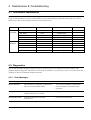
4-2-3 Maintenance List
A number of reports can be printed from the fax
machine within the test mode. The protocol list and
memory dump list all contain detailed information
which may be required when contacting technical
support.
2. In Tech mode, press Menu, and ‘Tx. Confirm’ on
the one-touch keypad.
3. Press or repeatedly until you find the
Protocol Dump List. When you find ‘PROTOCOL
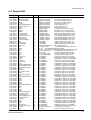
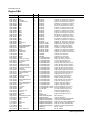
REPORT?’, press ENTER. SAMPLE OF A
PROTOCOL DUMP LIST
To printout the protocol and memory dump lists:
1. Get into the Tech mode by pressing Menu, #, 1,
9, 3, 4.
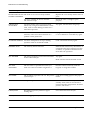
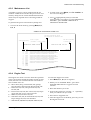
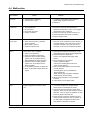
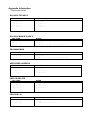
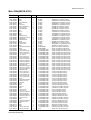
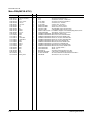
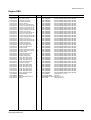
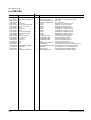
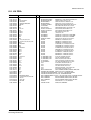
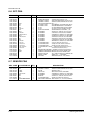
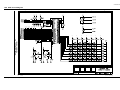
SAMPLE OF A PROTOCOL DUMP LIST
Facsimile Information Field
data described in hexdecmal code
Sending/Receiving
Name of signal
(Facsimile Control Field)
PROTOCOL DUMP LIST
FIF data described
in ASCII code
OCT-20-1999 06:35
S/R
FCF
FIF DATA
ASCII
S
S
S
S
S
S
R
R
S
R
R
S
R
S
S
NSF
CSI
DIS
NSF
CSI
DIS
TSI
DCS
FTT
TSI
DCS
CFR
MPS
MCF
DCN
61006820003380140200001302090018010000
2020202020202020202020202O20202020202020
00000000 01110111 00010111 00100010
61005020003380140200001302090018010000
202020202020202020202022O202020220202020
00000000 01110111 00010111 00100010
2020202020202020202020202O20202020202020
00000000 01100001 00010101 00000000
2020202020202020202020202O20202020202020
00000000 01100001 00010101 00000000
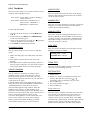
4-2-4 Engine Test
The Engine test mode is used to check the operation
of the components related the printer engine. In this
mode, the tests are classified into the five numbers.
The available tests are:
0 : Motor Start/Stop, Solenoid On/Off, Qlamp
On/Off, Motor Fan On/Off, Rear Fan On/Off
1 : LSUmotor On/Off, LSUoperation On/Off,
LD On/Off
2 : Feed sensor On/Off, Exit sensor On/Off, Paper
sensor On/Off, Cover sensor On/Off
3 : MHV On/Off, Devbias On/Off
4 : SCF Motor On/Off, SCF Solenoid On/Off, SCF
Paper Empty On/Off, SCF Installed
5 : THV EN On/Off,THV On/Off,THV NEG On/Off
Samsung Electronics
To enter the Engine test mode:
1. Press Menu, #, 1, 9, 3, 1 in sequence.
2. When you see ‘ENGINE TEST?’, press Start
‘ENGINE TEST NO>O-5‘ appears in LCD
window.
3. Enter the number you want.
4. Scroll to the options by pressing or repeatedly
until you find the one you want.
5. Press Start to begin the test.
6. After the engine test is finished, press Stop to exit
the Engine test mode.
4-5