1
8.
9.
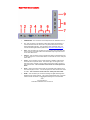
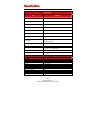
receiver with digital coax input.
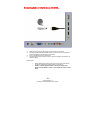
HDMI1-3 – HDMI connects to devices that use HDMI cable, such as Blu-ray
or HD DVD player, or HD cable / satellite set-top box. This connection port
receives pure digital audio and high definition signal through one single cable.
This port also can accept a HDCP video device for video.
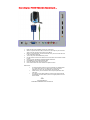
USB – USB connects to USB flash drives for playing music and picture. The
USB port is also used for updating the TV’s firmware.
Please Note:
•
This TV features a power saving function which will turn off the TV
automatically after 10 minutes of idling on a connection with no signal.
This feature is present on all connection.
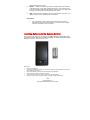
Installing Batteries to the Remote Control
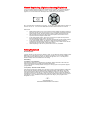
Please insert the AAA batteries into the remote control. Make sure the (+) side and the (-) side
are installed correctly. When you are installing the battery, the remote’s backside should be
facing up. Afterwards, re-attach the battery cover.
Please note:
•
•
•
•
•
•
Only use AAA batteries.
Inserting the batteries incorrectly may also result in cracking or leakage that may pose a fire
risk or lead to personal injury.
Dispose the batteries in accordance with local laws and regulations.
Keep the batteries away from children and pets.
If the remote control is not used for a long time, remove the batteries.
Keep the remote control away from moisture, sunlight, and high temperatures.
- 13 www.SCEPTRE.com
SCEPTRE E195BD-SHD HDTV User Manual