1
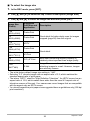
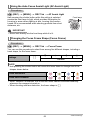
E
Digital Camera
User’s Guide
Thank you for purchasing this CASIO product.
• Before using it, be sure to read the precautions contained in this User’s Guide.
• Keep the User’s Guide in a safe place for future reference.
• For the most up-to-date information about this product, visit the official EXILIM
Website at http://www.exilim.com/
To go to “Getting the Most Out of Dynamic Photo” click here!
1
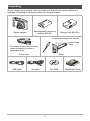
Unpacking
As you unpack your camera, check to make sure that all items shown below are
included. If anything is missing, contact your original retailer.
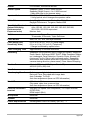
Digital camera
Rechargeable lithium ion
battery (NP-90)
Charger unit (BC-90L)
To attach the strap to the camera
* The shape of the power cord plug
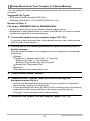
varies according to country or
geographic area.
2
Power cord
USB cable
Attach strap
here.
1
Strap
AV cable
CD-ROM
2
Quick Start Guide
Read this first!
• The contents of this manual and the bundled Quick Start Guide are subject to
change without notice.
• The contents of this manual have been checked at each step of the production
process. Feel free to contact us if you notice anything that is questionable,
erroneous, etc.
• Any copying of the contents of this User’s Guide, either in part or its entirety, is
forbidden. Except for your own personal use, any other use of the contents of this
manual without the permission of CASIO COMPUTER CO., LTD. is forbidden
under copyright laws.
• The map data, photogenic spot data, and place name data that comes in camera
memory is intended for your own personal use only. Use for any other purpose
without the permission of the original copyright owner(s) is prohibited.
• The map data, recommended photogenic spot data, and place name data
displayed by the camera may not match actual place names and proper names.
• CASIO COMPUTER CO., LTD. shall not be held liable for any damages or lost
profits suffered by you or any third party due to the use or malfunction of this
product.
• The Hybrid-GPS function of this camera was designed and manufactured for
personal digital camera use only. Never try to use it as a navigation instrument for
an aircraft, motor vehicle, personal navigation, or any other type of navigation, or
for surveying. CASIO shall not be held liable in any way for any damages incurred
due to attempts to use the positioning information produced by this camera for any
of the purposes mentioned above.
• CASIO COMPUTER CO., LTD. shall not be held liable for any damages, lost
profits, or claims by third parties arising out of the use of Photo Transport or
YouTube Uploader for CASIO.
• CASIO COMPUTER CO., LTD. shall not be held liable for any damages or lost
profits caused by loss of memory contents due to malfunction, repair, or any other
reason.
• Note that the example screens and product illustrations shown in this User’s Guide
may differ somewhat from the screens and configuration of the actual camera.
LCD Panel
The liquid crystal panel of the monitor screen uses high-precision technology that
provides a pixel yield in excess of 99.99%. This means that some very small number
of pixels may not light or may remain lit at all times. This is due to the characteristics
of the liquid crystal panel, and does not indicate malfunction.
Take a few test shots
Before shooting your final image, shoot a test shot to ensure that the camera is
recording correctly.
3
Contents
Unpacking . . . . . . . . . . . . . . . . . . . . . . . . . . . . . . . . . . . . . . . . . . . . . . . . .
Read this first! . . . . . . . . . . . . . . . . . . . . . . . . . . . . . . . . . . . . . . . . . . . . . .
General Guide . . . . . . . . . . . . . . . . . . . . . . . . . . . . . . . . . . . . . . . . . . . . . .
Monitor Screen Contents . . . . . . . . . . . . . . . . . . . . . . . . . . . . . . . . . . . . . .
... 2
... 3
. . 10
. . 11
❚❙ Quick Start Basics
14
What is a digital camera? . . . . . . . . . . . . . . . . . . . . . . . . . . . . . . . . . . . . . . . 14
What you can do with your CASIO camera . . . . . . . . . . . . . . . . . . . . . . . . . . 15
First, charge the battery prior to use.. . . . . . . . . . . . . . . . . . . . . . . . . . . . . . . 17
❚ To charge the battery . . . . . . . . . . . . . . . . . . . . . . . . . . . . . . . . . . . . . . . . . . . . . 17
❚ To load the battery . . . . . . . . . . . . . . . . . . . . . . . . . . . . . . . . . . . . . . . . . . . . . . . 18
Configuring Basic Settings the First Time You Turn On the Camera. . . . . . . 20
Preparing a Memory Card . . . . . . . . . . . . . . . . . . . . . . . . . . . . . . . . . . . . . . . 22
❚ Supported Memory Cards. . . . . . . . . . . . . . . . . . . . . . . . . . . . . . . . . . . . . . . . . . 22
❚ To load a memory card . . . . . . . . . . . . . . . . . . . . . . . . . . . . . . . . . . . . . . . . . . . . 22
❚ To format (initialize) a new memory card . . . . . . . . . . . . . . . . . . . . . . . . . . . . . . 23
Turning the Camera On and Off . . . . . . . . . . . . . . . . . . . . . . . . . . . . . . . . . . 24
❚ To turn power on . . . . . . . . . . . . . . . . . . . . . . . . . . . . . . . . . . . . . . . . . . . . . . . . . 24
❚ To turn off the camera . . . . . . . . . . . . . . . . . . . . . . . . . . . . . . . . . . . . . . . . . . . . . 24
Holding the Camera Correctly . . . . . . . . . . . . . . . . . . . . . . . . . . . . . . . . . . . . 25
To shoot a snapshot. . . . . . . . . . . . . . . . . . . . . . . . . . . . . . . . . . . . . . . . . . . . 26
❚ Selecting an Auto Recording Mode . . . . . . . . . . . . . . . . . . . . . . . . . . . . . . . . . . 26
❚ To shoot a snapshot . . . . . . . . . . . . . . . . . . . . . . . . . . . . . . . . . . . . . . . . . . . . . . 27
Viewing Snapshots . . . . . . . . . . . . . . . . . . . . . . . . . . . . . . . . . . . . . . . . . . . . 30
Deleting Snapshots and Movies . . . . . . . . . . . . . . . . . . . . . . . . . . . . . . . . . . 31
❚ To delete a single file . . . . . . . . . . . . . . . . . . . . . . . . . . . . . . . . . . . . . . . . . . . . . 31
❚ To delete specific files . . . . . . . . . . . . . . . . . . . . . . . . . . . . . . . . . . . . . . . . . . . . . 31
❚ To delete all files . . . . . . . . . . . . . . . . . . . . . . . . . . . . . . . . . . . . . . . . . . . . . . . . . 32
Snapshot Shooting Precautions . . . . . . . . . . . . . . . . . . . . . . . . . . . . . . . . . . 32
❚ Auto Focus Restrictions . . . . . . . . . . . . . . . . . . . . . . . . . . . . . . . . . . . . . . . . . . . 33
❚❙ Snapshot Tutorial
34
Using the Control Panel. . . . . . . . . . . . . . . . . . . . . . . . . . . . . . . . . . . . . . .
Changing the Image Size . . . . . . . . . . . . . . . . . . . . . . . . . . . . . . . . (Size)
Using Flash . . . . . . . . . . . . . . . . . . . . . . . . . . . . . . . . . . . . . . . . . . .(Flash)
Selecting a Focus Mode . . . . . . . . . . . . . . . . . . . . . . . . . . . . . . . . (Focus)
Specifying the Auto Focus Area . . . . . . . . . . . . . . . . . . . . . . . . (AF Area)
Specifying ISO Sensitivity . . . . . . . . . . . . . . . . . . . . . . . . . . . . . . . . . (ISO)
Using the Self-timer . . . . . . . . . . . . . . . . . . . . . . . . . . . . . . . . (Self-timer)
Using Face Detection . . . . . . . . . . . . . . . . . . . . . . . . . . . (Face Detection)
Correcting Image Brightness . . . . . . . . . . . . . . . . . . . . . . . . . . .(EV Shift)
Changing the Control Panel Date/Time Style . . . . . . . . . . . . . . . . . . . . . .
Shooting with Zoom . . . . . . . . . . . . . . . . . . . . . . . . . . . . . . . . . . . . . . . . . .
..
..
..
..
..
..
..
..
..
..
..
34
35
37
39
41
43
44
45
46
47
47
❚ Interpreting the Zoom Bar . . . . . . . . . . . . . . . . . . . . . . . . . . . . . . . . . . . . . . . . . . 48
4
Contents
❚ Zooming with Super Resolution . . . . . . . . . . . . . . . . . . . .(Single SR Zoom) . . . 49
❚❙ Recording Movie Images
50
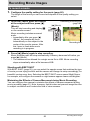
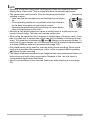
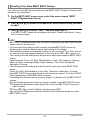
To record a movie . . . . . . . . . . . . . . . . . . . . . . . . . . . . . . . . . . . . . . . . . . . . . 50
❚❙ Using BEST SHOT
52
What is BEST SHOT? . . . . . . . . . . . . . . . . . . . . . . . . . . . . . . . . . . . . . . . . . . 52
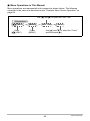
❚ Some Sample Scenes . . . . . . . . . . . . . . . . . . . . . . . . . . . . . . . . . . . . . . . . . . . . 52
To shoot an image with BEST SHOT. . . . . . . . . . . . . . . . . . . . . . . . . . . . . . . 52
❚ Creating Your Own BEST SHOT Setups . . . . . . . . . . . . . . . . . . . . . . . . . . . . . . 54
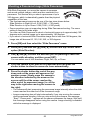
Shooting a Panorama Image . . . . . . . . . . . . . . . . . . . . (Slide Panorama) . . 55
Recording a Self-portrait . . . . . . . . . . . . . . . . . . . . . . . . . . . . . . . . . . . . . . . . 57
❚❙ Advanced Settings
58
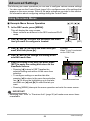
Using On-screen Menus . . . . . . . . . . . . . . . . . . . . . . . . . . . . . . . . . . . . . . . . 58
REC Mode Settings . . . . . . . . . . . . . . . . . . . . . . . . . . . . . . . . . . . . (REC) . . 60
❚
❚
❚
❚
❚
❚
❚
❚
❚
❚
❚
❚
❚
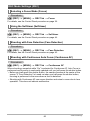
Selecting a Focus Mode . . . . . . . . . . . . . . . . . . . . . . . . . . . . . . . . . (Focus) . . .
Using the Self-timer . . . . . . . . . . . . . . . . . . . . . . . . . . . . . . . . . . (Self-timer) . . .
Shooting with Face Detection . . . . . . . . . . . . . . . . . . . . . .(Face Detection) . . .
Shooting with Continuous Auto Focus . . . . . . . . . . . . . . . . (Continuous AF) . . .
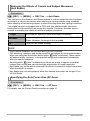
Reducing the Effects of Camera and Subject Movement . . . . (Anti Shake) . . .
Specifying the Auto Focus Area . . . . . . . . . . . . . . . . . . . . . . . . . . (AF Area) . . .
Using the Auto Focus Assist Light . . . . . . . . . . . . . . . . . . .(AF Assist Light) . . .
Changing the Focus Frame Shape . . . . . . . . . . . . . . . . . . . (Focus Frame) . . .
Turning Digital Zoom On or Off . . . . . . . . . . . . . . . . . . . . . . .(Digital Zoom) . . .
Displaying the On-screen Grid . . . . . . . . . . . . . . . . . . . . . . . . . . . . . . (Grid) . . .
Turning on Image Review . . . . . . . . . . . . . . . . . . . . . . . . . . . . . . . (Review) . . .
Using Icon Help . . . . . . . . . . . . . . . . . . . . . . . . . . . . . . . . . . . . . (Icon Help) . . .
Configuring Power On Default Settings . . . . . . . . . . . . . . . . . . . . (Memory) . . .
60
60
60
60
61
61
62
62
63
63
63
63
64
Image Quality Settings . . . . . . . . . . . . . . . . . . . . . . . . . . . . . . . . (Quality) . . 65
❚
❚
❚
❚
❚
❚
❚
❚
❚
❚
❚
❚
❚
❚
❚
❚
Shooting Snapshots of better Texture and Sharpness . .(Single SR Quality) . . .
Zooming with Super Resolution . . . . . . . . . . . . . . . . . . . .(Single SR Zoom) . . .
Specifying Snapshot Size . . . . . . . . . . . . . . . . . . . . . . . . . . . . . . . . . (Size) . . .
Specifying Snapshot Image Quality . . . . . . . . . . . . . . . (Quality (Snapshot)) . . .
Specifying Movie Image Quality . . . . . . . . . . . . . . . . . . . . .(Quality (Movie)) . . .
Recording Beautiful Images of People and Scenery . . . . . . . . . . . . (Effect) . . .
Correcting Image Brightness . . . . . . . . . . . . . . . . . . . . . . . . . . . . (EV Shift) . . .
Controlling White Balance . . . . . . . . . . . . . . . . . . . . . . . . . (White Balance) . . .
Specifying ISO Sensitivity . . . . . . . . . . . . . . . . . . . . . . . . . . . . . . . . . .(ISO) . . .
Specifying the Metering Mode . . . . . . . . . . . . . . . . . . . . . . . . . . .(Metering) . . .
Optimizing Image Brightness . . . . . . . . . . . . . . . . . . . . . . . . . . . . (Lighting) . . .
Using Built-in Color Filters . . . . . . . . . . . . . . . . . . . . . . . . . . . . (Color Filter) . . .
Controlling Image Sharpness . . . . . . . . . . . . . . . . . . . . . . . . . . (Sharpness) . . .
Controlling Color Saturation . . . . . . . . . . . . . . . . . . . . . . . . . . . (Saturation) . . .
Adjusting Image Contrast . . . . . . . . . . . . . . . . . . . . . . . . . . . . . . . (Contrast) . . .
Specifying Flash Intensity . . . . . . . . . . . . . . . . . . . . . . . . . (Flash Intensity) . . .
5
65
65
65
66
66
67
68
69
70
70
71
71
71
71
72
72
Contents
❚❙ Viewing Snapshots and Movies
73
Viewing Snapshots . . . . . . . . . . . . . . . . . . . . . . . . . . . . . . . . . . . . . . . . . .
Viewing a Movie. . . . . . . . . . . . . . . . . . . . . . . . . . . . . . . . . . . . . . . . . . . . .
Viewing a Panorama Image. . . . . . . . . . . . . . . . . . . . . . . . . . . . . . . . . . . .
Zooming an On-screen Image . . . . . . . . . . . . . . . . . . . . . . . . . . . . . . . . . .
Displaying the Image Menu . . . . . . . . . . . . . . . . . . . . . . . . . . . . . . . . . . . .
Displaying Images in the Calendar Screen . . . . . . . . . . . . . . . . . . . . . . . .
Viewing Snapshots and Movies on a TV Screen . . . . . . . . . . . . . . . . . . . .
..
..
..
..
..
..
..
73
73
74
75
75
76
76
❚ Viewing High-quality Movies on a Hi-Vision Television . . . . . . . . . . . . . . . . . . . . 78
❚❙ Other Playback Functions
(PLAY)
80
Playing a Slideshow on the Camera . . . . . . . . . . . . . . . . . . . . (Slideshow) . . 80
❚ Saving Music from Your Computer to Camera Memory . . . . . . . . . . . . . . . . . . . 82
Creating a Snapshot of Movie Frames . . . . . . . . . . . . . (MOTION PRINT)
Editing a Movie on the Camera . . . . . . . . . . . . . . . . . . . . (Movie Editing)
Optimizing Image Brightness . . . . . . . . . . . . . . . . . . . . . . . . . . . (Lighting)
Adjusting White Balance . . . . . . . . . . . . . . . . . . . . . . . . . (White Balance)
Adjusting the Brightness of an Existing Snapshot . . . . . . . . .(Brightness)
Selecting Images for Printing . . . . . . . . . . . . . . . . . . . . . (DPOF Printing)
Protecting a File Against Deletion . . . . . . . . . . . . . . . . . . . . . . . . (Protect)
Editing the Date and Time of an Image . . . . . . . . . . . . . . . . . (Date/Time)
Deleting Location Information from an Image . . . . . . . . . (Delete Site Info)
Rotating an Image . . . . . . . . . . . . . . . . . . . . . . . . . . . . . . . . . . (Rotation)
Resizing a Snapshot . . . . . . . . . . . . . . . . . . . . . . . . . . . . . . . . . . .(Resize)
Cropping a Snapshot . . . . . . . . . . . . . . . . . . . . . . . . . . . . . . . .(Trimming)
Copying Files . . . . . . . . . . . . . . . . . . . . . . . . . . . . . . . . . . . . . . . . . (Copy)
❚❙ Using the Hybrid-GPS
..
..
..
..
..
..
..
..
..
..
..
..
..
83
83
85
85
86
86
87
88
88
89
89
90
90
91
Recording Current Location Information (Latitude, Longitude, Direction,
Place Name) with Image Data . . . . . . . . . . . . . . . . . . . . . . . . . . . . . . . . . . . . 92
❚
❚
❚
❚
❚
Enabling the GPS Function . . . . . . . . . . . . . . . . . . . . . . . . . . . . . . . . (GPS) . . .
Recording Location Information with Image Data . . . . . (Record Lat/Long) . . .
Inserting the Place Name into Image Data . . . . . . . . . . . . . . (Insert Place) . . .
Stamping the Place Name into an Image . . . . . . . . . . . . . . . .(Stamp Place) . . .
Precautions when Using the Hybrid-GPS . . . . . . . . . . . . . . . . . . . . . . . . . . . . . .
92
93
94
96
97
Using the Map Data Stored in Camera Memory . . . . . . . . . . (MAP Mode) . . 99
❚
❚
❚
❚
About the MAP mode . . . . . . . . . . . . . . . . . . . . . . . . . . . . . . . . . . . . . . . . . . . . . 99
MAP Mode Monitor Screen Content . . . . . . . . . . . . . . . . . . . . . . . . . . . . . . . . . 100
MAP Mode Operation . . . . . . . . . . . . . . . . . . . . . . . . . . . . . . . . . . . . . . . . . . . . 102
Basic MAP Mode Settings . . . . . . . . . . . . . . . . . . . . . . . . . . . . . . . . . . . . . . . . 104
Using Other Map Data . . . . . . . . . . . . . . . . . . . . . . . . . . (MAP Tab Menu) . 105
❚ Saving Position Information . . . . . . . . . . . . . . . . . . . . . . . . . . . . (Save Log) . . 105
❚ Tracking Your Movements on a Map . . . . . . . . . . . . . . . . . . . . .(Show Log) . . 105
❚ Specifying the Display Period of Tracks . . . . . . . . . . . . . . . . . . (Log Period) . . 106
6
Contents
❚ Enabling Movement of the Image Cursor . . . . . . . . . . . . . . (Move Cursor) . . 106
❚ Adjusting the Accuracy of the Direction Sensor . . . . . . . . . . (Direction Adj) . . 106
❚ Converting Location Information of Images from Another Source for
Playback on This Camera . . . . . . . . . . . . . . . . . . . . . . . . . . . (Update Info) . . 107
Other Settings . . . . . . . . . . . . . . . . . . . . . . . . . . . . . . . (Set Up Tab Menu) . 108
❚ Auto Image Orientation Detection and Rotation . . . . . . . . . . (Auto Rotate) . . 108
❚ Correcting Camera Clock Settings Automatically . . . . (Time Auto Correct) . . 108
Displaying Images with Location Information . . . . . . . . . . . .(PLAY Mode) . 109
❚ Viewing an Image with Location Information . . . . . . . . . . . . . . . . . . . . . . . . . . 109
❚ Clearing Location Information Included with an Image . . (Delete Site Info) . . 109
Precautions when Using the Hybrid-GPS . . . . . . . . . . . . . . . . . . . . . . . . . . 110
❚❙ Dynamic Photo
111
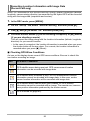
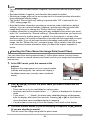
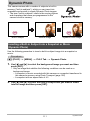
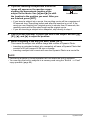
Inserting a Built-in Subject into a Snapshot or Movie . . . (Dynamic Photo) . .111
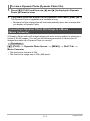
❚ To view a Dynamic Photo . . . . . . . . . . . . . . . . . . . . . . (Dynamic Photo File) . . 113
Converting a Dynamic Photo Still Image to a Movie . . . (Movie Converter) . 113
❚❙ Printing
114
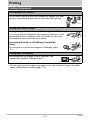
Printing Snapshots. . . . . . . . . . . . . . . . . . . . . . . . . . . . . . . . . . . . . . . . . . . . 114
Connecting Directly to a PictBridge Compatible Printer . . . . . . . . . . . . . . . 115
Using DPOF to Specify Images to be Printed and the Number of Copies. . 117
❚❙ Using the Camera with a Computer
120
Things you can do using a computer... . . . . . . . . . . . . . . . . . . . . . . . . . . . . 120
Using the Camera with a Windows Computer . . . . . . . . . . . . . . . . . . . . . . . 121
❚
❚
❚
❚
❚
❚
❚
Viewing and Storing Images on a Computer. . . . . . . . . . . . . . . . . . . . . . . . . . .
Playing Movies . . . . . . . . . . . . . . . . . . . . . . . . . . . . . . . . . . . . . . . . . . . . . . . . .
Uploading Movie Files to YouTube . . . . . . . . . . . . . . . . . . . . . . . . . . . . . . . . . .
Transferring Images from Your Computer to Camera Memory. . . . . . . . . . . . .
Viewing an Image’s Recording Location . . . . . . . . . . . . . . . . . . . . . . . . . . . . . .
Viewing User Documentation . . . . . . . . . . . . . . . . . . . . . . . . . . (PDF Files) . .
User Registration . . . . . . . . . . . . . . . . . . . . . . . . . . . . . . . . . . . . . . . . . . . . . . .
122
125
126
128
130
130
130
Using the Camera with a Macintosh . . . . . . . . . . . . . . . . . . . . . . . . . . . . . . 131
❚
❚
❚
❚
❚
Connecting the Camera to Your Computer and Saving Files . . . . . . . . . . . . . .
Transferring Images Automatically and Managing Them on Your Macintosh. .
Playing a Movie. . . . . . . . . . . . . . . . . . . . . . . . . . . . . . . . . . . . . . . . . . . . . . . . .
Viewing User Documentation . . . . . . . . . . . . . . . . . . . . . . . . . . . (PDF Files) . .
User Registration . . . . . . . . . . . . . . . . . . . . . . . . . . . . . . . . . . . . . . . . . . . . . . .
131
134
134
135
135
Using an Eye-Fi Wireless SD Memory Card to Transfer Images . (Eye-Fi) . 135
Files and Folders . . . . . . . . . . . . . . . . . . . . . . . . . . . . . . . . . . . . . . . . . . . . . 137
Memory Card Data . . . . . . . . . . . . . . . . . . . . . . . . . . . . . . . . . . . . . . . . . . . 138
7
Contents
❚❙ Other Settings
(Set Up) 140
Adjusting Monitor Screen Brightness . . . . . . . . . . . . . . . . . . . . . (Screen)
Turning off Eye-Fi Card Communication . . . . . . . . . . . . . . . . . . . . (Eye-Fi)
Enabling the GPS Function . . . . . . . . . . . . . . . . . . . . . . . . . . . . . . (GPS)
Recording Location Information with Image Data . . . . . (Record Lat/Long)
Auto Image Orientation Detection and Rotation . . . . . . . . . .(Auto Rotate)
Configuring Camera Sound Settings . . . . . . . . . . . . . . . . . . . . . (Sounds)
Configuring a Startup Image . . . . . . . . . . . . . . . . . . . . . . . . . . . . (Startup)
Specifying the File Name Serial Number Generation Rule . . . . . (File No.)
Creating an Image Storage Folder . . . . . . . . . . . . . . . . . . (Create Folder)
Configuring World Time Settings . . . . . . . . . . . . . . . . . . . . . (World Time)
Time Stamping Snapshots . . . . . . . . . . . . . . . . . . . . . . . . . . (Timestamp)
Stamping a Place Name into an Image . . . . . . . . . . . . . . . (Stamp Place)
Adjusting the Camera Clock Setting Automatically . . .(Time Auto Correct)
Setting the Camera’s Clock . . . . . . . . . . . . . . . . . . . . . . . . . . . . . (Adjust)
Specifying the Date Style . . . . . . . . . . . . . . . . . . . . . . . . . . . . (Date Style)
Specifying the Display Language . . . . . . . . . . . . . . . . . . . . . . (Language)
Configuring Sleep State Settings . . . . . . . . . . . . . . . . . . . . . . . . . (Sleep)
Configuring Auto Power Settings . . . . . . . . . . . . . . . . . . (Auto Power Off)
Configuring [r], [p], and [ý] Settings . . . . . . . . . . . . . . (REC/PLAY)
Disabling File Deletion . . . . . . . . . . . . . . . . . . . . . . . . . . . . (Ü Disabled)
Configuring USB Protocol Settings . . . . . . . . . . . . . . . . . . . . . . . . . (USB)
Selecting the Screen Aspect Ratio and Video Output System (Video Out)
Selecting the HDMI Terminal Output Method . . . . . . . . . . .(HDMI Output)
Formatting Built-in Memory or a Memory Card . . . . . . . . . . . . . . (Format)
Resetting the Camera to Factory Defaults . . . . . . . . . . . . . . . . . . (Reset)
❚❙ Configuring Monitor Screen Settings
.
.
.
.
.
.
.
.
.
.
.
.
.
.
.
.
.
.
.
.
.
.
.
.
.
140
140
141
141
141
142
142
143
143
144
145
145
145
146
146
147
147
148
148
149
149
150
150
151
151
152
Using the On-screen Histogram to Check Exposure . . . . . . . . . . . . . . . . . . 152
❚ How to Use the Histogram . . . . . . . . . . . . . . . . . . . . . . . . . . . . . . . . . . . . . . . . 153
8
Contents
❚❙ Appendix
154
Precautions during Use . . . . . . . . . . . . . . . . . . . . . . . . . . . . . . . . . . . . . . . . 154
Power Supply. . . . . . . . . . . . . . . . . . . . . . . . . . . . . . . . . . . . . . . . . . . . . . . . 161
❚
❚
❚
❚
Charging . . . . . . . . . . . . . . . . . . . . . . . . . . . . . . . . . . . . . . . . . . . . . . . . . . . . . .
To replace the battery . . . . . . . . . . . . . . . . . . . . . . . . . . . . . . . . . . . . . . . . . . . .
Battery Precautions. . . . . . . . . . . . . . . . . . . . . . . . . . . . . . . . . . . . . . . . . . . . . .
Using the Camera in another Country . . . . . . . . . . . . . . . . . . . . . . . . . . . . . . .
161
161
162
162
Using a Memory Card . . . . . . . . . . . . . . . . . . . . . . . . . . . . . . . . . . . . . . . . . 163
❚ To replace the memory card . . . . . . . . . . . . . . . . . . . . . . . . . . . . . . . . . . . . . . . 163
Computer System Requirements for
Bundled Software . . . . . . . . . . . . . . . . . . . . . . . . . . . .(Bundled CD-ROM) . 165
Reset Initial Default Settings . . . . . . . . . . . . . . . . . . . . . . . . . . . . . . . . . . . . 167
When things don’t go right... . . . . . . . . . . . . . . . . . . . . . . . . . . . . . . . . . . . . 170
❚ Troubleshooting . . . . . . . . . . . . . . . . . . . . . . . . . . . . . . . . . . . . . . . . . . . . . . . . 170
❚ Display Messages. . . . . . . . . . . . . . . . . . . . . . . . . . . . . . . . . . . . . . . . . . . . . . . 176
Number of Snapshots/Movie Recording Time . . . . . . . . . . . . . . . . . . . . . . . 179
Specifications. . . . . . . . . . . . . . . . . . . . . . . . . . . . . . . . . . . . . . . . . . . . . . . . 181
9
Contents
General Guide
The numbers in parentheses indicate the pages where each item is explained.
. Camera
Back
Front
8 9 bk bl bm bn bo
12345
br
bs
7 6
1 Zoom controller
(pages 26, 47, 75, 76)
2 Shutter button (page 27)
3 GPS antenna (page 97)
4 Microphone
(pages 25, 51)
5 Front lamp
(pages 44, 62)
6 Lens
7 Flash (page 37)
8 [ù] (Current Location)
button (page 102)
9 [ý] (MAP) button
(pages 24, 99)
cn cm cl ck bt
bk[ON/OFF] (Power)
(page 24)
blBack lamp
(pages 24, 27, 37)
bm[0] (Movie) button
(page 50)
bnStrap hole (page 2)
boConnector cover
bp[USB/AV] port (pages
76, 115, 123, 132)
bq[HDMI OUT] HDMI
output (Mini) (page 78)
br[r] (REC) button
(pages 24, 26)
bp
bq
[ ]
[ ]
[ ]
[ ]
[SET]
bs[p] (PLAY) button
(pages 24, 30)
bt[SET] button (page 34)
ck[BS] button (page 52)
cl[MENU] button
(page 58)
cmControl button
([8] [2] [4] [6])
(pages 31, 34, 37, 58,
152)
cnMonitor screen
(pages 11, 152)
Bottom
coBattery/memory card slots (pages 18, 22, 161, 163)
cpTripod hole
Use this hole when attaching to a tripod.
cqSpeaker
cq cp
co
10
. Charger Unit
1+7- Contacts
2[CHARGE] Lamp
3AC jack
1 2
3
Monitor Screen Contents
The monitor screen uses various indicators, icons, and values to keep you informed
of the camera’s status.
• The sample screens in this section are intended to show you the locations of all the
indicators and figures that can appear on the monitor screen in various modes.
They do not represent screens that actually appear on the camera.
. Snapshot Recording
cr
cq
cp
co
123456789bk
bl
bm
bn
bo
bp
bq
br
cn cm cl ck bt bs
1 Remaining snapshot memory
capacity (page 179)
2 Focus frame (pages 27, 41)
3 Movie image quality (page 66)
4 Recording mode (page 26)
5 White balance setting (page 69)
6 Remaining movie memory capacity
(page 50)
7 Zoom/Single SR Quality indicator
(page 48)
8Metering mode (page 70)
9Snapshot image size (page 35)
bkSnapshot image quality (page 66)
blFlash (page 37)
bmFocus (page 39)
bnAF Area (page 41)
boISO sensitivity (page 43)
bpSelf-timer (page 44)
bqFace Detection/Make-up/Landscape
(pages 45, 67, 68)
brExposure compensation (page 46)
bsDate/time (page 47)
btTimestamp indicator (page 145)
ckPlace name stamp (page 96)
clShutter speed
cmAperture value
cnPlace name of current location (page 94)
coBattery level indicator (page 19)
cpHistogram (page 152)
cqAnti Shake (page 61)
crGPS wave condition icon (pages 93, 103)
NOTE
• If the current aperture, shutter speed, ISO sensitivity, or Auto Exposure is not
correct, the setting will turn orange when you half-press the shutter button.
11
. Movie Recording
12
3
4
8
7
6
1Recording mode (page 50)
2White balance setting (page 69)
3Remaining movie memory capacity (page 50)
4Movie recording time (page 50)
5Exposure compensation (page 46)
6Battery level indicator (page 19)
7Histogram (page 152)
8GPS wave condition icon (pages 93, 103)
5
. Snapshot Viewing
12 3
bs
br
bq
bp bobnbmbl bk
4
5
6
7
8
9
1File type
2Protect indicator (page 87)
3Folder name/file name (page 137)
4Snapshot image quality (page 66)
5Snapshot image size (page 35)
6ISO sensitivity (page 43)
7Aperture value
8Shutter speed
9Date/time (page 47)
bkShooting location name (page 94)
blMetering mode (page 70)
bmWhite balance setting (page 85)
bnFlash (page 37)
boRecording mode
bpBattery level indicator (page 19)
bqHistogram (page 152)
brLatitude, longitude (page 93)
bsExposure compensation (page 46)
12
. Movie Playback
12
9
8
3
1File type
2Protect indicator (page 87)
3Folder name/file name (page 137)
4 4Movie recording time (page 73)
5 5Movie image quality (page 66)
6Date/time (page 47)
7Shooting location name (page 94)
8Battery level indicator (page 19)
6 9Latitude, longitude (page 93)
7
NOTE
• For details about MAP mode display contents, see “Using the Hybrid-GPS”
(page 91).
13
Quick Start Basics
What is a digital camera?
A digital camera stores images on a memory card, so you can record and
delete images a countless number of times.
Record
Delete
Play
You can use the images you record in a variety of different ways.
Store images on your
computer.
Print images.
14
Attach images to e-mail.
Quick Start Basics
What you can do with your CASIO camera
Your CASIO camera is packed with a powerful selection of features and functions to
make recording of digital images easier, including the following three main functions.
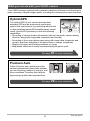
Hybrid-GPS
The Hybrid-GPS of your camera provides both
standard GPS and an autonomous positioning
system that uses sensors for positioning indoors and
in other locations where GPS satellite waves cannot
reach. Hybrid-GPS provides you with the following
capabilities.
• Recording of current location information (latitude, longitude, camera aiming
direction) along with image data (snapshots and movies)
• Recording of the current place name along with image data (snapshots and
movies) and direct stamping of the place name in images (snapshots)
• Display of images and shooting locations on a map
• Map-based searches of nearby recommended photogenic spots
See page 91 for more information.
Premium Auto
Select Premium Auto recording and the
camera automatically determines whether
you are shooting a subject or scenery, and
other conditions. Premium Auto delivers
higher image quality than standard Auto.
See page 26 for more information.
15
Quick Start Basics
BEST SHOT
Simply select the sample scene you want and the
camera sets up automatically. Then all you need to do
is press the shutter button for perfect images.
See page 52 for more information.
16
Quick Start Basics
First, charge the battery prior to use.
Note that the battery of a newly purchased camera is not charged. Perform the steps
under “To charge the battery” to bring the battery to a full charge.
• Your camera requires a special CASIO rechargeable lithium ion battery (NP-90) for
power. Never try to use any other type of battery.
To charge the battery
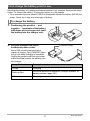
1.
Positioning the positive + and
negative - terminals of the battery
with those of the charger unit, load
the battery into the charger unit.
2.
Plug the charger unit into a
household power outlet.
[CHARGE] lamp
About 200 minutes are required to
reach full charge. The [CHARGE] lamp
will go out when charging is complete.
Unplug the power cord from the power
outlet and then remove the battery from
the charger.
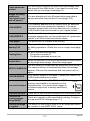
Lamp Status
Description
Lit Red
Charging
Flashing Red
Abnormal ambient temperature, charger problem, or
battery problem (page 161)
Off
Charging complete
17
Quick Start Basics
Other Charging Precautions
• Use the special charger (BC-90L) to charge the special lithium ion battery (NP-90).
Never use any other type of charger device. Attempting to use a different charger
can result in an unexpected accident.
• A battery that is still warm due to normal use may not charge fully. Give the battery
time to cool before charging it.
• A battery discharges slightly even when it is not loaded in the camera. Because of
this, it is recommended that you charge the battery immediately before you need to
use it.
• Charging the camera’s battery may cause interference with TV and radio reception.
If this happens, plug the charger into an outlet that is further away from the TV or
radio.
• Actual charging time depends on current battery capacity and charging conditions.
To load the battery
1.
Open the battery cover.
1
Slide the battery cover slider towards OPEN
and then open it as indicated by the arrows
in the illustration.
2
2.
Load the battery.
With the EXILIM logo on the
battery facing downwards (in
the direction of the lens), hold
the stopper next to the battery
in the direction indicated by
the arrow as you slide the
battery into the camera. Press
the battery in until the stopper
secures it in place.
Stopper
Battery contacts
EXILIM logo
Front
18
Back
Quick Start Basics
3.
Close the battery cover.
2
Close the battery cover and then shift the
slider towards LOCK.
• For information about how to replace the
battery, see page 161.
1
Checking Remaining Battery Power
As battery power is consumed, a battery indicator on the monitor screen indicates
remaining power as shown below.
Remaining Power
High
Battery Indicator
Indicator Color
Cyan
Low
*
*
* Amber
*
*
Red
*
Red
indicates battery power is low. Charge the battery as soon as possible.
Recording is not possible when
is indicated. Charge the battery immediately.
• The level shown by the battery indicator may change when you switch between the
REC mode and PLAY mode.
• Leaving the camera for about 30 days with no power supplied while the battery is
dead will cause its date and time settings to be cleared. A message telling you to
configure time and date settings will appear the next time you turn on the camera
after restoring power. When this happens, configure date and time settings (page
146).
• See page 183 for information about battery life and number of shots.
Battery Power Conservation Tips
• When you do not need to use the flash, select ? (Flash Off) for the flash setting
(page 37).
• Enable the Auto Power Off and the Sleep features to protect against wasting
battery power when you forget to turn off the camera (pages 147, 148).
• Select “Off” for “Continuous AF” (page 60).
• If you do not want to use the GPS function, select “Off” for the “GPS” setting
(page 92).
19
Quick Start Basics
Configuring Basic Settings the First Time You Turn On the
Camera
The first time you load a battery into the camera, a screen appears for configuring the
display language, date, and time settings. Failure to set the date and time correctly
will cause the wrong date and time data to be recorded with images.
IMPORTANT!
• A screen for language selection will not appear in step 2 of the procedure below if
you purchased a camera intended for the Japanese market. To change the display
language from Japanese in this case, use the procedure under “Specifying the
Display Language (Language)” (page 147). Note that a version of this manual in
the language you select may not be included with a camera intended for the
Japanese market.
• Camera models sold in certain geographic areas may not support display language
selection.
[ON/OFF] (Power)
1.
Press [ON/OFF] (Power) to turn on the
camera.
2.
Use [8], [2], [4], and [6] to select the
language you want and then press
[SET].
3.
Use [8] and [2] to select a date style and then press [SET].
SET
[BS]
Example: July, 10, 2012
YY/MM/DD * 12/7/10
DD/MM/YY * 10/7/12
MM/DD/YY * 7/10/12
4.
Set the date and the time.
Use [4] and [6] to select the setting you want to
change and then use [8] and [2] to change it.
To switch between 12-hour and 24-hour format, press
[BS].
5.
After setting the date and time, use [4] and [6]
to select “Apply” and then press [SET].
20
Quick Start Basics
6.
Use [8] and [2] to select “Auto” or “Premium Auto” as the auto
recording mode (page 26) and then press [SET].
• After configuring the auto recording mode setting you want here, you can
change the current auto recording setting by selecting the “Auto” or “Premium
Auto” BEST SHOT scene (page 26).
If you make a mistake configuring display language, date, or time settings with the
above procedure, refer to the following pages for information about how to correct
the settings.
– Display language: Page 147
– Date and time: Page 146
NOTE
• Each country controls its local time offset and the use of summer time, and so they
are subject to change.
• Removing the battery from the camera too soon after configuring time and date
settings for the first time can cause the settings to be reset to their factory defaults.
Do not remove the battery for at least 24 hours after configuring settings.
21
Quick Start Basics
Preparing a Memory Card
Though the camera has built-in memory that can be used to store images and
movies, you probably will want to purchase a commercially available memory card for
greater capacity. The camera does not come with a memory card. Images and
movies recorded while a memory card is loaded are saved to the memory card. When
no memory card is loaded, images and movies are saved to built-in memory.
• For information about memory card capacities, see page 179.
Supported Memory Cards
– SD Memory Card
– SDHC Memory Card
– SDXC Memory Card
Use one of the above types of memory card.
To load a memory card
1.
Press [ON/OFF] (Power) to turn off the
camera and then open the battery
cover.
1
Slide the battery cover slider towards OPEN
and then open it as indicated by the arrows
in the illustration.
2.
2
Load a memory card.
Positioning the memory card so its front
is facing upwards (towards the monitor
screen side of the camera), slide it into
the card slot all the way in until you
hear it click securely into place.
Front
Front
3.
Close the battery cover.
Back
2
Close the battery cover and then shift the
slider towards LOCK.
• For information about how to replace the
memory card, see page 163.
1
22
Quick Start Basics
IMPORTANT!
• Never insert anything besides a supported memory card (page 22) into the memory
card slot.
• Should water or any foreign object ever get into the card slot, immediately turn off
the camera, remove the battery, and contact your retailer or nearest CASIO
authorized service center.
To format (initialize) a new memory card
You need to format a new memory card before using it for the first time.
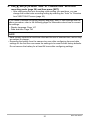
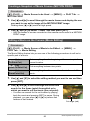
1.
Turn on the camera and press [MENU].
2.
Select the “Set Up” tab, select “Format” and then press [6].
3.
Use [8] and [2] to select “Format” and then press [SET].
IMPORTANT!
• Formatting a memory card that already has snapshots or other files on it, will delete
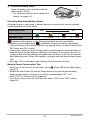
its contents. Normally you do not need to format a memory card again. However, if
storing to a card has slowed down or if you notice any other abnormality, re-format
the card.
• Be sure to use the camera to format a memory card. Formatting a memory card on
a computer and then using it in the camera can slow down data processing by the
camera. In the case of an SD, SDHC, or SDXC memory card, formatting on a
computer can result in non-conformity with the SD format, causing problems with
compatibility, operation, etc.
• Before formatting a new Eye-Fi card to use it for the first time, copy the Eye-Fi
Manager install files to your computer. Do this before formatting the card.
23
Quick Start Basics
Turning the Camera On and Off
To turn power on
To turn on
power and enter
the REC mode
Press [ON/OFF] (Power) or [r]
(REC).
• The back lamp will light green
momentarily and the lens will extend
out of the camera (page 26).
To turn on
power and enter
the PLAY mode
Press [p] (PLAY).
• The back lamp will light green
momentarily and an image currently
stored in camera memory will
appear on the monitor screen
(page 30).
To turn on
power and enter
the MAP mode
Press [ý] (MAP).
• The back lamp will light green
momentarily, and then the map and
images will appear on the monitor
screen (page 99).
[ON/OFF] (Power)
[ý] (MAP)
Back lamp
[p] (PLAY)
[r] (REC)
• Take care to ensure that nothing is restricting or
coming into contact with the lens as it extends.
Holding the lens with your hand so it cannot extend creates the risk of malfunction.
• Pressing [p] (PLAY) while in the REC mode switches to the PLAY mode. The
lens retracts about 10 seconds after switching modes.
• The Sleep function or Auto Power Off (pages 147, 148) will turn off power
automatically if you do not perform any operation for a preset amount of time.
To turn off the camera
Press [ON/OFF] (Power).
• You can configure the camera so power does not turn on when you press [r]
(REC), [p] (PLAY), or [ý] (MAP). You also can configure the camera to turn off
when you press [r] (REC) or [p] (PLAY) (page 148).
24
Quick Start Basics
Holding the Camera Correctly
Your images will not come out clearly if you move the camera when you press the
shutter button. When pressing the shutter button, be sure to hold the camera as
shown in the illustration below, and keep it still by pressing your arms firmly against
your sides as you shoot.
Holding the camera still, carefully press the shutter button and take care to avoid all
movement as the shutter releases and for a few moments after it releases. This is
especially important when available lighting is low, which slows down the shutter
speed.
Horizontal
Vertical
Hold the camera so the flash is
above the lens.
NOTE
• Hold the camera securely in your left hand, with
your fingers around the grip on the right front of the
camera.
• Take care that your fingers and the strap do not
cover any of the areas indicated in the illustration.
• To protect against accidentally dropping the
camera, attach the wrist strap and make sure it is
around your fingers or wrist while you are operating
the camera.
• Never swing the camera around by its strap.
• The supplied strap is intended for use with this
camera only. Never use it for any other purpose.
Flash
Microphone
Front lamp
Lens
IMPORTANT!
• Take care to ensure that your fingers are not blocking or
are not too close to the flash. Fingers can cause unwanted
shadows when using the flash.
25
Quick Start Basics
To shoot a snapshot
Selecting an Auto Recording Mode
You can select one of two auto recording modes (Auto or Premium Auto) according to
your digital imaging needs.
R Auto
This is the standard Auto recording mode.
• It provides faster operation than Premium Auto recording.
With Premium Auto recording, the camera automatically
determines whether you are shooting a subject or scenery,
and other conditions. Premium Auto recording delivers higher
Ÿ Premium Auto image quality than standard Auto recording.
• Premium Auto recording takes longer to process image data
after it is shot than Auto recording.
• It also requires more power (and runs down the battery
quicker) than Auto.
1.
Press [r] (REC) to turn on the camera.
The camera will enter the REC mode.
2.
Press [BS].
This will display a menu of BEST SHOT scenes (page 52).
3.
Use [8], [2], [4], and [6] to select the “Auto” or “Premium Auto”
BEST SHOT scene and then press [SET].
This will set the Auto Recording Mode.
Auto recording mode icon
Monitor screen
Shutter button
[r] (REC)
[BS]
Remaining Snapshot Memory
Capacity (page 179)
26
Quick Start Basics
To shoot a snapshot
1.
Point the camera at the subject.
If you are using Premium Auto, text will appear in the
lower right corner of the monitor screen describing the
type of shot the camera has detected.
• You can zoom the image, if you want.
w Wide Angle
z Telephoto
Appears when the
camera detects it is
stationary on a tripod.
Zoom controller
• When you select “On” for the “GPS” setting (page 92), candidates for the place
name of the current location that will be registered to the image based on the
latitude and longitude measured by the Hybrid-GPS will appear on the monitor
screen. At this time you can register the name of the location where you are
shooting to the image. For details, see “Inserting the Place Name into Image
Data (Insert Place)” (page 94).
2.
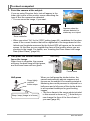
Half-press the shutter button to
focus the image.
Back lamp
When focus is complete, the camera
will beep, the back lamp will light green,
and the focus frame will turn green.
Focus frame
Half-press
Press lightly
until the
button stops.
Beep, beep (Image is in focus.)
When you half-press the shutter button, the
camera automatically adjusts exposure and
focuses on the subject it is currently pointed at.
Mastering how much pressure is required for a
half-press and a full-press of the shutter button
is an important technique for good-looking
images.
• The focus frame in the screen shots included
in this manual is shown at ß. Note that you
can change the form of the focus frame, if
you want (page 62).
27
Quick Start Basics
3.
Continuing to keep the camera still, press the shutter button the rest of
the way down.
This records the snapshot.
Full-press
Recording a Movie
[0] (Movie)
Press [0] (Movie) to start
movie recording. Press
[0] (Movie) again to stop
movie recording. See
page 50 for details.
Snap (Image is recorded.)
. If the image does not focus...
If the focus frame stays red and the back lamp is flashing green, it means that the
image is not in focus (because the subject is too close, etc.). Re-point the camera at
the subject and try to focus again.
. Shooting with Auto
If the subject is not in the center of the frame...
“Focus lock” (page 41) is the name of a technique you can use when you want to
shoot an image in which the subject to be focused on is not within the focus frame in
the center of the screen.
To track the movement of a moving subject
Half-press the shutter button to follow and focus automatically on a moving subject.
See “Ë Tracking” (page 41) for more information.
28
Quick Start Basics
. Shooting with Premium Auto
• In addition to shutter speed, aperture, and ISO sensitivity, the camera
automatically executes the following operation as required when shooting with
Premium Auto.
– Auto Focus is normally performed until you half-press the shutter button.
– Intelligent AF (Page 41)
– Face Detection (Page 45)
– Make-up/Landscape (Pages 67, 68)
• Shooting with Premium Auto can cause vibration and noise to occur due to lens
operation. This does not indicate malfunction.
• When Shooting with Premium Auto, the message “Processing Premium Auto.
Please wait...” may appear on the monitor screen. If you feel the camera is taking
too long to process data, try shooting with standard Auto instead.
• In some cases, Premium Auto may not be able to interpret the shooting
environment correctly. If this happens, shoot with standard Auto.
29
Quick Start Basics
Viewing Snapshots
Use the following procedure to view snapshots on the camera’s monitor screen.
• For information about how to play back movies, see page 73.
1.
Press [p] (PLAY) to enter the
PLAY mode.
• This will display one of the snapshots
currently stored in memory.
• Information about the displayed
snapshot also is included (page 179).
• You also can clear the information to
[p] (PLAY)
view only the snapshot (page 152).
• You can zoom in on the image by
sliding the zoom controller towards z (page 75). If you are recording a
snapshot that is very important to you, it is recommended that you zoom the
image and check its details after recording it.
2.
Use [4] and [6] to scroll between images.
• Holding down either button scrolls at high speed.
[6]
[6]
[4]
[4]
NOTE
• Half-pressing the shutter button while in the PLAY mode or while a menu screen is
displayed will switch directly to the REC mode.
30
Quick Start Basics
Deleting Snapshots and Movies
If memory becomes full, you can delete snapshots and movies you no longer need to
free up storage and record more images.
IMPORTANT!
• Remember that a file (image) delete operation cannot be undone.
• The delete menu will not appear if you press [2] (
) while “On” is selected for
the camera’s “Ü Disabled” setting (page 149). You can delete files only while “Off”
is selected for “Ü Disabled”.
To delete a single file
1.
Press [p] (PLAY) to enter the PLAY mode and then
press [2] (
).
2.
Use [4] and [6] to scroll through the files until the one
you want to delete is displayed.
3.
Use [8] and [2] to select “Delete” and then press [SET].
• To delete other files, repeat steps 2 and 3.
• To exit the delete operation, press [MENU].
To delete specific files
1.
Press [p] (PLAY) to enter the PLAY mode and then press [2] (
2.
Use [8] and [2] to select “Delete Files” and then press [SET].
).
• This displays a file selection screen.
3.
Use [8], [2], [4], and [6] to move the selection boundary to the file
you want to delete, and then press [SET].
• This will select the check box of the currently selected file.
4.
Repeat step 3 to select other files, if you want. After you are finished
selecting files, press [BS].
5.
Use [8] and [2] to select “Yes” and then press [SET].
• This deletes the files you selected.
• To exit the delete operation, press [MENU].
31
Quick Start Basics
To delete all files
1.
Press [p] (PLAY) to enter the PLAY mode and then press [2] (
2.
Use [8] and [2] to select “Delete All Files” and then press [SET].
3.
Use [8] and [2] to select “Yes” and then press [SET] to delete all files.
).
This will cause the message “There are no files” to appear.
Snapshot Shooting Precautions
Operation
• Never open the battery cover while the back lamp is flashing green. Doing so can
result in the image you just shot being saved incorrectly, damage to other images
stored in memory, malfunction of the camera, etc.
• If unwanted light is shining directly onto the lens, shade the lens with your hand
when shooting an image.
Monitor Screen when Shooting Snapshots
• Subject brightness conditions can cause monitor screen response to slow and can
cause digital noise in the monitor screen image.
• The image that appears on the monitor screen is for image composition. The actual
image will be recorded at the quality set for the image quality setting (page 66).
Shooting Indoors under Fluorescent Lighting
• Minute flickering of fluorescent lighting can affect the brightness or color of an
image.
32
Quick Start Basics
Auto Focus Restrictions
• Any of the following can make proper focus impossible.
– Solid color wall or other very low contrast subject
– Strongly back lit subject
– Very shiny subject
– Blinds or other subject with a repeating horizontal pattern
– Multiple subjects at varying distances from the camera
– Subject in a dark location
– Subject that is too far away for light from the AF assist lamp to reach
– Camera movement while shooting
– Fast-moving subject
– Subjects outside the focus range of the camera
• If you cannot focus properly, try using focus lock (page 41) or Manual Focus (page
39).
33
Quick Start Basics
Snapshot Tutorial
Using the Control Panel
The Control Panel can be used to configure camera settings.
1.
In the REC mode, press [SET].
This will select one of the Control Panel icons and display its settings.
[8] [2] [4] [6]
Available settings
Control Panel
[SET]
2.
1
2
3
4
5
6
7
8
9
Use [8] and [2] to select the setting you want to change.
1Image size/Quality* (pages 35, 66)
2Flash (page 37)
3Focus (page 39)
4AF Area (page 41)
5ISO sensitivity (page 43)
6Self-timer (page 44)
7Face Detection/Make-up/Landscape
(pages 45, 67, 68)
8EV shift (page 46)
9Date/Time (page 47)
* Snapshot image quality cannot be changed using the Control Panel.
3.
Use [4] and [6] to change the setting.
4.
If you want to configure another setting, repeat steps 2 and 3.
5.
After all of the settings are the way you want, press [SET].
This will apply the settings and return to the REC mode.
NOTE
• You also can configure settings other than those listed above (page 58).
• The Control Panel cannot be displayed when certain BEST SHOT scenes are
being used.
34
Snapshot Tutorial
Changing the Image Size (Size)
. Pixels
A digital camera image is a collection of small
dots called “pixels”. The more pixels there are
in an image, the more detail there will be.
However, you generally can do with fewer
pixels when printing an image (L size) through
a print service, attaching an image to e-mail,
when viewing the image on a computer, etc.
Pixel
. About image sizes
The size of an image indicates how many pixels it contains, and is expressed as
horizontal pixelsxvertical pixels.
10M (3648x2736) size image =
Approximately 10 million pixels
3648*
2736*
VGA (640x480) size image =
Approximately 300,000 pixels
640*
480*
* Unit: pixels
Image Size Selection Tips
Note that larger images have more pixels, so they take up more memory space.
Large Number
of Pixels
More detail, but takes up more memory. Best
when you plan to print large-size prints (such
as A3 size).
Small Number
of Pixels
Less detail, but takes up less memory. Best
when you want to send images by e-mail,
etc.
• For information about image size, image quality, and number of images that can be
stored, see page 179.
• For information about movie image size, see page 66.
• For information about resizing existing snapshots, see page 89.
35
Snapshot Tutorial
. To select the image size
1.
In the REC mode, press [SET].
2.
Use [8] and [2] to select the top Control Panel option (Image Size).
3.
Use [4] and [6] to select an image size and then press [SET].
Image Size
(Pixels)
Suggested
Print Size and
Application
14M
(4320x3240)
Poster Print
3:2
(4320x2880)
Poster Print
16:9
(4320x2432)
HDTV
10M
(3648x2736)
Poster Print
6M
(2816x2112)
A3 Print
3M
(2048x1536)
3.5"x5" Print
Best when preserving memory capacity is
relatively more important than image quality.
VGA
(640x480)
E Mail
Image files are smaller, which is better when
attaching images to e-mail. However, images
are relatively coarser.
Description
Good detail for better clarity even for images
cropped (page 90) from the original
Good detail
• The initial factory default image size setting is “14M”.
• Selecting “3:2” records images with an aspect ratio of 3:2, which matches the
standard aspect ratio of print paper.
• The letters “HDTV” stand for “High Definition Television”. An HDTV screen has an
aspect ratio of 16:9, which makes them wider than the usual 4:3 aspect ratio of
television screens of the past. Your camera can record images that are compatible
with the aspect ratio an HDTV screen.
• You should regard the print paper sizes suggested here as guidelines only (200 dpi
print resolution).
36
Snapshot Tutorial
Using Flash (Flash)
1.
In the REC mode, press [2] (
2.
Use [4] and [6] to select the flash
setting you want and then press [SET].
) once.
Flash
[2] (
3.
)
> Auto Flash
Flash fires automatically in accordance with exposure
(amount of light and brightness) conditions.
? Flash Off
Flash does not fire.
< Flash On
Flash always fires. This setting can be used to brighten a
subject that normally comes out dark due to daylight or
backlight (daylight synchro flash).
_ Soft Flash
Soft flash always fires, regardless of exposure conditions
¥ Red Eye
Reduction
Flash fires automatically. This type of flash can be used to
reduce the chance of redness in the subject’s eyes.
Press the shutter button to shoot.
A
Back lamp
Flashes orange while the flash is charging to indicate that image
recording is disabled.
• You will not be able to take another flash snapshot until the lamp
stops flashing orange, which indicates that charging is complete.
< indicates the flash will fire.
• For information about Flash Range, see page 182.
37
Snapshot Tutorial
NOTE
• Take care so your fingers and the strap do not block the flash.
• The desired effect may not be obtained when the subject is too far away or too
close.
• Flash charging time (page 182) depends on operating conditions (battery
condition, ambient temperature, etc.)
• Shooting with flash turned off when lighting is dim results in a slow shutter speed,
which can cause image blur due to camera movement. Under such conditions,
secure the camera with a tripod, etc.
• With red eye reduction, the flash is fired automatically in accordance with
exposure. It does not fire in areas where lighting is bright.
• The presence of outdoor sunlight, fluorescent lighting, or some other light source
can cause abnormal image colors.
• Select ? (Flash Off) for the flash setting when shooting in areas where flash
photograph is prohibited.
Red-eye Reduction
Using the flash to shoot at night or in a dimly lit room can cause red spots inside the
eyes of people who are in the image. This is caused when the light from the flash
reflects off of the retina of the eye. When red-eye reduction is selected as the flash
mode, the camera fires a pre-flash to cause the irises in the eyes of any people in the
image to close, which reduces the chance of red eye.
Note the following important points when using red-eye reduction.
• Red-eye reduction does not work unless the people in the image are looking
directly at the camera (flash).
• Red-eye reduction may not work very well if the subjects are located far away from
the camera.
Other Useful Flash Features
• Changing the flash intensity (page 72)
38
Snapshot Tutorial
Selecting a Focus Mode (Focus)
You can select a focus mode setting.
1.
In the REC mode, press [SET].
2.
Use [8] and [2] to select the third Control Panel option from the top
(Focus).
3.
Use [4] and [6] to select the setting you want and then press [SET].
Settings
Q Auto
Focus
Type of Shot
General
recording
Focus Mode
Snapshot Movies
Close ups
Automatic
Á
Super
Macro
Close ups
Automatic
)
Infinity
Scenery and
other distant
subjects
W
Manual
Focus
When you want
to focus
manually
Snapshot
Movies
Approximately
15 cm to 9 (infinity)
(5.9" to 9)
(Wide Angle)
Automatic
´
Macro
Approximate Focus Range*1
Fixed
focal
point
Approximately
7 cm to 50 cm
(2.8" to 19.7") (First
step zoom from the
Widest Angle setting)
Fixed
distance
*2
Approximately 7 cm to
50 cm (2.8" to 19.7")
Fixed
Manual
Infinity
Approximately 15 cm to 9
(infinity)*2 (5.9" to 9)
(Wide Angle)
*1 The focus range is the distance from the lens surface.
*2 The minimum changes along with the optical zoom setting.
39
Snapshot Tutorial
Super Macro
Super Macro fixes optical zoom at a position that allows you to shoot from the closest
distance to the subject. The result is closer and larger subject images.
NOTE
• Zoom is fixed while Super Macro is selected, so no zoom operation is performed
when you slide the zoom controller.
To focus with manual focus
1.
On the monitor screen, compose the image so
the subject you want to focus on is within the
yellow boundary.
2.
Watching the image on the monitor screen use
[4] and [6] to adjust focus.
• At this time the image that is within the boundary will
enlarge and fill the monitor screen, which aids in
focusing. If you do not perform any operation for two
seconds while the enlarged image is displayed, the
screen in step 1 will re-appear.
Yellow boundary
NOTE
• An Auto Macro feature detects how far the subject is from the lens and
automatically selects either Macro Focus or Auto Focus accordingly.
• Use of the flash together with Macro Focus can cause the light of the flash to
become blocked, which may result in unwanted lens shadows in your image.
• Whenever you perform an optical zoom operation while shooting with Auto Focus,
Macro Focus, or Manual Focus, a value will appear on the monitor screen to tell
you the focus range, as shown below.
Example: oo cm to 9
* oo is the actual focusing range value.
• When using manual focus to shoot, place name candidates do not appear on the
monitor screen, so you cannot select a place name for images (page 94). Perform
the following steps if you want to record an image along with the correct place
name.
1 Move to the location where you want to shoot.
2 Use a focus mode other than manual focus to display candidate place names
and select the one you want.
3 Return to the manual focus mode and shoot (without changing locations).
40
Snapshot Tutorial
Using Focus Lock
“Focus lock” is a technique you can use when you want to
compose an image in which the subject you want to focus
on is not within the focus frame in the center of the
screen.
• To use focus lock, select “Û Spot” for the Auto Focus
area (page 41).
1.
Align the monitor screen’s focus frame with
the subject you want to focus on and then halfpress the shutter button.
2.
Keeping the shutter button half-pressed (which
maintains the focus setting), move the camera
to compose the image.
3.
When you are ready to shoot the image, press
the shutter button the rest of the way down.
Subject to be focused on
Focus frame
NOTE
• Focus lock also locks exposure (AE).
Specifying the Auto Focus Area (AF Area)
The camera automatically determines the focus point on the
Ò Intelligent screen and focuses there (intelligent AF).
• Face detection (page 45) operates automatically.
Û Spot
This mode takes readings of a small area in the center of the
image. This setting works well with focus lock (page 41).
È Multi
When you half-press the shutter button while this setting selected,
the camera will select the optimum Auto Focus area from among
nine possible areas. The focus frame of the area where the
camera focuses will be displayed in green.
Ë Tracking
Half-pressing the shutter button focuses on the subject and causes
the focus frame to track the movement of the subject.
41
Snapshot Tutorial
1.
In the REC mode, press [SET].
2.
Use [8] and [2] to select the fourth Control Panel option from the top
(AF Area).
3.
Use [4] and [6] to select the setting you want and then press [SET].
4.
Point the camera at the subject and half-press the shutter button. Wait
until the camera adjusts exposure and focus automatically.
5.
Press the shutter button the rest of the way down.
“Ò Intelligent”
“Û Spot” or “Ë Tracking”
Focus frame
Focus frame
“È Multi”
Focus frame
IMPORTANT!
• Selecting “Ë Tracking” can cause vibration and noise to occur due to lens
operation while tracking a subject. This does not indicate malfunction.
42
Snapshot Tutorial
Specifying ISO Sensitivity (ISO)
ISO sensitivity is a measure of sensitivity to light.
1.
In the REC mode, press [SET].
2.
Use [8] and [2] to select the fifth Control Panel option from the top
(ISO Sensitivity).
3.
Use [4] and [6] to select the setting you want and then press [SET].
AUTO
Adjusts sensitivity automatically according to conditions
ISO 80
Lower sensitivity
Slow shutter speed
Less noise
ISO 3200 Higher sensitivity
Fast shutter speed
(Set for shooting in
dimly lit areas.)
Some coarseness
(increased digital
noise)
ISO 100
ISO 200
ISO 400
ISO 800
ISO 1600
• “AUTO” ISO sensitivity always is applied for movies, regardless of the current
ISO sensitivity setting.
• Higher ISO sensitivity values tend to result in digital noise in images.
43
Snapshot Tutorial
Using the Self-timer (Self-timer)
With the Self-timer, pressing the shutter button starts a timer. The shutter is released
and the image is shot after a fixed amount of time.
1.
In the REC mode, press [SET].
2.
Use [8] and [2] to select the sixth Control Panel option from the top
(Self-timer).
3.
Use [4] and [6] to select the setting you want and then press [SET].
„ 10sec
Self-timer
10-second Self-timer
‚ 2sec
Self-timer
2-second Self-timer
• When shooting under conditions that slow down the shutter
speed, you can use this setting to prevent image blur due to
camera movement.
” X3
Self-timer
(Triple
Self-timer)
Shoots three images: one image 10 seconds after the shutter
button is pressed, and the next two images as soon as the
camera is ready after shooting the previous image. How long it
takes for the camera to get ready to shoot depends on the
image size and quality settings, whether or not a memory card
is loaded in the camera, and the flash charge condition.
Self-timer Off Turns off the Self-timer.
• The front lamp flashes while the Self-timer countdown is
in progress.
• You can interrupt an ongoing Self-timer countdown by
pressing [SET].
Front lamp
NOTE
• The Triple Self-timer cannot be used together with the following features.
Movie, Make-up Mode, Landscape Mode, some BEST SHOT scenes
44
Snapshot Tutorial
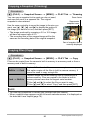
Using Face Detection (Face Detection)
When shooting people, the face detection feature detects the faces of up to ten
individuals and adjusts focus and brightness accordingly.
1.
In the REC mode, press [SET].
2.
Use [8] and [2] to select the third Control Panel option from the
bottom (Face Detection).
3.
Use [4] and [6] to select “G Face Detection: On” and then press
[SET].
4.
Point the camera at the subject(s).
The camera will detect human faces and display a
frame around each one.
5.
Half-press the shutter button.
The camera will focus and the frames around the faces
it focuses on will turn green.
6.
Press the shutter button the rest of the way down.
IMPORTANT!
•
•
•
•
The camera performs center focus if it cannot detect a face.
The only focus mode available while face detection is enabled is Auto Focus (AF).
Face detection may take a bit longer when you hold the camera sideways.
Detection of the following types of faces is not supported.
– Face that is obstructed by hair, sunglasses, a hat, etc., or a face in dark shade
– A profile or a face that is at an angle
– A face that is very far away and small, or very close and large
– A face in an area that is very dark
– The face of a pet or some other non-human subject
• Face detection cannot be used in combination with any of the following features.
– Some BEST SHOT scenes
– Movie Recording
• The AF area setting (page 41) is ignored while face detection is enabled.
45
Snapshot Tutorial
Correcting Image Brightness (EV Shift)
You can manually adjust an image’s exposure value (EV value) before shooting it.
• Exposure Compensation Range: –2.0EV to +2.0EV
• Unit: 1/3EV
1.
In the REC mode, press [SET].
2.
Use [8] and [2] to select the second Control Panel option from the
bottom (EV Shift).
3.
Use [4] and [6] to adjust the exposure compensation value.
[6]: Increases the EV value. A higher EV
value is best for light-colored subjects
and backlit subjects.
[4]: Decreases the EV value. A lower EV
value is best for dark-color subjects and
for shooting outdoors on a clear day.
To cancel exposure compensation, change
the EV value to 0.0.
4.
Exposure compensation value
Press [SET].
This applies the exposure compensation value. The exposure compensation
value you set remains in effect until you change it or turn off the camera (which
causes it to revert to “0.0”).
NOTE
• When shooting under very dark or very bright conditions, you may not be able to
obtain satisfactory results even after performing exposure compensation.
46
Snapshot Tutorial
Changing the Control Panel Date/Time Style
1.
In the REC mode, press [SET].
2.
Use [8] and [2] to select the bottom Control Panel option (Date/Time).
Use [4] and [6] to select the date or time.
NOTE
• You can select either of two display style (page 146) for the date: Month/Day or
Day/Month.
• The time is displayed using 24-hour format.
Shooting with Zoom
Your camera is equipped with various types of zoom: optical zoom, HD Zoom, Single
SR Zoom, and digital zoom. The maximum zoom factor depends on the image size
setting and the digital zoom on/off settings.
Optical zoom
Changes the lens focal distance.
HD Zoom
Allows greater zoom capabilities by cutting out a portion of the
original image and enlarging it.
Single SR Zoom
Applies super resolution technology to suppress image
deterioration.
Digital zoom
Digitally processes the center of the image to enlarge it.
1.
In the REC mode, slide the zoom controller to zoom.
w Wide Angle
z Telephoto
Zoom controller
w (Wide Angle) : Reduces the size of the subject and broadens the range.
z (Telephoto) : Enlarges the subject and narrows the range.
2.
Press the shutter button to shoot the image.
NOTE
• Use of a tripod is recommended to protect against image blur due to camera
movement when shooting with telephoto.
• Performing a zoom operation changes the lens aperture.
• Digital zoom only is available during movie recording. You can adjust the optical
zoom setting before you press [0] (Movie) to start movie recording.
47
Snapshot Tutorial
Interpreting the Zoom Bar
During a zoom operation, a zoom bar appears on the monitor screen to show the
current zoom setting.
Range where image deterioration is suppressed.
(optical zoom, HD Zoom, Single SR Zoom)
Deteriorated image range
(digital zoom)
1X
40.0X to 159.4X
Zoom pointer
(Indicates current zoom.)
Optical zoom limit point
• 10.0X optical zoom point
Point from which image deteriorates.
• This point can be anywhere from 15.0X to 101.1X when
Single SR Zoom is enabled, or 10.0X to 67.5X when it is
disabled.
. Zoom Icon
The appearance of the zoom icon on the monitor screen depends on the zoom factor.
Optical zoom
Not displayed
HD Zoom
Not displayed
Single SR Zoom
ç
Digital zoom
ê
48
Snapshot Tutorial
. Zoom Factor
The digital zoom factor depends on the image size (page 35) and on whether Single
SR Zoom is enabled or disabled.
Image size
14M
Maximum zoom factor where image
deterioration can be suppressed
Single SR Zoom:
Off
Single SR Zoom:
On
10.0X
15.0X
Total maximum
zoom factor
40.0X
3:2
10.0X
15.0X
40.0X
16:9
10.0X
15.0X
40.0X
10M
11.8X
17.8X
47.4X
6M
15.3X
23.0X
61.3X
3M
21.1X
31.6X
84.3X
VGA
67.5X
101.1X
159.4X
Zooming with Super Resolution (Single SR Zoom)
Super resolution technology makes it possible to expand the zoom range in which
image deterioration is minimized. For information about the effective zoom factor
ranges in which Single SR Zoom is effective, see page 49.
1.
In the REC mode, press [MENU].
2.
Use [4] and [6] to select the “Quality” tab.
3.
Use [8] and [2] to select “Single SR Zoom” and then press [6].
4.
Use [8] and [2] to select “On” and then press [SET].
NOTE
• It also does not work during movie recording.
• The following functions are disabled when shooting with Single SR Zoom.
Triple Self-timer, Make-up Mode, some BEST SHOT scenes
49
Snapshot Tutorial
Recording Movie Images
To record a movie
1.
Configure the quality setting for the movie (page 66).
The length of the movie you can record will depend on the quality setting you
select.
2.
In the REC mode, point the camera
at the subject and then press [0]
(Movie).
Remaining recording time
(page 180)
[0] (Movie)
This will start recording and display Y
on the monitor screen.
Movie recording includes monaural
audio.
• Immediately after you press [0]
(Movie), the camera will focus
automatically on the subject in the
center of the monitor screen. After
this, focus is fixed while movie
recording is in progress.
3.
Recording time
Press [0] (Movie) again to stop recording.
Movie recording also will stop automatically if memory becomes full before you
press [0] (Movie).
• The maximum size allowed for a single movie file is 4GB. Movie recording
stops automatically when a file becomes 4GB.
Shooting with BEST SHOT
With BEST SHOT (page 52), you can select the sample scene that matches the type
of movie you are trying to shoot and the camera will change its setup accordingly, for
beautiful movies every time. Selecting the BEST SHOT scene named Night Scene,
for example, will configure the camera so night scenes appear clearer and brighter.
Minimizing the Effects of Camera Movement during Movie Recording
You can configure the camera to minimize the effects of camera movement during
movie recording (page 61). Note, however, that this does not prevent image blur due
to subject movement and it makes the field of view narrower.
50
Recording Movie Images
NOTE
• Spending a long time using movie recording will cause the camera to become
slightly warm to the touch. This is normal and does not indicate malfunction.
• The camera also records audio. Note the following points when
Microphone
shooting a movie.
– Take care that the microphone is not blocked by your fingers,
etc.
– Good recording results are not possible when the camera is
too far away from what you are trying to record.
– Operating camera buttons while shooting can cause button
noise to be picked up in the audio.
• Shooting a very bright subject can cause a vertical band or a pink cast on the
monitor screen image. This does not indicate malfunction.
• When using the camera’s built-in memory or certain types of memory cards, it can
take too much time to record data, which can result in breaks in the image and/or
audio. This condition is indicated by » and Y flashing on the monitor screen. To
avoid loss of movie frames, use of a memory card with a maximum transfer speed
of at least 10MB per second is recommended (page 164).
• Only digital zoom can be used for zooming during movie recording. Since optical
zoom is not possible while recording a movie, zoom as required before pressing
[0] (Movie) to start recording.
• The effects of camera movement in an image become more pronounced when you
shoot close up or with a large zoom factor. Because of this, use of a tripod is
recommended under these conditions.
• Auto Focus and Macro Focus become fixed focus while shooting a movie (page
39).
51
Recording Movie Images
Using BEST SHOT
What is BEST SHOT?
BEST SHOT provides you with a collection of sample “scenes” that show a variety of
different types of shooting conditions. When you need to change the setup of the
camera, simply find the scene that matches what you are trying to achieve, and the
camera sets up for it automatically. This helps to minimize the chance of ruined
images due to poor exposure and shutter speed settings.
Some Sample Scenes
Portrait
Scenery
Night Scene
Night Scene Portrait
To shoot an image with BEST SHOT
1.
In the REC mode, press [BS].
This will display a menu of BEST SHOT scenes.
2.
Use [8], [2], [4], and [6] to move the
boundary to the scene you want to select.
• The scene menu has multiple pages. Use [8] and
[2] to scroll between menu pages.
• You can access information about the currently
selected scene. See page 53 for details.
• To return to normal snapshot recording, select
Scene 1 R (Auto). Pressing [MENU] while the
scene selection screen or scene information
screen is displayed will cause the boundary to
jump directly to R (Auto).
3.
Press [SET] to configure the camera with the
settings for the currently selected scene.
[BS]
Currently selected scene
(with boundary)
Scene name
This returns to the REC mode.
Scene number
• The settings of the scene you selected remain in
effect until you select a different scene.
• To select a different BEST SHOT scene, repeat the above procedure from
step 1.
4.
Press the shutter button (if you are shooting a snapshot) or [0] (Movie)
(if you are shooting a movie).
52
Using BEST SHOT
NOTE
• The BEST SHOT YouTube scene sets up the camera for recording movies that are
optimized for uploading to YouTube. Movies recorded with the YouTube scene are
stored in a special folder to make them easy to locate for uploading (page 138).
. Using Scene Information Screen
To find out more about a scene, select it with the boundary
on the scene selection screen, and then slide the zoom
controller in either direction.
• To return to the scene menu, slide the zoom controller
again.
• To scroll between scenes, use [4] and [6].
• To configure the camera with the settings for the currently
selected scene, press [SET]. To return to the scene information screen for the
currently selected BEST SHOT scene, press [BS].
. BEST SHOT Precautions
• Some BEST SHOT scenes cannot be used while recording a movie.
• The following BEST SHOT scene cannot be used while shooting a snapshot.
For YouTube
• Some scenes like Night Scene and Fireworks results in a slow shutter speed
setting. Since a slow shutter speed increases the chance of digital noise in the
image, the camera automatically performs a digital noise reduction process when
either of these scenes is selected. This means that it will take a bit longer for the
image to be saved which is indicated by the back lamp flashing green. Do not
perform any key operation during that time. Also, it is a good idea to use a tripod to
avoid image blur due to camera movement when shooting at slow shutter speeds.
• BEST SHOT scene images were not shot using this camera.
• Images shot using a BEST SHOT scene may not produce the results you expected
due to shooting conditions and other factors.
• You can modify the camera settings that are made after you select a BEST SHOT
scene. Note, however, that the BEST SHOT settings revert to their defaults when
you select another BEST SHOT scene or turn off the camera.
53
Using BEST SHOT
Creating Your Own BEST SHOT Setups
You can save up to 999 camera setups as user BEST SHOT scenes for instant recall
whenever you need them.
1.
On the BEST SHOT scene menu, select the scene named “BEST
SHOT” (Register User Scene).
2.
Use [4] and [6] to select the snapshot or movie whose setup you want
to save.
3.
Use [8] and [2] to select “Save”, and then press [SET].
Your BEST SHOT scene will be assigned the name “Recall User Scene”, along
with a scene number.
NOTE
• BEST SHOT snapshot scenes can be used for snapshots only and movie scenes
can be used for movies only.
• You can check the settings of the currently selected BEST SHOT scene by
displaying the camera’s setting menus and looking at its settings.
• User snapshot scenes are assigned numbers in the sequence: SU1, SU2, and so
on, while movies are assigned numbers in the sequence: MU1, MU2, and so on.
• The following are the settings that are saved for each user snapshot BEST SHOT
scene.
Face Detection, Focus, EV Shift, White Balance, Flash, ISO, Metering, Lighting,
Make-up Mode, Landscape Mode, Flash Intensity, Color Filter, Sharpness,
Saturation, Contrast
• The following are the settings that are saved for each user movie BEST SHOT
scene.
Focus, EV Shift, White Balance, Color Filter, Sharpness, Saturation, Contrast
• User BEST SHOT scenes are stored in built-in memory (page 138) in the SCENE
folder (snapshots) or MSCENE folder (movies).
• Formatting the camera’s built-in memory (page 151) deletes all user BEST SHOT
scenes.
• Use the following procedure when you want to delete a user BEST SHOT scene.
1 Display the information screen (page 53) of the user BEST SHOT scene you
want to delete.
), select “Delete”, and then press [SET].
2 Press [2] (
• The setup of an image recorded with Premium Auto cannot be saved as a user
BEST SHOT setup.
54
Using BEST SHOT
Shooting a Panorama Image (Slide Panorama)
With Slide Panorama, you move the camera to compose
and record multiple images, which are then combined to a
panorama. This feature lets you shoot a panorama of up to
360 degrees, which is dramatically greater than the physical
capabilities of the lens.
• The final panorama image can be one of the two sizes shown below.
Slide Direction is Right or Left: 5.5M (7680 x 720 pixels)
Slide Direction is Up or Down: 5.5M (1280 x 4320 pixels)
• Zoom operations are not supporting during Slide Panorama shooting. The zoom
setting is fixed at full wide angle.
• You can use Slide Panorama to shoot a horizontal image up to approximately 360
degrees and a vertical image up to approximately 180 degrees.
• If you shoot a horizontal Slide Panorama image that is less than 360 degrees, the
image size will become 60, 120, 180, 240, or 300 degrees.
1.
Press [BS] and then select the “Slide Panorama” scene.
2.
Press [SET] and then use [8] and [2] to select the top Control Panel
option (Slide Direction).
3.
Use [4] and [6] to select the direction you are planning to move the
camera while shooting, and then press [SET].
You can select one of four directions: Right, Left, Up, or Down.
4.
Point the camera at the start of the panorama and half-press the
shutter button to allow the camera to focus automatically.
5.
Press the shutter button the rest of the way
down and a slide cursor will appear on the
monitor screen. Slowly move the camera in
the direction indicated by the arrow on the
screen until the slide cursor reaches the
other end of its movement range (i.e. all the
way to the right when moving the camera to
the right).
Slide cursor
• The camera will start composing the panorama image internally when the slide
cursor reached the other end of the movement range.
• Image composing also will start automatically if you stop moving the camera
during panorama shooting. After you stop moving the camera, the message
“Busy... Please wait...” appears as the camera processes the image. Wait until
this message disappears before using the camera. Image shooting is disabled
while the message is displayed.
55
Using BEST SHOT
NOTE
• The following conditions are not compatible with Slide Panorama shooting.
– Subject whose brightness is very different from that of its surroundings due to
artificial light, sunlight, etc.
– Rivers, waves, waterfalls, or other subject with constantly changing patterns
– Sky, beach, or other subject with continuous patterns
– Camera too close to the main subject
– Moving subject
• Slide Panorama may stop part way through in the following cases.
– Subject or camera movement
– Camera movement that is too fast or too slow
• Shooting a Slide Panorama image after half-pressing the shutter button to perform
Auto Focus may not produce the desired results if there are considerable
differences in the brightness, color, and/or focus of the individual images. If this
happens, try changing the focus position by focusing on a different subject, etc.
• Since a Slide Panorama image is created by joining multiple images together, there
may be some roughness at the point where two images are joined.
• Shooting under a flickering light source (such as fluorescent lighting) may result in
uneven brightness and/or coloring in the final Slide Panorama image.
• Shooting in dark surroundings may result in a blurred image or may make Slide
Panorama shooting impossible.
• Slowly move the camera at a constant speed in the same direction as the arrow
that appears on the monitor screen.
• When moving the camera, try to keep the arrow on the monitor screen as straight
as possible.
• The exposure and white balance when shooting Slide Panorama images are fixed
at the levels measured when you half-press the shutter button at the beginning of
the operation.
• An error message will appear if the camera is unable to successfully record a
series of images.
• If you shoot a moving subject, the camera may not be able to compose the
panorama image properly.
• With this BEST SHOT scene, the flash setting automatically becomes ? (Flash
Off).
56
Using BEST SHOT
Recording a Self-portrait
With this feature, you can shoot your own self-portrait simply by pointing the camera
at your face.
BEST SHOT has two self-portrait scenes from which to choose.
• Self-portrait (1 person): Shoots when the face of at least one person, including
you, is detected.
• Self-portrait (2 people) : Shoots when the faces of at least two people, including
you, are detected.
1.
Press [BS] and then select “Self-portrait (1 person)” or “Self-portrait
(2 people)”.
2.
Press the shutter button all the way down, and point
the camera at yourself.
About three seconds after you press the shutter button, the
camera will go into Auto Shutter standby and start face
detection. The camera will go into Auto Shutter standby
and detect the faces of any people in the image.
When the camera is able to detect the number of required
individuals, it will release the shutter automatically when it determines there is no
image blur.
• The camera will emit a shutter sound and the front lamp will flash twice when
the shutter is released.
• To cancel Auto Shutter standby, press [SET].
IMPORTANT!
• If the camera remains in Auto Shutter standby without releasing the shutter, you
can record an image by pressing the shutter button all the way down again.
• Shooting with the self-portrait feature may produce a blurred image when shooting
in areas where lighting is dim, which results in a very slow shutter speed setting.
• The Auto Power Off (page 148) trigger time is fixed at five minutes while the
camera is in Auto Shutter standby. Sleep (page 147) is disabled while Auto Shutter
is being used.
57
Using BEST SHOT
Advanced Settings
The following are menu operations you can use to configure various camera settings.
• You also can use the Control Panel (page 34) to configure some of the settings that
appear on the menu screen. Refer to the page references provided in this section
for information about configuring settings using the Control Panel.
Using On-screen Menus
. Example Menu Screen Operation
1.
[8] [2] [4] [6]
In the REC mode, press [MENU].
This will display the menu screen.
• Menu contents are different in the REC mode and PLAY
mode.
2.
Use [4] and [6] to select the tab where the menu
item you want to configure is located.
3.
Use [8] and [2] to select the menu item you
want, and then press [6].
4.
Use [8] and [2] to change the setting of the
selected menu item.
5.
[MENU]
[SET]
Example:
When “Focus” is selected
on the “REC” tab
Tabs
After the setting is the way you want, press
[SET] to apply the setting and return to the
viewfinder screen.
• Pressing [4] instead of [SET] applies the
selected setting and returns to the menu item
selection.
• To configure settings on another tab after
Settings
pressing [4] to return to the menu item selection,
Selected menu item
use [8] to move the highlighting up to the tabs,
and then use [4] and [6] to select the tab you
want.
• Pressing [MENU] interrupts the menu operation and exits the menu screen.
IMPORTANT!
• Switching from “Auto” to “Premium Auto” (page 26) will make some menu items
unavailable.
58
Advanced Settings
. Menu Operations in This Manual
Menu operations are represented in this manual as shown below. The following
operation is the same one described under “Example Menu Screen Operation” on
page 58.
Use [4] and [6] to select the “REC” tab.
Procedure
[r] (REC) * [MENU] * REC Tab * Focus
Press
[r] (REC).
Press
[MENU].
Use [8] and [2] to select the “Focus”
and then press [6].
59
Advanced Settings
REC Mode Settings (REC)
Selecting a Focus Mode (Focus)
Procedure
[r] (REC) * [MENU] * REC Tab * Focus
For details, see the Control Panel procedure on page 39.
Using the Self-timer (Self-timer)
Procedure
[r] (REC) * [MENU] * REC Tab * Self-timer
For details, see the Control Panel procedure on page 44.
Shooting with Face Detection (Face Detection)
Procedure
[r] (REC) * [MENU] * REC Tab * Face Detection
For details, see the Control Panel procedure on page 45.
Shooting with Continuous Auto Focus (Continuous AF)
Procedure
[r] (REC) * [MENU] * REC Tab * Continuous AF
When shooting a snapshot while “On” is selected for Continuous AF, Auto Focus is
performed and focusing is continually updated until you half-press the shutter button.
• Before you half-press the shutter button, the camera focuses at the center of the
screen. If “Face Detection” is turned on when you half-press the shutter button,
focusing is performed in the area where a face is detected.
• Shooting with Continuous AF can cause vibration and noise to occur due to lens
operation. This does not indicate malfunction.
60
Advanced Settings
Reducing the Effects of Camera and Subject Movement
(Anti Shake)
Procedure
[r] (REC) * [MENU] * REC Tab * Anti Shake
You can turn on the camera’s Anti Shake feature to reduce image blur due to subject
movement or camera movement when shooting a moving subject using telephoto,
when shooting a fast-moving subject, or when shooting under dim lighting conditions.
Your digital camera is equipped with a CCD shift type camera shake correction
feature and a high-sensitivity anti image blur feature. These two features work in
concert to minimize the effects of hand and subject movement.
D Auto
Minimizes the effects of hand and subject movement.
F DEMO
Half-pressing the shutter button demonstrates the effect of Anti
Shake. However, the image is not recorded.
Off
Turns off Anti Shake settings
NOTE
• Only Camera Stabilizer can be used during movie recording.
• ISO sensitivity, aperture, and shutter speed do not appear on the monitor screen
when you half-press the shutter button while “D Auto” is selected. These values
will appear briefly, however, in the preview image that is displayed immediately
after you shoot a snapshot.
• Shooting while “D Auto” is selected can cause an image to appear somewhat
coarser than normal and can cause slight deterioration of image resolution.
• Anti Shake may not be able to eliminate the effects of camera or subject movement
when movement is severe.
• Anti Shake may not work properly when the camera is mounted on a tripod. Turn
off Anti Shake.
Specifying the Auto Focus Area (AF Area)
Procedure
[r] (REC) * [MENU] * REC Tab * AF Area
For details, see the Control Panel procedure on page 41.
61
Advanced Settings
Using the Auto Focus Assist Light (AF Assist Light)
Procedure
[r] (REC) * [MENU] * REC Tab * AF Assist Light
Half-pressing the shutter button while this setting is selected
causes the front lamp to light, which provides illumination for
focusing in areas where lighting is dim. Leaving this function
turned off is recommended when shooting portraits from short
distances, etc.
Front lamp
IMPORTANT!
• Never look directly into the front lamp while it is lit.
Changing the Focus Frame Shape (Focus Frame)
Procedure
[r] (REC) * [MENU] * REC Tab * Focus Frame
You can use this procedure to select from among five different shapes, including a
heart shape, for the focus frame.
Settings
¹
ß
™
¬
μ
Random
NOTE
• Half-pressing the shutter button will cause the focus frame to change one of the
shapes shown below.
Focus successful
Focus not successful
• While “Random” is selected, one of the four focus frames is selected randomly
whenever the camera is turned on.
• When shooting with face detection, the frame shape is ß.
62
Advanced Settings
Turning Digital Zoom On or Off (Digital Zoom)
Procedure
[r] (REC) * [MENU] * REC Tab * Digital Zoom
You can use this setting to turn digital zoom on or off. When digital zoom is turned off,
operating the zoom controller zooms the image with optical zoom only.
Displaying the On-screen Grid (Grid)
Procedure
[r] (REC) * [MENU] * REC Tab * Grid
The on-screen grid can be displayed on the REC mode
monitor screen for easy vertical and horizontal alignment
when composing images.
Turning on Image Review (Review)
Procedure
[r] (REC) * [MENU] * REC Tab * Review
While Review is turned on, the camera will display a image for about one second
immediately after you press the shutter button to record it.
Using Icon Help (Icon Help)
Procedure
[r] (REC) * [MENU] * REC Tab * Icon Help
While Icon Help is turned on, a textual description will appear on the display for
certain icons when you change auto recording mode.
Function Supported by Icon Help
• Auto recording mode
63
Advanced Settings
Configuring Power On Default Settings (Memory)
Procedure
[r] (REC) * [MENU] * REC Tab * Memory
When you turn off the camera, it remembers the current settings of all enabled
memory items and restores them when you turn it back on. Any memory item that is
disabled will be returned to its initial default setting whenever you turn off the camera.
Setting
Disabled (Initial Default Setting)
b BEST SHOT
Snapshot (Auto)
Effect
Off
Flash
Auto
Focus
AF (Auto Focus)
White Balance
Auto
ISO
Auto
AF Area
Spot
Metering
Multi
Self-timer
Off
Flash Intensity
0
Single SR Quality
Off
Single SR Zoom
On
Enabled
Setting at power
off
Digital Zoom
On
MF Position
Position before manual focus was
selected.
Zoom Position*
Full wide
* Optical zoom setting only.
• If you turn the camera power off and then back on while the BEST SHOT memory
item is enabled, all of the other memory items (except for zoom position) are
initialized to the currently selected BEST SHOT sample scene setup, regardless of
the enabled/disabled status of the other memory items.
64
Advanced Settings
Image Quality Settings (Quality)
Shooting Snapshots of better Texture and Sharpness
(Single SR Quality)
Procedure
[r] (REC) * [MENU] * Quality Tab * Single SR Quality
Super resolution technology is used to categorize an image into three parts: an
outline part, a fine pattern part, and a flat part, and then perform the optimum process
required by each part to increase texture and sharpness.
• A ç icon is displayed when the “Single SR Quality” setting is “On”.
• Single SR Quality is enabled for the entire zoom range, including digital zoom.
• It does not work during movie recording.
• The following functions are disabled when shooting with Single SR Quality.
Triple Self-timer, Make-up Mode, some BEST SHOT scenes
Zooming with Super Resolution (Single SR Zoom)
Procedure
[r] (REC) * [MENU] * Quality Tab * Single SR Zoom
See page 49 for details.
Specifying Snapshot Size (Size)
Procedure
[r] (REC) * [MENU] * Quality Tab * Size
For details, see the Control Panel procedure on page 36.
65
Advanced Settings
Specifying Snapshot Image Quality (Quality (Snapshot))
Procedure
[r] (REC) * [MENU] * Quality Tab * T Quality (Snapshot)
Fine
Gives image quality priority.
Normal
Normal
• The “Fine” setting helps to bring out details when shooting a finely detailed image
of nature that includes dense tree branches or leaves, or an image of a complex
pattern.
• Memory capacity (the number of images you can record) will be affected by the
quality settings you configure (page 179).
Specifying Movie Image Quality (Quality (Movie))
Procedure
[r] (REC) * [MENU] * Quality Tab * » Quality (Movie)
Movie image quality is a standard that determines the detail, smoothness, and clarity
of a movie during playback. Shooting with the high-quality (HD) setting will result in
better image quality, but it also shortens the amount of time you can shoot.
Image Quality (Pixels)
Approximate Data Rate
Frame Rate
HD
1280x720
10.9 Megabits/second
30 frames/second
STD
640x480
3.8 Megabits/second
30 frames/second
• The 16:9 aspect ratio is available when “HD” is selected as the image quality.
• Memory capacity (Movie recording time you can shoot) will be affected by the
quality settings you configure (page 180).
66
Advanced Settings
Recording Beautiful Images of People and Scenery (Effect)
Procedure
[r] (REC) * [MENU] * Quality Tab * Effect
When either mode described below is selected, the camera will automatically touch
up people and scenery to help ensure beautiful images every time.
Make-up
This mode smoothes the skin texture of the subject and
softens facial shadows caused by harsh sunlight for better
looking portraits.
Landscape
This mode makes colors more vivid, filters haze, and performs
other processing that enhances the beauty of natural scenery.
. Shooting with the Make-up Mode (Make-up)
1.
Enter the Make-up Mode
• Entering the Make-up Mode causes the ± to
appear on the Control Panel.
2.
Press [SET].
Make-up icon
3.
Use [4] and [6] to select “Make-up Level” (third
Control Panel option from the bottom), and then
press [SET].
• You can set one of 13 levels in the range of “0 (Off)” (no correction) to “+12
(Max.)” (maximum correction). The larger the value, the greater the processing
that is performed.
4.
Point the camera at the subject(s).
The camera will detect human faces and display a frame around each one.
5.
Half-press the shutter button.
The camera will focus on the face, which will cause frames around it to turn
green.
6.
When you are ready to shoot, press the shutter button all the way
down.
67
Advanced Settings
. Shooting Beautiful Scenery Images (Landscape)
1.
Enter the Landscape Mode
• Entering the Landscape Mode causes the Ö to
appear on the Control Panel.
2.
Press [SET].
Landscape icon
3.
Use [4] and [6] to select the Landscape Mode
setting (third Control Panel option from the bottom),
and then press [SET].
Vivid
Landscape
Enhances colors to produce a clearer, more vivid landscape
image.
Mist Removal
Corrects for misty and cloudy conditions for scenery images
that appear as if they were shot on a clear day.
• Available level settings are “+1” (Weak) and “+2” (Strong).
4.
Point the camera at the scenery you want to record.
5.
Press the shutter button to shoot.
NOTE
• The Make-up Mode and Landscape Mode cannot be used during movie recording.
• The following functions cannot be used together with the Make-up Mode:
Triple Self-timer, Face Detection, Landscape Mode, Some BEST SHOT scenes
• The following functions are disabled while the camera is in the Landscape Mode:
Triple Self-timer, Make-up Mode, Face Detection, Lighting, Color Filter, Sharpness,
Saturation, Contrast, Some BEST SHOT scenes
• Switching from “Auto” to “Premium Auto” (page 26) causes the Make-up and/or
Landscape Mode features to be applied automatically. Because of this, you cannot
enter the Make-up Mode or Landscape Mode while you are using Premium Auto.
Correcting Image Brightness (EV Shift)
Procedure
[r] (REC) * [MENU] * Quality Tab * EV Shift
For details, see the Control Panel procedure on page 46.
68
Advanced Settings
Controlling White Balance (White Balance)
Procedure
[r] (REC) * [MENU] * Quality Tab * White Balance
You can adjust white balance to match the source of light available where you are
shooting and avoid the blue cast that results when shooting outdoors when it is
cloudy, and the green cast that results when shooting under fluorescent lighting.
Auto
Configures the camera to adjust white balance automatically
¤ (Daylight)
For shooting outdoors on a clear day
' (Overcast)
For shooting outdoors on an overcast rainy day, in the shade, etc.
“ (Shade)
For shooting on a clear day in the shade of trees or buildings
† (Day White
For shooting under white or day white fluorescent lighting
Fluorescent)
– (Daylight
Fluorescent)
For shooting under daylight fluorescent lighting
« (Tungsten)
For shooting under light bulb lighting
Manual
For configuring the camera manually to suit a particular light
source.
Blank white paper
1Select “Manual”.
2Under the lighting conditions you plan to
use when shooting, point the camera at a
blank white piece of paper so it fills the
entire monitor screen and then press the
shutter button.
3Press [SET].
The white balance setting is retained even if you turn off the
camera.
• When “Auto” is selected for the white balance setting, the camera automatically
determines the white point of the subject. Certain subject colors and light source
conditions can cause problems when the camera tries to determine the white point,
which makes proper white balance adjustment impossible. If this happens, select
the white balance setting that matches your shooting conditions (Daylight,
Overcast, etc.)
69
Advanced Settings
Specifying ISO Sensitivity (ISO)
Procedure
[r] (REC) * [MENU] * Quality Tab * ISO
For details, see the Control Panel procedure on page 43.
Specifying the Metering Mode (Metering)
Procedure
[r] (REC) * [MENU] * Quality Tab * Metering
The metering mode determines what part of the subject is metered for exposure.
B Multi
Multi-pattern metering divides the image into sections and
measures the light in each section for a balanced exposure reading.
This type of metering provides error-free exposure settings for a
wide range of shooting conditions.
N Center
Weighted
Center weighted metering concentrates on the center of the focus
area to measure light. This type of metering is best when you want
some level of control over contrast.
˜ Spot
Spot metering takes readings at a very small area. Use this
metering method when you want exposure to be set according to
the brightness of a particular subject, without being affected by
surrounding conditions.
• The currently selected metering mode is indicated by an icon on the snapshot
screen. No icon is displayed when “B Multi” is selected as the metering mode.
70
Advanced Settings
Optimizing Image Brightness (Lighting)
Procedure
[r] (REC) * [MENU] * Quality Tab * Lighting
You can use this setting to optimize the balance between bright areas and dark areas
when shooting images.
On
Performs brightness correction. When this option is selected, it takes
longer for the image to be stored after the shutter button is pressed.
Off
Does not perform brightness correction.
• You also can optimize the balance between bright areas and dark areas in existing
images (page 85).
Using Built-in Color Filters (Color Filter)
Procedure
[r] (REC) * [MENU] * Quality Tab * Color Filter
Settings: Off, B/W, Sepia, Red, Green, Blue, Yellow, Pink, and Purple
Controlling Image Sharpness (Sharpness)
Procedure
[r] (REC) * [MENU] * Quality Tab * Sharpness
You can specify one of five sharpness settings from +2 (sharpest) to –2 (least sharp).
Controlling Color Saturation (Saturation)
Procedure
[r] (REC) * [MENU] * Quality Tab * Saturation
You can specify one of five saturation settings from +2 (most saturated) to –2 (least
saturated).
71
Advanced Settings
Adjusting Image Contrast (Contrast)
Procedure
[r] (REC) * [MENU] * Quality Tab * Contrast
You can specify one of five contrast settings from +2 (most contrast between light and
dark) to –2 (least contrast between light and dark).
Specifying Flash Intensity (Flash Intensity)
Procedure
[r] (REC) * [MENU] * Quality Tab * Flash Intensity
You can specify one of five flash intensity settings, from –2 (weakest) to +2
(strongest).
• Flash intensity may not change when the subject is too far away or too close.
72
Advanced Settings
Viewing Snapshots and Movies
Viewing Snapshots
See page 30 for the procedure for viewing snapshots.
Viewing a Movie
1.
Press [p] (PLAY) and then use [4] and [6] to display the movie you
want to view.
2.
Press [SET] to start playback.
Movie icon: »
Recording time
Image quality
Movie Playback Controls
Fast forward/
fast reverse
[4] [6]
• Each press of either button increases the speed of the fast
forward or fast reverse operation.
• To return to normal playback speed, press [SET].
Play/pause
[SET]
[4] [6]
1 frame forward/ • Holding down either button scrolls continuously.
back
• Image scrolling is not supported during playback in the MAP
mode.
Volume
adjustment
Press [2] and then press [8] [2].
• Volume can be adjusted only while movie playback is in
progress.
Information
display on/off
[8] (DISP)
Zoom
Slide the zoom controller in the direction of z ([).
• You can use [8], [2], [4], and [6] to scroll the zoomed
image on the monitor screen. You can zoom a movie image
up to 4.5 times normal size.
• Zooming is not supported during playback in the MAP mode.
Stop playback
[MENU]
• Playback may not be possible for movies not recorded with this camera.
73
Viewing Snapshots and Movies
Viewing a Panorama Image
1.
Press [p] (PLAY), and then use [4] and [6] to display the panorama
images you want to view.
2.
Press [SET] to start playback of the panorama.
Panorama playback causes the image to scroll left,
right, up, or down.
Playback Controls
To start or pause
playback
[SET]
To advance scroll while
paused
[4] [6] (When the slide direction is left or right.)
[8] [2] (When the slide direction is up or down.)
• Holding down any button scrolls continuously.
• Scrolling is not supported during MAP mode
playback.
To hide or show display
information
[8] (DISP)
To stop playback
[MENU]
• The following functions cannot be performed on a panorama image.
Dynamic Photo, Movie Converter, MOTION PRINT, Movie Editing, Trimming,
Resize
74
Viewing Snapshots and Movies
Zooming an On-screen Image
1.
In the PLAY mode, use [4] and [6] to scroll through the images until
the one you want is displayed.
2.
Slide the zoom controller towards z ([) to
zoom.
Zoom factor
Image area
You can use [8], [2], [4], and [6] to scroll the
zoomed image on the monitor screen. Slide the
zoom controller towards w to unzoom the image.
– When monitor screen contents are turned on, a
graphic in the lower right corner of the screen
shows what part of the zoomed image is
currently displayed.
– To exit the zoom screen, press [MENU] or [BS].
– Though the maximum image zoom factor is 8X,
Current display area
certain image sizes may not allow zooming up
to the full 8X.
• Pressing [SET] will lock the current zoom factor for the on-screen image. You
can then use [4] and [6] to scroll between images, using the same zoom
factor. Pressing [SET] again will unlock the zoom factor and allow you to use
[8], [2], [4] and [6] to move around the currently displayed images.
Displaying the Image Menu
1.
In the PLAY mode, slide the zoom controller
towards w (]).
Boundary
Use [8], [2], [4] and [6] to move the selection
boundary around the image menu.
To view a particular image, use [8], [2], [4], or [6] to
move the selection boundary to the image you want
and then press [SET].
75
Viewing Snapshots and Movies
Displaying Images in the Calendar Screen
1.
In the PLAY mode, slide the zoom controller towards w (]) twice.
This will display the calendar screen that shows the first image recorded on each
day.
To display the first image recorded on a particular day,
use [8], [2], [4], and [6] to move the selection
boundary to the day you want and then press [SET].
To exit the calendar screen, press [MENU] or [BS].
• If you save an image using any one of the following
functions, the image will appear in the calendar on the
date that you last saved it.
Lighting, White Balance, Brightness, Resizing, Trimming, Copy, MOTION
PRINT
If you edit the date and time of an image, the image still will appear on the date
it was originally recorded.
Viewing Snapshots and Movies on a TV Screen
1.
Use the AV cable that comes with the camera to connect it to the TV.
White
Yellow
TV
Video
AV cable (bundled)
Audio
AUDIO IN jacks (white)
[USB/AV] port
VIDEO IN jack (yellow)
Making sure that the 6 mark on the camera is aligned with the 4 mark of the AV
cable connector, connect the cable to the camera.
• Make sure that you insert the cable connector into the
USB/AV port until you feel it click securely into place.
Failure to insert the connector fully can result in poor
communication or malfunction.
• Note that even while the connector is fully inserted, you
still will be able to see the metal part of the connector as shown in the
illustration.
76
Viewing Snapshots and Movies
2.
Turn on the TV and select its video input mode.
If the TV has more than one video input, select the one where the camera is
connected.
3.
Press [p] (PLAY) to turn on the camera.
This will cause an image to appear on the TV screen, without anything appearing
on the camera’s monitor screen.
• Pressing [ON/OFF] (Power) or [r] (REC) will not turn on the camera while the
AV cable is connected.
• You also can change the aspect ratio of the screen and the video output
system (page 150).
4.
Now you can display images and play back movies as you normally do.
IMPORTANT!
• Before connecting to a TV to display images, be sure to configure the camera’s
[r] (REC) and [p] (PLAY) buttons for “Power On” or “Power On/Off” (page 148).
• Audio is initially output by the camera at maximum volume. When you first start
displaying images, set the TV volume control at a relatively low level and then
adjust it as required.
NOTE
• Audio is monaural.
• Certain TVs may cut off part of the images.
• All icons and indicators that appear on the monitor screen also appear on the TV
screen. You can use [8] (DISP) to change the display contents.
77
Viewing Snapshots and Movies
Viewing High-quality Movies on a Hi-Vision Television
Use a commercially available HDMI cable to
connect the camera to the TV. For
information about playback, see page 76.
• Use a commercially available HDMI cable
that is marked with the logo shown to the
right.
HDMI cable (commercially available)
HDMI connector
HDMI output
(Mini)
HDMI input
Terminal
cover
HDMI mini connector
IMPORTANT!
• Output to a TV is not supported in the REC mode.
NOTE
• Use a HDMI cable that with a plug that is compatible with the camera’s HDMI mini
connector on one end, and a plug that is compatible with your TV’s HDMI
connector on the other end.
• Proper image and/or audio output and other operations may not be possible with
some devices.
• Connecting the camera to the HDMI connector of another device can damage both
the camera and the other device. Never connect two HDMI output connectors to
each other.
• Make sure that the camera is turned off before plugging in or unplugging the cable.
Check the user documentation that comes with the TV for information about
requirements before plugging into or unplugging from the TV.
• When cables are connected to both the USB/AV port and the HDMI output
connector, the HDMI output connector connection is given priority.
• Disconnect the HDMI cable when you are not using HDMI output. The camera’s
monitor screen may not operate normally while the HDMI cable is connected.
• Audio is monaural.
• Some TVs may not be able to output images and/or audio correctly.
• Audio is initially output by the camera at maximum volume. When you first start
displaying images, set the TV volume control at a relatively low level and then
adjust it as required.
78
Viewing Snapshots and Movies
. Selecting the HDMI Terminal Output Method (HDMI Output)
Procedure
[MENU] * Set Up Tab * HDMI Output
Use this setting to select the digital signal format when connecting to a TV with an
HDMI cable.
Auto
This setting will cause the format to change automatically in accordance
with the connected TV. Normally, you should use this mode.
1080i
1080i format output*
480p
480p format output
576p
576p format output
* 1080i corresponds to 1080 60i, but not 1080 50i. Because of this, the required output
method may be 576p when outputting to a digital TV in a PAL reception area that does
not support 1080i 60i. If you are in a PAL reception area and nothing is displayed
automatically, change the setting to 576p.
• If an image does not appear when “Auto” is selected as the output method, try
changing this setting to something else.
Recording Camera Images to a DVD Recorder or Video Deck
Use one of the following methods to connect the camera to the recording device
using the camera’s bundled AV cable.
– DVD recorder or video deck: Connect to the VIDEO IN and AUDIO IN terminals.
– Camera: USB/AV port
You can play a slideshow of snapshots and movies on the camera and record it on a
DVD or video tape. You can record movies by selecting “» Only” for the slideshow
“Images” setting (page 80). When recording images to an external device, use [8]
(DISP) to clear all indicators from the monitor screen (page 152).
For information about connecting a monitor to the recording device and about how to
record, see the user documentation that comes with the recording device you are
using.
79
Viewing Snapshots and Movies
Other Playback Functions (PLAY)
This section explains menu items that you can use to configure settings and perform
other playback operations.
For information about menu operations, see page 58.
Playing a Slideshow on the Camera (Slideshow)
Procedure
[p] (PLAY) * [MENU] * PLAY Tab * Slideshow
Start
Starts the slideshow.
Images
Specifies the type of images to be included in the slideshow
All images: Snapshots and movies
T Only: Snapshots only
» Only: Movies only
Date Setting: Images from specific dates
• Perform the following steps to specify a date.
1 Use [8], [2], [4], and [6] to move the red selection boundary the date
you want to select, and then press [SET].
This will select the check box of date you selected.
2 Repeat step 1 to select all of the dates whose images you want include in
the slideshow.
3 After selecting all of the images you want, press [BS].
• If you save an image using any one of the following functions, the image will
appear in the calendar on the date that you saved.
Lighting, White Balance, Brightness, Resize, Trimming, Copy, MOTION
PRINT
• If you edit the date and/or time of an image, the image still will appear on the
date it was originally recorded.
• You can select up to 15 images for a slideshow.
• All currently selected slideshow images are deselected whenever you turn off
the camera.
Time
Time from the start to the end of the slideshow
1 to 5 minutes, 10 minutes, 15 minutes, 30 minutes, 60 minutes
80
Other Playback Functions (PLAY)
Interval
Amount of time each image remains displayed
Use [4] and [6] to select a value from 1 to 30 seconds, or “MAX”.
If you specify a value from 1 to 30 seconds, images change at the specified
interval, but the movies will continue to play until the end.
When the slideshow reaches a movie file while “MAX” is selected, only the first
frame of the movie will displayed.
Effect
Select the effect you want.
Pattern 1 to 4: Plays background music and applies an image change effect.
• Patterns 1 through 4 have different background music, but they all use the
same image change effect.
• The currently selected image change effect setting is disabled automatically
in following cases.
– When playing a slideshow for which “» Only” is selected for the “Images”
setting
– When the interval setting is “MAX”, 1 second or 2 seconds.
– Before and after playback of a movie
Off: No image change effect or background music
• To stop the slideshow, press [SET]. Pressing [MENU] instead of [SET] stops the
slideshow and returns to the menu screen.
• Adjust audio volume by pressing [2] and then press [8] or [2] during playback.
• All button operations are disabled while the slideshow is transitioning from one
image to another.
• The time required for transition from one image to another may be longer in the
case of an image that was not recorded with this camera.
81
Other Playback Functions (PLAY)
Saving Music from Your Computer to Camera Memory
You can replace the built-in slideshow background music with other music from your
computer.
Supported File Types:
• PCM format (16-bit, monaural) WAV files
• Sampling Frequencies: 11.025 kHz/22.05 kHz/44.1 kHz
Number of Files: 9
File names: SSBGM001.WAV to SSBGM009.WAV
• Create the music files on your computer using the above names.
• Regardless of which effect pattern you select, the BGM files you store in camera
memory are played back in name sequence.
1.
Connect the camera to your computer (pages 122, 132).
If you plan to save the music files to the camera’s memory card, make sure the
card is loaded in the camera.
2.
Perform one of the following operations to open the memory card or
built-in memory.
This will cause the camera to be recognized by your computer as a Removable
Disk (Drive).
• Windows
1 Windows 7, Windows Vista: Start * Computer
Windows XP: Start * My Computer
Windows 2000: Double-click “My Computer”.
2 Double-click “Removable Disk”.
• Macintosh
1 Double-click the camera’s drive icon.
3.
Create a folder named “SSBGM”.
4.
Double-click the “SSBGM” folder you created and copy the
background music file to it.
• See the user documentation that comes with your computer for information
about moving, copying, and deleting files.
• If there are background music files both in built-in memory and on the memory
card loaded in the camera, the files on the memory card take priority.
• See page 138 for information about camera folders.
5.
Disconnect the camera from the computer (pages 124, 133).
82
Other Playback Functions (PLAY)
Creating a Snapshot of Movie Frames (MOTION PRINT)
Procedure
[p] (PLAY) * Movie Screen to be Used * [MENU] * PLAY Tab *
MOTION PRINT
1.
Use [4] and [6] to scroll through the movie frames and display the one
you want to use as the image of the MOTION PRINT image.
Holding down [4] or [6] scrolls at high speed.
2.
Use [8] and [2] to select “Create” and then press [SET].
• Only the frames of movies recorded on this camera can be used in a MOTION
PRINT image.
Editing a Movie on the Camera (Movie Editing)
Procedure
[p] (PLAY) * Movie Screen of Movie to be Edited * [MENU] *
PLAY Tab * Movie Editing
The Movie Editing feature lets you use one of the following procedures to edit out a
specific part of a movie.
} Cut
(To-Point Cut)
Cuts everything from the beginning of the movie up to the
current location.
~ Cut
(Point-To-Point Cut)
Cuts everything between two points.
¡ Cut
(From-Point Cut)
Cuts everything from the current location to the end of the
movie.
1.
Use [8] and [2] to select the editing method you want to use and then
press [SET].
2.
Use [4] and [6] to scroll through the movie and
search for the frame (point) from which or to
which you want to cut the movie (the cut point).
• You also can search for the cut location by playing
back the movie and pressing [SET] to pause. During
playback, you can press [4] or [6] to perform fast
reverse or fast forward.
Cut range (red)
83
Other Playback Functions (PLAY)
3.
When the frame where you want the cut point to be is displayed, press
[2].
} Cut
(To-Point Cut)
~ Cut
(Point-To-Point Cut)
While the frame you want the cut to be up to is
displayed, press [2].
1While the frame you want the first (From) cut to be is
displayed, press [2].
2While the frame you want the second (To) cut to be
is displayed, press [2].
¡ Cut
(From-Point Cut)
4.
While the frame you want the cut to be from is
displayed, press [2].
Use [8] and [2] to select “Yes” and then press [SET].
The selected cut operation will take considerable time to complete. Don’t try to
perform any camera operation until the “Busy... Please wait...” message
disappears from the monitor screen. Note that a cut operation can take a long
time if the movie being edited is long.
IMPORTANT!
• When you edit a movie, only the result is saved. The original movie is not retained.
An editing operation cannot be undone.
NOTE
• A movie that is shorter than five seconds cannot be edited.
• Editing of movies recorded with a different type of camera is not supported.
• You will not be able to edit a movie if the amount of remaining memory capacity is
less than the size of the movie file you want to edit. If there is not enough memory
available, delete files you no longer need to free up more.
• Splitting of a movie into two movies and splicing of two different movies into a
single movie are not supported.
• You also can start a movie editing operation while the movie you want to edit is
playing back. Press [SET] to pause playback, and then press [2] to display the
menu of editing options. Perform editing using the same procedures as described
above. Note, however, that you cannot edit a movie that is paused in the MAP
mode.
84
Other Playback Functions (PLAY)
Optimizing Image Brightness (Lighting)
Procedure
[p] (PLAY) * Snapshot Screen * [MENU] * PLAY Tab * Lighting
You can use this setting to optimize the balance between bright areas and dark areas
in existing images.
+2
Performs a higher level of brightness correction than the “+1” setting.
+1
Performs brightness correction.
Cancel
Does not perform brightness correction.
NOTE
• Correcting the lighting when shooting produces better results (page 71).
• Altering the lighting of an image causes the original image and the new (altered)
version to be stored as separate files.
• When you display an altered image on the camera’s monitor screen, the date and
time indicates when the image was originally recorded, not when the image was
altered.
Adjusting White Balance (White Balance)
Procedure
[p] (PLAY) * Snapshot Screen * [MENU] * PLAY Tab *
White Balance
You can use the white balance setting to select a light source type for a recorded
image, which will affect the colors of the image.
¤ Daylight
Outdoors, fair weather
' Overcast
Outdoors, cloudy to rain, in tree shade, etc.
“ Shade
Very high temperature light, such as building shade, etc.
† Day White
White or daywhite fluorescent lighting, without suppressing
color cast
Fluorescent
– Daylight
Fluorescent
Daylight fluorescent lighting, while suppressing color cast
« Tungsten
Suppressing of the appearance of light bulb lighting
Cancel
No white balance adjustment
85
Other Playback Functions (PLAY)
NOTE
• You also can adjust the white balance when recording images (page 69).
• The original snapshot is retained in memory and not deleted.
• When you display an altered image on the camera’s monitor screen, the date and
time indicates when the image was originally recorded, not when the image was
altered.
Adjusting the Brightness of an Existing Snapshot
(Brightness)
Procedure
[p] (PLAY) * Snapshot Screen * [MENU] * PLAY Tab *
Brightness
You can select one of five brightness levels, from +2 (brightest) to –2 (least bright).
NOTE
• The original snapshot is retained in memory and not deleted.
• When you display an altered image on the camera’s monitor screen, the date and
time indicates when the image was originally recorded, not when the image was
altered.
Selecting Images for Printing (DPOF Printing)
Procedure
[p] (PLAY) * Snapshot Screen * [MENU] * PLAY Tab *
DPOF Printing
See page 117 for details.
86
Other Playback Functions (PLAY)
Protecting a File Against Deletion (Protect)
Procedure
[p] (PLAY) * [MENU] * PLAY Tab * Protect
Protects specific files.
1Use [4] and [6] to scroll through the files
until the one you want to protect is
displayed.
2Use [8] and [2] to select “On” and then
press [SET].
An image that is protected is indicated by
the › icon.
3To protect other files, repeat steps 1 and 2.
To exit the protect operation, press [MENU]. To unprotect a file,
select “Off” instead of “On” in step 2 above.
On
Protects all files.
All Files:
On
1Use [8] and [2] to select “All Files: On” and then press [SET].
2Press [MENU].
To unprotect all files, select “All Files: Off” instead of “All Files: On” in
step 1 above.
IMPORTANT!
• Note that even if a file is protected, it will be deleted if you perform the format
operation (page 151).
87
Other Playback Functions (PLAY)
Editing the Date and Time of an Image (Date/Time)
Procedure
[p] (PLAY) * Snapshot Screen * [MENU] * PLAY Tab * Date/Time
[8] [2] Changes the setting at the cursor location
[4] [6] Moves the cursor between settings
[BS]
Toggles between 12-hour and 24-hour format
When the date and time settings are what you want, press [SET] to apply them.
NOTE
• The date and time stamped into an image using the Time Stamp (page 145) cannot
be edited.
• You cannot edit the date and time of an image that is protected.
• You can input any date from 1980 to 2049.
Deleting Location Information from an Image (Delete Site Info)
Procedure
[p] (PLAY) * Snapshot or Movie Screen * [MENU] * PLAY Tab *
Delete Site Info
See page 109 for details.
88
Other Playback Functions (PLAY)
Rotating an Image (Rotation)
Procedure
[p] (PLAY) * Snapshot or Movie Screen * [MENU] * PLAY Tab *
Rotation
1.
Use [8] and [2] to select “Rotation” and then press [SET].
Each press of [SET] will rotate the displayed image 90 degrees left.
2.
When the displayed image is at the orientation you want, press
[MENU].
NOTE
• Note that this procedure does not actually change the image data. It simply alters
how the image is displayed on the camera’s monitor screen.
• An image that has been protected or zoomed cannot be rotated.
• The original (unrotated) version of the image will be displayed on the image menu
screen and the calendar screen.
Resizing a Snapshot (Resize)
Procedure
[p] (PLAY) * Snapshot Screen * [MENU] * PLAY Tab * Resize
You can reduce the size of a snapshot and save the result as a separate snapshot.
The original snapshot is also retained. You can select resize an image to one of three
image sizes: 10M, 6M, VGA.
• Resizing a 3:2 or 16:9 size snapshot will create an image with an aspect ratio of
4:3, with both sides cut off.
• The recording date of the resized version of the snapshot will be the same as the
recording date of the original snapshot.
89
Other Playback Functions (PLAY)
Cropping a Snapshot (Trimming)
Procedure
[p] (PLAY) * Snapshot Screen * [MENU] * PLAY Tab * Trimming
You can crop a snapshot to trim parts you do not need,
and save the result in a separate file. The original
snapshot is also retained.
Zoom factor
Represents
snapshot area
Use the zoom controller to zoom the image to the size you
want, use [8], [2], [4], and [6] to display the portion of
the image you want to cut out, and then press [SET].
• The image produced by cropping a 3:2 or 16:9 image
will have an aspect ratio of 4:3.
• The recording date of the cropped image will be the
same as the recording date of the original snapshot.
Part of snapshot that is
currently displayed
Copying Files (Copy)
Procedure
[p] (PLAY) * Snapshot Screen * [MENU] * PLAY Tab * Copy
Files can be copied from the camera’s built-in memory to a memory card or from a
memory card to built-in memory.
Built-in * Card
Copies all files from built-in camera memory to a memory card.
This option copies all the files in built-in camera memory. It
cannot be used to copy a single file.
Card * Built-in
Copies a single file on the memory card to camera built-in
camera memory. Files are copied to the folder in built-in
memory whose name has the largest serial number.
1Use [4] and [6] to select the file you want to copy.
2Use [8] and [2] to select “Copy” and then press [SET].
NOTE
• You can copy snapshots or movies you recorded with this camera.
• When a copied image appears on the full-month calendar screen, it is displayed on
the date that it was copied (page 76).
90
Other Playback Functions (PLAY)
Using the Hybrid-GPS
In addition to conventional Global Positioning System (GPS) system capabilities that
determine your current location and time based on radio waves it picks up from GPS
satellites, your EXILIM camera also features a built-in independent motion sensor
employing autonomous positioning technology that uses a 3-axis bearing sensor and
a 3-axis accelerometer. These two capabilities combine to create a Hybrid-GPS that
provides position information (latitude and longitude), even indoors, underground,
and in areas where GPS satellite waves cannot be received.
The Hybrid-GPS supports all of the following capabilities.
• Recording current location information (latitude, longitude, camera aiming
direction) with image data (snapshots and movies)
• Recording current location name with image data (snapshots and movies)
• Direct stamping of the recording location name in an image (snapshots)
• Display of recorded images and location on a map
• When traveling, searching for photogenic spots near your current location
• Tracking your movements on a map
• Automatic updating of the camera’s clock based on GPS satellite wave data
A Global Positioning System (GPS) uses radio waves sent from GPS satellites
orbiting the Earth to calculated positions anywhere on the globe. Signals from GPS
satellites can be used to determine a person’s current location and the current time
at that location.
91
Using the Hybrid-GPS
Recording Current Location Information (Latitude, Longitude,
Direction, Place Name) with Image Data
Enabling the GPS Function (GPS)
Before using the Hybrid-GPS function for the first time, perform in the following steps
to turn it on and receive GPS satellite waves.
1.
Take the camera outside to a location where there is an unobstructed
path to the sky above.
2.
Press [ON/OFF] (Power) to turn on the camera and then press [MENU].
3.
On the “Set Up” tab, select “GPS” and then press [6].
4.
Use [8] and [2] to select “On” and then press [SET].
5.
Wait until the GPS wave condition icon (page 93) changes to
(GPS satellite waves being received).
,
IMPORTANT!
• When “On” is selected for the “GPS” setting, the camera’s GPS function continues
to operate and periodically perform positioning, even when the camera is turned
off. Whenever you are instructed to turn off all digital devices, such as during
aircraft takeoffs and landings, be sure to change the camera’s “GPS” setting to
“Off” and then turn off the camera.
NOTE
• The first GPS satellite receive operation may take more time than normal.
• When “On” is selected for the “GPS” setting, the camera will continually acquire
position data (latitude, longitude) while turned on, and intermittently acquire
position data while turned off.
92
Using the Hybrid-GPS
Recording Location Information with Image Data
(Record Lat/Long)
While “On” is selected for the “Record Lat/Long” setting, location information (latitude,
longitude, camera aiming direction) as measured by the Hybrid-GPS will be recorded
along with the image data (snapshots and movies).
1.
In the REC mode, press [MENU].
2.
On the “Set Up” tab, select “Record Lat/Long” and then press [6].
3.
Use [8] and [2] to select “On” and then press [SET].
4.
Press the shutter button (if you are shooting a snapshot) or [0] (Movie)
(if you are shooting a movie).
This will record the image along with the location information (latitude, longitude,
direction) for your current location.
• In the case of a snapshot, the location information is recorded when you press
the shutter button all the way down. For a movie, the location information is
recorded when you press [0] (Movie).
. Checking GPS Wave Conditions
An icon on the display shows current GPS wave conditions. Be sure to check this
icon before recording an image.
Icon
GPS Wave Conditions
GPS satellite waves being received. GPS measurement location
information can be recorded with image data.
GPS satellite wave reception is poor, so GPS measurement location
information cannot be recorded with image data. In this case, motion
sensor location information will be recorded with image data.
GPS satellite waves cannot reach your location, so GPS position
information cannot be recorded with an image. The camera can, however,
save position information produced by the motion sensor.
GPS is turned off (page 92).
93
Using the Hybrid-GPS
NOTE
• You can delete recorded latitude, longitude, and direction data as required (page
109).
• Recorded latitude, longitude, and direction data cannot be edited.
• Shooting an image while on the move may result in incorrect position information
being registered with the image.
• The current “Record Lat/Long” setting is ignored while “Off” is selected for the
“GPS” setting (page 92).
• Note that location information recording is turned on under initial factory default
settings. If you do not want latitude, longitude, and direction data recorded with
image data, be sure to change the “Record Lat/Long” setting to “Off”.
• Location information is recorded along with any snapshots and movies you shoot
while “On” is selected for “Record Lat/Long”. Remember that when you hand such
image data over to another person or publish it on the Internet or via any other
electronic means, the location information is included with the image data you hand
over or publish. If you do not want location information made public with your
image, use the “Delete Site Info” command (page 109) to delete it from the image,
or do not record location information when you shoot the original snapshot or
movie.
Inserting the Place Name into Image Data (Insert Place)
You can select from among approximately 1 million place names (country names,
landmark names) in camera memory and insert one into your image data (snapshots
and movies).
1.
In the REC mode, point the camera at the
subject.
Based on the measurement of your current location
(latitude and longitude), the camera will display a
candidate place name (country name, landmark
name).
Place name display
2.
Use [4] and [6] to select the place name you want to insert into the
image data.
• There can be up to six candidates for a place name.
• No place name will be inserted when “– – –” (blank) is displayed for the place
name.
• If you select “– – –” (blank), the place name candidate display will disappear
from the display after about two seconds. Pressing [4] or [6] at this time will
cause the place name candidate display to reappear.
• If a place name is too long to fit on the display, it will scroll on the display.
3.
Press the shutter button (if you are shooting a snapshot) or [0] (Movie)
(if you are shooting a movie).
This will record the image along with the place name.
94
Using the Hybrid-GPS
. About place names
• Place name candidates are those selected from among the country and landmark
names in camera memory based upon current latitude and longitude
measurements.
• “– – –” will be shown in place of the candidates if there is no appropriate place
name at your current latitude and longitude.
• Note that displayed place names are not precise and are meant as general
suggestions only. Certain conditions may result in the suggestion of incorrect place
name candidates.
• Some landmark names may not match the proper formal name of a landmark.
• There is no guarantee that a place name desired by you is included in the names
included in camera memory.
• Shooting an image while on the move may result in incorrect place names being
displayed as candidates.
• Insertion of a place name is not supported while “Off” is selected for the “GPS”
setting (page 92).
NOTE
• You can delete inserted place name data from images as required (page 109).
• Inserted place name data cannot be edited (page 94).
95
Using the Hybrid-GPS
Stamping the Place Name into an Image (Stamp Place)
You can use this procedure to select from among the place names (country names,
landmark names) in camera memory and stamp a place directly into the image
(snapshots).
IMPORTANT!
• Unlike place name insertion, once a place name is stamped into a snapshot, it
cannot be edited or deleted.
1.
In the REC mode, press [MENU].
2.
On the “Set Up” tab, select “Stamp Place” and then press [6].
3.
Use [8] and [2] to select “On” and then press [SET].
4.
Point the camera at the subject and then use the same procedure as
that under “Inserting the Place Name into Image Data (Insert Place)”
(page 94) to select a place name.
5.
Press the shutter button to shoot.
This will record the image with the place name stamped in it.
NOTE
• Place name stamping is disabled when certain BEST SHOT scenes are being
used.
• Shooting an image while on the move may result in the incorrect place name being
stamped into the image.
• Insertion of a place name is not supported while “Off” is selected for the “GPS”
setting (page 92).
96
Using the Hybrid-GPS
Precautions when Using the Hybrid-GPS
• Better GPS satellite wave reception can be attained by
holding the camera still with the GPS antenna pointed
towards the sky.
• Since GPS satellites are constantly moving, your location,
the time of day, and other conditions may cause it to take
some time before positioning can be performed. In some
cases, positioning may not be possible.
• Good reception is not possible in the locations listed below due to blockage or
reflection of GPS satellite waves. For good wave reception, move outside where
there is an unobstructed path to the sky above.
– Inside of a building or underground
– Among high-rise buildings
– Under an overhead structure
– Inside of a tunnel
– Near high-voltage wires
– Inside of dense foliage
• When carrying the camera around, do not place it into a metal case. A metal
enclosure makes it impossible for the camera to receive GPS satellite waves.
• Nearby magnetic and metal can cause sensor errors. Keep the camera as far away
as possible from magnets and metal.
• Nearby mobile phones and other devices that use the 1.5GHz band radio waves
can interfere with the camera’s GPS satellite wave reception.
• Depending on wave conditions, GPS satellite positioning is subject to error of
hundreds of meters.
• When you are in a location where the camera is unable to receive GPS satellite
waves, positioning accuracy may be relatively lower than in locations where waves
can be received.
• Reception may take a number of minutes the first time you perform GPS satellite
wave reception after purchasing the camera, after the camera was continually in an
area where satellite wave reception was impossible for a long time, or after leaving
the camera without a battery loaded for a long time.
97
Using the Hybrid-GPS
• The Hybrid-GPS is able to provide position information (latitude and longitude)
even under conditions where waves cannot be received from GPS satellites.
However, relying solely on the motion sensor for long periods where GPS satellite
reception conditions are poor, under an underpass or on a steel bridge, or in the
vicinity of buildings, pedestrian bridges, electrical equipment, steel desks, steel
chairs, or other objects that generate magnetism can result in bearing, latitude, and
longitude reading errors. In order to ensure that position information is as accurate
as possible, it is recommended that you occasionally move to an area where there
is an unobstructed path to the sky above to perform GPS satellite wave reception.
The motion sensor uses GPS satellite wave reception data to calibrate its own
data.
• The direction sensor may not be able to perform direction measurements under
any of the following conditions.
– Immediately after “On” is selected for the “GPS” setting (page 92)
– Immediately after loading the battery and turning on the camera
• Do not operate the GPS function while operating a motor vehicle.
• The GPS function of this camera uses WGS84 (World Geodetic System 1984).
98
Using the Hybrid-GPS
Using the Map Data Stored in Camera Memory (MAP Mode)
After you press [ý] (MAP) to enter the MAP mode, you can view the map data
stored in memory and use it to perform a variety of operations described in this
section.
About the MAP mode
The MAP mode has two submodes described below. Each press of [ý] (MAP)
toggles between the two submodes. Select the submode that suits your shooting
needs.
In this mode, you can display images you shot, the locations
where you shot them, and the direction the camera was
pointed when you shot them on a map screen.
• Images that include position information, the locations
where you shot them, and the horizontal direction the
camera was pointed when you shot them are displayed on
User Image Mode
map screens stored in camera memory.
You also can display tracks on the map that show your
movements.
• You can use measurement data stored in camera memory
to display tracks of your movements on maps stored in
camera memory.
Photogenic Spot
Mode
This mode lets you use the on-screen map to find the locations
of tourist attractions, picturesque scenery, and other
photogenic spots around the world.
• The camera’s memory contains data on a total of
approximately 10,000 tourist attractions, picturesque
scenery, and other photogenic spots around the world. This
makes it possible for you to easy locate nearby once-in-alifetime photo opportunities, making your travels more
exciting and rewarding.
• If you want to display images only, use the PLAY mode (page 30).
99
Using the Hybrid-GPS
MAP Mode Monitor Screen Content
. User Image Mode
The User Image Mode screen shows images that you shot on the map screen, along
with icons and numbers that provide a wealth of information.
1
6Image list
234 5
bo
bn
bm
bl
bk
Lists the images (user images) that
were recorded on the currently
displayed map.
• The user image list shows images
in the sequence starting from the
user image mark that is closest to
the center of the radar screen, and
then radiates outwards in a
clockwise direction.
7Distance
Indicates the straight-line distance
from the center of the radar screen to
the currently flashing user image
mark.
8Current location icon
indicates your current location.
• The color of the figure indicates the
current GPS positioning condition
(green indicating GPS positioning,
gray for non-GPS positioning).
9Place name
Shows the place name registered
along with a shot image (user image).
• If there is not enough space to
show the entire name, it will scroll
on the display.
bkScale
Shows the scale of the map.
blPosition information log
You can display the position
information log to track your
movements over time.
bmRadar screen lines
A cross in the center and concentric
circles radiating outwards on the map
provide references for distance and
locations.
6
9
8
7
1 Zoom bar
Shows the current scale/position and
scale/position range of the currently
displayed map.
2 Mode icon
Indicates the current mode (REC,
PLAY, User Image, Photogenic
Spot).
3 Orientation icon
Indicates the current map orientation
(north).
4 Current time
Indicates the current time.
• The format (24-hour format or
12-hour format) of the time is in
accordance with the current
“Adjust” Setting.
5 Image cursor
The cursor is a frame around a user
image that indicates which image is
currently selected.
• The user image mark for the image
that is selected with the cursor will
flash on the map.
100
Using the Hybrid-GPS
bnUser image mark
boGPS wave condition icon
Locations where you shot images are
indicated by
marks.
• User image marks are normally
blue. However, user image marks
outside of the radar screen lines
are light blue.
• A white wedge within a user image
mark indicates the horizontal
direction the camera was pointing
when the image was shot. Wedge
positions can be indicated in 22.5
degree units.
Indicates current GPS satellite wave
receipt conditions (page 92).
. Photogenic Spot Mode
This mode displays recommended photogenic spots on the map, along with icons,
values, and other useful information.
• The icons and values for which there is no explanation below are the same as
those on the User Image mode screen.
1
7Distance
8Current location icon
234 5
bn
bm
bl
indicates your current location.
• The color of the figure indicates the
current GPS positioning condition
(green indicating GPS positioning,
gray for non-GPS positioning).
9Photogenic spot name
Shows the name of a recommended
photogenic spot.
• If there is not enough space to
show the entire name, it will scroll
on the display.
bkScale
blPhotogenic spot mark
Recommended photogenic spots are
indicated on the map by .
• Photogenic spot marks are
normally red. However, photogenic
spot marks outside of the radar
screen lines are purple.
bmRadar screen lines
bnGPS wave condition icon
6
bk
9
8
7
1 Zoom bar
2 Mode icon
3 Orientation icon
4 Current time
5 Image cursor
6 Image list
Lists images of recommended
photogenic spots currently on the
map.
• The photogenic spot image list
shows images in the sequence
starting from the photogenic spot
mark that is closest to the center of
the radar screen, and then radiates
outwards in a clockwise direction.
101
Using the Hybrid-GPS
MAP Mode Operation
1.
Press [ý] (MAP) to enter the MAP mode.
• Each press of [ý] (MAP) toggles between the User Image mode and the
Photogenic Spot mode.
2.
Use the procedures below to move a user image mark or a photogenic
spot mark near the center of the display’s radar screen lines.
Use [8], [2], [4], and [6].
• To return your current location to the center of the
screen, press [ù] (Current Location). This will cause
To scroll the map
(current location) to appear in the center of the radar
screen.
• [ù] (Current Location) is disabled while “Off” is
selected for the “GPS” setting (page 92).
To change the
scale of the map
Slide the zoom controller.
w (Wide Angle):
Zooms out (reduces the
scale) so a wider area of the
map is visible.
z (Telephoto):
Zooms in (increases the
scale) so a smaller area of
the map is visible.
Zoom controller
• Moving a user image mark or photogenic spot mark to the center of the radar
screen causes the corresponding image (user image or photogenic spot
image) to move to the top of the image list to the right of the map.
• The images that appear in the list on the screen are displayed in sequence
starting from the landmark that is closest to the center of the radar screen and
then radiating outwards in a clockwise direction.
102
Using the Hybrid-GPS
3.
Press [SET].
This will display a full-screen view of the image (user image or photogenic spot
image) where the image cursor was located in the image list.
• While a full-screen image is displayed, you can use [4] (scrolls to the image
that was above the current image in the image list) and [6] (scrolls to the
image that was below the current image in the image list) to scroll to another
image.
• Sliding the zoom controller towards z ([) will zoom in on and enlarge the
image (page 75).
• Sliding the zoom controller towards w (]) will display a multi-image screen
containing the images that were in the image list (page 75).
4.
Press [8] (DISP) (page 152).
This will display the following information.
Mode icon
GPS wave
condition icon
Current time
Shooting date/time
Longitude/latitude
Distance from radar screen
line center
Place name
(The name will scroll if it does not fit.)
103
Using the Hybrid-GPS
IMPORTANT!
• If a section of the zoom bar is gray while a map
Gray area indicates more
detailed map data not available.
is displayed, it indicates that the camera does
not have further detailed map data for the gray
section. In this case, if you slide the zoom
controller towards z (Telephoto) and the
zoom pointer reaches a gray section, the
Current zoom
pointer will stop and the map will not zoom in
any further.
• A gray rectangular frame on a map indicates that there is detailed map data
available for that area in camera memory. Sliding the zoom controller towards z
(Telephoto) while such a gray frame is in the center of the radar screen will display
the detailed (higher scale) map data.
• When scrolling the map, the message “No Image” will appear in an area where
there is no more map data available in camera memory.
• If you move an area for which there is no map data available to the center of the
radar screen, the map will change automatically to a scale for which map data is
available.
• To find your current location on the map, press [ù] (Current Location). This will
cause the (current location) icon to appear in the center of the radar screen.
Basic MAP Mode Settings
. Enabling Movement of the Image Cursor (Move Cursor)
Use this procedure to enable movement of the image cursor inside the image list next
to a map.
1.
In the MAP mode, press [MENU].
2.
On the “MAP” tab, select “Move Cursor” and then press [6].
3.
Use [8] and [2] to select the setting you want and then press [SET].
On
Off
Enables image cursor movement.
Holding down [BS] and tilting the
camera approximately 20 degrees
away from you will move the cursor
upwards. Tilting the camera towards
you will move the cursor downwards.
Disables image cursor movement.
104
Using the Hybrid-GPS
Using Other Map Data (MAP Tab Menu)
This section explains the menu items that are used when performing operations and
configuring settings in the MAP mode.
For information about menu operations, see page 58.
Saving Position Information (Save Log)
Procedure
[ý] (MAP) * [MENU] * MAP Tab * Save Log
You can use this procedure to save position information from different locations and
different times. While “On” is selected for the “Save Log” setting, the following
information is saved in camera memory for 14 days as positioning log data.
– Date (year, month, day) and time (hour, minute)
– Latitude and longitude
– Altitude (When GPS positioning is performed.)
– Positioning method and positioning accuracy
• The current “Save Log” setting is ignored while “Off” is selected for the “GPS”
setting (page 92).
IMPORTANT!
• Note that in China it is against the law to accumulate a log of position information
without the permission of government authorities. Be sure to select “Off” for the
“Save Log” setting if you are using the camera in China and do not have such
permission.
Tracking Your Movements on a Map (Show Log)
Procedure
[ý] (MAP) * [MENU] * MAP Tab * Show Log
You can track you movements by displaying positioning log data on a map. Selecting
“On” for the “Show Log” setting causes saved positioning log data to be displayed on
the map.
105
Using the Hybrid-GPS
Specifying the Display Period of Tracks (Log Period)
Procedure
[ý] (MAP) * [MENU] * MAP Tab * Log Period
This setting lets you specify how many past days of track data should be displayed on
map.
Enabling Movement of the Image Cursor (Move Cursor)
Procedure
[ý] (MAP) * [MENU] * MAP Tab * Move Cursor
See page 104 for details.
Adjusting the Accuracy of the Direction Sensor (Direction Adj)
The camera’s built-in direction sensor may not operate normally if there is a source of
magnetism nearby. If you feel that direction measurements are not correct, perform
the following procedure.
1.
Turn on the camera and then press [ý] (MAP).
2.
Press [MENU]. On the “MAP” tab, select “Direction Adj”.
3.
Taking care not to drop the camera, slowly swing it around in a figure
eight for about 10 seconds.
Use the wrist of the hand that is holding the camera to move in a way that forms a
figure eight. This will correct for the magnetism and adjust direction sensor
accuracy.
The message “Completed normally.” will appear to let you know that accuracy
adjustment is complete, and the map screen will return to the display.
• If the message “Correction failed. Try again.” appears, perform the above
procedure again.
• Performing this adjustment near a train, an automobile, a magnet, or a
concentration of metal can result in incorrect adjustment.
• Direction sensor adjustment is not supported while “Off” is selected for the
“GPS” setting (page 92).
106
Using the Hybrid-GPS
Converting Location Information of Images from Another
Source for Playback on This Camera (Update Info)
You can use this procedure to convert position information (latitude and longitude)
accompanying an image recorded on another manufacturer’s camera so it can be
played back in the MAP mode of this camera.
1.
Use the Photo Transport that comes with the camera to copy the other
manufacturer’s image with position information from your computer to
a memory card (page 129).
2.
Turn off the camera and load the memory card that contains the data.
3.
Turn on the camera and then press [ý] (MAP).
4.
Press [MENU]. On the “MAP” tab, select “Update Info” and then press
[6].
5.
Use [8] and [2] to select “Update” and then press [SET].
The message “Busy... Please wait...” will appear as the data is being transferred.
After that, the image with position data will be displayable in the MAP mode.
IMPORTANT!
• The position information of certain types of images may not be able to be updated.
107
Using the Hybrid-GPS
Other Settings (Set Up Tab Menu)
For information about menu operations, see page 58.
For information about other settings, see page 140.
Auto Image Orientation Detection and Rotation (Auto Rotate)
Procedure
[MENU] * Set Up Tab * Auto Rotate
On
Automatically rotates snapshots shot with the camera held vertically 90
degrees.
Off
Images not rotated automatically.
The camera automatically detects whether a snapshot image was shot in portrait or
landscape orientation and displays it accordingly.
• The current “Auto Rotate” setting is ignored while “Off” is selected for the “GPS”
setting (page 92).
Correcting Camera Clock Settings Automatically
(Time Auto Correct)
Procedure
[MENU] * Set Up Tab * Time Auto Correct
While “On” is selected for the “Time Auto Correct” setting, the camera uses time data
received from GPS satellites to automatically correct its clock settings.
IMPORTANT!
• Note that switching between summer time and standard time is not performed
automatically.
• World Time settings (for all 32 time zones) are corrected when a wave is received
from the GPS satellites. Note, however, that in this case the displayed time will not
change until you turn the camera off and then back on again. If you travel to
another time zone, you can find out the current local time by turning the camera off
and then back on again, and checking the displayed time.
• Attempting to change “World Time” setting (page 144) or the “Adjust” setting (page
146) while “On” is selected for the “Time Auto Correct” setting, will cause the
message “Auto time correction is turned on. Cannot perform operation.” to appear
on the display.
• The World Time City and time settings may not update correctly when you are
located in the vicinity of a boundary between two time zones. If this happens, select
“Off” for the “Time Auto Correct” setting, and then use “World Time” setting (page
144) or the “Adjust” setting (page 146) to adjust the time and date settings.
• The current “Time Auto Correct” setting is ignored while “Off” is selected for the
“GPS” setting (page 92).
108
Using the Hybrid-GPS
Displaying Images with Location Information (PLAY Mode)
As with normal images (without location information), use the PLAY mode to display
images with location information.
Viewing an Image with Location Information
See page 30 for the procedure for viewing images.
• While an image with location information is on
the display, pressing [8] (DISP) will display the
location information (latitude and longitude) that
was recorded with the image.
Latitude and longitude
IMPORTANT!
• In the PLAY mode, you cannot display the map
where the image was recorded while the image
is displayed.
Place name
(Name scrolls if it is too long
to fit.)
Clearing Location Information Included with an Image
(Delete Site Info)
Use this procedure when you want to clear the location information (latitude,
longitude, direction, place name) recorded with an image.
IMPORTANT!
• Remember that a location information delete operation cannot be undone.
1.
In the PLAY mode, use [4] and [6] to select the image whose location
information you want to clear.
2.
Press [MENU]. On the “PLAY” tab, select “Delete Site Info” and then
press [6].
3.
Use [8] and [2] to specify what you want to clear and then press
[SET].
Delete Lat/Long
Deletes the latitude, longitude, and direction recorded with
the image.
Delete place
Deletes the place name recorded with the image.
Cancel
Cancels the operation without deleting anything.
109
Using the Hybrid-GPS
Precautions when Using the Hybrid-GPS
. Using the camera in another country
• Certain countries or areas may place restrictions on the use of GPS and/or the
accumulation of positioning log data. This camera has a built-in GPS function.
Before taking it to another country, be sure to check with the appropriate embassy
or with your travel agent to find out if bringing in a camera with a GPS function and/
or accumulation of position information log data is allowed in that country.
• Recommended photogenic spots are provided for reference only, and there is no
guarantee that you will be able to get to a site or that it will be simple to get to a site.
Before entering a mountainous, jungle, desert, or other dangerous area or any
area where your personal safety may be at risk, be sure to obtain the latest news
about regulations, restrictions, safety, and other important information.
. Hybrid-GPS operation while the camera is turned off
• When “On” is selected for the “GPS” setting, the Hybrid-GPS continues to operate
and periodically performs positioning to determine your current location, even when
the camera is turned off. Whenever you need to completely turn off the camera and
disable positioning (such as during aircraft takeoffs and landings), be sure to
change the “GPS” setting to “Off” (page 92) and then turn off the camera.
• Also note that battery power continues to be consumed if the camera is turned off
while “On” is selected for the “GPS” setting.
. Not using the camera for a long time
• For the first GPS wave reception after you have not used the camera for a long
time or after leaving the camera without the battery loaded for a long time,
positioning will take longer than normal to complete.
. Immediate position correction
• Because camera’s autonomous positioning uses an accelerometer and a direction
sensor for positioning, the Hybrid-GPS function can become unstable where there
is severe magnetic disturbance (on a train, in a motor vehicle), or where there is
severe movements (inside of a bag, etc.). Whenever the camera judges that
autonomous positioning is unstable, it performs immediate GPS wave reception
and corrects positioning.
110
Using the Hybrid-GPS
Dynamic Photo
This camera comes with a number of subjects in built-in
memory (“built-in subjects”), which you can insert into
snapshots and movies to create Dynamic Photo images.
• The term “built-in subjects” refers to the moving figures
and characters that came pre-programmed in the
camera’s built-in memory.
Built-in Subject
Another Image
™
Dynamic Photo Image
Inserting a Built-in Subject into a Snapshot or Movie
(Dynamic Photo)
Use the following procedure to insert a built-in subject image into a snapshot or
movie.
Procedure
[p] (PLAY) * [MENU] * PLAY Tab * Dynamic Photo
1.
Use [4] and [6] to select the background image you want and then
press [SET].
• Only an image that satisfies the following conditions can be used as a
background image.
– A snapshot or movie recorded with this camera or a snapshot transferred to
this camera’s memory using Photo Transport (page 128)
– A snapshot with an aspect ratio of 4:3
2.
Use [4] and [6] to select the built-in subject that you want to insert
into the image and then press [SET].
111
Dynamic Photo
3.
If you are inserting a subject into a movie an
image will appear on the monitor screen
showing the approximate location of the
subject in the movie. Use [4] and [6] to shift
the location to the position you want. After you
are finished, press [SET].
Insert location
• If you insert a subject into a movie, the resulting movie will be a maximum of
20 seconds long. Everything before and after the insertion is cut off. If the
movie you are inserting into (original movie) is shorter than 20 seconds, the
resulting movie will be the same length as the original movie.
• If you are inserting a subject into a snapshot, skip directly to step 4.
4.
Use the zoom controller to adjust the size of the subject and use [8],
[2], [4], and [6] to adjust its position.
5.
When everything is the way you want, press [SET].
This inserts the subject into another image and creates a Dynamic Photo.
• Inserting an animated subject into a snapshot will save a Dynamic Photo that
consists of 20 still images of 2M size or smaller.
• Inserting a subject into a movie will save the Dynamic Photo as a movie file.
NOTE
• Performing a delete or format operation will not delete the built-in subjects.
• You can copy the built-in subjects to a memory card using the “Built-in * Card”
copy operation (page 90).
112
Dynamic Photo
To view a Dynamic Photo (Dynamic Photo File)
1.
Press [p] (PLAY) and then use [4] and [6] to display the Dynamic
Photo you want to view.
2.
If you want to see the subject in the Dynamic Photo move, press [SET].
The Dynamic Photo is repeated as a continuous loop.
• Movement of the subject also will start automatically about two seconds after
you display a Dynamic Photo.
Converting a Dynamic Photo Still Image to a Movie
(Movie Converter)
A Dynamic Photo with a still image background and a moving subject is stored as a
series of 20 still images. You can use the following procedure to convert the 20
images that make up a Dynamic Photo to a movie.
Procedure
[p] (PLAY) * Dynamic Photo Screen * [MENU] * PLAY Tab *
Movie Converter
• The final movie format is H.264.
• The final movie image size is 640x480 pixels.
113
Dynamic Photo
Printing
Printing Snapshots
Professional Print Service
You can take a memory card that contains the images you want
to print to a professional print service and have them printed.
Printing on a Home Printer
Printing Images on a Printer with Memory Card Slot
You can use a printer equipped with a memory card slot to print
images directly from a memory card. For details, see the user
documentation that comes with your printer.
Connecting Directly to a PictBridge Compatible
Printer
You can print on a printer that supports PictBridge (page
115).
Printing with a Computer
After transferring the images to your computer, use
commercially available software to print.
• You can specify which images you want to print, the number of copies, and date
stamp settings before printing (page 117).
114
Printing
Connecting Directly to a PictBridge Compatible Printer
You can connect the camera directly to a printer that supports PictBridge and print
images without going through a computer.
. To set up the camera before connecting to a printer
1.
Turn on the camera and press [MENU].
2.
On the “Set Up” tab, select “USB” and then press [6].
3.
Use [8] and [2] to select “PTP (PictBridge)”, and then press [SET].
. Connecting the Camera to a Printer
Use the USB cable that
USB cable
comes bundled with the
camera to connect the
Large connector
camera to your printer’s
USB port.
USB
• The camera does not
draw power over the
USB port
USB cable. Make sure
the camera’s battery is
sufficiently charged
before connecting.
Small connector
• Make sure that you insert
[USB/AV]
the cable connector into
port
the USB/AV port until
you feel it click securely
into place. Failure to
Making sure that the 6 mark on the camera is aligned
insert the connector fully
with the 4 mark of the USB cable connector, connect the
can result in poor
cable to the camera.
communication or
malfunction.
• Note that even while the connector is fully inserted, you still
will be able to see the metal part of the connector as shown in
the illustration.
• When connecting the USB cable to a USB port, make sure
you align the connector correctly with the port.
115
Printing
. To print
1.
Turn on the printer and load paper.
2.
Turn on the camera.
This will display the print menu screen.
3.
Use [8] and [2] to select “Paper Size”, and then
press [6].
4.
Use [8] and [2] to select a paper size and then
press [SET].
• The following are the available paper sizes.
3.5"x5", 5"x7", 4"x6", A4, 8.5"x11", By Printer
• Selecting “By Printer” prints using a paper size selected on the printer.
• See the documentation that comes with your printer for information about
paper settings.
5.
Use [8] and [2] to specify the print option you want.
1 Image
: Prints one image. Select and then press [SET]. Next, use [4]
and [6] to select the image you want to print.
DPOF Printing : Prints multiple images. Select and then press [SET]. With this
option, images will be printed in accordance with DPOF settings
(page 117).
• To toggle date stamping on and off, press [BS]. The
date stamp will be printed when “On” is indicated on
the monitor screen.
6.
Use [8] and [2] to select “Print” and then press
[SET].
Printing will start and the message “Busy... Please
wait...” will appear on the monitor screen. The message will disappear after a
short while, even though printing is still being performed. Pressing any camera
button will cause the printing status to re-appear. The print menu screen will reappear when printing is complete.
• If you selected “1 Image”, you can repeat the procedure from step 5, if you
want.
7.
After printing is complete, turn off the camera and disconnect the USB
cable from the printer and camera.
116
Printing
Using DPOF to Specify Images to be Printed and the Number
of Copies
. Digital Print Order Format (DPOF)
DPOF is a standard that allows you to include image type, number of copy,
and time stamp on/off information on the memory card with the images.
After configuring settings, you can use the memory card to print on a home
printer that supports DPOF or take the memory card to a professional print
service.
• Whether or not you will be able to use DPOF settings for printing depends on the
printer you are using.
• Some professional print services may not support DPOF.
. Configuring DPOF Settings Individually for Each Image
Procedure
[p] (PLAY) * Snapshot Screen * [MENU] * PLAY Tab *
DPOF Printing * Select images
1.
Use [4] and [6] to scroll through the files until the image you want to
print is displayed.
2.
Use [8] and [2] to specify the number of copies.
You can specify a value up to 99. Specify 00 if you do not want to print the image.
• If you want to include the date in the images, press [BS] so “On” is shown for
date stamping.
• Repeat steps 1 and 2 to configure settings for other images, if you want.
3.
Press [SET].
117
Printing
. Configuring the Same DPOF Settings for All the Images
Procedure
[p] (PLAY) * Snapshot Screen * [MENU] * PLAY Tab *
DPOF Printing * All images
1.
Use [8] and [2] to specify the number of copies.
You can specify a value up to 99. Specify 00 if you do not want to print the image.
• If you want to include the date in the images, press [BS] so “On” is shown for
date stamping.
2.
Press [SET].
DPOF settings are not cleared automatically after printing is complete.
The next DPOF print operation you execute will be performed using the last DPOF
settings you configured for the images. To clear DPOF settings, specify “00” for the
number of copies of all images.
Tell your print service about your DPOF settings!
If you take a memory card to a professional print service, be sure to tell them that it
includes DPOF settings for the images to be printed and the number of copies. If you
don’t, the print service may print all the images without regard to your DPOF settings,
or they may ignore your date stamp setting.
118
Printing
. Date Stamping
You can use one of the following three methods to include the recording date in the
printout of an image.
Configuring camera settings
Configure DPOF settings (page 117).
You can turn date stamping on and off each time you print. You can configure
settings so some images include the date stamp and some don’t.
Configure the Camera’s Time Stamp setting (page 145).
• The camera’s Time Stamp setting imprints the date into a snapshot when you
shoot it, so the date is always included when you print. It cannot be deleted.
• Do not turn on DPOF date stamping for an image that includes a date
stamped with the camera’s Time Stamp function. Doing so can cause the two
stamps to be overprinted.
Configuring computer settings
You can use commercially available image management software to date
stamp images.
Professional print service
Request date stamping when ordering prints from a professional print service.
. Standards Supported by the Camera
• PictBridge
This is a standard of the Camera and Imaging Products Association
(CIPA).
• PRINT Image Matching III
Using image editing software and printing on a printer that supports
PRINT Image Matching III makes it possible to use information about
shooting conditions that is recorded with the image, and produce
exactly the type of image you want. PRINT Image Matching and
PRINT Image Matching III are trademarks of Seiko Epson Corporation.
• Exif Print
Printing on a printer that supports Exif Print uses information
about shooting conditions recorded with the image to enhance
printed image quality. Contact your printer manufacturer for
information about models that support Exif Print, printer upgrades, etc.
119
Printing
Using the Camera with a Computer
Things you can do using a computer...
You can perform the operations described below while the camera is connected to a
computer.
Save images to a
computer and
view them there
• Save images and view them manually
(USB connection) (pages 122, 131).
• Transfer images to a computer
automatically over a wireless LAN for
viewing (Eye-Fi) (page 135).
Transfer images
stored on your
computer to
camera memory
In addition to images, you also can transfer
screen shot images from your computer to
the camera (Photo Transport*) (page 128).
Play back and
edit movies
• You can play back movies (pages 125,
134). To play back movies, use software
that is compatible with your computer’s
operating environment.
• To edit movies, use commercially
available software as required.
View images you
shot and
locations where
you shot them on
a map
You can view images you shot that include
position information and the location where
you shot them on a map. (Picasa, Google
Earth) (page 130)
* Windows only
The procedures you need to perform when using the camera with your computer and
when using the bundled software are different for Windows and the Macintosh.
• Windows users should refer to “Using the Camera with a Windows Computer”
on page 121.
• Macintosh users should refer to “Using the Camera with a Macintosh” on page
131.
120
Using the Camera with a Computer
Using the Camera with a Windows Computer
Install the required software in accordance with the version of Windows you are
running and what you want to do.
When you want to
do this:
Operating System
Version
Install this software:
Save images to a
computer and view
them there manually
Windows 7, Windows
Vista, Windows XP,
Windows 2000
Installation not required.
122
Windows 7
Installation not required.
• Windows Media Player
12, which is already
installed on most
computers, can be used
for playback.
125
Windows Vista,
Windows XP
Movies can be played back
using QuickTime 7.
• You need to download
QuickTime 7 on the Web
if you want to use it.
Edit movies
Windows 7, Windows
Vista, Windows XP,
Windows 2000
–
• Use commercial
software as required.
–
Upload movie files to
YouTube
Windows 7, Windows
Vista, Windows XP
(SP2/SP3), Windows
2000 (SP4)
YouTube Uploader for
CASIO*
126
Transfer images to
the camera
Windows 7, Windows
Vista, Windows XP,
Windows 2000
Photo Transport 1.0*
128
Windows 7, Windows
Vista, Windows XP
Picasa
Windows Vista,
Windows XP,
Windows 2000
Google Earth
Windows 7, Windows
Vista, Windows XP
(SP2/SP3), Windows
2000 (SP4)
Adobe Reader 9
(Not required if already
installed.)
Play movies
Display images and
locations on a map
View the User’s
Guide
See
page:
130
130
* YouTube Uploader for CASIO and Photo Transport will not run under 64-bit versions of
Windows OS.
121
Using the Camera with a Computer
. Computer System Requirements for Bundled Software
Computer system requirements are different for each of the applications. See the
“Read me” file that comes with each application for details. Information about
computer system requirements also can be found under “Computer System
Requirements for Bundled Software (Bundled CD-ROM)” on page 165 of this manual.
. Precautions for Windows Users
• Except for Adobe Reader, the bundled software requires Administrator privileges to
run.
• Operation on a self-made computer is not supported.
• Operation may not be possible under certain computer environments.
Viewing and Storing Images on a Computer
You can connect the camera to your computer in order to view and store images
(snapshot and movie files).
NOTE
• You also can use your computer’s card slot (if it has one) or a commercially
available card reader to access image files directly from the camera’s memory
card. For details, see the user documentation that comes with your computer.
. To connect the camera to your computer and save files
1.
Turn on the camera and press [MENU].
2.
On the “Set Up” tab, select “USB” and then press [6].
3.
Use [8] and [2] to select “Mass Storage”, and then press [SET].
122
Using the Camera with a Computer
4.
Turn off the camera
and then use the USB
cable that comes with
the camera to connect
it to your computer.
USB port
USB cable
Large connector
• The camera does not
draw power over the
USB cable. Make sure
the camera’s battery is
sufficiently charged
Small connector
before connecting.
• Make sure that you
[USB/AV]
insert the cable
port
connector into the USB/
AV port until you feel it
Making sure that the 6 mark on the camera is aligned
click securely into
with the 4 mark of the USB cable connector, connect
place. Failure to insert
the cable to the camera.
the connector fully can
result in poor
communication or malfunction.
• Note that even while the connector is fully inserted, you
still will be able to see the metal part of the connector as
shown in the illustration.
• When connecting the USB cable to a USB port, make
sure you align the connector correctly with the port.
• Your computer may not be able to recognize the camera if you connect via a
USB hub. Always connect directly to the computer’s USB port.
5.
Turn on the camera.
6.
Windows 7, Windows Vista users: Click “Start” and then “Computer”.
Windows XP users: Click “Start” and then “My Computer”.
Windows 2000 users: Doubleclick “My Computer”.
7.
Double-click “Removable Disk”.
• Your computer recognizes the memory card loaded in the camera (or built-in
memory if there is no card) as a removable disk.
123
Using the Camera with a Computer
8.
Right-click the “DCIM” folder.
9.
On the shortcut menu that appears, click “Copy”.
10.
Windows 7, Windows Vista users: Click “Start” and then “Documents”.
Windows XP users: Click “Start” and then “My Documents”.
Windows 2000 users: Doubleclick “My Documents” to open it.
• If you already have a “DCIM” folder in “Documents” (Windows 7, Windows
Vista) or “My Documents” (Windows XP, Windows 2000), the next step will
overwrite it. If you want to keep the existing “DCIM” folder, you need to change
its name or move it to a different location before performing the next step.
11.
Windows 7 users: On the “Documents” “Organize” menu, select
“Paste”.
Windows Vista users: On the “Documents” “Edit” menu, select
“Paste”.
Windows XP, Windows 2000 users: On the “My Documents” “Edit”
menu, select “Paste”.
This will paste the “DCIM” folder (and all the image files it contains) into your
“Documents” (Windows 7, Windows Vista) or “My Documents” (Windows XP,
Windows 2000) folder. You now have a copy of the files that are in camera
memory on your computer.
12.
After you finish copying images, disconnect the camera from the
computer.
Windows 7, Windows Vista, Windows XP
On the camera, press [ON/OFF] (Power) to turn off the camera. After making
sure that the back lamp is unlit, disconnect the camera from the computer.
Windows 2000
Click card services in the task tray on your computer screen, and disable the
drive number assigned to the camera. Next, after making sure that the back lamp
is unlit, press the camera’s [ON/OFF] (Power) button to turn off the camera and
disconnect the camera from your computer.
. To view images you copied to your computer
1.
Double-click the copied “DCIM” folder to open it.
2.
Double-click the folder that contains the images you want to view.
124
Using the Camera with a Computer
3.
Double-click the image file you want to view.
• For information about file names, see “Memory Folder Structure” on page 138.
• An image that was rotated on the camera will be displayed on your computer
screen in its original (unrotated) orientation.
Never use your computer to modify, delete, move, or rename any image files
that are in the camera’s built-in memory or on its memory card.
Doing so can cause problems with the camera’s image management data, which
will make it impossible to play back images on the camera and can drastically alter
remaining memory capacity. Whenever you want to modify, delete, move, or
rename an image, do so only on images that are stored on your computer.
IMPORTANT!
• Never unplug the USB cable, or operate the camera while viewing or storing
images. Doing so can cause data to become corrupted.
Playing Movies
To play back a movie, first copy it to your computer and then double-click the movie
file. Some operating systems may not be able to play back movies. If this happens,
you need to install separately available software.
• With Windows 7, playback is supported by Windows Media Player 12.
• If you are unable to play back movies, go to the URL below to download
QuickTime 7 and install it on your computer.
http://www.apple.com/quicktime/
. Minimum Computer System Requirements for Movie Playback
The minimum system requirements described below are necessary to play back
movies recorded with this camera on a computer.
Operating System : Windows 7, Windows Vista, Windows XP (SP2/SP3)
CPU
: Image Quality “HD”:
Core 2 Duo 3.0GHz or higher
Image Quality “STD”:
Pentium 4 3.2GHz or higher
Required Software: QuickTime 7 (Not required with Windows 7.)
• The above are recommended system environments. Configuring one of these
environments does not guarantee proper operation.
• Certain settings and other installed software may interfere with proper playback of
movies.
125
Using the Camera with a Computer
. Movie Playback Precautions
• Be sure to move the movie data to the hard disk of your computer before trying to
play it. Proper movie playback may not be possible for data accessed over a
network, from a memory card, etc.
• Proper movie playback may not be possible on some computers. If you experience
problems, try the following.
– Try recording movies with a quality setting of “STD”.
– Quit any other applications you have running, and stop resident applications.
Even if proper playback is not possible on the computer, you can use the AV cable
that comes bundled with the camera to connect to the video input terminal of a TV or
computer and play back movies that way.
Uploading Movie Files to YouTube
Installing YouTube Uploader for CASIO from the CD-ROM that comes with your
camera simplifies uploading of movie files you recorded with the “For YouTube”
BEST SHOT scene to YouTube.
. What is YouTube?
YouTube is a movie sharing site managed by YouTube, LLC where you can upload
movies and view movies uploaded by others.
. To install YouTube Uploader for CASIO
1.
On the CD-ROM menu screen, select “YouTube Uploader for CASIO”.
2.
After reading the information about installation conditions and system
requirements for installation in the “Read me” file, install YouTube
Uploader for CASIO.
126
Using the Camera with a Computer
. To upload a movie file to YouTube
• Before you can use YouTube Uploader for CASIO, you need to go to the YouTube
website (http://www.youtube.com/) and register as a user there.
• Do not upload any video that is copyrighted (including neighboring copyrights)
unless you yourself own the copyright or you have obtained the permission of the
applicable copyright holder(s).
• A single movie shoot with the “For YouTube” scene can have a maximum file size
of 2048MB or a recording time of up to 15 minutes.
• The maximum file size for each upload is 2048MB.
1.
On the BEST SHOT scene menu, select the “For YouTube” scene
(page 52).
2.
Press [0] (Movie) to record the movie.
3.
If it isn’t already, connect your computer to the Internet.
4.
Connect the camera to your computer (page 122).
5.
Turn on the camera.
YouTube Uploader for CASIO will start up automatically.
• If this is the first time you are using the application, configure the YouTube user
ID and network environment settings, and then click the [OK] button.
6.
The left side of the display will have an area for inputting a title,
category, and other information required for uploading to YouTube.
Enter the required information.
7.
The right side of the display shows a list of movie files in camera
memory. Select the check box next to the movie file you want to
upload.
8.
When everything is ready, click the [Upload] button.
This will upload the movie file(s) to YouTube.
• After uploading is complete, click the [Exit] button to exit the application.
127
Using the Camera with a Computer
Transferring Images from Your Computer to Camera Memory
If you want to transfer images from your computer to the camera, install Photo
Transport on your computer from the CD-ROM that comes with the camera.
. To install Photo Transport
1.
On the CD-ROM menu screen, select “Photo Transport”.
2.
After reading the information about installation conditions and system
requirements for installation in the “Read me” file, install Photo
Transport.
. To transfer images to the camera
1.
Connect the camera to your computer (page 122).
2.
On your computer, click the following: Start * All Programs *
CASIO * Photo Transport.
This starts up Photo Transport.
3.
Drag the file(s) you want to transfer to the [Transfer] button.
4.
Follow the instructions that appear on the display to complete the
transfer.
• The details of the instructions that appear on the display and the transferred
images will depend on your Photo Transport setup. For details, click the
[Settings] button or [Help] button and check the setup.
Transfer Data
• Only image files with the following extensions can be transferred to the camera.
jpg, jpeg, jpe, bmp (bmp images are converted to jpeg images automatically when
transferred.)
• Certain types of images may not be able to be transferred.
• You cannot transfer movies to the camera.
128
Using the Camera with a Computer
. To transfer computer screen captures to the camera
1.
Connect the camera to your computer (page 122).
2.
On your computer, click the following: Start * All Programs *
CASIO * Photo Transport.
This starts up Photo Transport.
3.
Display the screen whose screen capture you want to transfer.
4.
Click the [Capture] button.
5.
Draw a boundary around the area you want to capture.
Move your mouse pointer to the upper left corner of the area you want to capture
and then hold down the mouse button. Keeping the mouse button depressed,
drag the pointer down to the lower right corner of the area and then release the
mouse button.
6.
Follow the instructions that appear on the display.
This will send an image of the area you selected to the camera.
• The transfer operation converts screen captures to JPEG format.
• The instructions that appear on the display and details about the transferred
images will depend on your Photo Transport setup. For details, click the
[Settings] button or [Help] button and check the setup.
. About settings and help
Click the [Settings] button when you want to change the Photo Transport setup. For
help about operation procedures and troubleshooting, click the Photo Transport
[Help] button.
129
Using the Camera with a Computer
Viewing an Image’s Recording Location
After you shoot an image while “On” is selected for the “Record Lat/Long” setting, you
will be able to display the location where you shot it on a map.
To use this function, you need to access the CD-ROM that comes with the camera
and then go to the Picasa website and install Picasa, or to the Google Earth website
and install Google Earth.
For details about Picasa and Google Earth, see the HELP on the Picasa and Google
Earth websites.
Viewing User Documentation (PDF Files)
1.
Start up your computer, and place the bundled CD-ROM into its CDROM drive.
Normally, this should cause the menu screen to appear automatically. If your
computer does not display the menu screen automatically, navigate to the CDROM on your computer and then double-click the “AutoMenu.exe” file.
2.
On the menu screen, click the “Language” down arrow button and then
select the language you want.
3.
Click “Manual” to select it and then click “Digital Camera”.
IMPORTANT!
• You must have Adobe Reader or Adobe Acrobat Reader installed on your
computer in order to view the contents of a PDF file. If you do not already have
Adobe Reader or Adobe Acrobat Reader installed, install Adobe Reader from the
bundled CD-ROM.
User Registration
You can perform user registration over the Internet. To do so, of course, you need to
be able to connect to the Internet with your computer.
1.
On the CD-ROM menu screen, click the “Register” button.
• This starts up your Web browser and accesses the user registration website.
Follow the instructions that appear on your computer screen to register.
130
Using the Camera with a Computer
Using the Camera with a Macintosh
Install the required software in accordance with what version of the Macintosh OS
you are running and what you want to do.
When you want to
do this:
Operating
System
Version
Save images to your OS 9
Macintosh and view
them there manually OS X
Save images to your OS 9
Macintosh
automatically/
OS X
Manage images
Play movies
See
page:
Install this software:
Installation not required.
131
Use commercially available software.
Use iPhoto, which comes bundled
with some Macintosh products.
OS 9
Playback not supported.
OS X
Movie file playback is supported under
OS X 10.4.11 or higher when
QuickTime 7 or higher is installed.
134
134
Connecting the Camera to Your Computer and Saving Files
IMPORTANT!
• The camera does not support operation with Mac OS 8.6 or earlier, or Mac OS X
10.0. Operation is supported with Mac OS 9, X (10.1, 10.2, 10.3, 10.4, 10.5, 10.6)
only. Use the standard USB driver that comes with your supported operating
system.
NOTE
• You also can use your computer’s card slot (if it has one) or a commercially
available card reader to access image files directly from the camera’s memory
card. For details, see the user documentation that comes with your computer.
131
Using the Camera with a Computer
. To connect the camera to your computer and save files
1.
Turn on the camera and press [MENU].
2.
On the “Set Up” tab, select “USB” and then press [6].
3.
Use [8] and [2] to select “Mass Storage”, and then press [SET].
4.
Turn off the camera
and then use the USB
cable that comes with
the camera to connect
it to your Macintosh.
USB port
USB cable
Large connector
• The camera does not
draw power over the
USB cable. Make sure
the camera’s battery is
sufficiently charged
Small connector
before connecting.
• Make sure that you
[USB/AV]
insert the cable
port
connector into the USB/
AV port until you feel it
Making sure that the 6 mark on the camera is aligned
click securely into
with the 4 mark of the USB cable connector, connect
place. Failure to insert
the cable to the camera.
the connector fully can
result in poor
communication or malfunction.
• Note that even while the connector is fully inserted, you
still will be able to see the metal part of the connector as
shown in the illustration.
• When connecting the USB cable to a USB port, make
sure you align the connector correctly with the port.
• Your computer may not be able to recognize the camera if you connect via a
USB hub. Always connect directly to the computer’s USB port.
5.
Turn on the camera.
The camera’s back lamp will light green at this time. In this mode, your Macintosh
recognizes the memory card loaded in the camera (or the camera’s built-in
memory if it does not have a memory card loaded) as a drive. The appearance of
the drive icon depends on the Mac OS version you are using.
132
Using the Camera with a Computer
6.
Double-click the camera’s drive icon.
7.
Drag the “DCIM” folder to the folder to which you want to copy it.
8.
After the copy operation is complete, drag the drive icon to Trash.
9.
On the camera, press [ON/OFF] (Power) to turn off the camera. After
making sure that the green back lamp is unlit, disconnect the camera
from the computer.
. To view copied images
1.
Double-click the camera’s drive icon.
2.
Double-click the “DCIM” folder to open it.
3.
Double-click the folder that contains the images you want to view.
4.
Double-click the image file you want to view.
• For information about file names, see “Memory Folder Structure” on page 138.
• An image that was rotated on the camera will be displayed on your Macintosh
screen in its original (unrotated) orientation.
Never use your computer to modify, delete, move, or rename any image files
that are in the camera’s built-in memory or on its memory card.
Doing so can cause problems with the camera’s image management data, which
will make it impossible to play back images on the camera and can drastically alter
remaining memory capacity. Whenever you want to modify, delete, move, or
rename an image, do so only on images that are stored on your computer.
IMPORTANT!
• Never unplug the USB cable, or operate the camera while viewing or storing
images. Doing so can cause data to become corrupted.
133
Using the Camera with a Computer
Transferring Images Automatically and Managing Them on
Your Macintosh
If you are running Mac OS X, you can manage snapshots using iPhoto, which comes
bundled with some Macintosh products. If you are running Mac OS 9, you will need to
use commercially available software.
Playing a Movie
You can use QuickTime, which comes bundled with your operating system, to play
back movies on a Macintosh. To play back a movie, first copy it to your Macintosh
and then double-click the movie file.
. Minimum Computer System Requirements for Movie Playback
The minimum system requirements described below are necessary to play back
movies recorded with this camera on a computer.
Operating System : Image Quality “HD”:
Mac OS X 10.4.11 or higher
Image Quality “STD”:
Mac OS X 10.3.9 or higher
Required Software: QuickTime 7 or higher
• The above are recommended system environments. Configuring one of these
environments does not guarantee proper operation.
• Certain settings and other installed software may interfere with proper playback of
movies.
• Movie file playback is not supported under OS 9.
. Movie Playback Precautions
Proper movie playback may not be possible on some Macintosh models. If you
experience problems, try the following.
– Upgrade to the latest version of QuickTime.
– Shut down other applications that are running.
Even if proper playback is not possible on your Macintosh, you can use the AV cable
that comes bundled with the camera to connect to the video input terminal of a TV or
Macintosh and play back movies that way.
IMPORTANT!
• Be sure to move the movie data to the hard disk of your Macintosh before trying to
play it. Proper movie playback may not be possible for data accessed over a
network, from a memory card, etc.
134
Using the Camera with a Computer
Viewing User Documentation (PDF Files)
You must have Adobe Reader or Adobe Acrobat Reader installed on your computer
in order to view the contents of a PDF file. If you don’t, go to the Adobe Systems
Incorporated website and install Acrobat Reader.
1.
On the CD-ROM, open the “Manual” folder.
2.
Open the “Digital Camera” folder and then open the folder for the
language whose user’s guide you want to view.
3.
Open the file named “camera_xx.pdf”.
• “xx” is the language code (Example: camera_e.pdf is for English.).
User Registration
Internet registration only is supported. Visit the following CASIO website to register:
http://world.casio.com/qv/register/
Using an Eye-Fi Wireless SD Memory Card to Transfer Images
(Eye-Fi)
Shooting with an Eye-Fi wireless SD memory card loaded in the camera makes it
possible to transfer image data automatically to a computer via wireless LAN.
1.
Configure LAN access point, transfer destination and other settings for
the Eye-Fi card in accordance with the instructions that come with the
Eye-Fi card.
2.
After configuring settings, load the Eye-Fi card into the camera and
record.
Images you record are sent by wireless LAN to your computer, etc.
• For full details, see the user documentation that comes with the Eye-Fi card.
• Before formatting a new Eye-Fi card to use it for the first time, copy the Eye-Fi
Manager install files to your computer. Do this before formatting the card.
135
Using the Camera with a Computer
IMPORTANT!
• Recorded images are transferred over wireless LAN. Do not use the Eye-Fi card or
turn off Eye-Fi card communication (page 140) when on an aircraft or in any other
location where use of wireless communication is limited or prohibited.
• Loading an Eye-Fi card will cause the Eye-Fi indicator
to
appear on the monitor screen. Its transparent or not transparent
appearance indicates the communication status as shown below.
Transparent
Access point cannot be found or no
transferable image data exists.
Not transparent
Image transfer in progress
Flashing
Searching for access points
• The Eye-Fi indicator
is not displayed in the MAP mode.
• A communication icon
will appear on the monitor screen while image data
transfer is in progress.
• The camera’s Auto Power Off (page 148) function is disabled while image data
transfer is in progress.
• A confirmation message will appear on the monitor screen if you try to turn off the
camera while image data transfer is in progress. Follow the instructions in the
messages (page 176).
• Transfer of a large number of images can take some time to complete.
• Depending on the type of Eye-Fi card you are using and its settings, images on the
Eye-Fi card may be deleted following image data transfer.
• When recording a movie to an Eye-Fi card, it can take too much time to record
data, which can result in breaks in the image and/or audio.
• Proper Eye-Fi card data communication may not be possible due to camera
settings, battery level, or operating conditions.
136
Using the Camera with a Computer
Files and Folders
The camera creates a file and saves it each time you shoot a snapshot, record a
movie, or perform any other operation that stores data. Files are grouped by storing
them in folders. Each file and folder has its own unique name.
• For details about how folders are organized in memory, see “Memory Folder
Structure” (page 138).
Name and Maximum Number Allowed
Example
Each folder can contain up to 9999 files named
CIMG0001 through CIMG9999. The extension
on the file name depends on the file type.
26th file name:
File
CIM G 0026.JPG
Extension
Serial number (4 digits)
Folders
Folders are named from 100CASIO to
999CASIO.
There can be up to 900 folders in memory.
• BEST SHOT has a scene named “For
YouTube” that optimizes movie settings for
recording movies for upload to YouTube.
Images recorded with the YouTube scene are
stored in a folder named “100YOUTB”.
100th folder name:
100CASIO
Serial number (3 digits)
• You can view folder and file names on your computer. For details about how file
names are displayed on the camera’s monitor screen, see page 12.
• The total number of folders and files allowed depends on the image size and
quality, and capacity of the memory card being used for storage.
137
Using the Camera with a Computer
Memory Card Data
The camera stores images you shoot in accordance with the Design Rule for Camera
File System (DCF).
. About DCF
The following operations are supported for DCF-compliant images. Note, however,
that CASIO makes no performance guarantees concerning these operations.
• Transferring this camera’s DCF-compliant images to another manufacturer’s
camera and view them.
• Printing this camera’s DCF-compliant images on another manufacturer’s printer.
• Transferring another camera’s DCF-compliant images to this camera and view
them.
. Memory Folder Structure
DCIM
DCIM Folder
Recording Folder
100CASIO *1
CIMG0001.JPG Image File
CIMG0002.MOV Movie File
101CASIO *1
102CASIO *1
Recording Folder
Recording Folder
MISC
AUTPRINT.MRK
DPOF File Folder
DPOF File
SCENE *2
Snapshot BEST SHOT User Setup Folder
MSCENE *
Movie BEST SHOT User Setup Folder
SSBGM
SSBGM001.WAV
SSBGM002.WAV
Background Music Folder
Background Music File
Background Music File
2
STARTING.JPG *2
Startup Image File
*1 The BEST SHOT includes a scene named “For YouTube” that optimizes movie settings
for recording movies for upload to YouTube. Images recorded with the YouTube scene
arestored in a folder named “100YOUTB”.
*2 This folder or file can be created in built-in memory only.
138
Using the Camera with a Computer
. Supported Image Files
• Image files shot with this camera
• DCF-compliant image files
This camera may not be able to display an image, even if it is DCF-compliant. When
displaying an image recorded on another camera, it may take a long time for the
image to appear on this camera’s monitor screen.
. Built-in Memory and Memory Card Data Handling Precautions
• Whenever copying memory contents to your computer, you should copy the DCIM
folder and all of its contents. A good way to keep track of multiple DCIM copies of
the DCIM folders it to change its name to a date or something similar after you copy
it to your computer. If you later decided to return the folder to the camera, however,
be sure to change its name back to DCIM. The camera is designed to recognize
only a root file with the name DCIM. Note the camera also will not be able to
recognize the folders inside the DCIM folder unless they have the names they
originally had when you copied them from the camera to your computer.
• Folders and files must be stored in accordance with the “Memory Folder Structure”
shown on page 138 in order for the camera to be able to recognize them correctly.
• You also can use a PC card adapter or a memory card reader/writer to access
camera files directly from the camera’s memory card.
139
Using the Camera with a Computer
Other Settings (Set Up)
This section explains menu items that you can use to configure settings and perform
other operations in the REC mode, PLAY mode, and MAP mode.
For information about menu operations, see page 58.
Adjusting Monitor Screen Brightness (Screen)
Procedure
[MENU] * Set Up Tab * Screen
You can change the brightness of the monitor screen.
Auto
With this setting, the camera detects available light levels and
automatically adjusts the brightness of the monitor screen accordingly.
+2
Brightness that is greater than +1, which makes the screen easier to
view. This setting consumes more power.
+1
Bright setting for outdoor use, etc. Brightness that is greater than 0.
0
Normal monitor screen brightness for indoor use, etc.
–1
Screen brightness for viewing in a dark environment without disturbing
others around you.
Turning off Eye-Fi Card Communication (Eye-Fi)
Procedure
[MENU] * Set Up Tab * Eye-Fi
Select “Off” to disable Eye-Fi card communication (page 135).
140
Other Settings (Set Up)
Enabling the GPS Function (GPS)
Procedure
[MENU] * Set Up Tab * GPS
See page 92 for details.
Recording Location Information with Image Data
(Record Lat/Long)
Procedure
[MENU] * Set Up Tab * Record Lat/Long
See page 93 for details.
Auto Image Orientation Detection and Rotation (Auto Rotate)
Procedure
[MENU] * Set Up Tab * Auto Rotate
See page 108 for details.
141
Other Settings (Set Up)
Configuring Camera Sound Settings (Sounds)
Procedure
[MENU] * Set Up Tab * Sounds
Startup
Half Shutter
Shutter
Specifies the startup sound.
Sound 1 - 5: Built-in sounds (1 through 5)
Off: Sound off
Operation
= Operation
Specifies the sound volume. This setting is also used as the
audio level during video output (page 76).
= Play
Specifies the volume of movie audio output. This volume
setting is not used during video output (from the USB/AV
port).
• Setting a volume level of 0 mutes output.
Configuring a Startup Image (Startup)
Procedure
[MENU] * Set Up Tab * Startup
Display the image you want to use as your startup image and then select “On”.
• The startup image does not appear when you turn on the camera by pressing [p]
(PLAY).
• You can specify a snapshot you recorded as the startup image, or you can use the
special startup image provided in the camera’s built-in memory.
• Formatting built-in memory (page 151) will delete the current startup image setting.
142
Other Settings (Set Up)
Specifying the File Name Serial Number Generation Rule
(File No.)
Procedure
[MENU] * Set Up Tab * File No.
Use the following procedure to specify the rule that governs generation of the serial
number used in file names (page 137).
Continue
Tells the camera to remember the last used file number. A new file will
be named using the next sequential number, even if files are deleted or
if a blank memory card is loaded. If a memory card is loaded and that
card already has files stored on it and the largest sequential number in
the existing file names is greater than the largest sequential number
remembered by the camera, numbering of new files will start from the
largest sequential number in the existing file names plus 1.
Reset
Restarts the serial number from 0001 whenever all files are deleted or
when the memory card is replaced with a blank one. If a memory card
is loaded and that card already has files stored on it, numbering of new
files will start from the largest sequential number in the existing file
names number plus 1.
Creating an Image Storage Folder (Create Folder)
Procedure
[MENU] * Set Up Tab * Create Folder
Create Folder
Creates a folder with a unique number (page 137). Files will be
stored in the new folder starting from when you record your
next image.
Cancel
Cancels folder creation.
• Images recorded with the BEST SHOT “For YouTube” scene are stored in special
folders. They are not stored in the folder you create here.
143
Other Settings (Set Up)
Configuring World Time Settings (World Time)
Procedure
[MENU] * Set Up Tab * World Time
You can use the World Time screen to view the current time in a zone that is different
from your Home City when you go on a trip, etc. World Time displays the current time
in 162 cities in 32 time zones around the globe.
1.
Use [8] and [2] to select “World” and then press [6].
• To change the geographic area and city for the time where you normally use
the camera, select “Home”.
2.
Use [8] and [2] to select “City” and then press [6].
• To change the “World” setting to summer time, use [8] and [2] to select
“DST” and then select “On”. Summer time is used in some geographical areas
to advance the current time setting by one hour during the summer months.
3.
Use [8], [2], [4], and [6] to select the geographic area you want and
then press [SET].
4.
Use [8] and [2] to select the city you want and then press [SET].
5.
Press [SET].
IMPORTANT!
• Before configuring World Time settings, make sure that the Home City setting is
the place where you live or normally use the camera. If it isn’t, select “Home” on the
screen in step 1 and configure the Home City, date, and time settings as required
(page 146).
• You can configure the camera to use time data received from the GPS satellites to
automatically adjust World Time settings in accordance with the current time. For
more information, see “Correcting Camera Clock Settings Automatically (Time
Auto Correct)” (page 108).
144
Other Settings (Set Up)
Time Stamping Snapshots (Timestamp)
Procedure
[MENU] * Set Up Tab * Timestamp
You can configure the camera to stamp the recording date only, or date and time in
the lower right corner of each snapshot.
• Once date and time information is stamped into a snapshot, it cannot be edited or
deleted.
Example: July, 10, 2012, 1:25 p.m.
Date
2012/7/10
Date&Time
2012/7/10 1:25pm
Off
No stamping of date and/or time
• Even if you do not stamp the date and/or time with Timestamp, you can do so later
using the DPOF function or some printing application (page 119).
• Time stamping is disabled when certain BEST SHOT scenes are being used.
Stamping a Place Name into an Image (Stamp Place)
Procedure
[MENU] * Set Up Tab * Stamp Place
See page 96 for details.
Adjusting the Camera Clock Setting Automatically
(Time Auto Correct)
Procedure
[MENU] * Set Up Tab * Time Auto Correct
See page 108 for details.
145
Other Settings (Set Up)
Setting the Camera’s Clock (Adjust)
Procedure
[MENU] * Set Up Tab * Adjust
[8] [2] Change the setting at the cursor location
[4] [6] Move the cursor between settings
[BS]
Toggles between 12-hour and 24-hour format
When the date and time settings are what you want, press [SET] to apply them.
• You can specify a date from 2001 to 2049.
• Be sure to select your Home City (page 144) before setting the time and date. If
you set the time and date while the wrong city is selected for your Home City, the
times and dates of all of the World Time cities (page 144) will be wrong.
Specifying the Date Style (Date Style)
Procedure
[MENU] * Set Up Tab * Date Style
You can select from among three different styles for the date.
Example: July, 10, 2012
YY/MM/DD
12/7/10
DD/MM/YY
10/7/12
MM/DD/YY
7/10/12
• This setting also affects the Control Panel date format as shown below (page 34).
YY/MM/DD or MM/DD/YY: MM/DD
DD/MM/YY: DD/MM
146
Other Settings (Set Up)
Specifying the Display Language (Language)
Procedure
[MENU] * Set Up Tab * Language
. Specify the display language you want.
1 Select the tab on the right.
2 Select “Language”.
3 Select the language you want.
1
23
• Camera models sold in certain geographic areas
may not support display language selection.
• Place names (country, landmark), city names,
recommended photogenic spot names, and place name candidates (country, city,
landmark) when shooting may not match the language you select with this setting.
Place names and proper names in map data, recommended photogenic spot data,
and place name data are displayed in the languages used when the data way
originally compiled.
Configuring Sleep State Settings (Sleep)
Procedure
[MENU] * Set Up Tab * Sleep
This feature turns off the monitor screen whenever no camera operation is performed
for a preset amount of time. Press any button to turn the monitor screen back on.
Trigger Time Settings: 30 sec, 1 min, 2 min, Off (Sleep is disabled while “Off” is
selected.)
• Sleep is disabled under any of the following conditions.
– In the PLAY mode
– In the MAP mode
– While the camera is connected to a computer or other device
– During a slideshow
– During “Ë Tracking”
– During movie recording and playback
• When both sleep and Auto Power Off are turned on, Auto Power Off takes priority.
147
Other Settings (Set Up)
Configuring Auto Power Settings (Auto Power Off)
Procedure
[MENU] * Set Up Tab * Auto Power Off
Auto Power Off turns off the camera whenever no camera operation is performed for
a preset amount of time.
Trigger Time Settings: 1 min, 2 min, 5 min (The trigger time is always 5 minutes in the
PLAY mode.)
• Auto Power Off is disabled under any of the following conditions.
– While the camera is connected to a computer or other device
– During a slideshow
– During “Ë Tracking”
– During movie recording and playback
Configuring [r], [p], and [ý] Settings (REC/PLAY)
Procedure
[MENU] * Set Up Tab * REC/PLAY
Power On
Camera turns on whenever [r] (REC), [p] (PLAY), or [ý]
(MAP) is pressed.
Power On/Off
Camera turns on or off whenever [r] (REC) or [p] (PLAY)
is pressed.
Disable
Camera does not turn on or off whenever [r] (REC), [p]
(PLAY), or [ý] (MAP) is pressed.
• With “Power On/Off”, the camera turns off when you press [r] (REC) in the REC
mode or [p] (PLAY) in the PLAY mode.
• While the “Power On/Off” setting is selected, pressing [ý] (MAP) will turn on
power only. It will not turn off power.
• Change this setting to anything besides “Disable” before connecting to a TV for
image viewing.
148
Other Settings (Set Up)
Disabling File Deletion (Ü Disabled)
Procedure
[MENU] * Set Up Tab * Ü Disabled
The camera will not start the image delete operation when you press [2] (
“Ü Disabled” is turned on.
You can protect against accidental deletion of images by selecting “On” for
“Ü Disabled”.
) while
Configuring USB Protocol Settings (USB)
Procedure
[MENU] * Set Up Tab * USB
You can use the procedure below to select the USB communication protocol, which is
used when exchanging data with a computer, printer, or other external device.
Mass
Storage
Select this setting when connecting to a computer (pages 122,
132). With this setting, the computer sees the camera as an
external storage device. Use this setting for normal transfer of
images from the camera to a computer.
PTP
(PictBridge)
Select this setting when connecting to a printer that supports
PictBridge (page 115). This setting simplifies the transfer of image
data to the connected device.
149
Other Settings (Set Up)
Selecting the Screen Aspect Ratio and Video Output System
(Video Out)
Procedure
[MENU] * Set Up Tab * Video Out
You can use the procedure in this section to select either NTSC or PAL as the video
output system. You can also specify an aspect ratio of 4:3 or 16:9.
NTSC
Video system used in Japan, the U.S., and other countries
PAL
Video system used in Europe and other areas
4:3
Normal TV screen aspect ratio
16:9
Wide screen aspect ratio
• Select the aspect ratio (4:3 or 16:9) that matches the type of TV you plan to use.
Images will not display correctly if you select the wrong aspect ratio.
• Images will not display correctly unless the camera’s video signal output setting
matches the video signal system of the TV or other video equipment.
• Images cannot be displayed correctly on a TV or video equipment that is not NTSC
or PAL.
Selecting the HDMI Terminal Output Method (HDMI Output)
Procedure
[MENU] * Set Up Tab * HDMI Output
See page 79 for details.
150
Other Settings (Set Up)
Formatting Built-in Memory or a Memory Card (Format)
Procedure
[MENU] * Set Up Tab * Format
If a memory card is loaded in the camera, this operation will format the memory card.
It will format built-in memory if no memory card is loaded.
• The format operation will delete all contents on the memory card or in built-in
memory. It cannot be undone. Make sure you do not need any data currently on
the card or in built-in memory before you format it.
• Formatting built-in memory will delete the following data.
– Protected images
– BEST SHOT user setups
– Startup screen
– Location information (latitude, longitude, camera aiming direction) obtained
when shooting images
• Formatting a memory card will delete the following data.
– Protected images
• Make sure the camera’s battery is sufficiently charged before starting a formatting
operation. Formatting may not be performed correctly and the camera may stop
operating normally if the camera powers down while formatting is in progress.
• Never open the battery cover while formatting is in progress. Doing so can cause
the camera to stop operating normally.
Resetting the Camera to Factory Defaults (Reset)
Procedure
[MENU] * Set Up Tab * Reset
See page 167 for details about the camera’s factory default settings.
The settings below are not reset.
World Time settings, clock settings, date style, screen language, video output
151
Other Settings (Set Up)
Configuring Monitor Screen Settings
You can turn display information on and off by pressing [8] (DISP). You can
configure separate settings for the REC mode and PLAY mode.
Information display on
Displays information about image settings, etc.
Information display +
Histogram on
Turns on display of camera setting and
other indicators, along with a histogram
(page 153).
Information display off
No information displayed
Histogram
Using the On-screen Histogram to Check Exposure
Displays a histogram on the monitor screen which you can use to
check the exposure of an image before you shoot it. You also can
display the histogram in the PLAY mode for information about the
exposure levels of images.
Histogram
NOTE
• A centered histogram does not necessarily guarantee optimum exposure. The
recorded image may be over-exposed or under-exposed, even though its
histogram is centered.
• Due to the limitations of exposure compensation, you may not be able to achieve
an optimum histogram configuration.
• Use of the flash and certain shooting conditions can cause the histogram to
indicate exposure that is different from the actual exposure of the image when it is
shot.
152
Configuring Monitor Screen Settings
How to Use the Histogram
A histogram is a graph that represents the lightness of an image in terms of the
number of pixels. The vertical axis indicates the number of pixels, while the horizontal
axis indicates lightness. If the histogram appears too lopsided for some reason, you
can use EV shift to move it left or right in order to achieve better balance. Optimum
exposure can be achieved by EV shifting so the graph is as close to the center as
possible. For snapshots, you can even display individual histograms for R (red), G
(green), and B (blue).
Example Histograms
A histogram towards the left side results when the
overall image is dark. A histogram that is too far to
the left may result in “black out” of the dark areas
of an image.
A histogram towards the right side results when
the overall image is light. A histogram that is too
far to the right may result in “white out” of the light
areas of an image.
An overall well-balanced histogram results when
the overall image is at optimal lightness.
153
Configuring Monitor Screen Settings
Appendix
Precautions during Use
. Avoid Use While In Motion
• Never use the camera to record or play back images while operating an automobile
or other vehicle, or while walking. Looking at the monitor while in motion creates
the risk of serious accident.
. Directly Viewing the Sun or Bright Light
• Never look at the sun or any other bright light through the cameras viewfinder.
Doing so can damage your eyesight.
. Flash
• Never use the flash unit in areas where flammable or explosive gas may be
present. Such conditions create the risk of fire and explosion.
• Never fire the flash in the direction of a person operating a motor vehicle. Doing so
can interfere with the driver’s vision and creates the risk of accident.
• Never fire the flash too close to the eyes of the subject. Doing so creates the risk of
loss of eyesight.
. Monitor Screen
• Should the monitor screen ever become cracked, never touch any of the liquid
inside the monitor screen. Doing so creates the risk of skin inflammation.
• Should monitor screen liquid ever get into your mouth, immediately rinse your
mouth out and contact your physician.
• Should monitor screen liquid ever get into your eyes or onto your skin, immediately
rinse with clean water for at least 15 minutes and contact your physician.
. Connections
• Never plug any devices that are not specified for use with this camera into
connectors. Connecting a non-specified device creates the risk of fire and electric
shock.
. Transport
• Never operate the camera inside of an aircraft or anywhere else where operation of
such devices is restricted. Improper use creates the risk of serious accident.
154
Appendix
. Smoke, abnormal odor, overheating, and other abnormalities
• Continued use of the camera while it is emitting smoke or strange odor, or while it
is overheating creates the risk of fire and electric shock. Immediately perform the
following steps whenever any of the above symptoms are present.
1. Turn off the camera.
2. Remove the battery from the camera, taking care to protect yourself against burn
injury.
3. Contact your dealer or nearest CASIO authorized service center.
. Water and Foreign Matter
• Water, other liquids, or foreign matter (especially metal) getting inside the camera
creates the risk of fire and electric shock. Immediately perform the following steps
whenever any of the above symptoms are present. Particular care is required when
using the camera where it is raining or snowing, near the ocean or other body of
water, or in a bathroom.
1. Turn off the camera.
2. Remove the battery from the camera.
3. Contact your dealer or nearest CASIO authorized service center.
. Dropping and Rough Treatment
• Continued use of the camera after it is damaged by dropping or other rough
treatment creates the risk of fire and electric shock. Immediately perform the
following steps whenever any of the above symptoms are present.
1. Turn off the camera.
2. Remove the battery from the camera.
3. Contact your dealer or nearest CASIO authorized service center.
. Keep Away From Fire
• Never expose the camera to fire, which can cause it to explode and creates the risk
of fire and electric shock.
. Disassembly and Modification
• Never try to take the camera apart or modify it in any way. Doing so creates the risk
of electric shock, burn injury, and other personal injury. Be sure to leave all internal
inspection, maintenance, and repair up to your dealer or nearest CASIO authorized
service center.
155
Appendix
. Locations To Be Avoided
• Never leave the camera in any of the following types of locations. Doing so creates
the risk of fire and electric shock.
– Areas subject to large amounts of humidity or dust
– Food preparation areas or other locations where oil smoke is present
– Near heaters, on a heated carpet, in areas exposed to direct sunlight, in a closed
vehicle parked in the sun, or other areas subject to very high temperatures
• Never place the camera on an unstable surface, on a high shelf, etc. Doing so can
cause the camera to fall, creating the risk of personal injury.
. Backing Up Important Data
• Always keep backup copies of important data in camera memory by transferring it
to a computer or other storage device. Note that data can be deleted in the case of
camera malfunction, repair, etc.
. Memory Protection
• Whenever replacing the battery, be sure to follow the correct procedure as
described in the documentation that comes with the camera. Incorrectly replacing
the battery can result in corruption or loss of data in camera memory.
. Rechargeable Battery
• Use only the specified charger unit or the specified device to charge the battery.
Attempting to charge the battery by an unauthorized means creates the risk of
battery overheating, fire, and explosion.
• Do not expose or immerse the battery in fresh water or salt water. Doing so can
damage the battery, and cause deterioration of its performance and loss of service
life.
• The battery is intended for use with a CASIO Digital Camera only. Use with any
other device creates the risk of the battery damage, or deterioration of battery
performance and service life.
• Failure to observe any of the following precautions creates the risk of battery
overheating, fire, and explosion.
– Never use or leave the battery near open flame.
– Do not expose the battery to heat or fire.
– Make sure the battery is oriented correctly when it is connected to the charger
unit.
– Never carry or store the battery together with items that can conduct electricity
(necklaces, pencil lead, etc.).
– Never disassemble the battery, pierce it with a needle, or expose it to strong
impact (hit it with a hammer, step on it, etc.), and never apply solder to it. Never
place the battery into a microwave oven, heater, high-pressure generating
device, etc.
156
Appendix
• Should you ever notice leakage, strange odor, heat generation, discoloration,
deformation, or any other abnormal condition while using, charging, or storing a
battery, immediately remove it from the camera or charger unit and keep it away
from open flame.
• Do not use or leave the battery under direct sunlight, in an automobile parked in the
sun, or in any other area subject to high temperatures. Doing so can damage the
battery, and cause deterioration of its performance and loss of service life.
• If battery charging does not end normally within the specified charging time, stop
charging anyway and contact your local CASIO authorized service center.
Continued charging creates the risk of battery overheating, fire, and explosion.
• Battery fluid can damage your eyes. Should battery fluid get into your eyes
accidentally, immediately rinse them with clean tap water and then consult a
physician.
• Be sure to read the user documentation that comes with the camera and special
charger unit before using or charging the battery.
• If a battery is to be used by young children, make sure that a responsible adult
makes them aware of the precautions and proper handling instructions, and make
sure that they handle the battery correctly.
• Should fluid from a battery accidentally get onto clothing or your skin, immediately
rinse it off with clean tap water. Prolonged contact with battery fluid can cause skin
irritation.
. Battery Life
• Battery continuous operation times provided in this manual represent the
approximate amount of time before the camera turns off due to low battery power
when being powered by the special battery under normal temperature (23°C
(73°F)). They do not guarantee that you will be able to achieve the indicated level
of operation. Actual battery life is greatly affected by ambient temperature, battery
storage conditions, the amount of time spent in storage, etc.
• Leaving the camera on can run down the battery and cause the low battery
warning to appear. Turn off the camera whenever you are not using it.
• The low battery warning indicates that the camera is about to turn off due to low
battery power. Charge the battery as soon as possible. Leaving a low or dead
battery in the camera can lead to battery leakage and data corruption.
157
Appendix
. Data Error Precautions
Your digital camera is manufactured using precision digital components. Any of the
following creates the risk of corruption of data in camera memory.
– Removing the battery or memory card while the camera is performing some
operation
– Removing the battery or memory card while the back lamp is flashing green after
turning off the camera
– Disconnecting the USB cable while communication is in progress
– Using a battery that is low
– Other abnormal operations
Any of the above conditions can cause an error message to appear on the monitor
screen (page 176). Perform the action indicated by the message that appears.
. Operating Environment
• Operating Temperature Requirements: 0 to 40°C (32 to 104°F)
• Operating Humidity: 10 to 85% (non condensation)
• Do not place the camera in any of the following locations.
– In an area exposed to direct sunlight, or large amounts of moisture, dust, or sand
– Near an air conditioner or in other areas subjected to extreme temperature or
humidity
– Inside of a motor vehicle on a hot day, or in an area subjected to strong vibration
. Condensation
Sudden and extreme temperature changes, such as when the camera is moved from
the outdoors on a cold winter day into a warm room, can cause water droplets called
“condensation” to form on the interior and the exterior of the camera, which creates
the risk of malfunction. To prevent condensation from forming seal the camera in a
plastic bag before changing locations. Then leave the bag sealed to allow the air
inside to naturally change to the same temperature as the air in the new location.
After that, remove the camera from the bag and open the battery cover for a few
hours.
. Lens
• Never apply too much force when cleaning the surface of the lens. Doing so can
scratch the lens surface and cause malfunction.
• You may sometimes notice some distortion in certain types of images, such as a
slight bend in lines that should be straight. This is due to the characteristics of
lenses, and does not indicate malfunction of the camera.
158
Appendix
. Caring for your camera
• Never touch the lens or flash window with your fingers. Finger smudges, dirt, and
other foreign matter on the lens or flash window can interfere with proper operation
of the camera. Use a blower or other means to keep the lens and flash window free
of dirt and dust, and wipe gently with a soft, dry cloth.
• To clean the camera, wipe it with a soft, dry cloth.
. Old Rechargeable Battery Handling Precautions
• Insulate the positive and negative terminals with tape, etc.
• Do not peel the covering off of the battery.
• Do not try to take the battery apart.
. Charger Unit Handling Precautions
-
0 Never plug the power cord into an outlet whose voltage rating is different from
that marked on the power cord. Doing so creates the risk of fire, malfunction,
and electric shock.
0 Take care to protect the power cord against damage and breaking. Never place
heavy objects onto the power cord, or expose it to intense heat. Doing so can
damage the power cord, creating the risk of fire and electric shock.
0 Never try to modify the power cord, or subject it to severe bending, twisting, or
pulling. Doing so creates the risk of fire, malfunction, and electric shock.
0 Never plug in or unplug the power cord while your hands are wet. Doing so
creates the risk of electric shock.
0 Do not plug the power cord into an outlet or extension cord that is shared by
other devices. Doing so creates the risk of fire, malfunction, and electric shock.
0 Should the power cord ever become damaged (to the point that internal wires
are exposed or cut), immediately contact your original retailer or a CASIO
authorized service center to request repair. Continued use of a damaged power
cord creates the risk of fire, malfunction, and electric shock.
• The charger unit becomes slightly warm during charging. This is normal and does
not indicate malfunction.
• Unplug the power cord from the power outlet when you are not using the charger
unit.
• Never use detergent to clean the power cord (especially the plug).
• Never cover the charger unit with a blanket, etc. Doing so creates the risk of fire.
159
Appendix
. Other Precautions
The camera becomes slightly warm during use. This is normal and does not indicate
malfunction.
. Copyrights
Except for your own personal enjoyment, unauthorized use of use of snapshots or
movies of images whose rights belong to others, without the permission of the right
holder, is forbidden by copyright laws. In some cases, shooting of public
performances, shows, exhibitions, etc. may be restricted entirely, even if it is for your
own personal enjoyment. Regardless of whether such files are purchased by you or
obtained for free, posting them on a website, a file sharing site, or any other Internet
site, or otherwise distributing them to third parties without the permission of the
copyright holder is strictly prohibited by copyright laws and international treaties. For
example, uploading or distributing on the Internet images of TV programs, live
concerts, music videos, etc. that were photographed or recorded by you may infringe
upon the rights of others. Note that CASIO COMPUTER CO., LTD. shall not be held
liable for use of this product in any way that infringes on the copyrights of others or
that violates copyright laws.
The following terms, which are used in this manual, are registered trademarks or
trademarks of their respective owners.
Note that trademark ™ and registered trademark ® are not use within the text of this
manual.
• SDXC Logo is a trademark of SD-3C, LLC.
• Microsoft, Windows, Internet Explorer, Windows Media, Windows Vista,
Windows 7, and DirectX are registered trademarks or trademarks of Microsoft
Corporation in the United States and other countries.
• Macintosh, Mac OS, QuickTime, and iPhoto are trademarks of Apple Inc.
• Adobe and Reader are trademarks or registered trademarks in the United States
and other countries of Adobe Systems Incorporated.
• YouTube, the YouTube logo, and “Broadcast Yourself” are trademarks or
registered trademarks of YouTube, LLC.
• HDMI, the HDMI logo, and High-Definition Multimedia Interface are trademarks or
registered trademarks of HDMI Licensing, LLC.
• Google, Google Earth and Picasa are trademarks of Google Inc.
• EXILIM, Hybrid-GPS, Photo Transport, Dynamic Photo, and YouTube Uploader for
CASIO are registered trademarks or trademarks of CASIO COMPUTER CO., LTD.
• All other company or product names mentioned herein are registered trademarks
or trademarks of their respective companies.
160
Appendix
Any and all unauthorized commercial copying, distribution, and copying of the
bundled software over a network are prohibited.
This product’s YouTube upload functionality is included under license from YouTube,
LLC. The presence of YouTube upload functionality in this product is not an
endorsement or recommendation of the product by YouTube, LLC.
Power Supply
Charging
If the [CHARGE] lamp flashes red...
• Charging cannot be performed because ambient temperature or the temperature of
the charger is too hot or too cold. Leave the camera in a location whose
temperature is within the range where charging can be performed. When the
camera returns to a temperature where charging can be performed, the [CHARGE]
lamp will light red.
• Check if the charger and battery contacts are dirty. If contacts are dirty, wipe them
clean with a dry cloth.
If problems continue to occur after you perform the above steps, it could mean that
the battery is faulty. Contact your nearest CASIO authorized service center.
To replace the battery
1.
Open the battery cover and
remove the current battery.
With the monitor screen side of the
camera facing upwards, slide the
stopper in the direction indicated by
the arrow in the illustration. After the
battery pops out, pull it the rest of the
way out of the camera.
2.
Stopper
Load a new battery.
161
Appendix
Battery Precautions
. Precautions during Use
• Operation provided by a battery under cold conditions is always less than operation
under normal temperatures. This is due to the characteristics of the battery, not the
camera.
• Charge the battery in an area where the temperature is within the range of 5°C to
35°C (41°F to 95°F). Outside this temperature range charging can take longer than
normal or even fail.
• Do not tear or remove the battery outer label.
• If a battery provides only very limited operation following a full charge, it probably
means the battery has reached the end of its service life. Replace the battery with a
new one.
. Storage Precautions
• Storing the battery for a long time while it is charged can cause deterioration of
battery characteristics. If you do not plan to use a battery for some time, fully use
up its charge before storing it.
• Always remove the battery from the camera when you are not using it. A battery left
in the camera can discharge and go dead, which will require some time to charge
when you need to use the camera.
• Store batteries in a cool, dry place (20°C (68°F) or lower).
• To prevent over discharging of an unused battery, fully charge it, and then load it in
the camera and fully use up the charge about once every six months.
Using the Camera in another Country
. Precautions during Use
• The bundled charger is designed for operation with any power supply in the range
of 100V to 240V AC, 50/60Hz. Note, however, that the shape of the power cord
plug depends on each country or geographic area. Before taking the camera and
charger along on a trip, check with travel agent about the power supply
requirements in your destination(s).
• Do not connect the charger to a power supply through a voltage converter or
similar device. Doing so can lead to malfunction.
. Extra Batteries
• Taking along extra fully charged batteries (NP-90) is recommended while on a trip
in order to avoid not being able to shoot images due to the battery going dead.
162
Appendix
Using a Memory Card
See page 22 for information about supported memory cards and how to load a
memory card.
To replace the memory card
Press the memory card and then release it. This will
cause it to pop out of the memory card slot slightly.
Pull the card out the rest of the way and then insert
another one.
• Never remove a card from the camera while the
back lamp is flashing green. Doing so can cause the
image save operation to fail and even damage the
memory card.
. Using a Memory Card
• SD memory cards, SDHC memory cards, and SDXC
memory cards have a write protect switch. Use the
Write enabled
switch when you need to guard against accidentally
deleting data. Note, however, if you write protect an SD
memory card you must then turn write protection off
Write disabled
whenever you want to record to it, format it, or delete
any of its images.
• If a memory card starts to behave abnormally during image playback, you can
restore normal operation by reformatting it (page 151). However, it is
recommended that you always take along multiple memory cards whenever using
the camera far away from the home or office.
• As you record data to and delete data from a memory card a number of times, it
loses its ability to retain data. Because of this, periodic re-formatting of a memory
card is recommended.
• Electrostatic charge, electrical noise, and other phenomena can cause data to
become corrupted or even lost. Make sure that you always back up important data
on other media (CD-R, CD-RW, hard disk, etc.).
163
Appendix
. Memory Card Handling Precautions
Certain types of memory cards can slow down processing speeds. In particular, you
may experience problems saving high-quality (HD and STD) movies. When using the
camera’s built-in memory or certain types of memory cards, it can take too much time
to record data, which can result in breaks in the image and/or audio. This condition is
indicated by » and Y flashing on the monitor screen. Use of a memory card with a
maximum transfer speed of at least 10MB per second is recommended.
. Discarding or Transferring Ownership of a Memory Card or the
Camera
The format and delete functions of the camera do not actually delete files from the
memory card. The original data remains on the card. Note that responsibility for the
data on a memory card lies with you. The following procedures are recommended
whenever you discard a memory card or the camera, or if you transfer ownership to
another party.
• When discarding a memory card, either physically destroy the memory card or use
commercially available data delete software to completely delete the data on the
memory card.
• When transferring ownership of a memory card to another party, use commercially
available data deletion software to completely delete the data on it.
• Use the format function (page 151) to completely delete the data in built-in memory
before discarding or transferring ownership of the camera.
164
Appendix
Computer System Requirements for Bundled Software
(Bundled CD-ROM)
Computer system requirements are different for each of the applications. Be sure to
check the requirements for the particular application you are trying to use. Note that
the values provided here are minimum requirements for running each application.
Actual requirements are greater, depending on the number of images and the sizes of
the images being handled.
0 Windows
YouTube Uploader for CASIO
Operating System : Windows 7, Windows Vista, Windows XP (SP2/SP3),
Windows 2000 (SP4)
• Sufficient memory to run the operating system
• Computer configuration that enables playback of movies on the YouTube site
• Computer configuration that enables upload of movies to the YouTube site
Photo Transport 1.0
Operating System
: Windows 7, Windows Vista, Windows XP, Windows 2000
Memory
: At least 64MB
Hard Disk Drive Space : At least 2MB
165
Appendix
Picasa
Operating System : Windows 7, Windows Vista, Windows XP
Google Earth
Operating System : Windows Vista, Windows XP, Windows 2000
Adobe Reader 9
Operating System
: Windows 7, Windows Vista, Windows XP (SP2/SP3),
Windows 2000 (SP4)
Memory
: At least 128MB (256MB recommended)
Hard Disk Drive Space : At least 335MB
Other
: Internet Explorer 6.0 or higher installed
For details about the minimum system requirements for each software application,
see the “Read me” files on the CASIO Digital Camera Software CD-ROM that comes
bundled with the camera.
166
Appendix
Reset Initial Default Settings
The tables in this section show the initial default settings that are configured for menu
items (displayed when you press [MENU]) after you reset the camera (page 151).
Menu items depend on whether the camera is in the REC mode or PLAY mode.
• A dash (–) indicates an item whose setting is not reset or an item for which there is
no reset setting.
IMPORTANT!
• Switching from “Auto” to “Premium Auto” (page 26) will make some menu items
unavailable.
. REC Mode
“REC” Tab
Focus
Q (Auto Focus)
Self-timer
Off
Face Detection
Off
Continuous AF Off
Anti Shake
D Auto
AF Area
Û Spot
Memory
AF Assist Light On
Focus Frame
ß
Digital Zoom
On
Grid
Off
Review
On
Icon Help
On
167
b BEST SHOT:
Off / Effect: Off /
Flash: On /
Focus: Off /
White Balance: Off /
ISO: Off /
AF Area: On /
Metering: Off /
Self-timer: Off /
Flash Intensity: Off /
Single SR Quality:
On /
Single SR Zoom:
On /
Digital Zoom: On /
MF Position: Off /
Zoom Position: Off
Appendix
“Quality” Tab
Single SR
Quality
Off
Single SR
Zoom
On
White Balance Auto
ISO
Size
14M (4320x3240)
T Quality
(Snapshots)
Normal
» Quality
(Movies)
HD
Effect
Off
EV Shift
0.0
Auto
Metering
B Multi
Lighting
On
Color Filter
Off
Sharpness
0
Saturation
0
Contrast
0
Flash Intensity 0
“Set Up” Tab
Screen
Auto
Stamp Place
Off
Eye-Fi
On
Off
Time Auto
Correct
Off
GPS
Record Lat/
Long
Adjust
–
On
Date Style
–
Auto Rotate
On
Language
–
Sleep
1 min
Auto Power
Off
2 min
Sounds
Startup: Sound 1 /
Half Shutter:
Sound 1 /
Shutter: Sound 1 /
Operation: Sound 1 /
= Operation:
...//// /
= Play: ...////
REC/PLAY
Power On
Ü Disabled
Off
USB
Mass Storage
Off
Video Out
–
File No.
Continue
HDMI Output
Auto
Create Folder
–
Format
–
World Time
Home
Reset
–
Timestamp
Off
Startup
168
Appendix
. PLAY Mode
“PLAY” Tab
Slideshow
Images: All images /
Time: 30 min /
Interval: 3 sec /
Effect: Pattern 1
Brightness
0
DPOF Printing
–
Protect
–
Dynamic Photo –
Date/Time
–
Movie
Converter
Delete Site Info –
–
MOTION PRINT Create
Movie Editing
–
Lighting
–
White Balance
–
Rotation
–
Resize
–
Trimming
–
Copy
–
“Set Up” Tab
• The contents of the “Set Up” tab are the same in the REC mode and PLAY mode.
. MAP Mode
“MAP” Tab
Save Log
On
Move Cursor
On
Show Log
On
Direction Adj
Cancel
Log Period
1 day
Update Info
Cancel
“Set Up” Tab
• The contents of the “Set Up” tab are the same in the REC mode and MAP mode.
169
Appendix
When things don’t go right...
Troubleshooting
Problem
Possible Cause and Recommended Action
Power Supply
Power does not
turn on.
1)The battery may not be loaded correctly (page 18).
2)The battery may be dead. Charge the battery (page 17). If the
battery goes dead soon after being charged, it means the
battery has reached the end of its life and needs to be
replaced. Purchase a separately available CASIO NP-90
rechargeable lithium ion battery.
The camera
suddenly powers
down.
1)Auto Power Off may have activated (page 148). Turn power
back on.
2)The battery may be dead. Charge the battery (page 17).
3)The camera’s protection function may have activated
because camera temperature is too high. Turn off the camera
and wait until it cools down before trying to use it again.
Power will not turn
off. Nothing
happens when a
button is pressed.
Remove the battery from the camera and then reload it.
Image Recording
Image is not
recorded when the
shutter button is
pressed.
1)If the camera is in the PLAY mode, press [r] (REC) to enter
the REC mode.
2)If the flash is charging, wait until the charge operation
finishes.
3)If the message “Memory Full” appears, transfer images to
your computer, delete images you no longer need, or use a
different memory card.
Auto Focus does
not focus properly.
1)If the lens is dirty, clean it off.
2)The subject may not be in the center of the focus frame when
you compose the image.
3)The subject you are shooting may not be a type that is
compatible with Auto Focus (page 33). Use manual focus
(page 39).
4)You may be moving the camera when shooting. Try shooting
with Anti Shake or use a tripod.
5)You may be pressing the shutter button all the way without
waiting for Auto Focus. Half-press the shutter button and
allow enough time for Auto Focus to focus.
170
Appendix
Problem
Possible Cause and Recommended Action
The subject is out
of focus in the
recorded image.
The image may not be focused properly. When composing the
image, make sure the subject is located inside the focus frame.
The flash does not
fire.
1)If ? (Flash Off) is selected as the flash mode, change to
another mode (page 37).
2)If the battery is dead, charge it (page 17).
3)If a BEST SHOT scene that uses ? (Flash Off) is selected,
change to a different flash mode (page 37) or select a
different BEST SHOT scene (page 52).
The ? (Flash Off)
icon flashes red on
the monitor screen
and the flash does
not fire.
The flash unit may be malfunctioning. Contact a CASIO
authorized service center or your original retailer. Note that
though the flash will not fire, you still can use the camera for
non-flash shots.
Camera powers
down during Selftimer countdown.
The battery may be dead. Charge the battery (page 17).
The monitor screen 1)You may be using Manual Focus and have not focused the
image is out of
image. Focus the image (page 39).
focus.
2)You may be using ´ (Macro) for scenery or portraits. Use
Auto Focus for scenery and portrait shots (page 39).
3)You may be trying to use Auto Focus or ) (Infinity) when
shooting a close-up shot. Use the ´ (Macro) for close ups
(page 39).
There is a vertical
line in the monitor
screen image.
Shooting a very brightly lit subject can cause a vertical band to
appear in the monitor screen image. This is a CCD
phenomenon known as “vertical smear”, and does not indicate
malfunction of the camera. Note that vertical smear is not
recorded with the image in the case of a snapshot, but it is
recorded in the case of a movie.
There is digital
noise in images.
1)Sensitivity may have been increased automatically for a dark
subject, which increases the chance of digital noise. Use a
light or some other means to illuminate the subject.
2)You may be attempting to shoot in a dark location with ?
(Flash Off) selected, which can increase digital noise and
make images appear coarse. In this case, turn on flash (page
37) or use lights for illumination.
3)Shooting with a high ISO sensitivity setting or with the
Lighting feature can cause an increase in digital noise. Use a
light or some other means to illuminate the subject.
171
Appendix
Problem
Possible Cause and Recommended Action
A recorded image
was not saved.
1)Camera power may have been turned off before the save
operation was complete, which will result in the image not
being saved. If the battery indicator shows
, charge the
battery as soon as possible (page 19).
2)You may have removed the memory card from the camera
before the save operation was complete, which will result in
the image not being saved. Do not remove the memory card
before the save operation is complete.
Though available
lighting is bright,
the faces of people
in the image are
dark.
Not enough light is reaching the subjects. Change the flash
mode setting to < (Flash On) for daylight synchro flash (page
37), or adjust EV shift to the + side (page 46).
Night shots come
out bad.
Use the following BEST SHOT scenes (page 52) when shooting
at night.
• Night Scene (for shooting night scenery only)
• Night Scene Portrait (for shooting people against night
scenery)
Subjects are too
dark when shooting
images in a
seashore or ski
area.
Sunlight reflected by water, sand, or snow, can cause
underexposure of images. Change the flash mode setting to <
(Flash On) for daylight synchro flash (page 37), or adjust EV
shift to the + side (page 46).
Digital zoom
(including HD
zoom and Single
SR Zoom) does not
work. The zoom
bar indicates zoom
only up to a zoom
factor of 10.0.
The digital zoom setting may be turned off. Turn on digital zoom
(page 63).
The image is out of
focus during movie
recording.
1)Focusing may not be possible because the subject is outside
the focus range. Shoot within the allowable range.
2)The lens may be dirty. Clean the lens (page 158).
172
Appendix
Problem
Possible Cause and Recommended Action
Playback
The color of the
playback image is
different from what
appears on the
monitor screen
when shooting.
Sunlight or light from another source may be shining directly
into the lens when you are shooting. Position the camera so
sunlight does not shine directly into the lens.
Images are not
displayed.
This camera cannot display non-DCF images recorded onto a
memory card using another digital camera.
Images cannot be
edited (with
resizing, trimming,
date/time editing,
rotation).
Note that you cannot edit the following types of snapshots.
• Snapshots created using MOTION PRINT
• Movies
• Snapshots recorded with another camera
File Deletion
A file cannot be
deleted.
1)The file may be protected. Unprotect the file (page 87).
2)“Ü Disabled” setting may be “On”. Change the setting to
“Off” (page 149).
Hybrid-GPS
I can’t receive GPS
waves.
1)“Off” may be selected for the “GPS” setting. Change the
“GPS” setting to “On” (page 92). Note that positioning may
sometimes take a number of minutes to complete.
2)You are indoors, near buildings, or in some other environment
where the camera is unable to receive waves from GPS
satellites. In outdoor area where there is an unobstructed
path to the sky, point the camera’s GPS antenna upwards
toward the sky and hold it still so it can receive waves.
3)The camera stops receiving GPS waves after you turn it off
and stop moving it. Turn on the camera.
4)GPS sensitivity will be reduced when there is a nearby device
transmitting or receiving strong radio waves. Move the
camera away from the device causing the problem.
5)GPS waves cannot pass through some types of glass. If you
suspect that such glass between the camera and the sky may
be causing the problem, move to another location where
there is no glass.
173
Appendix
Problem
Possible Cause and Recommended Action
Positioning takes a
long time.
1)The first positioning operation you perform with the camera
after you purchase it, immediately after changing the “GPS”
setting from “Off” to “On”, or after not using it for a long time
may take a number of minutes to complete.
2)Normally, a positioning operation should take around
10 seconds. However, changes in the positions of the GPS
satellites, as well as the shooting location and environment
can cause it to take longer.
3)Positioning may take longer than normal in environments
where GPS satellite wave reception is poor (page 97).
The position
reading is off.
1)Depending on wave conditions, GPS satellite positioning is
subject to error of hundreds of meters.
2)Performing positioning in an environment where it is difficult
to receive GPS satellite waves and where the motion sensor
is being influenced by magnetism can result in large errors in
positioning readings.
3)Performing positioning for a long time with the motion sensor
in an environment where it is difficult to receive GPS satellite
waves can cause large errors in the positioning readings.
There is large error
in direction
information.
1)The camera may be being affected by magnetism. Perform
direction sensor accuracy adjustment (page 106). Also, move
the camera away from sources of magnetism and from metal.
2)The direction sensor may not be able to perform direction
measurements under any of the following conditions.
• Immediately after “On” is selected for the “GPS” setting
(page 92)
• Immediately after loading the battery and turning on the
camera
The place name is
different from the
location where I
shoot an image.
This can happen immediate after you turn on the camera, when
the GPS wave condition icon (page 93) shows
(wave
condition poor), or when there are major differences between
you current location and the place name data stored in camera
memory. If this happens, select “- - -” (blank) for the place name
(page 94).
No place name
appears on the
camera screen.
1)There may not be a landmark near your current location.
2)There may not be a name in the camera’s built-in place name
data in the vicinity of your current location. This will be
indicated by “- - -” (blank) appearing on the screen in place of
place name candidates (page 95).
174
Appendix
Problem
Possible Cause and Recommended Action
Other
The wrong date
and time are
displayed, or the
wrong date and
time are being
stored along with
image data.
The date and time setting is off. Set the correct date and time
(page 146).
The messages on
the display are in
the wrong
language.
The wrong display language is selected. Change the display
language setting (page 147).
Images cannot be
transferred over a
USB connection.
1)The USB cable may not be connected securely. Check all
connections.
2)The wrong USB communication protocol is selected. Select
the correct USB communication protocol in accordance with
the type of device you are connecting (pages 122, 131).
3)If the camera is not turned on, turn it on.
4)Your computer may not be able to recognize the camera if
you connect via a USB hub. Always connect directly to the
computer’s USB port.
Language selection 1)You did not configure initial settings after purchasing the
screen appears
camera or the camera may have been left with a dead
when the camera is
battery. Check the camera setup (pages 20, 147).
turned on.
2)There may be a problem with the camera’s memory data. If
this is the case, perform the reset operation to initialize the
camera’s setup (page 151). After that, configure each setting.
If the language selection screen does not re-appear when you
turn the camera on, it means that the camera’s memory
management data has been restored.
If the same message appears after you turn power back on,
contact your retailer or a CASIO authorized service center.
175
Appendix
Problem
Possible Cause and Recommended Action
The time and date
settings configured
the first time after
purchasing the
camera are reset to
their factory
defaults when
remove the
camera’s battery.
Load the camera’s battery and reconfigure the time and date
settings (page 20). Do not remove the battery from the camera
for at least 24 hours after configuring time and date settings.
After that, the settings will not be reset if you remove the
battery.
• If the time and date are reset to their factory default settings
when you remove the battery after it has been loaded for
more than 24 hours, it could mean that the camera’s setting
memory is defective. Contact your retailer or a CASIO
authorized service center.
Buttons are not
responsive right
after the power has
been turned on.
With large capacity memory cards there is a delay after the
power has been turned on before the buttons become
responsive.
Display Messages
ALERT
The camera’s protection function may have activated
because camera temperature is too high. Turn off the
camera and wait until it cools down before trying to use it
again.
Battery is low.
Battery power is low.
Cannot find the
file.
The image you specified with the slideshow “Images” setting
cannot be found. Change the “Images” setting (page 80) and
try again.
Cannot register
any more files.
You are attempting to save a user BEST SHOT scene in the
“SCENE” folder when the folder already contains 999 user
scenes (page 54).
There is something wrong with the memory card. Turn off the
camera, remove the memory card and then reload it into the
camera. If this message re-appears when you turn the
camera back on, format the memory card (page 151).
Card ERROR
IMPORTANT!
• Formatting a memory card deletes all its files. Before
formatting, try transferring recoverable files to a computer
or some other storage device.
Check
connections!
You are attempting to connect the camera to a printer while
the camera’s USB settings are not compatible with the USB
system of the printer (page 115).
Files could not be
saved because
battery is low.
Battery power is low, so an image file could not be saved.
176
Appendix
Folder cannot be
created.
You are trying to record a file while there are already 9999
files stored in the 999th folder. If you want to record more,
delete files you no longer need (page 31).
Images are being
transferred.
Stop transfer and
turn off power?
You are attempting to turn off power while image data is
being transferred using the Eye-Fi card (page 135).
LENS ERROR
This message appears and the camera turns off whenever
lens performs some unexpected operation. If the same
message appears after you turn power back on, contact a
CASIO authorized service center or your original retailer.
LENS ERROR 2
The Camera Shake unit may be malfunctioning. If the same
message appears after you turn power back on, contact your
retailer or a CASIO authorized service center.
Load paper!
The printer ran out of paper while printing.
Memory Full
Memory is full with images you recorded and/or files saved
by editing operations. Delete files you no longer need (page
31).
Printing Error
An error occurred while printing.
• The printer is turned off.
• The printer generated an error, etc.
Record Error
Image compression could not be performed for some reason
during image data storage. Shoot the image again.
The lens came into contact with an obstruction while moving.
The camera will turn off automatically when this message
RETRY POWER ON
appears. Remove the obstruction and turn power back on
again.
SYSTEM ERROR
Your camera system is corrupted. Contact your retailer or a
CASIO authorized service center.
The LOCK switch of the SD, SDHC, or SDXC
memory card loaded in the camera is in the
The card is locked. locked position. You cannot store images to
or delete images from a memory card that is
locked.
LOCK
There are no files.
There are no files in built-in memory or on the memory card.
There are no
printing images.
Set up DPOF.
There are currently no files specified for printing. Configure
the required DPOF settings (page 117).
There is no image
to register.
The setup you are trying to save is for an image that cannot
be saved as a user BEST SHOT scene.
177
Appendix
This card is not
formatted.
The memory card loaded in the camera is not formatted.
Format the memory card (page 151).
This file cannot be
played.
The file you are trying to access is corrupted or is a type that
cannot be displayed by this camera.
This function
cannot be used.
This message will appear part way through an operation
when you attempt to use a function that is not allowed in
combination with another function.
178
Appendix
Number of Snapshots/Movie Recording Time
Snapshot
Image Size
(Pixels)
14M
(4320x3240)
3:2
(4320x2880)
16:9
(4320x2432)
10M
(3648x2736)
6M
(2816x2112)
3M
(2048x1536)
VGA
(640x480)
Image Quality
Fine
Approximate
Image File
Size
Built-in Memory
(Approx. 14.5MB*1)
Snapshot Recording
Capacity
SD Memory Card
(1GB*2) Snapshot
Recording
Capacity
9.31 MB
1
103
Normal
4.86 MB
3
199
Fine
8.19 MB
1
118
Normal
4.29 MB
3
225
Fine
6.78 MB
2
142
Normal
3.57 MB
4
270
Fine
6.4 MB
2
151
Normal
3.38 MB
4
286
Fine
3.48 MB
4
277
Normal
1.89 MB
7
511
Fine
2.0 MB
7
483
Normal
1.25 MB
11
773
Fine
430 KB
34
2249
Normal
290 KB
50
3335
179
Appendix
Movies
Image
Quality
(Pixels)
HD
1280x720
STD
640x480
Maximum
File Size
Maximum
Movie
Size: 4 GB
Approximate Data
Rate (Frame Rate)
Built-in Memory
(Approx.
14.5MB*1) Movie
Recording
Capacity
SD Memory
Card (1GB*2)
Movie
Recording
Capacity
File Size of
1-minute
Movie
10.9 Megabits/
second
(30 frames/second)
11 seconds
12 minutes
10 seconds
81.8 MB
3.8 Megabits/
second
(30 frames/second)
32 seconds
35 minutes
18 seconds
28.5 MB
*1 Built-in memory capacity after formatting
*2 The above values are based on use of a PRO HIGH SPEED SD memory card
(Panasonic Corporation). The number of images you can save depends on the type of
memory card you are using.
• Snapshot and movie recording capacity values are approximate and intended for
reference only. Actual capacity depends on image contents.
• File size and data rate values are approximate and intended for reference only. Actual
values depend on the type of image being shot.
• When using a memory card with a different capacity, calculate the number of images as a
percentage of 1GB.
• A single movie shoot with the “For YouTube” scene can have a maximum file size of
2048MB or a recording time of up to 15 minutes.
180
Appendix
Specifications
File Format
Snapshots:
JPEG (Exif Version 2.3); DCF 2.0 standard; DPOF compliant
Movies:
MOV format, H.264/AVC standard, IMA-ADPCM (monaural)
Recording Media
Built-in Memory (Image Storage Area: 14.5MB*)
SD/SDHC/SDXC
* Built-in memory capacity after formatting
Recorded Image Sizes
Snapshot:
14M (4320x3240), 3:2 (4320x2880), 16:9 (4320x2432),
10M (3648x2736), 6M (2816x2112), 3M (2048x1536),
VGA (640x480)
Movies:
HD (1280x720), STD (640x480)
Image Deletion
1 file; selected files; all files (with memory protection feature)
Effective Pixels
14.10 Megapixels
Imaging Element
Size: 1/2.3-inch square pixel CCD
Total Pixels: 14.48 Megapixels
Lens/Focal Distance
F3.2 (W) to 5.7 (T) f= 4.3 to 43.0 mm
(equivalent to 24 to 240 mm in 35 mm format)
Eleven lenses in ten groups, including aspherical lens.
Zoom
10X Optical zoom, 15X in combination with Single SR Zoom
4X Digital zoom
Up to 159.4X when HD Zoom and Digital zoom are used in
combination (VGA size)
Focusing
Contrast Detection Auto Focus
• Focus Modes:
Auto Focus, Macro Focus, Super Macro Focus, Infinity,
Manual Focus
• AF Area:
Intelligent, Spot, Multi, Tracking; with AF assist lamp
Approximate Focus
(Snapshot)
(From Lens Surface)
Auto Focus: 15 cm to 9 (5.9" to 9) (Wide Angle)
Macro Focus: 7 cm to 50 cm (2.8" to 19.7") (First step zoom
from the Widest Angle setting)
Super Macro Focus: 7 cm to 50 cm (2.8" to 19.7")
Infinity: 9
Manual: 15 cm to 9 (5.9" to 9) (Wide Angle)
* Range is affected by optical zoom.
Metering
Multi-pattern, center weighted, and spot by imaging element
Exposure Control
Program AE
Exposure
Compensation
–2.0 EV to +2.0 EV (in 1/3EV steps)
181
Appendix
Shutter
CCD shutter, mechanical shutter
Shutter Speed
Snapshot (Auto): 1/2 to 1/2000 second
Snapshot (Night Scene): 4 to 1/2000 second
* May differ due to the camera setup.
Aperture Value
F3.2 (W) to F7.5 (W) (When used with ND filter)
* Using optical zoom changes the aperture value.
White Balance
Auto, Daylight, Overcast, Shade, Day White Fluorescent,
Daylight Fluorescent, Tungsten, Manual WB
Sensitivity (Standard
Output Sensitivity,
Recommended
Exposure Index)
Snapshots:
Auto, ISO 80, ISO 100, ISO 200, ISO 400, ISO 800,
ISO 1600, ISO 3200 equivalent
Movies: Auto
Self-timer
Approximate Trigger Times:
10 seconds, 2 seconds, Triple Self-timer
Flash Modes
Auto, Off, On, Soft, Red-eye reduction
Flash Range (ISO
Sensitivity: Auto)
0.2 m to 3.5 m (0.7' to 11.5') (Wide Angle)
0.5 m to 1.9 m (1.6' to 6.2') (Telephoto)
* Range is affected by optical zoom.
Flash Charging Time
Approximately 5 seconds maximum
Recording
Snapshots (Auto/Premium Auto); Single SR Quality; Single SR
Zoom; Macro; Self-timer; BEST SHOT; Slide Panorama; Makeup; Landscape; Face Detection; Dynamic Photo; Movies (HD
movie and For YouTube) (with monaural audio); Snapshots
and Movies with location information (latitude and longitude,
camera aiming direction, place name); Place Name Stamping
Monitor Screen
3.0-inch TFT color LCD (Super Clear LCD)
460,800 (960x480) dots
Viewfinder
Monitor Screen
Timekeeping Function
Built-in quartz digital clock
Date and Time: Recorded with image data
Auto Calendar: To 2049
Auto time adjustment (base on GPS information)
World Time
162 cities in 32 time zones
City name, date, time, summer time
Auto time adjustment (base on GPS information)
External connection
terminal
USB port (Hi-Speed USB compatible) / AV output terminal
(NTSC/PAL)
HDMI output (Mini)
Microphone
Monaural
Speaker
Monaural
Power Requirements
Rechargeable lithium ion battery (NP-90) x1
182
Appendix
Approximate Battery Life
All of the values provided below represent the approximate amount of time under
normal temperature (23°C (73°F)) before the camera turns off. These values are not
guaranteed. Low temperatures shorten battery life.
Number of Shots (CIPA) (Operating Time)*1
Continuous Playback
(Snapshots)*2
600 shots
5 hours 40 minutes
Approximate continuous movie recording time*3
3 hours 20 minutes
• Battery: NP-90 (Rated Capacity: 1950 mAh)
• Recording Medium: 1GB SD memory card (PRO HIGH SPEED (Panasonic
Corporation))
• Measurement Conditions
*1 Approximate number of shots (CIPA) (Operating Time)
In accordance with CIPA (Camera and Imaging Products Association) standards
Normal temperature (23°C (73°F)), monitor on, zoom operation between full wide and
full telephoto every 30 seconds, during which two images are shot with flash; power
turned off and back on every time 10 images are shot.
*2 Approximate playback time
Standard temperature (23°C (73°F)), one-image scroll approximately every 10 seconds
*3 Approximate time using a 16GB SDHC memory card for a repeated cycle of 10 minutes
recording followed by deletion of the recorded file.
• The above values are based a new battery, starting from a full charge. Repeated
charging shortens battery life.
• Frequency of flash, zoom, Auto Focus, and GPS usage, and the time the camera is
on greatly affects recording time and number of shots values.
Power Consumption
3.7 V DC, Approximately 3.6 W
Dimensions
102.5 (W) x 67.5 (H) x 28.8 (D) mm
(4.0" (W) x 2.7" (H) x 1.13" (D))
(24.7 mm (0.97") thick excluding projections)
Weight
216g (7.6 oz) (including battery and memory card)
172g (6.1 oz) (excluding battery and memory card)
183
Appendix
. Rechargeable lithium ion battery (NP-90)
Rated Voltage
3.7 V
Rated Capacitance
1950 mAh
Operating Temperature
Requirement
0 to 40°C (32 to 104°F)
Dimensions
34.0 (W) x 52.3 (H) x 10.9 (D) mm
(1.34" (W) x 2.06" (H) x 0.43" (D)) (excluding projections)
Weight
Approximately 42 g (1.5 oz)
. Charger unit (BC-90L)
Input Power
100 to 240 V AC, 200 mA, 50/60 Hz
Output Power
4.2 V DC, 1000 mA
Operating Temperature
Requirement
5 to 35°C (41 to 95°F)
Supported Battery Type
Rechargeable lithium ion battery (NP-90)
Charging Time
200 minutes
Dimensions
57 (W) x 24 (H) x 96 (D) mm
(2.2" (W) x 0.94" (H) x 3.8" (D)) (excluding projections)
Weight
Approximately 70 g (2.5 oz)
• Power cord precautions for use in Singapore
The power cord set is not supplied. The power cord used must comply with
relevant national and/or international standards.
184
Appendix
CASIO COMPUTER CO.,LTD.
6-2, Hon-machi 1-chome
Shibuya-ku, Tokyo 151-8543, Japan
MF
MA1010-A
E
Getting the Most Out of Dynamic Photo
For a wealth of information about Dynamic Photo including
explanations about how to use Dynamic Photo images, the Dynamic
Studio image conversion service, sample images, and more, visit the
special Dynamic Photo website at:
http://dp.exilim.com/
This manual provides an introduction to Dynamic Photo, which creates a whole new
way to enjoy digital imaging.
• All screen shots shown in this manual are in English. However, the camera allows
you to select another display language, if you want.
Contents
Dynamic Photo! A totally new way to enjoy digital photography!........................... 2
Creating a Dynamic Photo Image ............................................................................... 3
Step 1: Shoot the image into which you want to insert an built-in subject. ............................... 3
Step 2: Create the Dynamic Photo image. ............................................................................. 3
Step 3: Have fun with Dynamic Photo. ................................................................................... 6
Step 4: Converting a Dynamic Photo Still Image to a Movie (Movie Converter)....................... 6
Step 5: Use Dynamic Studio to expand use of Dynamic Photo images to other applications. .. 7
Dynamic Photo! A totally new way to enjoy digital
photography!
Dynamic Photo provides an easy way to insert built-in subjects into snapshots and
movies for a whole new way to enjoy digital imaging.
You can create a Dynamic Photo image by inserting a built-in moving subject into a
background image (snapshot or movie). Before performing the following steps, you
should record the background image (snapshot or movie) into which you want to
insert the moving subject.
• The term “built-in subjects” refers to the moving figures and characters that came
pre-programmed in the camera’s built-in memory.
Background Image
Built-in Subject
Dynamic Photo Image
2
Dynamic Photo! A totally new way to enjoy digital
photography!
Creating a Dynamic Photo Image
Your digital camera comes with a number of subjects in its built-in memory (“built-in
subjects”). You can use these built-in subjects to create Dynamic Photo images by
inserting them into your original snapshots or movies.
Step 1: Shoot the image into which you want to insert
an built-in subject.
1. Remove the memory card from the camera
(if one is loaded).
You will not be able to access the built-in subjects
while a memory card is loaded in the camera.
2. In the REC mode, compose the image and press
the shutter button to shoot a standard
snapshot.
You will insert the built-in subject into the snapshot you
shoot here.
Step 2: Create the Dynamic Photo image.
Now simply insert a built-in subject into the snapshot or movie you shot in step 1 to
create your own original Dynamic Photo image.
1. Press [p] to enter the PLAY mode.
2. Perform the following operation on the camera
[MENU] * PLAY tab * “Dynamic Photo”.
3. Use [4] and [6] to select the background image
you want and then press [SET].
Select the image you want to use as the background.
Here, select the image you recorded in step 1 of this
procedure.
* Only images that are able to be used as background images
will appear for selection at this time.
• Only an image that satisfies the following conditions can be used as a
background image.
– A snapshot or movie recorded with this camera or a snapshot transferred to
this camera’s memory using Photo Transport
– A snapshot with an aspect ratio of 4:3
3
Creating a Dynamic Photo Image
4. Use [4] and [6] to select the built-in subject that
you want to insert into the image and then press
[SET].
* Only built-in subjects that can be inserted into other images
will appear at this time.
5. If you are inserting a subject into a movie an
image will appear on the monitor screen
showing the approximate location of the subject
in the movie. Use [4] and [6] to shift the
location to the position you want. After you are
finished, press [SET].
• If you insert a subject into a movie, the resulting
Insert location
movie will be a maximum of 20 seconds long.
Everything before and after the insertion is cut off.
If the movie you are inserting into (original movie) is shorter than 20 seconds,
the resulting movie will be the same length as the original movie.
• If you are inserting a subject into a snapshot, skip directly to step 6.
6. Use the zoom controller to adjust the size of the
subject and use [8], [2], [4], and [6] to adjust
its position. When everything is the way you
want, press [SET].
This inserts the subject into another image and creates
a Dynamic Photo.
7. After creation of the Dynamic Photo image is
complete, the finished image will appear on the
monitor screen.
4
Creating a Dynamic Photo Image
Complete!
• Inserting a built-in subject into a snapshot will save a Dynamic Photo that consists
of 20 still images of 2M size or smaller.
• Inserting a built-in subject into a movie will save the Dynamic Photo as a movie file.
Important!
• You will not be able to access the built-in subjects while a
memory card is loaded in the camera. If you want to use
the built-in subjects while a memory card is loaded in the
camera, use the “Built-in * Card” copy operation to
copy the built-in subjects from built-in camera memory to
the memory card.
• Performing a delete or format operation will not delete the
built-in subjects.
5
Creating a Dynamic Photo Image
Step 3: Have fun with Dynamic Photo.
You can use the Dynamic Photo image you created in Step 2 in a variety of fun ways.
On the camera
Dynamic Photo images play back automatically
as soon as you display them on the EXILIM
monitor screen.
On a TV
Connect your EXILIM to a TV with the AV
cable and you can enjoy watching Dynamic
Photo images on your TV screen.
Step 4: Converting a Dynamic Photo Still Image to a Movie
(Movie Converter).
A Dynamic Photo with a still image background and a moving subject is stored as a
series of 20 still images. You can use the following procedure to convert the
20 images that make up a Dynamic Photo to a movie.
1. Press [p] to enter the PLAY mode.
2. Use [4] and [6] to display the Dynamic Photo
you want to convert.
3. Perform the following operation on the camera
[MENU] * PLAY tab * “Movie Converter”.
4. Press [SET] to convert the displayed Dynamic Photo.
• The final movie format is H.264.
• The final movie image size is 640x480 pixels.
5. Save the converted Dynamic Photo to your computer.
6
Creating a Dynamic Photo Image
Step 5: Use Dynamic Studio to expand use of Dynamic Photo
images to other applications.
http://dynamicstudio.jp/
Using the CASIO EXILIM Dynamic Photo feature to create a Dynamic Photo image
with a moving subject produces a CS image that reproduces the movement of the
character. Dynamic Studio is a free online service that lets you convert the CS image
to a movie file for playback on a PC, digital photo frame, cell phone, or other device.
Now you can enjoy your Dynamic Photo images on a virtually unlimited number of
different devices.
* Dynamic Studio service availability and content are subject to change without notice.
On a PC
In a digital photo
frame
Enjoy watching Dynamic
Photo images on your PC
screen.
Play Dynamic Photo images
in a digital photo frame.
On a cell phone
Share with your friends
View Dynamic Photo images on your cell phone
screen.
Send the Dynamic Studio
URL to your friends and share
your Dynamic Photo
creations with them.
e-Greeting Cards
For presentations
Send animated e-greeting cards to your special
friends and family members.
Animation GIF files can be
included in presentation data for
an impression that really lasts.
MA1010-A 1168
7
Creating a Dynamic Photo Image