1
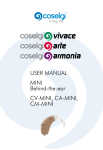
High Definition RIC Hearing Instrument
USER GUIDE
CONGRATULATIONS ON YOUR
CHOICE OF HEARING SYSTEM!
Please read this manual carefully to benefit from all of its features. With proper
care and usage your new Hearing System will provide years of outstanding
performance.
By choosing this hearing system, you have taken the single most important step
to better hearing. But it is also important to recognize that your new hearing
instruments are just the first step in the better hearing process. The next step
requires that you remain committed to wearing your hearing instruments and
carefully follow the counsel and guidance of your hearing care professional.
To assist in fine-tuning the instruments to your special needs, be sure you:
• Wear your instruments faithfully
• Document what you experience, and
• Communicate your experiences to your hearing care professional.
CONTENTS
Hearing System Components............................................................................................. 3
Installing the Battery............................................................................................................... 5
Operating Your Hearing System........................................................................................ 7
Caring For Your Hearing System......................................................................................11
Troubleshooting ...................................................................................................................13
Important Notice for Prospective Hearing Instrument Wearers...........................15
Dispenser Information and Children With Hearing Loss.........................................16
Service and Warranty..........................................................................................................17
Hearing System Record ......................................................................................................18
HEARING SYSTEM COMPONENTS
CONTROL SWITCH VERSION
Speaker Link
Microphone Cover
Control Switch
(Optional)
easy-CLICK Tip
VOLUME CONTROL VERSION
Battery
Compartment
Door
Speaker
Fig. 1
(Optional)
Optional Device
Controls
3
Fig. 2
easy-CLICK Tip
DIRECTIONS FOR
Integrated Ear
Wax Filter
1
Optional
Sports Lock
2
Fig. 3
Replace easy-CLICK tip regularly as directed by your hearing care
professional.
4
INSTALLING THE BATTERY
1
2
3
4
Open the Battery Compartment Door by gently swinging it into the open
position.
Remove the tab from a new #312 size battery.
Place the new battery in the Battery Compartment Door with the positive (+)
or flat side up as shown in Figure 4 .
Click the Battery Compartment Door closed as shown in Figure 5.
Fig. 4
5
Fig. 5
LOW BATTERY INDICATOR
When the instrument detects a low battery condition, you will hear a series of
tones every few minutes. The pattern will continue until the battery is depleted.
BATTERY INFORMATION
Your Hearing Instrument uses one #312 battery. We recommend using
zinc air batteries.
DO NOT place batteries in the refrigerator or in a dehumidifying device, as the
batteries could leak and damage your hearing system.
A word of caution about batteries: BATTERIES CAN BE HARMFUL IF SWALLOWED.
Be sure to keep batteries out of reach of small children, animals or persons of
diminished mental capacity. In the event a battery is accidentally swallowed, seek
prompt medical attention at the nearest emergency center, or call the National
Button Battery Hotline at (202) 625-3333.
6
OPERATING YOUR HEARING SYSTEM
TURNING YOUR HEARING SYSTEM ON / OFF
Your Hearing System is automatically on whenever the Battery Compartment Door
is closed. To turn your Hearing System off, simply open the Battery Compartment
Door. Always leave the Battery Compartment Door open when not in use.
NOTE:
Your hearing device may be programmed with a power on delay. This delay allows
time for you to insert the device before it turns itself on.
Make sure you ask your hearing care professional if your device is programmed
with a power on delay.
7
CONTROL SWITCH
If your Hearing System is programmed with different settings, simply press the
Control Switch located at the back of the processor (see Figure 6) until you hear
audible tones or beeps which will confirm the setting you have selected.
Settings are programmed by your hearing care professional for your individual
needs, so it is important for you to understand how your hearing system is
programmed.
ADJUSTING VOLUME CONTROL
If your Hearing System is equipped with a volume control, scroll up with finger for
louder volume and down for softer. (See Figure 7)
Volume Control
Control Switch
(Push to Activate)
Fig. 6
(Scroll to Adjust)
Fig. 7
8
INSERTING AND REMOVING
YOUR HEARING SYSTEM
INSERTING YOUR SPEAKER LINK
Lubricating the easy-CLICK Tip (not needed for open style or custom
earmold).
Lubrication of the easy-CLICK tip on the speaker link is recommended
to ensure a good seal and to facilitate insertion into the ear. Lubricate the
mushroom cap of the tip with a small drop of lubricating gel, as shown in Figure
8. Be careful not to allow any of the gel to penetrate the speaker opening.
•  Blue speaker indicates left ear.
•  Red speaker indicates right ear.
Hold the speaker link near the speaker with your thumb and forefinger on a
vertical plane (see Figure 9). Both the thumb and forefinger should be facing
downward and gently insert the easy-CLICK tip into your ear canal.
Next, position the sound processor behind your ear as shown in Figure 10.
If your instrument is equipped with a Sports Lock, place into your ear as shown
in Figure 11.
9
Fig. 8
Fig. 9
Fig.10
Fig. 11
10
CARING FOR
YOUR HEARING SYSTEM
DAILY CLEANING & MAINTENANCE F YOUR HEARING SYSTEM
Gently wipe down the easy-CLICK Tip, Speaker Link and Sound Processor of your
Hearing System using an alcohol wipe (see Figure 12). Care should be taken NOT
to use excessive alcohol, or a cotton ball saturated with alcohol, as this may cause
damage to the Speaker or Sound Processor.
Also, visually inspect the easy-CLICK Tip to ensure that there are no tears, cuts or
other damage. If you suspect any such damage, see your hearing care professional
for immediate replacement of the easy-CLICK Tip, as a damaged tip could possibly
come off in the ear. If a tip remains in the ear, do
not be alarmed, but contact your hearing care
professional or physician for immediate removal.
STORAGE
For Nightly Storage: Open the Battery
Compartment Door, remove the battery and
place your Hearing System in its protective
case. For optimal performance, it is recommended
that your Hearing System be kept in a
dehumidifier. DO NOT place batteries in the
11
Fig. 12
dehumidifying device as the batteries could leak and damage your Hearing
System.
For Extended Storage: Clean your Hearing System, remove the battery and store
in a protective case in a cool, dry area to reduce the potential for damaging
corrosion.
WARNING! Dropping, immersing in water or exposing your Hearing System to
excessive heat can damage it and void the warranty.
CAUTION: HEARING-RELATED SAFETY APPLICATIONS
Although your hearing instrument is warranted, reflecting its design quality and
reliability, fail-safe reliability is not implied. The hearing instrument should not be
relied upon as a primary safety system in any application where injury or loss of life
may result from failure of the hearing device to properly operate. No redundancy
or back-up is available in either the power source or the individual and collective
circuit functions of the instrument.
12
TROUBLESHOOTING:
NO SOUND
Possible Cause
Solution
Weak battery
Replace battery
Ear wax blockage
Replace easy-CLICK tip
Component problem
Consult your hearing care professional
NOT LOUD ENOUGH
Possible Cause
Solution
Ear wax blockage
Replace easy-CLICK tip
Programming too low
Consult your hearing care professional
Component problem
Consult your hearing care professional
Hearing loss progression
Consult your hearing care professional
INTERMITTENT (GOES OFF AND ON)
Possible Cause
Solution
Weak battery
Replace battery
Component problem
Consult your hearing care professional
Moisture
Allow aid to dry out (hearing instrument
dehumidifier is recommended)
If problem persists, consult your hearing care professional.
13
NOT CLEAR, DISTORTED, STATIC
Possible Cause
Solution
Weak battery
Replace battery
Component problem
Consult your hearing care professional
Ear wax blockage
Replace easy-CLICK tip
If problem persists, consult your hearing care professional.
TORN EASY-CLICK TIP
Possible Cause
Solution
Finger nail or sharp objects
Replace easy-CLICK tip
Damage from improper insertion
Replace easy-CLICK tip
SORENESS (NOTE: Mild soreness is not unusual for the first few days)
Possible Cause
Solution
Improper placement
Adjust fit of tip to achieve comfort.
Use lubricant when inserting your
Hearing System.
Improper fit of the easy-CLICK Tip
Consult your hearing care professional
Improper fit of the Speaker Link
Consult your hearing care professional
14
IMPORTANT NOTICE FOR PROSPECTIVE HEARING AID USERS
Good health practice requires that a person with a hearing loss have a medical evaluation
by a licensed physician (preferably a physician who specializes in diseases of the ear) before
purchasing a hearing aid. Licensed physicians who specialize in diseases of the ear are often
referred to as otolaryngologists, otologists or otorhinolaryngologists. The purpose of
medical evaluation is to assure that all medically treatable conditions that may affect hearing
are identified and treated before the hearing aid is purchased.
Following the medical evaluation, the physician will give you a written statement that states
that your hearing loss has been medically evaluated and that you may be considered a
candidate for a hearing aid. The physician will refer you to an audiologist or a hearing aid
dispenser, as appropriate, for a hearing aid evaluation.
The audiologist or hearing aid dispenser will conduct a hearing aid evaluation to assess your
ability to hear with and without a hearing aid. The hearing aid evaluation will enable the
audiologist or dispenser to select and fit a hearing aid to your individual needs.
If you have reservations about your ability to adapt to amplification, you should inquire
about the availability of a trial-rental or purchase-option program. Many hearing aid
dispensers now offer programs that permit you to wear a hearing aid for a period of time
for a nominal fee after which you may decide if you want to purchase the hearing aid.
Federal law restricts the sale of hearing aids to those individuals who have obtained a
medical evaluation from a licensed physician. Federal law permits a fully informed adult to
sign a waiver statement declining the medical evaluation for religious or personal beliefs
that preclude consultation with a physician. The exercise of such a waiver is not in your best
health interest and its use is strongly discouraged.
15
If you elect to exercise your waiver option, you should know that hearing instruments cannot
restore normal hearing and will not prevent or improve a hearing impairment resulting
from organic conditions. Your success with amplification depends on your hearing loss
and individual experiences. In most cases, infrequent use of a hearing instrument will not
allow you to obtain full benefit from it. Furthermore, the use of a hearing instrument is only
part of hearing rehabilitation and may need to be supplemented by auditory training and
instruction in lip reading.
DISPENSER INFORMATION & CHILDREN WITH HEARING LOSS
Warning to Hearing Aid Dispensers
A hearing aid dispenser should advise a prospective hearing aid user to consult promptly
with a licensed physician (preferably an ear specialist) before dispensing a hearing aid if
the hearing aid dispenser determines through inquiry, actual observation, or review of any
other available information concerning the prospective user, that the prospective user has
any of the following conditions:
(i) Visible congenital or traumatic deformity of the ear.
(ii) History of active drainage from the ear within the previous 90 days.
(iii) History of sudden or rapidly progressive hearing loss within the previous 90 days.
(iv) Acute or chronic dizziness.
(v) Unilateral hearing loss of sudden or recent onset within the previous 90 days.
(vi) Audiometric air-bone gap equal to or greater than 15 decibels at 500 hertz (Hz),
1,000 Hz, and 2,000 Hz.
(vii) Visible evidence of significant cerumen accumulation or a foreign body in the ear canal.
(viii) Pain or discomfort in the ear.
Special care should be exercised in selecting and fitting a hearing aid whose maximum sound
pressure level exceeds 132 decibels because there may be risk of impairing the remaining
hearing of the hearing aid user. (This provision is required only for those hearing aids with a
maximum sound pressure capability greater than 132 decibels (dB).)
Children with Hearing Loss
In addition to seeing a physician for a medical evaluation, a child with a hearing loss
should be directed to an audiologist for evaluation and rehabilitation since hearing loss
may cause problems in language development and the educational and social growth of a
child. An audiologist is qualified by training and experience to assist in the evaluation and
rehabilitation of a child with a hearing loss.
16
SERVICE AND WARRANTY
Your sound processor and speaker link (collectively, “Hearing System”) includes a limited warranty
against defects in material and workmanship. Please ask your hearing care professional about the
duration. All warranty claims must be submitted to Manufacturer with the warranted merchandise
within the warranty period. Manufacturer shall repair or replace any defective merchandise
covered by this warranty at Manufacturer’s sole expense during the Term of the manufacturer’s
warranty period. All warranties are void if the merchandise (or any part thereof) has been misused,
abused, tampered with, or modified in any way, or if the serial number is altered, effaced or
removed, or if any unauthorized repairs have been made to the merchandise. Additionally, this
warranty will be void if the Speaker is used without an approved tip or wax guard
The easy-CLICK Tips used with your Hearing System are considered maintenance or service
items and are excluded from the manufacturer’s limited warranty.
Manufacturer shall not be liable for any special, indirect, incidental or consequential damages
in connection with the use of the merchandise or for the breach of any of the obligations
owed to the purchaser, or any customer of the purchaser, if any. In the event legal liability
of Manufacturer is established for any cause or reason whatsoever, including, without
limitation for breach of warranty, the sole and exclusive liability of Manufacturer and the
exclusive remedy of purchaser or any customer of the purchaser shall be the recovery of
an amount not exceeding the original price charged by Manufacturer to the purchaser for
the merchandise.
MANUFACTURER MAKES NO WARRANTY, EITHER EXPRESSED OR IMPLIED, THAT THE
MERCHANDISE IS MERCHANTABLE OR FIT OR SUITABLE FOR ANY PARTICULAR USE
OR PURPOSE. MANUFACTURER MAKES NO OTHER WARRANTY, EXPRESS OR IMPLIED,
EXCEPT AS IS EXPRESSLY SET FORTH HEREIN, ALL SUCH OTHER WARRANTIES BEING
HEREBY DISCLAIMED.
In the event your Hearing System needs repair, see your hearing care professional.
17
HEARING SYSTEM RECORD
LEFT
RIGHT
Purchase Date
Warranty Term
Warranty Exp. Date
Sound Processor
Model No.(s)
Sound Processor
Serial No.(s)
Memory Settings*
1.
1.
*Control Switch Version Only
2.
2.
3.
3.
4.
4.
5.
5.
6.
6.
#312
#312
Link Size
Link Serial No.(s)
Tip Size
Battery Size
Copyright © 2013 SeboTek® Hearing Systems, LLC
All rights reserved. No part of this publication may be reproduced without permission from SeboTek Hearing Systems.
18
2488 E. 81st St., Suite 2000, Tulsa, OK 74137, USA • www.SeboTek.com
EUROPEAN AUTHORIZED REPRESENTATIVE:
CEpartner4u, Esdoornlaan 13, 3951DB Maarn, The Netherlands Tel.:+31(0)6 516 536 26
Patents US 5606621, US 7016512, US 7110562, US 7139404, US 7606382, US 8050437, US 8094850, AU 700444, BR Pl9608669-6,
CA 2224653, CA 2457559, JP 3811731, EP 1415507 • Other Patents Pending. © 2013 All Rights Reserved • BKT259-F300-A