1
OmniSwitch 6800 Series Chassis and Hardware Components
Backup Power Supply Components
Removing the Backup Power Supply Daughtercard
Note. You can remove a daughtercard from the chassis at any time without disturbing the switch’s
network functions. You are not required to power down the switch.
Anti-Static Warning. Before handling any components, free yourself of static by wearing a grounding
strap, or by grounding yourself properly. Static discharge can damage the switch and the backup power
supply.
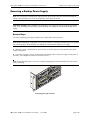
Removal Steps
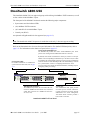
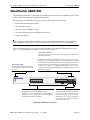
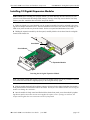
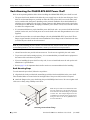
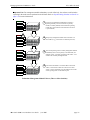
To remove the daughtercard from the rear of the chassis, follow the steps below:
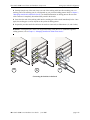
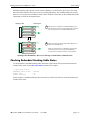
1 Loosen the two captive screws located at the left and right sides of the daughtercard module.
Note. Be sure that both captive screws are completely disengaged from the threaded holes in the chassis
before continuing.
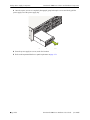
2 Carefully slide the daughtercard out of the bay.
3 Store the daughtercard in a secure, static-free location.
4 Refer to the important blank cover panel requirement below.
Blank Cover Panel Requirement
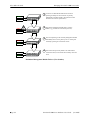
If you are not replacing any backup power supplies or daughtercard modules being removed, be sure to
install a blank cover panel (supplied with your power shelf or switch) over the empty bays. To install a
blank cover panel, follow the steps below:
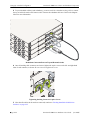
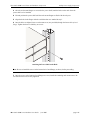
1 Place the blank cover panel over the empty bay and insert two Phillips screws (also supplied with the
power shelf or switch) through the panel and into the threaded holes in the chassis.
2 Fasten the panel to the chassis by tightening the screws. Be sure not to overtighten the screws.
OmniSwitch 6800 Series Hardware Users Guide
June 2007
page 2-51