1
Using Ring Lights
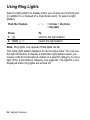
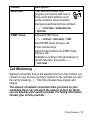
Select a light pattern to display when you receive an incoming call
(in addition to or instead of a ring/vibrate alert). To select a light
pattern:
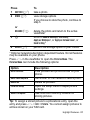
Find the Feature
M
Press
1 S
2 SELECT (+)
To
scroll to the light pattern
select the light pattern
> Settings > Ring Styles
> Ring Lights
Note: Ring lights only appear if Event Lights are On.
The same light pattern displays for all incoming calls. You can use
the light ID feature to display a distinctive light pattern when you
receive calls from phonebook entries in a specific category. To set a
light ID for a phonebook category, see page 69. The light ID is not
displayed when ring lights are turned off.
26 - Highlight Features