1
TX-SR606_En.book Page 50 Wednesday, March 5, 2008 10:30 AM
Common Functions—Continued
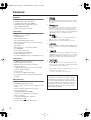
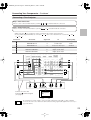
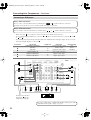
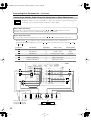
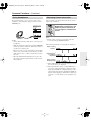
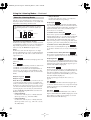
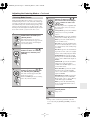
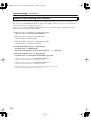
Specifying the Digital Signal Format
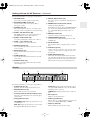
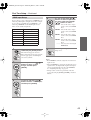
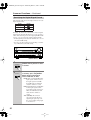
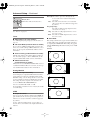
The following table shows the display indicator for each
digital signal format.
Format
Display
Dolby Digital
DTS
PCM
PCM
Normally, the AV receiver detects the format of digital
input signals automatically. However, if you experience
either of the following issues when playing PCM or DTS
sources, you can specify the signal format manually.
• If the beginnings of tracks from a PCM source are cut
off, try the PCM setting.
• If noise is produced when fast forwarding or rewinding a DTS CD, try the DTS setting.
MASTER VOLUME
ON/STANDBY
TUNING
STANDBY
PRESET
ZONE 2
PURE AUDIO
MULTI CH
DVD
VCR/DVR
CBL/SAT
GAME/TV
AUX
TAPE
TUNER
CD
SETUP
ENTER
RETURN
AUX INPUT
PHONES
SETUP MIC
ZONE 2
OFF
ZONE 2 LEVEL
TONE
MOVIE/TV
MUSIC
GAME
DISPLAY DIGITAL INPUT
VIDEO
L
AUDIO
R
RT/PTY/TP MEMORY TUNING MODE
CLEAR
AV RECEIVER
TX-SR606
DIGITAL INPUT
1
DIGITAL INPUT
2
DIGITAL INPUT
50
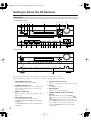
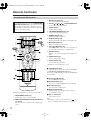
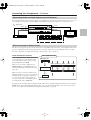
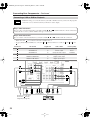
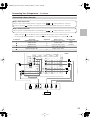
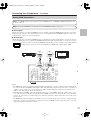
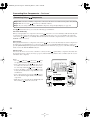
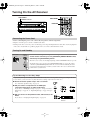
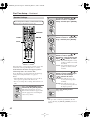
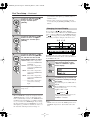
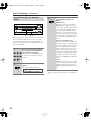
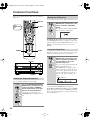
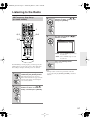
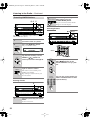
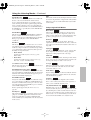
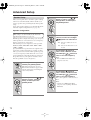
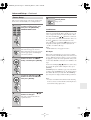
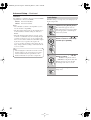
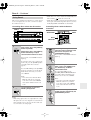
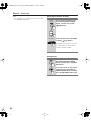
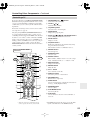
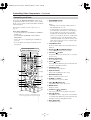
Press and hold the AV receiver’s
[DIGITAL INPUT] button for about
3 seconds.
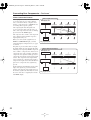
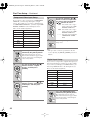
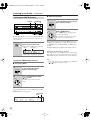
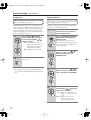
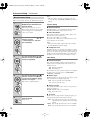
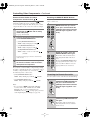
While “Auto” is displayed (about
3 seconds), press the [DIGITAL
INPUT] button repeatedly to
select: PCM, DTS, or Auto.
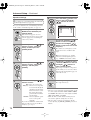
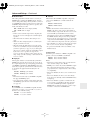
PCM: Only 2-channel PCM format
input signals will be heard. If
the input signal is not PCM,
the PCM indicator will flash
and there will be no sound.
DTS: Only DTS (but not DTS-HD)
format input signals will be
heard. If the input signal is not
DTS, the DTS indicator will
flash and there will be no
sound.
Auto (default): The format is
detected automatically. If no
digital input signal is present,
the corresponding analog input
is used instead.