1
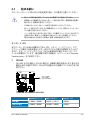
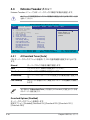
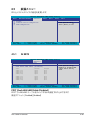
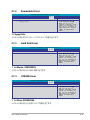
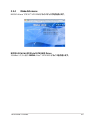
4.3.6
SATA 1–6
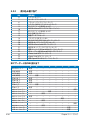
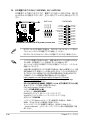
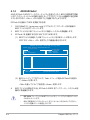
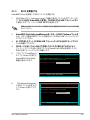
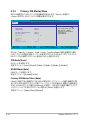
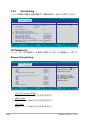
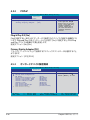
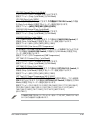
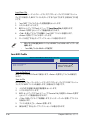
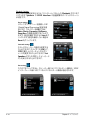
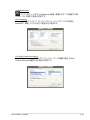
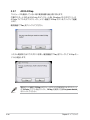
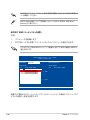
セットアップ中に BIOS は自動的に Serial ATA デバイスを検出します。デバイスを選択
し、<Enter>を押すと SATA デバイスの情報が表示されます。
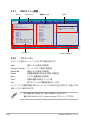
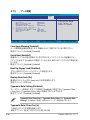
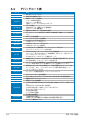
Phoenix-AwardBIOS CMOS Setup Utility
Main
SATA 1
Extended IDE Drive
Access Mode
Capacity
0 MB
Cylinder
Head
Landing Zone
Sector
0
0
0
0
F1:Help
ESC: Exit
[Auto]
[Auto]
↑↓ : Select Item
→←: Select Menu
Select Menu
Item Specific Help
-/+: Change Value
Enter: Select SubMenu
Selects the type of
fixed disk connected to
the system.
F5: Setup Defaults
F10: Save and Exit
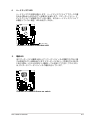
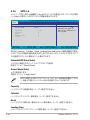
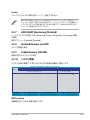
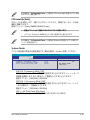
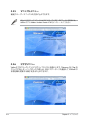
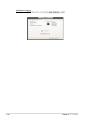
BIOSは、Capacity、Cylinder、 Head、Landing Zone and Sector の値を自動的に検出
します。これらの項目の値は変更することはできません。また、システムに SATA デバイ
スが接続されていない場合は「0」
と表示されます。
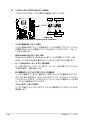
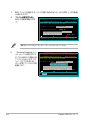
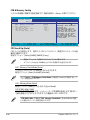
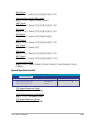
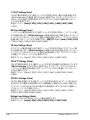
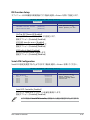
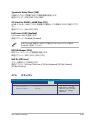
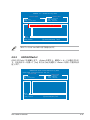
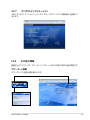
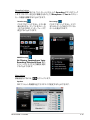
Extended IDE Drive [Auto]
システムに接続されたハードドライブのタイプを選択。
設定オプション:[None] [Auto]
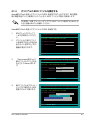
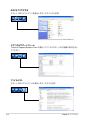
Access Mode [Auto]
セクタを設定します。
設定オプション:[Large] [Auto]
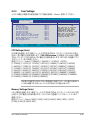
HDD の設定を行う前にドライブのメーカーから、正しい設定情報を確認してくださ
い。間違った設定によりシステムがHDDを認識できないことがあります。
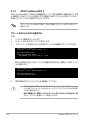
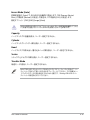
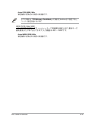
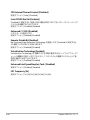
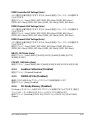
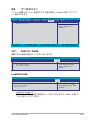
Capacity
ハードディスクの容量を表示。ユーザー設定できません。
Cylinder
ハードディスクシリンダー数を表示。ユーザー設定できません。
Head
ハードディスクの読み出し/書き込みヘッド数を表示。ユーザー設定できません。 Landing Zone
トラックごとのランディングゾーンの数を表示。ユーザー設定できません。
4-16
Chapter 4: BIOSセットアップ