1
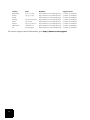
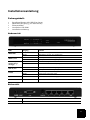
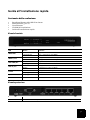
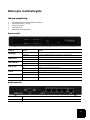
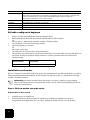
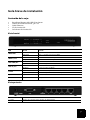
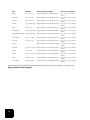
Feature
Function
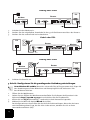
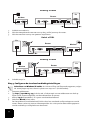
RESET
To reset the router to the factory default settings:
1. Unplug the power supply.
2. Press in and hold the RESET button.
3. While holding the RESET button, plug in the power supply.
4. Continue to hold the RESET button until the SYSTEM LED begins flashing.
COM
To connect an analogue or ISDN modem
PRINTER
To connect a USB printer to the LAN
LAN ports 1-4
To connect devices to the LAN
WAN
RJ-45 port to connect a broadband modem
What You Need to Begin
•
•
•
•
•
•
PC with an Ethernet adapter (NIC) installed
A functioning Ethernet-based cable or DSL modem
OR
an RS-232-based analogue or ISDN modem and an RS-232 cable
Operating System installation CD-ROM
Internet Explorer 5.0 or later
OR
Netscape 7.0 or later
Your CD-ROM drive letter (for example, D)
Your router product number and serial number, located on the bottom label of the router. If
you ever need to call our Technical Support department, you will need this number to
receive assistance.
Product Number
Serial Number
8001
Router Installation
The U.S. Robotics Broadband Router with USB Print Server can easily be connected to any Ethernet-based cable or DSL modem, or an RS-232 based analogue or ISDN modem.
Note: For the most updated information, visit: http://www.usr.com/support
You can also refer to the User Guide on the U.S. Robotics Installation CD-ROM for more
detailed information.
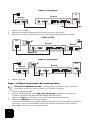
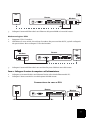
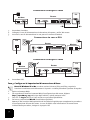
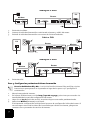
Step 1: Connect your modem to the router.
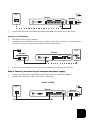
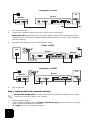
Cable or DSL Modem
1.
2.
2
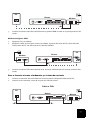
Turn off your PC and your modem.
Locate the Ethernet cable that connects your modem to your PC’s Ethernet adapter, and disconnect it from your PC only: do not disconnect the cable from your modem.