1
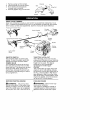
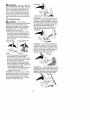
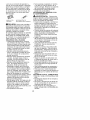
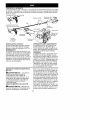
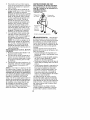
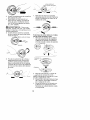
If cutting line retreats into trimmer
head during use:
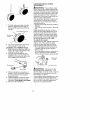
1. Remove cover from trimmer head
by pressing tab and turning cover
clockwise (looking from bottom of
unit).
_
Tab
NOTE: The line glide plate is held in
place by the cutting line. The line must
be removed to release the line glide
plate from the trimmer head.
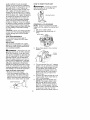
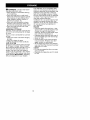
2. Remove the line glide plate.
3. Clean entire surface of trimmer
head.
4. Reinstall line glide plate (see
illustration).
Trimmer
head -_..__
Cover
LINE REPLACEMENT
FIXED LINE TRIMMER HEAD
• Always use Craftsman replacement
line.
Choose the line size best suited for
the job at hand. Red line (#71-85908)
is designed for cutting grass and small
weeds. The black colored line
(#71-85909)
is designed for cutting
larger weeds and light brush.
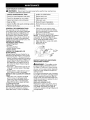
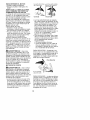
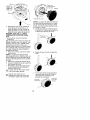
1. Remove any remaining line from
the trimmer head.
'_
Line glide plate
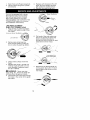
2.
Remove spool and line from trimmer
head.
NOTE: Ensure spring remains in center of trimmer head.
3. Unwind and remove all line from
spool. Reinstall spool in trimmer
head.
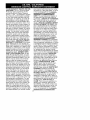
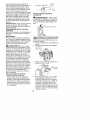
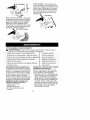
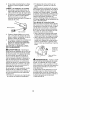
4. Align arrow on cover with arrow on
trimmer head. Reinstall cover by
turning counterclockwise.
Arrow
Trimmer
head
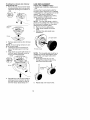
NOTE: The line glide plate must be reinstalled in trimmer head before inserting new line. Use large holes when
replacing line.
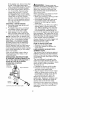
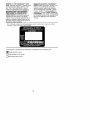
5. Insert both ends of your line
through the proper holes in the
side of the trimmer head.
Arr_ow
I
5,
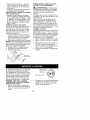
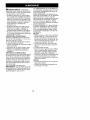
Reinstall line into trimmer head by
aligning arrows on green tap button with line exit holes on side of
trimmer head; repeat steps 5-7.
6.
13
Tunnel
Positioning
Repeat step 5 for second line.