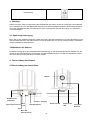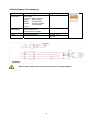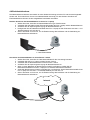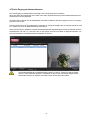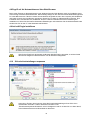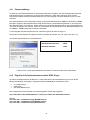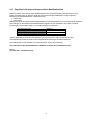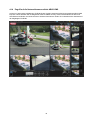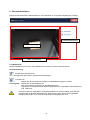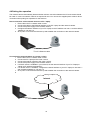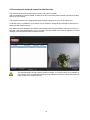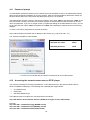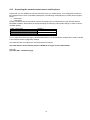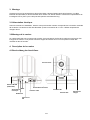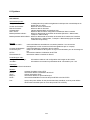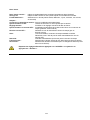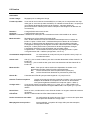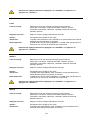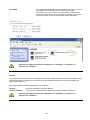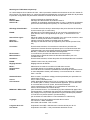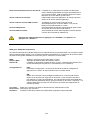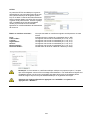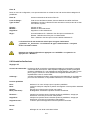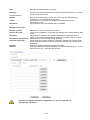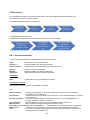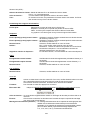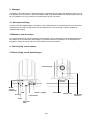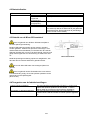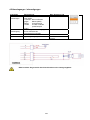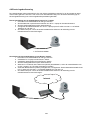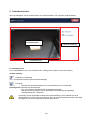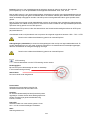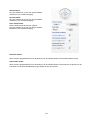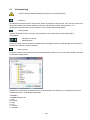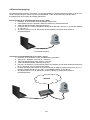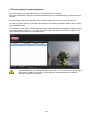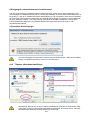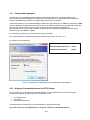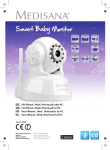
1
TVIP21502 / TVIP21552 / TVIP22500 Version 12/2012 D Bedienungsanleitung uk User manual fr Manuel utilisateur nl Gebruikershandleiding dk Brugerhåndbog pl Instrukcja obsługi D Diese Bedienungsanleitung enthält wichtige Hinweise zur Inbetriebnahme und Handhabung. Achten Sie hierauf, auch wenn Sie dieses Produkt an Dritte weitergeben. Heben Sie deshalb diese Bedienungsanleitung zum Nachlesen auf! Eine Auflistung der Inhalte finden Sie im Inhaltsverzeichnis mit Angabe der entsprechenden Seitenzahlen auf Seite 7. uk These user manual contains important information for installation and operation. This should be noted also when this product is passed on to a third party. Therefore look after these operating instructions for future reference! A list of contents with the corresponding page numbers can be found in the index on page 67. fr Ce mode d’emploi appartient à de produit. Il contient des recommandations en ce qui concerne sa mise en service et sa manutention. Veuillez en tenir compte et ceci également lorsque vous remettez le produit à des tiers. Conservez ce mode d’emploi afin de pouvoir vous documenter en temps utile! Vous trouverez le récapitulatif des indications du contenu á la table des matières avec mention de la page correspondante á la page 124. nl Deze gebruiksaanwijzing hoort bij dit product. Er staan belagrijke aanwijzingen in betreffende de ingebruikname en gebruik, ook als u dit product doorgeeft aan derden. Bewaar deze hendleiding zorgvuldig, zodat u deze later nog eens kunt nalezen! U vindt een opsomming van de inhoud in de inhoudsopgave met aanduiding van de paginanummers op pagina 180. dk Denne manual hører sammen med dette produkt. Den indeholder vigtig information som skal bruges under opsætning og efterfølgende ved service. Dette skal huskes også når produkter gives videre til anden part. Læs derfor denne manual grundigt igennem også for fremtiden. Indholdet kan ses med sideanvisninger kan findes i indekset på side 236. pl Niniejsza instrukcja obsługi zawiera ważne wskazówki dotyczące uruchamiania i obsługi. Pamiętaj o tym, także przekazując produkt osobie trzeciej. Zachowaj instrukcję do wykorzystania w przyszłości! Wykaz treści znajdziesz w spisie treści z podaniem odpowiednich liczb stron na stronie 293. 2 IR HD 720p Schwenk/Neige Netzwerkkamera Bedienungsanleitung Version 12/2012 Originalbedienungsanleitung in deutscher Sprache. Für künftige Verwendung aufbewahren! 3 Einführung Sehr geehrte Kundin, sehr geehrter Kunde, wir bedanken uns für den Kauf dieses Produkts. Dieses Produkt erfüllt die Anforderungen der geltenden europäischen und nationalen Richtlinien. Die Konformität wurde nachgewiesen, die entsprechenden Erklärungen und Unterlagen sind beim Hersteller (www.abus.com) hinterlegt. Um diesen Zustand zu erhalten und einen gefahrenlosen Betrieb sicherzustellen, müssen Sie als Anwender diese Bedienungsanleitung beachten! Lesen Sie sich vor Inbetriebnahme des Produkts die komplette Bedienungsanleitung durch, beachten Sie alle Bedienungs- und Sicherheitshinweise! Alle enthaltenen Firmennamen und Produktbezeichnungen sind Warenzeichen der jeweiligen Inhaber. Alle Rechte vorbehalten. Bei Fragen wenden Sie sich an ihren Facherrichter oder Fachhandelspartner! Haftungsausschluss Diese Bedienungsanleitung wurde mit größter Sorgfalt erstellt. Sollten Ihnen dennoch Auslassungen oder Ungenauigkeiten auffallen, so teilen Sie uns diese bitte auf der Rückseite des Handbuchs angegebener Adresse mit. Die ABUS Security-Center GmbH übernimmt keinerlei Haftung für technische und typographische Fehler und behält sich das Recht vor, jederzeit ohne vorherige Ankündigung Änderungen am Produkt und an den Bedienungsanleitungen vorzunehmen. ABUS Security-Center ist nicht für direkte und indirekte Folgeschäden haftbar oder verantwortlich, die in Verbindung mit der Ausstattung, der Leistung und dem Einsatz dieses Produkts entstehen. Es wird keinerlei Garantie für den Inhalt dieses Dokuments übernommen. 4 Symbolerklärung Das Symbol mit dem Blitz im Dreieck wird verwendet, wenn Gefahr für die Gesundheit besteht, z.B. durch elektrischen Schlag. Ein im Dreieck befindliches Ausrufezeichen weist auf wichtige Hinweise in dieser Bedienungsanleitung hin, die unbedingt zu beachten sind. Dieses Symbol ist zu finden, wenn Ihnen besondere Tipps und Hinweise zur Bedienung gegeben werden sollen. Wichtige Sicherheitshinweise Bei Schäden die durch Nichtbeachten dieser Bedienungsanleitung verursacht werden, erlischt der Garantieanspruch. Für Folgeschäden übernehmen wir keine Haftung! Bei Sach- oder Personenschäden, die durch unsachgemäße Handhabung oder Nichtbeachten der Sicherheitshinweise verursacht werden, übernehmen wir keine Haftung. In solchen Fällen erlischt jeder Garantieanspruch! Sehr geehrte Kundin, sehr geehrter Kunde, die folgenden Sicherheits- und Gefahrenhinweise dienen nicht nur zum Schutz Ihrer Gesundheit, sondern auch zum Schutz des Geräts. Lesen Sie sich bitte die folgenden Punkte aufmerksam durch: Es sind keine zu wartenden Teile im Inneren des Produktes. Außerdem erlischt durch das Öffnen/Zerlegen die Zulassung (CE) und die Garantie/Gewährleistung. Durch den Fall aus bereits geringer Höhe kann das Produkt beschädigt werden. Dieses Gerät ist für den Betrieb im Innenbereich vorgesehen. Montieren Sie das Produkt so, dass direkte Sonneneinstrahlung nicht auf den Bildaufnehmer des Gerätes fallen kann. Beachten Sie die Montagehinweise in dem entsprechenden Kapitel dieser Bedienungsanleitung. Vermeiden Sie folgende widrige Umgebungsbedingungen bei Betrieb: Nässe oder zu hohe Luftfeuchtigkeit Extreme Kälte oder Hitze Direkte Sonneneinstrahlung Staub oder brennbare Gase, Dämpfe oder Lösungsmittel starke Vibrationen starke Magnetfelder, wie in der Nähe von Maschinen oder Lautsprechern. Die Kamera darf nicht auf unbeständigen Flächen installiert werden. Allgemeine Sicherheitshinweise: Lassen Sie das Verpackungsmaterial nicht achtlos liegen! Plastikfolien/-tüten, Styroporteile usw., könnten für Kinder zu einem gefährlichen Spielzeug werden. Die Videoüberwachungskamera darf aufgrund verschluckbarer Kleinteile aus Sicherheitsgründen nicht in Kinderhand gegeben werden. Bitte führen Sie keine Gegenstände durch die Öffnungen in das Geräteinnere. Verwenden Sie nur die vom Hersteller angegebenen Zusatzgeräte/Zubehörteile. Schließen Sie keine nicht kompatiblen Produkte an. Bitte Sicherheitshinweise und Bedienungsanleitungen der übrigen angeschlossenen Geräte beachten. Überprüfen Sie vor Inbetriebnahme das Gerät auf Beschädigungen, sollte dies der Fall sein, bitte das Gerät nicht in Betrieb nehmen! Halten Sie die Grenzen der in den technischen Daten angegebenen Betriebsspannung ein. Höhere Spannungen können das Gerät zerstören und ihre Sicherheit gefährden (elektrischer Schlag). 5 Sicherheitshinweise 1. Stromversorgung: Netzteil 110-240 VAC, 50/60 Hz / 12 VDC, 1,0 A (im Lieferumfang) Betreiben Sie dieses Gerät nur an einer Stromquelle, die die auf dem Typenschild angegebene Netzspannung liefert. Falls Sie nicht sicher sind, welche Stromversorgung bei Ihnen vorliegt, wenden Sie sich an Ihr Energieversorgungsunternehmen. Trennen Sie das Gerät von der Netzstromversorgung, bevor Sie Wartungs- oder Installationsarbeiten durchführen. 2. Überlastung Vermeiden Sie die Überlastung von Netzsteckdosen, Verlängerungskabeln und Adaptern, da dies zu einem Brand oder einem Stromschlag führen kann. 3. Reinigung Reinigen Sie das Gerät nur mit einem feuchten Tuch ohne scharfe Reinigungsmittel. Das Gerät ist dabei vom Netz zu trennen. Warnungen Vor der ersten Inbetriebnahme sind alle Sicherheits- und Bedienhinweisung zu beachten! 1. Befolgen Sie diese Anweisungen. Bei Nichtbeachtung kann es zu einem elektrischen Schlag kommen: 2. Öffnen Sie niemals das Gehäuse oder das Netzteil während des Betriebes. Stecken Sie keine metallenen oder feuergefährlichen Gegenstände in das Geräteinnere. Um Beschädigungen durch Überspannungen (Beispiel Gewitter) zu vermeiden, verwenden Sie bitte einen Überspannungsschutz. Bitte trennen Sie defekte Geräte sofort vom Stromnetz und informieren Ihren Fachhändler. Vergewissern Sie sich bei Installation in einer vorhandenen Videoüberwachungsanlage, dass alle Geräte von Netz- und Niederspannungsstromkreis getrennt sind. Nehmen Sie im Zweifelsfall die Montage, Installation und Verkabelung nicht selbst vor, sondern überlassen Sie dies einem Fachmann. Unsachgemäße und laienhafte Arbeiten am Stromnetz oder an den Hausinstallationen stellen nicht nur Gefahr für Sie selbst dar, sondern auch für andere Personen. Verkabeln Sie die Installationen so, dass Netz- und Niederspannungskreise stets getrennt verlaufen und an keiner Stelle miteinander verbunden sind oder durch einen Defekt verbunden werden können. Auspacken Während Sie das Gerät auspacken, handhaben sie dieses mit äußerster Sorgfalt. Bei einer eventuellen Beschädigung der Originalverpackung, prüfen Sie zunächst das Gerät. Falls das Gerät Beschädigungen aufweist, senden Sie dieses mit Verpackung zurück und informieren Sie den Lieferdienst. 6 Inhaltsverzeichnis 1. Bestimmungsgemäße Verwendung ...................................................................................... 9 2. Lieferumfang ........................................................................................................................... 9 3. Montage ................................................................................................................................. 10 3.1 Spannungsversorgung ........................................................................................................ 10 3.2 Montieren der Kamera .......................................................................................................... 10 4. Beschreibung der Kamera ................................................................................................... 10 4.1 Beschreibung der Anschlüsse ............................................................................................ 10 4.2 Status-Anzeigen .................................................................................................................... 11 4.3 Verwendung des Micro-SD Kartensockels ......................................................................... 11 4.4 Wiederherstellen der Werkseinstellungen ......................................................................... 11 4.5 Alarmeingang / Alarmausgang ............................................................................................ 12 4.6 Erstinbetriebnahme .............................................................................................................. 13 4.7 Erster Zugang zur Netzwerkkamera .................................................................................... 14 4.8 Zugriff auf die Netzwerkkamera über Web-Browser.......................................................... 15 4.9 ActiveX-Plugin installieren .................................................................................................. 15 4.10 Sicherheitseinstellungen anpassen .................................................................................... 15 4.11 Passwortabfrage ................................................................................................................... 16 4.12 Zugriff auf die Netzwerkkamera mittels RTSP Player........................................................ 16 4.13 Zugriff auf die Netzwerkkamera mittels Mobilfunktelefon ................................................ 17 4.14 Zugriff auf die Netzwerkkamera mittels ABUS VMS .......................................................... 18 5. Benutzerfunktionen .............................................................................................................. 19 5.1 Video-Steuerung ................................................................................................................... 22 6. Kameraeinstellungen (Konfiguration)................................................................................. 24 6.1 System ................................................................................................................................... 25 6.2 Kamera ................................................................................................................................... 28 6.3 Wiedergabe ........................................................................................................................... 32 6.4 Netzwerk ................................................................................................................................ 34 6.5 Sicherheit .............................................................................................................................. 42 6.6 PT (Schwenken/Neigen) ....................................................................................................... 45 6.7 Anwendung ........................................................................................................................... 47 6.5.1 Speicher-Server ...................................................................................................... 47 6.5.2 Ereignis-Aufnahme.................................................................................................. 50 6.5.3 Dauer-Aufnahme ..................................................................................................... 52 6.8 Alarm Ein-/Ausgang ............................................................................................................. 53 6.9 Bewegungserkennung ......................................................................................................... 53 7 6.10 Audioerkennung ................................................................................................................... 54 6.11 Zeitplan .................................................................................................................................. 54 6.12 Systemlog .............................................................................................................................. 56 7. Wartung und Reinigung ....................................................................................................... 57 7.1 Funktionstest ........................................................................................................................ 57 7.2 Reinigung .............................................................................................................................. 57 8. Entsorgung ............................................................................................................................ 57 9. Technische Daten ................................................................................................................. 58 10. GPL Lizenzhinweise ............................................................................................................. 60 8 1. Bestimmungsgemäße Verwendung Die Netzwerkkamera ist mit einem hochwertigen Bildaufnehmer ausgestattet. Sie dient zur Videoüberwachung im Außenbereich. Eine andere Verwendung als oben beschrieben kann zur Beschädigung des Produkts führen, außerdem bestehen weitere Gefahren. Jeder andere Einsatz ist nicht bestimmungsgemäß und führt zum Verlust der Garantie bzw. Gewährleistung; sämtliche Haftung wird ausgeschlossen. Dies gilt auch, wenn Umbauten und/oder Veränderungen am Produkt vorgenommen wurden. Lesen Sie sich die Bedienungsanleitung vollständig und aufmerksam durch, bevor Sie das Produkt in Betrieb nehmen. Die Bedienungsanleitung enthält wichtige Informationen für Montage und Bedienung. 2. Lieferumfang ABUS Netzwerkkamera TVIP21502 / TVIP21552 / TVIP22500 Netzadapter Wand-/Deckenhalter Netzwerkkabel 1meter Software CD inklusive Bedienungsanleitung W-LAN Antenne (nur TVIP21552) 9 Kurzanleitung 3. Montage Stellen Sie sicher, dass im Lieferumfang alle Zubehörteile und Artikel, die auf der vorherigen Liste aufgeführt sind, vorhanden sind. Für den Betrieb der Kamera ist ein Ethernet-Kabel erforderlich. Dieses Ethernet-Kabel muss den Spezifikationen der UTP-Kategorie 5 (CAT 5) entsprechen und darf eine Länge von 100 Metern nicht überschreiten. 3.1 Spannungsversorgung Bevor Sie mit der Installation beginnen, stellen Sie sicher, dass die Netzspannung und die Nennspannung der Kamera übereinstimmen. Die Kamera darf nur mit einer Spannung von 12 VDC versorgt werden. Verwenden Sie das mitgelieferte Steckernetzteil. 3.2 Montieren der Kamera Die Kamera verfügt über eine mitgelieferte Kamerahalterung. An der Rückseite der Kamera befindet sich ein Sockel um die Kamerahalterung zu befestigen. Die Kamerahalterung kann mit Hilfe der mitgelieferten Dübel und Schrauben an Wand oder Decke montiert werden. 4. Beschreibung der Kamera 4.1 Beschreibung der Anschlüsse Objektiv WLAN-Antenne (TVIP21552) Alarmein- / Ausgang WPS Spannungsversorung Taste Status Info LED LAN-Schnittstelle Reset Micro-SD Karteneinschub 10 Netzwerk Info LED Integriertes Mikrofon 4.2 Status-Anzeigen LED Netzwerk Info LED Status Info LED Farbe aus Violett / blau blinkend (hochfrequent) Blau blinkend (hochfrequent) Rot dauerhaft an Blau dauerhaft Zustand / LED Farbe Systemstart Ausgeschaltet Netzwerkproblem Bedeutung Netzwerkkabel nicht verbunden oder WLAN Betrieb Startprozedur Startprozedur abgeschlossen, normaler Betrieb Startprozedur IP Adresse wurde erfolgreich zugewiesen (Hinweis: Es ist aber möglich, dass die IP Adresse nicht zum gewünschten Zielnetzwerk passt. Dies kann bei manueller Vergabe einer festen IP Adresse passieren). Power LED (Blau) An Aus An Netzwerk LED (Rot/Blau) Blau blinkend Aus Rot dauerhaft an 4.3 Verwendung des Micro-SD Kartensockels Zum Einsetzen der Micro-SD Karte entfernen Sie zuerst die Spannungsversorgung. Die Micro-SD Karte kann nur in einer bestimmten Position in den Sockel eingesteckt werden. Verwenden Sie zum Einschieben einen spitzen schmalen Gegenstand (z.B. einen flachen schmalen Schraubendreher). Die Karte schließt bei korrekter Position mit der Gehäuseoberfläche ab, und ragt nicht hinaus. Bei Anlegen der Spannungsversorgung kann die Karte nun von der Kamera erkannt und verwendet werden. Micro-SD Karteneinschub Ein Tausch der Micro-SD-Karte im laufenden Betrieb ist nicht möglich! Zur Verwendung der SD-Kartenfunktion ist eine aktive Internetverbindung notwendig, welche die korrekte Zeit nach einem Neustart der Kamera zur Verfügung stellt (NTP Funktion). 4.4 Wiederherstellen der Werkseinstellungen Kameraneustart Rücksetzen auf Werkseinstellungen Taste drücken, bis blaue LED erlischt -> dauerhaft rot während Kameraneustart -> dauerhaft blau nach erfolgreichem Kameraneustart Taste drücken, bis LED dauerhaft blau leuchtet -> dauerhaft blau nach erfolgreichem Kameraneustart 11 4.5 Alarmeingang / Alarmausgang Anschluss DO Alarmausgan g DI Alarmeingang GND 12 VDC Beschreibung Anschluss eines Transistors oder Relais: Transistor: NPN mit Emitter gegen Masse (GND) Relais: Anschluss and 12VDC und DO mit Diode (siehe Beispiel unten) Aktivierung des Alarmeingangs durch Verbinden der Anschlüsse DI und GND Masse Spannungsausgang Max. Belastung V/A 24 VDC, 100 mA - 12 VDC, max. 100mA Bitte beachten Sie genau die Anschlusshinweise und Leistungsangaben! 12 4.6 Erstinbetriebnahme Die Netzwerkkamera erkennt automatisch ob eine direkte Verbindung zwischen PC und Kamera hergestellt werden soll. Es ist hierfür kein Cross-Over Netzwerkkabel notwendig. Für den direkten Anschluss zur Erstinbetriebnahme können Sie das mitgelieferte Patchkabel verwenden. Direkter Anschluss der Netzwerkkamera an einen PC / Laptop 1. Stellen Sie sicher, dass Sie ein Netzwerkkabel des Typs Cat5 benutzen 2. Verbinden Sie das Kabel mit der Ethernet-Schnittelle des PCs / Laptop und der Netzwerkkamera 3. Schließen Sie die Spannungsversorgung der Netzwerkkamera an 4. Konfigurieren Sie die Netzwerkschnittelle Ihres PCs / Laptop auf die IP Adresse 192.168.1.1 und Default Gateway auf 192.168.1.2 5. Gehen Sie weiter zu Punkt 4.6, um die Ersteinrichtung abzuschließen und die Verbindung zur Netzwerkkamera aufzubauen. Cat5 Ethernetkabel Anschluss der Netzwerkkamera an einen Router / Switch 1. Stellen Sie sicher, dass Sie ein Cat5 Netzwerkkabel für die Vernetzung benutzen. 2. Verbinden Sie den PCs / Laptop mit dem Router / Switch. 3. Verbinden Sie die Netzwerkkamera mit dem Router / Switch. 4. Schließen Sie die Spannungsversorgung der Netzwerkkamera an. 5. Wenn in Ihrem Netzwerk ein Namensserver (DHCP) verfügbar ist, stellen Sie die Netzwerkschnittstelle Ihres PCs / Laptop auf „IP Adresse automatisch beziehen“. 6. Sollte kein Namensserver (DHCP) verfügbar sein, konfigurieren Sie die Netzwerkschnittelle Ihres PCs / Laptop auf 192.168.1.1 und Default Gateway auf 192.168.1.2 7. Gehen Sie weiter zu Punkt 4.6, um die Ersteinrichtung abzuschließen und die Verbindung zur Netzwerkkamera aufzubauen. Internet 13 4.7 Erster Zugang zur Netzwerkkamera Der erste Zugang zur Netzwerkkamera erfolgt unter Verwendung des IP Installers. Nach dem Start des Assistenten sucht dieser nach allen angeschlossenen EyseoIP Netzwerkkameras und Videoservern in Ihrem Netzwerk. Sie finden das Programm auf der beiliegenden CD-ROM. Installieren Sie das Programm auf Ihr PC-System und führen Sie es aus. Falls ein DHCP-Server in Ihrem Netzwerk vorhanden ist, erfolgt die Vergabe der IP-Adresse sowohl für Ihren PC / Laptop, als auch der Netzwerkkamera automatisch. Ist kein DHCP-Server verfügbar, ermittelt die Netzwerkkamera selbstständig eine freie IP-Adresse aus dem Adressbereich 192.168.1.2 – 192.168.1.254. Ihr PC-System muss sich im selben IP-Segment befinden, um eine Kommunikation zur Netzwerkkamera herstellen zu können. Die Standarteinstellung der Netzwerkkamera steht auf „DHCP“. Sollten Sie keinen DHCPServer in Ihrem Netzwerk betreiben, empfehlen wir Ihnen nach dem Ersten Zugriff auf die Netzwerkkamera die IP-Adresse manuell auf einen festen Wert einzustellen. 14 4.8 Zugriff auf die Netzwerkkamera über Web-Browser Beim ersten Zugang zur Netzwerkkamera unter Windows fragt der Web-Browser nach der Installation eines ActiveX-Plug-Ins für die Netzwerkkamera. Diese Abfrage hängt von den Internet-Sicherheitseinstellungen des PC’s des Benutzers ab. Falls die höchste Sicherheitsstufe eingestellt ist, kann der Computer jede Installation und jeden Versuch einer Ausführung verweigern. Dieser Plug-In dient zur Videoanzeige im Browser. Zum Fortsetzen kann der Benutzer auf „Installieren“ klicken. Lässt der Web-Browser keine Fortsetzung der Installation zu, öffnen Sie die Internet-Sicherheits-Einstellungen und reduzieren Sie die Sicherheitsstufe oder wenden Sie sich an den IT- oder Netzwerk-Administrator. 4.9 ActiveX-Plugin installieren Wird für den Zugriff auf die Kamera der Browser Mozilla Firefox verwendet, so wird an Stelle des AktiveX Plugins ein MJPEG Stream von der Kamera bereitgestellt. 4.10 Sicherheitseinstellungen anpassen Anmerkung: Es kann dazu kommen, dass die Sicherheitseinstellungen Ihres PC’s einen Videostream verhindern. Ändern Sie diese unter dem Punkt „Extras/Internetoptionen/Sicherheit“ auf ein niedrigeres Level ab. Achten Sie vor allem darauf, ActiveX Steuerelemente und Downloads zu aktivieren. 15 4.11 Passwortabfrage Ab Werk ist in der Netzwerkkamera ein Administratorkennwort vergeben. Aus Sicherheitsgründen sollte der Administrator jedoch umgehend ein neues Passwort bestimmen. Nach dem Speichern eines solchen Administrator-Passworts fragt die Netzwerkkamera vor jedem Zugang nach dem Benutzernamen und dem Passwort. Das Administratorkonto ist werksseitig wie folgt voreingestellt: Benutzername „admin“ und Passwort „12345“. Bei jedem Zugriff auf die Netzwerkkamera zeigt der Browser ein Authentifizierungsfenster an und fragt nach dem Benutzernamen und Passwort. Sollten Ihnen Ihre individuellen Einstellungen für das Administratorkonto nicht mehr zugänglich sein, können Sie durch zurücksetzen der Netzwerkkamera auf Werkseinstellungen sich mit „admin“ / „12345“ wieder bei der Kamera anmelden. Für die Eingabe des Benutzernamens und Passwortes gehen Sie bitte wie folgt vor: Öffnen den Internet Explorer und geben Sie die IP-Adresse der Kamera ein (z.B. „http://192.168.1.14“). Sie werden aufgefordert sich zu authentifizieren: Standard Benutzername: admin Standard Passwort: 12345 -> Sie sind nun mit der Netzwerkkamera verbunden und sehen bereits einen Videostream. 4.12 Zugriff auf die Netzwerkkamera mittels RTSP Player Sie haben die Möglichkeit auf die MPEG-4 / H.264 Datenströme der Netzwerkkamera mit einem RTSPfähigem Mediaplayer zuzugreifen. Folgende kostenlose Mediaplayer unterstützen RTSP: VLC Media Player Real Player Quicktime Media Player Das Adressformat für die Eingabe der Verbindungsdaten ist wie folgt aufgebaut: rtsp://<IP-Adresse der Netzwerkkamera>:<rtsp Port>/<Name des Videodatenstroms> Beispiel rtsp://192.168.1.14:554/video.mjpg (MJPEG Stream) rtsp://192.168.1.14:554/video.mp4 (MPEG-4 Stream) rtsp://192.168.1.14:554/video.h264 (H.264 Stream) 16 4.13 Zugriff auf die Netzwerkkamera mittels Mobilfunktelefon Stellen Sie sicher, dass Sie mit Ihrem Mobilfunktelefon eine Internetverbindung aufbauen können. Eine weitere Voraussetzung ist, dass Ihr Gerät über einen RTSP-fähigen Mediaplayer verfügt. Folgende Mediaplayer für Mobilfunktelefone unterstützen RTSP: Real Player Core Player Beachten Sie, dass ein Zugriff mittels Mobilfunktelefon auf die Netzwerkkamera nur eingeschränkt, aufgrund einer niedrigen zu erwartenden Netzwerkbandbreite gegeben ist. Wir empfehlen Ihnen daher, folgende Einstellungen für den Video-Stream, um die Datenmenge zu reduzieren: Video Kompression Auflösung Bildwiederholrate Video Qualität (Konstante Bitrate) MPEG-4 160x120 5 Bilder / Sekunde 48 Kbit / Sekunde Sollte Ihr Mediaplayer die RTSP-Authentifizierung nicht unterstützen, dann deaktivieren Sie den Authentifizierungsmodus für RTSP in den Konfigurationseinstellungen der Netzwerkkamera. Das Adressformat für die Eingabe der Verbindungsdaten ist wie folgt aufgebaut: rtsp://<IP-Adresse der Netzwerkkamera>:<RTSP Port>/<Name des Videodatenstroms> Beispiel rtsp://192.168.1.14:554/video.3gp 17 4.14 Zugriff auf die Netzwerkkamera mittels ABUS VMS Auf der im Lieferumfang enthaltenen CD-ROM finden Sie die kostenlose Aufzeichnungssoftware ABUS VMS Express. Hiermit erhalten Sie die Möglichkeit mehrere ABUS Security Center Netzwerkkameras über eine Oberfläche einzubinden und Aufzuzeichnen. Weitere Informationen finden Sie im Handbuch der Software auf der beigelegten CD-ROM. 18 5. Benutzerfunktionen Öffnen Sie die Startseite der Netzwerkkamera. Die Oberfläche ist in folgende Hauptbereiche unterteilt: Kameraeinstellung Live-Bildanzeige Video -Steuerung Live-Bildanzeige Mittels Doppelklick können Sie in die Vollbildansicht wechseln (nur über Internet Explorer) Kameraeinstellung Einstellungen (Konfiguration) Kamerakonfiguration durchführen (Administratoreinstellungen) Live Optionen Modus: Fenstergröße: Wählen Sie das Kompressionsverfahren für die Bildübertragung im Livebild. Wählen Sie die Fenstergröße aus. Auto: Automatische Anpassung an die Bildschirmgröße Originalgröße: Anzeige des Videobildes entsprechend der eingestellten Kameraauflösung (z.B. 1280x720). Anmerkung: Die hier eingestellte Fenstergröße bezieht sich auf das Livebild, dass über den Anzeigemodus im Browser dargestellt wird. Es wird immer die In der Kamera eingestellte Auflösung übertragen, auch wenn die eingestellte Fenstergröße kleiner ist. 19 Protokoll: ermöglicht die Auswahl eines Verbindungsprotokolls zwischen dem Client und dem Server. Folgende Protokoll-Optionen stehen zur Optimierung der Anwendung zur Verfügung: UDP, TCP, HTTP. Das UDP-Protokoll ermöglicht eine größere Anzahl Echtzeit Videostreams. Einige Datenpakete können dabei jedoch wegen eines starken Datenaufkommens im Netzwerk verloren gehen. Bilder könnten dadurch nur unklar wiedergegeben werden. Das UDP-Protokoll wird empfohlen, wenn keine speziellen Anforderungen gestellt werden. Im TCP-Protokoll gehen weniger Datenpakete verloren und eine präzisere Videoanzeige wird garantiert. Der Nachteil dieses Protokolls besteht jedoch darin, dass die Videoübertragung eine geringer Bildrate aufweisen kann, als bei Verwendung des UDP-Protokolls. Das HTTP-Protokoll wählen Sie, falls das Netzwerk durch eine Firewall geschützt und nur der HTTP-Port (80) verfügbar ist. Die Wahl des Protokolls wird in folgender Reihenfolge empfohlen: UDP – TCP – HTTP Diese Funktion ist nur bei Verwendung des Internet Explorers verfügbar! Videospeicher (Video-Puffer): Aktivieren Sie den Videospeicher, wenn Ihre Leitung über eine geringe Bandbreite verfügt. Es werden Bilddaten zur flüssigeren Übertragung in der Netzwerkkamera zwischengespeichert, dadurch erhöht sich jedoch das Anzeigeverzögerung. Diese Funktion ist nur bei Verwendung des Internet Explorers verfügbar! 20 PT Steuerung Nutzen Sie die Steuerschaltfläche für die PTZ Steuerung der Kamera Richtungspfeile: Bei Klick auf eine Fläche Bewegt sich der Schwenk- Neigekopf in die entsprechende Richtung Home Position: Die Home-Position wird angesteuert Preset laden: Wählen Sie eine Preset-Position aus der Liste. Die Netzwerkkamera steuert die Position sofort an. Setzen: Die aktuelle Kameraposition (Livebild) wird als Preset gespeichert. Presets die auf diese Weise gespeichert werden, erhalten eine generische Bezeichnung Preset1, Preset2, … Patrouille: Wählen Sie aus, welche Tour gestartet werden soll. Sie können Tour1-4 in den Kameraeinstellungen ändern. Start: Startet die ausgewählte Tour. Schwenk-Geschwindigkeit: Wählen Sie einen Wert von 0-5 aus. Ein höherer Wert resultiert in eine schnellere Bewegung. Neige Geschwindigkeit Wählen Sie einen Wert von 0-4 aus. Ein höherer Wert resultiert in eine schnellere Bewegung. Auto Schwenk-Geschwindigkeit Diese Einstellung wird bei einer Tour genutzt. Wählen Sie einen Wert von 0-4 aus. Ein höherer Wert resultiert in eine schnellere Bewegung. Endlosmodus Dieser Modus ist für die Steuerung der Netzwerkkamera über das lokale Netzwerk (LAN) optimiert. Sequenzmodus Dieser Modus ist für die Steuerung der Netzwerkkamera über das Internet optimiert. Die Schrittweite der Schwenk-/Neige-Steuerung ist auf eine kurze Schrittweite begrenzt. 21 5.1 Video-Steuerung Diese Funktionen sind nur bei Verwendung des Internet Explorers verfügbar! Momentaufnahme Der Web-Browser zeigt ein neues Fenster an, in dem die Momentaufnahme gezeigt wird. Zum Speichern klicken Sie bitte entweder das Bild der Momentaufnahme mit der linken Maustaste und verwenden das Disketten-Symbol, oder verwenden Sie die Speichern-Funktion nach Klicken der rechten Maustaste. Vollbild Aktivieren Sie die Vollbildansicht. Das Live-Bild der Netzwerkkamera wird bildschirmfüllend dargestellt. Start / Stopp der Livebildanzeige Der Live Stream kann wahlweise gestoppt (angehalten) oder beendet werden. In beiden Fällen kann mit dem Play-Symbol der Live Stream fortgesetzt werden. Lokale Aufnahme Es kann eine Aufnahme auf die lokale Festplatte gestartet oder gestoppt werden. Bei Klick auf die Schaltfläche wird der Windows Speicherdialog aufgerufen. Wählen Sie einen Zielordner auf Ihrer Festplatte. Es wird automatisch ein Verzeichnis und Aufnahmedatei mit folgender Kennung in Ihrem Zielordner erstellt: JJJJMMTT JJJJMMTTSSmmss.avi J = Jahr M = Monat T = Tag S = Stunde m = Minute s = Sekunde Beispiel: 22 C:\Aufnahme\20091215\20091215143010.avi Die aufgezeichneten Daten können über einen MP4-fähigen Videoplayer wiedergegeben werden (z.B. VLC Mediaplayer). Alternativ können Sie durch Installation der Video-Codecs im IP Installer die Videos über den Windows Mediaplayer ansehen. Digitaler Zoom Klicken Sie auf das Lupen-Symbol, um den Digitalen Zoom zu aktivieren. Über den Schiebregler können Sie den Zoom-Faktor verändern. Zoom-Faktor Einstellen Ändern Sie den Zoomfaktor indem Sie den Balken von link (geringer Zoom) nach rechts (hoher Zoom) einstellen. 23 6. Kameraeinstellungen (Konfiguration) Allein der Administrator hat Zugang zur Systemkonfiguration. Jede Kategorie auf der linken Spalte wird auf den folgenden Seiten erläutert. Wenn Sie links auf den gewünschten Menüpunkt klicken, so kann sich dieser Menüpunkt unter Umständen zu einem Menübaum erweitern, je nach dem, wie viele Untermenüpunkte der Menüpunkt enthält. Klicken Sie dann weiter auf den gewünschten Untermenüpunkt. Über die Schaltfläche „Startseite“ gelangen Sie wieder zur Kamerahauptseite zurück. 24 6.1 System Informationen Produktinformationen: Produktname: Der Name des Produktes gibt Hinweise auf die Funktionen (z.B. 720p). Firmwareversion: Zeigt die Version der aktuell installierten Firmware an. Firmware Datum: Zeigt das Datum der Firmware an. MAC Addresse: Anzeige der MAC Adresse der LAN Schnittstelle Datum / Uhrzeit: Anzeige des aktuellen Datums und der Uhrzeit der Kamera Bandbreitennutzung: Anzeige der aktuell übertragenen Datenraten von und zu der Kamera (Receive = eingehende Datenrate; Transport = ausgehende Datenrate) WAN Bandbreitennutzung: Anzeige der aktuell übertragenen Datenraten von und zu der Kamera über die WLAN Schnittstelle (Receive = eingehende Datenrate; Transport = ausgehende Datenrate) (nur bei TVIP11552) Sicherheit Video Verbindungen: Anzahl der aktuell angemeldeten Benutzer (Achtung: auch Verbindungen von Rekordern oder NVRs werden als Verbindung angezeigt. Benutzerkonten: Anzahl der konfigurierten Benutzer in der Kamera Anonymer Zugang: Anzeige, ob anonyme Benutzer für die Live-Anzeige erlaubt sind HTTPs: Informationen bei Verwendung von HTTPS IP Adress Filter: Information über die Aktivität des IP Filters Video-Einstellungen: Bildeinstellungen: Informationen aus Bild- und Videoeinstellungen Tag/Nacht: Informationen zu Parametern der Tag-/Nachtumschaltung Ereignis-Liste: Anzeige der letzten Ereignisauslösungen Netzwerk: TCP/IP: PPPoE: UPnP: Bonjour: RTSP: Port: Aktuell verwendete IP-Adresse und HTTP Port Information über die Verwendung von PPPoE Anzeige der Aktivität von UPnP Information über das Protokoll Bonjour Detailierte Informationen über verwendete RTSP Ports und RTSP Streams Übersicht über die verwendeten Ports. Im Falle von Portweiterleitungen müssen alle verwendeten Port weitergeleitet werden (mindestens HTTP und RTSP Port). 25 Datum / Uhrzeit Aktueller Datum/Uhrzeit: Gibt die aktuell in der Kamera gespeicherte Einstellung für Datum/Uhrzeit an. PC Uhr: Gibt Datum/Uhrzeit des PCs an, von dem Sie auf die Kamera zugreifen. Datum/Uhrzeit Format: Wählen Sie ein Format (JJJJ-Jahr, MM-Monat, TT-Tag, hh-Stunde, mm-Minute, ss-Sekunde) Anpassen: Aktuelle Einstellungen beibehalten: Keine Änderung der Einstellungen Synchronisieren mit dem PC: Datum und Uhrzeit des PCs werden für die Kamera übernommen. Manuelle Einstellung: Stellen Sie hier das Datum und die Uhrzeit manuell ein. Synchronisieren mit NTP Server: Automatische Aktualisierung von Datum und Uhrzeit über einen Zeitserver (Network Time Protocol) NTP Servername: Geben Sie hier den Domainnamen des Zeitservers ein (z.B. de.pool.ntp.org) Auto: Bei Aktivierung wird der Standard-Zeitserver verwendet. Deaktivieren Sie „Auto“, um den NTP Servernamen manuell eingeben zu können. Intervall: Aktualisierungsintervall mit dem Zeitserver in Stunden Zeitzone: Wählen Sie hier die Zeitzone, in der die Kamera sich befindet. Sommerzeit: Geben Sie hier die Daten für die Umstellung von Sommer- auf Winterzeit ein. Übernehmen Sie die getroffenen Einstellungen mit „Speichern“ oder verwerfen Sie die getroffen Einstellungen mit „Abbrechen“. 26 Initialisieren Neustart: Durch Drücken der Schaltfläche wird ein Neustart der Kamera veranlasst. Sequenz Modus: Neustart alle x Tage zum Zeitpunkt der Aktivierung der Funktion. Zeitplan Modus: Neustart an gewünschtem Wochentag zu bestimmter Zeit Standardeinstellungen: Die werkseitigen Einstellungen der Kamera werden durch Drücken dieser Schaltfläche geladen. Eine Bestätigung der Auswahl ist erforderlich. TCP/IP: Setzen Sie den Auswahlhaken, um die Netzwerkeinstellungen vom Rücksetzen der Werte auszuschließen. Datum/Uhrzeit: Setzen Sie den Auswahlhaken, um das Datum/die Uhrzeit vom Rücksetzen der Werte auszuschließen. Sicherung: Hier kann eine Sicherungsdatei aller Einstellungen der Kamera gespeichert werden. Wiederherstellen: In einer Sicherungsdatei gespeicherte Einstellungen können hier geladen werden. Firmware aktualisieren: Eine aktuellere Firmware der Kamera kann hier geladen werden. Informationen über aktualisierte Firmware-Dateien finden Sie im Softwarebereich unter „http://www.abus.com“. Sprache Sprachpaket hochladen: Hier kann eine andere Sprache durch hochladen einer Sprachdatei eingestellt werden. Die Standardsprache bei Auslieferung der Kamera ist deutsch. Das Hochladen der Sprachdatei auf die Kamera kann ebenfalls über den mitgelieferten IP Installer erfolgen. Dieser kann in Landessprache installiert werden. Die Sprachdateien in den Sprachen Deutsch, English, Französisch, Niederländisch und Dänisch können im Softwarebereich unter „http://www.abus.com“ heruntergeladen werden. 27 6.2 Kamera Allgemein Bild drehen: Einstellungen für die Bildausrichtung Kippen: Das Bild wird um 180° gedreht dargestellt. Spiegeln: Das Bild wird gespiegelt dargestellt. Kippen + Spiegeln: Wählen Sie diese Option, falls die Kamera mit kopfüber installiert wurde. Video Clip Format: Wählen Sie zwischen MPEG-4 und H.264 für die Komprimierung der gespeicherten Video Clips (z.B. E-Mail SMTP Video Clip Versand). Die Option H.264 kann u.U. mehr Systemressourcen in Anspruch nehmen, was zur Einschränkung der Kameraperformance führen kann (z.B. Bildrate, Bewegungserkennung) ICR Filter Modus: Einstellungen für den schwenkbaren IR Sperrfilter (ICR) Auto: Der Sperrfilter schwenkt lichsensor gesteuert automatisch ein oder aus. Die Option „Schwellwert“ wird bestimmt die Umschaltwerte. Nacht Modus: Der Schwenkfilter ist dauerhaft vom Bildaufnehmer entfernt. Der Bildaufnehmer kann sichtbares Licht und IR Licht aufnehmen. Tag Modus: Der Schwenkfilter ist dauerhaft vor dem Bildaufnehmer. Der Bildaufnehmer kann kann nur sichtbares Licht aufnehmen. Zeitplan: Der Schwenkfilter wird nach Zeitplan geschalten. Die Option „IR / ICR Zeitplan“ erscheint (Konfiguration siehe „Zeitplan“). ICR Umschaltverzögerung: Die Umschaltung des Tag/Nacht Modus kann bis zu 10 Sekunden verzögert erfolgen. Schwellwert: Hell (H) – Je höher der Wert, desto früher deaktiviert die Kamera den IR-Cut-Filter/das IR Licht. Dunkel (L) – Je niedriger der Wert, desto früher aktiviert die Kamera den IR-CutFilter/das IR Licht. IR Modus: Auto: Die Aktivierung bzw. Deaktivierung der IR LEDs wird automatisch über die Grenzen der Schwellwerteinstellung vorgenommen. An: Die IR LEDs sind dauerhaft aktiviert. Aus: Die IR LEDs sind dauerhaft deaktiviert. Zeitplan: Die IR LEDs werden nach Zeitplan geschalten. IR Stufe: Die Intensität der IR LEDs kann von 1% bis 100% Leistung eingestellt werden. Mikrofon-Eingangsverstärkung: Die Verstärkung für das Mikrofon kann in 9 Stufen eingestellt werden. Dadurch lässt sich die Empfindlichkeit des Mikrofons an die Umgebungslautstärke anpassen. Das Mikrofon kann hier auch abgeschaltet werden (Option „Mute“). 28 Audio Codierung: Wählen Sie hier zwischen den Optionen g.711_µ-law, g.711_a-law und AMR aus. Zur Aufzeichung von Audio in der ABUS VMS Software wird g.711 verwendet. Host-Name: Status LED: Geben Sie hier den Netzwerk-Hostnamen ein. Die max. Länge beträgt 32 Zeichen. Schaltet alle Status LED an oder aus. Textüberlagerung: Die Einstellung des Menüpunktes „Titel“ sowie optional Datum/Uhrzeit können ins Videobild eingeblendet werden. Privatzonenmaskierung: Alternativ zur Textüberlagerung kann ein Bereich im Videobild maskiert und somit verborgen werden. Übernehmen Sie die getroffenen Einstellungen mit „Speichern“ oder verwerfen Sie die getroffen Einstellungen mit „Abbrechen“. H.264 Bildgröße: Wählen Sie zwischen folgenden Bildauflösungen (Pixel): TVIP21502, TVIP21552: 1280x720, 640x480, 320x240, 160x120 TVIP22500: 1920x1080, 1280x1024, 1280x960, 1280x720,1024x768, 640x480, 320x240 Bildrate: Gibt die Bildrate in Bildern pro Sekunde an. Qualität: Fixe Qualität: Einstellung für die Qualität des Videostroms. Die Videoqualität wird auf ein bestimmtes Maß fest eingestellt. Die Anforderung an die Netzwerkbandbreite kann je nach Bedarf steigen oder fallen. Die Bitrate des Videostroms wird auf einen bestimmten Wert fest eingestellt. Die Videoqualität kann je nach Bewegungsintensität höher oder niedriger ausfallen. Fixe Bitrate: Übernehmen Sie die getroffenen Einstellungen mit „Speichern“ oder verwerfen Sie die getroffen Einstellungen mit „Abbrechen“. MPEG-4 Bildgröße: Wählen Sie zwischen folgenden Bildauflösungen (Pixel): TVIP21502, TVIP21552: 1280x720, 640x480, 320x240, 160x120 TVIP22500: 1920x1080, 1280x1024, 1280x960, 1280x720,1024x768, 640x480, 320x240 Bildrate: Gibt die Bildrate in Bildern pro Sekunde an. Qualität: Fixe Qualität: Einstellung für die Qualität des Videostroms. Die Videoqualität wird auf ein bestimmtes Maß fest eingestellt. Die Anforderung an die Netzwerkbandbreite kann je nach Bedarf steigen oder fallen. Die Bitrate des Videostroms wird auf einen bestimmten Wert fest eingestellt. Die Videoqualität kann je nach Bewegungsintensität höher oder niedriger ausfallen. Fixe Bitrate: Übernehmen Sie die getroffenen Einstellungen mit „Speichern“ oder verwerfen Sie die getroffen Einstellungen mit „Abbrechen“. 29 MJPEG Bildgröße: Wählen Sie zwischen folgenden Bildauflösungen (Pixel): TVIP21502, TVIP21552: 1280x720, 640x480, 320x240, 160x120 TVIP22500: 1920x1080, 1280x1024, 1280x960, 1280x720,1024x768, 640x480, 320x240 Bildrate: Gibt die Bildrate in Bildern pro Sekunde an. Qualität: Fixe Qualität: Einstellung für die Qualität des Videostroms. Die Videoqualität wird auf ein bestimmtes Maß fest eingestellt. Die Anforderung an die Netzwerkbandbreite kann je nach Bedarf steigen oder fallen. Übernehmen Sie die getroffenen Einstellungen mit „Speichern“ oder verwerfen Sie die getroffen Einstellungen mit „Abbrechen“. 3GPP Bildgröße: Wählen Sie zwischen folgenden Bildauflösungen (Pixel): TVIP21502, TVIP21552: 1280x720, 640x480, 320x240, 160x120 TVIP22500: 1920x1080, 1280x1024, 1280x960, 1280x720,1024x768, 640x480, 320x240 Bildrate: Gibt die Bildrate in Bildern pro Sekunde an. Qualität: Fixe Qualität: Einstellung für die Qualität des Videostroms. Die Videoqualität wird auf ein bestimmtes Maß fest eingestellt. Die Anforderung an die Netzwerkbandbreite kann je nach Bedarf steigen oder fallen. Die Bitrate des Videostroms wird auf einen bestimmten Wert fest eingestellt. Die Videoqualität kann je nach Bewegungsintensität höher oder niedriger ausfallen. Fixe Bitrate: Übernehmen Sie die getroffenen Einstellungen mit „Speichern“ oder verwerfen Sie die getroffen Einstellungen mit „Abbrechen“. Erweitert Bildverbesserungen Video Anzeige: Über die Schaltfläche „Video“ kann ein Vorschau-Video aufgerufen werden. Dies ist hilfreich, um die folgenden Bildeinstellungen auf dieser Seite zu konfigurieren. Helligkeit: Sättigung: Kontrast: Sharpness: Einstellung für die Bildhelligkeit Einstellung für die Bildsättigung Einstellung für den Bildkontrast Einstellung für die Bildschärfe. Ein höherer Schärfewert kann das Bildrauschen erhöhen. 30 Die 4 Bildeinstellungen können über die Schaltfläche „Standard“ auf Werkseinstellunge zurückgesetzt werden. Weißabgleich Farbton: Hier kann die Grundeinstellung für den Farbton eingestellt werden. Die Farben werden entsprechend wärmer oder kälter dargestellt. Weißabgleich: Wählen Sie hier die entsprechenden Beleuchtungseigenschaften, in denen die Kamera installiert ist, aus. Belichtungseinstellungen Belichtungsfrequenz: Automatische Belichtung: Slow Shutter: Gegenlichtkompensation: Auto: Automatische Regelung der Belichtungsfrequenz 50: Fixe Einstellung auf 50 Hz Netzfrequenz 60: Fixe Einstellung auf 60 Hz Netzfrequenz Fixiert: Die Einstellung für die Belichtungsfrequenz wird beim Speichern der Einstellungen ermittelt und gespeichert. Gibt die Obergrenze für die Automatische Belichtung an. An: Einstellung für eine längere Belichtungszeit im Nachtmodus. Das Ergebnis ist ein helleres Bild bei schlechten Beleuchtungsverhältnissen, wobei sich die Bildrate verringert. Aus: Einstellung für eine normale Belichtungszeit im Nachtmodus. Bei gesetztem Auswahlhaken ist die Gegenlichtkompensation aktiviert. Bei aktvierter Funktion werden Objekte vor hellen Hintergründen besser dargestellt. Wide Dynamic Range Modus: Aus: Die WDR-Funktion ist deaktiviert Auto: Die WDR-Funktion ist aktviert. Der Dynamikbereich der WDR-Funktion kann in 10 Stufen eingestellt werden. Die Funktion wird dabei automatisch bis zum maximal eingestellten Wert geregelt. Stufe: Rauschunterdrückung Mode: Zeitplan: Aus: Die Rauschunterdrückungsfunktion ist deaktiviert. An: Die Rauschunterdrückungsfunktion ist dauerhaft aktiviert. Zeitplan: Nacht Modus: Die Rauschunterdrückungsfunktion ist bei aktivem Nacht-Modus aktiv. Wird der Modus per Zeitplan gesteuert, so muss hier ein entsprechend konfigurierter Zeitplan ausgewählt werden. Übernehmen Sie die getroffenen Einstellungen mit „Speichern“ oder verwerfen Sie die getroffen Einstellungen mit „Abbrechen“. 31 6.3 Wiedergabe AVI auf PC Videodatei öffnen Diese Schaltfläche startet einen Datei-Auswahldialog, um eine Videodatei zu öffnen. Die Wiedergabe wird anschließend automatisch gestartet. Pause Pausiert die Wiedergabe der Videodatei Stopp Stoppt die Wiedergabe der Videodatei Zurückspulen Schnelles Zurückspulen des Videos Vorspulen Schnelles Vorspulen des Videos Fortschrittsbalken Fortschrittsbalken für die Wiedergabe. Klicken Sie auf den Balken, um an einen bestimmten Punkt im Video zu springen. Digitaler Zoom Der digitale Zoom kann hier aktiviert werden. Der Zoombereich kann im Videobild verändert werden. Der Zoomfaktor kann über die Schaltflächen „W“ (weiter Blickwinkel) und „T“ (Tele-Zoom) verändert werden. Netzwerkspeicher Hier befindet sich der Dateimanager für im Netzwerk gespeicherte Daten (Netzwerkspeicher-Funktion). Folgende Schaltflächen behinhalten folgende Funktionen. Einige Funktionen werden erst nach Markierung einer Datei in der Spalte „Dateiname“ verwendbar, vorher ist die Schaltfläche grau markiert. Navigation zurück Aktualisieren der aktuellen Tabellenseite Löschen der selektierten Datei(en) Alle Dateien auswählen Wiedergabe der selektierten Datei Download der selektierten Datei (Download nur einer Datei möglich) SD-Karte Hier befindet sich der Dateimanager für lokal gespeicherte Daten (Micro SD Karte). Die Bedienung erfolgt analog zum Dateimanager unter Punkt „Netzwerkspeicher“ zuvor. 32 Dateinamen / Ordnernamen Durch klicken auf den jeweiligen Datei-/Ordnernamen können Sie entweder den aktuellen Ordnerpfad wechseln oder die selektierte Datei downloaden. Die Daten werden in einen Ordner mit der Bezeichnung „IPCamera“ in Verbindung mit der MAC Adresse der Kamera gespeichert. Folgende weitere Unterordner werden von der Kamera verwendet. Event: Speichort der Videodaten, welche durch ein Alarmereignis (z.B.: Bewegungserkennung, etc.) aufgezeichnet wurden. Schedule: Order für Videodaten aus zeitplangesteuerter Aufzeichung. Alle Aufzeichnungen innerhalb der Hauptordner werden mit Unterordnern zum aktuellen Datum (YYYYMMTT und Stunden (HH)) versehen: Y = Jahr M= Monat T= Tag H= Stunde Beispiel: Ordner „Event“ für ereignisgesteuerte Aufnahme bei Bewegungserkennung Durch klicken auf die Videodatei „.Intervall_20100511120028.avi“ öffnet sich ein Browserfenster und es wird die Datei zum Download angeboten oder direkt die Wiedergabe im Standartmedienplayer unter Windwos gestartet. In einigen Browsern stehen diese Funktionen nicht zur Verfügung, in diesem Fall verwenden Sie bitte die Schaltflächen für „Wiedergabe“ und „Download“ in der Leiste über der Tabelle mit den Dateinamen. 33 6.4 Netzwerk Informationen MAC Adresse: IP-Adresse automatisch beziehen: Folgende IP-Adresse verwenden: IP-Adresse: Subnetzmaske: Standard Router (Gateway): Hier wird die Hardware-Adresse der Kamera angezeigt. Die IP-Adresse, Subnetzmaske und die Adresse für den StandardRouter (Gateway) werden automatisch von einem DHCP-Server bezogen. Dazu muss sich ein aktivierter DHCP-Server im Netzwerk befinden. Manuelle Einstellung von IP-Adresse, Subnetzmaske und StandardRouter (Gateway) Manuelle Einstellung der IP-Adresse für die IP-Kamera Manuelle Einstellung der Subnetzmaske für die IP-Kamera Manuelle Einstellung des Standard-Routers für die IP-Kamera Die folgende DNS-Serveradresse verwenden: Falls die DNS-Server Adresse nicht automatisch von einem DHCP-Server vergeben wird, so kann diese hier manuell vergeben werden. Primärer DNS-Server: Erste Serveradresse, bei der die Kamera versucht, DNSNamen in IP-Adressen umzuwandeln. Sekundärer DNS-Server: Alternative Serveradresse, bei der die Kamera versucht, DNS-Namen in IP-Adressen umzuwandeln. HTTP-Portnummer: Der Standard-Port für die HTTP- Übertragung lautet 80. Alternativ dazu kann dieser Port einen Wert im Bereich von 1024~65535 erhalten. Befinden sich mehrere IP Kameras im gleichen Subnetz, so sollte jede Kamera einen eigenen, einmalig auftretenden HTTPPort erhalten. 34 Übernehmen Sie die getroffenen Einstellungen mit „Speichern“ oder verwerfen Sie die getroffen Einstellungen mit „Abbrechen“. Bei Änderungen in der Netzwerkkonfiguration muss die Kamera neu gestartet werden (System \ Initialisieren \ Neustart) PPPoE PPPoE: IP-Adresse: Benutzerkennung: Passwort: Passwort wiederholen: Hier können die Daten Ihres Internetzugangs, die Ihnen von Ihrem ISP (Internet Service Provider) zur Verfügung gestellt wurden, manuell eingegeben werden. Dies ist erforderlich, falls die IP-Kamera direkt mit dem Internet-Anschlusspunkt (ohne Router) verbunden ist. Die IP-Adresse wird automatisch bezogen, falls Benutzerkennung und Passwort Ihres Internetzugangs korrekt sind, und ein Verbindung zum ISP besteht. Benutzerkennung Ihres Internetzugangs (max. 64 Zeichen) Passwort Ihres Internetzugangs (max. 32 Zeichen) Die Passwortbestätigung ist hier erforderlich. Automatisch eine DNS-Serveradresse beziehen: Aktivieren, um die DNS-Serveradresse automatisch zu ermitteln. Die folgende DNS-Serveradresse verwenden: Falls die DNS-Server Adresse nicht automatisch von Ihrem ISP vergeben wird, so kann diese hier manuell vergeben werden. Primärer DNS-Server: Erste Serveradresse, bei der die Kamera versucht, DNSNamen in IP-Adressen umzuwandeln. Sekundärer DNS-Server: Alternative Serveradresse, bei der die Kamera versucht, DNS-Namen in IP-Adressen umzuwandeln. Übernehmen Sie die getroffenen Einstellungen mit „Speichern“ oder verwerfen Sie die getroffen Einstellungen mit „Abbrechen“. Bei Änderungen in der Netzwerkkonfiguration muss die Kamera neu gestartet werden (System \ Initialisieren \ Neustart) DDNS DynDNS oder DDNS (dynamischer Domain-Name-System-Eintrag) ist ein System, das in Echtzeit DomainName-Einträge aktualisieren kann. Die Netzwerkkamera verfügt über einen integrierten DynDNS-Client, der selbstständig die Aktualisierung der IP-Adresse beim einem DynDNS-Anbieter durchführen kann. Sollte sich die Netzwerkkamera hinter einem Router befinden, empfehlen wir die DynDNS-Funktion des Routers zu verwenden. Die Abbildung veranschaulicht den Zugriff / Aktualisierung der IP-Adresse beim DynDNS-Dienst. 195.184.21.78 192.168.0.3 Internet DynDNS Zugangsdaten 195.184.21.78 name.dyndns.org LAN WAN DynDNS.org Name Server 35 DDNS: Servername: Benutzerkennung: Passwort: Passwort wiederholen: Host-Name: Aktiviert oder Deaktiviert die DDNS Funktion. Wählen Sie einen DDNS Serviceanbieter aus. Sie müssen über einen registrierten Zugang bei diesem DDNS-Serviceanbieter verfügen (z.B. www.dyndns.org). Benutzerkennung Ihres DDNS-Kontos Passwort Ihres DDNS-Kontos Die Passwortbestätigung ist hier erforderlich. Geben Sie hier den registrierten Domainnamen (host-service) ein (z.B. meineIPkamera.dyndns.org). DDNS Konto einrichten Neues Konto bei DynDNS.org einrichten: Konto-Informationen hinterlegen: Notieren Sie Ihre Benutzerdaten und übertragen Sie diese in die Konfiguration der Netzwerkkamera. 36 Zugriff auf die Netzwerkkamera über DDNS Sollte sich Ihre Netzwerkkamera hinter einem Router befinden, ist der Zugriff über DynDNS im Router zu konfigurieren. Hierzu finden Sie auf der ABUS Security-Center Homepage www.abus.com eine Beschreibung zur DynDNS-Router-Konfiguration für gängige Router-Modelle. Folgende Abbildung veranschaulicht den Zugriff auf eine Netzwerkkamera hinter einem Router über DynDNS.org. 192.168.0.1 195.184.21.78:1026 Internet 195.184.21.78:1026 http://name.dyndns.org:1026 LAN WAN name.dyndns.org:1026 195.184.21.78:1026 DynDNS.org Name Server Für den DynDNS Zugriff über einen Router muss eine Portweiterleitung aller relevanten Ports (mindestens RTSP + HTTP) im Router eingerichtet werden. Übernehmen Sie die getroffenen Einstellungen mit „Speichern“ oder verwerfen Sie die getroffen Einstellungen mit „Abbrechen“. Bei Änderungen in der Netzwerkkonfiguration muss die Kamera neu gestartet werden (System \ Initialisieren \ Neustart) RTSP Portbereich: RTSP Port: Profil Name: Profil: Authentifikation: Der Standard-Portbereich für die RTP Unicast-Übertragung ist 5000~7999. Alternativ dazu kann der Portbereich 1024~65534 verwendet werden. Der Standard-Port für die RTSP- Übertragung lautet 554. Alternativ dazu kann dieser Port einen Wert im Bereich von 1024~65534 erhalten. Befinden sich mehrere IP Kameras im gleichen Subnetz, so muss jede Kamera einen eigenen, einmalig auftretenden RTSP-Port erhalten. Hier werden die Zugangsnamen für die verschiedenen RTSP Streams konfiguriert. Wählen Sie das zu bearbeitende Profil aus (H.264, MPEG-4, MJPEG oder 3GPP). Konfiguration des Zugangsnamens für das gewählte Profil. Der Zugriff auf den entsprechenden RTSP Stream kann mit Benutzername und Passwort geschützt werden. Beispiele: Authentifikation aus: Authentifikation an: rtsp://192.168.0.100:554/video.h264 rtsp://admin:[email protected]:554/video.h264 Multicast: Multicast bezeichnet eine Nachrichtenübertragung von einem Punkt zu einer Gruppe (auch Mehrpunktverbindung genannt). Der Vorteil von Multicast besteht darin, dass gleichzeitig Nachrichten an mehrere Teilnehmer oder an eine geschlossene Teilnehmergruppe übertragen werden können, ohne dass 37 sich beim Sender die Bandbreite mit der Zahl der Empfänger multipliziert. Der Sender braucht beim Multicasting nur die gleiche Bandbreite wie ein einzelner Empfänger. Es findet eine Vervielfältigung der Pakete an jedem Netzwerkverteiler (Switch, Router) statt. Multicast ermöglicht in IP-Netzwerken effizient Daten an viele Empfänger zur gleichen Zeit zu senden. Das passiert mit einer speziellen Multicast-Adresse. In IPv4 ist hierfür der Adress-Bereich 224.0.0.0 bis 239.255.255.255 reserviert. Status: Zugangsname: Multicast Adresse: Video Port: Audio Port: TTL (Time-To-Live): Aktiv / Deaktiv Hier wird der Zugangsname für den RTSP-Zugriff konfiguriert. Eingabe der Multicast-Serveradresse Automatische oder manuelle Vergabe des Multicast-Videoports. Automatische oder manuelle Vergabe des Multicast-Audio-Ports. Dauer der Paketerhaltung, bevor es verworfen wird. UPnP Die UPnP Funktion (Universal Plug and Play) ermöglicht eine komfortable Ansteuerung von Netzwerkgeräten in einem IP-Netzwerk. Dadurch ist die Netzwerkkamera z.B. als Netzwerkgerät in der Windows Netzwerkumgebung sichtbar. UPnP: Aktivieren oder Deaktivieren Sie die UPnP Funktion. UPnP Port Weiterleitung aktivieren: Die Universal Plug and Play-Portweiterleitung für Netzwerkdienste wird hiermit aktiviert. Unterstütz ihr Router UPnP, wird mit dieser Option automatisch die Portweiterleitung für Video-Streams router-seitig für die Netzwerkkamera aktiviert. HTTP Port: Der Standard-Port für die HTTP- Übertragung lautet 80. Alternativ dazu kann dieser Port einen Wert im Bereich von 1024~65535 erhalten. Befinden sich mehrere IP Kameras im gleichen Subnetz, so sollte jede Kamera einen eigenen, einmalig auftretenden HTTP-Port erhalten. SSL Port: Der Standard-Port für die SSL- Übertragung lautet 443. Alternativ dazu kann dieser Port einen Wert im Bereich von 1024~65535 erhalten. Befinden sich mehrere IP Kameras im gleichen Subnetz, so sollte jede Kamera einen eigenen, einmalig auftretenden SSL-Port erhalten. RTSP Port: Der Standard-Port für die RTSP- Übertragung lautet 554. Alternativ dazu kann dieser Port einen Wert im Bereich von 1024~65535 erhalten. Befinden sich mehrere IP Kameras im gleichen Subnetz, so sollte jede Kamera einen eigenen, einmalig auftretenden RTSP-Port erhalten. 38 Übernehmen Sie die getroffenen Einstellungen mit „Speichern“ oder verwerfen Sie die getroffen Einstellungen mit „Abbrechen“. Bonjour Die Funktion Bonjour ist eine durch die Firma Apple entwickelte Funktion zur einfachen Auffindung von Netzwerkgeräten in einem Netzwerk. Nähere Informationen zur Verwendung von Bonjour unter Windows finden Sie hier: http://support.apple.com/downloads/Bonjour_for_Windows Bonjour: Gerätename: Aktivieren oder Deaktivieren Sie die Bonjour Funktion. Dies ist der in der Bonjour-Netzwerkumgebung angezeigte Gerätename. Übernehmen Sie die getroffenen Einstellungen mit „Speichern“ oder verwerfen Sie die getroffen Einstellungen mit „Abbrechen“. 39 W-LAN (nur TVIP11552) Die Kamera verfügt über eine W-LAN Netzwerkschnittstelle, um Daten drahtlos in einem IP-Netzwerk zu übertragen. Für die Ersteinrichtung aller W-LAN Parameter muss die Netzwerkkamera zuerst über ein Netzwerkkabel verbunden sein. W-LAN: MAC Addresse: IP-Adresse: Aktivieren oder Deaktivieren Sie hier die W-LAN Schnittstelle. Anzeige der MAC Addresse der Drahtlosschnittstelle. Hier wird die eingestellte IP-Adresse angezeigt. Die Vergabe der Adresse kann automatisch (DHCP) oder manuell erfolgen (siehe unten). W-LAN Statusanzeige: Die Kamera durchsucht die Umgebung automatisch nach W-LAN Zugangspunkten (AP, Access Point). Anzeige des Namens des drahtlosen Netzwerks. Falls eine Verbindung zu einem Zugangspunkt hergestellt ist, so wird dies durch das Zeichen „v“ vor dm ESSID Namen angezeigt. Anzeige für die Signalqualität in Prozent. Für eine gute Verbindung sollte dieser Wert nicht unter 60% liegen. Gibt an, in welcher Weise dieses Netzwerk geschützt ist (Verschlüsselungstyp). Anzeige des W-LAN Standards, die der Zugangspunkt (Access Point, AP) unterstützt. ESSID: Signalstärke: Sicherheit: Funk-Modus: Verbinden: Trennen: Manuell: Aktualisieren: Bei Betätigen der Schaltfläche wird versucht, Verbindung zum selektierten Zugangspunkt aufzunehmen. Weitere zur Verbindung wichtige Daten müssen in einem weiteren Fenster konfiguriert werden (evtl. Popup-Blocker deaktivieren!). Die IP Adresse wird automatisch ermittelt. Die Verbindung zum selektierten Zugangspunkt wird getrennt. Manuelle Konfiguration aller nötigen Daten für eine drahtlose Verbindung. Bei Betätigung der Schaltfläche wird die Liste der verfügbaren Zugangspunkte aktualisiert. ESSID: Manuelle Einstellung: Die ESSID ist der Name des Zugangspunktes. Manuelle Einstellung der ESSID. Modus: Infrastruktur Wählen Sie hier den W-LAN Verbindungsmodus aus. Die Netzwerkkamera wird über eine Access Point mit dem Netzwerk verbunden. In diesem Betriebsmodus ist es möglich, dass die Netzwerkkamera direkt mit einem anderen Netzwerkadapter (Netzwerkkarte) kommuniziert. Es wird eine sog. Peer-to-Peer-Umgebung aufgebaut. Ad-Hoc Authentifizierung: Offen Gemeinsamer Schlüssel WPA-PSK / WPA2-PSK Hier kann der Verschlüsselungsmodus für die drahtlose Übertragung eingestellt werden. Es ist keine Verschlüsselung gewählt. (WEP, Wired Equivalent Privacy) Zur Verschlüsselung wird ein 64- bzw. 128Bit-Schlüssel verwendet (HEX oder ASCII). Zur Kommunikation mit anderen Geräten müssen diese Schlüssel beider Geräte übereinstimmen. (10/26 HEX Zeichen oder 5/13 ASCII Zeichen, entsprechend Bitlänge) (Wi-fi Protected Access – Pre-Shared-Keys) Bei dieser Methode werden dynamische Schlüssel verwendet. Als Verschlüsselungsprotokolle können TKIP (Temporal Key Integrity Protokoll) oder AES (Advanced Encrytion Standard) gewählt werden. Als Schlüssel muss eine sog. Passphrase (Preshared Key) vergeben werden. (64 HEX Zeichen oder 8 bis 63 ASCII Zeichen) Verschlüsselung: Wählen Sie hier den entsprechenden Verschlüsselungstyp. Gemeinsamer Schlüssel: WEP / deaktiviert WPA-PSK / WPA2-PSK: TKIP oder AES Schlüssellänge: Nur bei WEP. Wählen Sie hier die Bitlänge für den Schlüssel aus. 40 Netzwerkschlüssel: Nur bei WEP. Bis zu 4 Schlüssel können vergeben werden. IP-Adresse automatisch beziehen:Die IP-Adresse, Subnetzmaske und die Adresse für den StandardRouter (Gateway) werden automatisch von einem DHCP-Server bezogen. Dazu muss sich ein aktivierter DHCP-Server im Netzwerk befinden. Folgende IP-Adresse verwenden: Manuelle Einstellung von IP-Adresse, Subnetzmaske und StandardRouter (Gateway) Die folgende DNS-Serveradresse verwenden: Falls die DNS-Server Adresse nicht automatisch von einem DHCP-Server vergeben wird, so kann diese hier manuell vergeben werden. Primärer DNS-Server: Erste Serveradresse, bei der die Kamera versucht, DNSNamen in IP-Adressen umzuwandeln. Sekundärer DNS-Server: Alternative Serveradresse, bei der die Kamera versucht, DNS-Namen in IP-Adressen umzuwandeln. Übernehmen Sie die getroffenen Einstellungen mit „Speichern“ oder verwerfen Sie die getroffen Einstellungen mit „Abbrechen“. 41 WPS (nur TVIP11552) WPS (Wi-Fi Protected Setup) stellt eine einfache Methode dar, eine gesicherte drahtlose Netzwerkverbindung aufzubauen (WPA, WPA2). Informieren Sie sich im Handbuch Ihres Access-Points (z.B. Fritz-Box mit WPS Funktion) über die nötigen Schritte für die Einrichtung der WPS Funktion. WPS: MAC Addresse: IP-Adresse: Aktvieren Sie hier bei Bedarf die WPS Funktion. Anzeige der MAC Addresse der Drahtlosschnittstelle. Hier wird die eingestellte IP-Adresse angezeigt. Die Vergabe der Adresse kann automatisch (DHCP) oder manuell erfolgen (siehe unten). Konfigurieren über: PBC: Push Button Configuration; Einrichtung der sicheren Drahtlosverbindung über Knopfdruck am Access-Point bzw. an der Netzwerkkamera. PIN: Einrichtung der sicheren Drahtlosverbindung über PIN-Vergabe in Netzwerkkamera und Access-Point. Drücken Sie die Schaltfläche „Neue PIN erzeugen“, um einen neuen PIN Schlüssel per Zufall zu vergeben. Dieser PIN Schlüssel muss anschließend im Access-Point bekannt gemacht werden (WPS Einstellungen). Drücken Sie nun die Schaltfläche „Starten“. Anschließen werden Netzwerkkamera und Access-Point automatisch gesichert verbunden. Verbinden: Aufbauen einer Verbindung über WPS mit dem gewählten Verfahren PBC oder PIN. Trennen: Trennen einer Verbindung Aktualisieren: Aktualisieren der Liste verfügbarer Zugangspunkte, welche WPS unterstützen. 6.5 Sicherheit Benutzer Dieser Menüpunkt beschreibt die Benutzerverwaltung der Netzwerkkamera. Es können 10 Benutzerkonten eingerichtet werden. Die Benutzerkonten können je einen von 3 Benutzertypen erhalten. Benutzerliste: Anzeige alle konfigurierten Benutzer mit den entsprechenden Berechtigunsstufen. Hinzufügen: Bearbeiten: Löschen: Ein Benutzerkonto hinzufügen. Ein bestehendes Benutzerkonto bearbeiten. Markieren Sie zuvor ein gewünschtes Benutzerkonto aus der Liste. Benutzerkonto löschen. Benutzertyp Administrator Operator Betrachter Berechtigungen Vollzugriff, inkl. Live Ansicht, Konfiguration Live Ansicht Live Ansicht Der Hauptadministrator hat werkseitig folgende Zugangsdaten: Benutzername: „admin“ Passwort: „12345“ 42 Benutzername: Passwort: Passwort wiederholen: Benutzertyp: Anonyme Einstellung: Vergeben Sie hier den Benutzernamen, der für den Zugang zur Kamera eingegeben werden muss. Vergeben Sie hier den Benutzernamen, der für den Zugang zur Kamera eingegeben werden muss. Vergeben Sie hier das Passwort, welches der entsprechende Benutzer für den Zugang zur Kamera eingegeben muss. Wählen Sie hier einen individuellen Benutzertyp für die Benutzerkennung. Ist die Anonyme Einstellung aktiv, so ist Kamerahauptseite mit dem Videobild ohne Passwort erreichbar. Die Einstellungsseiten bleiben passwort-geschützt. Übernehmen Sie die getroffenen Einstellungen mit „Speichern“ oder verwerfen Sie die getroffen Einstellungen mit „Abbrechen“. HTTPS Das HTTPS-Protokoll wird zur Verschlüsselung und zur Authentifizierung der Kommunikation zwischen Webserver (Netzwerkkamera) und Browser (Client PC) im World Wide Web verwendet. Alle Daten, die zwischen Netzwerkkamera und Client-PC übertragen werden, sind somit mittels SSL verschlüsselt. Voraussetzung für HTTPS ist neben der SSLVerschlüsselung (kompatibel mit allen gängigen Browsern) ein Zertifikat, das die Authentizität der Quelle bestätigt. Selbst-signiertes Zertifikat erstellen: Über diese Schaltfläche kann ein selbst-signiertes Zertifikat erstellt werden. Land: Landesangabe im 2-Zeichen Code (z.B. DE) Bundesland oder Staat: Max. Länge beträgt 32 Zeichen (A~z, A~Z, 0~9) Ortschaft: Max. Länge beträgt 32 Zeichen (A~z, A~Z, 0~9) Organisation: Max. Länge beträgt 32 Zeichen (A~z, A~Z, 0~9) Abteilung: Max. Länge beträgt 32 Zeichen (A~z, A~Z, 0~9) Registrierter Name: Max. Länge beträgt 32 Zeichen (A~z, A~Z, 0~9) Gültigkeitsdauer: Geben Sie hier an, wie lange dieses Zertifikat seine Gültigkeit behält (0~1000). Anmerkung: Verwenden Sie ein „selbstsigniertes Zertifikat“, werden Sie ggf. einen Warnhinweis von Ihrem Browser erhalten. Selbstsignierte Zertifikate werden immer vom Webbrowser als unsicher eingestuft, da weder ein Stammzertifikat noch ein Authentizitätsnachweis einer Zertifizierungsstelle vorliegt. Übernehmen Sie die getroffenen Einstellungen mit „Speichern“ oder verwerfen Sie die getroffen Einstellungen mit „Abbrechen“. 43 IP Filter In diesem Konfigurationsmenü können bestimmte IP Bereiche für den Zugriff auf die Kamera zugelassen oder geblockt werden: IP Filter: Aktivieren oder Deaktivieren Sie die IP-Filter Funktion. Filterliste: Filtertyp: Liste aller eingerichteter Filter sowie Schaltflächen zur Bearbeitung der Filter. Vorauswahl, ob ein Filter zulassen oder blocken soll, bevor er über die Schaltfläche „Hinzufügen“ definiert wird. Hinzufügen: Bearbeiten: Löschen: Hinzufügen eines Filters. Bearbeiten eines markierten Filters. Löschen eines markierten Filters. Regel: Einzel IP: Definition eines Filters für eine IP Addresse. Netzwerk: Definition eines Filters für ein bestimmtes Netzwerk. Bereich: Definition eines Filters für einen bestimmten IP Addressbereich. Die IP Filterfunktion ist nur aktiv bei Benutzertyp „Operator“ oder „Betrachter“. Ein Benutzer vom Typ „Administrator“ hat immer Zugriff auf die Netzwerkkamera. Übernehmen Sie die getroffenen Einstellungen mit „Speichern“ oder verwerfen Sie die getroffen Einstellungen mit „Abbrechen“. 44 6.6 PT (Schwenken/Neigen) PT Einstellungen Steuerkonsole: Kalibrierung: Über die Schaltflächen der Steuerkonsole kann die Kamera wie in der Live-Ansicht gesteuert werden. Dies erleichtert die Einstellung von voreingestellten Positionen (Preset-Positionen). Bei Verwendung des Internet Explorers wird ein Video über ein ActiveX Plugin geöffnet, bei Verwendung des Browsers Mozilla Firefox erfolgt die Darstellung im JPEG-Modus. Falls der Schwenk-/Neigekopf durch äußere Einwirkung horizontal oder vertikal verdreht wurde, so kann hier eine erneute Kalibrierung durchgeführt werden. Preset-Position Name: Home: Hinzufügen: Home (Textbox): Start: Löschen: Alle entfernen: Vergeben Sie hier einen eindeutigen Namen für die Preset-Position. Setzen Sie den Auswahlhaken, um die zu speichernde Position als StandardPosition (Home) zu markieren. Drücken Sie die Schaltfläche, um eine Position hinzuzufügen. Hier wird die aktuelle Bezeichnung der Home-Position angezeigt. Markieren Sie eine Position in der Preset-Positions-Liste, und drücken Sie dann diese Schaltfläche um die Position aufzurufen. Markieren Sie eine Position in der Preset-Positions-Liste, und drücken Sie dann diese Schaltfläche um die Position zu löschen. Über diese Schaltfläche können Sie alle Positionen in der Liste entfernen. Tour Name: Status: Anzeige des Tour-Namens in der Liste Anzeige des Aktivitätsstatus der Tour. Start: Markieren Sie eine Tour in der Tour-Liste, und drücken Sie diese Schaltfläche um die Tour zu starten. Standardeinstellung: Hinzufügen: Bearbeiten: Löschen: Drücken Sie diese Schaltfläche um eine Tour hinzuzufügen. Es wird ein neues Konfigurationsfenster geöffnet (Tour-Einstellungen). Nach Drücken dieser Schaltfläche öffnet sich ein Fenster zur Bearbeitung einer selektierten Tour. Löschen einer zuvor selektierten Tour. Tour-Einstellungen Tourname: Tourposition: Reihenfolge: Position wählen: Ansichtsdauer: Hinzufügen: Intervall: Vergeben Sie hier einen eindeutigen Namen für die Tour. Hier können Sie Einstellungen für jede Tour-Position vornehmen. Wählen Sie hier die Position des zu speichernden Presets in der Tour. Maximal 8 Positionen können in einer Tour belegt werden. Wählen Sie eine zuvor gespeicherte Position aus. Verweildauer für jede Position in Sekunden. Bitte beachten Sie, dass die Zeit des Drehens des Schwenk-/Neigekopfes in diesem Wert mit enthalten ist. Hinzufügen eines Presets zur Tour-Liste. Dieser Wert legt fest, mit welcher Frequenz die Tour ausgeführt wird (Max.: alle 30 Minuten, Min.: alle 999 Minuten). 45 Übernehmen Sie die getroffenen Einstellungen mit „Speichern“ oder verwerfen Sie die getroffen Einstellungen mit „Abbrechen“. PT Steuerung Schwenk-Geschwindigkeit: Stellen Sie hier eine Wert für die Schwenkgeschwindigkeit ein (1~50). Neige-Geschwindigkeit: Stellen Sie hier eine Wert für die Neigegeschwindigkeit ein (1~50). Auto-Schwenk Geschwindigkeit: Stellen Sie hier eine Wert für die Auto-Schwenk Geschwindigkeit ein (1~50). Übernehmen Sie die getroffenen Einstellungen mit „Speichern“ oder verwerfen Sie die getroffen Einstellungen mit „Abbrechen“. 46 6.7 Anwendung Die Konfiguration von sog. Aktionen (z.B. Email-Versand mit Bild bei Bewegung) erfolgt im Allgemeinen in folgender Weise: Ereignisgesteuerte Aufnahme: Konfiguration des Auslösers (z.B. Schalteingang) Speicher‐Server (FTP, SMTP, SD‐ Karte, ...) Medien‐ Einstellungen Ereignis‐ Aufnahme Zeitplangesteuerte Aufnahme: Eine zeitplangesteuerte Aufnahme kann nur von Videodateien erfolgen. Speicher‐Server (FTP, SMTP, SD‐ Karte, ...) Zeitplan Konfiguration Daueraufnahme 6.5.1 Speicher-Server Hier werden alle konfigurierten Ereignis-Server in einer Liste angezeigt. Der Eintrag für den Speicherserver „SD-Karte“ ist bereits in der Liste vorhanden (nur bei eingelegter SDKarte). Die Speicherserverfunktion „SD-Karte“ wird weiter unten beschrieben. Name: Verwendeter Name für den Ereignis-Server Protocol: Verwendetes Protokoll des Ereignis-Servers Netzwerk Adresse: Netzwerkadresse/Zieladresse des Ereignis-Servers Hinzufügen: Bearbeiten: Löschen: Hinzufügen eines Ereignis-Servers Bearbeiten eines Ereignis-Server-Eintrags Löschen eines Ereignis-Server-Eintrags Allgemein Name: Bitte geben Sie hier einen Namen für die Bezeichnung des Servers ein. Server-Einstellungen Wählen Sie über die Auswahlbox einen Server-Typen aus. FTP: Netzwerk Adresse: Server Port: Geben Sie hier die IP-Adresse oder den Domainnamen des FTP-Servers ein. Die maximale Länge beträgt 64 Zeichen. Geben Sie hier die Port-Nummer des FTP-Servers ein. Der Standard-Port für ftp Server lautet 21. 47 Serverpfad: Dies ist der Dateiordner, in den die Daten auf dem FTP-Server gespeichert werden. Die maximale Länge beträgt 64 Zeichen. Benutzername: Benutzername des Kontos, das im FTP-Server konfiguriert wurde. Passwort: Passwort des Kontos, das im FTP-Server konfiguriert wurde Passwort wiederholen: Bitte geben sie hier das Passwort erneut ein. Passiv Modus: Aktiveren Sie diese Funktion, falls der FTP-Server im Passiv-Modus konfiguriert wurde. Test: Bei Drücken der Schaltfläche werden die FTP-Server Einstellungen getestet. Es wird dabei eine Testdatei auf den FTP Server geladen. SMTP: SMTP Server-Adresse: Server Port: SSL: Authentifizierung: SMTP: POP vor SMTP: E-Mail Absender: E-Mail Empfänger: Test: Geben Sie hier die Adresse des Postausgangs-Servers an (SMTP Server). Der SMTP-Server Port lautet standardmäßig 25. Falls nötig kann ein alternativer Port vergeben werden. Falls der E-Mail Server SSL verwendet, so kann dies hier aktiviert werden. Legen Sie hier den Authentifizierungstyp für das Email-Konto fest. Falls die Authentifizierung am E-Mail Server über Benutzername und Passwort erfolgt, so muss diese Option aktiviert werden. Wählen Sie diese Option, falls vor dem Versenden von E-Mails der E-Mail Abruf erforderlich ist. POP bevor SMTP (POP before SMTP) kann in den Einstellungen des E-Mail Kontos evtl. deaktiviert werden. Dies ist die Adresse des E-Mail Kontos. Die Länge beträgt max. 64 Zeichen. Die E-Mail Adresse des Empfängers. Die Länge beträgt max. 64 Zeichen. Bei Drücken der Schaltfläche werden die SMTP-Server Einstellungen getestet. Es wird dabei eine Testdatei zum Email-Empfänger gesendet. HTTP: Für eine Speicherung von Bilddaten (Einzelbilder) auf einem HTTP-Server verwenden Sie diese Funktion. Auf dem HTTP-Server muss ein sog. CGI-Script die Daten entgegennehmen können. Wenden Sie sich bei Fragen an Ihren Netzwerkadministrator. URL: Port: Benutzerkennung: Passwort: Passwort wiederholen: Proxy Adresse: Proxy Portnummer: Proxy Benutzername: Proxy Kennwort: Test: Geben sie hier die URL des HTTP-Servers mit den Ordnerparametern an (z.B. „192.168.0.156/cgi-bin/webcam“). Geben Sie den Port, auf dem der HTTP-Server arbeitet, an. Benutzerkennung am HTTP-Server Passwort am HTTP-Server Wiederholen Sie hier das Passwort. Servername bei Verwendung eines Proxyservers Portnummer des Proxyservers Benutzerkennung am Proxyserver Kennwort am Proxyserver Bei Drücken der Schaltfläche werden die HTTP-Server Einstellungen getestet. Es wird dabei eine Testdatei zum HTTP-Server gesendet. Netzlaufwerk: Typ: Protokollwahl zwischen Windows-Netzwerk (SMB/CIFS) oder Unix-Netzwerk (NFS) 48 Windows-Netzwerk (SMB/CIFS) Netzwerk Speicherplatz: Arbeitsgruppe: Benutzername: Passwort: Passwort wiederholen: Order erstellen: Test: Eingabe der IP oder Laufwerk/Order des Netzlaufwerkes Bsp.: \\IP\Ordner Bsp.: \\my_nas:\Ordnername Arbeitsgruppe des Windows-Netzlaufwerks Benutzername der Arbeitsgruppe Passwort der Arbeitsgruppe Wiederholen Sie hier das Passwort für die Arbeitsgruppe. Es wird zusätzlich ein Unterordner auf dem Netzlaufwerk erstellt. Bei Drücken der Schaltfläche werden die Netzlaufwerk-Einstellungen getestet. Es wird dabei eine Testdatei zum Netzlaufwerk gesendet. Unix-Netzlaufwerk (NFS): Netzwerk Speicherplatz: Order erstellen: Test: Eingabe der IP oder Laufwerk/Order des Netzlaufwerkes Bsp.: my_nas:\Ordnername Es wird zusätzlich ein Unterordner auf dem Netzlaufwerk erstellt. Bei Drücken der Schaltfläche werden die Netzlaufwerk-Einstellungen getestet. Es wird dabei eine Testdatei zum Netzlaufwerk gesendet. Medien-Einstellungen Dateianhang: Wählen Sie hier einen Dateityp für den Dateianhang. Momentaufnahme: Der Dateianhang sind Einzelbilder im JPEG-Format. Video: Der Dateianhang sind Videodateien im MP4 Format. System Log: Als Medium wird die Log-Datei versendet. Momentaufnahme Sende Voralarm-Bild(er): Sende Nachalarm-Bild(er): Dateiname: Zusatz: Sequenznummer löschen: Geben Sie die gewünschte Anzahl von Voralarmbildern ein (Anzahl 0~7). Geben Sie die gewünschte Anzahl von Nachalarmbildern ein (Anzahl 0~7). Vergeben Sie bei Bedarf einen Dateinamen. Kein: Es wird kein Zusatz an den Dateinamen angehangen. Datum/Zeit: Datum und Uhrzeit wird dem Dateinamen angehangen. Sequenznummer: Eine fortlaufende Nummer wird dem Dateinamen angehangen. Bei Betätigung der Schaltfläche wird die Sequenznummer zurückgesetzt. Video Voralarm-Aufnahme: Nachalarm-Aufnahme: Dateiname: Geben Sie die Voralarmaufnahmezeit ein (0~7 Sekunden). Geben Sie die Nachalarmaufnahmezeit ein (1~7 Sekunden). Vergeben Sie bei Bedarf einen Dateinamen. System Log Dateiname: Vergeben Sie bei Bedarf einen Dateinamen. SD-Karte: SD-Karte: Formatieren: Aktivieren oder deaktivieren Sie die SD-Karten-Funktion. Es muss dazu eine SDKarte eingesetzt werden. Das Einsetzen der SD-Karte muss im spannungslosen Zustand erfolgen. Bei aktivierter SD-Kartenfunktion ändert sich das SD-Karten Benutzerinterface. Drücken Sie die Schaltfläche, um die SD-Karte zu formatieren. 49 SD-Karten Status: Zeigt die freie Speicherkapazität und die Größe der Speicherkarte in KB an. Order erstellen: Überschreiben: Auf der SD-Karte kann ein weitere Unterordner zur Speicherung erstellt werden. Bei aktivierter Funktion werden bei Erreichen der max. SD-Kartenkapazität alte Daten überschrieben. Speicherwarnung: Die Funktion Speicherwarnung kann als Auslöseereignis für Ereignisaktionen verwendet werden. Wird der freie Speicherplatz unterhalb eines bestimmten Wertes unterschritten (5%, 10%, 25%, 50% freier Speicherplatz), so löst das Ereignis aus. Medien-Einstellungen Die möglichen Einstellungen gleichen den Einstellungen unter Punkt „Ereignis-Server-Liste / MedienEinstellungen“. 6.5.2 Ereignis-Aufnahme Die Ereignisliste enthält alle konfigurierten Ereignisaktionen. Name: Aktiv: Auslöser: Aktion: Name des konfigurierten Ereignisses Zeigt an, ob das Ereignis aktiviert ist. Informationen über den verwendeten Auslöser für die Ereignisaktion Informationen über die folgende Aktion nach Auslösen des Ereignisses Zeitplan: Priorität: Zeitplan der Ereignisaktion Die Kamera arbeitet Ereignisaktionen nach der Reihenfolge des Auftretens ab. Über die Einstellung Priorität können bestimmte Ereignisse bevorzugt behandelt werden. Beispiel: Hinzufügen: Bearbeiten: Löschen: Hinzufügen einer Ereignisaktion zur Ereignis-Liste (-> Ereignis-Konfiguration). Bearbeiten einer konfigurierten Ereignisaktion. Löschen einer Ereignisaktion. 50 Ereignis-Konfiguration Allgemein Name: Ereignis: Vergeben Sie einen Namen für die Ereignis-Aktion. Aktivieren oder deaktvieren Sie das Ereignis. Auslöser Ausgelöst durch: Als Auslöser stehen folgende Optionen zur Verfügung: Bewegungserkennung Schalteingang Intervalprozess Bei Neustart: ICR Filter: Speicherwarnung: Netzwerkverbindung inaktiv: IP Benachrichtigung: Die Konfigurationen der verschiedenen Auslöseereignisse werden im Folgenden beschrieben. Bewegungserkennung Zeit zwischen zwei Ereignisauslösungen: Zeitdefinition in Sekunden (max. 999 Sekunden), bevor ein mögliches nächstes Ereignis von der Kamera registriert wird. Detektionsbereich: Auswahl eines zuvor konfigurierten Bewegungsbereiches (Konfiguration über Punkt „Bewegungserkennung“). Detektionstyp: Auswahl des Detektionszeitpunktes: Start: bei Beginn des Ereignisses Stop: bei Beendigung des Ereignisses Schalteingang Zeit zwischen zwei Ereignisauslösungen: Zeitdefinition in Sekunden (max. 999 Sekunden), bevor ein mögliches nächstes Ereignis von der Kamera registriert wird. Schalteingang 1: Setzen Sie den Auswahlhaken, um den Schalteingang als Auslöser zu verwenden. Folgende Schaltschwellen stehen zur Verfügung: Aktiv: Bei steigender Flanke des Schalteinganges Deaktiv: Bei abfallender Flanke des Schalteinganges Intervalprozess Auslösung alle xx Stunden xx Min.: Der kürzeste Auslöseinterval beträgt 1 Minute. Der längste Auslöseinterval beträgt 23 Stunden und 59 Minuten. Bei Neustart Das Ereignis wird bei Neustart der Kamera ausgeführt. ICR Filter Zeit zwischen zwei Ereignisauslösungen: Zeitdefinition in Sekunden (max. 999 Sekunden), bevor ein mögliches nächstes Ereignis von der Kamera registriert wird. ICR Filter Modus: Das Ereignis kann beim Schalten in den Nacht- oder Tagmodus ausgelöst werden. Speicherwarnung Als Auslöser wird die Speicherüberwachung er SD-Karte verwendet. 51 Netzwerkverbindung inaktiv Als Auslöser wird das Wegfallen der Netzwerkvernbindung verwendet. Die Aktion wird bei Wiederaufbau der Netzwerkverbindung ausgeführt. IP Benachrichtigung Als Auslöser wird die Änderung der IP Adresse verwendet. Setzen Sie den Auswahlhaken bei der Option, welche überwacht werden soll (DHCP, Fixe IP, PPPoE) Aktion Folgende Aktionen sind innerhalb einer Ereignisaktion definierbar. Nicht alle Aktionen sind bei allen Auslösern verfügbar. Das Setzen des Auswahlhakens der Aktion ist für eine Aktivierung notwendig, es müssen aber möglicherweise noch weitere Auswahlhaken für weitere Konfiguration der Aktion gesetzt werden. Sende Bild(er): Sende Benachrichtigung: Schaltausgang aktivieren: Nachtmodus: Wählen Sie die gewünschten bereits konfigurierten Ereignisserver. Diese Aktion sendet eine Benachrichtigung an einen HTTP-Server. Die Option HTTP-Server muss zuvor konfiguriert worden sein. Wählen Sie den Schaltausgang aus. Weiterhin muss das Schaltverhalten konfiguriert werden: Dauerhaft aktiv während Ereignisauslösung: Während der Auslöser ausgelöst wird (z.B. längere Bewegungserkennung), so lange ist der Schaltausgang aktiviert. Dauerhaft aktiv für: Der Schaltausgang kann für 1~999 Sekunden aktiviert werden. Der Nachtmodus der Kamera wird aktiviert. Weiterhin muss das Schaltverhalten konfiguriert werden: Dauerhaft aktiv während Ereignisauslösung: Während der Auslöser ausgelöst wird (z.B. längere Bewegungserkennung), so lange ist der Nachtmodus aktiviert. Dauerhaft aktiv für: Der Nachtmodus kann für 1~999 Sekunden aktiviert werden. Zeitplan Immer: Zeitplan: Die Ereignisaktion wird immer ausgeführt, ohne zeitliche Einschränkung. Hier kann ein bereits konfigurierter Zeitplan für die Ereignisaktion ausgewählt werden. Die Konfiguration von Zeitplänen erfolgt unter Punkt „Ereignis / Zeitplan“. 6.5.3 Dauer-Aufnahme Über die Zeitplanaufnahme können ausschließlich Aufnahmen von Videodateien erfolgen. Name: Aktiv: Aktion: Name des konfigurierten Ereignisses Zeigt an, ob das Ereignis aktiviert ist. Informationen über die folgende Aktion nach Auslösen des Ereignisses NS: Netzwerkspeicherung (Netzlaufwerk) LS: Lokale Speicherung (SD-Karte) Zeitplan: Zeitplan der Ereignisaktion 52 Allgemein Name: Geben Sie hier einen Namen für die Zeitplanaufnahme ein. Aktion Datei-Größe: Ereignis-Server: Legen Sie hier bitte die Dateigröße für eine Videodatei fest (1~50 MByte). Bitte wählen Sie zwischen SD-Karte und Netzlaufwerk als Zielserver aus. Für eine Verwendung müssen SD-Karte bzw. Netzlaufwerk in der Kamera konfiguriert sein. Zeitplan Immer: Zeitplan: Die Ereignisaktion wird immer ausgeführt, ohne zeitliche Einschränkung. Hier kann ein bereits konfigurierter Zeitplan für die Ereignisaktion ausgewählt werden. Die Konfiguration von Zeitplänen erfolgt unter Punkt „Ereignis / Zeitplan“. 6.8 Alarm Ein-/Ausgang Hier werden die Einstellungen für den Schalteingang und Schalftausgang festgelegt. Port: Normal: Aktueller Status: Schaltein- oder ausgang Einstellung für den Normalzustand des Ports. NO (Normal offen) NC (Normal geschlossen) Open Circuit = Offen Closed Circuit = Geschlossen 6.9 Bewegungserkennung Name: Nachtanpassung: Alle Bereiche anzeigen: Schwellwert: Empfindlichkeit: Bezeichnung des Bewegungsfensters Für den Nachtmodus existiert ein separater Empfindlichkeitswert. Je höher der Wert der Nachtanpassung ist, desto geringer ist die Empfindlichkeit im Nachtmodus. Aktivieren Sie den Auswahlhaken, um alle konfigurierten Bewegungsbereiche im Vorschau-Videobild anzuzeigen. Schwellwert für die Auslösung eines Bewegungsereignisses Emfindlichkeitseinstellung des Bewegungsbereiches Zum Einstellen des Bewegungserkennung zeigt eine Anzeige im Vorschau-Video die aktuellen Werte des Schwellwertes und des aktuellen Auslösewertes. Dies hilft bei der Konfiguration von Schwellwert und Empfindlichkeit. 53 Hinzufügen: Löschen: 6.10 Hinzufügen von maximal 10 Bewegungsbereichen. Zuvor muss ein Name für den Bereich vergeben werden. Entfernen eine konfigurierten Bewegungsbereiches. Markierten Sie zuvor einen Eintrag aus der Liste der Bewegunsbereiche. Audioerkennung Audioerkennung: Aktivieren Sie die Audio-Erkennung hier die durch Setzen des Auswahlhakens. Schwellwert: Gibt den Grenzwert an, ab dem über den Pegel des Mikrofons ein Ereignis registriert wird. Dieses Ereignis kann z.B. als Auslöser für eine SMTP (E-Mail) Übertragung dienen. Empfindlichkeit: Gibt die Frequenz, mit der Veränderungen im Geräuschpegel detektiert werden. Der Wert kann 0~100 betragen. 6.11 Zeitplan Name: Geben Sie einen Namen für den Zeitplan ein. Hinzufügen: Bearbeitung: Löschen: Betätigen Sie die Schaltfläche, um einen Zeitplan zur Liste hinzuzufügen. Bearbeiten eines Zeitplanes. Markieren Sie zuvor den gewünschten Zeitplan. Löschen eines Zeitplanes 54 Startzeit: Endzeit: Hinzufügen: Löschen: Beginn des aktiven Zeitraums Ende des aktiven Zeitraums Fügt den aktiven Zeitraum einem Tag hinzu. Es können mehrere Zeiträume pro Tag definiert werden. Aktive Zeiträume werden dabei rot markiert, inaktive Zeiträume werden blau markiert. Löschen es Zeitraums, der in der Auswahlbox des Tages ausgewählt wurde. Jeden Tag den selben Zeitraum anwenden: Die Konfiguration des Tages Montag („Mo“) wird für jeden Tag der Woche angewendet. 55 6.12 Systemlog Im Systemlog werden relevante Daten des Systems protokolliert. Dies kann bei der Installation der Netzwerkkamera zur Fehlerbehebung hilfreich sein. Sie können die Daten ebenfalls an einen Log-Server senden. Remote Log aktivieren: Aktivieren Sie die Remote-Log Funktion durch Setzen des Auswahlhakens Servername: IP Adresse oder Domainname des Log-Servers Server Port: Port des Log-Servers Übernehmen Sie die getroffenen Einstellungen mit „Speichern“ oder verwerfen Sie die getroffen Einstellungen mit „Abbrechen“. 56 7. Wartung und Reinigung 7.1 Funktionstest Überprüfen Sie regelmäßig die technische Sicherheit des Produkts, z.B. Beschädigung des Gehäuses. Wenn anzunehmen ist, dass ein gefahrloser Betrieb nicht mehr möglich ist, so ist das Produkt außer Betrieb zu setzen und gegen unbeabsichtigten Betrieb zu sichern. Es ist anzunehmen, dass ein gefahrloser Betrieb nicht mehr möglich ist, wenn das Gerät sichtbare Beschädigungen aufweist, das Gerät nicht mehr funktioniert und nach längerer Lagerung unter ungünstigsten Verhältnissen oder nach schweren Transportbeanspruchungen. Das Produkt ist für Sie wartungsfrei. Es sind keinerlei für Sie überprüfende oder zu wartende Bestandteile im Inneren des Produkts, öffnen Sie es niemals. 7.2 Reinigung Reinigen Sie das Produkt mit einem sauberen trockenen Tuch. Bei stärkeren Verschmutzungen kann das Tuch leicht mit lauwarmem Wasser angefeuchtet werden. Achten Sie darauf, dass keine Flüssigkeiten in das Geräteinnere kommen, dadurch wird das Gerät zerstört. Verwenden Sie keine chemischen Reiniger, dadurch könnte die Oberfläche des Gehäuses angegriffen werden 8. Entsorgung Geräte die so gekennzeichnet sind, dürfen nicht über den Hausmüll entsorgt werden. Entsorgen Sie das Produkt am Ende seiner Lebensdauer gemäß den geltenden gesetzlichen Bestimmungen. Bitte wenden Sie sich an Ihren Händler bzw. entsorgen Sie die Produkte über die kommunale Sammelstelle für Elektroschrott. 57 9. Technische Daten Typennummer Bildaufnehmer Kameratyp Auflösung Bildelemente (total) Bildelemente (effektiv) Objektiv Horizontaler Blickwinkel Digitaler Zoom Tag-/Nachtumschaltung Mindestbeleuchtung (Farbe) Infrarot LEDs IR Reichweite IR Einstellung Bildkomprimierung Bildrate Anzahl paralleler Streams Electronic-Shutter-Regelung Weißabgleich Verstärkerregelung Gegenlichtkompensation Rauschunterdrückung Bewegungserkennung Vor- / Nachalarmspeicher Bild-Overlay Integrierter Spei cher Alarmmeldung Unterstützte Browser Unterstützte Software Netzwerkanschluss Netzwerkprotokolle W-LAN PoE (Power over Ethernet) Verschlüsselung Zugriffsschutz Spannungsversorgung TVIP21502 TVIP21552 1/4’’ Progressive Scan CMOS Sensor Tag/Nacht Tag/Nacht 1280x720, 640x480, 320x240, 160x120 1280 x 720 1280 x 720 4,0 mm 53° 10x Elektromechanischer IR-Sperrfilter Elektromechanischer IR-Sperrfilter 0.5 Lux (IR aus), 0 Lux (IR an) 11 IR LEDs 5 Meter 0 ~ 100 % H.264, MPEG-4, MJPEG H.264: 25 Bilder/s @ 640x480 H.264: 25 Bilder/s @ 1280x720 MPEG-4: 25 Bilder/s @ 640x480 MPEG-4: 15 Bilder/s @ 1280x720 MJPEG: 25 Bilder/s @ 640x480 MJPEG: 25 Bilder/s @ 1280x720 4 Automatisch Ja 0-9 dB BLC, WDR 2D DNR 3 Zonen Ja, 7 Vor-/7 Nachalarmbilder, 7s Voraufnahme, 7s Nachaufnahme Datum, Kameraname, Privatzone Micro SD-Kartenslot SD/SDHC, max. 32 GB Class 6 E-Mail / FTP / HTTP-Benachrichtigung / Netzwerklaufwerk/ Micro SD-Karte Mozilla Firefox, Safari oder Internet Explorer 6.x und höher ABUS VMS RJ-45 Ethernet 10/100 Base-T Bonjour, TCP/IP, DHCP, PPPoE, ARP, ICMP, FTP, SMTP, DNS, NTP, UPnP, RTSP, RTP, HTTP, TCP, UDP, 3GPP/ISMA RTSP IEEE 802.11b/g/n PoE IEEE 802.11af HTTPS, WEP 64/128 Bit, WPA/WPA2HTTPS PSK, WPS IP-Adressfilter, Benutzername, Passwort, 3 Berechtigungsstufen 5 V DC Stromverbauch Max 1A Betriebtemperatur Abmessungen (BxHxT) Zertifizierungen 0°C ~ 35°C 112 x 114 mm CE, RoHS, WEEE, REACH 58 Typennummer Bildaufnehmer Kameratyp Auflösung Bildelemente (total) Bildelemente (effektiv) Objektiv Horizontaler Blickwinkel Digitaler Zoom Tag-/Nachtumschaltung Mindestbeleuchtung (Farbe) Infrarot LEDs IR Reichweite IR Einstellung Bildkomprimierung Bildrate Anzahl paralleler Streams Electronic-Shutter-Regelung Weißabgleich Verstärkerregelung Gegenlichtkompensation Rauschunterdrückung Bewegungserkennung Vor- / Nachalarmspeicher Bild-Overlay Integrierter Spei cher Alarmmeldung Unterstützte Browser Unterstützte Software Netzwerkanschluss Netzwerkprotokolle W-LAN PoE (Power over Ethernet) Verschlüsselung Zugriffsschutz Spannungsversorgung Stromverbauch Betriebtemperatur Abmessungen (BxHxT) Zertifizierungen TVIP22500 1/4’’ Progressive Scan CMOS Sensor Tag/Nacht 1920x1080, 1280x1024, 1280x960, 1280x720,1024x768, 640x480, 320x240 1920x1080 1920x1080 4,0 mm 88° 10x Elektromechanischer IR-Sperrfilter 0.5 Lux (IR aus), 0 Lux (IR an) 11 IR LEDs 5 Meter 0 ~ 100 % H.264, MPEG-4, MJPEG H.264: 25 Bilder/s @ 1920x1080 H.264: 25 Bilder/s @ 1280x720 MPEG-4: 15 Bilder/s @ 1920x1080 MPEG-4: 25 Bilder/s @ 1280x720 MJPEG: 25 Bilder/s @ 1920x1080 MJPEG: 25 Bilder/s @ 1280x720 4 Automatisch Ja 0-9 dB BLC, WDR 2D DNR 3 Zonen Ja, 7 Vor-/7 Nachalarmbilder, 7s Voraufnahme, 7s Nachaufnahme Datum, Kameraname, Privatzone Micro SD-Kartenslot SD/SDHC, max. 32 GB Class 6 E-Mail / FTP / HTTP-Benachrichtigung / Netzwerklaufwerk/ Micro SD-Karte Mozilla Firefox, Safari oder Internet Explorer 6.x und höher ABUS VMS RJ-45 Ethernet 10/100 Base-T Bonjour, TCP/IP, DHCP, PPPoE, ARP, ICMP, FTP, SMTP, DNS, NTP, UPnP, RTSP, RTP, HTTP, TCP, UDP, 3GPP/ISMA RTSP PoE IEEE 802.11af HTTPS IP-Adressfilter, Benutzername, Passwort, 3 Berechtigungsstufen 12 V DC Max 1A 0°C ~ 35°C 112 x 114 mm CE, RoHS, WEEE, REACH 59 10. GPL Lizenzhinweise Wir weisen auch an dieser Stelle darauf hin, dass die Netzwerküberwachungskameras TVIP21502, TVIP21552 und TVIP22500 u.a. Open Source Software enthalten, welche ausschließlich unter der GNU General Public License (GPL) lizensiert wird. Um eine GPL-konforme Verwendung der Programme sicherzustellen, verweisen wir auf die Lizenzbedingungen der GPL. Lizenztext Der Lizenztext zur GNU General Public Licence ist auf der beiliegenden Software CD einzusehen. Source Code Die verwendeten Sourcecodes auf bei ABUS Security-Center unter der E-Mail-Adresse [email protected] beginnend ab Kauf bis zu 3 Jahre auf Anfrage zu beziehen. Lauffähigkeit des Gesamtsystems Die Software Pakete (Source Codes) ermöglichen es nicht, ein funktionierendes Gesamtsystem zu errichten. Dazu fehlen verschiedene Software-Anwendungen und die für das Netzwerkkamera-System entwickelte Hardware. GNU GENERAL PUBLIC LICENSE Version 2, June 1991 Copyright (C) 1989, 1991 Free Software Foundation, Inc. 51 Franklin Street, Fifth Floor, Boston, MA 02110-1301 USA. Everyone is permitted to copy and distribute verbatim copies of this license document, but changing it is not allowed. Preamble The licenses for most software are designed to take away your freedom to share and change it. By contrast, the GNU General Public License is intended to guarantee your freedom to share and change free software--to make sure the software is free for all its users. This General Public License applies to most of the Free Software Foundation's software and to any other program whose authors commit to using it. (Some other Free Software Foundation software is covered by the GNU Lesser General Public License instead.) You can apply it to your programs, too. When we speak of free software, we are referring to freedom, not price. Our General Public Licenses are designed to make sure that you have the freedom to distribute copies of free software (and charge for this service if you wish), that you receive source code or can get it if you want it, that you can change the software or use pieces of it in new free programs; and that you know you can do these things. To protect your rights, we need to make restrictions that forbid anyone to deny you these rights or to ask you to surrender the rights. These restrictions translate to certain responsibilities for you if you distribute copies of the software, or if you modify it. For example, if you distribute copies of such a program, whether gratis or for a fee, you must give the recipients all the rights that you have. You must make sure that they, too, receive or can get the source code. And you must show them these terms so they know their rights. We protect your rights with two steps: (1) copyright the software, and (2) offer you this license which gives you legal permission to copy, distribute and/or modify the software. Also, for each author's protection and ours, we want to make certain that everyone understands that there is no warranty for this free software. If the software is modified by someone else and passed on, we want its recipients to know that what they have is not the original, so that any problems introduced by others will not reflect on the original authors' reputations. Finally, any free program is threatened constantly by software patents. We wish to avoid the danger that redistributors of a free program will individually obtain patent licenses, in effect making the program proprietary. To prevent this, we have made it clear that any patent must be licensed for everyone's free use or not licensed at all. The precise terms and conditions for copying, distribution and modification follow. GNU GENERAL PUBLIC LICENSE TERMS AND CONDITIONS FOR COPYING, DISTRIBUTION AND MODIFICATION 0. This License applies to any program or other work which contains a notice placed by the copyright holder saying it may be distributed under the terms of this General Public License. The "Program", below, refers to any such program or work, and a "work based on the Program" means either the Program or any derivative work under copyright law: that is to say, a work containing the Program or a portion of it, either verbatim or with modifications and/or translated into another language. (Hereinafter, translation is included without limitation in the term "modification".) Each licensee is addressed as "you". 60 Activities other than copying, distribution and modification are not covered by this License; they are outside its scope. The act of running the Program is not restricted, and the output from the Program is covered only if its contents constitute a work based on the Program (independent of having been made by running the Program). Whether that is true depends on what the Program does. 1. You may copy and distribute verbatim copies of the Program's source code as you receive it, in any medium, provided that you conspicuously and appropriately publish on each copy an appropriate copyright notice and disclaimer of warranty; keep intact all the notices that refer to this License and to the absence of any warranty; and give any other recipients of the Program a copy of this License along with the Program. You may charge a fee for the physical act of transferring a copy, and you may at your option offer warranty protection in exchange for a fee. 2. You may modify your copy or copies of the Program or any portion of it, thus forming a work based on the Program, and copy and distribute such modifications or work under the terms of Section 1 above, provided that you also meet all of these conditions: a) You must cause the modified files to carry prominent notices stating that you changed the files and the date of any change. b) You must cause any work that you distribute or publish, that in whole or in part contains or is derived from the Program or any part thereof, to be licensed as a whole at no charge to all third parties under the terms of this License. c) If the modified program normally reads commands interactively when run, you must cause it, when started running for such interactive use in the most ordinary way, to print or display an announcement including an appropriate copyright notice and a notice that there is no warranty (or else, saying that you provide a warranty) and that users may redistribute the program under these conditions, and telling the user how to view a copy of this License. (Exception: if the Program itself is interactive but does not normally print such an announcement, your work based on the Program is not required to print an announcement.) These requirements apply to the modified work as a whole. If identifiable sections of that work are not derived from the Program, and can be reasonably considered independent and separate works in themselves, then this License, and its terms, do not apply to those sections when you distribute them as separate works. But when you distribute the same sections as part of a whole which is a work based on the Program, the distribution of the whole must be on the terms of this License, whose permissions for other licensees extend to the entire whole, and thus to each and every part regardless of who wrote it. Thus, it is not the intent of this section to claim rights or contest your rights to work written entirely by you; rather, the intent is to exercise the right to control the distribution of derivative or collective works based on the Program. In addition, mere aggregation of another work not based on the Program with the Program (or with a work based on the Program) on a volume of a storage or distribution medium does not bring the other work under the scope of this License. 3. You may copy and distribute the Program (or a work based on it, under Section 2) in object code or executable form under the terms of Sections 1 and 2 above provided that you also do one of the following: a) Accompany it with the complete corresponding machine-readable source code, which must be distributed under the terms of Sections 1 and 2 above on a medium customarily used for software interchange; or, b) Accompany it with a written offer, valid for at least three years, to give any third party, for a charge no more than your cost of physically performing source distribution, a complete machine-readable copy of the corresponding source code, to be distributed under the terms of Sections 1 and 2 above on a medium customarily used for software interchange; or, c) Accompany it with the information you received as to the offer to distribute corresponding source code. (This alternative is allowed only for noncommercial distribution and only if you received the program in object code or executable form with such an offer, in accord with Subsection b above.) The source code for a work means the preferred form of the work for making modifications to it. For an executable work, complete source code means all the source code for all modules it contains, plus any associated interface definition files, plus the scripts used to control compilation and installation of the executable. However, as a special exception, the source code distributed need not include anything that is normally distributed (in either source or binary form) with the major components (compiler, kernel, and so on) of the operating system on which the executable runs, unless that component itself accompanies the executable. If distribution of executable or object code is made by offering access to copy from a designated place, then offering equivalent access to copy the source code from the same place counts as distribution of the source code, even though third parties are not compelled to copy the source along with the object code. 4. You may not copy, modify, sublicense, or distribute the Program except as expressly provided under this License. Any attempt otherwise to copy, modify, sublicense or distribute the Program is void, and will automatically terminate your rights under this License. However, parties who have received copies, or rights, from you under this License will not have their licenses terminated so long as such parties remain in full compliance. 5. You are not required to accept this License, since you have not signed it. However, nothing else grants you permission to modify or distribute the Program or its derivative works. These actions are prohibited by law if you do not accept this License. Therefore, by modifying or distributing the Program (or any work based on the Program), you indicate your acceptance of this License to do so, and all its terms and conditions for copying, distributing or modifying the Program or works based on it. 6. Each time you redistribute the Program (or any work based on the Program), the recipient automatically receives a license from the original licensor to copy, distribute or modify the Program subject to these terms and conditions. You may not impose any further restrictions on the recipients' exercise of the rights granted herein. You are not responsible for enforcing compliance by third parties to this License. 61 7. If, as a consequence of a court judgment or allegation of patent infringement or for any other reason (not limited to patent issues), conditions are imposed on you (whether by court order, agreement or otherwise) that contradict the conditions of this License, they do not excuse you from the conditions of this License. If you cannot distribute so as to satisfy simultaneously your obligations under this License and any other pertinent obligations, then as a consequence you may not distribute the Program at all. For example, if a patent license would not permit royalty-free redistribution of the Program by all those who receive copies directly or indirectly through you, then the only way you could satisfy both it and this License would be to refrain entirely from distribution of the Program. If any portion of this section is held invalid or unenforceable under any particular circumstance, the balance of the section is intended to apply and the section as a whole is intended to apply in other circumstances. It is not the purpose of this section to induce you to infringe any patents or other property right claims or to contest validity of any such claims; this section has the sole purpose of protecting the integrity of the free software distribution system, which is implemented by public license practices. Many people have made generous contributions to the wide range of software distributed through that system in reliance on consistent application of that system; it is up to the author/donor to decide if he or she is willing to distribute software through any other system and a licensee cannot impose that choice. This section is intended to make thoroughly clear what is believed to be a consequence of the rest of this License. 8. If the distribution and/or use of the Program is restricted in certain countries either by patents or by copyrighted interfaces, the original copyright holder who places the Program under this License may add an explicit geographical distribution limitation excluding those countries, so that distribution is permitted only in or among countries not thus excluded. In such case, this License incorporates the limitation as if written in the body of this License. 9. The Free Software Foundation may publish revised and/or new versions of the General Public License from time to time. Such new versions will be similar in spirit to the present version, but may differ in detail to address new problems or concerns. Each version is given a distinguishing version number. If the Program specifies a version number of this License which applies to it and "any later version", you have the option of following the terms and conditions either of that version or of any later version published by the Free Software Foundation. If the Program does not specify a version number of this License, you may choose any version ever published by the Free Software Foundation. 10. If you wish to incorporate parts of the Program into other free programs whose distribution conditions are different, write to the author to ask for permission. For software which is copyrighted by the Free Software Foundation, write to the Free Software Foundation; we sometimes make exceptions for this. Our decision will be guided by the two goals of preserving the free status of all derivatives of our free software and of promoting the sharing and reuse of software generally. NO WARRANTY 11. BECAUSE THE PROGRAM IS LICENSED FREE OF CHARGE, THERE IS NO WARRANTY OR THE PROGRAM, TO THE EXTENT PERMITTED BY APPLICABLE LAW. EXCEPT WHEN OTHERWISE STATED IN WRITING THE COPYRIGHT HOLDERS AND/OR OTHER PARTIES PROVIDE THE PROGRAM "AS IS" WITHOUT WARRANTY OF ANY KIND, EITHER EXPRESSED OR IMPLIED, INCLUDING, BUT NOT LIMITED TO, THE IMPLIED WARRANTIES OF MERCHANTABILITY AND FITNESS FOR A PARTICULAR PURPOSE. THE ENTIRE RISK AS TO THE QUALITY AND PERFORMANCE OF THE PROGRAM IS WITH YOU. SHOULD THE PROGRAM PROVE DEFECTIVE, YOU ASSUME THE COST OF ALL NECESSARY SERVICING, REPAIR OR CORRECTION. 12. IN NO EVENT UNLESS REQUIRED BY APPLICABLE LAW OR AGREED TO IN WRITING WILL ANY COPYRIGHT HOLDER, OR ANY OTHER PARTY WHO MAY MODIFY AND/OR REDISTRIBUTE THE PROGRAM AS PERMITTED ABOVE, BE LIABLE TO YOU FOR DAMAGES, INCLUDING ANY GENERAL, SPECIAL, INCIDENTAL OR CONSEQUENTIAL DAMAGES ARISING OUT OF THE USE OR INABILITY TO USE THE PROGRAM (INCLUDING BUT NOT LIMITED TO LOSS OF DATA OR DATA BEING RENDERED INACCURATE OR LOSSES SUSTAINED BY YOU OR THIRD PARTIES OR A FAILURE OF THE PROGRAM TO OPERATE WITH ANY OTHER PROGRAMS), EVEN IF SUCH HOLDER OR OTHER PARTY HAS BEEN ADVISED OF THE POSSIBILITY OF SUCH DAMAGES. END OF TERMS AND CONDITIONS How to Apply These Terms to Your New Programs If you develop a new program, and you want it to be of the greatest possible use to the public, the best way to achieve this is to make it free software which everyone can redistribute and change under these terms. To do so, attach the following notices to the program. It is safest to attach them to the start of each source file to most effectively convey the exclusion of warranty; and each file should have at least the "copyright" line and a pointer to where the full notice is found. <one line to give the program's name and a brief idea of what it does.> Copyright (C) <year> <name of author> This program is free software; you can redistribute it and/or modify it under the terms of the GNU General Public License as published by the Free Software Foundation; either version 2 of the License, or (at your option) any later version. This program is distributed in the hope that it will be useful, but WITHOUT ANY WARRANTY; without even the implied warranty of MERCHANTABILITY or FITNESS FOR A PARTICULAR PURPOSE. See the GNU General Public License for more details. You should have received a copy of the GNU General Public License along with this program; if not, write to the Free Software Foundation, Inc., 51 Franklin Street, Fifth Floor, Boston, MA 02110-1301 USA 62 Also add information on how to contact you by electronic and paper mail. If the program is interactive, make it output a short notice like this when it starts in an interactive mode: Gnomovision version 69, Copyright (C) year name of author Gnomovision comes with ABSOLUTELY NO WARRANTY; for details type `show w'. This is free software, and you are welcome to redistribute it under certain conditions; type `show c' for details. The hypothetical commands `show w' and `show c' should show the appropriate parts of the General Public License. Of course, the commands you use may be called something other than `show w' and `show c'; they could even be mouse-clicks or menu items-whatever suits your program. You should also get your employer (if you work as a programmer) or your school, if any, to sign a "copyright disclaimer" for the program, if necessary. Here is a sample; alter the names: Yoyodyne, Inc., hereby disclaims all copyright interest in the program `Gnomovision' (which makes passes at compilers) written by James Hacker. <signature of Ty Coon>, 1 April 1989 Ty Coon, President of Vice This General Public License does not permit incorporating your program into proprietary programs. If your program is a subroutine library, you may consider it more useful to permit linking proprietary applications with the library. If this is what you want to do, use the GNU Lesser General Public License instead of this License. 63 IR HD 720p Pan/Tilt Network Camera uk User manual Version 11/2012 64 uk Introduction Dear Customer, Thank you for purchasing this product. This product meets the requirements of the applicable European and national guidelines. The corresponding declarations and documents can be obtained from the manufacturer. To maintain this condition and to ensure risk-free operation, you as the user must observe these operation instructions! Before initial start-up, read through the complete operating instructions observing operating and safety instructions. All company and product names mentioned in this document are registered trademarks. All rights reserved. If you have any questions, please contact your installer or your local dealer! Disclaimer This user manual was prepared with greatest care. If you should notice omissions or inaccuracies, please inform us about these on the back of this manual given address. The ABUS Security-Center GmbH & Co. KG assumes no liability for technical and typographical faults and reserves the right to make at any time modifications to the product or user manual without a previous announcement. The company is not liable or responsible for direct and indirect subsequent damages which are caused in connection with the equipment, the performance and the use of this product. No guarantee for the content of this document is taken. 65 Important safety instructions The warranty will expire for damage due to non-compliance with these operating instructions. We shall not be liable for any consequential loss! We do not accept liability for damage to property or personal injury caused by incorrect handling or non-compliance with the safety-instructions. In such cases the warranty will expire. Dear customer, The following safety instructions are intended not only for the protection of your health, but also for the protection of the device. Please read through the following points carefully: There are no parts on the inside of the product which need to be serviced. Apart from this, the license (CE) and the guarantee/warranty will lapse if you open/take the product apart. The product will be damaged even it falls from a low height. This device can be used in inside only. During the installation of the camera please take care that direct sunlight cannot fall onto the image sensor of the device. Please follow the installation instructions in the corresponding chapter of this user manual. Avoid using the device under the following unfavorable ambient conditions: wetness or excessive air humidity extreme cold or heat direct sunlight dust or combustible gases, vapors or solvents strong vibration strong magnetic fields, such as those found in the vicinity of machinery or loudspeakers the camera should not positioned with opened iris towards the sun - this can lead to the destruction of the sensor. the camera may not be installed on unstable surfaces General safety instructions: Do not leave packaging material lying around carelessly. Plastic/ foil/bags and polystyrene parts etc. could become dangerous toys for children. For safety reasons don’t give the camera into child hands due to them being able to swallow small parts. Please do not insert objects through the openings into the device. Use only accessories which are specified by the manufacturer. Please do not connect incompatible parts to the device. Please pay attention to the safety instructions and user manuals of the other connected devices. Check the device for damages before installation. If this should be the case please do not use it. Please adhere to the operational voltage limitations listed in the technical data. High voltage could destroy the device and pose a health hazard (electric shock). During the installation into an existing video surveillance system make sure that all devices are disconnected from the low and supply voltage circuit. If in doubt allow a professional electrician to mount, install and wire-up your device. Improper or make-do electrical connection to the mains does only represent at threat to you but also to other persons. Wire-up the entire system making sure that the mains and low voltage circuit remain separated and cannot come into contact with each other in normal use or due to any malfunctioning. 66 Contents 1. Usage in accordance with regulations ............................................................................... 69 2. Scope of delivery .................................................................................................................. 69 3. Installation ............................................................................................................................. 70 3.1 Power supply ........................................................................................................................ 70 3.2 Installing the camera ............................................................................................................ 70 4. Camera description .............................................................................................................. 70 4.1 Description of connectors ................................................................................................... 70 4.2 Status LEDs ........................................................................................................................... 71 4.3 Using the microSD slot ........................................................................................................ 71 4.4 Restoring the factory settings ............................................................................................. 71 4.5 Alarm input and output ........................................................................................................ 72 4.6 Putting into operation .......................................................................................................... 73 4.7 Accessing the network camera for the first time ............................................................... 74 4.8 Accessing the network camera over a web browser......................................................... 75 4.9 Installing the ActiveX plug-in .............................................................................................. 75 4.10 Adjusting the security settings ........................................................................................... 75 4.11 Password prompt ................................................................................................................. 76 4.12 Accessing the network camera over an RTSP player ....................................................... 76 4.13 Accessing the network camera over a mobile phone ....................................................... 77 4.14 Accessing the network camera over ABUS VMS............................................................... 78 5. User functions ....................................................................................................................... 79 Video control ................................................................................................................................. 82 6. Camera settings (configuration) ......................................................................................... 84 6.1 System ................................................................................................................................... 85 6.2 Camera ................................................................................................................................... 88 6.3 Playback ................................................................................................................................ 92 6.4 Network .................................................................................................................................. 94 6.5 Security ................................................................................................................................ 102 6.6 PT (Pan/Tilt) ......................................................................................................................... 104 6.7 Event .................................................................................................................................... 107 6.6.1 Event server .......................................................................................................... 107 6.6.2 Event recording ..................................................................................................... 110 6.6.3 Continuous Recording........................................................................................... 112 5.1 Switching input and switching output .............................................................................. 113 6.8 Motion detection ................................................................................................................. 113 67 6.9 Schedule .............................................................................................................................. 114 6.10 Audio detection ................................................................................................................... 114 6.11 System log ........................................................................................................................... 115 7. Maintenance and cleaning ................................................................................................. 116 7.1 Function test ....................................................................................................................... 116 7.2 Cleaning ............................................................................................................................... 116 8. Disposal ............................................................................................................................... 116 9. Technical data ..................................................................................................................... 117 10. GPL license information .................................................................................................... 119 68 1. Usage in accordance with regulations Use of this product for other than the described purpose may lead to damage to the product and other dangers. All other uses are not in accordance with regulations, and result in the invalidation of the product guarantee and warranty. No liability can be accepted as a result. This also applies to any alterations or modifications made to the product. Read the entire operating manual carefully before putting the product into operation. The operating manual contains important information on installation and operation. 2. Scope of delivery ABUS network camera TVIP21502 / TVIP21552 / TVIP22500 Power supply unit Wall mount bracket Network cable (1 metre) Software CD (including operating manual) Antenna (TVIP21552) Quick guide 69 3. Installation Make sure that all accessories and parts listed above are present in the scope of delivery. An Ethernet cable is required for camera operation. This Ethernet cable must meet UTP Category 5 (CAT 5) specifications and must not be longer than 100 metres. 3.1 Power supply Before starting installation, ensure that the mains voltage and the rated voltage on the power supply unit are identical. The camera’s supply voltage is 12 VDC. Please use the supplied power supply 3.2 Installing the camera With the camera a mounting bracket is supplied. At the backside of the camera a socket is located. Using this socket the camera mounting bracket can be fixed at the camera. The mounting bracket can be fixed at the wall unsing the supplied pegs and screws. 4. Camera description 4.1 Description of connectors Lens WLAN Antenna (TVIP21552) Integrated microphone Power connector WPS button Alarm input/output Ethernet connector Reset Micro SD card 70 Power LED Network LED 4.2 Status LEDs LED Network info LED Status info LED Color Off purple / blue flashing (high frequent) Blue flashing (high frequent) Red on continuousely Blue on continuousely Description Network cable not connected or wireless mode Start-up procedure Start-up procedure finished, normal working mode Start-up procedure IP address successfully assigned (Note: On manual setup of IP address, a wrong IP address can be applied. In this case the blue LED is continuously on as well) 4.3 Using the microSD slot Disconnect the power supply before inserting the microSD card. The microSD card can only be inserted into the socket in a certain position. Use a narrow pointed object (such as a flat narrow screwdriver) to insert it. When it is correctly positioned, the card is flush with the housing surface and does not protrude. The card is detected by the camera when the power supply is reconnected, and can then be used as desired. MicroSD card slot The microSD card cannot be replaced when the system is in operation! To use the microSD card function, an active Internet connection that makes the correct time available to the camera after a restart is required (NTP function). 4.4 Restoring the factory settings Camera restart Restoring the factory settings Press the button until the blue LED goes out -> constantly red during camera restart -> constantly blue after successful camera restart Press the button until the LED lights up blue constantly -> constantly blue after successful camera restart 71 4.5 Alarm input and output Connection DO - alarm output DI - alarm input GND 12 V DC Description Connection of a transistor or relay: Transistor: NPN with emitter against ground (GND) 12 V DC “AND” Relay: connection, plus DO with diode (see example below) Activation of the alarm input by connecting the DI and GND connections Ground Voltage output 72 Max. load (V/A) 24 V DC, 100 mA 12 V DC, max. 100 mA 4.6 Putting into operation The network camera automatically detects whether a direct connection between the PC and camera should be made. A cross-over network cable is not required for this. You can use the supplied patch cable for direct connection when putting into operation for the first time. Direct connection of the network camera to a PC / laptop 1. Ensure that a CAT 5 network cable is used. 2. Connect the cable to the Ethernet interface of the PC / laptop and the network camera. 3. Connect the power supply to the network camera. 4. Configure the network interface of your PC / laptop to the IP address 192.168.1.1 and the default gateway to 192.168.1.2. 5. Go to point 4.6 to finish the initial set-up and establish the connection to the network camera. CAT 5 Ethernet cable Connecting the network camera to a router / switch 1. Ensure that a CAT 5 network cable is used. 2. Connect the PC / laptop to the router / switch. 3. Connect the network camera to the router / switch. 4. Connect the power supply to the network camera. 5. If a DHCP server is available in your network, set the network interface of your PC / laptop to “Obtain an IP address automatically”. 6. If no DHCP server is available, configure the network interface of your PC / laptop to 192.168.1.1 and the default gateway to 192.168.1.2. 7. Go to point 4.6 to finish the initial set-up and establish the connection to the network camera. 8. Internet 73 4.7 Accessing the network camera for the first time The network camera is accessed for the first time using the IP Installer. After the installation wizard is started, it searches for all connected EyseoIP network cameras and video servers in your network. The program is found on the supplied CD-ROM. Install the program on your PC and then run it. If a DHCP server is available in your network, the IP address is assigned automatically for both the PC / laptop and the network camera. If no DHCP server is available, the network camera determines a free IP address from the 192.168.1.2– 192.168.1.254 range independently. Your PC system must be located in the same IP segment in order to establish communications with the network camera. The standard setting for the network camera is “DHCP”. If no DHCP server is in operation in your network, then we recommend setting the IP address manually to a fixed value following initial access to the network camera. 74 4.8 Accessing the network camera over a web browser When you first access the network camera under Windows, the web browser queries the installation of an ActiveX plug-in for the network camera. This query depends on the Internet security settings of your PC. If the highest security level is set, the PC will refuse any installation and any attempt at running it. This plug-in is used for displaying the video in the browser. To continue, click “Install”. If the web browser prevents the installation, open the Internet security settings and reduce the security level or consult your IT or network administrator. 4.9 Installing the ActiveX plug-in If Mozilla Firefox is used as the browser when accessing the camera, an MJPEG stream is provided by the camera instead of the ActiveX plug-in. 4.10 Adjusting the security settings Note: Your PC security settings may prevent a video stream. You can change the security settings to a lower level under “Tools / Internet Options / Security”. Make sure you enable ActiveX controls and downloads. 75 4.11 Password prompt An administrator password is defined in the network camera as standard. However, the administrator should define a new password immediately for security reasons. After the new administrator password is stored, the network camera asks for the user name and password every time it is accessed. The administrator account is set up in the factory as follows: user name “admin” and password “12345”. Each time the network camera is accessed, the browser displays an authentication window and asks for the user name and password. If you can no longer access your personal settings in the administrator account, you can log in again with user name “admin” and password “12345” after resetting the network camera to the factory settings. To enter a user name and password, proceed as follows: Open Internet Explorer and enter the IP address of the camera (e.g. “http://192.168.1.14”). You are then prompted for authentication: Standard user name: admin Standard password: 12345 -> You are now connected with the network camera and can see a video stream. 4.12 Accessing the network camera over an RTSP player You have the possibility of accessing the MPEG-4 / H.264 data streams on the network camera with an RTSP-compatible media player. The following free media players support RTSP: VLC Media Player Real Player Quicktime Media Player The address format for entering the connection data is as follows: rtsp://<IP address of the network camera>:<RTSP port>/<Type of video data stream> Example: rtsp://192.168.1.14:554/video.mjpg (MJPEG stream) rtsp://192.168.1.14:554/video.mp4 (MPEG-4 stream) rtsp://192.168.1.14:554/video.h264 (H.264 stream) 76 4.13 Accessing the network camera over a mobile phone Ensure that you can establish an Internet connection over your mobile phone. Your mobile phone must also be equipped with an RTSP-compatible media player. The following media players for mobile phones support RTSP: Real Player Core Player Please note that access to the network camera via mobile phone is restricted due to the reduced network bandwidth available. We therefore recommend making the following video stream settings in order to reduce the data quantity: Video compression Resolution Frame rate Video quality (constant bit rate) MPEG-4 160x120 5 frames / second 48 kbps If your media player does not support RTSP authentication, then deactivate the authentication mode for RTSP in the network camera configuration settings. The address format for entering the connection data is as follows: rtsp://<IP address of the network camera>:<RTSP port>/<Type of video data stream> Example: rtsp://192.168.1.14:554/video.3gp 77 4.14 Accessing the network camera over ABUS VMS The free ABUS VMS Express recording software can be found on the supplied CD-ROM. You then have the possibility of connecting and recording several ABUS Security Center network cameras on one interface. Further information can be found in the software manual on the enclosed CD-ROM. 78 5. User functions Open the main menu on the network camera. The interface is divided into the following main areas: Live image display Camera settings Video control Live image display You can access the full-screen view by double-clicking here (with Internet Explorer only). Camera settings Settings (configuration) Used to configure the camera (administrator settings) Live options Mode: View size: Choose the compression type for transmission of the live image. Select a view size. Auto: Automatic adjustment to the screen size Original size: Display of the video image in accordance with the set camera resolution (e.g. 1280x720). Note: The view size specified here relates to the live image shown in the display mode of the browser. The resolution set in the camera is always transmitted, even when the view size set here is smaller. 79 Protocol: Allows you to select a transmission protocol for data transfer between the client and the server. The following protocol options are available for optimizing the application: UDP, TCP, HTTP. The UDP protocol gives you a larger number of real-time video streams. However, some data packets can be lost due to the large data volume in the network. Pictures may be unclear in this case. The UDP protocol is recommended if you have no special requirements. With the TCP protocol, fewer data packets are lost and the video display is more accurate. However, the disadvantage of this protocol is that the video stream is transmitted at a lower frame rate than the UDP protocol. Use the HTTP protocol if the network is protected by a firewall and only the HTTP port (80) is available. The selection of the protocol is recommended to be made in the following order: UDP – TCP – HTTP This function is only available when using Internet Explorer. Video buffer: Activate the video buffer if your line has low bandwidth. Image data is saved temporarily in the network camera for clearer transmission, meaning the image delay is increased. This function is only available when using Internet Explorer. PT control Use the control buttons for pan/tilt control on the camera. Arrows: The pan/tilt head is moved by clicking the button in the corresponding direction Home: The image is moved to the home position Preset Go: Select one of the preset positions from the list. The network camera accesses the position immediately. Set: The current camera position in the live image is saved as a preset. Presets saved in this way all have a generic file name (Preset1, Preset2 etc.). Patrol: Select which tour should be started. Tours 1 to 4 can be changed in the camera settings. Go: Starts the selected tour. Pan speed: Select a value between 0 and 100. Higher values result in quicker movements. 80 Tilt speed: Select a value between 0 and 100. Higher values result in quicker movements. Auto Pan speed: This setting is used during a tour. Select a value between 0 and 100. Higher values result in quicker movements. Endless mode This mode is optimized for controlling the network camera over the local network (LAN). Sequence mode This mode is optimized for controlling the network camera over the Internet. The step size of the pan/tilt control is limited to a short step size. 81 Video control These functions are only available when using Internet Explorer. Snapshot The web browser displays a new window containing the snapshot. To save the snapshot, either left-click it and then click the floppy disk icon or right-click it and select “Save” from the context menu. Full-screen view Activate the full-screen view. The live image on the network camera is shown on the entire screen. Start/stop live image display The live stream can be stopped or ended. In both cases you can continue the live stream by pressing the play symbol. Local recording A recording on the local hard drive can be started or stopped. If you click the button, the Windows “Save as” dialog is called up. Select a target directory on your hard drive. A directory and recording file are created automatically in the folder under the following name: YYYYMMDD YYYYMMDDHHmmss.avi Y = Year M = Month D = Day H = Hour m = Minute s = Second 82 Example: C:\Recording\20091215\20091215143010.avi The recorded data can be played back using an MP4-compatible video player (e.g. VLC Media Player). Alternatively, you can also watch the videos on Windows Media Player by installing a video codec in the IP Installer. Digital zoom Click the magnifying glass symbol to activate the digital zoom. The zoom factor can be changed on the scroll bar. Setting the zoom factor Change the zoom factor by moving the bar from left (low zoom) to right (high zoom). 83 6. Camera settings (configuration) Only the administrator has access to the system configuration. The following sections explain each of the elements in the left-hand column. After you click a menu item on the left-hand side, a menu tree may be opened depending on the number of sub-items contained in the item. In this case, continue by clicking the sub-item. Click “Home” to return to the main camera page. 84 6.1 System Information Product information: Product name: Firmware version: Firmware date: MAC address: Date/time: Bandwidth use: The product name indicates the functions included (e.g. 720p). Shows the current version of the installed firmware. Shows the date of the firmware. Shows the MAC address of the LAN interface. Shows the current date and the time of the camera. Shows the current transmitted data rates from and to the camera (Receive = incoming data rate; Transport = outgoing data rate). Shows the current transmitted data rates from and to the camera via the WLAN WAN bandwidth use: interface (Receive = incoming data rate; Transport = outgoing data rate) (with TVIP21552 only). Security Video connections: Number of users currently logged on (note: connections from recorders or NVRs are also displayed as connections). Number of configured users in the camera User accounts: Anonymous access: Indicates whether anonymous users are allowed to view the live image Information when HTTPS is being used HTTPs: Information about the activity of the IP filter IP address filter: Video settings: Image settings: Day/night: Information from the image and video settings Information about parameters relating to day/night switching Event list: Shows the most recent event triggers Network: TCP/IP: PPPoE: UPnP: Bonjour: RTSP: Port: IP address and HTTP port currently in use Information about the use of PPPoE Shows the activity of UPnP Information about the Bonjour protocol Detailed information about the RTSP ports and RTSP streams in use Overview of the ports in use. In case of port forwarding, all ports use must be forwarded (at least the HTTP and RTSP port). 85 Date/time Shows the setting for the date/time currently stored in the camera. Current date/time: Shows the date/time on the PC from which you access the camera. PC clock: Select a format (YYYY-year, MM-month, DD-day, hh-our, mm-minute, ss-second). Date/time format: Adjust: No changes to the settings Keep current settings: The date and time of the PC are taken over for the camera. Synchronize with the PC: Manually set the time and date here. Manual setting: Synchronize with the NTP server: Automatic updating of the date and time via a time server (Network Time Protocol) Enter the domain name of the time server (e.g. de.pool.ntp.org) NTP server name: When activated, the standard time server is used. Deactivate the “Auto” Auto: setting to enter the NTP server name manually. Updating interval with the time server in hours Interval: Here you select the time zone in which the camera is located. Time zone: Enter the dates here for the switch from daylight savings time to Daylight savings time: standard time. Accept the settings by pressing “Save” or cancel them by pressing “Cancel”. 86 Initializing Restart: If you press the button, the camera is restarted. Sequencing mode: function is activated. Schedule mode: Factory settings: Restart every x days at the point in time at which the Restart on the desired weekday at a certain time. Pressing this button causes the factory settings of the camera to be loaded. The selection must be confirmed. TCP/IP: Check this box to exclude the network setting values from being reset. Date/time: Check this box to exclude the date/time values from being reset. Save settings: Here you can save a backup file of all camera settings. Load settings: Settings saved to a backup file can be loaded here. Update firmware: A more current version of the camera firmware can be loaded here. Information on updated firmware files can be found in the Software section at “http://www.abus-sc.com”. Language Upload language packet: You can set a different language here by uploading a language file. German is the standard language on the camera upon delivery. The language file for the camera can also be uploaded using the included IP Installer. This can be installed in the appropriate language. Language files for German, English, French, Dutch, and Danish can be downloaded from the Software section at “http://www.abus-sc.com”. 87 6.2 Camera General Rotate image: Settings for image orientation Video clip format: Choose between MPEG-4 and H.264 for the compression of the saved video clips (e.g. for sending a video clip via SMTP e-mail). The H.264 option can result in the utilization of more system resources, which can lead to a reduction in camera performance (e.g. frame rate and motion detection). Flip: Reverse: Flip + reverse: The picture is displayed rotated by 180°. The picture is displayed in mirror reverse. Select this option if the camera was installed upside down. IR Cut Filter Mode: Settings for the swiveled IR-cut filter (ICR) Auto: The cut filter swivels in or out automatically according to the light sensor. The “Threshold” option specifies the switching values. Night mode: The swivel filter is constantly separated from the image sensor. The image sensor can record visible light and IR light. Day mode: The swivel filter is constantly in front of the image sensor. The image sensor can only record visible light. Schedule: The swivel filter is switched according to a schedule. The “ICR schedule” option appears (for details on configuration, see 6.11, “Schedule”). ICR Cut Filter Switch Delay: Switching from day to night mode can be delayed by up to 10 seconds. IR Cut Filter Threshold: Bright (H) – The higher the value, the earlier the camera deactivates the IRcut filter / the IR light. Dark (L) – The lower the value, the earlier the camera activates the IR-cut filter / the IR light. IR Mode: Auto: The IR-LEDs are automatically activated or deactivated based on the limits of the threshold value setting. On: IR-LEDs are constantly activated. Off: The IR-LEDs are constantly deactivated. Microphone input gain: The input gain can be setup in 9 steps. By this the mic sensitivity can be adjusted. The microphone can be deactivated here as well (Mute). Audio Codec: Please select one option g.711_µ-law, g.711_a-law or AM. To record audio over ABUS VMS software please use g.711. Host name: Status LED: Enter the network host name here: the max. length is 32 characters. Switches all status LEDs on or off. 88 Text overlay: The setting of the “Title” menu item as well as the date/time can optionally be shown on the video image. Privacy masking zones: As an alternative to text overlay, one area in the video image can be masked so that it is hidden. Accept the settings by pressing “SAVE” or cancel them by pressing “Cancel”. H.264 Image size: Select between the following image resolutions (pixels): TVIP21502, TVIP21552: 1280x720, 640x480, 320x240, 160x120 TVIP22500: 1920x1080, 1280x1024, 1280x960, 1280x720,1024x768, 640x480, 320x240 Frame rate: Specifies the frame rate in frames per second. Quality: Fixed quality: Setting for the quality of the video stream. The video quality is fixed at a certain level. The network bandwidth requirements can rise or fall according to demand. The bit rate of the video stream is set to a certain fixed value. The video quality can vary according to the level of activity. Fixed bit rate: Accept the settings by pressing “SAVE” or cancel them by pressing “Cancel”. MPEG-4 Image size: Select between the following image resolutions (pixels): TVIP21502, TVIP21552: 1280x720, 640x480, 320x240, 160x120 TVIP22500: 1920x1080, 1280x1024, 1280x960, 1280x720,1024x768, 640x480, 320x240 Frame rate: Specifies the frame rate in frames per second. Quality: Fixed quality: Setting for the quality of the video stream. The video quality is fixed at a certain level. The network bandwidth requirements can rise or fall according to demand. The bit rate of the video stream is set to a certain fixed value. The video quality can vary according to the level of activity. Fixed bit rate: Accept the settings by pressing “SAVE” or cancel them by pressing “Cancel”. MJPEG Image size: Select between the following image resolutions (pixels): TVIP21502, TVIP21552: 1280x720, 640x480, 320x240, 160x120 TVIP22500: 1920x1080, 1280x1024, 1280x960, 1280x720,1024x768, 640x480, 320x240 Frame rate: Specifies the frame rate in frames per second. Quality: Setting for the quality of the video stream. 89 Fixed quality: The video quality is fixed at a certain level. The network bandwidth requirements can rise or fall according to demand. Accept the settings by pressing “SAVE” or cancel them by pressing “Cancel”. 3GPP Image size: Select between the following image resolutions (pixels): TVIP21502, TVIP21552: 1280x720, 640x480, 320x240, 160x120 TVIP22500: 1920x1080, 1280x1024, 1280x960, 1280x720,1024x768, 640x480, 320x240 Frame rate: Specifies the frame rate in frames per second. Quality: Fixed quality: Setting for the quality of the video stream. The video quality is fixed at a certain level. The network bandwidth requirements can rise or fall according to demand. The bit rate of the video stream is set to a certain fixed value. The video quality can vary according to the level of activity. Fixed bit rate: Accept the settings by pressing “SAVE” or cancel them by pressing “Cancel”. Advanced Image improvements Video display: You can call up a preview video by pressing the “Video” button. This is helpful for configuring the following image settings on this page. Brightness: Saturation: Contrast: Sharpness: Image brightness settings Image saturation settings Image contrast settings Image sharpness settings. A higher sharpness value can increase image noise. You can reset the four image settings back to the factory settings by pressing the “Standard” button. White balance Color hue: You can adjust the basic settings for the color hue here. The colors will be shown warmer or cooler according to the settings. White balance: Select the corresponding lighting conditions where the cameras are installed. Exposure settings Exposure frequency: Automatic exposure: Slow shutter: Auto: Automatic regulation of the exposure frequency 50: Fixed setting at 50 Hz network frequency 60: Fixed setting at 60 Hz network frequency Fixed: The setting for the exposure frequency is determined and saved when the settings are saved. Specifies the upper limit for automatic exposure. On: Setting for a long exposure time in night mode. This results in a brighter image in case of poor lighting conditions and is accompanied by a lower frame rate. Off: Setting for a normal exposure time in night mode. 90 Backlight compensation: When this box is checked, the backlight compensation is activated. When this function is activated, the display of objects in front of bright backgrounds is improved. Wide Dynamic Range Off: The WDR function is deactivated Auto: The WDR function is activated. The dynamic range of the WDR function can be set in 10 levels. The function is automatically controlled up to the maximum set value. Mode: Level: Noise reduction Mode: Schedule: Off: The noise reduction function is deactivated. On: The noise reduction function is continuously activated. Schedule: Night mode: The noise reduction function is active when night mode is active. If the mode is controlled using a schedule, an appropriately configured schedule must be selected here. Accept the settings by pressing “SAVE” or cancel them by pressing “Cancel”. 91 6.3 Playback Client PC Open video file This button starts the file selection dialog for opening a video file. Playback is then started automatically. Pause Pauses the playback of the video file. Stop Stops the playback of the video file. Rewind Rewinds the video. Fast-forward Fast-forwards the video. Progress bar Progress bar for playback. Click the bar to jump to a specific point in the video. Digital zoom The digital zoom can be activated here. The zoom area can be changed in the video image. The zoom factor can be changed using the “W” (wide angle) and “T” (tele-zoom) buttons. Network storage The file manager for data saved on the network is located here (network storage function). The following buttons have the following functions. Some functions cannot be used until after a file is selected in the “File Name” column; until this happens the button is gray. Navigate back Update the current table page Delete the selected file(s) Select all files Play the selected file Download the selected file (it is only possible to download one file) SD Card The file manager for locally saved data is located here (microSD card). It is operated in the same way as the file manager under item “Network storage”. File names / folder names 92 You can either switch to the current folder path or download the selected file by clicking the respective file/folder names. The data is saved in a folder with the name “IPCamera” along with the MAC address of the camera. The following subfolders are used by the camera. Event: Storage location of the video data that was recorded due to an alarm event (e.g. motion detection). Schedule: Folder for video data from recordings controlled by a schedule. All recordings in the main folder are provided with subfolders with the current date (YYYYMMTT and hours (HH)): Y = Year M = Month D = Day H = Hour Example: The “Event” folder for event-controlled recording upon motion detection If you click the video file “Intervall_20100511120028.avi”, a browser window opens and the file is offered for download or playback is immediately started in the standard media player in Windows. In some browsers these functions are not available; in this case use the buttons for “Playback” and “Download” in the bar over the table with the file names. 93 6.4 Network Information MAC address: Obtain IP address automatically: Use the following IP address: IP address: Subnet mask: Standard router (gateway): Use the following DNS server address: Primary DNS server: Secondary DNS server: HTTP port number: The hardware address of the camera is shown here. The IP address, subnet mask, and address for the default gateway are obtained automatically from a DHCP server. An activated DHCP server must be present in the network in this case. Manual setting of the IP address, subnet mask, and standard router (gateway) Manual setting of the IP address for the IP camera Manual setting of the subnet address for the IP camera Manual setting of the standard router for the IP camera If the DNS server address is not automatically assigned by a DHCP server, it can be manually assigned here. First server address with which the camera attempts to convert DNS names into IP addresses. Alternative server address with which the camera attempts to convert DNS names into IP addresses. The standard port for HTTP transmission is 80. As an alternative, this port can be assigned a value in the range of 1024–65535. If several IP cameras are located in the same subnetwork, then each camera should have its own unique HTTP port. 94 Accept the settings by pressing “SAVE” or cancel them by pressing “Cancel”. If the network configuration is changed, then the camera must be restarted (System \ Initialize \ Restart). PPPoE Here you can manually enter the data for your Internet access made available by your ISP (Internet service provider). This is necessary if the IP camera is directly connected to the Internet (without a router). The IP address is automatically obtained if the user ID and password of your Internet access is correct and a connection to the ISP exists. User ID of your Internet access (up to 64 characters) Password of your Internet access (up to 32 characters) You need to confirm your password here. PPPoE: IP address: User ID: Password: Repeat password: Automatically obtain a DNS server address: Use the following DNS server address: Primary DNS server: Secondary DNS server: Activate this to automatically determine the DNS server address. If the DNS server address is not automatically assigned by your ISP, it can be manually assigned here. First server address with which the camera attempts to convert DNS names into IP addresses. Alternative server address with which the camera attempts to convert DNS names into IP addresses. Accept the settings by pressing “SAVE” or cancel them by pressing “Cancel”. If the network configuration is changed, then the camera must be restarted (System \ Initialize \ Restart). DDNS DynDNS or DDNS (dynamic domain name system entry) is a system that can update domain name entries in real time. The network camera is equipped with an integrated DynDNS client that updates the IP address independently via a DynDNS provider. If the network camera is located behind a router, we recommend using the DynDNS function of the router. The following diagram offers an overview of accessing and updating the IP address using DynDNS. 195.184.21.78 192.168.0.3 Internet DynDNS access data 195.184.21.78 name.dyndns.org LAN WAN DynDNS.org Name Server 95 DDNS: Server name: User ID: Password: Repeat password: Host name: Activates or deactivates the DDNS function. Select a DDNS service provider. You must have registered access to this DDNS service provider (e.g. www.dyndns.org). User ID of your DDNS account Password of your DDNS account You need to confirm your password here. Enter your registered domain name (host service) here (e.g. myIPcamera.dyndns.org). Setting up a DDNS account Set up a new account as follows under DynDNS.org: Store your account information: Note down your user data and enter this into the configuration of the network camera. 96 Accessing the network camera over DDNS If the network camera is located behind a router, then access via DynDNS must be configured in the router. On the ABUS Security-Center homepage www.abus.com, you can find a description of DynDNS router configuration for common router models. The following diagram offers an overview of accessing a network camera behind a router via DynDNS.org. 192.168.0.1 195.184.21.78:1026 Internet 195.184.21.78:1026 http://name.dyndns.org:1026 LAN WAN name.dyndns.org:1026 195.184.21.78:1026 DynDNS.org Name Server Port forwarding of all relevant ports (at least RTSP + HTTP) must be set up in the router in order to use DynDNS access via the router. Accept the settings by pressing “SAVE” or cancel them by pressing “Cancel”. If the network configuration is changed, then the camera must be restarted (System \ Initialize \ Restart). 97 RTSP Port range: RTSP port: Profile name: Profile: Authentication: The standard port range for RTP unicast transmission is 5000–7999. As an alternative, the port range 1024–65534 can be used. The standard port for RTSP transmission is 554. As an alternative, this port can be assigned a value in the range of 1024–65534. If several IP cameras are located in the same subnetwork, then each camera should have its own unique RTSP port. The access names for the various RTSP streams are configured here. Select the profile to be edited (H.264, MPEG-4, MJPEG, or 3GPP). Configuration of the access name for the selected profile. Access to the relevant RTSP stream can be protected with a user name and password. Examples: Authentication from: rtsp://192.168.0.100:554/video.h264 Authentication to: rtsp://admin:[email protected]:554/video.h264 Multicast: Multicast designates message transmission from one point to a group (also referred to as a multi-point connection). The advantage of multicast is that messages can be transmitted simultaneously to several recipients or a closed user group without the bandwidth of the sender increasing according to the number of recipients. When using multicast, the sender only requires the same bandwidth as a single recipient. The packets are multiplied on each network distributor (switch, router). In IP networks, multicast enables efficient sending of data to many recipients at the same time. This is accomplished with a special multicast address. In IPv4, the address range 224.0.0.0 to 239.255.255.255 is reserved for this purpose. Status: Access name: Multicast address: Video port: Audio port: TTL (Time-To-Live): Activated/deactivated The access name for RTSP access is configured here. Entry of the multicast server address Automatic or manual assignment of the multicast video port. Automatic or manual assignment of the multicast audio port. Length of time the packet is kept before being discarded. UPnP The UPnP (Universal Plug and Play) function makes it easy to control network devices in an IP network. This allows the network camera to be seen in the Windows network environment (e.g. as a network device). UPnP: Enable UPnP Port forwarding: HTTP port: SSL port: RTSP port: Enable or disable the UPnP function. This enables Universal Plug and Play port forwarding for network services. If your router supports UPnP, then port forwarding for video streams is activated automatically on the router for the network camera using this option. The standard port for HTTP transmission is 80. As an alternative, this port can be assigned a value in the range of 1024–65535. If several IP cameras are located in the same subnetwork, then each camera should have its own unique HTTP port. The standard port for SSL transmission is 443. As an alternative, this port can be assigned a value in the range of 1024–65535. If several IP cameras are located in the same subnetwork, then each camera should have its own unique SSL port. The standard port for RTSP transmission is 554. As an alternative, this port can be assigned a value in the range of 1024–65535. If several IP cameras are located in the same subnetwork, then each camera should have its own unique RTSP port. 98 Accept the settings by pressing “SAVE” or cancel them by pressing “Cancel”. Bonjour The Bonjour function is a function developed by Apple to make it easier to find network devices in a network. You can find more information about using Bonjour with Windows here: http://support.apple.com/downloads/Bonjour_for_Windows Bonjour: Device name: Enable or disable the Bonjour function. This is the device name displayed in the Bonjour network environment. Accept the settings by pressing “SAVE” or cancel them by pressing “Cancel”. 99 WLAN antenna (TVIP21552 only) The camera features a WLAN network interface for wireless data transmission in an IP network. The network camera must be connected via a network cable for the initial configuration of all WLAN parameters. WLAN: MAC address: IP address: Enable or disable the WLAN interface. Shows the MAC address of the wireless interface. The set IP address is displayed here. The address can be assigned automatically (DHCP) or manually (see below). WLAN status display: The camera automatically searches the environment for WLAN access points (APs). Shows the name of the wireless network. If a connection to an access point has been established, this is indicated by the character “v” before the ESSID name. Shows the signal quality in percent. To ensure a good connection, this value should not be below 60%. Indicates the way in which the network is protected (encryption type). Shows the WLAN standard that the access point (AP) supports. ESSID: Signal strength: Security: Wireless mode: Disconnect: Manual: Update: When this button is pressed, the software attempts to connect to the selected access point. Additional data important for the connection must be configured in another window (it may be necessary to disable the pop-up blocker). The IP address is automatically determined. The connection to the selected access point is disconnected. Manual configuration of all data required for a wireless connection. When this button is pressed, the list of available access points is updated. ESSID: Manual setting: The ESSID is the name of the access point. Manual setting of the ESSID. Mode: Infrastructure Ad-Hoc Select the WLAN connection mode here. The network camera is connected to the network via an access point. In this mode, the network camera can communicate directly with another network adapter (network card). What is known as a peer-to-peer environment is set up. Authentication: Open Common key Here you can set the encryption mode for the wireless transmission. No encryption selected. (WEP, Wired Equivalent Privacy) A 64- or 128-bit key is used for encryption (HEX or ASCII). For communication with other equipment, these keys must be the same on both devices. (10/26 HEX characters or 5/13 ASCII characters according to bit length) (Wi-Fi Protected Access – Pre-Shared Keys) With this method, dynamic keys are used. TKIP (Temporal Key Integrity Protocol) or AES (Advanced Encryption Standard) can be selected as the encryption protocols. What is known as a passphrase (pre-shared key) must be assigned as the key. (64 HEX characters or 8 to 63 ASCII characters) Connect: WPA-PSK/WPA2-PSK Encryption: Select the corresponding type of encryption here. Common key: WEP / disabled WPA-PSK / WPA2-PSK: TKIP or AES Key length: Network key: With WEP only. Select the bit length for the key here. With WEP only. Up to four keys can be assigned. Obtain IP address automatically: The IP address, subnet mask, and address for the default gateway are obtained automatically from a DHCP server. An activated DHCP server must be present in the network in this case. 100 Use the following IP address: Use the following DNS server address: Primary DNS server: Secondary DNS server: Manual setting of the IP address, subnet mask, and standard router (gateway) If the DNS server address is not automatically assigned by a DHCP server, it can be manually assigned here. First server address with which the camera attempts to convert DNS names into IP addresses. Alternative server address with which the camera attempts to convert DNS names into IP addresses. Accept the settings by pressing “SAVE” or cancel them by pressing “Cancel”. WPS (TVIP21552 only) WPS (Wi-Fi Protected Setup) is a simple method for establishing a secure wireless network connection (WPA, WPA2). Consult the manual for your access point (e.g. router with WPS function) regarding the necessary steps for setting up the WPS function. WPS: MAC address: IP address: Enable the WPS function here if required. Shows the MAC address of the wireless interface. The set IP address is displayed here. The address can be assigned automatically (DHCP) or manually (see below). Configure via: PBC: Push Button Configuration – You set up a secure wireless connection by pressing the button on the access point or network camera. PIN: A secure wireless connection is set up in the network camera and access point through the assignment of a PIN. Press the “Generate new PIN” button to assign a new random PIN. This PIN must then be made known in the access point (WPS settings). Press “Start”. The network camera and access point are then automatically connected to each other via a secure connection. Connect: A connection is established via WPS with the selected procedure (PBC or PIN). 101 Disconnect: Update: The connection is disconnected. The list of available access points supporting WPS is updated. 6.5 Security User This menu item describes the user administration of the network camera. Up to 10 user accounts can be defined. The user accounts can each have one of three user types. User list: Shows all configured users with the corresponding authorization levels. Add: Edit: Add a user account. Edit an existing user account. Before doing this, you need to select the required user account from the list. Delete a user account. Delete: User types Administrator Operator Viewer Permissions Full access, including live views, configuration Live view Live view The default access data for the main administrator is as follows: User name: “admin” Password: “12345” User name: Password: Repeat entry: User type: Anonymous setting: Here you assign the user name that needs to be entered for access to the camera. Here you assign the user name that needs to be entered for access to the camera. Here you assign the password that the corresponding user needs to enter for access to the camera. Select an individual user type for the user ID. Activated Anonymous setting allows any user to see the main page including video stream. All settings pages are still password protected. Accept the settings by pressing “SAVE” or cancel them by pressing “Cancel”. 102 HTTPS The HTTPS protocol is used for encryption and for authenticating communication between the web server (network camera) and browser (client PC) on the Internet. All data transmitted between the network camera and client PC is encrypted using SSL. Apart from SSL encryption (compatible with all standard browsers), a source authorization certificate is required in order to use HTTPS. Create a self-signed certificate: Country: State or province: City: Organization: Department: Registered name: Duration of validity: You can use this button to create a self-signed certificate. Country specification in 2-character code (e.g. DE) Max. length of 32 characters (A–z, A–Z, 0–9) Max. length of 32 characters (A–z, A–Z, 0–9) Max. length of 32 characters (A–z, A–Z, 0–9) Max. length of 32 characters (A–z, A–Z, 0–9) Max. length of 32 characters (A–z, A–Z, 0–9) Enter how long this certificate will remain valid here (0–1000). Note: When using a “self-signed certificate”, you may receive a warning message from your browser. Self-signed certificates are always classified as insecure by the browser as the source certificate and authorization of the certification authority are both absent. Accept the settings by pressing “SAVE” or cancel them by pressing “Cancel”. 103 IP filter Specific IP areas can be authorized or blocked for camera access in this configuration menu: IP filter: Enable or disable the IP filter function. Filter list: Filter type: List of all filters that have been set up as well as buttons for editing the filters. Preselection of whether a filter should permit or block before it is defined using the “Add” button. Add: Edit: Delete: Add a filter. Edit a selected filter. Delete a selected filter. Rule: Individual IP: Definition of a filter for an IP address. Network: Definition of a filter for a certain network. Range: Definition of a filter for a certain IP address range. The IP filter function is only enabled with user type “Operator” or “Viewer”. A user with the “Administrator” user type always has access to the network camera. Accept the settings by pressing “SAVE” or cancel them by pressing “Cancel”. 6.6 PT (Pan/Tilt) PT settings Control console: Calibration: The camera can be controlled as in the live cast using the buttons of the control console. This makes it easier to set the preset positions. When Internet Explorer is used, the video is opened via an ActiveX plug-in. When Mozilla Firefox is used, the video is displayed in JPEG mode. If the pan/tilt head is wrongly positioned horizontally or vertically due to external influences, it can be recalibrated here. Preset position Name: Home: Add: Home (text box): Start: Delete: Delete all: Assign a unique name to the preset position. Check the box in order to select the position to be saved as the standard position (home). Press the button to add a position. The current name of the home position is displayed here. Select a position in the preset positions list and then press this button to call up the position. Select a position in the preset positions list and then press this button to delete the position. This button can be used to delete all items in the list. Patrol Name: Status: Display of the patrol name in the list. Display of the activity status of the patrol. Start: Select a patrol in the patrol list and then press this button to start the patrol. 104 Standard setting: Add: Edit: Delete: Press this button to add a patrol. A configuration window is opened (patrol settings). After this button is pressed, a window for editing a selected patrol opens. Delete a previously selected patrol. Patrol settings Patrol name: Patrol position: Sequence: Select position: View duration: Add: Interval: Assign a unique name to the patrol here. Here you can enter settings for each patrol position. Select the position of the preset to be saved in the patrol. Up to eight positions can be assigned in a patrol. Select a previously saved position. Dwelling time for each position in seconds. Please note that turning of the pan/tilt head is included in this value. Add a preset to the patrol list. This value defines the frequency with which the patrol is executed (max.: every 30 minutes, min.: every 999 minutes). Accept the settings by pressing “Save” or cancel them by pressing “Cancel”. 105 PT control Pan speed: Tilt speed: Auto-pan speed: Set a value for the pan speed here (1~50). Set a value for the tilt speed here (1~50). Set a value for the auto-pan speed here (1~50). Accept the settings by pressing “Save” or cancel them by pressing “Cancel”. 106 6.7 Event What are known as actions (e.g. sending of an e-mail with an image upon motion detection) are generally configured as follows: Event-controlled recording: Configuration of the trigger (e.g. switching input) Storage server (FTP, SMTP, SD card, ...) Event configuration Media settings Scheduled recording: A scheduled recording can only be made with video files. Storage server (FTP, SMTP, SD card, ...) Schedule Scheduled recording (video files only) 6.6.1 Event server All configured event servers are shown in a list here. Name: Protocol: Network address: Name used for the event server Protocol used for the event server Network address / target address of the event server Add: Edit: Delete: Add an event server Edit an event server entry Delete an event server entry General Name: Enter a name for the server here. Server settings Use the selection box to select a server type. FTP: Network address: Server port: Server path: User name: Password: Repeat password: Enter the IP address or domain name of the FTP server here. The maximum length is 64 characters. Enter the port number of the FTP server. The standard port for FTP servers is 21. This is the file folder in which the data on the FTP server is saved. The maximum length is 64 characters. User name of the account that was configured in the FTP server. Password of the account that was configured in the FTP server. Reenter the password here. 107 Passive mode: Test: Enable this function if the FTP server was configured in passive mode. When this button is pressed, the FTP server settings are tested. A test file is uploaded to the FTP server SMTP: SMTP server address: Server port: SSL: Authentication: SMTP: POP before SMTP: E-mail sender: E-mail recipient: Test: Enter the address of the outgoing e-mail server here (SMTP server). The standard SMTP server port is 25. An alternative port can be assigned if required. If the e-mail server uses SSL, it can be enabled here. Define the authentication type for the e-mail account here. If authentication on the e-mail server requires a user name and password, this option must be enabled. Select this option if e-mails must be retrieved before e-mails can be sent. It may be possible to delete “POP before SMTP” in the e-mail account settings. This is the address of the e-mail account. The maximum length is 64 characters. The e-mail address of the recipient. The maximum length is 64 characters. When this button is pressed, the SMTP server settings are tested. A test file is sent to the e-mail recipient. HTTP: Use this function to save image data (individual images) on an HTTP server. A CGI script on the HTTP server must be able to receive the data. In the event of questions, please contact your network administrator. URL: Port: User ID: Password: Repeat password: Proxy address: Proxy port number: Proxy user name: Proxy password: Test: Enter the URL of the HTTP server (e.g. “192.168.0.156/cgi-bin/webcam”). Enter the port on which the HTTP server operates. User ID on the HTTP server Password on the HTTP server Reenter the password here. Server name when a proxy server is used Port number of the proxy server User ID on the proxy server Password on the proxy server When this button is pressed, the HTTP server settings are tested. A test file is sent to the HTTP server. Network drive: Type: Protocol selection between the Windows network (SMB/CIFS) or UNIX network (NFS) Windows network (SMB/CIFS) Network storage capacity: Entry of the IP or drive/folder of the network drive Ex.: \\IP\Folder Ex.: \\my_nas:\Folder name Workgroup: User name: Password: Repeat password: Create folder: Test: Workgroup of the Windows network drive User name of the workgroup. Password of the workgroup. Reenter the password for the workgroup here. An additional subfolder is created on the network drive. When this button is pressed, the network drive settings are tested. A test file is sent to the network drive. Unix network drive (NFS): 108 Network storage capacity: Entry of the IP or drive/folder of the network drive Ex.: my_nas:\Folder name An additional subfolder is created on the network drive. Create folder: When this button is pressed, the network drive settings are tested. A test file is Test: sent to the network drive. Media settings Here you select a file type for the file attachment. Snapshot: The file attachment is individual images in JPEG format. Video: The file attachment is video files in MP4 format. System log: The log file is sent as the medium. File attachment: Snapshot Send pre-alarm image(s): Send post-alarm image(s): File name: Suffix: Delete sequence number: Enter the required number of pre-alarm images (number 0–7). Enter the required number of post-alarm images (number 0–7). Assign a file name if required. None: No suffix is added to the file name. Date/time: The date and time is added to the file name. Sequence number: A sequence number is added to the file name. When the button is pressed, the sequence number is reset. Video Pre-alarm recording: Post-alarm recording: File name: Enter a pre-alarm recording time (0–7 seconds). Enter a post-alarm recording time (1–7 seconds). Assign a file name if required. System log File name: Assign a file name if required. SD card SD card: Format: SD card status: Enable or disable the SD card function. An SD card must be inserted for this. The SD card must be inserted when the power is off. When the SD card function is enabled, the SD card user interface changes. Press this button to format the SD card. Shows the free storage capacity and size of the memory card in KB. Another subfolder for storage can be created on the SD card. When this function is enabled, all data is overwritten when the maximum SD card capacity is reached. The storage space warning function can be used as a triggering event for Storage space warning: event actions. If the free storage space falls below a certain value (5%, 10%, 25%, 50% free storage space), the event is triggered. Create folder: Overwrite: Media settings The possible settings are the same as the settings under item “Event server list / Media settings”. 109 6.6.2 Event recording The events list contains all configured event actions. Name: Enabled: Trigger: Action: Name of the configured event Shows whether the event is enabled. Information about the trigger used for the event action Information about the action that follows after the event is triggered Schedule: Priority: Schedule of the event action The camera processes event actions in the order in which they occur. The priority setting allows certain events to receive priority treatment. Example: Add: Edit: Delete: Add an event action to the event list (-> event configuration). Edit a configured event action. Delete an event action. Event configuration General Name: Event: Assign a name to the event action. Enable or disable the event. Trigger Triggered by: The following options are available as triggers: Motion detection: Switching input: Interval process Upon restart: ICR filter: Storage space warning: Network connection inactive: IP notification: The configuration of the various triggering events are described below. 110 Motion detection Time definition in seconds (up to 999 seconds) before a possible next event is registered by the camera. Selection of a previously configured motion range (configuration using the “Motion detection” item). Selection of the detection time point Start: At the beginning of the event Stop: At the end of the event Time between two event triggers: Detection range: Detection type: Switching input Time definition in seconds (up to 999 seconds) before a possible next event is registered by the camera. Click here to activate the switching input as the trigger. The following switching thresholds are available: Active: Upon increasing edge of the switching input Inactive: Upon declining edge of the switching input Time between two event triggers: Switching input 1: Interval process Triggering every xx hours xx min.: The shortest triggering interval is 1 min. The longest triggering interval is 23 hours and 59 min. Upon restart The event is executed upon restart of the camera. ICR filter Time between two event triggers: ICR filter mode: Time definition in seconds (up to 999 seconds) before a possible next event is registered by the camera. The event can be triggered by switching into day or night mode. Storage space warning The storage space monitoring of the SD card is used as the trigger. Network connection inactive Loss of the network connection is used as the trigger. The action is executed upon reestablishment of the network connection. IP notification Change of the IP address is used to trigger the change. Check the option that is to be monitored (DHCP, FixedIP, PPPoE) 111 Action The following actions can be defined within an event action. Not all actions are available with all triggers. For an activation, it is necessary to check the box of the action, but it is also possible that other boxes need to be checked for further configuration of the action. Send image(s): Send notification: Activate switching output: Night mode: Select the required event server that has already been configured. This action sends a notification to an HTTP server. The option HTTP server needs to be configured beforehand. Select the switching output. The switching behavior also needs to be configured: Constantly active during event triggering: While the trigger is triggered (such as through an extended period of motion detection), the switching output remains activated. Constantly active for: The switching output can be activated for 1–999 seconds. Night mode of the camera is activated. The switching behavior also needs to be configured: Constantly active during event triggering: While the trigger is triggered (such as through an extended period of motion detection), night mode remains activated. Constantly active for: Night mode can be activated for 1–999 seconds. Schedule Always: Schedule: The event action is always executed without a time-based restriction. Here a schedule that has already been configured can be selected for the event action. Schedules are configured under the “Event / Schedule” item. 6.6.3 Continuous Recording Scheduled recording can be used only for recordings of video files. Name: Active: Action: Name of the configured event Shows whether the event is enabled. Information about the action that follows after the event is triggered NS: Network storage (network drive) LS: Local storage (SD card) Schedule: Schedule of the event action General Name: Enter a name for the scheduled recording here. 112 Action Define the file size for a video file here (1–50 MB). Choose between an SD card and a network drive as the target server. It is necessary that an SD card or network drive be configured in the camera. File size: Event server: Schedule Always: Schedule: The event action is always executed without a time-based restriction. Here a schedule that has already been configured can be selected for the event action. Schedules are configured under the “Event / Schedule” item. 5.1 Switching input and switching output The settings for the switching output and switching input are defined here. Port: Normal: Current status: Switching input or output Setting for the normal state of the port. NO (normally open) NC (normally closed) Open Circuit = Open Closed Circuit = Closed 6.8 Motion detection Name: Night suppress: Show all areas: Threshold value: Sensitivity: Name of the motion window The function night suppress will provide a 2nd value for sensitivity in night mode. The higher the level for night suppress function, the lower is the sensitivity in night mode. Check this box to show all configured motion areas in the preview video image. Threshold value for triggering of a motion event Sensitivity setting of the motion area For setting of the motion detection, an indicator in the preview video shows the current values of the threshold value and the current triggering value. This helps with the configuration of the threshold value and sensitivity. Add: Delete: Remove a configured motion area. Before doing this, you need to select an entry from the list of motion areas. 113 6.9 Schedule Name: Enter a name for the schedule. Add: Edit: Delete: Press the button to add a schedule to the list. Edit a schedule. Before doing this, select the relevant schedule. Delete a schedule. Start Time: End Time: Add: Begin of the active time period End of the active time period Adds a day to the active time period. Several time schedules can be defined for each day. Active time periods are marked in red; inactive time periods are marked in blue. Delete a time period that was selected in the selection box of the day. Delete: Use the same time period every day: 6.10 The configuration of the day Monday (“Mo”) is used for every day of the week. Audio detection Audio detection: Threshold: Sensitivity: Activate the audio detection by ticking the box. Indicates the threshold limit for the microphone after which an alarm is triggered. This alarm can be used as a trigger for SMTP (e-mail) transmission, for example. Indicates the frequency at which changes in the noise level are detected. The value can be set between 1 and 100. Accept the settings by pressing “SAVE” or cancel them by pressing “Cancel”. 114 6.11 System log Relevant system data is logged in the system log. This can be useful for troubleshooting when installing the network camera. The data can also be sent to a log server. Activate remote log: Server name: Server port: Activate the remote log function by checking this box IP address of the domain name of the log server Port of the log server Accept the settings by pressing “SAVE” or cancel them by pressing “Cancel”. 115 7. Maintenance and cleaning 7.1 Function test Regularly check the technical safety of the product, e.g. check the housing for damage. If safe operation is no longer possible, cease operating the product and safeguard it against accidental operation. Safe operation is no longer possible under the following circumstances: The device shows visible damage. The device no longer works correctly. The device has been stored in adverse conditions for a long period of time. The device has been subjected to stress during transportation. This product is maintenance-free for you. There are no components to service or anything inside the product to check. Never open it. 7.2 Cleaning Clean the device with a clean, dry cloth. The cloth can be dampened with lukewarm water if it gets dirty. Ensure that liquid does not penetrate the device, as this will cause damage. Do not use any chemical cleaning products, as they could damage the surface of the housing. 8. Disposal Devices displaying this symbol may not be disposed of as domestic waste. At the end of its service life, dispose of the product according to the applicable legal requirements. Please contact your dealer or dispose of the products at the local collection point for electronic waste. 116 9. Technical data Model number Image sensor Camera type Resolution Pixels (total) Pixels (effective) Lens Horizontal angle of view Digital zoom Day/night switching Minimum illumination (color) Infrared LEDs IR range IR setting Image compression Frame rate Number of parallel streams Electronic shutter control White balance Amplifier control Backlight compensation Noise reduction Motion detection Pre-alarm/post-alarm memory Image overlay Integrated memory Alarm notification Supported browsers Supported software Network access Network protocols WLAN PoE (Power over Ethernet) Encryption Access protection Power supply Current consumption Operating temperature Dimensions (WxHxD) Certifications TVIP21502 TVIP21552 1/4" progressive scan CMOS sensor Day/night Day/night 1280x720, 640x480, 320x240, 160x120 1280x720 1280x720 4,0 mm 53° 10x Electromechanical IR-cut filter Electromechanical IR-cut filter 0.5 lux (IR off) / 0 lux (IR on) 11 IR LEDs 5 meters 0–100% H.264, MPEG-4, MJPEG H.264: 25 frames/sec @ 640x480 H.264: 25 frames/sec @ 1280x720 MPEG-4: 25 frames/sec @ 640x480 MPEG-4: 15 frames/sec @ 1280x720 MJPEG: 25 frames/sec @ 640x480 MJPEG: 25 frames/sec @ 1280x720 4 Automatic Yes 0–9 dB BLC, WDR 2D DNR 3 zones Yes, 7 pre-alarm / 7 post-alarm images, 7 sec. pre-recording, 7 sec. post-recording Date, camera name, private zone MicroSD slot SD/SDHC, max. 32 GB, class 6 E-mail / FTP / HTTP notification / network drive / microSD card Mozilla Firefox, Safari, or Internet Explorer 6.x and higher ABUS VMS RJ-45 Ethernet 10/100 Base-T Bonjour, TCP/IP, DHCP, PPPoE, ARP, ICMP, FTP, SMTP, DNS, NTP, UPnP, RTSP, RTP, HTTP, TCP, UDP, 3GPP/ISMA RTSP IEEE 802.11b/g/n PoE IEEE 802.11af HTTPS, WEP 64/128 bit, WPA/WPA2HTTPS PSK, WPS IP address filter, user name, password, 3 authorization levels 12 V DC Max. 1 A 0°C – 50°C 112 x 114 mm CE, RoHS, WEEE, REACH 117 Model number Image sensor Camera type Resolution Pixels (total) Pixels (effective) Lens Horizontal angle of view Digital zoom Day/night switching Minimum illumination (color) Infrared LEDs IR range IR setting Image compression Frame rate Number of parallel streams Electronic shutter control White balance Amplifier control Backlight compensation Noise reduction Motion detection Pre-alarm/post-alarm memory Image overlay Integrated memory Alarm notification Supported browsers Supported software Network access Network protocols WLAN PoE (Power over Ethernet) Encryption Access protection Power supply Current consumption Operating temperature Dimensions (WxHxD) Certifications TVIP22500 1/4" progressive scan CMOS sensor Day/night 1920x1080, 1280x1024, 1280x960, 1280x720,1024x768, 640x480, 320x240 1920x1080 1920x1080 4,0 mm 88° 10x Electromechanical IR-cut filter 0.5 lux (IR off) / 0 lux (IR on) 11 IR LEDs 5 meters 0–100% H.264, MPEG-4, MJPEG H.264: 25 frames/sec @ 1920x1080 H.264: 25 frames/sec @ 1280x720 MPEG-4: 15 frames/sec @ 1920x1080 MPEG-4: 25 frames/sec @ 1280x720 MJPEG: 25 frames/sec @ 1920x1080 MJPEG: 25 frames/sec @ 1280x720 4 Automatic Yes 0–9 dB BLC, WDR 2D DNR 3 zones Yes, 7 pre-alarm / 7 post-alarm images, 7 sec. pre-recording, 7 sec. post-recording Date, camera name, private zone MicroSD slot SD/SDHC, max. 32 GB, class 6 E-mail / FTP / HTTP notification / network drive / microSD card Mozilla Firefox, Safari, or Internet Explorer 6.x and higher ABUS VMS RJ-45 Ethernet 10/100 Base-T Bonjour, TCP/IP, DHCP, PPPoE, ARP, ICMP, FTP, SMTP, DNS, NTP, UPnP, RTSP, RTP, HTTP, TCP, UDP, 3GPP/ISMA RTSP PoE IEEE 802.11af HTTPS IP address filter, user name, password, 3 authorization levels 12 V DC Max. 1 A 0°C – 50°C 112 x 114 mm CE, RoHS, WEEE, REACH 118 10. GPL license information Here we wish to inform you that the network surveillance cameras TVIP21502, TVIP21552 and TVIP22500 contain Open Source Software, which is licensed exclusively under the GNU General Public License (GPL). To ensure that your use of the programs conforms with GPL, please refer to the GPL license conditions. License text The license text for the GNU General Public License can be viewed on the enclosed software CD. Source code The source code in use can be obtained from ABUS Security-Center upon request if you send an e-mail to [email protected] up to three years after purchase. Executability of the overall system The software packets (source code) do not enable you to set up a functional overall system. You also need a variety of software applications and the hardware developed for the network camera system. 119 Caméra réseau HD 720p à tourelle pivotante/basculante IR Manuel d'utilisation Version 11/2012 Manuel d'utilisation original en langue allemande. Le conserver pour toute utilisation ultérieure ! Introduction Chère client, cher client, Nous vous remercions pour l'achat de ce produit. Ce produit est conforme aux exigences des directives européennes et nationales en vigueur. La déclaration de conformité est en règle, les déclarations et documents correspondants sont consignés chez le fabricant. Afin de conserver cet état technique et de garantir un fonctionnement sécurisé, l'utilisateur se doit de respecter le présent manuel d'utilisation ! Avant toute mise en service du produit, lire l'intégralité du manuel d'utilisation, respecter l'ensemble des consignes de sécurité et d'utilisation ! Toutes les dénominations d'entreprise et désignations de produit contenues dans le présent document sont des marques déposées. Tous droits réservés. Pour toute question, s'adresser au fabricant ou au partenaire commercial compétent ! Clause de non-responsabilité Ce manuel d'utilisation a été rédigé avec le plus grand soin. En cas d'omission ou d'imprécision, merci de transmettre les détails à l'adresse indiquée à l'arrière du manuel. ABUS Security-Center GmbH rejette toute responsabilité en cas d'erreur technique ou typographique et se réserve le droit d'apporter à tout moment des modifications sur le produit ou dans les manuels d'utilisation, et ce sans avis préalable. ABUS Security-Center ne saura être tenu pour responsable des dommages directement ou indirectement liés à l'équipement, aux performances et à l'utilisation de ce produit. Aucune garantie n'est appliquée pour le contenu de ce document. 121 Explication des symboles Le symbole avec l'éclair dans le triangle indique un danger pour la santé, par ex. une électrocution. Un point d'exclamation dans un triangle indique une remarque importante dans le manuel d'utilisation devant impérativement être respectée. Ce symbole indique un conseil ou une remarque importante quant à l'utilisation. Consignes de sécurité importantes La garantie s'annule en cas de dommages liés au non-respect de ce manuel d'utilisation. Nous rejetons toute responsabilité quant aux conséquences de ces dégâts ! Nous rejetons toute responsabilité en cas de dommages matériels ou corporels liés à une utilisation non conforme ou au non-respect des consignes de sécurité. Dans de tels cas, la garantie s'annule ! Chère cliente, cher client, les consignes de sécurité et d'utilisation suivantes servent non seulement à vous protéger mais également à protéger l'appareil. C'est pourquoi les points suivants doivent être lus avec attention : Aucune pièce interne au produit ne nécessite d'entretien. Par ailleurs, le certificat (CE) et la garantie s'annulent si l'appareil est ouvert/démonté. Le produit risque d'être endommagé en cas de chute, même à faible hauteur. Cet appareil est conçu pour une utilisation à l'intérieur. Utiliser un boîtier de protection pour les utilisations en extérieur. Monter le produit de manière à ce que le capteur d'images ne soit pas directement exposé aux rayons du soleil. Respecter les consignes de montage dans le chapitre correspondant du présent manuel d'utilisation. Eviter les conditions climatiques suivantes lors de l'application : Humidité ou humidité de l'air élevée Froid ou chaleur extrême. Rayonnement direct du soleil Poussière ou gaz, vapeurs ou solvants inflammables Fortes vibrations Champs magnétiques élevés, comme à proximité des machines ou haut-parleurs par exemple La caméra ne doit pas être orientée face au soleil avec le diaphragme ouvert, le capteur risque d'être endommagé. La caméra ne doit en aucun cas être installée sur une surface instable. Consignes de sécurité générales : Ne jamais laisser le matériel d'emballage sans surveillance ! Les films/sacs en plastique, pièces en styropore, etc. peuvent se transformer en jeux dangereux pour les enfants. Pour des raisons de sécurité, la caméra de vidéosurveillance doit se trouver hors de portée des enfants car elle contient de petites pièces pouvant être avalées. Ne placer aucun objet dans les ouvertures à l'intérieur de l'appareil. Utiliser uniquement les appareils/accessoires indiqués par le fabricant. Ne raccorder aucun produit incompatible. Respecter les consignes de sécurité et manuels d'utilisation des appareils raccordés. Avant la mise en service de l'appareil, contrôler la présence éventuelle de dommages, le cas échéant ne pas mettre l'appareil en marche ! Respecter les limites de tension de service indiquées dans les caractéristiques techniques. Des tensions trop élevées peuvent endommager l'appareil et être source de danger (électrocution). 122 Consignes de sécurité 1. Alimentation électrique : bloc d'alimentation de 110-240 V CA, 50/60 Hz / 12 V CC, 1,0 A (contenu dans la livraison) Raccorder uniquement l'appareil à une source de courant délivrant la tension de réseau indiquée sur la plaque signalétique. En cas de doute sur l'alimentation électrique disponible, s'adresser à l'entreprise de production et de distribution d'énergie. Couper l'alimentation électrique de l'appareil avant de procéder aux opérations de maintenance ou d'installation. 2. Surcharge Eviter toute surcharge des prises de courant, rallonges électriques et adaptateurs, cela risquerait d'entraîner un incendie ou une décharge électrique. 3. Nettoyage Nettoyer l'appareil avec un chiffon humide sans produit agressif. Pour cela, débrancher l'appareil du réseau. Avertissements Avant la première mise en service, respecter l'ensemble des consignes de sécurité et d'utilisation ! 1. Respecter les consignes suivantes afin d'éviter tout endommagement du cordon électrique de la fiche de secteur : Ne pas altérer ou manipuler le cordon électrique et la fiche de secteur. Eviter de couder et de tordre le cordon électrique. Lors du débranchement de l'appareil du secteur, éviter de tirer sur le cordon électrique mais saisir plutôt la fiche. Veiller à ce que le cordon électrique soit suffisamment éloigné des dispositifs de chauffage afin que la gaine en plastique ne fonde pas. 2. Suivre ces instructions. Risque de décharge électrique en cas de non-respect : 3. Ne jamais ouvrir le boîtier ou le bloc d'alimentation. N'introduire aucun objet métallique ou inflammable à l'intérieur de l'appareil. Afin d'éviter tout dommage lié à une surtension (comme un orage par exemple), utiliser un dispositif de protection contre les surtensions. Débrancher immédiatement du réseau tout appareil défectueux et en informer le fournisseur. Lors de l'installation dans un dispositif de vidéosurveillance, veiller à ce que tous les appareils soient déconnectés du circuit basse tension et du réseau. En cas de doute, charger un expert du montage, de l'installation et du câblage. Toute opération inappropriée sur le réseau ou sur les installations représente non seulement un danger pour l'utilisateur mais également pour les autres personnes. Câbler les installations de manière à ce que les circuits du réseau et basse tension soient toujours indépendants et en aucun cas reliés entre eux et de manière à ce qu'ils ne puissent pas être reliés par un défaut. Déballage Manipuler l'appareil avec une extrême prudence lors de son déballage. Si l'emballage d'origine est endommagé, contrôler avant toute chose l'appareil. Si l'appareil est endommagé, le retourner avec son emballage et en informer le service Livraison. 123 Table des matières 1. Emploi réglementaire ......................................................................................................... 126 2. Livraison .............................................................................................................................. 126 3. Montage ............................................................................................................................... 127 3.1 Alimentation électrique ...................................................................................................... 127 3.2 Montage de la caméra ........................................................................................................ 127 4. Description de la caméra ................................................................................................... 127 4.1 Beschreibung der Anschlüsse .......................................................................................... 127 4.2 Affichages d’état ................................................................................................................. 128 4.3 Utilisation du slot pour carte micro SD ............................................................................ 128 4.4 Rétablissement des réglages d’usine ............................................................................... 128 4.5 Entrée et sortie d’alarme .................................................................................................... 129 4.6 Première mise en service ................................................................................................... 130 4.7 Premier accès à la caméra réseau .................................................................................... 131 4.8 Accès à la caméra réseau via le navigateur internet ....................................................... 132 4.9 Installation de l'ActiveX-Plugin ......................................................................................... 132 4.10 Réglage des paramètres de sécurité ................................................................................ 132 4.11 Demande du mode de passe ............................................................................................. 133 4.12 Accès à la caméra réseau via le RTSP Player .................................................................. 133 4.13 Accès à la caméra réseau depuis un téléphone portable ............................................... 134 4.14 Accès à la caméra réseau via le logiciel ABUS VMS ....................................................... 135 5. Fonctions utilisateur .......................................................................................................... 136 5.1 Commande vidéo ................................................................................................................ 139 6. Configuration de la caméra ............................................................................................... 141 6.1 Système ............................................................................................................................... 142 6.2 Caméra ................................................................................................................................. 145 6.3 Playback .............................................................................................................................. 148 6.4 Réseau ................................................................................................................................. 151 6.5 Sécurité ................................................................................................................................ 159 6.6 Orientation/inclinaison ....................................................................................................... 161 6.7 Événement ........................................................................................................................... 164 6.6.1 Serveur événement ............................................................................................... 164 6.6.2 Enregistrement des événement ............................................................................ 167 6.6.3 Enregistrement continu ......................................................................................... 169 6.8 Détection de mouvement ................................................................................................... 169 6.9 Programmation ................................................................................................................... 170 6.10 Log système ........................................................................................................................ 171 124 7. Maintenance et nettoyage .................................................................................................. 172 7.1 Test de fonctionnement ..................................................................................................... 172 7.2 Nettoyage ............................................................................................................................ 172 8. Élimination .......................................................................................................................... 172 9. Fiche technique .................................................................................................................. 173 10. Remarques concernant la licence GPL ............................................................................ 175 125 1. Emploi réglementaire Le produit ne doit en aucun cas être humide. La caméra de vidéosurveillance est uniquement conçue pour une application dans des endroits secs. Toute autre utilisation peut entraîner une détérioration du produit ainsi que d'autres dangers. Toute autre utilisation est considérée comme non réglementaire et entraîne de ce fait une annulation de garantie ; toute responsabilité est exclue. Cela concerne également les éventuelles transformations et/ou modifications du produit. Avant la mise en service, lire attentivement le manuel d'utilisation dans son intégralité. Ce dernier contient des informations essentielles au montage et à l'utilisation. 2. Livraison Caméra réseau ABUS TVIP21502 / TVIP21552 / TVIP22500 Adaptateur réseau Support mural Cordon électrique, 1 mètre Logiciel CD avec manuel d'utilisation Antenne WLAN (TVIP21552) Notice 126 3. Montage S’assurer que tous les accessoires et les articles listés ci-dessus fassent partie de la livraison. Un câble Ethernet est nécessaire au fonctionnement de la caméra. Ce dernier doit être conforme aux spécifications de la catégorie UTP 5 (CAT 5) et ne doit pas faire plus de 100 mètres de long. 3.1 Alimentation électrique Avant de commencer l’installation, assurez-vous que la tension secteur correspond bien à la tension nominale de la caméra. La caméra ne doit être alimentée qu’avec une tension de 12 V CC. Utilisez uniquement le chargeur fourni. 3.2 Montage de la caméra La caméra est livrée avec un support de caméra. Vous trouverez à l’arrière de la caméra un socle pour fixer le support de caméra. Vous pouvez monter le support de caméra aux murs ou au plafond à l’aide des chevilles et des vis fournies. 4. Description de la caméra 4.1 Beschreibung der Anschlüsse Anneau focus Antenne WLAN (TVIP21552) Alimentation WPS électrique Entrée/Sortie d’alarme Courant LED Interface LAN Réseau LED Redémarra Carte micro SD 127 Microphone intégré 4.2 Affichages d’état LED LED réseau LED d’état 4.3 Couleur désactivée Clignotement violet / bleu (très fréquent) Clignotement bleu (très fréquent) Rouge en permanence Bleue en permanence Signification Câble réseau non relié ou réseau sans fil Procédure de démarrage Procédure de démarrage terminée, fonctionnement normal Procédure de démarrage L’adresse IP a été attribuée correctement (remarque : il est possible que l’adresse IP ne corresponde pas au réseau cible souhaité. Cela peut se produire lors de l’attribution manuelle d’une adresse IP fixe). Utilisation du slot pour carte micro SD Avant d’insérer la carte micro SD, assurezvous que l’alimentation électrique est débranchée. Il faut respecter le sens d’introduction de la carte micro SD. Utilisez un objet fin et pointu pour l’insertion (p. ex. un tournevis plat et fin). Si la position est correcte, la carte est alignée sur la surface du boîtier et ne dépasse pas. Dès que l’alimentation électrique sera rétablie, la carte sera détectée par la caméra et pourra être utilisée. Introduction de la micro carte Il n’est pas possible de changer la carte micro SD lorsque la caméra fonctionne ! Afin d’utiliser la fonction carte SD, une connexion Internet active est nécessaire pour afficher l’heure correcte après une réinitialisation de la caméra (fonction NTP). 4.4 Rétablissement des réglages d’usine Réinitialisation de la caméra Réinitialisation des réglages d’usine Appuyer sur la touche jusqu’à ce que la LED bleue s’éteigne > pendant la réinitialisation de la caméra, la LED est rouge-> lorsque la caméra est réinitialisée, la LED est bleue Appuyer sur la touche jusqu’à ce que la LED soit bleue -> lorsque la réinitialisation de la caméra est achevée, la LED est bleue 128 4.5 Entrée et sortie d’alarme Respecter les affectations des connecteurs et les charges max. suivantes pour l'entrée et la sortie numérique d'alarme. Raccordement DO - Sortie d'alarme DI - Entrée d'alarme GND 12 VDC Description Raccordement d’un transistor ou d'un relais : transistor : NPN avec émetteur masse (GND) contre Raccordement et relais : et DO avec diode 12VDC (voir exemple cidessous) Activation de l'entrée d'alarme en raccordant les connexions DI et GND Masse Sortie d'alimentation Exemple de raccordement : 129 Charge max. V/A 24 V CC, 100 mA 12 V CC, max. 100 mA 4.6 Première mise en service La caméra réseau détecte automatiquement si une connexion directe doit être établie entre le PC et la caméra. Pour cela un câble croisé est requis. Le câble droit fourni peut être utilisé pour le raccordement direct lors de la première mise en service. Raccordement direct de la caméra réseau à un ordinateur / portable 1. Veiller à utiliser un cordon électrique de type Cat5 2. Relier le câble à l'interface Ethernet du PC / portable et de la caméra réseau 3. Activer l'alimentation électrique de la caméra réseau 4. Configurer l'interface réseau du PC / portable à l'adresse IP 192.168.1.1 et le Default Gateway sur 192.168.1.2 5. Passer au point 4.6 pour finaliser la première installation et établir la liaison avec la caméra réseau. Câble Ethernet Cat5 Raccordement de la caméra réseau à un routeur / switch 1. Veiller à utiliser un cordon électrique de type Cat5 pour la connexion. 2. Relier le PC / portable au routeur / switch. 3. Relier la caméra réseau au routeur / switch. 4. Activer l'alimentation électrique de la caméra réseau. 5. Lorsqu'un nom de serveur (DHC) est disponible dans le réseau, configurer l'interface réseau du PC / portable sur « Trouver automatiquement l'adresse IP ». 6. En l'absence de nom de serveur (DHCP), configurer l'interface réseau du PC / portable sur 192.168.1.1 et le Default Gateway sur 192.168.1.2 7. Passer au point 4.6 pour finaliser la première installation et établir la liaison avec la caméra réseau. Internet 130 4.7 Premier accès à la caméra réseau Le premier accès à la caméra réseau est réalisé par l'intermédiaire de l'assistant d'installation IP. Une fois l'assistant démarré, il recherche toutes les caméras réseau EyseoIP raccordées ainsi que tous les serveurs vidéo présents sur le réseau. Le programme se trouve sur le CD-ROM. Installer le programme sur le PC et l'exécuter. Si un serveur DHCP est disponible sur le réseau, la saisie de l'adresse IP pour le PC / portable ainsi que de la caméra réseau est automatique. Si aucun serveur DHCP n'est disponible, la caméra réseau détermine elle-même une adresse IP libre dans la plage d'adresses 192.168.1.2 – 192.168.1.254. Le système informatique doit se trouver dans le même segment IP afin de permettre la communication vers la caméra réseau. Par défaut, la caméra réseau est réglée « DHCP ». Si aucun serveur DHCP n'est utilisé sur le réseau, il est recommandé de régler manuellement l'adresse IP sur une valeur fixe après le premier accès à la caméra réseau. 131 4.8 Accès à la caméra réseau via le navigateur internet Lors du premier accès à la caméra réseau sous Windows, le navigateur internet demande l'installation d'un ActiveX-Plug-In pour la caméra réseau. Cette demande dépend des paramètres de sécurité Internet réglés sur le PC de l'utilisateur. Si le niveau de sécurité le plus élevé est réglé, il est possible que l'ordinateur rejette toute installation et toute tentative d'exécution. Ce Plug-In permet l'affichage vidéo dans le navigateur. Pour continuer, cliquer sur « Installation ». Si le navigateur Internet ne lance pas l'installation, ouvrir les paramètres de sécurité Internet et réduire le niveau de sécurité, ou s'adresser à l'administrateur informatique ou réseau. 4.9 Installation de l'ActiveX-Plugin Si Mozilla Firefox est utilisé pour l'accès à la caméra, un support MJPEG est mis à disposition par la caméra à la place de l'ActiveX-Plugin. 4.10 Réglage des paramètres de sécurité Remarque : Il est possible que les paramètres de sécurité réglés sur le PC bloquent un flux de données vidéo. Dans ce cas, réduire le niveau de sécurité dans le menu « Outils / Options Internet / Sécurité ». Veiller avant tout à activer les éléments de commande Active X et les téléchargements. 132 4.11 Demande du mode de passe Un mot de passe administrateur est attribué par défaut à la caméra réseau. Toutefois pour des raisons de sécurité, l'administrateur doit définir un nouveau mot de passe. Une fois le mot de passe administrateur enregistré, avant chaque accès la caméra réseau demande le nom d'utilisateur ainsi que le mot de passe. Le compte administrateur est configuré par défaut de la manière suivante : nom d'utilisateur « admin » et mot de passe « 12345 ». Lors de chaque accès à la caméra réseau, le navigateur fait apparaître une fenêtre d'identification demandant le nom d'utilisateur ainsi que le mot de passe. Si vous n'avez plus accès aux paramètres individuels du compte administrateur, il est possible de se connecter à la caméra avec « admin » / « 12345 » en réinitialisant la caméra réseau sur les réglages par défaut. Procéder de la manière suivante pour saisir le nom d'utilisateur et le mot de passe : Ouvrir Internet Explorer et saisir l'adresse IP de la caméra (par ex. « http://192.168.1.14 »). L'identification de l'utilisateur est alors demandée : Nom d'utilisateur standard : admin Mot de passe standard : 12345 -> Vous voici connecté à la caméra réseau, une lecture vidéo est déjà disponible. 4.12 Accès à la caméra réseau via le RTSP Player Il est possible d'accéder aux flux de données MPEG-4 / H.264 de la caméra réseau par l'intermédiaire d'un lecteur média de type RTSP. Les lecteurs média gratuits suivants sont compatibles avec le format RTSP : VLC Media Player Real Player Quicktime Media Player Le format d'adresse pour la saisie des données de connexion est le suivant : rtsp://<adresse IP de la caméra réseau>:<rtsp Port>/<nom du flux de données vidéo> Exemple rtsp://192.168.1.14:554/video.mjpg (MJPEG Stream) rtsp://192.168.1.14:554/video.mp4 (MPEG-4 Stream) rtsp://192.168.1.14:554/video.h264 (H.264 Stream) 133 4.13 Accès à la caméra réseau depuis un téléphone portable Veiller à ce que le téléphone portable soit configuré pour une connexion Internet. De même, l'appareil doit disposer d'un lecteur média compatible RTSP. Les lecteurs média suivants pour téléphones portables sont compatibles avec le format RTSP : Real Player Core Player Veiller à ce que l'accès à la caméra réseau depuis un téléphone portable soit limité en raison de la faible largeur de bande attendue. De ce fait, les paramètres suivants sont recommandés pour le flux de données vidéo afin de réduire le volume de données : Compression vidéo Résolution Taux de répétition de l'image Qualité de la vidéo (débit binaire constant) MPEG-4 160x120 5 images/seconde 48 Kbit/seconde Si le lecteur média n'est pas compatible avec le protocole RTSP, désactiver le mode d'authentification du protocole RTSP dans les paramètres de configuration de la caméra réseau. Le format d'adresse pour la saisie des données de connexion est le suivant : rtsp://<adresse IP de la caméra réseau>:<RTSP Port>/<nom du flux de données vidéo> Exemple rtsp://192.168.1.14:554/video.3gp 134 4.14 Accès à la caméra réseau via le logiciel ABUS VMS Le logiciel d'enregistrement gratuit ABUS VMS Express se trouve sur le CD-ROM contenu dans la livraison. Il permet de relier entre elles plusieurs caméras réseau ABUS Security Center via une interface et de procéder à des enregistrements. Pour de plus amples informations, consulter le manuel d'utilisation du logiciel sur le CD-ROM. 135 5. Fonctions utilisateur Ouvrez la page de démarrage de la caméra réseau. L'interface se compose de la façon suivante : Visualisation en temps réel Configuration de la caméra Commande vidéo Visualisation en temps réel Vous pouvez passer à l'affichage plein écran en double-cliquant (valable uniquement pour Internet Explorer). Configuration de la caméra Paramétrages (configuration) Procéder à la configuration de la caméra (paramètres administrateur). Options visionnage en direct Sélectionner la méthode de compression pour la transmission des images dans l'image en Mode : cours. Taille de la fenêtre : Sélectionnez la taille de la fenêtre. Auto : adaptation automatique à la taille de l'écran Grandeur originale : l'affichage des images vidéo se fait selon le paramétrage de la résolution de la caméra (par ex. 1280x720). Remarque : le paramétrage de la fenêtre ci se rapporte au visionnage en direct qui est affiché via le mode d'affichage du navigateur. C'est toujours la résolution de la caméra qui est transmise, et ce même si la taille de la fenêtre est plus petite. 136 Protocole : permet de sélectionner un protocole de connexion entre le client et le serveur. Les protocoles suivants, visant à optimiser l’application, sont disponibles : UDP, TCP, HTTP. Le protocole UDP permet un nombre plus élevé de flux vidéo en temps réel. Cependant, certains paquets de données risquent d'être perdus lors d'un trafic important sur le réseau. De ce fait, des images visualisées risquent d'être moins nettes. Le protocole UDP est recommandé en l’absence d’exigences particulières. Dans le cadre du protocole TCP, seul un nombre réduit de paquets de données sont perdus. Ce protocole assure donc un affichage net. Ce protocole présente néanmoins un inconvénient : la transmission des images a une fréquence d'image inférieure à celle du protocole UDP. Il convient de sélectionner le protocole HTTP lorsque le réseau est protégé par un pare-feu et que seul le port HTTP (80) est à disposition. L’ordre de recommandation des protocoles est le suivant : UDP – TCP – HTTP Cette fonction est uniquement disponible si vous utilisez Internet Explorer ! Mémoire vidéo : Si votre ligne dispose d'une bande passante faible, activez la mémoire vidéo. Pour obtenir une transmission plus fluide, les données-image sont stockées dans la caméra IP, ce qui augmente le délai d'affichage. Cette fonction est uniquement disponible si vous utilisez Internet Explorer ! 137 Pilotage PTZ Utiliser la touche de commande pour le pilotage PTZ de la caméra Flèches de direction : Un clic sur une flèche et la tête orientable et inclinable se déplace dans la direction correspondante Position initiale (symbole maison) : La position initiale est amorcée Chargement des Presets (préréglages) : Sélectionner une position Preset dans la liste. La caméra réseau se déplace immédiatement dans cette position. Réglage : La position actuelle de la caméra (image en direct) est enregistrée en tant que Preset. Les Presets enregistrés de cette manière disposent d'une désignation générique Preset1, Preset2, … Patrouille : Sélectionner la ronde à démarrer. Les rondes 1-4 peuvent être modifiées dans les paramètres de la caméra. Départ : Démarrage de la ronde sélectionnée. Vitesse d'orientation : Sélectionner une valeur entre 0-100. Plus la valeur est élevée, plus le mouvement est rapide. Vitesse d'inclinaison Sélectionner une valeur entre 0-100. Plus la valeur est élevée, plus le mouvement est rapide. Vitesse d'orientation auto : Ce réglage est utilisé pour les rondes. Sélectionner une valeur entre 0-100. Plus la valeur est élevée, plus le mouvement est rapide. Mode infini Ce mode est optimisé pour la commande de la caméra réseau via le réseau local (LAN). Mode séquentiel Ce mode est optimisé pour la commande de la caméra réseau via Internet. Les incréments de la commande d’orientation/inclinaison sont limités à de courts incréments. 138 5.1 Commande vidéo Ces fonctions sont uniquement disponibles si vous utilisez Internet Explorer ! Snapshot (cliché) Le navigateur Internet affiche une nouvelle fenêtre qui diffuse le cliché. Pour enregistrer, vous pouvez cliquer sur le cliché avec le bouton gauche de la souris et utilisez l'icône "disquette" ou encore utiliser la fonction d'enregistrement en cliquant sur le bouton droit de la souris. Plein écran Activez le mode plein écran. L'image filmée par la caméra s'affiche en plein écran. Démarrage / arrêt du visionnage en direct Le flux vidéo en direct peut être soit stoppé, soit fermé. Dans les deux cas, le visionnage en direct peut être repris en cliquant sur l'icône Play. Enregistrement local Un enregistrement peut être démarré ou arrêté sur un disque dur local. En cliquant sur l'interface de commande, la boîte de dialogue Windows s'affiche. Sélectionnez un dossier cible sur votre disque dur. Un répertoire et un fichier sont créés automatiquement dans votre dossier cible. Ils sont identifiés comme suit : JJJJMMTT JJJJMMTTSSmmss.avi A = année M = mois J = jour H = heure m = minute s = seconde 139 Exemple : C:\Enregistrement\20091215\20091215143010.avi Les données enregistrées peuvent être lues via un lecteur vidéo compatible au format MP4 (par ex. VLC Mediaplayer). Une autre alternative est de visionner les vidéos via Windows Mediaplayer en installant un décodeur vidéo dans l'IP d'Installer. Zoom numérique Cliquez sur la loupe pour activer le zoom numérique. Vous pouvez modifier le réglage du zoom en utilisant la barre de défilement. Régler le facteur zoom Vous pouvez modifier le zoom en déplaçant la barre de la droite (zoom faible) vers la gauche (zoom important). 140 6. Configuration de la caméra L’accès à la configuration système est réservé à l’administrateur. Les explications des différentes rubriques de la colonne gauche (ci-après) figurent dans les pages suivantes. En cliquant sur les différentes options, il est probable qu'un menu à arborescence s'affiche ; cela dépend du nombre de sous-rubriques contenues dans les menus respectifs. Cliquez ensuite sur le sous-menu de votre choix. Pour retourner à la page de démarrage de la caméra, veuillez cliquer sur le bouton « Acceuil ». Acceuil 141 6.1 Système Informations Informations produit : Désignation du produit : La désignation du produit sert également à indiquer des caractéristiques du produit (par ex. 720p). affiche la version du firmware. Version du firmware : affiche la date du firmware. Date du firmware : Indique l'adresse MAC de l'interface LAN Adresse MAC : affiche la date et l'heure configurées actuellement dans la caméra Date / heure : affiche le débit actuel de transfert de données (Receive = débit entrant ; Bande passante utilisée : Transport = débit sortant) Bande passante WAN utilisée : affiche le débit actuel de transfert de données de la caméra via l'interface WAN (Receive = débit entrant ; Transport = débit sortant) (pour le modèle TVIP21552 uniquement) Sécurité Connexions vidéo : nombre d'utilisateurs actuellement connectés (attention : les connexions d'enregistreurs ou les connexions NVR sont également pris en compte). Comptes d'utilisateurs : nombre d'utilisateurs configurés dans la caméra indique si des utilisateurs anonymes ont reçu une autorisation pour le visionnage en Accès anonyme : live informations relatives à l'utilisation de HTTPS HTTPs : information relative à l'activité du filtre IP Filtre adresse IP : Paramétrages vidéo : Configuration de l'image : Jour/Nuit : informations relatives à la configuration des images et de la vidéo informations concernant les paramètres de la commutation jour / nuit Historique : affiche les derniers événements Réseau : TCP/IP : PPPoE : UPnP : Bonjour : RTSP : Port : Adresse IP utilisée et port HTTP Information relative à l'utilisation de PPPoE Affiche l'activité de UPnP Information relative au protocole Bonjour Informations détaillées concernant les ports RTSP et les flux RTSP Aperçu des ports utilisés. Si des ports doivent être transférés, tous les ports utilisés doivent être transférés (tout au moins les ports HTTP et RTSP). 142 Date / heure Date / heure actuelle : Horloge PC Format date/heure : Indique le réglage date/heure enregistré actuellement dans l'appareil Indique la date / l'heure du PC à partir duquel vous accédez à la caméra. Sélectionnez un format (AAAA-année, MM-mois, JJ-jour, hh-heure, mm-minute, ss-seconde) Adapter : Conserver les paramètres actuels : Synchronisation au PC : Réglage manuel : Synchronisation au serveur NTP : Nom du serveur NTP : Auto : Intervalle : Fuseau horaire : Heure d'été : Aucune modification des paramètres La date et l'heure du PC sont reprises par la caméra. Procédez ici au réglage manuel de la date et l'heure. Actualisation automatique de la date et de l'heure via un serveur de temps ((Network Time Protocol) Saisissez le nom du domaine du serveur de temps (par ex. de.pool.ntp.org) Lors de l'activation, le serveur de temps standard est utilisé. Désactivez "Auto" afin de pouvoir saisir manuellement le nom du serveur NTP. Intervalle d'actualisation (en heures) avec le serveur de temps Sélectionnez le fuseau horaire du lieu dans lequel se situe la caméra. Saisissez les données nécessaires pour le changement d'heure (heure d'été / heure d'hiver). Reprenez les réglages effectués en appuyant sur « SAUVER » ou rejetez-les en appuyant sur « Annuler ». 143 Initialisation Redémarrage : En appuyant sur le bouton, vous redémarrez la caméra. Mode séquentiel : Redémarrage tous les jours x à l'heure d'activation du mode séquentiel. Mode surveillance programmée : Possibilité de choisir le jour et l'heure du redémarrage Configuration par défaut : Pour charger la configuration par défaut de la caméra, appuyez sur ce bouton. Cette sélection doit être confirmée. TCP/IP : Pour éviter une réinitialisation de la configuration par défaut, veuillez sélectionner la case correspondante. Date/heure :sélectionnez la case correspondante afin d'éviter une réinitialisation de la date et de l'heure. Enregistrer les paramètres : Dans ce menu, vous pouvez enregistrer un fichier de sécurité avec tous les paramètres de la caméra. Enregistrer les réglages : Dans ce menu, vous pouvez enregistrer les réglages paramétrés dans un fichier de sécurité. Actualiser le firmware : Dans ce menu, vous pouvez charger une version plus récente du firmware de la caméra. Vous trouverez plus d'informations sur les fichiers d'actualisation des firmwares sous „http://www.abus.com". Langue Télécharger pack de langues : Dans ce menu, vous avez la possibilité de sélectionner une autre langue en télécharger un fichier langue. Par défaut, la langue de la caméra à la livraison est l'allemand. Le téléchargement du fichier sur la caméra peut également être exécuté par l'IP Installer qui vous a été fourni. Celui-ci peut-être installé dans la langue nationale. Les fichiers pour l'allemand, l'anglais, le français, le néerlandais et le danois peuvent être téléchargés à partir de « http://www.abus.com ». 144 6.2 Caméra Généralités Cadrer l'image : Réglages pour le cadrage de l'image Format clip vidéo : Vous avez le choix entre les formats MPEG-4 et H.264 pour la compression des clips vidéo (par ex. envoi de clip vidéo via SMTP). En utilisant le format H.264, il se peut que vous utilisiez davantage de ressources du système ; cela peut réduire les performances de la caméra (entre autres la fréquence des images et la détection de mouvements) L’image affichée est tournée à 180°. Rotation : L’image affichée est inversée. Inversion : Rotation + inversion : Sélectionnez cette option si le mode tête en haut a été installé sur la caméra. Mode nuit ICR : Réglages pour le filtre d'arrêt IR pivotant (ICR) Auto : le filtre d'arrêt IR est activé ou désactivé automatiquement un capteur de lumière. L'option « Valeur seuil » est déterminée par les valeurs de commutation. Mode nuit : le filtre pivotant est désactivé en continu de l'enregistreur d'images. L'enregistreur d'images peut enregistrer la lumière visible et la lumière infrarouge. Mode jour : le filtre pivotant est en permanence devant l'enregistreur d'images. L'enregistreur d'images ne peut enregistrer que la lumière visible. Programmation : La commutation du filtre pivotant est préprogrammée. L'option « Programmation ICR » s'affiche (configuration, voir 06.11). Commutation temporisée ICR : La commutation du mode jour/nuit peut se produire avec jusqu'à 10 secondes de retard. Valeur seuil : Clair (H) – plus ce seuil est élevé, plus vite la caméra désactivera le filtre d'arrêt IR / la lumière IR. Sombre (L) – plus ce seuil est bas, plus vite la caméra activera le filtre d'arrêt IR / la lumière IR. Mode nuit IR : Auto : Dès que les valeurs seuils sont dépassées, l'activation ou la désactivation du filtre d'arrêt IR se fait automatiquement. On : Le filtre d'arrêt IR est activé en permanence (mode jour) Off : Le filtre d'arrêt IR est désactivé en permanence (mode nuit) Niveau IR : L'intensité des LEDs IR ayant peut être réglée de 1 % jusqu'à 100 %. Le gain de l’entrée microphone comprend 9 niveaux. Ceci vous permet d’adapter la sensibilité du microphone en fonction du bruit ambiant. Vous pouvez également éteindre le microphone (option « Mute »). Vous pouvez choisir ici entre les options g.711_µ-law, g.711_a-law et AMR. Pour enregistrer des fichiers audio dans le logiciel ABUS VMS, c’est l’option g.711 qui est utilisée. Gain de l’entrée microphone Codage audio : Nom d'hôte : LED d’état : Dans ce menu, veuillez saisir le nom d'hôte du réseau. La longueur maximale est de 32 caractères. Allume ou éteint toutes les LEDs d'état situées à l'arrière. Insérer un texte sur une vidéo : La configuration de l'option de menu "Titre" ou encore de l'option date /heure peut être affichée sur l'image vidéo. Masquage de zones privées : Autre possibilité : une partie de l'image vidéo peut être masquée, c'est-à-dire cachée. 145 Reprenez les réglages effectués en appuyant sur « SAUVER » ou rejetez-les en appuyant sur « Annuler ». H.264 Taille de l'image : Sélectionnez l'une des résolutions d'image (pixel) suivantes : TVIP21502, TVIP21552: 1280x720, 640x480, 320x240, 160x120 TVIP22500: 1920x1080, 1280x1024, 1280x960, 1280x720,1024x768, 640x480, 320x240 Image par seconde : Indique le nombre d'images affichées par seconde. Qualité : Qualité fixe : Configuration de la qualité du flux vidéo. La qualité vidéo est définie. Selon l'utilisation, les préconisations de la bande passante peuvent augmenter ou décroître. Le débit binaire du flux vidéo est prédéfini. La qualité vidéo peut être plus ou moins bonne en fonction de l'intensité des mouvements. Débit binaire fixe : Reprenez les réglages effectués en appuyant sur « SAUVER » ou rejetez-les en appuyant sur « Annuler ». MPEG-4 Taille de l'image : Sélectionnez l'une des résolutions d'image (pixel) suivantes : TVIP21502, TVIP21552: 1280x720, 640x480, 320x240, 160x120 TVIP22500: 1920x1080, 1280x1024, 1280x960, 1280x720,1024x768, 640x480, 320x240 Image par seconde : Indique le nombre d'images affichées par seconde. Qualité : Qualité fixe : Configuration de la qualité du flux vidéo. La qualité vidéo est prédéfinie. Selon l'utilisation, les préconisations de la bande passante peuvent augmenter ou décroître. Le débit binaire du flux vidéo est prédéfini. La qualité vidéo peut être plus ou moins bonne en fonction de l'intensité des mouvements. Débit binaire fixe : Reprenez les réglages effectués en appuyant sur « SAUVER » ou rejetez-les en appuyant sur « Annuler ». MJPEG Taille de l'image : Sélectionnez l'une des résolutions d'image (pixel) suivantes : TVIP21502, TVIP21552: 1280x720, 640x480, 320x240, 160x120 TVIP22500: 1920x1080, 1280x1024, 1280x960, 1280x720,1024x768, 640x480, 320x240 Image par seconde : Indique le nombre d'images affichées par seconde. Qualité : Qualité fixe : Configuration de la qualité du flux vidéo. La qualité vidéo est prédéfinie. Selon l'utilisation, les préconisations de la bande passante peuvent augmenter ou décroître. 146 Reprenez les réglages effectués en appuyant sur « SAUVER » ou rejetez-les en appuyant sur « Annuler ». 3GPP Taille de l'image : Sélectionnez l'une des résolutions d'image (pixel) suivantes : TVIP21502, TVIP21552: 1280x720, 640x480, 320x240, 160x120 TVIP22500: 1920x1080, 1280x1024, 1280x960, 1280x720,1024x768, 640x480, 320x240 Image par seconde : Indique le nombre d'images affichées par seconde. Qualité : Qualité fixe : Configuration de la qualité du flux vidéo. La qualité vidéo est prédéfinie. Selon l'utilisation, les préconisations de la bande passante peuvent augmenter ou décroître. Le débit binaire du flux vidéo est prédéfini. La qualité vidéo peut être plus ou moins bonne en fonction de l'intensité des mouvements. Débit binaire fixe : Reprenez les réglages effectués en appuyant sur « SAUVER » ou rejetez-les en appuyant sur « Annuler ». Avancé Amélioration des images Affichage vidéo : La vidéo peut être visualisée via l'interface "Vidéo". C'est une aide précieuse pour réaliser les paramétrages suivants. Clarté : Saturation : Contraste : Sharpness : Réglage de la luminosité des images Réglage de la saturation des images Réglage du contraste Réglage de la définition d'image. Une définition d'image plus élevée peut augmenter le bruit d'image. Ces 4 options de réglage peuvent être réinitialisées (retour configuration par défaut) via l'interface "Standard". Balance des blancs Tonalité des couleurs : Cette fonction permet d'effectuer le réglage de la tonalité. Les couleurs sont ajustées et prennent des tons plus chauds ou plus froids. Équilibrage des blancs : Cette fonction permet de sélectionner la luminosité du lieu d'installation de la caméra. Réglage d'exposition Fréquence d'exposition : Régulation automatique de l'exposition : Auto : réglage automatique de la fréquence d'exposition 50 : la fréquence du réseau est prédéfinie à 50 Hz 60 : la fréquence du réseau est prédéfinie à 60 Hz Prédéfinie : Le réglage de la fréquence d'exposition est déterminé et enregistré lors de la sauvegarde des réglages. indique la valeur seuil supérieure pour la régulation automatique de l'exposition. 147 Slow Shutter : Compensation de contre-jour : On : réglage permettant de définir un temps d'exposition plus long en mode nuit. Lorsque les conditions d'éclairage sont mauvaises, il en résulte une image plus claire ; le nombre d'images par seconde diminue. Off : réglage permettant de définir un temps d'exposition normal en mode nuit. Sélectionnez la compensation de contre-jour pour l'activer. En activant cette fonction, la netteté des objets situés sur des fonds clairs est améliorée. Wide Dynamic Range : Mode : Positions de réglage : Off : la fonction WDR est désactivée Auto : la fonction WDR est activée. 10 positions de réglage sont à votre disposition pour régler le régime de volume de la fonction WDR La fonction est alors automatiquement asservie jusqu'à la position préalablement sélectionnée. Fonction de réduction du bruit Mode : Programmation : Off : la réduction du bruit est désactivée. On : la réduction du bruit est activée en permanence. Programmation : Mode nuit : la fonction de réduction du bruit est activée lorsque le mode nuit est activé. Si le mode est commandé par programmation, il faut sélectionner une programmation préalablement configurée. Reprenez les réglages effectués en appuyant sur « SAUVER » ou rejetez-les en appuyant sur « Annuler ». 6.3 Playback Client PC Ouvrir fichier vidéo En cliquant sur ce bouton, une fenêtre de sélection de fichier s'affiche ; celle-ci permet d'ouvrir un fichier vidéo. La lecture du fichier s'effectue automatiquement. Pause La lecture du fichier vidéo est mise en pause. Stop La lecture du fichier vidéo est stoppée. Revenir en arrière Retour en arrière rapide de la vidéo Avance rapide Avance rapide de la vidéo Barre de progression Barre de progression destinée à la lecture. Cliquez sur la barre pour atteindre un moment précis de la vidéo. 148 Zoom numérique Cette touche permet d'activer le zoom numérique. La zone de zoom peut être modifiée dans l'image vidéo. Le facteur de zoom peut être modifié via la touche „W“ (grand angle) et „T“ (télézoom). Sauvegarde réseau C'est ici que vous trouverez le gestionnaire de fichiers pour les données stockées au sein du réseau (fonction sauvegarde réseau). Les boutons ci-après permettent d'effectuer les fonctions suivantes. Certaines fonctions ne sont utilisables qu'après avoir sélectionné un fichier dans la colonne „Nom du fichier“ ; le bouton est grisé avant la sélection. Navigation retour Actualisation de la page tableaux en cours Suppression du ou des fichier(s) sélectionné(s). Sélectionner tous les fichiers Lecture du fichier sélectionné Téléchargement du fichier sélectionné (un seul fichier peut être téléchargé) Sauvegarde locale C'est ici que vous trouverez le gestionnaire de fichiers destiné à la sauvegarde locale des données (carte micro SD). Cette fonction s'utilise de la même manière que la fonction „Sauvegarde réseau“ expliquée préalablement. Noms des fichiers / noms des dossiers En cliquant sur les noms de fichiers / de dossiers, vous pouvez soit changer le chemin du dossier en cours soit télécharger le fichier sélectionné. Les données sont stockées dans un dossier dénommé „CaméraIP“ en liaison avec l'adresse MAC de la caméra. La caméra utilise également les sous-dossiers suivants : Event : lieu de stockage des données vidéo qui ont été enregistrées suite à une alarme (par ex. détection de mouvement, etc.). Schedule : dossier destiné aux données vidéo enregistrées par programmation. Tous les enregistrements effectués au sein des dossiers principaux se voient attribuer un sous-dossier avec la date actuelle (AAMMJJ et heures (HH)) : A = année M = mois J = jour H = heure Exemple : Dossier „Event“ destiné à l'enregistrement déclenché par détection de mouvement 149 En cliquant sur le fichier vidéo „.Intervall_20100511120028.avi“ une fenêtre de navigation s'affiche ; le fichier peut alors être téléchargé ou lu directement via windows media player. Ces fonctions ne sont pas disponibles dans certains navigateurs ; dans ce cas, veuillez utiliser les boutons „Lecture“ et „Télechargement“ situés dans la barre au-dessus du tableau comportant les noms de fichiers. 150 6.4 Réseau Informations Vous y trouverez l'adresse MAC de la caméra. MAC Adresse : Recevoir automatiquement une adresse IP : L'adresse IP, le masque de sous-réseau et l'adresse du routeur standard (passerelle) sont repris automatiquement par un serveur DHCP. Cela est possible lorsque le réseau dispose d'un serveur DHCP qui est activé. Paramétrage manuel de l'adresse IP, du masque de sousUtiliser l'adresse IP suivante : réseau et du routeur standard (gateway) Paramétrage manuel de l'adresse IP pour la caméra IP Adresse IP : Paramétrage manuel du masque de sous-réseau pour la Masque de sous-réseau : caméra IP Paramétrage manuel du routeur standard pour la caméra IP Routeur standard (gateway) : Utiliser l'adresse serveur DNS suivante : Serveur DNS primaire : Serveur DNS secondaire : Numéro de port HTTP : Si l'adresse du serveur DNS n'est pas fournie automatiquement par un serveur DHCP, vous pouvez l'attribuer manuellement dans ce menu. Première adresse de serveur dans laquelle la caméra tente de convertir les noms DNS en adresses IP. Autre adresse de serveur dans laquelle la caméra tente de convertir les noms DNS en adresses IP. Le port standard assigné au protocole HTTP est le port 80. Ce port peut également se voir attribuer une valeur dans la plage 1024~65535. Si le sous-réseau comporte plusieurs caméras IP, il faudrait si possible que chaque caméra se voit attribuer son propre port HTTP et que ce port ne soit pas déjà attribué par ailleurs. Reprenez les réglages effectués en appuyant sur « SAUVER » ou rejetez-les en appuyant sur « Annuler ». En cas de modifications de la configuration du réseau, il faut redémarrer la caméra (Système \ Initialisation \ Redémarrage) 151 PPPoE Vous pouvez ici saisir manuellement les données de votre accès Internet qui vous sont communiquées par votre fournisseur d'accès Internet. Cela est nécessaire si la caméra IP est directement reliée au point de connexion Internet (sans routeur). L'adresse IP est générée automatiquement si l'identifiant et le mot de passe de Adresse IP : votre accès Internet sont exacts et qu'une connexion Internet est établie. Identifiant utilisateur de votre accès Internet (64 caractères max.) Identifiant utilisateur : Mot de passe de votre accès Internet (32 caractères max.) Mot de passe : La confirmation de votre mot de passe est obligatoire. Saisissez une nouvelle fois votre mot de passe : PPPoE : Générer une adresse serveur DNS automatiquement : Activer cette fonction pour déterminer automatiquement une adresse serveur DNS. Si l'adresse du serveur DNS n'est pas fournie Utiliser l'adresse serveur DNS suivante : automatiquement par votre fournisseur Internet, vous pouvez l'attribuer manuellement dans ce menu. Première adresse de serveur dans laquelle la Serveur DNS primaire : caméra tente de convertir les noms DNS en adresses IP. Autre adresse de serveur dans laquelle la caméra Serveur DNS secondaire : tente de convertir les noms DNS en adresses IP. Reprenez les réglages effectués en appuyant sur « SAUVER » ou rejetez-les en appuyant sur « Annuler ». En cas de modifications de la configuration du réseau, il faut redémarrer la caméra (Système \ Initialisation \ Redémarrage) DDNS DynDNS ou DDNS (dynamic DNS) est un système qui permet d'actualiser en temps réel un nom de domaine. La caméra réseau dispose d'un client DynDNS intégré qui peut exécuter de manière autonome l'actualisation de l'adresse IP auprès d'un fournisseur DynDNS. Si la caméra réseau est raccordée à un routeur, nous vous conseillons d'utiliser la fonction DynDNS du routeur. L'illustration représente l'accès/actualisation de l'adresse IP par le service DynDNS. 195.184.21.78 192.168.0.3 Internet Données d'accès DynDNS 195.184.21.78 name.dyndns.org LAN WAN DynDNS.org Nom du serveur Active ou désactive la fonction DDNS. Sélectionnez un fournisseur DDNS. Vous devez disposer d'un accès auprès de ce fournisseur DDNS (par ex. www.dyndns.org). Identifiant de votre compte DDNS Identifiant utilisateur : Mot de passe de votre compte DDNS Mot de passe : La confirmation de votre mot de passe est obligatoire. Saisissez une nouvelle fois votre mot de passe : DDNS : Nom du serveur : 152 Nom d'hôte : Saisissez le nom du domaine (host service), (par ex. ma caméra IP.dyndns.org). Création d'un compte DDNS Création d'un nouveau compte sur DynDNS.org : Saisie des informations du compte : Notez vos données utilisateur et saisissez-les dans la configuration de la caméra réseau. 153 Accès à la caméra réseau par DDNS Si la caméra réseau est raccordée à un routeur, l'accès par DynDNS doit être configuré dans le routeur. Vous trouverez sur la page d'accueil de la société ABUS Security-Center www.abus-sc.com une description pour configurer des modèles courants de routeurs DynDNS. L'illustration suivante représente l'accès à une caméra réseau raccordée à un routeur par DynDNS.org. 192.168.0.1 195.184.21.78:1026 Internet 195.184.21.78:1026 http://name.dyndns.org:1026 LAN WAN name.dyndns.org:1026 195.184.21.78:1026 DynDNS.org Nom du Pour que l'accès DynDNS via un routeur fonctionne, un transfert de ports de tous les ports concernés (au moins RTSP + HTTP) doit être configuré dans le routeur. Reprenez les réglages effectués en appuyant sur « SAUVER » ou rejetez-les en appuyant sur « Annuler ». En cas de modifications de la configuration du réseau, il faut redémarrer la caméra (Système \ Initialisation \ Redémarrage) 154 RTSP Plage de ports : Port RTSP : Nom du profil : Profil : Authentification : La plage de ports standard pour le transport RTP en unicast est 5000~7999. Une autre alternative est d'utiliser la plage de ports 1024~65534. Le port standard assigné au protocole RTSP est le port 554. Ce port peut également se voir attribuer une valeur dans la plage 1024~65534. Si le sous-réseau comporte plusieurs caméras IP, il faudrait si possible que chaque caméra se voit attribuer son propre port RTSP et que ce port ne soit pas déjà attribué par ailleurs. La configuration des noms d'accès aux différents flux RTSP s'effectue dans ce menu. Sélectionnez le profil qui doit être traité (H.264, MPEG-4, MJPEG ou 3GPP). Configuration du nom d'accès pour le profil sélectionné. L'accès au flux RTPS correspondant peut être protégé avec un nom d'utilisateur et un mot de passe. Exemples : Sans authentification : Avec authentification : rtsp://192.168.0.100:554/video.h264 rtsp://admin:[email protected]:554/video.h264 Multicast : C'est un transfert d'information d'un point vers un groupe (également appelé diffusion multipoint). L'avantage de la multidiffusion est qu'elle permet de transférer des informations simultanément à plusieurs participants ou à un groupe de participants donné sans que la bande passante ne soit multipliée par le nombre de destinataires lors de l'envoi. L'émetteur utilise la même bande passante pour la multidiffusion que pour l'envoi à un seul destinataire. Une multiplication des paquets se produit au niveau de chaque distributeur réseau (commutateur, routeur). Le multicast permet de diffuser des données à un grand nombre de récepteurs en même temps, c'est un système très efficace. Des adresses multidiffusion spéciales sont utilisées. Dans IPv4, une zone d'adresse allant de 224.0.0.0 à 239.255.255.255 est réservée. Etat : Nom d'accès : Adresse multicast : Port vidéo : Port audio : TTL (Time-To-Live) : Activé/Désactivé Le nom d'accès pour l'accès RTSP est configuré dans ce menu. Saisie de l'adresse du serveur multicast de la caméra Attribution automatique ou manuelle du port vidéo multicast. Attribution automatique ou manuelle du port audio multicast. Durée de la réception des paquets avant leur refus. UPnP La fonction UPnP (Universal Plug and Play) permet une commande confortable des appareils dans un réseau IP. La caméra réseau apparaît ainsi p. ex. comme périphérique réseau dans l'environnement réseau Windows. Activez ou désactivez la fonction UPnP. UPnP : Activer la redirection de port UPnP : L'Universal Plug and Play (UPnP) pour la redirection de port est activé dans ce menu. Si votre routeur supporte le protocole UPnP, la redirection de port pour flux vidéo sera automatiquement activée pour la caméra réseau par le routeur. Le port standard assigné au protocole HTTP est le port 80. Ce port Port HTTP : peut également se voir attribuer une valeur dans la plage 1024~65535. Si le sous-réseau comporte plusieurs caméras IP, il faudrait si possible que chaque caméra se voit attribuer son propre port HTTP et que ce port ne soit pas déjà attribué par ailleurs. Le port standard assigné au protocole SSL est le port 443. Ce port Port SSL : peut également se voir attribuer une valeur dans la plage 1024~65535. Si le sous-réseau comporte plusieurs caméras IP, il faudrait si possible que chaque caméra se voit attribuer son propre port SSL et que ce port ne soit pas déjà attribué par ailleurs. 155 Le port standard assigné au protocole RTSP est le port 554. Ce port peut également se voir attribuer une valeur dans la plage 1024~65535. Si le sous-réseau comporte plusieurs caméras IP, il faudrait si possible que chaque caméra se voit attribuer son propre port RTSP et que ce port ne soit pas déjà attribué par ailleurs. Port RTSP : Reprenez les réglages effectués en appuyant sur « SAUVER » ou rejetez-les en appuyant sur « Annuler ». Bonjour La fonction Bonjour est une fonction développée par la société Apple qui permet de trouver simplement des périphériques dans un réseau. Vous trouverez ici de plus amples informations concernant l'utilisation de Bonjour dans Windows : http://support.apple.com/downloads/Bonjour_for_Windows Bonjour : Nom du dispositif : Activez ou désactivez la fonction Bonjour. C'est le nom du dispositif affiché dans l'environnement réseau de Bonjour. Reprenez les réglages effectués en appuyant sur « SAUVER » ou rejetez-les en appuyant sur « Annuler ». 156 W-LAN (pour TVIP21552 uniquement) La caméra dispose d'une interface W-LAN ; celle-ci permet de transférer des données au sein d'un réseau IP sans recourir à un réseau filaire. La caméra de réseau doit d'abord être connectée par câble afin de permettre la première configuration des paramètres d'interface de réseau local sans fil W-LAN. W-LAN : Adresse MAC : Adresse IP : Activez ou désactivez l'interface W-LAN. Affichage de l'adresse MAC de l'interface sans fil. L'adresse IP paramétrée est affichée dans ce menu. L'attribution de l'adresse peut se faire automatiquement (DHCP) ou manuellement (voir ci-dessous). Affichage d'état W-LAN : La caméra recherche de façon automatique des points d'accès W-LAN dans l'environnement (AP, Access Point). Affichage du nom du réseau sans fil. Si une connexion est établie avec un point d'accès, celle-ci est signalisée par le signe „v“ situé devant le nom ESSID. Affiche la qualité du signal en pourcentage. Pour une bonne connexion, cette valeur ne devrait pas se situer en dessous de 60 %. Indique comment le réseau est protégé (type de codage). Affichage du standard W-LAN qui supporte le point d'accès (Access Point, AP). ESSID : Intensité du signal : Sécurité : Mode radio : Actualiser : En actionnant le bouton, l'on tente de se connecter au point d'accès sélectionné. D'autres données importantes pour la connexion doivent être configurées dans une autre fenêtre (désactivez éventuellement le PopupBlocker !). L'adresse IP est détectée automatiquement. La connexion au point d'accès sélectionné est interrompue. Configuration manuelle de toutes les données nécessaires pour une connexion sans fil. En actionnant le bouton, la liste des points d'accès disponibles est actualisée. ESSID : Réglage manuel : L'ESSID c'est le nom du point d'accès. Réglage manuel de l'ESSID. Mode : Infrastructure Ad-Hoc Sélectionnez le mode de connexion W-LAN dans ce menu. La caméra réseau est connectée au réseau via un point d'accès. Ce mode donne à la caméra la possibilité de communiquer directement avec un autre adaptateur réseau (carte réseau). Un environnement dit « Peer-toPeer » est créé. Authentification : Dans ce menu, le mode de codage peut être paramétré pour permettre une transmission sans fil. Aucun code n'a été sélectionné. (WEP, Wired Equivalent Privacy) Pour le cryptage, l'on utilise un code de 64 ou 128 bits (HEX ou ASCII). Les clés de deux appareils, qui souhaitent être en communication l'un avec l'autre, doivent être identiques. (10/26 caractères en code HEX ou 5/13 caractères en code ASCII, en fonction de la limitation du nombre de bits). (Wi-fi Protected Access – Pre-Shared-Keys) Cette méthode fait appel a des clés dynamiques. La sélection des protocoles de chiffrement TKIP (Temporal Key Integrity Protocol) ou AES (Advanced Encrytion Standard) est possible. Le code est une "phrase secrète" (Pre-shared Key). (64 caractères en code HEX ou 8 à 63 caractères en code ASCII) Connecter : Déconnecter : Manuellement : Ouvert Clé commune WPA-PSK / WPA2-PSK Cryptage : Sélectionnez le type de cryptage souhaité dans ce menu. Clé commune : WEP / désactivé WPA-PSK / WPA2-PSK : TKIP ou AES Longueur de la clé : Clé réseau : Uniquement chez WEP. Sélectionnez le nombre de bits pour la clé. Uniquement chez WEP. 4 clés peuvent être attribuées en tout. 157 Recevoir automatiquement une adresse IP : L'adresse IP, le masque de sous-réseau et l'adresse du routeur standard (passerelle) sont repris automatiquement par un serveur DHCP. Cela est possible lorsque le réseau dispose d'un serveur DHCP qui est activé. Paramétrage manuel de l'adresse IP, du masque de sousUtiliser l'adresse IP suivante : réseau et du routeur standard (gateway) Utiliser l'adresse serveur DNS suivante : Serveur DNS primaire : Serveur DNS secondaire : Si l'adresse du serveur DNS n'est pas fournie automatiquement par un serveur DHCP, vous pouvez l'attribuer manuellement dans ce menu. Première adresse de serveur dans laquelle la caméra tente de convertir les noms DNS en adresses IP. Autre adresse de serveur dans laquelle la caméra tente de convertir les noms DNS en adresses IP. Reprenez les réglages effectués en appuyant sur « SAUVER » ou rejetez-les en appuyant sur « Annuler ». WPS (pour TVIP21552 uniquement) Le protocole WPS (Wi-Fi Protected Setup) est une méthode simple qui permet d'établir une connexion réseau sans fil protégée (WPA, WPA2). Pour connaître les étapes nécessaires à la configuration de la fonction WPS, reportez-vous au guide d'utilisation Access-Point (par ex. Fritz-Box à fonction WPS). WPS : Adresse MAC : Adresse IP : Si besoin, activez la fonction WPS dans ce menu. Affichage de l'adresse MAC de l'interface sans fil. L'adresse IP paramétrée est affichée dans ce menu. L'attribution de l'adresse peut se faire automatiquement (DHCP) ou manuellement (voir ci-dessous). Configurable via : PBC : Push Button Configuration ; la connexion sans fil sécurisée est configurée en appuyant sur un bouton du point d'accès ou de la caméra réseau. PIN : Établir une connexion sans fil protégée en attribuant un code PIN à la caméra réseau et au point d'accès. Appuyez sur le bouton « Créer nouveau code PIN » pour attribuer un code PIN automatique. Ce code PIN doit ensuite être validé dans le point d'accès (paramètres WPS). Appuyez ensuite sur le bouton « Démarrer ». La caméra réseau et le point d'accès sont ensuite connectés automatiquement de manière sécurisée. Établir une connexion via WPS en sélectionnant la méthode PBC ou PIN. Connecter : Déconnecter : Interrompre une connexion Actualiser la liste des points d'accès disponibles supportant le protocole WPS. Actualiser : 158 6.5 Sécurité Utilisateurs Cette option présente la gestion des utilisateurs de la caméra réseau. 10 comptes utilisateurs peuvent être créés. Les comptes utilisateurs peuvent contenir respectivement un des 3 types d'utilisateurs disponibles. Liste d'utilisateurs : Affiche tous les utilisateurs enregistrés et leur niveau d'autorisation respectif. Ajoutez un compte utilisateur. Modifiez un compte utilisateur existant. Sélectionnez d'abord le compte d'utilisateur que vous voulez modifier dans la liste. Ajouter : Modifier : Type d'utilisateur Droits d'accès Opérateur Visionneur Autorisations Accès total, y compris visionnage en direct et configuration Visionnage en direct Visionnage en direct L'administrateur principal est doté par défaut des données d'accès suivantes : Nom utilisateur : „admin“ Mot de passe : „12345“ Nom utilisateur : Mot de passe : Renouveler la saisie : Type d'utilisateur : Dans ce menu, vous pouvez attribuer le nom d'utilisateur qui doit être saisi pour accéder à la caméra. Dans ce menu, vous pouvez attribuer le nom d'utilisateur qui doit être saisi pour accéder à la caméra. Dans ce menu, vous pouvez attribuer le mot de passe que l'utilisateur devra saisir pour avoir accès à la caméra. Dans ce menu, vous pouvez sélectionner un type d'utilisateur personnalisé pour l'identifiant. Reprenez les réglages effectués en appuyant sur « SAUVER » ou rejetez-les en appuyant sur « Annuler ». 159 HTTPS Le protocole HTTPS est utilisé pour crypter et authentifier les communications entre le serveur web (caméra réseau) et le navigateur (Client PC) sur le Web. Toutes les données transmises entre la caméra réseau et le Client PC sont ainsi cryptées via le protocole SSL. Outre le cryptage SSL (compatible avec tous les navigateurs usuels), le protocole HTTPS nécessite également un certificat attestant de l'authenticité de la source. Établir un certificat soi-même : Pays : Land ou État : Localité : Organisation : Service : Nom enregistré : Durée de validité : Vous pouvez établir un certificat en signant numériquement via cette touche. Indication du pays, codage de 2 caractères (par ex. DE) La longueur max. est de 32 caractères (A~z, A~Z, 0~9) La longueur max. est de 32 caractères (A~z, A~Z, 0~9) La longueur max. est de 32 caractères (A~z, A~Z, 0~9) La longueur max. est de 32 caractères (A~z, A~Z, 0~9) La longueur max. est de 32 caractères (A~z, A~Z, 0~9) Veuillez saisir la durée de validité du certificat (0~1000). Remarque : Si vous utilisez un „certificat numérique créé par vos propres moyens“, il se peut que votre navigateur vous envoie un message d'avertissement. Les certificats auto-signés sont considérés comme non sûrs par le navigateur web étant donné qu'ils ne possèdent pas de certificat d'origine et qu'ils n'ont pas été authentifiés par un organisme homologué. Reprenez les réglages effectués en appuyant sur « SAUVER » ou rejetez-les en appuyant sur « Annuler ». 160 Filtre IP Dans ce menu de configuration, vous pouvez autoriser ou refuser l'accès à la caméra à des catégories IP prédéfinies. Filtre IP : Activez ou désactivez la fonction Filtre IP. Liste de filtrage : Type de filtre : Liste de tous les filtres existants, boutons destinés à modifier les filtres. Présélection du filtre, le filtre doit-il être autorisé ou refusé, avant de le créer via la touche „Ajouter.“ Ajouter : Modifier : Supprimer : Ajoutez un filtre. Modifiez un filtre sélectionné. Supprimez un filtre sélectionné. Règle : Une seule adresse IP : Définition d'un filtre pour une adresse IP. Réseau : Définition d'un filtre pour un réseau défini. Zone : Définition d'un filtre pour une zone définie d'adresse IP. La fonction filtre IP est seulement activée pour les types d'utilisateurs „Opérateur“ ou „Visionneur“. Un utilisateur de type « Administrateur » a toujours accès à la caméra réseau. Reprenez les réglages effectués en appuyant sur « SAUVER » ou rejetez-les en appuyant sur « Annuler ». 6.6 Orientation/inclinaison Réglages PT Console de commande : les boutons de la console de commande permettent de commander la caméra comme dans la vue en direct. Cela simplifie le réglage de positions préréglées (positions prédéfinies). En cas d’utilisation d’Internet Explorer, une vidéo s’ouvre par un plug-in ActiveX, en cas d’utilisation du navigateur Mozilla Firefox, la représentation a lieu en mode JPEG. si la tête d’orientation/inclinaison a été tournée horizontalement ou verticalement Calibrage : par une action extérieure, il est possible d’effectuer ici un nouveau calibrage. Position prédéfinie Nom : Base : Ajouter : Base (case texte) : Démarrer : Supprimer : Supprimer tous : attribuez ici un nom univoque pour la position prédéfinie. cochez la case pour marquer la position à enregistrer comme position standard (home). appuyez sur le bouton pour ajouter une position. la désignation actuelle de la position de base est affichée. marquez une position dans la liste des positions prédéfinies, et appuyez ensuite sur ce bouton pour lancer cette position. marquez une position dans la liste des positions prédéfinies, et appuyez ensuite sur ce bouton pour supprimer cette position. ce bouton permet de supprimer toutes les positions de la liste. Ronde Nom : affichage du nom de la ronde dans la liste. 161 Etat : affichage de l’état d’activité de la ronde. Démarrer : marquez une ronde dans la liste des rondes, et appuyez ensuite sur ce bouton pour démarrer cette ronde. Réglage standard : Ajouter : Traiter : Supprimer : appuyez sur le bouton pour ajouter une ronde. Une nouvelle fenêtre de configuration s’ouvre (réglages de la ronde). après l’appui sur ce bouton, une fenêtre de traitement d’une ronde sélectionnée s’ouvre. pour supprimer une ronde sélectionnée au préalable. Réglages de la ronde attribuez ici un nom univoque pour la ronde. vous avez la possibilité ici de procéder aux réglages pour chaque position de la ronde. sélectionnez ici la position des positions prédéfinies à enregistrer dans la Séquence : ronde. Il est possible de déterminer au maximum 8 positions dans une ronde. Sélectionner une position : sélectionnez une ronde enregistrée au préalable. temps d’arrêt pour chaque position en secondes. Veuillez tenir compte du fait Durée de visionnage : que la durée de rotation de la tête d’orientation/inclinaison est comprise dans cette valeur ajout d’une position prédéfinie à la liste des rondes. Ajouter : cette valeur détermine à quelle fréquence la ronde est effectuée (max. : toutes Intervalle : les 30 minutes, min. : toutes les 999 minutes). Nom de la ronde : Position de ronde : Acceptez les réglages effectués en appuyant sur « OK » ou rejetez-les en appuyant sur « Annuler ». 162 Commande PT Vitesse d’orientation : Vitesse d’inclinaison : Vitesse d’orientation auto : réglez ici une valeur pour la vitesse d’orientation (1~50). réglez ici une valeur pour la vitesse d’inclinaison (1~50). réglez ici une valeur pour la vitesse d’orientation auto (1~50). Acceptez les réglages effectués en appuyant sur « OK » ou rejetez-les en appuyant sur « Annuler ». 163 6.7 Événement La configuration "d'actions" (c'est-à-dire l'envoi d'un e-mail avec image résultant d'une détection de mouvement) se fait de la manière suivante : Enregistrement déclenché par un événement : Configuration du déclencheur (par ex. commutateur d'entrée) Serveur Événement ou / carte SD Paramétrage des supports informatiques Configuration Événement (liste des événements) L'enregistrement est programmé : L'enregistrement programmé ne peut être réalisé qu'à partir de fichiers vidéo. Programmation du planning d'enregistrement Configuration sauvegarde réseau ou carte SD Enregistrement programmé (uniquement via fichiers vidéo) 6.6.1 Serveur événement Tous les serveurs Événement configurés sont affichés dans une liste. Nom : Protocole : Adresse réseau : Nom donné au serveur événement Protocole utilisé par le serveur événement Adresse réseau / adresse cible du serveur événement Ajouter : Modifier : Supprimer : Ajoutez un serveur événement Modifiez la saisie d'un serveur événement Supprimez la saisie d'un serveur événement Généralités Nom : Veuillez saisir le nom qui désignera le serveur. Configuration serveur Sélectionnez un type de serveur via la fenêtre de sélection. FTP : Veuillez saisir l'adresse IP ou le nom de domaine du serveur FTP. La longueur maximale est de 64 caractères. Veuillez saisir le numéro de port du serveur FTP. Le port standard assigné au serveur Port serveur : ftp est le port 21. Chemin du serveur : C'est le dossier dans lequel les données du serveur FTP sont enregistrées. La longueur maximale est de 64 caractères. Nom d'utilisateur du compte qui a été configuré dans le serveur FTP Nom utilisateur : Mot de passe du compte configuré dans le serveur FTP Mot de passe : Veuillez saisir une nouvelle fois votre mot de passe. Saisissez une nouvelle fois votre mot de passe : Veuillez activer cette fonction si le serveur FTP a été configuré en mode passif. Mode passif : En activant ce bouton, les paramètres du serveur FTP seront testés. Un fichier test Test : est enregistré sur le serveur FTP. Adresse réseau : 164 SMTP : Adresse serveur SMTP : Veuillez saisir l'adresse du serveur dédié à l'envoi de messages (serveur SMTP). Le port du serveur SMTP est par défaut 25. Si nécessaire, il est possible Port serveur : d'attribuer un autre port. Si vous utilisez un serveur messagerie SSL, vous pouvez l'activer dans ce menu. SSL : Déterminez le type d'authentification pour le compte e-mail. Authentification : Si l'authentification du serveur mail se fait via un compte d'utilisateur et un mot de SMTP : passe, vous devez activer cette option. Sélectionnez cette option, si vous devez d'abord relever les messages avant d'en POP before SMTP : envoyer. La fonction POP bevor SMTP (POP before SMTP) peut éventuellement être désactivée dans la configuration du compte mail. C'est l'adresse du compte e-mail. La longueur est de 64 caractères maximum. Expéditeur e-mail : C'est l'adresse e-mail du destinataire La longueur est de 64 caractères maximum. Destinataire e-mail : En activant ce bouton, les paramètres du serveur SMTP sont testés. Un fichier Test : test est alors envoyé vers la messagerie du destinataire. HTTP : Utilisez cette fonction pour sauvegarder des données image (photos) dans un serveur HTTP. Un script CGI doit réceptionner les données au sein du serveur HTTP. Pour plus d'informations, veuillez vous adresser à votre administrateur réseau. Veuillez saisir l'URL du serveur HTTP avec les paramètres des dossiers (par ex. „192.168.0.156/cgi-bin/webcam“). Veuillez saisir le port utilisé par le serveur HTTP. Port : Identifiant utilisateur sur le serveur HTTP Identifiant utilisateur : Identifiant utilisateur serveur HTTP Mot de passe : Veuillez saisir une nouvelle fois votre mot de passe. Saisissez une nouvelle fois votre mot de passe : Si vous utilisez un serveur proxy, veuillez saisir le nom du serveur. Adresse proxy : Numéro de port proxy : Numéro de port du serveur proxy Nom d’utilisateur proxy : Identifiant utilisateur serveur proxy Mot de passe serveur proxy Mot de passe proxy : En activant ce bouton, les paramètres du serveur HTTP sont testés. Un fichier test Test : est alors envoyé vers le serveur HTTP. URL : Lecteur réseau : Type : Vous avez la possibilité de choisir un protocole soit dans le réseau Windows (SMB/CIFS) soit dans le réseau Unix (NFS). Réseau Windows (SMB/CIFS) Adresse de mémoire réseau : Saisie de l'adresse IP ou du dossier du lecteur réseau Par ex. : \\IP\Ordner Par ex. : \\my_nas:\Ordnername Groupe de travail du lecteur réseau Windows Groupe de travail : Nom d'utilisateur du groupe de travail Nom utilisateur : Mot de passe du groupe de travail Mot de passe : Saisissez une nouvelle fois le mot de passe pour le Saisissez une nouvelle fois votre mot de passe : groupe de travail. Un sous-dossier sera également créé sur le lecteur réseau. Créer un dossier : En activant ce bouton, les paramètres du lecteur réseau sont testés. Un fichier test Test : est alors envoyé vers le lecteur réseau. 165 Réseau Unix (NFS) : Adresse de mémoire réseau : Saisie de l'adresse IP ou du dossier du lecteur réseau Par ex. :my_nas:\Ordnername Un sous-dossier sera également créé sur le lecteur réseau. Créer un dossier : En activant ce bouton, les paramètres du lecteur réseau sont testés. Un fichier Test : test est alors envoyé vers le lecteur réseau. Paramétrage des supports d'information Fichier joint : Sélectionnez un type de fichier pour le fichier joint. Snapshot : le fichier joint comporte des photos au format JPEG. Vidéo : le fichier joint comporte des fichiers vidéo au format MP4. Log système : le fichier log est envoyé comme support d'information. Snapshot Envoie photo(s) prise(s) avant l'alarme : Saisissez le nombre d'images souhaité avant le déclenchement de l'alarme (nombre 0~7). Envoie photo(s) prise(s) après l'alarme : Saisissez le nombre d'images souhaité après le déclenchement de l'alarme (nombre 0~7). Si besoin, veuillez attribuer un nom au fichier. Nom du fichier : Non : aucun suffixe n'est ajouté au nom du fichier. Suffixe : Date/heure : La date et l'heure sont ajoutées au nom du fichier. Numéro de la séquence : Une numérotation continue est attribuée également au nom du fichier. En activant le bouton, vous réinitialisez le numéro de séquence. Supprimer numéro de séquence : Vidéo Enregistrement avant l'alarme : Enregistrement après l'alarme : Nom du fichier : Veuillez saisir la durée d'enregistrement précédant l'alarme (0~7 secondes). Veuillez saisir la durée d'enregistrement suivant l'alarme (1~7 secondes). Si besoin, veuillez attribuer un nom au fichier. Log système : Nom du fichier : Si besoin, veuillez attribuer un nom au fichier. Carte SD Carte SD : Formater : État cartes SD : Activez ou désactivez la fonction cartes SD. Pour cela, veuillez d'abord insérer une carte SD. L'appareil doit être hors tension lorsque la carte SD est mise en place. Si la fonction carte SD est activée, l'interface de la carte SD est modifiée. Pour formater la carte SD, appuyez sur le bouton. Indique la capacité de stockage disponible et la taille de la carte mémoire en ko. Créer un dossier : Un sous-dossier supplémentaire destiné au stockage de données peut être créé sur la carte SD. Si la fonction est activée, les données sont écrasées lorsque la capacité de stockage Écraser : max. de la carte SD est atteinte. Message d'avertissement (mémoire) : Le message d'avertissement de la capacité de stockage peut être utilisée comme événement déclenchant pour les actions de l'utilisateur. Si la capacité de stockage encore disponible n'atteint pas une valeur définie (capacité de stockage disponible de 5 %, 10 %, 25 %, 50 %), l'événement est déclenché. 166 Paramétrage des supports d'information Les paramétrages possibles sont similaires à ceux qui se trouvent dans le menu „Liste serveur événement / paramétrage supports“. 6.6.2 Enregistrement des événement La liste des événements contient tous les événements qui ont été configurés. Nom : Activé : Déclencheur : Action : Nom de l'événement configuré Indique si l'événement a été activé. Informations concernant le déclencheur utilisé pour l'événement déclenché Informations concernant l'action après le déclenchement de l'événement Programmation : Programmation de l'événement La caméra traite les événements par ordre chronologique. Avec la fonction Priorité, des Priorité : événements prédéfinis peuvent être traités en priorité. Ajouter : Modifier : Supprimer : Ajoutez un événement à la liste des événements (->configuration événements). Modifiez un événement configuré. Supprimer un événement. Configuration événement Généralités Nom : Événement : Attribuez un nom à l'événement. Activez ou désactivez l'événement. Déclencheur Déclenché par : Vous pouvez sélectionner le déclencheur, plusieurs choix sont possibles : Détection de mouvement : Intervalle process Lors d'un redémarrage : Filtre ICR : Message d'avertissement (mémoire) : Connexion réseau inactive : Information IP : Les configurations des différents événements déclencheurs sont expliquées ci-après. 167 Détection de mouvement Intervalle entre deux déclenchements d'événements : Définition du temps en secondes (999 secondes max.), avant qu'un autre événement potentiel ne soit enregistré par la caméra. Sélection d'une zone de mouvement qui a été préalablement configurée Zone de détection : (configuration via l'option „Détection de mouvement“). Sélection du moment de détection : Type de détection : Début : au début de l'événement Fin : une fois que l'événement est fini Intervalle process Déclenchement toutes les xx heures xx minutes : L'intervalle de déclenchement le plus court est de 1 minute. L'intervalle de déclenchement le plus long est de 23 heures et 59 minutes. Lors d'un redémarrage L'événement est exécuté lors du redémarrage de la caméra. Filtre ICR : Intervalle entre deux déclenchements d'événements : Définition du temps en secondes (999 secondes max.), avant qu'un autre événement potentiel ne soit enregistré par la caméra. L'événement peut être déclenché lors de la Mode filtre ICR : commutation jour/nuit. Message d'avertissement (mémoire) : Le système de contrôle de la capacité de stockage de la carte SD est utilisé comme déclencheur. Connexion réseau inactive : L'interruption de la connexion réseau est utilisée comme déclencheur. L'action est exécutée lors du rétablissement de la connexion réseau. Information IP La modification de l'adresse IP est utilisée comme déclencheur. Sélectionnez l'option qui doit être surveillée (DHCP, Fixe IP, PPPoE) Action Les actions suivantes peuvent être définies lors d'un événement. Toutes les actions ne sont pas disponibles chez tous les déclencheurs. L'action doit être sélectionnée pour être activée ; il est cependant probable qu'il faille sélectionner d'autres options pour compléter la configuration de l'action. Envoie photo(s) : Envoie information : Mode nuit : Sélectionnez les serveurs événements souhaités préalablement configurés. Cette action envoie une information à un serveur HTTP. L'option serveur HTTP doit avoir été configurée au préalable. Le mode nuit de la caméra est activé. Puis configurez le comportement de commutation : Activée sans interruption pendant un déclenchement d'événement : Pendant que le déclencheur est déclenché (par ex. une détection de mouvement plus longue), le mode nuit restera activé. Activée en permanence pour : Le mode nuit peut être activé de 1 à 999 secondes. 168 Programmation L'événement est toujours exécuté, sans restriction horaire. Toujours : Programmation : Une programmation déjà configurée peut être sélectionnée dans ce menu. La configuration des programmation est effectuée dans l'option „Événement / Programmation“. 6.6.3 Enregistrement continu Seuls des fichiers vidéo peuvent être enregistrés par programmation. Nom : Activé : Action : Nom de l'événement configuré Indique si l'événement est activé. Informations concernant l'action qui suit le déclenchement de l'événement NS: Sauvegarde réseau (lecteur réseau) LS : Sauvegarde locale (carte SD) Programmation : Programmation de l'événement Généralités Nom : Veuillez saisir un nom pour l'enregistrement programmé. Action Déterminez la taille du fichier vidéo (1~50 Mo). Taille du fichier : Serveur événement : Sélectionnez soit une carte SD soit un lecteur réseau comme serveur cible. Pour être utilisables, la carte SD et/ou le lecteur réseau doivent être configurés dans la caméra. Programmation Toujours : Programmation : L'événement est toujours exécuté, sans restriction horaire. Une programmation déjà configurée peut être sélectionnée pour l'événement. La configuration des programmations est effectuée dans l'option „Événement / Programmation“. 6.8 Détection de mouvement Nom de la fenêtre destinée à la détection de mouvement Nom : Visualiser toutes les zones : Sélectionnez la case pour prévisualiser toutes les zones de détection configurées. Valeur seuil pour le déclenchement d'un événement Mouvement Valeur seuil : Paramétrage de la sensibilité de la zone de détection de mouvement Sensibilité : 169 L'affichage de la vidéo de prévisualisation indique les valeurs de la valeur seuil et de la valeur de déclenchement actuellement utilisées. Ces valeurs sont nécessaires pour paramétrer la détection de mouvement. Et utiles pour configurer la valeur seuil et la sensibilité. Ajouter : Supprimer : Supprimez une zone de détection déjà configurée. Sélectionnez d'abord un élément de la liste des zones de détection. 6.9 Programmation Nom : Veuillez d'abord saisir un nom pour la programmation. Ajouter : Modifier : Cliquez sur le bouton pour ajouter une programmation à la liste. Modifiez une programmation. Sélectionnez d'abord la programmation qui doit être modifiée. Supprimer une programmation Supprimer : Début : Fin : Ajouter : Supprimer : Début de la plage horaire programmée Fin de la plage horaire programmée Ajoute un jour à la programmation en cours. Plusieurs plages horaires peuvent être définies au sein d'un même jour. Les plages horaires pendant lesquelles la programmation est en cours sont en rouge, les plages horaires non programmées en bleu. Suppression de la plage horaire qui a été sélectionnée dans la boîte de sélection du jour. Utiliser la même plage horaire tous les jours. La configuration du jour lundi („Mo“) est utilisée pour tous les jours de la semaine. 170 6.10 Log système Les données importantes du système sont consignées dans le système log. Ces données peuvent être utilisées pour supprimer des erreurs lors de l'installation de la caméra réseau. Ces données peuvent également être envoyées vers un serveur log. Activer remote log : Nom du serveur : Port serveur : Activez la fonction Remote Log en la sélectionnant Adresse IP ou nom de domaine du serveur log Port du serveur log Reprenez les réglages effectués en appuyant sur « SAUVER » ou rejetez-les en appuyant sur « Annuler ». 171 7. Maintenance et nettoyage 7.1 Test de fonctionnement Contrôlez régulièrement la sécurité technique du produit, contrôlez par ex. si le boîtier n'a pas été endommagé. Lorsque l'on suppose que le fonctionnement n'est pas sans risque, il faut mettre le produit hors service et s'assurer qu'il ne puisse être mis en service par inadvertance. Le fonctionnement n'est pas sans risque si l'appareil présente des endommagements visibles, l'appareil ne fonctionne plus et après un stockage long dans de mauvaises conditions ou après avoir été soumis à de fortes contraintes lors du transport. Le produit ne nécessite aucun entretien de votre part. Aucune pièce interne du produit ne nécessite un entretien ou un contrôle de votre part, ne l'ouvrez jamais. 7.2 Nettoyage Nettoyez le produit avec un tissu propre et sec. En cas de salissures plus importantes, il est possible d'humidifier le tissu avec de l'eau tiède. Veillez à ce qu'aucun liquide ne pénètre à l'intérieur de l'appareil ; cela pourrait endommager l'appareil. N'utilisez pas de produits nettoyants chimiques ; cela risquerait d'endommager la surface du boîtier. 8. Élimination Les appareils munis de ce symbole ne doivent pas être jetés dans les ordures ménagères. Arrivé en fin de vie, le produit doit être éliminé selon les dispositions légales en vigueur. Veuillez vous adresser à votre revendeur ou éliminez les produits par le biais du point de collecte des appareils et composants de rebut électriques de votre commune. 172 9. Fiche technique Numéro de type Enregistreur vidéo Type de caméra Résolution Éléments d'image (total) Éléments d'image (utiles) Objectif Angle de prise de vue horizontal Zoom numérique Commutation jour/nuit Éclairage minimum (couleur) LEDs infrarouges Portée IR Réglage IR Compression d‘image Fréquence d‘images Nombre de flux parallèles Réglage électronique de l’obturateur Équilibrage des blancs Réglage de l‘amplification Compensation de contre-jour Noise Reduction Détection de mouvement Mémorisation avant / après alarme Superposition d'image Mémoire intégrée Alerte Navigateurs supportés Logiciels supportés Connexion réseau Protocoles réseau W-LAN PoE (Power over Ethernet) Cryptage Accès protégé Alimentation électrique Consommation de courant Température de fonctionnement Dimensions (Hx) Certifications TVIP21502 TVIP21552 1/4’’ Progressive Scan CMOS Sensor Jour/nuit Jour/nuit 1280x720, 640x480, 320x240, 160x120 1280x720 1280x720 4,0 mm 53° 10x Filtre d’arrêt IR électromécanique Filtre d’arrêt IR électromécanique 0.5 Lux (IR désactivés), 0 Lux (IR activés) 11 LEDs infrarouges 5 mètres 0 ~ 100 % H.264, MPEG-4, MJPEG H.264 : 25 images/s @ 640x480 H.264 : 25 images/s @ 1280x720 MPEG-4 : 25 images/s @ 640x480 MPEG-4 : 15 images/s @ 1280x720 MJPEG : 25 images/s @ 640x480 MJPEG : 25 images/s @ 1280x720 4 Auto Oui 0-9 dB BLC, WDR 2D DNR 3 zones Oui, 7 images avant / 7 après l'alarme, 7s d'enregistrement avant, 7s d'enregistrement après Date, nom de la caméra, zone privée Slot carte micro SD/SDHC, 32 Go classe 6 E-Mail / FTP / HTTP-Information / Lecteur réseau / Carte micro SD Mozilla Firefox, Safari, Internet Explorer 6 et versions suivantes ABUS VMS RJ-45 Ethernet 10/100 Base-T Bonjour, TCP/IP, DHCP, PPPoE, ARP, ICMP, FTP, SMTP, DNS, NTP, UPnP, RTSP, RTP, HTTP, TCP, UDP, 3GPP/ISMA RTSP IEEE 802.11b/g/n PoE IEEE 802.11af HTTPS, WEP 64/128 bit, WPA/WPA2HTTPS PSK, WPS Filtre d'adresse IP, nom d'utilisateur, mot de passe, 3 niveaux d'autorisation 12 VDC 1A maximum 0°C ~ 50°C 112 x 114 mm CE, RoHS, WEEE, REACH 173 Numéro de type Enregistreur vidéo Type de caméra Résolution Éléments d'image (total) Éléments d'image (utiles) Objectif Angle de prise de vue horizontal Zoom numérique Commutation jour/nuit Éclairage minimum (couleur) LEDs infrarouges Portée IR Réglage IR Compression d‘image Fréquence d‘images Nombre de flux parallèles Réglage électronique de l’obturateur Équilibrage des blancs Réglage de l‘amplification Compensation de contre-jour Noise Reduction Détection de mouvement Mémorisation avant / après alarme Superposition d'image Mémoire intégrée Alerte Navigateurs supportés Logiciels supportés Connexion réseau Protocoles réseau W-LAN PoE (Power over Ethernet) Cryptage Accès protégé Alimentation électrique Consommation de courant Température de fonctionnement Dimensions (Hx) Certifications TVIP22500 1/4’’ Progressive Scan CMOS Sensor Jour/nuit 1920x1080, 1280x1024, 1280x960, 1280x720,1024x768, 640x480, 320x240 1920x1080 1920x1080 4,0 mm 88° 10x Filtre d’arrêt IR électromécanique 0.5 Lux (IR désactivés), 0 Lux (IR activés) 11 LEDs infrarouges 5 mètres 0 ~ 100 % H.264, MPEG-4, MJPEG H.264 : 25 images/s @ 1920x1080 H.264 : 25 images/s @ 1280x720 MPEG-4 : 15 images/s @ 1920x1080 MPEG-4 : 25 images/s @ 1280x720 MJPEG : 25 images/s @ 1920x1080 MJPEG : 25 images/s @ 1280x720 4 Auto Oui 0-9 dB BLC, WDR 2D DNR 3 zones Oui, 7 images avant / 7 après l'alarme, 7s d'enregistrement avant, 7s d'enregistrement après Date, nom de la caméra, zone privée Slot carte micro SD/SDHC, 32 Go classe 6 E-Mail / FTP / HTTP-Information / Lecteur réseau / Carte micro SD Mozilla Firefox, Safari, Internet Explorer 6 et versions suivantes ABUS VMS RJ-45 Ethernet 10/100 Base-T Bonjour, TCP/IP, DHCP, PPPoE, ARP, ICMP, FTP, SMTP, DNS, NTP, UPnP, RTSP, RTP, HTTP, TCP, UDP, 3GPP/ISMA RTSP PoE IEEE 802.11af HTTPS Filtre d'adresse IP, nom d'utilisateur, mot de passe, 3 niveaux d'autorisation 12 VDC 1A maximum 0°C ~ 50°C 112 x 114 mm CE, RoHS, WEEE, REACH 174 10. Remarques concernant la licence GPL Nous souhaitons attirer votre attention sur le fait que la caméra de vidéosurveillance TVIP21502, TVIP21552, TVIP22500 contient entre autres le logiciel Open Source qui est protégé exclusivement par une licence General Public Licence (GPL). Pour vous assurer que votre utilisation des programmes est conforme à la licence GNU, reportez-vous aux conditions de la licence GPL. Texte de la licence Le texte de la licence GNU General Public Licence figure sur le CD fourni. Code source Les codes sources utilisés par ABUS Security-Center sous l'adresse mail [email protected] sont valables 3 ans à partir de la date d'achat et sont mis à disposition sur simple demande. Capacité de fonctionnement du système Les différents logiciels (codes sources) ne permettent pas de créer entièrement un système qui soit prêt à fonctionner. Différentes applications logicielles et le matériel informatique développé tout spécialement pour les systèmes de caméras réseau ne sont pas fournis. 175 Draai/kantel HD 720p IR netwerkcamera Gebruiksaanwijzing Versie 11/2012 Originele gebruiksaanwijzing in de Nederlandse taal. Voor toekomstig gebruik bewaren! Inleiding Geachte klant, wij bedanken u voor de aanschaf van dit product. Dit product voldoet aan alle geldende Europese en nationale richtlijnen. De overeenstemming met deze eisen is gecontroleerd, de bijbehorende verklaringen en documenten zijn bij de fabrikant gedeponeerd. Om deze status te behouden en gebruik zonder gevaar te garanderen moet u als gebruiker deze gebruiksaanwijzing in acht nemen! Lees voor de ingebruikneming van het product de complete gebruiksaanwijzing door, let op alle aanwijzingen met betrekking tot de bediening en de veiligheid! Alle genoemde bedrijfs- en productnamen zijn handelsmerken van de desbetreffende eigenaar. Alle rechten voorbehouden. Als u vragen heeft kunt u contact opnemen met uw leverancier of handelspartner. Uitsluiting van aansprakelijkheid Deze gebruiksaanwijzing is met uiterste zorgvuldigheid samengesteld. Mocht u toch omissies of onnauwkeurigheden aantreffen, deel deze dan a.u.b. mede aan het adres dat op de achterzijde van de gebruiksaanwijzing is vermeld. ABUS Security-Center GmbH is niet aansprakelijk voor technische en typografische fouten en behoudt zich het recht voor, te allen tijde zonder voorafgaande kennisgeving wijzigingen aan het product en de gebruiksaanwijzing door te voeren. ABUS Security-Center is niet voor directe en indirecte gevolgschade aansprakelijk of verantwoordelijk, die in samenhang met de uitvoering, de prestatie en de toepassing van dit product ontstaan. Er wordt geen enkele garantie voor de inhoud van dit document aanvaard. 177 Verklaring van de symbolen Het symbool met de bliksem in de driehoek wordt gebruikt wanneer gevaar voor de gezondheid bestaat, bijvoorbeeld door een elektrische schok. Een in de driehoek bevindend uitroepteken wijst op belangrijke aanwijzingen in deze gebruiksaanwijzing, die beslist moeten worden opgevolgd. Dit symbool is te vinden, wanneer bijzondere tips en aanwijzingen m.b.t. de bediening worden gegeven. Belangrijke veiligheidsinstructies Bij schades die door het niet opvolgen van deze gebruiksaanwijzing zijn ontstaan, vervalt de aanspraak op garantie. Voor gevolgschades zijn wij niet aansprakelijk. Voor materiele schade of lichamelijk letsel, die door ondeskundig gebruik of het niet opvolgen van de veiligheidsaanwijzingen is veroorzaakt, zijn wij niet aansprakelijk. In dergelijke gevallen vervalt iedere aanspraak op garantie. Geachte klant, de volgende aanwijzingen met betrekking tot veiligheid en gevaar zijn niet alleen ter bescherming van uw gezondheid, maar ook ter bescherming van het apparaat. Lees a.u.b. de volgende punten aandachtig: Het product bevat geen inwendige delen die onderhoud behoeven. Bovendien komen door het openen/demonteren de toelating (CE) en de garantie te vervallen. Door een val vanaf slechts geringe hoogte kan het product worden beschadigd. Dit apparaat is ontworpen voor gebruik binnenshuis. Monteer het product zo, dat zonnestralen niet direct op de beeldopnemer van het apparaat kunnen vallen. Neem de montagerichtlijnen in het betreffende hoofdstuk in deze gebruiksaanwijzing in acht. Voorkom bij gebruik de volgende ongunstige omstandigheden: Vocht of te hoge luchtvochtigheid. Extreme koude of hitte. Directe zonnestralen. Stof of brandbare gassen, damp of oplosmiddelen. Sterke trillingen. Krachtige magnetische velden, zoals in de omgeving van machines of luidsprekers. De camera mag niet met geopende diafragma naar de zon worden gericht, dit kan het defect raken van de sensor tot gevolg hebben. De camera mag alleen op stevige ondergronden worden geïnstalleerd. Algemene veiligheidsrichtlijnen: Laat het verpakkingsmateriaal niet achteloos liggen! Plastic folie/zakken, styropor delen enz. kunnen voor kinderen gevaarlijk speelgoed zijn. De videobewakingscamera mag in verband met inslikbare kleine delen om veiligheidsredenen niet aan kinderen worden gegeven. Steek geen voorwerpen door de openingen in het inwendige van de camera. Gebruik uitsluitend door de fabrikant aangegeven accessoires/toebehoren. Sluit geen niet compatibele producten aan. Neem de veiligheidsrichtlijnen en de gebruiksaanwijzingen van de overige aangesloten apparaten in acht. Controleer voor ingebruikneming het apparaat op beschadigingen, mocht het apparaat beschadigd zijn, neem het dat niet in gebruik! Houd de grenzen van de in de technische gegevens vermelde werkspanning aan. Hogere spanningen kunnen het apparaat vernielen en uw veiligheid in gevaar brengen (elektrische schok). Veiligheidsrichtlijnen 178 1. Stroomvoorziening: netdeel 110-240 V wisselstroom, 50/60 Hz / 12 VDC gelijkstroom, 1,0 A (behoort tot de leveringsomvang) Sluit dit apparaat alleen aan op een stroombron, die de netspanning levert die op het typeplaatje is vermeld. Indien u niet zeker weet welke netspanning aan u wordt geleverd, neem dan contact op met het nutsbedrijf. Neem het apparaat los van de netvoeding voordat u onderhouds- of installatiewerkzaamheden uitvoert. 2. Overbelasting Vermeid overbelasting van wandcontactdozen, verlengsnoeren en adapters, omdat dit brand of een schok tot gevolg kan hebben. 3. Reinigen Reinig het apparaat alleen met een vochtige doek zonder bijtende reinigingsmiddelen. Het apparaat moet hierbij van het net zijn losgekoppeld. Waarschuwing! Lees voor de eerste ingebruikneming alle veiligheids- en bedieningsrichtlijnen! 1. Neem de volgende richtlijnen in acht om schade aan netkabels en netstekkers te vermeiden: Knoei niet met netkabels en netstekkers en verander deze niet. Verbuig of verdraai de netkabel niet. Wanneer u het apparaat van het net losneemt, trek dan niet aan de netkabel maar aan de stekker. Let erop dat de netkabel zover mogelijk van verwarmingsapparaten is verwijderd om te voorkomen dat de kunststof ommanteling smelt. 2. Volg deze aanwijzingen op. Bij het niet opvolgen kunt u een elektrische schok krijgen: 3. Open nooit het huis of het netdeel. Steek geen metalen of vuurgevaarlijke voorwerpen in het apparaat. Gebruik een overspanningsbeveiliging om beschadiging door te hoge spanning (bijvoorbeeld omweer) te vermeiden. Maak een defect apparaat direct van het net los en raadpleeg uw vakhandelaar. Overtuig u bij de installatie in een bestaande videobewakingsinstallatie ervan dat alle apparaten zijn losgemaakt van het net en het laagspanningscircuit. Voer in geval van twijfel de montage, installatie en bekabeling niet zelf uit, maar laat dit aan een vakman over. Ondeskundige en amateuristische werkzaamheden aan het stroomnet of aan de huisinstallatie vormen niet alleen een gevaar voor uzelf, maar ook voor andere personen. Bekabel de installatie zo, dat net- en laagspanningscircuits steeds gescheiden zijn en op geen enkele wijze met elkaar verbonden zijn of door een defect met elkaar kunnen worden verbonden. Uitpakken Pak het apparaat met de grootst mogelijke zorgvuldigheid uit. Controleer bij een eventuele beschadiging van de originele verpakking eerst het apparaat. Indien het apparaat beschadigingen vertoont, stuurt u deze dan met de verpakking terug en stel de leverancier op de hoogte. 179 Inhoudsopgave 1. Gebruik volgens de bedoeling .......................................................................................... 182 2. Leveringsomvang ............................................................................................................... 182 3. Montage ............................................................................................................................... 183 3.1 Stroomvoorziening ............................................................................................................. 183 3.2 Monteren van de camera .................................................................................................... 183 4. Beschrijving van de camera .............................................................................................. 183 4.1 Beschrijving van de aansluitingen .................................................................................... 183 4.2 Statusindicaties .................................................................................................................. 184 4.3 Gebruik van de Micro-SD-kaartsleuf ................................................................................. 184 4.4 Terugzetten van de fabrieksinstellingen .......................................................................... 184 4.5 Alarmingangen / alarmuitgangen ...................................................................................... 185 4.6 Eerste ingebruikneming ..................................................................................................... 186 4.7 Eerste toegang tot de netwerkcamera .............................................................................. 187 4.8 Toegang tot de netwerkcamera via de webbrowser ........................................................ 188 4.9 ActiveX plugin installeren .................................................................................................. 188 4.10 Veiligheidsinstellingen aanpassen ................................................................................... 188 4.11 Wachtwoord ........................................................................................................................ 189 4.12 Toegang tot de netwerkcamera met behulp van RTSP Player ....................................... 189 4.13 Toegang tot de netwerkcamera met behulp van een mobiele telefoon ......................... 190 4.14 Toegang tot de netwerkcamera met behulp van ABUS VMS.......................................... 191 5. Gebruikersfuncties ............................................................................................................. 192 5.1 Videobesturing .................................................................................................................... 195 6. Camera-instellingen (configuratie) ................................................................................... 197 6.1 Systeem ............................................................................................................................... 198 6.2 Camera ................................................................................................................................. 201 6.3 Playback .............................................................................................................................. 204 6.4 Netwerk ................................................................................................................................ 206 6.5 Beveiliging ........................................................................................................................... 214 6.6 Gebeurtenis ......................................................................................................................... 218 6.6.1 Gebeurtenis-server ............................................................................................... 218 6.6.2 Gebeurtenislijst ..................................................................................................... 221 6.6.3 Tijdschema-opname.............................................................................................. 223 6.7 Schakelingang en schakeluitgang .................................................................................... 224 6.8 Bewegingsdetectie ............................................................................................................. 224 6.9 Audioherkenning ................................................................................................................ 224 6.10 Tijdschema .......................................................................................................................... 225 180 6.11 Systeemlog .......................................................................................................................... 227 7. Onderhoud en reiniging ..................................................................................................... 228 7.1 Functietest ........................................................................................................................... 228 7.2 Reiniging ............................................................................................................................. 228 8. Afvalverwerking .................................................................................................................. 228 9. Technische gegevens ........................................................................................................ 229 10. Opmerkingen over de GPL-licentie ................................................................................... 231 181 1. Gebruik volgens de bedoeling Ander gebruik dan hierboven beschreven kan beschadiging van het product tot gevolg hebben, bovendien bestaan er andere gevaren. Ieder ander gebruik is niet volgens de bedoeling en heeft tot gevolg dat de garantie niet meer geldig is; iedere aansprakelijkheid wordt uitgesloten. Dit geldt ook wanneer het product wordt omgebouwd of veranderd. Lees de gebruiksaanwijzing volledig en aandachtig voordat u het product in bedrijf neemt. De gebruiksaanwijzing bevat belangrijke informatie over de montage en bediening. 2. Leveringsomvang ABUS netwerkcamera TVIP21502 / TVIP21552 / TVIP22500 Netadapter Wandhouder Netwerkkabel 1 meter Software CD inclusief gebruiksaanwijzing WLAN antenne (TVIP21552) Korte handleiding 182 3. Montage Controleer of alle toebehoren en artikelen die op de voorgaande lijst zijn opgesomd, bijgeleverd zijn. Voor de inbedrijfstelling van de camera is een ethernetkabel nodig. Deze ethernetkabel moet aan de specificaties van de UTP-categorie 5 (CAT 5) voldoen en mag niet langer zijn dan 100 meter. 3.1 Stroomvoorziening Voordat u aan de installatie begint, controleert u of de netspanning en de nominale spanning van de camera overeenkomen. De camera mag slechts van een spanning van 12 V DC worden voorzien. Gebruik de meegeleverde voeding. 3.2 Monteren van de camera De camera beschikt over een meegeleverde camerahouder. Aan de achterzijde van de camera bevindt zich een sokkel om de camerahouder te bevestigen. De camerahouder kan met behulp van de meegeleverde pluggen en schroeven aan de wand of aan het plafond worden gemonteerd. 4. Beschrijving van de camera 4.1 Beschrijving van de aansluitingen Scherpstelring WLAN antenne (TVIP21552) Alarmin- / uitgang WPS Voeding LAN interface Reset Micro-SDkaart 183 Aan/uit LED Netwerk LED Ingebouwde microfoon 4.2 Statusindicaties LED LED voor netwerkinformatie LED voor statusinformatie Kleur Uit Paars/blauw knipperend (hoogfrequent) Blauw knipperend (hoogfrequent) Continu rood Continu blauw Betekenis Netwerkkabel niet verbonden of WLAN-gebruik Opstartprocedure Opstartprocedure afgesloten, normaal gebruik Opstartprocedure IP-adres is succesvol toegewezen (Opmerking: het kan echter zijn dat het IP-adres niet bij het gewenste doelnetwerk past. Dit kan gebeuren bij handmatige invoer van een vast IP-adres.) 4.3 Gebruik van de Micro-SD-kaartsleuf Voor het gebruik van de Micro-SD-kaart verwijdert u eerst de spanningsvoorziening. De Micro-SD-kaart kan slechts op één manier in de sleuf worden gestoken. Gebruik een spits smal voorwerp (bv. een vlakke smalle schroevendraaier) om de kaart erin te schuiven. Wanneer de kaart zich correct in de sleuf bevindt, loopt ze mooi gelijk met het oppervlak van de behuizing en steekt ze er niet uit. Micro-SD-kaartsleuf Nadat de spanningsvoorziening opnieuw is aangebracht, kan de kaart door de camera herkend en gebruikt worden. U kunt de Micro-SD-kaart niet vervangen tijdens het gebruik! Voor het gebruik van de SD-kaartfunctie is een actieve internetverbinding nodig, die na het opnieuw opstarten van de camera de correcte tijd aangeeft (NTP-functie). 4.4 Terugzetten van de fabrieksinstellingen Camera opnieuw opstarten Terugzetten op fabrieksinstellingen De toets indrukken tot de blauwe LED dooft -> continu rood tijdens het opnieuw opstarten van de camera -> continu blauw nadat de camera succesvol opnieuw opgestart is De toets indrukken tot de blauwe LED continu brandt -> continu blauw nadat de camera succesvol opnieuw opgestart is 184 4.5 Alarmingangen / alarmuitgangen Anschluss DO Alarmausgan g DI Alarmeingang GND 12 VDC Beschreibung Anschluss eines Transistors oder Relais: Transistor: NPN mit Emitter gegen Masse (GND) Relais: Anschluss and 12VDC und DO mit Diode (siehe Beispiel unten) Aktivierung des Alarmeingangs durch Verbinden der Anschlüsse DI und GND Masse Spannungsausgang Max. Belastung V/A 24 VDC, 100 mA 12 VDC, max. 100mA Bitte beachten Sie genau die Anschlusshinweise und Leistungsangaben! 185 4.6 Eerste ingebruikneming De netwerkcamera herkent automatisch of er een directe verbinding tussen de PC en de camera tot stand moet worden gebracht. Hiervoor is een cross-over netwerkkabel nodig. Voor de directe aansluiting bij de eerste ingebruikneming kunt u de meegeleverde patchkabel gebruiken. Directe aansluiting van de netwerkcamera op een PC / Laptop 1. Controleer of de netwerkkabel van het type CAT5 is. 2. Sluit de kabel aan op de ethernet-interface van de PC / Laptop en de netwerkcamera. 3. Sluit de voedingskabel aan op de netwerkcamera. 4. Configureer de netwerkinterface van uw PC / Laptop op het IP-adres 192.168.1.1 en Default Gateway op 192.168.1.2. 5. Ga verder naar punt 4.6 om de eerste installatie af te sluiten en de verbinding met de netwerkcamera tot stand te brengen. CAT5 ethernetkabel Aansluiting van de netwerkcamera op een Router / Switch 1. Controleer of de netwerkkabel van het type CAT5 is. 2. Verbind de PC / Laptop met de Router / Switch. 3. Verbind de netwerkcamera met de Router / Switch. 4. Sluit de voedingskabel aan op de netwerkcamera. 5. Wanneer in uw netwerk een naamserver (DHCP) beschikbaar is, stel u de netwerkinterface van uw PC / Laptop in op "IP-adres automatisch instellen". 6. Sollte kein Namensserver (DHCP) verfügbar sein, konfigurieren Sie die Netzwerkschnittelle Ihres PCs / Laptop auf 192.168.1.1 und Default Gateway auf 192.168.1.2 7. Ga verder naar punt 4.6 om de eerste installatie af te sluiten en de verbinding met de netwerkcamera tot stand te brengen. Internet 186 4.7 Eerste toegang tot de netwerkcamera De eerste toegang tot de netwerkcamera verloopt via de IP Installer. Nadat het programma is gestart zoekt het naar alle aangesloten EyseoIP-netwerkcamera's en videoservers in uw netwerk. U vindt het programma op de meegeleverde CD-ROM. Installeer het programma op uw PC en start het op. Indien een DHCP-server in uw netwerk aanwezig is, worden de IP-adressen voor zowel uw PC / Laptop als voor de netwerkcamera automatisch ingesteld. Is geen DHCP-server beschikbaar, dan bepaalt de netwerkcamera zelfstandig een vrij IP-adres uit het adressenbestand 192.168.1.2 – 192.168.1.254. Uw PC moet zich in hetzelfde IP-segment bevinden om de communicatie met de netwerkcamera tot stand te kunnen brengen. De standaard instelling van de netwerkcamera staat op „DHCP“. Mocht u niet over een DHCPserver in uw netwerk beschikken, dan raden wij aan na de eerste toegang tot de netwerkcamera het IP-adres handmatig op een vaste waarde in te stellen. 187 4.8 Toegang tot de netwerkcamera via de webbrowser Bij de eerste toegang tot de netwerkcamera onder Windows vraag de webbrowser om de installatie van een ActiveX plugin voor de netwerkcamera. Deze vraag hangt af van de veiligheidsinstellingen van de browser op de PC van de gebruiker. Wanneer het hoogste beveiligingsniveau is ingesteld, kan de PC elke installatie en elke poging tot uitvoering weigeren. Deze plugin is benodigd om het videobeeld in de browser weer te geven. Om verder te gaan, kan de gebruiker op "Installeren" klikken. Wanneer de browser de installatie niet toestaat kunt u de veiligheidsinstellingen openen en een lager veiligheidsniveau kiezen. Neem anders contact op met de ICT of de netwerkbeheerder. 4.9 ActiveX plugin installeren Wordt voor de toegang tot de camera de browser Mozilla Firefox gebruikt, dan wordt in plaats van de ActiveX plugin een MJPEG stream door de camera beschikbaar gesteld. 4.10 Veiligheidsinstellingen aanpassen Opmerking: het is mogelijk dat de beveiligingsinstellingen van uw PC een videostream tegenhouden. Dit kunt u onder "Extra / Internetopties / Beveiliging" op een lager niveau instellen. Zorg er vooral voor dat ActiveX stuurprogramma's en downloads zijn toegestaan. 188 4.11 Wachtwoord In fabriek is in de netwerkcamera een wachtwoord ingesteld. Uit veiligheidsoverwegingen moet de administrator echter direct een nieuw wachtwoord aanmaken. Na het opslaan van dit nieuwe wachtwoord, vraagt de netwerkcamera bij elke toegangspoging naar de gebruikersnaam en het wachtwoord. Het beheerdersaccount is in de fabriek als volgt ingesteld: Gebruikersnaam "admin" en wachtwoord "12345". Bij elke toegang tot de netwerkcamera toont de browser een inlogscherm waar om de gebruikersnaam en het wachtwoord wordt gevraagd. Mochten uw individuele instellingen voor het beheerdersaccount niet meer toegankelijk zijn, dan kunt u door de camera terug te stellen op de fabrieksinstellingen u zich weer bij de camera melden met „admin“ / „12345“. Ga voor het invoeren van een gebruikersnaam en een wachtwoord als volgt te werk: Open Internet Explorer en voer het IP-adres van de camera in (bijvoorbeeld „http://192.168.1.14“). Er wordt naar identificatie gevraagd: Standaardgebruikersnaam: admin Standaardwachtwoord: 12345 -> U bent nu met de netwerkcamera verbonden en ziet al een videostream. 4.12 Toegang tot de netwerkcamera met behulp van RTSP Player U hebt de mogelijkheid op de MPEG-4 / H.264 datastromen van de netwerkcamera met een RTSPcompatibele mediaspeler toegang te krijgen. De volgende gratis mediaspelers ondersteunen RTSP: VLC Media Player Real Player Quicktime Media Player Het adresformat voor het ingeven van de verbindingsgegevens is als volgt opgebouwd: rtsp://<IP-adres van de netwerkcamera>:<rtsp Port>/<Naam van de videodatastroom> Voorbeeld rtsp://192.168.1.14:554/video.mjpg (MJPEG stream) rtsp://192.168.1.14:554/video.mp4 (MPEG-4 stream) rtsp://192.168.1.14:554/video.h264 (H.264 stream) 189 4.13 Toegang tot de netwerkcamera met behulp van een mobiele telefoon Stel vast of u met uw mobiele telefoon een internetverbinding kunt opbouwen. Een andere voorwaarde is, dat uw apparaat over een RTSP-compatibele mediaspeler beschikt. De volgende mediaspelers voor mobiele telefoons ondersteunen RTSP: Real Player Core Player Bedenk dat de toegang tot de netwerkcamera met behulp van een mobiele telefoon slechts beperkt is in verband met een lage te verwachten netwerkbandbreedte. Om de hoeveelheid data te reduceren raden wij de volgende instellingen voor de videostream aan: Videocompressie Resolutie Beeldfrequentie Videokwaliteit (constante bitrate) MPEG-4 160x120 5 beelden/seconde 48 Kbit / seconde Mocht uw mediaspeler de RTSP-verificatie niet ondersteunen, deactiveer dan de verificatiemodus voor RTSP in de configuratie-instellingen van de netwerkcamera. Het adresformat voor het ingeven van de verbindingsgegevens is als volgt opgebouwd: rtsp://<IP-adres van de netwerkcamera>:<RTSP Port>/<Naam van de videodatastroom Voorbeeld rtsp://192.168.1.14:554/video.3gp 190 4.14 Toegang tot de netwerkcamera met behulp van ABUS VMS Op de meegeleverde CD-ROM vindt u de gratis registratiesoftware ABUS VMS Express. Hiermee heeft u de mogelijkheid meerdere ABUS Security Center netwerkcamera's op een oppervlak te combineren en te laten registeren. Meer informatie vindt u in het handboek van de software op de meegeleverde CD-ROM. 191 5. Gebruikersfuncties Open de startpagina van de netwerkcamera. De interface bestaat uit de volgende hoofdonderdelen: Livebeeldweergave Camera-instelling Videobesturing Live-beeldweergave Door te dubbelklikken kunt u overschakelen naar volledig scherm (alleen via Internet Explorer) Camera-instelling Instellingen (configuratie) Cameraconfiguratie uitvoeren (administratorinstellingen) Live-opties Selecteer de compressiemethode voor de beeldoverdracht in het livebeeld. Modus: Venstergrootte: Selecteer de venstergrootte. Auto: Automatische aanpassing aan de beeldschermgrootte Originele grootte: Weergave van het videobeeld overeenkomstig de ingestelde cameraresolutie (bijv. 1280x720). Opmerking: De hier ingestelde venstergrootte heeft betrekking op het livebeeld dat via de weergavemodus in de browser wordt getoond. De in de camera ingestelde resolutie wordt altijd doorgegeven, ook als de ingestelde venstergrootte kleiner is. 192 Protocol: hier kunt u een verbindingsprotocol selecteren tussen de client en de server. De volgende protocolopties zijn voor de optimalisatie van de applicatie beschikbaar: UDP, TCP, HTTP. Met het UDP-protocol is een groter aantal realtime-videostreams mogelijk. Sommige datapakketten kunnen hierbij echter vanwege een grote hoeveelheid data in het netwerk verloren gaan. Beelden kunnen hierdoor alleen onduidelijk weergegeven worden. Het UDP-protocol wordt geadviseerd als er geen speciale eisen gelden. Met het TCP-protocol gaan minder datapakketten verloren en wordt een meer nauwkeurige videoweergave gegarandeerd. Het nadeel van dit protocol is echter dat de video-overdracht een lagere beeldfrequentie kan opleveren dan bij gebruik van het UDP-protocol. Selecteer het HTTP-protocol, indien het netwerk door een firewall wordt beveiligd en alleen de HTTP-poort (80) beschikbaar is. Geadviseerd wordt om bij de selectie van het protocol de volgende volgorde te hanteren: UDP – TCP – HTTP Deze functie is alleen beschikbaar bij gebruik van Internet Explorer! Videogeheugen (videobuffer): Activeer het videogeheugen indien uw lijn een lage bandbreedte heeft. Er worden beeldgegevens voor een meer vloeiende overdracht in de netwerkcamera tussentijds opgeslagen, daardoor wordt echter de weergavevertraging verhoogd. Deze functie is alleen beschikbaar bij gebruik van Internet Explorer! PTZ besturing Gebruik de schakelvlakken voor de PTZ-besturing van de camera. Richtingspijlen: Bij een klik op een vlak beweegt de draai- en kantelkop in de overeenkomstige richting Stand Home: De Home-stand wordt aangestuurd Preset laden: Selecteer een preset-stand uit de lijst. De netwerkcamera stuurt de stand direct aan. Instellen: De actuele camerastand (live beeld) wordt als preset opgeslagen. Presets die auf diese Weise gespeichert werden, erhalten eine generische Bezeichnung Preset1, Preset2, … Patrouille: Selecteer welke tour moet worden gestart. U kunt tour 1-4 in de camera-instellingen veranderen. Start: Start de gekozen tour. 193 Draaisnelheid: Kies een waarde van 0-100. Een hogere waarde resulteert in een snellere beweging. Kantelsnelheid Kies een waarde van 0-100. Een hogere waarde resulteert in een snellere beweging. Auto draaisnelheid Deze instelling wordt bij een tour gebruikt. Kies een waarde van 0-100. Een hogere waarde resulteert in een snellere beweging. Eindeloze modus Deze modus is geoptimaliseerd voor de besturing van de netwerkcamera via het lokale netwerk (LAN). Sequentiële modus Deze modus is geoptimaliseerd voor de besturing van de netwerkcamera via het internet. De grootte van de intervallen van de draai-/kantelbesturing zijn beperkt tot een kort interval. 194 5.1 Videobesturing Deze functies zijn alleen beschikbaar bij gebruik van Internet Explorer! Snapshot De webbrowser geeft een nieuw venster weer, waarin de snapshot wordt getoond. Om op te slaan, klikt u met de linkermuisknop op het snapshotbeeld en gebruikt u het diskette-symbool. Alternatief kunt u de opslagfunctie gebruiken die verschijnt nadat u met de rechtermuisknop heeft geklikt. Volledig beeld Activeer de volledig-scherm-weergave. Het livebeeld van de netwerkcamera wordt beeldvullend weergegeven. Start/stop van de livebeeldweergave De livestream kan naar wens gestopt (onderbroken) of beëindigd worden. In beide gevallen kan met het playsymbool de livestream worden voortgezet. Lokale opname Er kan een opname op de lokale harde schijf worden gestart of gestopt. Door op de knop te klikken, verschijnt het Windows-opslagvenster. Selecteer een doelmap op uw harde schijf. Er wordt automatisch een directory en opnamebestand met het volgende kenmerk in uw doelmap aangemaakt: JJJJMMDD JJJJMMDDHHmmss.avi J = jaar M = maand D = dag H = uur m = minuut s = seconde 195 Voorbeeld: C:\Opname\20091215\20091215143010.avi De opgenomen gegevens kunnen via een MP4-compatibele videospeler worden weergegeven (bijv. VLC Mediaplayer). Alternatief kunt u door het installeren van video-codecs in de IP Installer de video's via de Windows Mediaplayer bekijken. Digitale zoom Klik op het vergrootglassymbool om de digitale zoom te activeren. Via de schuifbalk kunt u de zoom-factor wijzigen. Zoom-factor instellen Wijzig de zoomfactor door de balk van links (lage zoom) naar rechts (hoge zoom) in te stellen. 196 6. Camera-instellingen (configuratie) Alleen de administrator heeft toegang tot de systeemconfiguratie. Elke categorie in de linkerkolom wordt op de volgende pagina's gespecificeerd. Wanneer u links op het gewenste menupunt klikt, wordt dit menupunt afhankelijk van het bijbehorende aantal submenupunten weergegeven in een boomstructuur. Klik daarna verder op het gewenste submenupunt. Via de knop “Home” gaat u terug naar de startpagina van de camera. 197 6.1 Systeem Informatie Productinformatie: Productnaam: Firmwareversie: Firmwaredatum: MAC-adres: Datum/tijd: Bandbreedtegebruik: De productnaam verwijst naar de functies (bijv. 720p). Geeft de versie van de actueel geïnstalleerde firmware weer. Geeft de datum van de firmware weer. Weergave van het MAC-adres van de LAN-interface Weergave van de actuele datum en de tijd van de camera Weergave van de actuele dataoverdrachtssnelheid van en naar de camera (receive = inkomende overdrachtssnelheid; transport = uitgaande overdrachtssnelheid) WAN-bandbreedtegebruik: Weergave van de actuele dataoverdrachtssnelheid van en naar de camera via de WLAN-interface (receive = inkomende overdrachtssnelheid; transport = uitgaande overdrachtssnelheid) (alleen bij TVIP21552) Beveiliging Videoverbindingen: Aantal actueel aangemelde gebruikers (let op: ook verbindingen van recorders of NVR's worden als verbinding weergegeven.) Gebruikersaccounts: Aantal geconfigureerde gebruikers in de camera Anonieme toegang: Geeft aan of anonieme gebruikers voor de liveweergave zijn toegestaan Informatie bij gebruik van HTTPS HTTPS: Informatie over de activiteit van het IP-filter IP-adres filter: Video-instellingen: Beeldinstellingen: Dag/nacht: Informatie uit beeld- en video-instellingen Informatie over parameters van de dag-/nachtomschakeling Gebeurtenislijst: Weergave van de laatste gebeurtenisactiveringen Netwerk: TCP/IP: PPPoE: UPnP: Bonjour: RTSP: Poort: Actueel gebruikt IP-adres en HTTP-poort Informatie over het gebruik van PPPoE Weergave van de activiteit van UPnP Informatie over het protocol Bonjour Uitgebreide informatie over gebruikte RTSP-poorten en RTSP-streams Overzicht van de gebruikte poorten. Bij portforwarding moeten alle gebruikte poorten worden doorgestuurd (in ieder geval HTTP- en RTSP-poort). 198 Datum/tijd Actuele datum/tijd: PC-klok: Datum/tijd-formaat: Geeft de actueel in de camera opgeslagen instelling voor datum/tijd weer. Geeft datum/tijd van de PC weer, waarvandaan u toegang heeft tot de camera. Selecteer een formaat (JJJJ-jaar, MM-maand, DD-dag, hh-uur, mm-minuut, ssseconde) Aanpassen: Actuele instellingen behouden: Synchroniseren met de PC: Handmatige instelling: Synchroniseren met NTP-server: NTP-servernaam: Auto: Interval: Tijdzone: Zomertijd: Geen wijzigingen van de instellingen Datum en tijd van de PC worden voor de camera overgenomen. Stel hier de datum en tijd handmatig in. Automatische actualisering van datum en tijd via een tijdserver (Network Time Protocol) Voer hier de domeinnaam van de tijdserver in (bijv. de.pool.ntp.org) Bij activering wordt de standaard-tijdserver gebruikt. Deactiveer “Auto” om de NTP-servernaam handmatig te kunnen invoeren. Actualiseringsinterval met de tijdserver in uren Selecteer hier de tijdzone waarin de camera zich bevindt. Voer hier de data in voor de omschakeling van zomer- naar wintertijd. Bevestig de gekozen instellingen met “Opslaan” of maak de gekozen instellingen ongedaan met “Annuleren”. 199 Initialiseren Opnieuw opstarten: Door het indrukken van de knop wordt de camera opnieuw opgestart. Sequentiële modus: Om de x dagen opnieuw opstarten op het moment dat de functie wordt geactiveerd. Tijdschema-modus: Opnieuw opstarten op de gewenste dag van de week op een bepaalde tijd Fabrieksinstellingen: De fabrieksinstellingen van de camera worden door het indrukken van deze knop geladen. U dient de selectie te bevestigen. TCP/IP: Selecteer het keuzevakje om de netwerkinstellingen van het resetten van de waarden uit te sluiten. Datum/tijd: selecteer het keuzevakje om de datum/tijd van het resetten van de waarden uit te sluiten. Instellingen opslaan: Hier kan een back-upbestand met alle instellingen van de camera worden opgeslagen. Instellingen laden: In een back-upbestand opgeslagen instellingen kunnen hier worden geladen. Firmware actualiseren: Een meer actuele firmware van de camera kan hier worden geladen. Informatie over geactualiseerde firmware-bestanden vindt u in het softwaregedeelte op “http://www.abus-sc.com”. Taal Taalpakket uploaden: Door het uploaden van een taalbestand kan hier een andere taal worden ingesteld. De standaardtaal bij levering van de camera is Duits. Het taalbestand kan ook via de meegeleverde IP Installer op de camera geüpload worden. Deze kan in de landstaal worden geïnstalleerd. De taalbestanden in de talen Duits, Engels, Frans, Nederlands en Deens kunnen in het softwaregedeelte op “http://www.abus-sc.com” worden gedownload. 200 6.2 Camera Algemeen Beeld draaien: Instellingen voor de beelduitlijning Videoclip-formaat: Selecteer tussen MPEG-4 en H.264 voor de compressie van de opgeslagen videoclips (bijv. e-mail SMTP videoclip verzenden). De optie H.264 kan eventueel meer systeembronnen in beslag nemen, wat kan leiden tot verminderde cameraprestaties (bijv. beeldfrequentie, bewegingsdetectie) Het beeld wordt 180° gedraaid weergegeven. Kantelen: Het beeld wordt gespiegeld weergegeven. Spiegelen: Kantelen + spiegelen: Selecteer deze optie, indien de camera voorover is geïnstalleerd. Nacht ICR-modus: Instellingen voor het zwenkbare IR-sperfilter (ICR) Auto: Het sperfilter wordt door een lichtsensor gestuurd en zwenkt automatisch aan of uit. De optie “drempelwaarde” bepaalt de omschakelwaarden. Nachtmodus: Het zwenkfilter is permanent gescheiden van de beeldopnemer. De beeldopnemer kan zichtbaar licht en IR-licht opnemen. Dagmodus: Het zwenkfilter bevindt zich permanent voor de beeldopnemer. De beeldopnemer kan alleen zichtbaar licht opnemen. Tijdschema: Het zwenkfilter wordt volgens een tijdschema geschakeld. De optie “ICR tijdschema” verschijnt (configuratie, zie 6.11. Tijdschema). ICR-omschakelvertraging: Het schakelen tussen dag/nacht-modus kan tot 10 seconden worden vertraagd. Drempelwaarde: Licht (H) – Hoe hoger de waarde, des te vroeger deactiveert de camera het IR-cut filter/het IR-licht. Donker (L) – Hoe lager de waarde, des te vroeger activeert de camera het IR-cut filter/het IR-licht. Nacht IR-modus: Auto: Het activeren resp. deactiveren van het IR-cut filter wordt automatisch aan de hand van de grenzen van de drempelwaarde-instelling uitgevoerd. Aan: Het IR-cut filter is permanent geactiveerd (dagmodus) Uit: Het IR-cut filter is permanent gedeactiveerd (nachtmodus) IR-niveau: De intensiteit van de IR-LED's kan tussen 1% en 100% vermogen worden ingesteld. De versterking van de microfoon kan in 9 niveaus worden ingesteld. Daardoor kan de gevoeligheid van de microfoon aan het geluidsniveau van het omgevingsgeluid worden aangepast. De microfoon kan hier ook worden uitgeschakeld (optie „Mute”). Kies uit de opties g.711_µ-law, g.711_a-law en AMR. Voor het opnemen van audio in de ABUS VMS Software wordt g.711 gebruikt. Microfooningangversterking: Audiocodering: Host-naam: Status-LED: Voer hier de netwerk-hostnaam in. De max. lengte bedraagt 32 tekens. Schakelt alle status-LED's in of uit. Tekstweergave: De instelling van het menupunt “Titel” en optioneel datum/tijd kunnen in het videobeeld worden weergegeven. Alternatief voor de tekstweergave kan een gedeelte in het videobeeld Maskeren van privézones: gemaskeerd en dus verborgen worden. Bevestig de gekozen instellingen met “Opslaan” of maak de gekozen instellingen ongedaan met “Annuleren”. 201 H.264 Beeldgrootte: Maak een selectie uit de volgende beeldresoluties (pixels): TVIP21502, TVIP21552: 1280x720, 640x480, 320x240, 160x120 TVIP22500: 1920x1080, 1280x1024, 1280x960, 1280x720,1024x768, 640x480, 320x240 Beeldfrequentie: Geeft de beeldfrequentie in beelden per seconde weer. Kwaliteit: Vaste kwaliteit: Instelling voor de kwaliteit van de videostream. De videokwaliteit wordt op een bepaalde grootte vast ingesteld. De eis aan de netwerkbandbreedte kan afhankelijk van de behoefte toenemen of afnemen. De bitsnelheid van de videostream wordt op een bepaalde waarde vast ingesteld. De videokwaliteit kan afhankelijk van de bewegingsintensiteit hoger of lager zijn. Vaste bitsnelheid: Bevestig de gekozen instellingen met „Opslaan” of maak de gekozen instellingen ongedaan met “Annuleren”. MPEG-4 Beeldgrootte: Maak een selectie uit de volgende beeldresoluties (pixels): TVIP21502, TVIP21552: 1280x720, 640x480, 320x240, 160x120 TVIP22500: 1920x1080, 1280x1024, 1280x960, 1280x720,1024x768, 640x480, 320x240 Beeldfrequentie: Geeft de beeldfrequentie in beelden per seconde weer. Kwaliteit: Vaste kwaliteit: Instelling voor de kwaliteit van de videostream. De videokwaliteit wordt op een bepaalde grootte vast ingesteld. De eis aan de netwerkbandbreedte kan afhankelijk van de behoefte toenemen of afnemen. De bitsnelheid van de videostream wordt op een bepaalde waarde vast ingesteld. De videokwaliteit kan afhankelijk van de bewegingsintensiteit hoger of lager zijn. Vaste bitsnelheid: Bevestig de gekozen instellingen met „Opslaan” of maak de gekozen instellingen ongedaan met “Annuleren”. MJPEG Beeldgrootte: Maak een selectie uit de volgende beeldresoluties (pixels): TVIP21502, TVIP21552: 1280x720, 640x480, 320x240, 160x120 TVIP22500: 1920x1080, 1280x1024, 1280x960, 1280x720,1024x768, 640x480, 320x240 Beeldfrequentie: Geeft de beeldfrequentie in beelden per seconde weer. Kwaliteit: Vaste kwaliteit: Instelling voor de kwaliteit van de videostream. De videokwaliteit wordt op een bepaalde grootte vast ingesteld. De eis aan de netwerkbandbreedte kan afhankelijk van de behoefte toenemen of afnemen. Bevestig de gekozen instellingen met „Opslaan” of maak de gekozen instellingen ongedaan met “Annuleren”. 202 3GPP Beeldgrootte: Maak een selectie uit de volgende beeldresoluties (pixels): TVIP21502, TVIP21552: 1280x720, 640x480, 320x240, 160x120 TVIP22500: 1920x1080, 1280x1024, 1280x960, 1280x720,1024x768, 640x480, 320x240 Beeldfrequentie: Geeft de beeldfrequentie in beelden per seconde weer. Kwaliteit: Vaste kwaliteit: Instelling voor de kwaliteit van de videostream. De videokwaliteit wordt op een bepaalde grootte vast ingesteld. De eis aan de netwerkbandbreedte kan afhankelijk van de behoefte toenemen of afnemen. De bitsnelheid van de videostream wordt op een bepaalde waarde vast ingesteld. De videokwaliteit kan afhankelijk van de bewegingsintensiteit hoger of lager zijn. Vaste bitsnelheid: Bevestig de gekozen instellingen met „Opslaan” of maak de gekozen instellingen ongedaan met “Annuleren”. Uitgebreid Beeldverbeteringen Videoweergave: Via de knop “Video” kan een preview-video worden opgeroepen. Dit is handig om de volgende beeldinstellingen op deze pagina te configureren. Helderheid: Verzadiging: Contrast: Sharpness: Instelling voor de beeldhelderheid Instelling voor de beeldverzadiging Instellingen voor het beeldcontrast Instelling voor de beeldscherpte Een hogere scherpte kan de beeldruis versterken. De 4 beeldinstellingen kunnen via de knop “Standaard” op de fabrieksinstellingen worden teruggezet. Witbalans Kleurtint: Hier kan de basisinstelling voor de kleurtint worden ingesteld. De kleuren worden warmer of kouder weergegeven. Witbalans: Selecteer hier de betreffende verlichtingseigenschappen waarin de camera is geïnstalleerd. Belichtingsinstellingen Belichtingsfrequentie: Automatische belichting: Slow Shutter: Tegenlichtcompensatie: Auto: Automatische regeling van de belichtingsfrequentie 50: Vaste instelling op 50 Hz netfrequentie 60: Vaste instelling op 60 Hz netfrequentie Vastgezet: De instelling voor de belichtingsfrequentie wordt bij het opslaan van de instellingen bepaaald en opgeslagen. Geeft de bovengrens weer voor de automatische belichting. Aan: Instelling voor een langere belichtingstijd in de nachtmodus. Het resultaat is een helderder beeld bij slechte belichtingsomstandigheden, waarbij de beeldfrequentie lager wordt. Uit: Instelling voor een normale belichtingstijd in de nachtmodus. Indien het keuzevakje is aangevinkt, is de tegenlichtcompensatie geactiveerd. Bij een geactiveerde functie komen objecten tegen een lichte achtergrond beter uit. 203 Wide Dynamic Range Uit: De WDR-functie is gedeactiveerd Auto: De WDR-functie is geactiveerd. Het dynamische bereik van de WDR-functie kan op 10 niveaus worden ingesteld. De functie wordt daarbij automatisch tot de maximaal ingestelde waarde geregeld. Modus: Niveau: Ruisonderdrukking Uit: De ruisonderdrukkingsfunctie is gedeactiveerd. Aan: De ruisonderdrukkingsfunctie is permanent geactiveerd. Tijdschema: Nachtmodus: De ruisonderdrukkingsfunctie is bij actieve nachtmodus effectief. Indien de modus via tijdschema wordt geregeld, dan moet hier een passend geconfigureerd tijdschema worden geselecteerd. Mode: Tijdschema: Bevestig de gekozen instellingen met „Opslaan” of maak de gekozen instellingen ongedaan met “Annuleren”. 6.3 Playback Client PC Videobestand openen Via deze knop wordt een bestand-selectievenster gestart om een videobestand te openen. De weergave wordt vervolgens automatisch gestart. Pauze Onderbreekt de weergave van het videobestand Stop Stopt de weergave van het videobestand Terugspoelen Snel terugspoelen van de video Vooruitspoelen Snel vooruitspoelen van de video Voortgangsbalk Voortgangsbalk voor de weergave. Klik op de balk om naar een bepaald punt in de video te springen. Digitale zoom De digitale zoom kan hier geactiveerd worden. Het zoomgedeelte kan in het videobeeld worden gewijzigd. De zoomfactor kan via de knoppen “W” (brede beeldhoek) en “T” (tele-zoom) worden gewijzigd. Netwerkgeheugen Hier bevindt zich de bestandsmanager voor in het netwerk opgeslagen gegevens (netwerkgeheugen-functie). 204 De volgende knoppen bevatten de volgende functies. Sommige functies zijn pas beschikbaar na het markeren van een bestand in de kolom “bestandsnaam”, daarvoor is de knop grijs gemarkeerd. Navigatie terug Actualiseren van de huidige tabelpagina Wissen van geselecteerde bestand(en) Alle bestanden selecteren Weergave van het geselecteerde bestand Downloaden van het geselecteerde bestand (er kan slechts één bestand worden gedownload) Lokale opslag Hier bevindt zich de bestandsmanager voor lokaal opgeslagen gegevens (Micro SD-kaart) De bediening gebeurt analoog aan de bestandsmanager onder het eerdere punt “Netwerkgeheugen”. Bestandsnaam/mapnaam Door op de betreffende bestands-/mapnaam te klikken, kunt u de actuele maproute wijzigen of het geselecteerde bestand downloaden. De gegevens worden in een map met de naam “IPCamera” in combinatie met het MAC-adres van de camera opgeslagen. De volgende andere submappen worden door de camera gebruikt. Event: Geheugenlocatie van de videogegevens die door een alarmgebeurtenis (bijv.: bewegingsdetectie, e.d.) zijn opgenomen. Schedule: Map voor videogegevens op basis van opname volgens tijdschema. Alle opnames binnen de hoofdmap worden onderverdeeld in submappen op de actuele datum (YYYYMMDD en uren (HH)): Y = jaar M= maand D = dag H = uur Voorbeeld: Map “Event” voor gebeurtenisgestuurde opname bij bewegingsdetectie Door op het videobestand “.Intervall_20100511120028.avi” te klikken, wordt een browservenster geopend en verschijnt het te downloaden bestand. Alternatief wordt de weergave direct in de standaard-mediaplayer onder Windows gestart. In sommige browsers zijn deze functies niet beschikbaar, in dit geval kunt u de knoppen voor “Weergave” en “Download” in de balk boven de tabel met de bestandsnamen gebruiken. 205 6.4 Netwerk Informatie MAC-adres: IP-adres automatisch verkrijgen: Het volgende IP-adres gebruiken: IP-adres: Subnetmasker: Standaardrouter (gateway): Hier wordt het hardware-adres van de camera weergegeven. Het IP-adres, subnetmasker en het adres voor de standaardrouter (gateway) worden automatisch van een DHCP-server verkregen. Hiervoor moet een geactiveerde DHCP-server in het netwerk aanwezig zijn. Handmatige instelling van IP-adres, subnetmasker en standaardrouter (gateway) Handmatige instelling van het IP-adres voor de IP-camera Handmatige instelling van het subnetmasker voor de IP-camera Handmatige instelling van de standaardrouter voor de IP-camera Het volgende DNS-serveradres gebruiken: Primaire DNS-server: Secundaire DNS-server: HTTP-poortnummer: Indien het DNS-serveradres niet automatisch door een DHCP-server wordt toegewezen, dan kan het hier handmatig worden toegewezen. Eerste serveradres waarbij de camera probeert om DNSnamen in IP-adressen om te zetten. Alternatief serveradres waarbij de camera probeert om DNS-namen in IP-adressen om te zetten. De standaardpoort voor de HTTP-overdracht is 80. Alternatief hiervoor kan deze poort een waarde in het bereik tussen 1024~65535 krijgen. Wanneer er meerdere IP-camera's in hetzelfde subnet aanwezig zijn, dan moet iedere camera een eigen, unieke HTTP-poort krijgen. Bevestig de gekozen instellingen met „Opslaan” of maak de gekozen instellingen ongedaan met “Annuleren”. Bij wijzigingen in de netwerkconfiguratie moet de camera opnieuw worden opgestart (Systeem \ Initialiseren \ Opnieuw opstarten) 206 PPPoE PPPoE: IP-adres: Gebruikersidentificatie: Wachtwoord: Wachtwoord herhalen: Hier kunnen de gegevens van uw internettoegang die door uw ISP (Internet Service Provider) aan u zijn verstrekt, handmatig worden ingevoerd. Dit is noodzakelijk, indien de IP-camera direct met het internetaansluitpunt (zonder router) is verbonden. Het IP-adres wordt automatisch verkregen, indien gebruikersidentificatie en wachtwoord van uw internettoegang correct zijn en er een verbinding met de ISP tot stand is gebracht. Gebruikersidentificatie van uw internettoegang (max. 64 tekens) Wachtwoord voor uw internettoegang (max. 32 tekens) Wachtwoordbevestiging is hier verplicht. Automatisch een DNS-serveradres verkrijgen: Activeren om het DNS-serveradres automatisch te bepalen. Indien het DNS-serveradres niet automatisch door uw ISP Het volgende DNS-serveradres gebruiken: wordt toegewezen, dan kan het hier handmatig worden toegewezen. Eerste serveradres waarbij de camera probeert om DNSPrimaire DNS-server: namen in IP-adressen om te zetten. Alternatief serveradres waarbij de camera probeert om Secundaire DNS-server: DNS-namen in IP-adressen om te zetten. Bevestig de gekozen instellingen met „Opslaan” of maak de gekozen instellingen ongedaan met “Annuleren”. Bij wijzigingen in de netwerkconfiguratie moet de camera opnieuw worden opgestart (Systeem \ Initialiseren \ Opnieuw opstarten) DDNS DynDNS of DDNS (Dynamic Domain Name System entry) is een systeem dat in realtime domeinnaamregistraties kan actualiseren. De netwerkcamera beschikt over een geïntegreerde DynDNS-client die automatisch de actualisering van het IP-adres bij een DynDNS-provider kan uitvoeren. Indien de netwerkcamera zich achter een router bevindt, adviseren we de DynDNS-functie van de router te gebruiken. De afbeelding verduidelijkt de toegang tot / actualisering van het IP-adres bij de DynDNS-service. 195.184.21.78 192.168.0.3 Internet DynDNS toegangsgegevens 195.184.21.78 name.dyndns.org LAN WAN DynDNS.org Naam server Activeert of deactiveert de DDNS-functie. Selecteer een DDNS-serviceprovider. U dient over een geregistreerde toegang bij deze DDNS-servideprovider te beschikken (bijv. www.dyndns.org). Gebruikersidentificatie: Gebruikersidentificatie van uw DDNS-account Wachtwoord van uw DDNS-account Wachtwoord: DDNS: Servernaam: 207 Wachtwoord herhalen: Host-naam: Wachtwoordbevestiging is hier verplicht. Voer hier de geregistreerde domeinnaam (host-service) in (bijv. mijnIPcamera.dyndns.org). DDNS-account aanmaken Nieuw account bij DynDNS.org aanmaken: Accountgegevens invullen: Noteer uw gebruikersgegevens en kopieer deze in de configuratie van de netwerkcamera. Toegang tot de netwerkcamera via DDNS Indien uw netwerkcamera zich achter een router bevindt, moet de toegang via DynDNS in de router geconfigureerd worden. Hiervoor vindt u op de ABUS Security-Center homepage www.abus-sc.com een beschrijving van de DynDNS-router-configuratie voor gangbare router-modellen. De volgende afbeelding verduidelijkt de toegang tot een netwerkcamera achter een router via DynDNS.org. 208 192.168.0.1 195.184.21.78:1026 Internet 195.184.21.78:1026 http://name.dyndns.org:1026 LAN WAN name.dyndns.org:1026 195.184.21.78:1026 DynDNS.org Naam server Voor de DynDNS-toegang via een router moet een portforwarding van alle relevante poorten (in ieder geval RTSP + HTTP) in de router ingesteld worden. Bevestig de gekozen instellingen met „Opslaan” of maak de gekozen instellingen ongedaan met “Annuleren”. Bij wijzigingen in de netwerkconfiguratie moet de camera opnieuw worden opgestart (Systeem \ Initialiseren \ Opnieuw opstarten) 209 RTSP Poortbereik: RTSP-poort: Profielnaam: Profiel: Authenticatie: Het standaard-poortbereik voor de RTP Unicast-overdracht is 5000~7999. Alternatief hiervoor kan het poortbereik 1024~65534 worden gebruikt. De standaardpoort voor de RTSP-overdracht is 554. Alternatief hiervoor kan deze poort een waarde in het bereik tussen 1024~65534 krijgen. Wanneer er meerdere IPcamera's in hetzelfde subnet aanwezig zijn, dan moet iedere camera een eigen, unieke RTSP-poort krijgen. Hier worden de toegangsnamen voor de verschillende RTSP-streams geconfigureerd. Selecteer het te bewerken profiel (H.264, MPEG-4, MJPEG of 3GPP). Configuratie van de toegangsnaam voor het geselecteerde profiel. De toegang tot de betreffende RTSP-stream kan met gebruikersnaam en wachtwoord worden beveiligd. Voorbeelden: Authenticatie uit: rtsp://192.168.0.100:554/video.h264 Authenticatie aan: rtsp://admin:[email protected]:554/video.h264 Multicast: Multicast staat voor berichtenoverdracht van een punt naar een groep (ook wel meerpuntsverbinding genoemd). Het voordeel van multicast bestaat erin dat tegelijkertijd berichten aan meerdere deelnemers of aan een gesloten deelnemersgroep overgedragen kunnen worden, zonder dat de bandbreedte bij de zender zich met het aantal ontvangers vermenigvuldigd. De zender heeft bij multicasting slechts dezelfde bandbreedte als een individuele ontvanger nodig. Er vindt een vermenigvuldiging van de pakketten plaats bij elke netwerkverdeler (switch, router). Met multicast kunnen in IP-netwerken efficiënt gegevens aan veel ontvangers tegelijkertijd worden verzonden. Dit gebeurt met een speciaal multicast-adres. In IPv4 is hiervoor het adresbereik 224.0.0.0 bis 239.255.255.255 gereserveerd. Status: Toegangsnaam: Multicast-adres: Videopoort: Audiopoort: TTL (Time-To-Live): Actief/niet actief Hier wordt de toegangsnaam voor de RTSP-toegang geconfigureerd. Invoer van het multicast-serveradres Automatisch of handmatig toewijzen van de multicast-videopoort. Automatisch of handmatig toewijzen van de multicast-audiopoort. Duur van de pakketontvangst voordat het wordt verworpen. UPnP De UPnP-functie (Universal Plug and Play) zorgt voor een eenvoudige regeling van netwerkapparatuur in een IP-netwerk. Hierdoor is de netwerkcamera bijv. als netwerkapparaat in de Windows-netwerkomgeving zichtbaar. UPnP: UPnP portforwarding activeren: HTTP-poort: SSL-poort: RTSP-poort: Activeer of deactiveer de UPnP-functie. De Universal Plug and Play-portforwarding voor netwerkdiensten wordt hiermee geactiveerd. Indien uw router UPnP ondersteunt, dan wordt met deze optie automatisch de portforwarding voor videostreams aan de zijde van de router voor de netwerkcamera geactiveerd. De standaardpoort voor de HTTP-overdracht is 80. Alternatief hiervoor kan deze poort een waarde in het bereik tussen 1024~65535 krijgen. Wanneer er meerdere IP-camera's in hetzelfde subnet aanwezig zijn, dan moet iedere camera een eigen, unieke HTTP-poort krijgen. De standaardpoort voor de SSL-overdracht is 443. Alternatief hiervoor kan deze poort een waarde in het bereik tussen 1024~65535 krijgen. Wanneer er meerdere IP-camera's in hetzelfde subnet aanwezig zijn, dan moet iedere camera een eigen, unieke SSL-poort krijgen. De standaardpoort voor de RTSP-overdracht is 554. Alternatief hiervoor kan deze poort een waarde in het bereik tussen 1024~65535 krijgen. Wanneer er meerdere IP-camera's in hetzelfde subnet 210 aanwezig zijn, dan moet iedere camera een eigen, unieke RTSP-poort krijgen. Bevestig de gekozen instellingen met „Opslaan” of maak de gekozen instellingen ongedaan met “Annuleren”. Bonjour D functie Bonjour is een door het bedrijf Apple ontwikkelde functie voor het gemakkelijk vinden van netwerkapparatuur in een netwerk. Aanvullende informatie over het gebruik van Bonjour onder Windows vindt u hier: http://support.apple.com/downloads/Bonjour_for_Windows Activeer of deactiveer de Bonjour-functie. Bonjour: Naam apparaat: Dit is de apparaatnaam die in de Bonjour-netwerkomgeving wordt weergegeven. Bevestig de gekozen instellingen met „Opslaan” of maak de gekozen instellingen ongedaan met “Annuleren”. 211 WLAN (alleen TVIP21552) De camera beschikt over een WLAN-netwerkinterface voor de draadloze overdracht van gegevens binnen een IP-netwerk. Voor de eerste instelling van alle WLAN-parameters moet de netwerkcamera eerst via een netwerkkabel verbonden zijn. WLAN: MAC-adres: IP-adres: Activeer of deactiveer hier de WLAN-interface. Weergave van het MAC-adres van de draadloze interface. Hier wordt het ingestelde IP-adres weergegeven. De toewijzing van het adres kan automatisch (DHCP) of handmatig gebeuren (zie hieronder). WLAN-statusindicatie: De camera scant de omgeving automatisch op zoek naar WLANtoegangspunten (AP, Access Point). Weergave van de naam van het draadloze netwerk. Indien er een verbinding met een toegangspunt is gemaakt, dan wordt dit aangegeven met het teken “v” voor de ESSID-naam. Indicatie voor de signaalkwaliteit in procent. Voor een goede verbinding dient deze waarde niet lager te zijn dan 60%. Geeft aan op welke manier dit netwerk is beveiligd (coderingstype). Weergave van de WLAN-standaard die het toegangspunt (Access Point, AP) ondersteunt. ESSID: Signaalsterkte: Beveiliging: Draadloze modus: Verbinden: Verbreken: Handmatig: Actualiseren: Door het activeren van deze knop wordt geprobeerd om verbinding te maken met het geselecteerde toegangspunt. Overige voor de verbinding belangrijke gegevens moeten in een ander venster worden geconfigureerd (evt. pop-upblocker deactiveren!). Het IP-adres wordt automatisch bepaald. De verbinding met het geselecteerde toegangspunt wordt verbroken. Handmatige configuratie van alle vereiste gegevens voor een draadloze verbinding. Door het activeren van de knop wordt de lijst met beschikbare toegangspunten geactualiseerd. ESSID: Handmatige instelling: De ESSID is de naam van het toegangspunt. Handmatige instelling van de ESSID. Modus: Infrastructuur Ad-hoc Selecteer hier de WLAN-verbindingsmodus. De netwerkcamera wordt via een Access Point met het netwerk verbonden. In deze bedrijfsmodus is het mogelijk dat de netwerkcamera direct met een andere netwerkadapter (netwerkkaart) communiceert. Er wordt een zogenaamde peer-to-peer omgeving opgebouwd. Authenticatie: Open Gemeenschappelijke code Hier kan de coderingsmodus voor de draadloze overdracht worden ingesteld. Er is geen codering geselecteerd. (WEP, Wired Equivalent Privacy) Voor de codering wordt een 64- resp. 128bit-code gebruikt (HEX of ASCII). Voor de communicatie met andere apparaten moeten deze codes van beide apparaten overeenkomen. (10/26 HEX tekens of 5/13 ASCII tekens, overeenkomstig bitlengte) (Wi-fi Protected Access – Pre-Shared-Keys) Bij deze methode worden dynamische codes gebruikt. Als coderingsprotocollen kunnen TKIP (Temporal Key Integrity Protocol) of AES (Advanced Encrytion Standard) worden geselecteerd. Als code moet een zgn. passphrase (Pre-shared Key) worden toegewezen. (64 HEX tekens of 8 bis 63 ASCII tekens) WPA-PSK / WPA2-PSK Codering: Selecteer hier het betreffende coderingstype. Gemeenschappelijke code: WEP / gedeactiveerd WPA-PSK / WPA2-PSK: TKIP of AES Codelengte: Netwerkcode: Alleen bei WEP. Selecteer hier de bitlengte voor de code. Alleen bei WEP. Er kunnen maximaal 4 codes worden toegewezen. 212 IP-adres automatisch verkrijgen: Het IP-adres, subnetmasker en het adres voor de standaardrouter (gateway) worden automatisch van een DHCP-server verkregen. Hiervoor moet een geactiveerde DHCP-server in het netwerk aanwezig zijn. Handmatige instelling van IP-adres, subnetmasker en Het volgende IP-adres gebruiken: standaardrouter (gateway) Het volgende DNS-serveradres gebruiken: Primaire DNS-server: Secundaire DNS-server: Indien het DNS-serveradres niet automatisch door een DHCP-server wordt toegewezen, dan kan het hier handmatig worden toegewezen. Eerste serveradres waarbij de camera probeert om DNSnamen in IP-adressen om te zetten. Alternatief serveradres waarbij de camera probeert om DNS-namen in IP-adressen om te zetten. Bevestig de gekozen instellingen met „Opslaan” of maak de gekozen instellingen ongedaan met “Annuleren”. WPS (alleen TVIP21552) WPS (Wi-Fi Protected Setup) is een eenvoudige methode om een beveiligde draadloze netwerkverbinding tot stand te brengen (WPA, WPA2). In de handleiding van uw access-point (bijv. Fritz-box met WPS-functie) vindt u informatie over de vereiste stappen voor het instellen van de WPS-functie. WPS: MAC-adres: IP-adres: Activeer hier desgewenst de WPS-functie. Weergave van het MAC-adres van de draadloze interface. Hier wordt het ingestelde IP-adres weergegeven. De toewijzing van het adres kan automatisch (DHCP) of handmatig gebeuren (zie hieronder). Configureren via: PBC: Push Button Configuration; het instellen van een veilige draadloze verbinding met een druk op de knop van het access-point resp. de netwerkcamera. PIN: Het instellen van een veilige draadloze verbinding door het aanmaken van een pincode in netwerkcamera en access-point. Druk op de knop “Nieuwe PIN aanmaken” om een nieuwe pincode at random toe te wijzen. Deze pincode moet daarna in het access-point ingevoerd worden (WPS-instellingen). Druk nu op de knop “Starten”. Netwerkcamera en access-point worden nu automatisch beveiligd verbonden. Een verbinding tot stand brengen via WPS met de selecteerde methode PBC of PIN. Verbinden: Een verbinding verbreken Verbreken: Actualiseren: Actualiseren van de lijst beschikbare toegangspunten die WPS ondersteunen. 213 6.5 Beveiliging Gebruiker Dit menupunt beschrijft het gebruikersbeheer van de netwerkcamera. Er kunnen 10 gebruikersaccounts worden aangemaakt. Bij de gebruikersaccounts worden 3 gebruikerstypes onderscheiden. Gebruikerslijst: Weergave van alle geconfigureerde gebruikers met de betreffende autorisatieniveaus. Een gebruikersaccount toevoegen. Een bestaand gebruikersaccount bewerken. Markeer eerst het gewenste gebruikersaccount uit de lijst. Toevoegen: Bewerken: Gebruikerstype Administrator Operator Viewer Machtigingen Volledige toegang, incl. liveweergave, configuratie Liveweergave Liveweergave Voor de hoofdadministrator zijn in de fabriek de volgende toegangsgegevens ingesteld: Gebruikersnaam: “admin” Wachtwoord: “12345” Gebruikersidentificatie: Gebruikersnaam: Wachtwoord: Invoer herhalen: Gebruikerstype: Wijs hier de gebruikersnaam toe die voor de toegang tot de camera moet worden ingevoerd. Wijs hier de gebruikersnaam toe die voor de toegang tot de camera moet worden ingevoerd. Wijs hier het wachtwoord toe dat de betreffende gebruiker voor de toegang tot de camera moet invoeren. Selecteer hier een individueel gebruikerstype voor de gebruikersidentificatie. Bevestig de gekozen instellingen met „Opslaan” of maak de gekozen instellingen ongedaan met “Annuleren”. HTTPS Het HTTPS-protocol wordt voor de codering en de authenticatie van de communicatie tussen webserver (netwerkcamera) en browser (clientPC) in het world wide web gebruikt. Alle gegevens die tussen netwerkcamera en clientPC worden overgedragen, zijn dus met SSL gecodeerd. Voorwaarde voor HTTPS is behalve de SSL-codering (compatibel met alle gangbare browsers) een certificaat dat de authenticiteit van de bron bevestigt. Via deze knop kan een zelfondertekend certificaat worden Zelfondertekend certificaat aanmaken: aangemaakt. Landvermelding in de 2-letterige code (bijv. NL) Land: Max. lengte bedraagt 32 tekens (A~z, A~Z, 0~9) Provincie: Max. lengte bedraagt 32 tekens (A~z, A~Z, 0~9) Plaats: Max. lengte bedraagt 32 tekens (A~z, A~Z, 0~9) Organisatie: Max. lengte bedraagt 32 tekens (A~z, A~Z, 0~9) Afdeling: Max. lengte bedraagt 32 tekens (A~z, A~Z, 0~9) Geregistreerde naam: 214 Geldigheidsduur: Geef hier aan hoe lang dit certificaat geldig is (0~1000). Opmerking: Bij gebruik van een “zelfondertekend certificaat” verschijnt er eventueel een waarschuwingsmelding van uw browser. Zelfondertekende certificaten worden altijd door de webbrowser als onveilig beschouwd, omdat er geen stamcertificaat en geen echtheidsbewijs van een certificeringsinstantie voorhanden is. Bevestig de gekozen instellingen met „Opslaan” of maak de gekozen instellingen ongedaan met “Annuleren”. IP-filter In dit configuratiemenu kunnen bepaalde IP-bereiken voor de toegang tot de camera toegestaan of geblokkeerd worden. IP-filter: Activeer of deactiveer de IP-filter-functie. Filterlijst: Filtertype: Lijst met alle ingestelde filters en knoppen voor de bewerking van de filters. Voorselectie of een filter moet toestaan of blokkeren, voordat het via de knop “Toevoegen” wordt gedefinieerd. Toevoegen: Bewerken: Wissen: Een filter toevoegen. Een gemarkeerd filter bewerken. Een gemarkeerd filter wissen. Regel: Individuele IP: Definitie van een filter voor een IP-adres. Netwerk: Definitie van een filter voor een bepaald netwerk. Bereik: Definitie van een filter voor een bepaald IP-adresbereik. De IP-filterfunctie is alleen actief bij gebruikerstype “operator” of “viewer”. Een gebruiker van het type “administrator” heeft altijd toegang tot de netwerkcamera. Bevestig de gekozen instellingen met „Opslaan” of maak de gekozen instellingen ongedaan met “Annuleren”. 215 6.6 PT (draaien/kantelen) PT-instellingen Bedieningsconsole Via de knoppen van de bedieningsconsole kan de camera zoals in het live-beeld bediend worden. Dit vergemakkelijkt het instellen van vooraf ingestelde posities (presetposities). Bij het gebruik van Internet Explorer wordt een video via een ActiveXplug-in geopend, bij het gebruik van de browser Mozilla Firefox gebeurt de weergave in de JPEG-modus. Indien de draai-/kantelkop door invloeden van buitenaf horizontaal of verticaal werd Kalibreren: gedraaid, kan de kop hier opnieuw worden gekalibreerd. Presetpositie Naam: Home: Toevoegen: Home (tekstbox): Start: Wissen: Alles verwijderen: Geef hier een duidelijke naam voor de presetpositie. Selecteer het keuzevakje om de positie die opgeslagen moet worden als standaardpositie (home) te markeren. Druk op de knop om een positie toe te voegen. Hier wordt de actuele aanduiding van de Home-positie weergegeven. Markeer een positie in de lijst met presetposities en druk vervolgens op deze knop om de positie op te roepen. Markeer een positie in de lijst met presetposities en druk vervolgens op deze knop om de positie te wissen. Via deze knop kunt u alle posities in de lijst verwijderen. Tour Naam: Status: Weergave van de naam van de tour in de lijst. Weergave van de activiteitenstatus van de tour. Start: Standaardinstelling: Toevoegen: Markeer een tour in de tourlijst en druk op deze knop om de tour te starten. Bewerken: Wissen: Druk op deze knop om een tour toe te voegen. Een nieuw configuratiescherm wordt geopend (tourinstellingen). Nadat u op deze knop drukt, opent een venster voor de bewerking van de geselecteerde tour. Wissen van een eerder geselecteerde tour. Tourinstellingen Tournaam: Tourpositie: Volgorde: Positie selecteren: Wachttijd: Toevoegen: Interval: Voer hier een duidelijke naam in voor de tour. Hier kunt u instellingen voor elke tourpositie bewerken. Selecteer hier de positie van de presets die in de tour moeten worden opgeslagen. In een tour kunnen maximaal 8 posities ingenomen worden. Selecteer een vooraf opgeslagen positie. Verblijfsduur voor elke positie in seconden. Houd er rekening mee dat de tijd van het draaien van de draai-/kantelkop mee opgenomen is in deze waarde. Een preset toevoegen aan de tourlijst. Deze waarde bepaalt met welke frequentie de tour wordt uitgevoerd (max.: om de 30 minuten, min.: om de 999 minuten). 216 Bevestig de gekozen instellingen met “Opslaan” of maak de gekozen instellingen ongedaan met “Annuleren”. PT-besturing Draaisnelheid: Kantelsnelheid: Auto-draaisnelheid: Stel hier een waarde in voor de draaisnelheid (1~50). Stel hier een waarde in voor de kantelsnelheid (1~50). Stel hier een waarde in voor de automatische draaisnelheid (1~50). Bevestig de gekozen instellingen met “Opslaan” of maak de gekozen instellingen ongedaan met “Annuleren”. 217 6.7 Gebeurtenis De configuratie van zgn. acties (bijv. verzenden van e-mails met beeld bij beweging) gebeurt in het algemeen op de volgende manier: Gebeurtenisgestuurde opname: Configuratie van de trigger (bijv. schakelingang) Gebeurtenis‐ server of / SD‐ kaart Gebeurtenis‐ configuratie (gebeurtenis‐ lijst) Media‐ instellingen Via een tijdschema gestuurde opname: Een via een tijdschema gestuurde opname kan alleen door videobestanden plaatsvinden. Tijdschema Configuratie netwerkgeheugen of SD‐kaart Tijdschema‐ opname (alleen videobestanden) 6.6.1 Gebeurtenis-server Hier worden alle geconfigureerde gebeurtenis-servers in een lijst opgenomen. Naam: Protocol Netwerkadres: Gebruikte naam voor de gebeurtenis-server Gebruikt protocol van de gebeurtenis-server Netwerkadres/doeladres van de gebeurtenis-server Toevoegen: Bewerken: Wissen: Een gebeurtenis-server toevoegen Een gebeurtenis-server-record bewerken Een gebeurtenis-server-record wissen Algemeen Naam: Voer hier een naam in voor de server. Server-instellingen Selecteer via het keuzevakje een servertype. FTP: Voer hier het IP-adres of de domeinnaam van de FTP-server in. De maximale lengte bedraagt 64 tekens. Voer hier het poortnummer van de FTP-server in. De standaardpoort voor de FTPServerpoort: server is 21. Dit is de bestandsmap waarin de gegevens op de FTP-server worden opgeslagen. Serverpad: De maximale lengte bedraagt 64 tekens. Gebruikersnaam van het account dat op de FTP-server is geconfigureerd. Gebruikersnaam: Wachtwoord van het account dat op de FTP-server is geconfigureerd. Wachtwoord: Voer hier het wachtwoord opnieuw in. Wachtwoord herhalen: Activeer deze functie, indien de FTP-server in de passieve modus is geconfigureerd. Passieve modus: Door het indrukken van de knop worden de instellingen van de FTP-server getest. Er Test: wordt daarbij een testbestand op de FTP-server geladen. Netwerkadres: 218 SMTP: SMTP-serveradres: Serverpoort: SSL: Authenticatie: SMTP: POP voor SMTP: E-mailafzender: E-mailontvanger: Test: Geef hier het adres van de postuitgangsserver aan (SMTP-server) De SMTP-serverpoort is standaard 25. Indien nodig, kan een alternatieve poort worden toegewezen. Indien de e-mailserver gebruikmaakt van SSL, dan kan dit hier worden geactiveerd. Leg hier het authenticatietype voor het e-mailaccount vast. Indien de authenticatie bij de e-mailserver via gebruikersnaam en wachtwoord verloopt, dan moet deze optie worden geactiveerd. Selecteer deze optie, indien er voor de e-mailverzending e-mails moeten worden opgehaald. POP voor SMTP (POP before SMTP) kan in de instellingen van het emailaccount zo nodig worden gedeactiveerd. Dit is het adres van het e-mailaccount. De lengte bedraagt max. 64 tekens. Het e-mailadres van de ontvanger. De lengte bedraagt max. 64 tekens. Door het indrukken van de knop worden de instellingen van de SMTP-server getest. Daarbij wordt een testbestand naar de e-mailontvanger verstuurd. HTTP: Voor het opslaan van beeldgegevens (losse beelden) op een HTTP-server gebruikt u deze functie. Op de HTTP-server moet een zgn. CGI-script de gegevens in ontvangst kunnen nemen. Neem bij vragen contact op met uw netwerkbeheerder. Geef hier de URL van de HTTP-server met de map-parameters aan (bijv. “192.168.0.156/cgi-bin/webcam”). Geeft hier de poort aan waarop de HTTP-server werkt. Poort: Gebruikersidentificatie: Gebruikersidentificatie bij de HTTP-server Wachtwoord bij de HTTP-server Wachtwoord: Wachtwoord herhalen: Herhaal hier het wachtwoord. Servernaam bij gebruik van een proxyserver Proxy-adres: Poortnummer van de proxyserver Proxy-poortnummer: Proxy-gebruikersnaam: Gebruikersidentificatie bij de proxyserver Wachtwoord bij de proxyserver Proxy-wachtwoord: Door het indrukken van de knop worden de instellingen van de HTTP-server Test: getest. Daarbij wordt een testbestand naar de HTTP-server verstuurd. URL: Netwerkstation: Type: Protocolselectie tussen Windows-netwerk (SMB/CIFS) en Unix-netwerk (NFS) Windows-netwerk (SMB/CIFS) Netwerk geheugenruimte: Invoer van IP of station/map van het netwerkstation Bijv.: \\IP\map Bijv.: \\my_nas:\mapnaam Werkgroep: Gebruikersnaam: Wachtwoord: Wachtwoord herhalen: Map aanmaken: Test: Werkgroep van het Windows-netwerkstation Gebruikersnaam van de werkgroep Wachtwoord van de werkgroep Herhaal hier het wachtwoord voor de werkgroep. Daarnaast wordt er een submap op het netwerkstation aangemaakt. Door het indrukken van de knop worden de instellingen van het netwerkstation getest. Daarbij wordt een testbestand naar het netwerkstation verstuurd. Unix-netwerkstation (NFS): 219 Netwerk geheugenruimte: Invoer van IP of station/map van het netwerkstation Bijv.: my_nas:\mapnaam Daarnaast wordt er een submap op het netwerkstation aangemaakt. Map aanmaken: Door het indrukken van de knop worden de instellingen van het netwerkstation Test: getest. Daarbij wordt een testbestand naar het netwerkstation verstuurd. Media-instellingen Selecteer hier een bestandstype voor de bestandsbijlage. Snapshot: De bestandsbijlage zijn losse beelden in JPEG-formaat. Video: De bestandsbijlage zijn videobestanden in MP4-formaat. Systeemlog: Als medium wordt het logbestand verstuurd. Bestandsbijlage Snapshot Voer het gewenste aantal vooralarm beelden in (aantal 0~7). Vooralarm beeld(en) versturen: Na-alarm beeld(en) versturen:Voer het gewenste aantal na-alarm beelden in (aantal 0~7). Geef desgewenst een bestandsnaam. Bestandsnaam: Geen: Er wordt geen toevoeging aan de bestandsnaam gekoppeld. Toevoeging: Datum/tijd: Datum en tijd worden aan de bestandsnaam gekoppeld. Volgnummer: Er wordt een doorlopend nummer aan de bestandsnaam gekoppeld. Door het activeren van de knop wordt het volgnummer teruggezet. Volgnummer wissen: Video Vooralarm opname: Na-alarm opname: Bestandsnaam: Voer de vooralarm opnametijd in (0~7 seconden). Voer de na-alarm opnametijd in (1~7 seconden). Geef desgewenst een bestandsnaam. Systeemlog Bestandsnaam: Geef desgewenst een bestandsnaam. SD-kaart SD-kaart: Formatteren: Status SD-kaart: Activeer of deactiveer de SD-kaartfunctie. Hiervoor moet een SD-kaart worden geplaatst. U dient de SD-kaart in spanningsloze toestand te plaatsen. Bij een geactiveerde SD-kaartfunctie verandert de SD-kaart-gebruikersinterface. Druk op de knop om de SD-kaart te formatteren. Geeft de vrije geheugenruimte en de grootte van de geheugenkaart in kb weer. Op de SD-kaart kan een extra submap voor het opslaan worden aangemaakt. Wanneer deze functie is geactiveerd, worden bij het bereiken van de max. SDkaartcapaciteit oude gegevens overschreven. Opslagwaarschuwing:De functie opslagwaarschuwing kan als triggergebeurtenis voor gebeurtenisacties worden gebruikt. Komt de vrije geheugenruimte onder een bepaalde waarde (5%, 10%, 25%, 50% vrije geheugenruimte), dan wordt de gebeurtenis geactiveerd. Map aanmaken: Overschrijven: Media-instellingen De mogelijke instellingen lijken op de instellingen onder punt “Lijst met gebeurtenis-servers / Mediainstellingen”. 220 6.6.2 Gebeurtenislijst De gebeurtenislijst bevat alle geconfigureerde gebeurtenisacties. Naam: Actief: Trigger: Actie: Naam van de geconfigureerde gebeurtenis Geeft weer of de gebeurtenis geactiveerd is. Informatie over de gebruikte trigger voor de gebeurtenisactie Informatie over de volgende actie na het activeren van de gebeurtenis Tijdschema: Prioriteit: Tijdschema van de gebeurtenisactie De camera handelt gebeurtenisacties af in de volgorde waarin ze zijn opgetreden. Via de instelling Prioriteit kunnen bepaalde gebeurtenissen met voorrang worden behandeld. Toevoegen: Bewerken: Wissen: Toevoegen van een gebeurtenisactie aan de gebeurtenislijst (-> gebeurtenis-configuratie). Een geconfigureerde gebeurtenisactie bewerken. Een gebeurtenisactie wissen. Gebeurtenis-configuratie Algemeen Naam: Gebeurtenis: Geef een naam voor de gebeurtenisactie. Activeer of deactiveer de gebeurtenis. Trigger Geactiveerd door: Als trigger zijn de volgende opties beschikbaar: Bewegingsdetectie: Schakelingang: Intervalproces Bij opnieuw opstarten: ICR-filter: Opslagwaarschuwing: Netwerkverbinding niet actief: IP-notificatie: De configuraties van de verschillende triggergebeurtenissen worden hierna beschreven. Bewegingsdetectie Tijd tussen twee gebeurtenisactiveringen: Tijddefinitie in seconden (max. 999 seconden), voordat een mogelijk volgende gebeurtenis door de camera wordt geregistreerd. 221 Detectiegebied: Soort detectie: Selectie van een eerder geconfigureerd bewegingsbereik (configuratie via punt “Bewegingsdetectie”). Selectie van het detectietijdstip: Start: bij begin van de gebeurtenis Stop: bij beëindiging van de gebeurtenis Schakelingang Tijddefinitie in seconden (max. 999 seconden), voordat een mogelijk volgende gebeurtenis door de camera wordt geregistreerd. Selecteer het keuzevakje om de schakelingang als trigger te gebruiken. De volgende schakeldrempels zijn beschikbaar: Actief: Bij een stijgende flank van de schakelingang Niet actief: Bij een dalende flank van de schakelingang Tijd tussen twee gebeurtenisactiveringen: Schakelingang 1: Intervalproces Activering om de xx uur xx min.: Het kortste activeringsinterval bedraagt 1 minuut. Het langste activeringsinterval bedraagt 23 uur en 59 minuten. Bij opnieuw opstarten De gebeurtenis wordt bij het opnieuw opstarten van de camera uitgevoerd. ICR-filter Tijd tussen twee gebeurtenisactiveringen: ICR-filter modus: Tijddefinitie in seconden (max. 999 seconden), voordat een mogelijk volgende gebeurtenis door de camera wordt geregistreerd. De gebeurtenis kan bij het schakelen naar de nacht- of dagmodus worden geactiveerd. Opslagwaarschuwing Als trigger wordt de opslagcontrole van de SD-kaart gebruikt. Netwerkverbinding niet actief Als trigger wordt het wegvallen van de netwerkverbinding gebruikt. De actie wordt uitgevoerd bij het herstellen van de netwerkverbinding. IP-notificatie Als trigger wordt de wijziging van het IP-adres gebruikt. Selecteer het keuzevakje bij de optie die moet worden bewaakt (DHCP, vaste IP, PPPoE) 222 Actie De volgende acties kunnen binnen een gebeurtenisactie worden vastgelegd. Niet alle acties zijn bij alle triggers beschikbaar. Het aanvinken van het keuzevakje van de actie is voor een activering noodzakelijk, maar er moeten eventueel nog meer keuzevakjes voor extra configuratie van de actie worden geselecteerd. Beeld(en) versturen: Notificatie versturen: Schakeluitgang activeren: Nachtmodus: Selecteer de gewenste voorgeconfigureerde gebeurtenisservers. Deze actie verstuurt een notificatie naar een HTTP-server. De optie HTTPserver moet zijn voorgeconfigureerd. Selecteer de schakeluitgang. Verder moet het schakelgedrag worden geconfigureerd: Continu actief tijdens gebeurtenisactivering: De schakeluitgang is operationeel, zolang de trigger wordt geactiveerd (bijv. langere bewegingsdetectie). Continu actief voor: De schakeluitgang kan voor 1~999 seconden worden geactiveerd. De nachtmodus van de camera wordt geactiveerd. Verder moet het schakelgedrag worden geconfigureerd: Continu actief tijdens gebeurtenisactivering: De nachtmodus is operationeel, zolang de trigger wordt geactiveerd (bijv. langere bewegingsdetectie). Continu actief voor: De nachtmodus kan voor 1~999 seconden worden geactiveerd. Tijdschema De gebeurtenisactie wordt altijd uitgevoerd, zonder tijdelijke beperking. Altijd: Tijdschema: Hier kan een voorgeconfigureerd tijdschema voor de gebeurtenisactie worden geselecteerd. De tijdschema's worden geconfigureerd onder punt “Gebeurtenis / tijdschema”. 6.6.3 Tijdschema-opname Via de tijdschema-opname kunnen uitsluitend opnames door videobestanden plaatsvinden. Naam: Actief: Actie: Naam van de geconfigureerde gebeurtenis Geeft weer of de gebeurtenis geactiveerd is. Informatie over de volgende actie na het activeren van de gebeurtenis NS: Netwerkopslag (netwerkstation) LS: Lokale opslag (SD-kaart) Tijdschema: Tijdschema van de gebeurtenisactie Algemeen Naam: Voer hier een naam in voor de tijdschema-opname. Actie Bestandsgrootte: Leg hier de bestandsgrootte voor een videobestand vast (1~50 MByte). 223 Gebeurtenisserver:Selecteer tussen SD-kaart en netwerkstation als doelserver. Voor de ingebruikneming moeten SD-kaart resp. netwerkstation in de camera geconfigureerd zijn. Tijdschema De gebeurtenisactie wordt altijd uitgevoerd, zonder tijdelijke beperking. Altijd: Tijdschema: Hier kan een voorgeconfigureerd tijdschema voor de gebeurtenisactie worden geselecteerd. De tijdschema's worden geconfigureerd onder punt “Gebeurtenis / tijdschema”. 6.8 Schakelingang en schakeluitgang Hier worden de instellingen voor de schakelingang en schakeluitgang vastgelegd. Poort: Normaal: Actuele status: Schakelingang of -uitgang Instelling voor de normale toestand van de poort. NO (normaal open) NC (normaal gesloten) Open Circuit = open Closed Circuit = gesloten 6.9 Bewegingsdetectie Naam van het bewegingsvenster Naam: Alle bereiken weergeven: Selecteer het keuzevakje om alle geconfigureerde bewegingsbereiken in het preview-videobeeld weer te geven. Drempelwaarde voor de activering van een bewegingsgebeurtenis Drempelwaarde: Gevoeligheidsinstelling van het bewegingsbereik Gevoeligheid: Voor het instellen van de bewegingsdetectie toont een weergave in de preview-video de actuele waarden voor de drempelwaarde en de actuele activeringswaarde. Dit is handig bij de configuratie van drempelwaarde en gevoeligheid. Toevoegen: Wissen: 6.10 Een geconfigureerd bewegingsbereik verwijderen. Markeer eerst een item uit de lijst met bewegingsbereiken. Audioherkenning Audioherkenning: Activeer hier de audioherkenning door het plaatsen van vinkjes. Drempelwaarde: Geeft de grenswaarde aan, waarboven de microfoon een gebeurtenis registreert. Deze gebeurtenis kan bijvoorbeeld als veroorzaker van een SMTP (e-mail) overdracht dienen. Gevoeligheid: Geeft de frequentie aan waarmee de veranderingen in het geruisniveau worden gedetecteerd. De waarde kan 0~100 bedragen. 224 Neem de ingevoerde instellingen over met "OK" of verwerp de instellingen met "Afbreken". 6.11 Tijdschema Naam: Voer een naam in voor het tijdschema. Toevoegen: Bewerking: Wissen: Activeer de knop om een tijdschema aan de lijst toe te voegen. Een tijdschema bewerken. Markeer eerst het gewenste tijdschema. Een tijdschema wissen Starttijd: Eindtijd: Toevoegen: Begin van de actieve periode Einde van de actieve periode Voegt de actieve periode toe aan een dag. Er kunnen meerdere periodes per dag worden vastgelegd. Actieve periodes worden daarbij rood gemarkeerd, niet-actieve periodes worden blauw gemarkeerd. De periode wissen die in het keuzevakje van de dag is geselecteerd. Wissen: Elke dag dezelfde periode toepassen: De configuratie van de dag maandag (“ma”) wordt toegepast voor iedere dag van de week. 225 226 6.12 Systeemlog In het systeemlog worden relevante gegevens van het systeem geprotocolleerd. Dit kan handig zijn bij de installatie van de netwerkcamera om fouten te verhelpen. U kunt de gegevens ook naar een logserver versturen. Remote log activeren: Activeer de remote-log-functie door het aanvinken van het keuzevakje IP-adres of domeinnaam van de logserver Servernaam: Poort van de logserver Serverpoort: Bevestig de gekozen instellingen met „Opslaan” of maak de gekozen instellingen ongedaan met “Annuleren”. 227 7. Onderhoud en reiniging 7.1 Functietest Controleer regelmatig de technische veiligheid van het product, bijv. beschadiging van de behuizing. Als aangenomen moet worden dat een veilig gebruik niet meer mogelijk is, moet het product buiten werking gesteld worden en beveiligd worden tegen onbedoeld gebruik. Er dient van uit te worden gegaan dat een veilig gebruik niet meer mogelijk is, als het apparaat zichtbare beschadigingen heeft, het apparaat niet meer functioneert en na langere opslag onder ongunstige omstandigheden of na zware transportbelastingen. Het product is voor u onderhoudsvrij. Er bevinden zich voor u geen te controleren of te onderhouden componenten binnen in dit product, open het nooit. 7.2 Reiniging Reinig het product met een schone, droge doek. Bij sterkere vervuilingen kan de doek met een beetje lauw water bevochtigd worden. Zorg ervoor dat er geen vloeistoffen in het apparaat binnendringen, omdat het apparaat hierdoor vernield wordt. Gebruik geen chemische reinigingsmiddelen, omdat hierdoor het oppervlak van de behuizing beschadigd kan raken. 8. Afvalverwerking Apparaten die zo gemarkeerd zijn, mogen niet met het gewone huisvuil meegegeven worden. Voer het product aan het einde van de levensduur af volgens de geldende wettelijke bepalingen. Neem contact op met uw dealer of breng de producten naar het gemeentelijke verzamelpunt voor elektrisch afval. 228 9. Technische gegevens Typenummer Beeldopnemer Cameratype Resolutie Beeldelementen (totaal) Beeldelementen (effectief) Objectief Horizontale beeldhoek Digitale zoom Dag-/nachtomschakeling Minimale verlichting (kleur) Infrarood-LED‘s IR-bereik IR-instelling Beeldcompressie Beeldfrequentie Aantal parallelle streams Elektronische sluiter-regeling Witbalans Versterkingsregeling Tegenlichtcompensatie Noise Reduction Bewegingsdetectie Opslag voor/na-alarm Beeldoverlay Geïntegreerd geheugen Alarmmelding Ondersteunde browsers Ondersteunde software Netwerkaansluiting Netwerkprotocollen WLAN PoE (Power over Ethernet) Codering Toegangsbeveiliging Spanningsvoorziening Stroomverbruik Bedrijfstemperatuur Afmetingen (hx) Certificeringen TVIP21502 TVIP21552 1/4’’ Progressive Scan CMOS sensor Dag/nacht Dag/nacht 1280x720, 640x480, 320x240, 160x120 1280 x 720 1280 x 720 4,0 mm 53° 10x Elektromechanisch IR-sperfilter Elektromechanisch IR-sperfilter 0,5 Lux (IR uit), 0 Lux (IR aan) 11 IR-LED‘s 5 meter 0 ~ 100 % H.264, MPEG-4, MJPEG H.264: 25 beelden/s bij 640x480 H.264: 25 beelden/s bij 1280x720 MPEG-4: 25 beelden/s bij 640x480 MPEG-4: 15 beelden/s bij 1280x720 MJPEG: 25 beelden/s bij 640x480 MJPEG: 25 beelden/s bij 1280x720 4 Auto Ja 0-9 dB BLC, WDR 2D DNR 3 zones Ja, 7 voor-/7 na-alarm beelden, 7s vooropname, 7s naopname Datum, cameranaam, privé-zone Micro SD-kaartsleuf SD/SDHC, max. 32 GB Class 6 E-mail / FTP / HTTP-notificatie / schakeluitgang / netwerkstation / micro SD-kaart Mozilla Firefox, Safari of Internet Explorer 6.x en hoger ABUS VMS RJ-45 ethernet 10/100 Base-T Bonjour, TCP/IP, DHCP, PPPoE, ARP, ICMP, FTP, SMTP, DNS, NTP, UPnP, RTSP, RTP, HTTP, TCP, UDP, 3GPP/ISMA RTSP IEEE 802.11b/g/n PoE IEEE 802.11af HTTPS, WEP 64/128 bit, WPA/WPA2HTTPS PSK, WPS IP-adresfilter, gebruikersnaam, wachtwoord, 3 autorisatieniveaus 1 VDC Max. 1A 0°C ~ 50°C 112 x 114 mm CE, RoHS, WEEE, REACH 229 Typenummer Beeldopnemer Cameratype Resolutie Beeldelementen (totaal) Beeldelementen (effectief) Objectief Horizontale beeldhoek Digitale zoom Dag-/nachtomschakeling Minimale verlichting (kleur) Infrarood-LED‘s IR-bereik IR-instelling Beeldcompressie Beeldfrequentie Aantal parallelle streams Elektronische sluiter-regeling Witbalans Versterkingsregeling Tegenlichtcompensatie Noise Reduction Bewegingsdetectie Opslag voor/na-alarm Beeldoverlay Geïntegreerd geheugen Alarmmelding Ondersteunde browsers Ondersteunde software Netwerkaansluiting Netwerkprotocollen WLAN PoE (Power over Ethernet) Codering Toegangsbeveiliging Spanningsvoorziening Stroomverbruik Bedrijfstemperatuur Afmetingen (hx) Certificeringen TVIP22500 1/4’’ Progressive Scan CMOS sensor Dag/nacht Dag/nacht 1920x1080, 1280x1024, 1280x960, 1280x720,1024x768, 640x480, 320x240 1920x1080 1920x1080 4,0 mm 88° 10x Elektromechanisch IR-sperfilter 0,5 Lux (IR uit), 0 Lux (IR aan) 11 IR-LED‘s 5 meter 0 ~ 100 % H.264, MPEG-4, MJPEG H.264: 25 beelden/s bij 1920x1080 H.264: 25 beelden/s bij 1280x720 MPEG-4: 15 beelden/s bij 1920x1080 MPEG-4: 25 beelden/s bij 1280x720 MJPEG: 25 beelden/s bij 1920x1080 MJPEG: 25 beelden/s bij 1280x720 4 Auto Ja 0-9 dB BLC, WDR 2D DNR 3 zones Ja, 7 voor-/7 na-alarm beelden, 7s vooropname, 7s naopname Datum, cameranaam, privé-zone Micro SD-kaartsleuf SD/SDHC, max. 32 GB Class 6 E-mail / FTP / HTTP-notificatie / schakeluitgang / netwerkstation / micro SD-kaart Mozilla Firefox, Safari of Internet Explorer 6.x en hoger ABUS VMS RJ-45 ethernet 10/100 Base-T Bonjour, TCP/IP, DHCP, PPPoE, ARP, ICMP, FTP, SMTP, DNS, NTP, UPnP, RTSP, RTP, HTTP, TCP, UDP, 3GPP/ISMA RTSP PoE IEEE 802.11af HTTPS IP-adresfilter, gebruikersnaam, wachtwoord, 3 autorisatieniveaus 12 VDC Max. 1A 0°C ~ 50°C 112 x 114 mm CE, RoHS, WEEE, REACH 230 10. Opmerkingen over de GPL-licentie Wij maken u er hier ook op attent dat de netwerkbewakingscamera's TVIP21502 / TVIP21552 / TVIP22500 onder meer Open Source Software bevat die uitsluitend onder de GNU General Public License (GPL) wordt gelicenseerd. Om het gebruik van de programma's conform GPL te garanderen, wijzen wij op de licentievoorwaarden van de GPL. Licentietekst: De licentietekst voor de GNU General Public Licence kan op de bijgevoegde software-CD worden ingezien. Source Code De gebruikte sourcecodes zijn bij ABUS Security-Center via het e-mailadres [email protected] tot 3 jaar na aankoop op aanvraag verkrijgbaar. Uitvoerbaarheid van het totale systeem De softwarepakketten (sourcecodes) stellen u niet in staat om een functionerend totaal systeem op te bouwen. Hiervoor ontbreken diverse softwareapplicaties en de voor het netwerkcamera-systeem ontwikkelde hardware. 231 IR pan/tilt HD 720p netværkskamera Betjeningsvejledning Version 11/2012 Original betjeningsvejledning på dansk. Opbevares til senere anvendelse! Introduktion Kære kunde! Vi takker for købet af dette produkt. Det opfylder kravene fra de gældende europæiske og nationale retningslinjer. Det er blevet dokumenteret, og de pågældende erklæringer og dokumenter ligger hos producenten. For at vedligeholde denne tilstand og for at sikre en risikofri drift skal du som bruger følge denne betjeningsvejledning! Læs hele betjeningsvejledningen grundigt igennem, inden du tager produktet i brug. Alle indeholdte firmanavne og produktbetegnelse er varemærker af de respektive ejere. Alle rettigheder forbeholdes. Ved spørgsmål bedes du rette henvendelse til din systemopretter eller forhandler! Ansvarsfraskrivelse Denne betjeningsvejledning er blevet udarbejdet med stor omhu. Hvis du alligevel skulle finde udeladelser eller unøjagtigheder, så meddel dem venligst til os på den adresse, der står på bagsiden af betjeningsvejledningen. ABUS Security-Center GmbH hæfter ikke på nogen måde for tekniske og typografiske fejl og forbeholder sig retten til uden foregående annoncering at foretage ændringer på produktet og på betjeningsvejledningerne. ABUS Security-Center hæfter ikke og er ikke ansvarlig for direkte indirekte følgeskader, som opstår i forbindelse med udstyret, ydelsen og anvendelsen af dette produkt. Der gives ingen garanti for indholdet af dette dokument. 233 Symbolbeskrivelser Symbolet med en blitz i en trekant anvendes, hvis der er sundhedsfare, f.eks. gennem elektriske stød. Et udråbstegn i en trekant gør opmærksom på vigtige oplysninger i denne betjeningsvejledning, som skal overholdes. Dette symbol kan ses, hvis der er særlige tips og oplysninger med henblik på betjeningen. Vigtige sikkerhedsoplysninger Ved skader, som opstår pga. tilsidesættelse af denne betjeningsvejledning, bortfalder garantikravet. Vi hæfter ikke for følgeskader! Vi hæfter ikke for skader på ting eller personer, som opstår pga. ukorrekt anvendelse eller tilsidesættelse af sikkerhedsoplysninger. I sådanne tilfælde bortfalder alle garantikrav! Kære kunde! De følgende sikkerheds- og fareoplysninger hjælper ikke blot med at beskytte dig, men også apparatet. Læs venligst de følgende punkter grundigt igennem: Der er ingen dele i produktet, der kræver vedligeholdelse. Desuden bortfalder tilladelsen (CE) og garantien ved åbning/afmontering. Et fald selv fra lav højde kan beskadige produktet. Dette apparat er udviklet til anvendelse indendørs. Monter produktet på en sådan måde, at apparatets billedoptager ikke udsættes for direkte sollys. Vær opmærksom på monteringsoplysningerne i det pågældende kapitel i denne betjeningsvejledning. Undgå følgende problematiske omgivelser ved betjeningen: Våde omgivelser eller for høj luftfugtighed Ekstrem kulde eller varme. Direkte sollys Støv eller brændbare gasser, dampe eller opløsningsmidler kraftige rystelser kraftige magnetfelter, som f.eks. i nærheden af maskiner eller højtalere. Kameraet må ikke vendes mod solen med åbnet blænde, dette kan føre til, at sensoren ødelægges. Kameraet må ikke installeres på ujævne flader. Generelle sikkerhedsoplysninger: Lad ikke emballagemateriale ligge! Plastikfolier/-poser, polystyrendele osv., kan være farlige for børn. Børn må af sikkerhedshensyn ikke bruge videoovervågningskameraet pga. smådele, der kan sluges. Stik venligst ikke nogen genstande ind i apparatet gennem åbningerne Anvend kun de af producenten oplyste ekstraapparater/tilbehørsdele. Tilslut ingen ikke-kompatible produkter. Vær opmærksom på sikkerhedsoplysningerne og betjeningsvejledningerne af de øvrige tilsluttede apparater. Inden ibrugtagningen af apparatet skal det kontrolleres efter skader. Hvis der er skader, må apparatet ikke tages i brug! Overhold grænserne for den i de tekniske data nævnte driftsspænding. Højere spændinger kan ødelægge apparatet og være til fare for din sikkerhed (elektriske stød). 234 Sikkerhedsoplysninger 1. Strømforsyning: Strømforsyning 110-240 VAC, 50/60 Hz / 12 VDC, 1.0 A (med i leveringsomfanget) Brug dette apparatet kun på en strømkilde, som leverer den på mærkepladen oplyste netspænding. Hvis du ikke er sikker, hvilken strømforsyning der er hos dig, så kontakt din el-leverandør. Fjern apparatet fra netstrømforsyningen, inden du gennemfører vedligeholdelses- eller installationsarbejde. 2. Overbelastning Undgå overbelastning fra netstikdåser, forlængerledninger og adaptere, da dette kan føre til brand eller elektriske stød. 3. Rengøring Rengør apparatet kun med en fugtig klud uden stærke rengøringsmidler. Apparatet skal i den forbindelse fjernes fra el-nettet. Advarsler Inden den første ibrugtagning skal man være opmærksom på alle sikkerheds- og betjeningsoplysninger! 1. Vær opmærksom på de følgende oplysninger for at undgå skader på el-kabler og el-stik: El-kabler og el-stik må ikke forandres eller manipuleres. El-kablet må ikke bøjes eller drejes. Når du fjerner apparatet fra el-nettet, må du ikke trække i el-kablet, men holde fast i stikket. Vær opmærksom på, at el-kablet ligger så langt væk som muligt fra varmeapparater for at forhindre, at plastbeklædningen smelter. 2. Følg disse anvisninger. Tilsidesættelse af dem kan føre til elektriske stød: 3. Åbn aldrig kabinettet eller strømforsyningen. Stik venligst ikke nogen metal- eller brandfarlige genstande ind i apparatet. For at undgå beskadigelser pga. overspænding (eksempel tordenvejr) skal du venligst anvende en overspændingsbeskyttelse. Fjern venligst defekte apparater omgående fra el-nettet, og informer din forhandler. Kontroller ved en installation i et eksisterende videoovervågningsanlæg, at alle apparater er fjernet fra el-net- og lavspændingsstrømkredsen. I tvivlstilfælde bør du ikke foretage monteringen, installationen og kabelføringen selv, men overlade det til en fagperson. Ukorrekt eller ikke-fagligt arbejde på el-nettet eller på husinstallationer er ikke kun farligt for dig, men også for andre personer. Tilslut installationerne på en sådan måde med kabler, at el-net- og lavspændingskredse altid forløber adskilt fra hinanden og ikke er forbundet med hinanden på noget sted eller kan forbindes gennem en defekt. Udpakning Mens du pakker apparatet ud, skal du håndtere det med stor omhu. Ved eventuelle skader af originalemballagen skal du først kontrollere apparatet. Hvis der er skader på apparatet, skal du sende det retur med emballagen og informere leveringsservicen. 235 Indholdsfortegnelse 1. Korrekt anvendelse ............................................................................................................ 238 2. Leveringsomfang ................................................................................................................ 238 3. Montering ............................................................................................................................ 239 3.1 Strømforsyning ................................................................................................................... 239 3.2 Montering af kameraet ....................................................................................................... 239 4. Beskrivelse af kameraet ..................................................................................................... 239 4.1 Beskrivelse af tilslutningerne ............................................................................................ 239 4.2 Statusvisninger ................................................................................................................... 240 4.3 Anvendelse af Micro-SD-kortsoklen ................................................................................. 240 4.4 Gendannelse af fabriksindstillingerne .............................................................................. 240 4.5 Alarmindgang og alarmudgang ......................................................................................... 241 4.6 Første ibrugtagning ............................................................................................................ 242 4.7 Første adgang til netværkskameraet ................................................................................ 243 4.8 Adgang til netværkskameraet via webbrowser................................................................ 244 4.9 Installere ActiveX-plugin .................................................................................................... 244 4.10 Tilpasse sikkerhedsindstillinger ....................................................................................... 244 4.11 Passwordforespørgsel ....................................................................................................... 245 4.12 Adgang til netværkskameraet via RTSP-player ............................................................... 245 4.13 Adgang til netværkskameraet via mobiltelefon ............................................................... 246 4.14 Adgang til netværkskameraet via ABUS VMS.................................................................. 247 5. Gebruikersfuncties ............................................................................................................. 248 5.1 Videobesturing .................................................................................................................... 251 6. Camera-instellingen (configuratie) ................................................................................... 253 6.1 Systeem ............................................................................................................................... 254 6.2 Camera ................................................................................................................................. 257 6.3 Playback .............................................................................................................................. 260 6.4 Netwerk ................................................................................................................................ 262 6.5 Beveiliging ........................................................................................................................... 270 6.6 PT(pan/tilt) ........................................................................................................................... 272 6.7 Gebeurtenis ......................................................................................................................... 274 6.6.1 Hændelses-server ................................................................................................. 274 6.6.2 Hændelses-liste .................................................................................................... 277 6.6.3 Kalenderoptagelse ................................................................................................ 279 6.8 Koblingsindgang og koblingsudgang .............................................................................. 280 6.9 Bevægelsesregistrering ..................................................................................................... 280 236 6.10 Audioregistrering ................................................................................................................ 280 6.11 Kalender .............................................................................................................................. 281 6.12 Systeemlog .......................................................................................................................... 283 7. Onderhoud en reiniging ..................................................................................................... 284 7.1 Functietest ........................................................................................................................... 284 7.2 Reiniging ............................................................................................................................. 284 8. Afvalverwerking .................................................................................................................. 284 9. Technische gegevens ........................................................................................................ 285 10. Opmerkingen over de GPL-licentie ................................................................................... 287 237 1. Korrekt anvendelse En anvendelse ud over det, der er blevet beskrevet for oven, kan bl.a. føre til, at produktet beskadiges. Enhver anden anvendelse er ikke ifølge bestemmelsen og medfører, at garantien bortfalder. Enhver hæftelse bortfalder. Det gælder også, hvis der er blevet foretaget ombygninger og/eller ændringer på produktet. Læs hele betjeningsvejledningen grundigt igennem, inden du tager produktet i brug. Betjeningsvejledningen indeholder vigtige informationer i forhold til montering og betjening. 2. Leveringsomfang ABUS netværkskamera TVIP21502 / TVIP21552 / TVIP22500 Netadapter Væg/loftholder Netværkskabel 1 meter Software-cd inklusiv betjeningsvejledning WLAN antenne (TVIP21552) Kort vejledning 238 3. Montering Sørg for, at alle tilbehørsdele og artikler, der er anført på den forrige liste, findes i leveringsomfanget. Et ethernet-kabel er nødvendigt til drift af kameraet. Dette ethernet-kabel skal opfylde specifikationerne i UTPkategori 5 (CAT 5) og må ikke overskride en længde på 100 meter. 3.1 Strømforsyning Før du begynder installationen, skal du sikre, at netspændingen og kameraets nominelle spænding stemmer overens. Kameraet må kun forsynes med en spænding på 12 V DC. Anvend den medfølgende strømforsyning. 3.2 Montering af kameraet Kameraet har en medfølgende kameraholder. På bagsiden af kameraet er der en sokkel til at fastgøre kameraholderen. Kameraholderen kan monteres på væg eller loft ved hjælp af de medfølgende dyvler og skruer. 4. Beskrivelse af kameraet 4.1 Beskrivelse af tilslutningerne Focus ring WLAN Antenne (TVIP21552) Alarm indgang/udgang Strøm tilslutning WPS Ethernet tilslutning Strøm LED Reset Micro-SD-kort 239 Netværks LED Integreret mikrofon 4.2 Statusvisninger LED Netværksinformations-LED Statusinformations-LED Farve Slukket Blinker violet/blåt (højfrekvent) Blinker blåt (højfrekvent) Rød tændt konstant Konstant blå Betydning Netværkskabel ikke forbundet eller WLAN-drift Startprocedure Startprocedure afsluttet, normal drift Startprocedure IP-adressen blev tilordnet (bemærk: Men det er muligt, at IP-adressen ikke passer til det ønskede målnetværk. Det kan forekomme ved manuel tildeling af en fast IP-adresse). 4.3 Anvendelse af Micro-SD-kortsoklen Afbryd først spændingsforsyningen, før du sætter MicroSD-kortet i. Micro-SD-kortet kan kun sættes i en bestemt position i soklen. Anvend en spids, smal genstand (f.eks. en flad, smal skruetrækker) til at skubbe det ind. I den rigtige position flugter kortet med husets overflade og rager ikke ud. Når spændingsforsyningen tilsluttes, kan kortet nu registreres og anvendes af kameraet. Micro-SD-kortslot Det er ikke muligt at skifte Micro-SD-kortet under den løbende drift! For at anvende SD-kortfunktionen er en aktiv internetforbindelse, som stiller den korrekte tid til rådighed efter en genstart af kameraet, nødvendig (NTP-funktion). 4.4 Gendannelse af fabriksindstillingerne Kameragenstart Nulstilling til fabriksindstillinger Tryk på tasten, indtil blå LED slukker -> konstant rød under kameragenstart -> konstant blå efter afsluttet kameragenstart Tryk på tasten, indtil LED lyser konstant blåt -> konstant blå efter afsluttet kameragenstart 240 4.5 Alarmindgang og alarmudgang Følgende tilslutningsbelægninger og maks. belastninger skal overholdes ved den digitale alarmindgang og udgang. Tilslutning DO alarmudgang DI - alarmindgang GND 12 V DC Beskrivelse Tilslutning af en transistor eller et relæ: Transistor: NPN med emitter mod stel (GND) Tilslutning og 12VDC Relæ: og DO med diode (se eksempel forneden) Aktivering af alarmindgangen ved at forbinde tilslutningerne DI og GND Stel Spændingsudgang Maks. belastning V/A 24 V DC, 100 mA 12 V DC, maks. 100 mA Tilslutningseksempel: Overhold tilslutningshenvisningerne og effektoplysningerne nøje! 241 4.6 Første ibrugtagning Netværkskameraet registrerer automatisk, om der skal oprettes en direkte forbindelse mellem pc og kamera. Hertil er der ikke brug for noget cross-over-netværkskabel. Til den direkte tilslutning ved den første ibrugtagning kan du anvende det vedlagte patchkabel. Direkte tilslutning af netværkskameraet til en pc / laptop 1. Kontroller, at du anvender et netværkskabel af typen Cat5 2. Tilslut kablet til pc'ens / laptop'ens Ethernet-interface og netværkskameraet 3. Tilslut netværkskameraets spændingsforsyning 4. Konfigurer din pc's / laptop's netværks-interface til IP-adressen 192.168.1.1 og standard-gateway til 192.168.1.2 5. Gå videre til punkt 4.6 for at afslutte den første opsætning og oprette forbindelsen til netværkskameraet. Cat5-Ethernet-kabel Tilslutning af netværkskameraet til en router / switch 1. Kontroller, at du anvender et Cat5-netværkskabel til netværket 2. Tilslut pc'en / laptop'en med router'en / switch'en. 3. Tilslut netværkskameraet med router'en / switch'en. 4. Tilslut netværkskameraets spændingsforsyning. 5. Hvis der i dit netværk er en navneserver (DHCP) til rådighed, skal du stille netværks-interfacet af din pc / laptop på „Hent IP-adresse automatisk“. 6. Hvis der ikke skulle være nogen navneserver (DHCP) til rådighed, skal du konfigurere din pc's / laptop's netværks-interface til 192.168.1.1 og standard-gateway til 192.168.1.2 7. Gå videre til punkt 4.6 for at afslutte den første opsætning og oprette forbindelsen til netværkskameraet. Internet 242 4.7 Første adgang til netværkskameraet Den første adgang til netværkskameraet sker ved anvendelse af IP-installeren. Efter start af assistenten søger denne efter alle tilsluttede EyseoIP-netværkskameraer og videoservere i dit netværk. Du finder programmet på den vedlagte cd-rom. Installer programmet på dit pc-system, og udfør det. Hvis der er en DHCP-server i dit netværk, sker tildelingen af IP-adresse automatisk, både for din pc / laptop og dit netværkskamera. Hvis der ikke er nogen DHCP-server til rådighed, finder netværkskameraet selvstændigt en ledig IP-adresse fra adresseområdet 192.168.1.2 – 192.168.1.254. Dit pc-system skal være i det samme IP-segment for at kunne oprette kommunikation til netværkskameraet. Standardindstillingen af netværkskameraet står på „DHCP“. Hvis du ikke kører en DHCP-server i dit netværk, anbefaler vi dig efter den første adgang til netværkskameraet at indstille IPadressen manuelt til en fast værdi. 243 4.8 Adgang til netværkskameraet via webbrowser Ved den første adgang til netværkskameraet i Windows spørger webbrowseren efter installationen af et ActiveX-plugin for netværkskameraet. Denne forespørgsel afhænger af internet-sikkerhedsindstillingerne af brugerens pc. Hvis der er indstillet det højeste sikkerhedsniveau, kan computeren afvise enhver installation og hvert forsøg på en udførelse. Dette plugin anvendes til videovisningen i browseren. For at fortsætte kan brugeren klikke på „Installer“. Hvis webbrowseren ikke tillader at fortsætte installationen, skal du åbne internet-sikkerhedsindstillingerne og nedsætte sikkerhedsniveauet eller henvende dig til IT- eller netværksadministratoren. 4.9 Installere ActiveX-plugin Hvis der til adgangen til kameraet anvendes browseren Mozilla Firefox, stilles der en MJPEGstream til rådighed af kameraet i stedet for et ActiveX-plugin. 4.10 Tilpasse sikkerhedsindstillinger Bemærkning: Det kan ske, at din pc's sikkerhedsindstillinger forhindrer en videostream. Skift disse under punktet „Funktioner/Internetindstillinger/Sikkerhed“ til et lavere niveau. Vær især opmærksom på at aktivere ActiveX-objekter og -downloads. 244 4.11 Passwordforespørgsel Fra fabrikken har netværkskameraet fået tildelt et administratorpassword. Af sikkerhedshensyn bør administrator dog straks fastlægge et nyt password. Efter lagringen af et sådant administratorpassword spørger netværkskameraet inden hver adgang efter brugernavn og password. Administratorkontoen er som fabriksindstilling indstillet som følger: Brugernavn „admin“ og password „12345“. Ved hver adgang til netværkskameraet viser browseren et godkendelsesvindue og spørger efter brugernavn og password. Hvis du ikke længere skulle have adgang til dine individuelle indstillinger for administratorkontoen, kan du ved at nulstille netværkskameraet til fabriksindstillingerne tilmelde dig på kameraet igen med „admin“ / „12345“. For at indtaste brugernavn og password skal du gøre som følger: Åbn Internet Explorer, og indtast kameraets IP-adresse (f.eks. „http://192.168.1.14“). Du opfordres til at tilmelde dig: Standaardgebruikersnaam: admin Standaardwachtwoord: 12345 -> Du er nu tilsluttet til netværkskameraet og ser allerede en videostream. 4.12 Adgang til netværkskameraet via RTSP-player Du har mulighed for at få adgang til netværkets MPEG-4 / H.264 datastrømme med en RTSP-egnet mediaplayer. Følgende gratis mediaplayer understøtter RTSP: VLC Media Player Real Player Quicktime Media Player Adresseformatet for indtastningen af tilslutningsdata er opbygget som følger: rtsp://<IP-adresse af netværkskameraet>:<rtsp Port>/<Navn af videodatastrømmen> 245 Eksempel rtsp://192.168.1.14:554/video.mjpg (MJPEG-stream) rtsp://192.168.1.14:554/video.mp4 (MPEG-4-stream) rtsp://192.168.1.14:554/video.h264 (H.264-stream) 4.13 Adgang til netværkskameraet via mobiltelefon Kontroller, at du kan oprette en internetforbindelse med din mobiltelefon. En anden forudsætning er, at dit apparat råder over en RTSP-egnet mediaplayer. Følgende mediaplayere for mobiltelefoner understøtter RTSP: Real Player Core Player Vær opmærksom på, at adgangen til netværkskameraet ved hjælp af en mobiltelefon kun er begrænset muligt pga. en formodentlig lav netværksbåndbredde. Vi anbefaler derfor følgende indstillinger for videostreamen for at reducere datamængden: Videokomprimering Opløsning Billedgentagelsesrate Videokvalitet (konstant bitrate) MPEG-4 160x120 5 billeder / sekund 48 Kbit / sekund Hvis din mediaplayer ikke understøtter RTSP-godkendelsen, skal du deaktivere godkendelsesmodus for RTSP i konfigureringsindstillingerne af netværkskameraet. Adresseformatet for indtastningen af tilslutningsdata er opbygget som følger: rtsp://<IP-adresse af netværkskameraet>:<RTSP Port>/<Navn af videodatastrømmen> Eksempel rtsp://192.168.1.14:554/video.3gp 246 4.14 Adgang til netværkskameraet via ABUS VMS På den cd-rom, der er med i leveringen, finder du den gratis optagelsessoftware ABUS VMS Express. Hermed får du mulighed for at implementere og optage flere ABUS Security Center-netværkskameraer via én overflade. Yderligere oplysninger finder du i softwarens håndbog på den vedlagte cd-rom. 247 5. Gebruikersfuncties Open de startpagina van de netwerkcamera. De interface bestaat uit de volgende hoofdonderdelen: Camera-instelling Livebeeldweergave Videobesturing Live-beeldweergave Door te dubbelklikken kunt u overschakelen naar volledig scherm (alleen via Internet Explorer) Camera-instelling Instellingen (configuratie) Cameraconfiguratie uitvoeren (administratorinstellingen) Live-opties Selecteer de compressiemethode voor de beeldoverdracht in het livebeeld. Modus: Venstergrootte: Selecteer de venstergrootte. Auto: Automatische aanpassing aan de beeldschermgrootte Originele grootte: Weergave van het videobeeld overeenkomstig de ingestelde cameraresolutie (bijv. 1280x720). Opmerking: De hier ingestelde venstergrootte heeft betrekking op het livebeeld dat via de weergavemodus in de browser wordt getoond. De in de camera ingestelde resolutie wordt altijd doorgegeven, ook als de ingestelde venstergrootte kleiner is. 248 Protocol: hier kunt u een verbindingsprotocol selecteren tussen de client en de server. De volgende protocolopties zijn voor de optimalisatie van de applicatie beschikbaar: UDP, TCP, HTTP. Met het UDP-protocol is een groter aantal realtime-videostreams mogelijk. Sommige datapakketten kunnen hierbij echter vanwege een grote hoeveelheid data in het netwerk verloren gaan. Beelden kunnen hierdoor alleen onduidelijk weergegeven worden. Het UDP-protocol wordt geadviseerd als er geen speciale eisen gelden. Met het TCP-protocol gaan minder datapakketten verloren en wordt een meer nauwkeurige videoweergave gegarandeerd. Het nadeel van dit protocol is echter dat de video-overdracht een lagere beeldfrequentie kan opleveren dan bij gebruik van het UDP-protocol. Selecteer het HTTP-protocol, indien het netwerk door een firewall wordt beveiligd en alleen de HTTP-poort (80) beschikbaar is. Geadviseerd wordt om bij de selectie van het protocol de volgende volgorde te hanteren: UDP – TCP – HTTP Deze functie is alleen beschikbaar bij gebruik van Internet Explorer! Videogeheugen (videobuffer): Activeer het videogeheugen indien uw lijn een lage bandbreedte heeft. Er worden beeldgegevens voor een meer vloeiende overdracht in de netwerkcamera tussentijds opgeslagen, daardoor wordt echter de weergavevertraging verhoogd. Deze functie is alleen beschikbaar bij gebruik van Internet Explorer! 249 PTZ Steuerung Nutzen Sie die Steuerschaltfläche für die PTZ Steuerung der Kamera Richtungspfeile: Bei Klick auf eine Fläche Bewegt sich der Schwenk- Neigekopf in die entsprechende Richtung Home Position: Die Home-Position wird angesteuert Preset laden: Wählen Sie eine Preset-Position aus der Liste. Die Netzwerkkamera steuert die Position sofort an. Setzen: Die aktuelle Kameraposition (Livebild) wird als Preset gespeichert. Presets die auf diese Weise gespeichert werden, erhalten eine generische Bezeichnung Preset1, Preset2, … Patrouille: Wählen Sie aus, welche Tour gestartet werden soll. Sie können Tour1-4 in den Kameraeinstellungen ändern. Start: Startet die ausgewählte Tour. Schwenk-Geschwindigkeit: Wählen Sie einen Wert von 0-100 aus. Ein höherer Wert resultiert in eine schnellere Bewegung. Neige Geschwindigkeit Wählen Sie einen Wert von 0-100 aus. Ein höherer Wert resultiert in eine schnellere Bewegung. Auto Schwenk-Geschwindigkeit Diese Einstellung wird bei einer Tour genutzt. Wählen Sie einen Wert von 0-100 aus. Ein höherer Wert resultiert in eine schnellere Bewegung. Endeløs modus Denne modus er optimeret til styringen af netværkskameraet via det lokale netværk (LAN). Sekvensmodus Denne modus er optimeret til styringen af netværkskameraet via internettet. Pan/tilt-styringens trin er begrænset til få trin. 250 5.1 Videobesturing Deze functies zijn alleen beschikbaar bij gebruik van Internet Explorer! Snapshot De webbrowser geeft een nieuw venster weer, waarin de snapshot wordt getoond. Om op te slaan, klikt u met de linkermuisknop op het snapshotbeeld en gebruikt u het diskette-symbool. Alternatief kunt u de opslagfunctie gebruiken die verschijnt nadat u met de rechtermuisknop heeft geklikt. Volledig beeld Activeer de volledig-scherm-weergave. Het livebeeld van de netwerkcamera wordt beeldvullend weergegeven. Start/stop van de livebeeldweergave De livestream kan naar wens gestopt (onderbroken) of beëindigd worden. In beide gevallen kan met het playsymbool de livestream worden voortgezet. Lokale opname Er kan een opname op de lokale harde schijf worden gestart of gestopt. Door op de knop te klikken, verschijnt het Windows-opslagvenster. Selecteer een doelmap op uw harde schijf. Er wordt automatisch een directory en opnamebestand met het volgende kenmerk in uw doelmap aangemaakt: JJJJMMDD JJJJMMDDHHmmss.avi J = jaar M = maand D = dag H = uur m = minuut s = seconde 251 Voorbeeld: C:\Opname\20091215\20091215143010.avi De opgenomen gegevens kunnen via een MP4-compatibele videospeler worden weergegeven (bijv. VLC Mediaplayer). Alternatief kunt u door het installeren van video-codecs in de IP Installer de video's via de Windows Mediaplayer bekijken. Digitale zoom Klik op het vergrootglassymbool om de digitale zoom te activeren. Via de schuifbalk kunt u de zoom-factor wijzigen. Zoom-factor instellen Wijzig de zoomfactor door de balk van links (lage zoom) naar rechts (hoge zoom) in te stellen. 252 6. Camera-instellingen (configuratie) Alleen de administrator heeft toegang tot de systeemconfiguratie. Elke categorie in de linkerkolom wordt op de volgende pagina's gespecificeerd. Wanneer u links op het gewenste menupunt klikt, wordt dit menupunt afhankelijk van het bijbehorende aantal submenupunten weergegeven in een boomstructuur. Klik daarna verder op het gewenste submenupunt. Via de knop “Home” gaat u terug naar de startpagina van de camera. 253 6.1 Systeem Informatie Productinformatie: Productnaam: Firmwareversie: Firmwaredatum: MAC-adres: Datum/tijd: Bandbreedtegebruik: De productnaam verwijst naar de functies (bijv. 720p). Geeft de versie van de actueel geïnstalleerde firmware weer. Geeft de datum van de firmware weer. Weergave van het MAC-adres van de LAN-interface Weergave van de actuele datum en de tijd van de camera Weergave van de actuele dataoverdrachtssnelheid van en naar de camera (receive = inkomende overdrachtssnelheid; transport = uitgaande overdrachtssnelheid) WAN-bandbreedtegebruik: Weergave van de actuele dataoverdrachtssnelheid van en naar de camera via de WLAN-interface (receive = inkomende overdrachtssnelheid; transport = uitgaande overdrachtssnelheid) (alleen bij TVIP21552) Beveiliging Videoverbindingen: Aantal actueel aangemelde gebruikers (let op: ook verbindingen van recorders of NVR's worden als verbinding weergegeven.) Gebruikersaccounts: Aantal geconfigureerde gebruikers in de camera Anonieme toegang: Geeft aan of anonieme gebruikers voor de liveweergave zijn toegestaan Informatie bij gebruik van HTTPS HTTPS: Informatie over de activiteit van het IP-filter IP-adres filter: Video-instellingen: Beeldinstellingen: Dag/nacht: Informatie uit beeld- en video-instellingen Informatie over parameters van de dag-/nachtomschakeling Gebeurtenislijst: Weergave van de laatste gebeurtenisactiveringen Netwerk: TCP/IP: PPPoE: UPnP: Bonjour: RTSP: Poort: Actueel gebruikt IP-adres en HTTP-poort Informatie over het gebruik van PPPoE Weergave van de activiteit van UPnP Informatie over het protocol Bonjour Uitgebreide informatie over gebruikte RTSP-poorten en RTSP-streams Overzicht van de gebruikte poorten. Bij portforwarding moeten alle gebruikte poorten worden doorgestuurd (in ieder geval HTTP- en RTSP-poort). 254 Datum/tijd Actuele datum/tijd: PC-klok: Datum/tijd-formaat: Geeft de actueel in de camera opgeslagen instelling voor datum/tijd weer. Geeft datum/tijd van de PC weer, waarvandaan u toegang heeft tot de camera. Selecteer een formaat (JJJJ-jaar, MM-maand, DD-dag, hh-uur, mm-minuut, ssseconde) Aanpassen: Actuele instellingen behouden: Synchroniseren met de PC: Handmatige instelling: Synchroniseren met NTP-server: NTP-servernaam: Auto: Interval: Tijdzone: Zomertijd: Geen wijzigingen van de instellingen Datum en tijd van de PC worden voor de camera overgenomen. Stel hier de datum en tijd handmatig in. Automatische actualisering van datum en tijd via een tijdserver (Network Time Protocol) Voer hier de domeinnaam van de tijdserver in (bijv. de.pool.ntp.org) Bij activering wordt de standaard-tijdserver gebruikt. Deactiveer “Auto” om de NTP-servernaam handmatig te kunnen invoeren. Actualiseringsinterval met de tijdserver in uren Selecteer hier de tijdzone waarin de camera zich bevindt. Voer hier de data in voor de omschakeling van zomer- naar wintertijd. Bevestig de gekozen instellingen met „gem” of maak de gekozen instellingen ongedaan met “Annuleren”. 255 Initialiseren Opnieuw opstarten: Door het indrukken van de knop wordt de camera opnieuw opgestart. Sequentiële modus: Om de x dagen opnieuw opstarten op het moment dat de functie wordt geactiveerd. Tijdschema-modus: Opnieuw opstarten op de gewenste dag van de week op een bepaalde tijd Fabrieksinstellingen: De fabrieksinstellingen van de camera worden door het indrukken van deze knop geladen. U dient de selectie te bevestigen. TCP/IP: Selecteer het keuzevakje om de netwerkinstellingen van het resetten van de waarden uit te sluiten. Datum/tijd: selecteer het keuzevakje om de datum/tijd van het resetten van de waarden uit te sluiten. Instellingen opslaan: Hier kan een back-upbestand met alle instellingen van de camera worden opgeslagen. Instellingen laden: In een back-upbestand opgeslagen instellingen kunnen hier worden geladen. Firmware actualiseren: Een meer actuele firmware van de camera kan hier worden geladen. Informatie over geactualiseerde firmware-bestanden vindt u in het softwaregedeelte op “http://www.abus.com”. Taal Taalpakket uploaden: Door het uploaden van een taalbestand kan hier een andere taal worden ingesteld. De standaardtaal bij levering van de camera is Duits. Het taalbestand kan ook via de meegeleverde IP Installer op de camera geüpload worden. Deze kan in de landstaal worden geïnstalleerd. De taalbestanden in de talen Duits, Engels, Frans, Nederlands en Deens kunnen in het softwaregedeelte op “http://www.abus.com” worden gedownload. 256 6.2 Camera Algemeen Beeld draaien: Instellingen voor de beelduitlijning Videoclip-formaat: Selecteer tussen MPEG-4 en H.264 voor de compressie van de opgeslagen videoclips (bijv. e-mail SMTP videoclip verzenden). De optie H.264 kan eventueel meer systeembronnen in beslag nemen, wat kan leiden tot verminderde cameraprestaties (bijv. beeldfrequentie, bewegingsdetectie) Het beeld wordt 180° gedraaid weergegeven. Kantelen: Het beeld wordt gespiegeld weergegeven. Spiegelen: Kantelen + spiegelen: Selecteer deze optie, indien de camera voorover is geïnstalleerd. Nacht ICR-modus: Instellingen voor het zwenkbare IR-sperfilter (ICR) Auto: Het sperfilter wordt door een lichtsensor gestuurd en zwenkt automatisch aan of uit. De optie “drempelwaarde” bepaalt de omschakelwaarden. Nachtmodus: Het zwenkfilter is permanent gescheiden van de beeldopnemer. De beeldopnemer kan zichtbaar licht en IR-licht opnemen. Dagmodus: Het zwenkfilter bevindt zich permanent voor de beeldopnemer. De beeldopnemer kan alleen zichtbaar licht opnemen. Tijdschema: Het zwenkfilter wordt volgens een tijdschema geschakeld. De optie “ICR tijdschema” verschijnt (configuratie, zie 6.11. Tijdschema). ICR-omschakelvertraging: Het schakelen tussen dag/nacht-modus kan tot 10 seconden worden vertraagd. Drempelwaarde: Licht (H) – Hoe hoger de waarde, des te vroeger deactiveert de camera het IR-cut filter/het IR-licht. Donker (L) – Hoe lager de waarde, des te vroeger activeert de camera het IR-cut filter/het IR-licht. Nacht IR-modus: Auto: Het activeren resp. deactiveren van het IR-cut filter wordt automatisch aan de hand van de grenzen van de drempelwaarde-instelling uitgevoerd. Aan: Het IR-cut filter is permanent geactiveerd (dagmodus) Uit: Het IR-cut filter is permanent gedeactiveerd (nachtmodus) IR-niveau: De intensiteit van de IR-LED's kan tussen 1% en 100% vermogen worden ingesteld. Mikrofon-indgangsforstærkning: Forstærkningen for mikrofonen kan indstilles på 9 trin. Derved kan mikrofonens følsomhed tilpasses til omgivelsernes lydstyrke. Mikrofonen også frakobles her (option “mute”). Vælg her mellem optionerne g.711_µ-law, g.711_a-law og AMR. Til optagelse af audio Audio-kodning: i ABUS VMS-softwaren anvendes g.711. Host-naam: Status-LED: Voer hier de netwerk-hostnaam in. De max. lengte bedraagt 32 tekens. Schakelt alle status-LED's aan de achterkant in of uit. Tekstweergave: De instelling van het menupunt “Titel” en optioneel datum/tijd kunnen in het videobeeld worden weergegeven. Alternatief voor de tekstweergave kan een gedeelte in het videobeeld Maskeren van privézones: gemaskeerd en dus verborgen worden. Bevestig de gekozen instellingen met „gem” of maak de gekozen instellingen ongedaan met “Annuleren”. 257 H.264 Beeldgrootte: Maak een selectie uit de volgende beeldresoluties (pixels): TVIP21502, TVIP21552: 1280x720, 640x480, 320x240, 160x120 TVIP22500: 1920x1080, 1280x1024, 1280x960, 1280x720,1024x768, 640x480, 320x240 Beeldfrequentie: Geeft de beeldfrequentie in beelden per seconde weer. Kwaliteit: Vaste kwaliteit: Instelling voor de kwaliteit van de videostream. De videokwaliteit wordt op een bepaalde grootte vast ingesteld. De eis aan de netwerkbandbreedte kan afhankelijk van de behoefte toenemen of afnemen. De bitsnelheid van de videostream wordt op een bepaalde waarde vast ingesteld. De videokwaliteit kan afhankelijk van de bewegingsintensiteit hoger of lager zijn. Vaste bitsnelheid: Bevestig de gekozen instellingen met „gem” of maak de gekozen instellingen ongedaan met “Annuleren”. MPEG-4 Beeldgrootte: Maak een selectie uit de volgende beeldresoluties (pixels): TVIP21502, TVIP21552: 1280x720, 640x480, 320x240, 160x120 TVIP22500: 1920x1080, 1280x1024, 1280x960, 1280x720,1024x768, 640x480, 320x240 Beeldfrequentie: Geeft de beeldfrequentie in beelden per seconde weer. Kwaliteit: Vaste kwaliteit: Instelling voor de kwaliteit van de videostream. De videokwaliteit wordt op een bepaalde grootte vast ingesteld. De eis aan de netwerkbandbreedte kan afhankelijk van de behoefte toenemen of afnemen. De bitsnelheid van de videostream wordt op een bepaalde waarde vast ingesteld. De videokwaliteit kan afhankelijk van de bewegingsintensiteit hoger of lager zijn. Vaste bitsnelheid: Bevestig de gekozen instellingen met „gem” of maak de gekozen instellingen ongedaan met “Annuleren”. MJPEG Beeldgrootte: Maak een selectie uit de volgende beeldresoluties (pixels): TVIP21502, TVIP21552: 1280x720, 640x480, 320x240, 160x120 TVIP22500: 1920x1080, 1280x1024, 1280x960, 1280x720,1024x768, 640x480, 320x240 Beeldfrequentie: Geeft de beeldfrequentie in beelden per seconde weer. Kwaliteit: Vaste kwaliteit: Instelling voor de kwaliteit van de videostream. De videokwaliteit wordt op een bepaalde grootte vast ingesteld. De eis aan de netwerkbandbreedte kan afhankelijk van de behoefte toenemen of afnemen. Bevestig de gekozen instellingen met „gem” of maak de gekozen instellingen ongedaan met “Annuleren”. 258 3GPP Beeldgrootte: Maak een selectie uit de volgende beeldresoluties (pixels): TVIP21502, TVIP21552: 1280x720, 640x480, 320x240, 160x120 TVIP22500: 1920x1080, 1280x1024, 1280x960, 1280x720,1024x768, 640x480, 320x240 Beeldfrequentie: Geeft de beeldfrequentie in beelden per seconde weer. Kwaliteit: Vaste kwaliteit: Instelling voor de kwaliteit van de videostream. De videokwaliteit wordt op een bepaalde grootte vast ingesteld. De eis aan de netwerkbandbreedte kan afhankelijk van de behoefte toenemen of afnemen. De bitsnelheid van de videostream wordt op een bepaalde waarde vast ingesteld. De videokwaliteit kan afhankelijk van de bewegingsintensiteit hoger of lager zijn. Vaste bitsnelheid: Bevestig de gekozen instellingen met „gem” of maak de gekozen instellingen ongedaan met “Annuleren”. Uitgebreid Beeldverbeteringen Videoweergave: Via de knop “Video” kan een preview-video worden opgeroepen. Dit is handig om de volgende beeldinstellingen op deze pagina te configureren. Helderheid: Verzadiging: Contrast: Sharpness: Instelling voor de beeldhelderheid Instelling voor de beeldverzadiging Instellingen voor het beeldcontrast Instelling voor de beeldscherpte Een hogere scherpte kan de beeldruis versterken. De 4 beeldinstellingen kunnen via de knop “Standaard” op de fabrieksinstellingen worden teruggezet. Witbalans Kleurtint: Hier kan de basisinstelling voor de kleurtint worden ingesteld. De kleuren worden warmer of kouder weergegeven. Witbalans: Selecteer hier de betreffende verlichtingseigenschappen waarin de camera is geïnstalleerd. Belichtingsinstellingen Belichtingsfrequentie: Automatische belichting: Slow Shutter: Auto: Automatische regeling van de belichtingsfrequentie 50: Vaste instelling op 50 Hz netfrequentie 60: Vaste instelling op 60 Hz netfrequentie Vastgezet: De instelling voor de belichtingsfrequentie wordt bij het opslaan van de instellingen bepaaald en opgeslagen. Geeft de bovengrens weer voor de automatische belichting. Aan: Instelling voor een langere belichtingstijd in de nachtmodus. Het resultaat is een helderder beeld bij slechte belichtingsomstandigheden, waarbij de beeldfrequentie lager wordt. Uit: Instelling voor een normale belichtingstijd in de nachtmodus. 259 Tegenlichtcompensatie: Indien het keuzevakje is aangevinkt, is de tegenlichtcompensatie geactiveerd. Bij een geactiveerde functie komen objecten tegen een lichte achtergrond beter uit. Wide Dynamic Range Uit: De WDR-functie is gedeactiveerd Auto: De WDR-functie is geactiveerd. Het dynamische bereik van de WDR-functie kan op 10 niveaus worden ingesteld. De functie wordt daarbij automatisch tot de maximaal ingestelde waarde geregeld. Modus: Niveau: Ruisonderdrukking Uit: De ruisonderdrukkingsfunctie is gedeactiveerd. Aan: De ruisonderdrukkingsfunctie is permanent geactiveerd. Tijdschema: Nachtmodus: De ruisonderdrukkingsfunctie is bij actieve nachtmodus effectief. Indien de modus via tijdschema wordt geregeld, dan moet hier een passend geconfigureerd tijdschema worden geselecteerd. Mode: Tijdschema: Bevestig de gekozen instellingen met „gem” of maak de gekozen instellingen ongedaan met “Annuleren”. 6.3 Playback Client PC Videobestand openen Via deze knop wordt een bestand-selectievenster gestart om een videobestand te openen. De weergave wordt vervolgens automatisch gestart. Pauze Onderbreekt de weergave van het videobestand Stop Stopt de weergave van het videobestand Terugspoelen Snel terugspoelen van de video Vooruitspoelen Snel vooruitspoelen van de video Voortgangsbalk Voortgangsbalk voor de weergave. Klik op de balk om naar een bepaald punt in de video te springen. Digitale zoom De digitale zoom kan hier geactiveerd worden. Het zoomgedeelte kan in het videobeeld worden gewijzigd. De zoomfactor kan via de knoppen “W” (brede beeldhoek) en “T” (tele-zoom) worden gewijzigd. Netwerkgeheugen Hier bevindt zich de bestandsmanager voor in het netwerk opgeslagen gegevens (netwerkgeheugen-functie). 260 De volgende knoppen bevatten de volgende functies. Sommige functies zijn pas beschikbaar na het markeren van een bestand in de kolom “bestandsnaam”, daarvoor is de knop grijs gemarkeerd. Navigatie terug Actualiseren van de huidige tabelpagina Wissen van geselecteerde bestand(en) Alle bestanden selecteren Weergave van het geselecteerde bestand Downloaden van het geselecteerde bestand (er kan slechts één bestand worden gedownload) Lokale opslag Hier bevindt zich de bestandsmanager voor lokaal opgeslagen gegevens (Micro SD-kaart) De bediening gebeurt analoog aan de bestandsmanager onder het eerdere punt “Netwerkgeheugen”. Bestandsnaam/mapnaam Door op de betreffende bestands-/mapnaam te klikken, kunt u de actuele maproute wijzigen of het geselecteerde bestand downloaden. De gegevens worden in een map met de naam “IPCamera” in combinatie met het MAC-adres van de camera opgeslagen. De volgende andere submappen worden door de camera gebruikt. Event: Geheugenlocatie van de videogegevens die door een alarmgebeurtenis (bijv.: bewegingsdetectie, e.d.) zijn opgenomen. Schedule: Map voor videogegevens op basis van opname volgens tijdschema. Alle opnames binnen de hoofdmap worden onderverdeeld in submappen op de actuele datum (YYYYMMDD en uren (HH)): Y = jaar M= maand D = dag H = uur Voorbeeld: Map “Event” voor gebeurtenisgestuurde opname bij bewegingsdetectie Door op het videobestand “.Intervall_20100511120028.avi” te klikken, wordt een browservenster geopend en verschijnt het te downloaden bestand. Alternatief wordt de weergave direct in de standaard-mediaplayer onder Windows gestart. In sommige browsers zijn deze functies niet beschikbaar, in dit geval kunt u de knoppen voor “Weergave” en “Download” in de balk boven de tabel met de bestandsnamen gebruiken. 261 6.4 Netwerk Informatie MAC-adres: IP-adres automatisch verkrijgen: Het volgende IP-adres gebruiken: IP-adres: Subnetmasker: Standaardrouter (gateway): Hier wordt het hardware-adres van de camera weergegeven. Het IP-adres, subnetmasker en het adres voor de standaardrouter (gateway) worden automatisch van een DHCP-server verkregen. Hiervoor moet een geactiveerde DHCP-server in het netwerk aanwezig zijn. Handmatige instelling van IP-adres, subnetmasker en standaardrouter (gateway) Handmatige instelling van het IP-adres voor de IP-camera Handmatige instelling van het subnetmasker voor de IP-camera Handmatige instelling van de standaardrouter voor de IP-camera Het volgende DNS-serveradres gebruiken: Primaire DNS-server: Secundaire DNS-server: HTTP-poortnummer: Indien het DNS-serveradres niet automatisch door een DHCP-server wordt toegewezen, dan kan het hier handmatig worden toegewezen. Eerste serveradres waarbij de camera probeert om DNSnamen in IP-adressen om te zetten. Alternatief serveradres waarbij de camera probeert om DNS-namen in IP-adressen om te zetten. De standaardpoort voor de HTTP-overdracht is 80. Alternatief hiervoor kan deze poort een waarde in het bereik tussen 1024~65535 krijgen. Wanneer er meerdere IP-camera's in hetzelfde subnet aanwezig zijn, dan moet iedere camera een eigen, unieke HTTP-poort krijgen. Bevestig de gekozen instellingen met „gem” of maak de gekozen instellingen ongedaan met “Annuleren”. Bij wijzigingen in de netwerkconfiguratie moet de camera opnieuw worden opgestart (Systeem \ Initialiseren \ Opnieuw opstarten) 262 PPPoE PPPoE: IP-adres: Gebruikersidentificatie: Wachtwoord: Wachtwoord herhalen: Hier kunnen de gegevens van uw internettoegang die door uw ISP (Internet Service Provider) aan u zijn verstrekt, handmatig worden ingevoerd. Dit is noodzakelijk, indien de IP-camera direct met het internetaansluitpunt (zonder router) is verbonden. Het IP-adres wordt automatisch verkregen, indien gebruikersidentificatie en wachtwoord van uw internettoegang correct zijn en er een verbinding met de ISP tot stand is gebracht. Gebruikersidentificatie van uw internettoegang (max. 64 tekens) Wachtwoord voor uw internettoegang (max. 32 tekens) Wachtwoordbevestiging is hier verplicht. Automatisch een DNS-serveradres verkrijgen: Activeren om het DNS-serveradres automatisch te bepalen. Indien het DNS-serveradres niet automatisch door uw ISP Het volgende DNS-serveradres gebruiken: wordt toegewezen, dan kan het hier handmatig worden toegewezen. Eerste serveradres waarbij de camera probeert om DNSPrimaire DNS-server: namen in IP-adressen om te zetten. Alternatief serveradres waarbij de camera probeert om Secundaire DNS-server: DNS-namen in IP-adressen om te zetten. Bevestig de gekozen instellingen met „gem” of maak de gekozen instellingen ongedaan met “Annuleren”. Bij wijzigingen in de netwerkconfiguratie moet de camera opnieuw worden opgestart (Systeem \ Initialiseren \ Opnieuw opstarten) DDNS DynDNS of DDNS (Dynamic Domain Name System entry) is een systeem dat in realtime domeinnaamregistraties kan actualiseren. De netwerkcamera beschikt over een geïntegreerde DynDNS-client die automatisch de actualisering van het IP-adres bij een DynDNS-provider kan uitvoeren. Indien de netwerkcamera zich achter een router bevindt, adviseren we de DynDNS-functie van de router te gebruiken. De afbeelding verduidelijkt de toegang tot / actualisering van het IP-adres bij de DynDNS-service. 195.184.21.78 192.168.0.3 Internet DynDNS toegangsgegevens 195.184.21.78 name.dyndns.org LAN WAN DynDNS.org Naam server Activeert of deactiveert de DDNS-functie. Selecteer een DDNS-serviceprovider. U dient over een geregistreerde toegang bij deze DDNS-servideprovider te beschikken (bijv. www.dyndns.org). Gebruikersidentificatie: Gebruikersidentificatie van uw DDNS-account Wachtwoord van uw DDNS-account Wachtwoord: 263 DDNS: Servernaam: Wachtwoord herhalen: Host-naam: Wachtwoordbevestiging is hier verplicht. Voer hier de geregistreerde domeinnaam (host-service) in (bijv. mijnIPcamera.dyndns.org). DDNS-account aanmaken Nieuw account bij DynDNS.org aanmaken: Accountgegevens invullen: Noteer uw gebruikersgegevens en kopieer deze in de configuratie van de netwerkcamera. Toegang tot de netwerkcamera via DDNS Indien uw netwerkcamera zich achter een router bevindt, moet de toegang via DynDNS in de router geconfigureerd worden. Hiervoor vindt u op de ABUS Security-Center homepage www.abus.com een beschrijving van de DynDNS-router-configuratie voor gangbare router-modellen. De volgende afbeelding verduidelijkt de toegang tot een netwerkcamera achter een router via DynDNS.org. 264 192.168.0.1 195.184.21.78:1026 Internet 195.184.21.78:1026 http://name.dyndns.org:1026 LAN WAN name.dyndns.org:1026 195.184.21.78:1026 DynDNS.org Naam server Voor de DynDNS-toegang via een router moet een portforwarding van alle relevante poorten (in ieder geval RTSP + HTTP) in de router ingesteld worden. Bevestig de gekozen instellingen met „gem” of maak de gekozen instellingen ongedaan met “Annuleren”. Bij wijzigingen in de netwerkconfiguratie moet de camera opnieuw worden opgestart (Systeem \ Initialiseren \ Opnieuw opstarten) 265 RTSP Poortbereik: RTSP-poort: Profielnaam: Profiel: Authenticatie: Het standaard-poortbereik voor de RTP Unicast-overdracht is 5000~7999. Alternatief hiervoor kan het poortbereik 1024~65534 worden gebruikt. De standaardpoort voor de RTSP-overdracht is 554. Alternatief hiervoor kan deze poort een waarde in het bereik tussen 1024~65534 krijgen. Wanneer er meerdere IPcamera's in hetzelfde subnet aanwezig zijn, dan moet iedere camera een eigen, unieke RTSP-poort krijgen. Hier worden de toegangsnamen voor de verschillende RTSP-streams geconfigureerd. Selecteer het te bewerken profiel (H.264, MPEG-4, MJPEG of 3GPP). Configuratie van de toegangsnaam voor het geselecteerde profiel. De toegang tot de betreffende RTSP-stream kan met gebruikersnaam en wachtwoord worden beveiligd. Voorbeelden: Authenticatie uit: rtsp://192.168.0.100:554/video.h264 Authenticatie aan: rtsp://admin:[email protected]:554/video.h264 Multicast: Multicast staat voor berichtenoverdracht van een punt naar een groep (ook wel meerpuntsverbinding genoemd). Het voordeel van multicast bestaat erin dat tegelijkertijd berichten aan meerdere deelnemers of aan een gesloten deelnemersgroep overgedragen kunnen worden, zonder dat de bandbreedte bij de zender zich met het aantal ontvangers vermenigvuldigd. De zender heeft bij multicasting slechts dezelfde bandbreedte als een individuele ontvanger nodig. Er vindt een vermenigvuldiging van de pakketten plaats bij elke netwerkverdeler (switch, router). Met multicast kunnen in IP-netwerken efficiënt gegevens aan veel ontvangers tegelijkertijd worden verzonden. Dit gebeurt met een speciaal multicast-adres. In IPv4 is hiervoor het adresbereik 224.0.0.0 bis 239.255.255.255 gereserveerd. Status: Toegangsnaam: Multicast-adres: Videopoort: Audiopoort: TTL (Time-To-Live): Actief/niet actief Hier wordt de toegangsnaam voor de RTSP-toegang geconfigureerd. Invoer van het multicast-serveradres Automatisch of handmatig toewijzen van de multicast-videopoort. Automatisch of handmatig toewijzen van de multicast-audiopoort. Duur van de pakketontvangst voordat het wordt verworpen. UPnP De UPnP-functie (Universal Plug and Play) zorgt voor een eenvoudige regeling van netwerkapparatuur in een IP-netwerk. Hierdoor is de netwerkcamera bijv. als netwerkapparaat in de Windows-netwerkomgeving zichtbaar. UPnP: UPnP portforwarding activeren: HTTP-poort: SSL-poort: RTSP-poort: Activeer of deactiveer de UPnP-functie. De Universal Plug and Play-portforwarding voor netwerkdiensten wordt hiermee geactiveerd. Indien uw router UPnP ondersteunt, dan wordt met deze optie automatisch de portforwarding voor videostreams aan de zijde van de router voor de netwerkcamera geactiveerd. De standaardpoort voor de HTTP-overdracht is 80. Alternatief hiervoor kan deze poort een waarde in het bereik tussen 1024~65535 krijgen. Wanneer er meerdere IP-camera's in hetzelfde subnet aanwezig zijn, dan moet iedere camera een eigen, unieke HTTP-poort krijgen. De standaardpoort voor de SSL-overdracht is 443. Alternatief hiervoor kan deze poort een waarde in het bereik tussen 1024~65535 krijgen. Wanneer er meerdere IP-camera's in hetzelfde subnet aanwezig zijn, dan moet iedere camera een eigen, unieke SSL-poort krijgen. De standaardpoort voor de RTSP-overdracht is 554. Alternatief hiervoor kan deze poort een waarde in het bereik tussen 1024~65535 krijgen. Wanneer er meerdere IP-camera's in hetzelfde subnet 266 aanwezig zijn, dan moet iedere camera een eigen, unieke RTSP-poort krijgen. Bevestig de gekozen instellingen met „gem” of maak de gekozen instellingen ongedaan met “Annuleren”. Bonjour D functie Bonjour is een door het bedrijf Apple ontwikkelde functie voor het gemakkelijk vinden van netwerkapparatuur in een netwerk. Aanvullende informatie over het gebruik van Bonjour onder Windows vindt u hier: http://support.apple.com/downloads/Bonjour_for_Windows Activeer of deactiveer de Bonjour-functie. Bonjour: Naam apparaat: Dit is de apparaatnaam die in de Bonjour-netwerkomgeving wordt weergegeven. Bevestig de gekozen instellingen met „gem” of maak de gekozen instellingen ongedaan met “Annuleren”. 267 WLAN (alleen TVIP21552) De camera beschikt over een WLAN-netwerkinterface voor de draadloze overdracht van gegevens binnen een IP-netwerk. Voor de eerste instelling van alle WLAN-parameters moet de netwerkcamera eerst via een netwerkkabel verbonden zijn. WLAN: MAC-adres: IP-adres: Activeer of deactiveer hier de WLAN-interface. Weergave van het MAC-adres van de draadloze interface. Hier wordt het ingestelde IP-adres weergegeven. De toewijzing van het adres kan automatisch (DHCP) of handmatig gebeuren (zie hieronder). WLAN-statusindicatie: De camera scant de omgeving automatisch op zoek naar WLANtoegangspunten (AP, Access Point). Weergave van de naam van het draadloze netwerk. Indien er een verbinding met een toegangspunt is gemaakt, dan wordt dit aangegeven met het teken “v” voor de ESSID-naam. Indicatie voor de signaalkwaliteit in procent. Voor een goede verbinding dient deze waarde niet lager te zijn dan 60%. Geeft aan op welke manier dit netwerk is beveiligd (coderingstype). Weergave van de WLAN-standaard die het toegangspunt (Access Point, AP) ondersteunt. ESSID: Signaalsterkte: Beveiliging: Draadloze modus: Verbinden: Verbreken: Handmatig: Actualiseren: Door het activeren van deze knop wordt geprobeerd om verbinding te maken met het geselecteerde toegangspunt. Overige voor de verbinding belangrijke gegevens moeten in een ander venster worden geconfigureerd (evt. pop-upblocker deactiveren!). Het IP-adres wordt automatisch bepaald. De verbinding met het geselecteerde toegangspunt wordt verbroken. Handmatige configuratie van alle vereiste gegevens voor een draadloze verbinding. Door het activeren van de knop wordt de lijst met beschikbare toegangspunten geactualiseerd. ESSID: Handmatige instelling: De ESSID is de naam van het toegangspunt. Handmatige instelling van de ESSID. Modus: Infrastructuur Ad-hoc Selecteer hier de WLAN-verbindingsmodus. De netwerkcamera wordt via een Access Point met het netwerk verbonden. In deze bedrijfsmodus is het mogelijk dat de netwerkcamera direct met een andere netwerkadapter (netwerkkaart) communiceert. Er wordt een zogenaamde peer-to-peer omgeving opgebouwd. Authenticatie: Open Gemeenschappelijke code Hier kan de coderingsmodus voor de draadloze overdracht worden ingesteld. Er is geen codering geselecteerd. (WEP, Wired Equivalent Privacy) Voor de codering wordt een 64- resp. 128bit-code gebruikt (HEX of ASCII). Voor de communicatie met andere apparaten moeten deze codes van beide apparaten overeenkomen. (10/26 HEX tekens of 5/13 ASCII tekens, overeenkomstig bitlengte) (Wi-fi Protected Access – Pre-Shared-Keys) Bij deze methode worden dynamische codes gebruikt. Als coderingsprotocollen kunnen TKIP (Temporal Key Integrity Protocol) of AES (Advanced Encrytion Standard) worden geselecteerd. Als code moet een zgn. passphrase (Pre-shared Key) worden toegewezen. (64 HEX tekens of 8 bis 63 ASCII tekens) WPA-PSK / WPA2-PSK Codering: Selecteer hier het betreffende coderingstype. Gemeenschappelijke code: WEP / gedeactiveerd WPA-PSK / WPA2-PSK: TKIP of AES Codelengte: Netwerkcode: Alleen bei WEP. Selecteer hier de bitlengte voor de code. Alleen bei WEP. Er kunnen maximaal 4 codes worden toegewezen. 268 IP-adres automatisch verkrijgen: Het IP-adres, subnetmasker en het adres voor de standaardrouter (gateway) worden automatisch van een DHCP-server verkregen. Hiervoor moet een geactiveerde DHCP-server in het netwerk aanwezig zijn. Handmatige instelling van IP-adres, subnetmasker en Het volgende IP-adres gebruiken: standaardrouter (gateway) Het volgende DNS-serveradres gebruiken: Primaire DNS-server: Secundaire DNS-server: Indien het DNS-serveradres niet automatisch door een DHCP-server wordt toegewezen, dan kan het hier handmatig worden toegewezen. Eerste serveradres waarbij de camera probeert om DNSnamen in IP-adressen om te zetten. Alternatief serveradres waarbij de camera probeert om DNS-namen in IP-adressen om te zetten. Bevestig de gekozen instellingen met „gem” of maak de gekozen instellingen ongedaan met “Annuleren”. WPS (alleen TVIP21552) WPS (Wi-Fi Protected Setup) is een eenvoudige methode om een beveiligde draadloze netwerkverbinding tot stand te brengen (WPA, WPA2). In de handleiding van uw access-point (bijv. Fritz-box met WPS-functie) vindt u informatie over de vereiste stappen voor het instellen van de WPS-functie. WPS: MAC-adres: IP-adres: Activeer hier desgewenst de WPS-functie. Weergave van het MAC-adres van de draadloze interface. Hier wordt het ingestelde IP-adres weergegeven. De toewijzing van het adres kan automatisch (DHCP) of handmatig gebeuren (zie hieronder). Configureren via: PBC: Push Button Configuration; het instellen van een veilige draadloze verbinding met een druk op de knop van het access-point resp. de netwerkcamera. PIN: Het instellen van een veilige draadloze verbinding door het aanmaken van een pincode in netwerkcamera en access-point. Druk op de knop “Nieuwe PIN aanmaken” om een nieuwe pincode at random toe te wijzen. Deze pincode moet daarna in het access-point ingevoerd worden (WPS-instellingen). Druk nu op de knop “Starten”. Netwerkcamera en access-point worden nu automatisch beveiligd verbonden. Een verbinding tot stand brengen via WPS met de selecteerde methode PBC of PIN. Verbinden: Een verbinding verbreken Verbreken: Actualiseren: Actualiseren van de lijst beschikbare toegangspunten die WPS ondersteunen. 269 6.5 Beveiliging Gebruiker Dit menupunt beschrijft het gebruikersbeheer van de netwerkcamera. Er kunnen 10 gebruikersaccounts worden aangemaakt. Bij de gebruikersaccounts worden 3 gebruikerstypes onderscheiden. Gebruikerslijst: Weergave van alle geconfigureerde gebruikers met de betreffende autorisatieniveaus. Een gebruikersaccount toevoegen. Een bestaand gebruikersaccount bewerken. Markeer eerst het gewenste gebruikersaccount uit de lijst. Toevoegen: Bewerken: Gebruikerstype Administrator Operator Viewer Machtigingen Volledige toegang, incl. liveweergave, configuratie Liveweergave Liveweergave Voor de hoofdadministrator zijn in de fabriek de volgende toegangsgegevens ingesteld: Gebruikersnaam: “admin” Wachtwoord: “12345” Gebruikersnaam: Wachtwoord: Invoer herhalen: Gebruikerstype: Wijs hier de gebruikersnaam toe die voor de toegang tot de camera moet worden ingevoerd. Wijs hier de gebruikersnaam toe die voor de toegang tot de camera moet worden ingevoerd. Wijs hier het wachtwoord toe dat de betreffende gebruiker voor de toegang tot de camera moet invoeren. Selecteer hier een individueel gebruikerstype voor de gebruikersidentificatie. Bevestig de gekozen instellingen met „gem” of maak de gekozen instellingen ongedaan met “Annuleren”. HTTPS Het HTTPS-protocol wordt voor de codering en de authenticatie van de communicatie tussen webserver (netwerkcamera) en browser (clientPC) in het world wide web gebruikt. Alle gegevens die tussen netwerkcamera en clientPC worden overgedragen, zijn dus met SSL gecodeerd. Voorwaarde voor HTTPS is behalve de SSL-codering (compatibel met alle gangbare browsers) een certificaat dat de authenticiteit van de bron bevestigt. Via deze knop kan een zelfondertekend certificaat worden Zelfondertekend certificaat aanmaken: aangemaakt. Landvermelding in de 2-letterige code (bijv. NL) Land: Max. lengte bedraagt 32 tekens (A~z, A~Z, 0~9) Provincie: Max. lengte bedraagt 32 tekens (A~z, A~Z, 0~9) Plaats: Max. lengte bedraagt 32 tekens (A~z, A~Z, 0~9) Organisatie: Max. lengte bedraagt 32 tekens (A~z, A~Z, 0~9) Afdeling: 270 Geregistreerde naam: Geldigheidsduur: Max. lengte bedraagt 32 tekens (A~z, A~Z, 0~9) Geef hier aan hoe lang dit certificaat geldig is (0~1000). Opmerking: Bij gebruik van een “zelfondertekend certificaat” verschijnt er eventueel een waarschuwingsmelding van uw browser. Zelfondertekende certificaten worden altijd door de webbrowser als onveilig beschouwd, omdat er geen stamcertificaat en geen echtheidsbewijs van een certificeringsinstantie voorhanden is. Bevestig de gekozen instellingen met „gem” of maak de gekozen instellingen ongedaan met “Annuleren”. IP-filter In dit configuratiemenu kunnen bepaalde IP-bereiken voor de toegang tot de camera toegestaan of geblokkeerd worden. IP-filter: Activeer of deactiveer de IP-filter-functie. Filterlijst: Filtertype: Lijst met alle ingestelde filters en knoppen voor de bewerking van de filters. Voorselectie of een filter moet toestaan of blokkeren, voordat het via de knop “Toevoegen” wordt gedefinieerd. Toevoegen: Bewerken: Wissen: Een filter toevoegen. Een gemarkeerd filter bewerken. Een gemarkeerd filter wissen. Regel: Individuele IP: Definitie van een filter voor een IP-adres. Netwerk: Definitie van een filter voor een bepaald netwerk. Bereik: Definitie van een filter voor een bepaald IP-adresbereik. De IP-filterfunctie is alleen actief bij gebruikerstype “operator” of “viewer”. Een gebruiker van het type “administrator” heeft altijd toegang tot de netwerkcamera. Bevestig de gekozen instellingen met „gem” of maak de gekozen instellingen ongedaan met “Annuleren”. 271 6.6 PT(pan/tilt) PT-indstillinger Styrekonsol: Kalibrering: Med knapperne på styrekonsollen kan kameraet styres som på live-visningen. Det gør det nemmere at indstille forindstillede positioner (preset-positioner). Hvis Internet Explorer anvendes, åbnes en video via et ActiveX Plugin, hvis browseren Mozilla Firefox anvendes, foretages visningen i JPEG-modus. Hvis pan/tilt-hovedet blev drejet horisontalt eller vertikalt på grund af ydre påvirkning, kan der her gennemføres en ny kalibrering. Preset-position Navn: Home: Tilføj: Home (tekstfelt): Start: Slet: Slet alle: Tildel her preset-positionen et entydigt navn. Sæt fluebenet for at markere positionen, der skal gemmes, som standardposition (home). Tryk på knappen for at tilføje en position. Her vises home-positionens aktulle betegnelse. Markér en position i preset-positionslisten, og tryk derefter på denne knap for at hente positionen. Markér en position i preset-positionslisten, og tryk derefter på denne knap for at slette positionen. Med denne knap kan du fjerne alle positioner i listen. Patrulje Navn: Status: Visning af patruljenavnet i listen. Visning af patruljens aktivitetsstatus. Start: Markér en patrulje i patruljelisten, og tryk derefter på denne knap for at starte patruljen. Standardindstilling: Tilføj: Rediger: Slet: Tryk på denne knap for at tilføje en patrulje. Der åbnes et nyt konfigurationsvindue (patruljeindstillinger). Når der trykkes på denne knap, åbnes der et vindue til at redigere en valgt patrulje. Sletning af en patrulje, der er valgt forinden. Patruljeindstillinger Patruljenavn: Patruljeposition: Rækkefølge: Vælg position: Visningsvarighed: Tilføj: Interval: Tildel her patruljen et entydigt navn. Her kan du foretage indstillinger for enhver patruljeposition. Vælg her positionen for de presets i patruljen, der skal gemmes. Der kan indstille maks. 8 positioner i patruljen. Vælg en position, der er gemt forinden. Opholdstid for hver position i sekunder. Vær opmærksom på, at tiden til at dreje pan/til-hovedet er indeholdt i denne værdi. Tilføjelse af et preset til patruljelisten. Denne værdi fastlægger, hvilken frekvens patruljen udføres med (maks.: For hver 30 minutter, min.: For hver 999 minutter). 272 Godkend de udførte indstillinger med “Gem”, eller afvis de udførte indstillinger med “Afbryd”. PT-styring Pan-hastighed: Tilt-hastighed: Auto-pan-hastighed: Indstil her en værdi for pan-hastigheden (1~50). Indstil her en værdi for tilt-hastigheden (1~50). Indstil her en værdi for auto-pan-hastigheden (1~50). Godkend de udførte indstillinger med “Gem”, eller afvis de udførte indstillinger med “Afbryd”. 273 6.7 Gebeurtenis Konfigurationen af såkaldte aktioner (f.eks. forsendelse af e-mail med billede ved bevægelse) sker almindeligvis på følgende måde: Hændelsesstyret optagelse: Konfiguration af udløseren (f.eks. koblingsindgang) Hændelses‐server eller / SD‐kort Hændelses‐ konfiguration (hændelses‐liste) Medie‐ indstillinger Kalenderstyret optagelse: En kalenderstyret optagelse kan kun forekomme ved video-filer. Konfiguration af netværkshukommelse eller SD‐kort Kalender Kalenderoptagelse (kun video‐filer) 6.6.1 Hændelses-server Her vises alle konfigurerede hændelses-servere på én liste. Navn: Protocol: Netværksadresse: Hændelses-serverens navn Protokollen, som hændelses-serveren bruger Netværksadresse/hændelses-serverens måladresse Tilføj: Rediger: Slet: Tilføjelse af en hændelses-server Redigering af en postering i hændelses-serveren Sletning af en postering i hændelses-serveren Generelt Navn: Giv kun serveren ét navn. Server-indstillinger Vælg en servertype via udvælgelsesboksen. FTP: Indtast her FTP-serverens IP-adresse eller domænenavn. Den maks. længde er på 64 tegn. Indtast FTP-serverens portnummer her. Standard-porten til FTP-serveren er 21. Server-port Dette er filmappen, hvor dataene gemmes på FTP-serveren. Den maks. længde er på Server-sti: 64 tegn. Brugernavn for kontoen, som blev konfigureret i FTP-serveren Brugernavn: Kodeord for kontoen, som blev konfigureret i FTP-serveren Kodeord: Indtast kodeordet her igen. Gentagelse af kodeord: Aktivér denne funktion, hvis FTP-serveren blev konfigureret i passiv-modus. Passiv modus: Ved at trykke på knappen testes FTP-serverens indstillinger. Der indlæses så en Test: testfil på FTP-serveren. Netværksadresse: 274 SMTP: SMTP-serveradresse: Server-port: SSL: Verificering: SMTP: POP før SMTP: E-mail-afsender: E-mail-modtager: Test: Angiv postudgangsserverens adresse (SMTP Server). SMTP-serverporten er standardmæssigt 25. Om nødvendigt kan der tildeles en alternativ port. Hvis e-mail-serveren SSL anvendes, kan den aktiveres her. Fastlæg verificeringstypen for e-mail-kontoen her. Hvis e-mail-serveren verificeres via brugernavn og kodeord, skal denne option aktiveres. Vælg denne option, hvis der er nødvendigt at tjekke e-mails før forsendelse. POP før SMTP (POP before SMTP) kan evt. deaktiveres i e-mail-kontoens indstillinger. Dette er e-mail-kontoens adresse. Længden er på maks. 64 tegn. Modtagerens e-mailadresse. Længden er på maks. 64 tegn. Ved at trykke på knappen testes SMTP-serverens indstillinger. Der sendes så en testfil til e-mail-modtageren. HTTP: Til at gemme billeddata (enkeltbilleder) på en HTTP-server, bruges denne funktion. På HTTP-serveren skal en såkaldt CGI-Script kunne modtage dataene. Kontakt din netværksadministrator, hvis du har spørgsmål. Angiv HTTP-serverens URL med mappeparametrene (f.eks. "192.168.0.156/cgibin/webcam"). Angiv porten, som HTTP-serveren arbejder på. Port: Bruger-id på HTTP-serveren Bruger-id: Kodeord på HTTP-serveren Kodeord: Gentagelse af kodeord: Gentag kodeordet her. Servernavn ved anvendelse af en proxy-server Proxy-adresse: Proxy-serverens portnummer Proxy-portnummer: Bruger-id på proxy-serveren Proxy-brugernavn: Kodeord på proxy-serveren Proxy-kodeord: Ved at trykke på knappen testes HTTP-serverens indstillinger. Der sendes så en Test: testfil til HTTP-serveren. URL: Netdrev: Type: Protokolvalg mellem Windows-netværk (SMB/CIFS) eller Unix-netværk (NFS) Windows-netværk (SMB/CIFS) Indtastning af IP eller netværksdrevets drev/mappe Netværkshukommelsesplads: Eksempel: \\IP\mappe Eksempel: \\my_nas:\mappenavn Windows-netværkdrevets arbejdsgruppe Arbejdsgruppe: Arbejdsgruppens brugernavn Brugernavn: Arbejdsgruppens kodeord Kodeord: Gentag arbejdsgruppens kodeord her. Gentagelse af kodeord: Der oprettes desuden en undermappe på netværksdrevet. Oprettelse af mappe: Ved at trykke på knappen testes indstillingerne af netværksdrevet. Der sendes Test: samtidigt en testfil til netværksdrevet. Unix-netværksdrev (NFS): Indtastning af IP eller netværksdrevets drev/mappe Netværkshukommelsesplads: Eksempel: my_nas:\mappenavn Der oprettes desuden en undermappe på netværksdrevet. Oprettelse af mappe: 275 Test: Ved at trykke på knappen testes indstillingerne af netværksdrevet. Der sendes samtidigt en testfil til netværksdrevet. Medie-indstillinger Vælg en filtype til fil-bilaget her. Momentoptagelse: Fil-bilaget er enkeltbillederi JPEG-format. Video: Fil-bilaget er video-filer i MP4-format. System-log: Log-filen sendes som medium. Fil-bilag: Momentoptagelse Sender foralarm-billede(r): Sender efteralarm-billede(r): Filnavn: Tillæg: Slet sekvensnummer: Indtast det ønskede antal foralarm-billeder (antal 0~7). Indtast det ønskede antal efteralarm-billeder (antal 0~7). Tildel om nødvendigt et filnavn. Intet: Der vedhæftes intet tillæg til filnavnet. Dato/klokkeslæt: Dato og klokkeslæt vedhæftes filnavnet. Sekvensnummer: Et fortløbende nummer vedhæftes filnavnet. Ved at trykke på knappen nulstilles sekvensnummeret. Video Foralarm-optagelse: Efteralarm-optagelse: Filnavn: Indtast foralarmens optagelsestid (0~7 sekunder). Indtast efteralarmens optagelsestid (1~7 sekunder). Tildel om nødvendigt et filnavn. System-log Filnavn: Tildel om nødvendigt et filnavn. SD-kort SD-kort: Formatering: SD-kort-status: Aktivér eller deaktivér SD-kortfunktionen. Der skal sættes et SD-kort i. SD--kortet skal sættes i, når der er slukket for strømmen. Når SD-kortfunktionen er aktiveret, ændres SD-kortets brugergrænseflade. Tryk på knappen for at formatere SD-kortet. Viser den ledige hukommelseskapacitet og størrelsen på hukommelseskortet i KB. Oprettelse af mappe: På SD-kortet kan der oprettes endnu en undermappe med henblik på arkivering. Hvis funktionen er aktiveret, overskrives de gamle data, når den maksimale kapacitet i Overskrivning: SD-kortet nås. Funktionen Hukommelsesadvarsel kan bruges som udløsningshændelse for Hukommelsesadvarsel: hændelsesaktioner. Hvis den ledige hukommelsesplads falder under en bestemt værdi (5 %, 10 %, 25 %, 50 % af den ledige hukommelsesplads), udløses hændelsen. Medie-indstillinger De mulige indstillinger ligner indstillingerne under punktet "Hændelses-server-liste / medie-indstillinger". 276 6.6.2 Hændelses-liste Hændelses-listen indeholder alle konfigurerede hændelses-aktioner. Navn: Aktiv: Udløser: Aktion: Den konfigurerede hændelses navn Viser, om hændelsen er aktiveret. Informationer om den anvendte udløser ved hændelses-aktionen Informationer om følgende aktion efter udløsning af hændelsen Kalender: Prioritet: Kalender for hændelses-aktionen Kameraet behandler hændelses-aktioner i den rækkefølge, som de optræder i. Via indstillingen Prioritet kan bestemte hændelser behandles prioriteret. Tilføj: Rediger: Slet: Tilføjelse af en hændelses-aktion til hændelses-listen (-> hændelses-konfiguration). Redigering af en konfigureret hændelses-aktion. Sletning af en hændelses-aktion Hændelses-konfiguration Generelt Navn: Hændelse: Tildel hændelses-aktionen et navn. Aktivér eller deaktivér hændelsen. Udløser Udløst af: Der står følgende optioner til rådighed som udløsere Bevægelsesregistrering: Koblingsindgang: Intervalproces Ved nystart: ICR-filter: Hukommelsesadvarsel: Netværkstilslutning inaktiv: IP-meddelelse: Konfigurationerne af de forskellige udløsningshændelser beskrives i det følgende. 277 Bevægelsesregistrering Tiden mellem to hændelsesudløsninger: Tidsdefinition i sekunder (maks. 999 sekunder), før en mulig næste hændelse registreres af kameraet. Udvælgelse af et allerede tidligere konfigureret bevægelsesområde (konfiguration Registreringsområde: via punktet "Bevægelsesregistrering"). Valg af registreringstidspunktet. Registreringstype Start: ved begyndelsen af hændelse Stop: ved afslutningen af hændelsen Koblingsindgang Tiden mellem to hændelsesudløsninger: Tidsdefinition i sekunder (maks. 999 sekunder), før en mulig næste hændelse registreres af kameraet. Sæt et flueben for at bruge koblingsindgangen som udløser. Følgende Koblingsindgang 1: koblingstærskler står til rådighed: Aktiv: Ved stigende flanke på koblingsindgangen Ikke-aktiv: Ved faldende flanke på koblingsindgangen Ikke-aktiv: Intervalproces Det korteste udløsningsinterval er på 1 minut. Det længste Udløsning for hver xx timer xx minutter: udløsningsinterval er på 23 timer og 59 minutter. Ved genstart Hændelsen udføres, når kameraet genstarter. ICR-filter Tiden mellem to hændelsesudløsninger: Tidsdefinition i sekunder (maks. 999 sekunder), før en mulig næste hændelse registreres af kameraet. Hændelsen kan udløses ved kobling i nat- eller dagmodus. ICR-filtermodus: Hukommelsesadvarsel SD-kortets hukommelsesovervågning bruges som udløser. Netværkstilslutning inaktiv Svigt af netværksforbindelsen bruges som udløser. Aktionen udføres, når netværksforbindelsen genetableres. IP-meddelelse Ændringen af IP-adressen bruges som udløser. Sæt flueben ved optionen, der skal overvåges (DHCP, fast IP, PPPoE) 278 Aktion Følgende aktioner kan defineres inden for en hændelsesaktion. Ikke alle aktioner er disponible ved alle udløsere. Det er nødvendigt at sætte flueben ud for aktionen for at aktivere. Det er imidlertid muligt, at der skal sættes flere flueben for at konfigurere aktionen yderligere. Sender billede(r): Sender meddelelse: Vælg den ønskede allerede konfigurerede hændelses-server. Denne aktion sender en meddelelse til en HTTP-server. Optionen HTTP-server skal først være konfigureret. skal først være konfigureret. Aktivering af koblingsudgang: Vælg koblingsudgangen. Desuden skal koblingsadfærden konfigureres: Permanent aktiv under udløsning af hændelse: Mens udløseren udløses (f.eks. længere bevægelsesregistrering), lige så længe er koblingsudgangen aktiveret. Permanent aktiv i: Koblingsudgangen kan være aktiveret i 1~999 sekunder. Kameraets natmodus aktiveres. Desuden skal koblingsadfærden konfigureres: Natmodus: Permanent aktiv under udløsning af hændelse: Mens udløseren udløses (f.eks. længere bevægelsesregistrering), lige så længe er natmodus aktiveret. Permanent aktiv i: Natmodussen kan være aktiveret i 1~999 sekunder. Kalender Altid: Kalender: Hændelses-aktionen udføres altid uden tidsmæssig begrænsning. Her kan en allerede konfigureret kalender udvælges til hændelses-aktionen. Konfigurationen af kalendere udføres under punktet "Hændelse/kalender". 6.6.3 Kalenderoptagelse Via kalenderoptagelsen kan der kun udføres optagelser af videofiler. Navn: Aktiv: Aktion: Navnet på den konfigurerede hændelse Viser, om hændelsen er aktiveret. Informationer om følgende aktion efter udløsning af hændelsen NS: Netværksarkivering (netværksdrev) LS: Lokal arkivering (SD-kort) Kalender: Kalender for hændelses-aktionen Generelt Navn: Indtast et navn for kalenderoptagelsen. Aktion Fastlæg filstørrelsen for en videofil her (1~50 MByte). Filstørrelse: Hændelses-server: Vælg enten SD-kort eller netværksdrev som målserver. SD-kortet eller netværksdrevet skal være konfigureret i kameraet med henblik på anvendelse. 279 Kalender Altid: Kalender: Hændelses-aktionen udføres altid uden tidsmæssig begrænsning. Her kan en allerede konfigureret kalender udvælges til hændelses-aktionen. Konfigurationen af kalendere udføres under punktet "Hændelse/kalender". 6.8 Koblingsindgang og koblingsudgang Her fastlægges indstillingerne for koblingsindgangen og koblingsudgangen. Port: Normal: Aktuel status: Koblingsindgang eller -udgang Indstilling af portens normale tilstand. NO (normal åben) NC (normal lukket) Open Circuit = Åben Closed Circuit = Lukket 6.9 Bevægelsesregistrering Betegnelse for bevægelsesvinduet Sæt et flueben for at vise alle konfigurerede bevægelsesområder i previewvideobilledet. Tærskelværdi (grænseværdi) for udløsning af en Tærskelværdi (grænseværdi): bevægelseshændelse Indstilling af bevægelsesområdets følsomhed Følsomhed: Navn: Vis alle områder: For at indstille bevægelsesregistreringen viser preview-videoen tærskelværdiens aktuelle værdier og den aktuelle værdi for udløsningen. Dette gør det lettere at konfigurere tærskelværdi og følsomhed. Tilføj: Slet: 6.10 Sletning af et konfigureret bevægelsesområde. Markér først en postering i listen over bevægelsesområder. Audioregistrering Audioregistrering: Aktiver audioregistreringen ved at sætte et flueben. Grænseværdi: Angiver grænseværdien, fra hvilken der registreres en hændelse over mikrofonens niveau. Denne hændelse kan f.eks. blive en udløser for en SMTP-(e-mail)-overførsel. Følsomhed: Angiver frekvensen, med hvilken ændringerne i lydniveauet registreres. Værdien kan være på 0~100. 280 Anvend de valgte indstillinger med „OK“ eller fortryd de valgte indstillinger med „Afbryd“. 6.11 Kalender Navn: Indtast et navn for kalenderen. Tilføj: Redigering: Slet: Klik på knappen for at tilføje en kalender til listen. Redigering af en kalender Markér først den ønskede kalender. Sletning af en kalender Starttidspunkt Sluttidspunkt Tilføj: Starten på det aktive tidsrum Afslutningen på det aktive tidsrum Tilføjer det aktive tidsrum til en dag. Der kan defineres flere tidsintervaller pr. dag. De aktive tidsrum er røde, de inaktive tidsrum er blå. Sletning af tidsrummet, der blev valgt i udvælgelsesboksen for dagen. Slet: Brug det samme tidsrum hver dag: Konfigurationen af dagen mandag ("Ma") bruges for alle dage i ugen. 281 282 6.12 Systeemlog In het systeemlog worden relevante gegevens van het systeem geprotocolleerd. Dit kan handig zijn bij de installatie van de netwerkcamera om fouten te verhelpen. U kunt de gegevens ook naar een logserver versturen. Remote log activeren: Activeer de remote-log-functie door het aanvinken van het keuzevakje IP-adres of domeinnaam van de logserver Servernaam: Poort van de logserver Serverpoort: Bevestig de gekozen instellingen met „gem” of maak de gekozen instellingen ongedaan met “Annuleren”. 283 7. Onderhoud en reiniging 7.1 Functietest Controleer regelmatig de technische veiligheid van het product, bijv. beschadiging van de behuizing. Als aangenomen moet worden dat een veilig gebruik niet meer mogelijk is, moet het product buiten werking gesteld worden en beveiligd worden tegen onbedoeld gebruik. Er dient van uit te worden gegaan dat een veilig gebruik niet meer mogelijk is, als het apparaat zichtbare beschadigingen heeft, het apparaat niet meer functioneert en na langere opslag onder ongunstige omstandigheden of na zware transportbelastingen. Het product is voor u onderhoudsvrij. Er bevinden zich voor u geen te controleren of te onderhouden componenten binnen in dit product, open het nooit. 7.2 Reiniging Reinig het product met een schone, droge doek. Bij sterkere vervuilingen kan de doek met een beetje lauw water bevochtigd worden. Zorg ervoor dat er geen vloeistoffen in het apparaat binnendringen, omdat het apparaat hierdoor vernield wordt. Gebruik geen chemische reinigingsmiddelen, omdat hierdoor het oppervlak van de behuizing beschadigd kan raken. 8. Afvalverwerking Apparaten die zo gemarkeerd zijn, mogen niet met het gewone huisvuil meegegeven worden. Voer het product aan het einde van de levensduur af volgens de geldende wettelijke bepalingen. Neem contact op met uw dealer of breng de producten naar het gemeentelijke verzamelpunt voor elektrisch afval. 284 9. Technische gegevens Typenummer Beeldopnemer Cameratype Resolutie Beeldelementen (totaal) Beeldelementen (effectief) Objectief Horizontale beeldhoek Digitale zoom Dag-/nachtomschakeling Minimale verlichting (kleur) Infrarood-LED‘s IR-bereik IR-instelling Beeldcompressie Beeldfrequentie Aantal parallelle streams Elektronische sluiter-regeling Witbalans Versterkingsregeling Tegenlichtcompensatie Noise Reduction Bewegingsdetectie Opslag voor/na-alarm Beeldoverlay Geïntegreerd geheugen Alarmmelding Ondersteunde browsers Ondersteunde software Netwerkaansluiting Netwerkprotocollen WLAN PoE (Power over Ethernet) Codering Toegangsbeveiliging Spanningsvoorziening Stroomverbruik Bedrijfstemperatuur Afmetingen (hx) Certificeringen TVIP21502 TVIP21552 1/4’’ Progressive Scan CMOS sensor Dag/nacht Dag/nacht 1280x720, 640x480, 320x240, 160x120 1280 x 720 1280 x 720 4,0 mm 53° 10x Elektromechanisch IR-sperfilter Elektromechanisch IR-sperfilter 0,5 Lux (IR uit), 0 Lux (IR aan) 11 IR-LED‘s 5 meter 0 ~ 100 % H.264, MPEG-4, MJPEG H.264: 25 beelden/s bij 640x480 H.264: 25 beelden/s bij 1280x720 MPEG-4: 25 beelden/s bij 640x480 MPEG-4: 15 beelden/s bij 1280x720 MJPEG: 25 beelden/s bij 640x480 MJPEG: 25 beelden/s bij 1280x720 4 Auto Ja 0-9 dB BLC, WDR 2D DNR 3 zones Ja, 7 voor-/7 na-alarm beelden, 7s vooropname, 7s naopname Datum, cameranaam, privé-zone Micro SD-kaartsleuf SD/SDHC, max. 32 GB Class 6 E-mail / FTP / HTTP-notificatie / netwerkstation / micro SD-kaart Mozilla Firefox, Safari of Internet Explorer 6.x en hoger ABUS VMS RJ-45 ethernet 10/100 Base-T Bonjour, TCP/IP, DHCP, PPPoE, ARP, ICMP, FTP, SMTP, DNS, NTP, UPnP, RTSP, RTP, HTTP, TCP, UDP, 3GPP/ISMA RTSP IEEE 802.11b/g/n PoE IEEE 802.11af HTTPS, WEP 64/128 bit, WPA/WPA2HTTPS PSK, WPS IP-adresfilter, gebruikersnaam, wachtwoord, 3 autorisatieniveaus 12 VDC Max. 1A 0°C ~ 50°C 112 x 114 mm CE, RoHS, WEEE, REACH 285 Typenummer Beeldopnemer Cameratype Resolutie Beeldelementen (totaal) Beeldelementen (effectief) Objectief Horizontale beeldhoek Digitale zoom Dag-/nachtomschakeling Minimale verlichting (kleur) Infrarood-LED‘s IR-bereik IR-instelling Beeldcompressie Beeldfrequentie Aantal parallelle streams Elektronische sluiter-regeling Witbalans Versterkingsregeling Tegenlichtcompensatie Noise Reduction Bewegingsdetectie Opslag voor/na-alarm Beeldoverlay Geïntegreerd geheugen Alarmmelding Ondersteunde browsers Ondersteunde software Netwerkaansluiting Netwerkprotocollen WLAN PoE (Power over Ethernet) Codering Toegangsbeveiliging Spanningsvoorziening Stroomverbruik Bedrijfstemperatuur Afmetingen (hx) Certificeringen TVIP22500 1/4’’ Progressive Scan CMOS sensor Dag/nacht 1920x1080, 1280x1024, 1280x960, 1280x720,1024x768, 640x480, 320x240 1920x1080 1920x1080 4,0 mm 88° 10x Elektromechanisch IR-sperfilter 0,5 Lux (IR uit), 0 Lux (IR aan) 11 IR-LED‘s 5 meter 0 ~ 100 % H.264, MPEG-4, MJPEG H.264: 25 beelden/s bij 1920x1080 H.264: 25 beelden/s bij 1280x720 MPEG-4: 15 beelden/s bij 1920x1080 MPEG-4: 25 beelden/s bij 1280x720 MJPEG: 25 beelden/s bij 1920x1080 MJPEG: 25 beelden/s bij 1280x720 4 Auto Ja 0-9 dB BLC, WDR 2D DNR 3 zones Ja, 7 voor-/7 na-alarm beelden, 7s vooropname, 7s naopname Datum, cameranaam, privé-zone Micro SD-kaartsleuf SD/SDHC, max. 32 GB Class 6 E-mail / FTP / HTTP-notificatie / netwerkstation / micro SD-kaart Mozilla Firefox, Safari of Internet Explorer 6.x en hoger ABUS VMS RJ-45 ethernet 10/100 Base-T Bonjour, TCP/IP, DHCP, PPPoE, ARP, ICMP, FTP, SMTP, DNS, NTP, UPnP, RTSP, RTP, HTTP, TCP, UDP, 3GPP/ISMA RTSP PoE IEEE 802.11af HTTPS IP-adresfilter, gebruikersnaam, wachtwoord, 3 autorisatieniveaus 12 VDC Max. 1A 0°C ~ 50°C 112 x 114 mm CE, RoHS, WEEE, REACH 286 10. Opmerkingen over de GPL-licentie Wij maken u er hier ook op attent dat de netwerkbewakingscamera's TVIP21502/TVIP21552/TVIP22500 onder meer Open Source Software bevat die uitsluitend onder de GNU General Public License (GPL) wordt gelicenseerd. Om het gebruik van de programma's conform GPL te garanderen, wijzen wij op de licentievoorwaarden van de GPL. Licentietekst: De licentietekst voor de GNU General Public Licence kan op de bijgevoegde software-CD worden ingezien. Source Code De gebruikte sourcecodes zijn bij ABUS Security-Center via het e-mailadres [email protected] tot 3 jaar na aankoop op aanvraag verkrijgbaar. Uitvoerbaarheid van het totale systeem De softwarepakketten (sourcecodes) stellen u niet in staat om een functionerend totaal systeem op te bouwen. Hiervoor ontbreken diverse softwareapplicaties en de voor het netwerkcamera-systeem ontwikkelde hardware. 287 Kompaktowa kamera sieciowa IP IR HD 720p Instrukcja obsługi Wersja 11/2012 Instrukcja obsługi przetłumaczona z języka niemieckiego. Przechować do wykorzystania w przyszłości! Wprowadzenie Szanowny Kliencie! Dziękujemy za zakup naszego produktu. Produkt ten spełnia wymagania obowiązujących norm europejskich i krajowych. Zgodność została udokumentowana, a odpowiednie deklaracje i dokumenty są dostępne u producenta. Aby zachować ten stan i zapewnić bezpieczną eksploatację, użytkownik musi przestrzegać niniejszej instrukcji obsługi! Przed uruchomieniem produktu przeczytaj całą instrukcję obsługi i przestrzegaj wszystkich zasad obsługi i bezpieczeństwa! Wszystkie zawarte w niej nazwy firm i oznaczenia produktów są zarejestrowanymi znakami towarowymi ich właścicieli. Wszelkie prawa zastrzeżone. W razie wątpliwości zwróć się do instalatora lub sprzedawcy! Wyłączenie odpowiedzialności cywilnej Niniejsza instrukcja obsługi została opracowana z najwyższą starannością. Jeżeli mimo to zauważysz w niej braki lub niedokładności, prosimy o ich zgłaszanie na adres podany na odwrocie niniejszego podręcznika. ABUS Security-Center GmbH nie odpowiada za błędy techniczne i typograficzne oraz zastrzega sobie prawo do wprowadzania w każdej chwili bez wcześniejszej zapowiedzi zmian w produkcie i w instrukcjach obsługi. ABUS Security-Center nie odpowiada za bezpośrednie i pośrednie szkody następcze powstałe w związku z wyposażeniem, sprawnością i zastosowaniem produktu. Zawartość niniejszego dokumentu nie jest objęta gwarancją. 289 Objaśnienie symboli Symbol błyskawicy w trójkącie jest stosowany w celu wskazania na zagrożenie dla zdrowia, np. porażeniem elektrycznym. Wykrzyknik w trójkącie oznacza w niniejszej instrukcji obsługi ważne wskazówki, które muszą być bezwzględnie przestrzegane. Tym symbolem oznaczane są specjalne rady i wskazówki dotyczące obsługi. Ważne zasady bezpieczeństwa Szkody spowodowane nieprzestrzeganiem niniejszej instrukcji obsługi powodują wygaśnięcie roszczeń gwarancyjnych. Nie odpowiadamy za szkody następcze! Nie odpowiadamy za szkody materialne lub osobowe spowodowane nieprawidłową obsługą lub nieprzestrzeganiem zasad bezpieczeństwa. W takich przypadkach wygasają wszelkie roszczenia gwarancyjne! Szanowna Klientko, Szanowny Kliencie. Celem poniższych informacji dotyczących bezpieczeństwa i zagrożeń jest nie tylko ochrona Twojego zdrowia, ale także ochrona urządzenia. Dlatego przeczytaj dokładnie poniższe punkty. Wewnątrz produktu nie ma żadnych części wymagających konserwacji. Otwarcie/rozebranie produktu pociąga za sobą unieważnienie dopuszczenia (CE) oraz gwarancji/rękojmi. Upadek nawet z niewielkiej wysokości może spowodować uszkodzenie produktu. Urządzenie jest przewidziane do użytku we wnętrzach i na zewnątrz. Zamontuj produkt tak, aby światło słoneczne nie mogło padać bezpośrednio na czujnik obrazowy urządzenia. Przestrzegaj wskazówek montażowych zawartych w odpowiednim rozdziale niniejszej instrukcji obsługi. Unikaj wymienionych niżej niekorzystnych warunków otoczenia w czasie eksploatacji urządzenia. Wilgoć lub za wysoka wilgotność powietrza. Skrajne zimno lub gorąco. Bezpośrednie nasłonecznienie. Zapylenie, palne gazy, opary lub rozpuszczalniki. Silne wibracje. Silne pola magnetyczne, występujące np. w pobliżu maszyn lub głośników. Kamera nie może być instalowana na niestabilnych powierzchniach. Ogólne zasady bezpieczeństwa Nie zostawiaj porozrzucanych materiałów opakowania! Folie/torebki plastikowe, elementy styropianowe itd. mogą stać się niebezpieczną zabawką w rękach dzieci. Ze względu na bezpieczeństwo kamera wideo do monitoringu, zawierająca małe części, które mogą zostać połknięte, nie może być udostępniana dzieciom. Nie wprowadzaj żadnych przedmiotów przez otwory do wnętrza urządzenia. Używaj tylko podanych przez producenta urządzeń/akcesoriów. Nie podłączaj niezgodnych produktów. Przestrzegaj zasad bezpieczeństwa i instrukcji obsługi pozostałych podłączonych urządzeń. Przed uruchomieniem sprawdź, czy urządzenie nie jest uszkodzone. Jeżeli jest, nie wolno go uruchamiać! Zachowaj napięcie robocze w granicach podanych w danych technicznych. Wyższe napięcia mogą zniszczyć urządzenie oraz zagrażać bezpieczeństwu użytkownika (porażenie elektryczne). 290 Zasady bezpieczeństwa 1. Zasilanie elektryczne: zasilacz sieciowy 110-240 V AC, 50/60 Hz/ 12 VDC, 1,0 A (w zakresie dostawy) Zasilaj urządzenie tylko ze źródła napięcia sieciowego zgodnego z podanym na tabliczce znamionowej. W razie wątpliwości co do parametrów lokalnego zasilania elektrycznego należy się zwrócić do właściwego zakładu energetycznego. Przed przystąpieniem do konserwacji lub instalacji odłącz urządzenie od zasilania sieciowego. 2. Przeciążenie Należy unikać przeciążania gniazd sieciowych, przedłużaczy i adapterów, ponieważ może to spowodować pożar lub porażenie elektryczne. 3. Czyszczenie Czyść urządzenie tylko wilgotną ściereczką bez ostrych środków czyszczących. Przed czyszczeniem urządzenie odłącz od sieci. Ostrzeżenia Przed pierwszym uruchomieniem należy spełnić wszystkie wymagania określone w zasadach bezpieczeństwa i instrukcji obsługi! 1. Przestrzegaj tych wskazówek. Ich nieprzestrzeganie może doprowadzić do porażenia elektrycznego. 2. W czasie pracy nigdy nie otwieraj obudowy ani zasilacza sieciowego. Nie wkładaj do wnętrza urządzenia przedmiotów metalowych lub łatwopalnych. Aby uniknąć uszkodzeń w wyniku przepięć (np. w czasie burzy), należy zastosować zabezpieczenia przepięciowe. Uszkodzone urządzenia odłącz niezwłocznie od sieci elektrycznej i poinformuj sprzedawcę. Instalując urządzenie w istniejącej instalacji monitoringu wideo upewnij się, czy wszystkie urządzenia są odłączone od obwodu sieciowego i obwodu niskiego napięcia. W razie wątpliwości nie wolno wykonać montażu, instalacji i okablowania samodzielnie, lecz należy zlecić ich wykonanie specjaliście. Nieprawidłowe i niefachowo wykonywane prace na sieci elektrycznej i instalacjach wewnętrznych stwarzają niebezpieczeństwo dla użytkownika a także dla innych osób. Okabluj instalację tak, aby obwód sieciowy i obwód niskiego napięcia były ułożone osobno i nie stykały się w żadnym miejscu ani nie mogły zostać połączone w wyniku uszkodzenia. Rozpakowanie Rozpakowując urządzenie, należy zachować szczególną ostrożność. W razie stwierdzenia uszkodzenia oryginalnego opakowania, sprawdź najpierw urządzenie. W razie stwierdzenia uszkodzeń urządzenia, odeślij je wraz z opakowaniem, informując jednocześnie przewoźnika. 291 Spis treści 1. Użycie zgodne z przeznaczeniem...................................................................................... 294 2. Zakres dostawy ................................................................................................................... 294 3. Montaż ................................................................................................................................. 295 3.1 Zasilanie elektryczne .......................................................................................................... 295 3.2 Montaż kamery .................................................................................................................... 295 4. Opis kamery ........................................................................................................................ 295 4.1 Opis złącz ............................................................................................................................ 295 4.2 Wskaźniki stanu .................................................................................................................. 296 4.3 Przeznaczenie gniazda na karty pamięci Micro-SD ......................................................... 296 4.4 Przywracanie ustawień fabrycznych ................................................................................ 296 4.5 Alarm input / output ............................................................................................................ 297 4.6 Pierwsze uruchomienie ...................................................................................................... 298 4.7 Pierwszy dostęp do kamery sieciowej .............................................................................. 299 4.8 Dostęp do kamery sieciowej z przeglądarki WWW.......................................................... 300 4.9 Instalacja wtyczki ActiveX ................................................................................................. 300 4.10 Dostosowanie ustawień bezpieczeństwa ......................................................................... 300 4.11 Sprawdzanie hasła .............................................................................................................. 301 4.12 Dostęp do kamery sieciowej z odtwarzacza RTSP .......................................................... 301 4.13 Dostęp do kamery sieciowej z telefonu komórkowego................................................... 302 4.14 Dostęp do kamery sieciowej z programu ABUS VMS ..................................................... 303 5. Funkcje użytkownika .......................................................................................................... 304 5.1 Sterowanie wideo ............................................................................................................... 306 6. Ustawienia kamery (konfiguracja) ..................................................................................... 308 6.1 System ................................................................................................................................. 309 6.2 Kamera ................................................................................................................................. 312 6.3 Playback .............................................................................................................................. 315 6.4 Sieć ...................................................................................................................................... 318 6.5 Bezpieczeństwo .................................................................................................................. 326 6.6 PT (Obracanie/przechylanie) ............................................................................................. 328 6.7 Zdarzenie ............................................................................................................................. 331 6.6.1 Serwer zdarzeń ..................................................................................................... 331 6.6.2 Lista zdarzeń ......................................................................................................... 334 6.6.3 Zapis wg harmonogramu ...................................................................................... 336 6.8 Wykrywanie ruchu .............................................................................................................. 337 292 6.9 Harmonogram ..................................................................................................................... 338 6.10 Dziennik systemowy ........................................................................................................... 339 7. Konserwacja i czyszczenie ................................................................................................ 340 7.1 Test działania ...................................................................................................................... 340 7.2 Czyszczenie ......................................................................................................................... 340 8. Utylizacja ............................................................................................................................. 340 9. Dane techniczne ................................................................................................................. 341 10. Informacja licencyjna GPL ................................................................................................. 343 293 1. Użycie zgodne z przeznaczeniem Kamera sieciowa jest wyposażona w wysokiej jakości czujnik obrazowy. Służy ona do wideomonitoringu zewnętrznego. Użycie inne niż opisane może spowodować uszkodzenie produktu a także inne zagrożenia. Każde inne użycie jest niezgodne z przeznaczeniem i pociąga za sobą utratę gwarancji lub rękojmi; wykluczając wszelką odpowiedzialność cywilną. Dotyczy to także samowolnej przebudowy i/lub przeróbek produktu. Przed uruchomieniem produktu przeczytaj kompletnie i uważnie instrukcję obsługi. Instrukcja obsługi zawiera ważne informacje dotyczące montażu i obsługi. 2. Zakres dostawy Kamera sieciowa ABUS TVIP21502 / TVIP21552 / TVIP22500 Adapter sieciowy Uchwyt naścienny Kabel sieciowy 1 metr CD z oprogramowaniem i instrukcją obsługi Antena W-LAN (tylko TVIP21552) Skrócona instrukcja 294 3. Montaż Upewnij się, czy zostały dostarczone wszystkie akcesoria i produkty wymienione na powyższej liście. Do pracy kamery niezbędny jest kabel Ethernet. Kabel Ethernet musi być zgodny ze specyfikacją kategorii UTP 5 (CAT 5) i nie może być dłuższy niż 100 metrów. 3.1 Zasilanie elektryczne Przed przystąpieniem do wykonania instalacji upewnij się, czy napięcie sieci jest zgodne z napięciem znamionowym kamery. Kamera może być zasilana tylko napięciem 5 V DC. Użyj dostarczonego w komplecie zasilacza wtyczkowego. 3.2 Montaż kamery Razem z kamerą dostarczany jest uchwyt do montażu. Z tyłu kamery znajduje się podstawka do zamocowania uchwytu kamery. Uchwyt kamery można zamocować do ściany lub sufitu za pomocą dostarczonych w komplecie kołków rozporowych i śrub. 4. Opis kamery 4.1 Opis złącz Pierścień do ustawiania ostrości Antena WLAN (TVIP21552) wejście/wyjście alarmowe zasilanie napięciowe WPS LED zasilania Złącze LAN Reset Gniazdo do kart pamięci micro SD 295 LED sieci Wbudowan y mikrofon 4.2 Wskaźniki stanu LED LED sieci LED stanu Kolor wył. Fioletowa/niebieska migająca (z dużą częstotliwością) Niebieska migająca (z dużą częstotliwością) Czerwona światło ciągłe Niebieska światło ciągłe Znaczenie Kabel sieciowy nie podłączony lub praca w sieci WLAN Procedura startowa Procedura startowa zakończona, normalna praca Procedura startowa Adres IP został skutecznie przydzielony (uwaga: adres IP może nie pasować do pożądanej sieci docelowej; może to się zdarzyć przy ręcznym przydzieleniu stałego adresu IP). 4.3 Przeznaczenie gniazda na karty pamięci Micro-SD Przed włożeniem karty Micro-SD odłącz najpierw zasilanie napięciowe. Karta Micro-SD może być włożona do gniazda tylko w jednej pozycji. Do wsunięcia użyj wąskiego przedmiotu z ostrym końcem (np. wąskiego płaskiego wkrętaka). Po prawidłowym założeniu krawędź karty jest zbieżna z krawędzią obudowy i nie wystaje. Po przyłożeniu napięcia zasilającego karta może zostać wykryta przez kamerę i wykorzystana. Gniazdo do kart pamięci micro Nie jest możliwa wymiana karty Micro-SD w trakcie pracy! Korzystanie z karty SD wymaga aktywnego połączenia z Internetem, udostępniającego prawidłowy czas po restarcie kamery (funkcja NTP). 4.4 Przywracanie ustawień fabrycznych Restart kamery Przywracanie ustawień fabrycznych Wciśnij przycisk i trzymaj wciśnięty aż zgaśnie niebieska dioda LED -> stale czerwona w trakcie restartu kamery -> stale niebieska po prawidłowym uruchomieniu kamery Wciśnij przycisk i trzymaj wciśnięty aż zacznie stale świecić niebieska dioda LED -> stale niebieska po prawidłowym uruchomieniu kamery 296 4.5 Alarm input / output Connection DO - alarm output DI - alarm input GND 12 V DC Description Connection of a transistor or relay: Transistor: NPN with emitter against ground (GND) 12 V DC “AND” Relay: connection, plus DO with diode (see example below) Activation of the alarm input by connecting the DI and GND connections Ground Voltage output 297 Max. load (V/A) 24 V DC, 100 mA 12 V DC, max. 100 mA 4.6 Pierwsze uruchomienie Kamera sieciowa automatycznie wykrywa, czy konieczne jest bezpośrednie połączenie między PC i kamerą. Nie jest do tego potrzebny kabel z przeplotem (Cross-Over). Do bezpośredniego podłączenia w celu pierwszego uruchomienia można użyć dostarczonego w komplecie kabla skrętkowego. Bezpośrednie podłączenie kamery sieciowej do komputera PC/laptopa 1. Upewnij się, czy do połączenia używasz kabla sieciowego typu Cat5. 2. Połącz kabel ze złączem Ethernet komputera PC/laptopa i kamery sieciowej. 3. Podłącz zasilanie napięciowe kamery sieciowej. 4. Skonfiguruj interfejs sieciowy komputera PC/laptopa na adres IP 192.168.1.1 a Default Gateway na 192.168.1.2 5. Przejdź do punktu 4.6, aby zakończyć pierwsze konfigurowanie i nawiązać połączenie z kamerą sieciową. Kabel Ethernet Cat5 Podłączenie kamery sieciowej do rutera/przełącznika 1. Upewnij się, czy do połączenia używasz kabla sieciowego Cat5. 2. Połącz komputer PC/laptop z ruterem/przełącznikiem. 3. Połącz kamerę sieciową z ruterem/przełącznikiem. 4. Podłącz zasilanie napięciowe kamery sieciowej. 5. Jeżeli w sieci dostępny jest serwer nazw (DHCP), ustaw interfejs sieciowy komputera PC/laptopa na „Automatyczne pobieranie adresu IP”. 6. Jeżeli w sieci nie ma serwera nazw (DHCP), skonfiguruj interfejs sieciowy komputera PC/laptopa na adres 192.168.1.1 a Default Gateway na 192.168.1.2 7. Przejdź do punktu 4.6, aby zakończyć pierwsze konfigurowanie i nawiązać połączenie z kamerą sieciową. Internet 298 4.7 Pierwszy dostęp do kamery sieciowej Do pierwszego dostępu do kamery sieciowej należy użyć Instalatora IP. Po uruchomieniu Asystent wyszukuje wszystkie podłączone kamery sieciowe ABUS i serwery wideo w sieci. Program ten jest zapisany na dołączonej płycie CD-ROM. Zainstaluj program na komputerze PC i wykonaj go. Jeżeli w twojej sieci jest serwer DHCP, adres IP zostanie automatycznie przydzielony dla komputera PC/laptopa a także dla kamery sieciowej. Jeżeli serwer DHCP jest niedostępny, kamera sieciowa samodzielnie ustala wolny adres IP z zakresu 192.168.1.2 – 192.168.1.254. Twój system PC musi znajdować się w tym samym segmencie IP, aby możliwa była komunikacja z kamerą sieciową. Standardowo kamera sieciowa jest ustawiona na „DHCP“. Jeżeli w Twojej sieci nie używasz serwera DHCP, radzimy po pierwszym dostępie do kamery sieciowej ręczne ustawienie adresu IP na stałą wartość. 299 4.8 Dostęp do kamery sieciowej z przeglądarki WWW Przy pierwszym dostępie do kamery sieciowej w systemie Windows przeglądarka WWW pyta o zainstalowanie wtyczki ActiveX dla kamery sieciowej. To, czy takie pytanie się pojawi, zależy od ustawień bezpieczeństwa internetowego komputera użytkownika. Jeżeli ustawiony jest najwyższy poziom bezpieczeństwa, komputer może odmówić wszelkiej instalacji i każdej próby wykonania programu. Ta wtyczka służy do wyświetlania obrazów wideo w przeglądarce Aby kontynuować instalację, użytkownik może kliknąć przycisk „Instaluj“. Jeżeli przeglądarka uniemożliwia kontynuowanie instalacji, otwórz ustawienia bezpieczeństwa w internecie i obniż poziom bezpieczeństwa lub zwróć się do administratora IT lub administratora sieci. 4.9 Instalacja wtyczki ActiveX Jeżeli do dostępu do kamery używana jest przeglądarka Mozilla Firefox, zamiast wtyczki ActiveX kamera udostępnia strumień MJPEG. 4.10 Dostosowanie ustawień bezpieczeństwa Uwaga: może się zdarzyć, że ustawienia bezpieczeństwa w komputerze PC uniemożliwią odbiór strumienia wideo. Trzeba wówczas zmienić w punkcie „Dodatki/Opcje internetowe/Bezpieczeństwo“ poziom bezpieczeństwa na niższy. Przede wszystkim muszą być uaktywnione kontrolki ActiveX i pobieranie plików. 300 4.11 Sprawdzanie hasła Fabrycznie kamera sieciowa ma ustalone hasło administratora. Ze względu na bezpieczeństwo administrator powinien jednak jak najszybciej zdefiniować nowe hasło. Po zapisaniu hasła administratora kamera sieciowa pyta przed każdym dostępem o nazwę użytkownika i hasło. Fabryczne ustawienia konta administratora są następujące: nazwa użytkownika „admin“ i hasło „12345“. Przy każdym dostępie do kamery sieciowej w przeglądarce wyświetlane jest okno autoryzacji a w tym oknie pytanie o nazwę użytkownika i hasło. Jeżeli indywidualne ustawienia konta administratora nie są dostępne, można przywrócić ustawienia fabryczne kamery sieciowej i zalogować się z danymi „admin“ / „12345“. Aby wprowadzić nazwę użytkownika i hasło, wykonaj następujące czynności: Otwórz Internet Explorer i wprowadź adres IP kamery (np. „http://192.168.1.14“). Otworzy się okno, w którym należy podać nazwę użytkownika i hasło. Standardowa nazwa użytkownika: admin Standardowe hasło: 12345 -> Jesteś teraz połączony z kamerą sieciową i wyświetlany jest strumień wideo. 4.12 Dostęp do kamery sieciowej z odtwarzacza RTSP Za pomocą odtwarzacza zgodnego z protokołem RTSP można uzyskać dostęp do strumieni danych z kamery sieciowej w formacie MPEG-4/H.264. Następujące darmowe odtwarzacze obsługują protokół RTSP: VLC Media Player Real Player Quicktime Media Player Format adresu do wprowadzania danych połączenia ma następującą strukturę: rtsp://<adres IP kamery sieciowej>:<port rtsp>/<nazwa strumienia danych wideo> Przykład rtsp://192.168.1.14:554/video.mjpg (MJPEG Stream) rtsp://192.168.1.14:554/video.mp4 (MPEG-4 Stream) rtsp://192.168.1.14:554/video.h264 (H.264 Stream) 301 4.13 Dostęp do kamery sieciowej z telefonu komórkowego Upewnij się, czy telefon komórkowy jest przystosowany do połączenia z Internetem. Ponadto terminal powinien być wyposażony w odtwarzacz zgodny z protokołem RTSP. Następujące odtwarzacze do telefonów komórkowych obsługują protokół: Real Player Core Player Pamiętaj, że dostęp do kamery sieciowej z telefonu komórkowego jest ograniczony z powodu małej szerokości pasma sieci. Dlatego radzimy zastosować następujące parametry strumienia wideo, aby zmniejszyć ilość przesyłanych danych. Kompresja wideo Rozdzielczość Częstotliwość odświeżania obrazu Jakość wideo (stała przepływność) MPEG-4 160x120 5 obrazów/sekundę 48 kbit/sekundę Jeżeli odtwarzacz nie obsługuje autoryzacji RTSP, wyłącz tryb autoryzacji dla RTSP w ustawieniach konfiguracyjnych kamery sieciowej. Format adresu do wprowadzania danych połączenia ma następującą strukturę: rtsp://<adres IP kamery sieciowej>:<port RTSP>/<nazwa strumienia danych wideo> Przykład rtsp://192.168.1.14:554/video.3gp 302 4.14 Dostęp do kamery sieciowej z programu ABUS VMS Na zawartej w zakresie dostawy płycie CD-ROM znajdziesz bezpłatne oprogramowanie rejestrujące ABUS VMS Express. Umożliwia ono zestawienie wielu kamer sieciowych ABUS Security Center na jednym interfejsie i zapis obrazu z tych kamer. Dalsze informacje znajdziesz w podręczniku oprogramowania na dołączonej płycie CD-ROM. 303 5. Funkcje użytkownika Otwórz stronę startową kamery sieciowej. Interfejs jest podzielony na następujące główne części. Ustawienia kamery Wyświetlacz obrazu na żywo Sterowanie wideo Wyświetlacz obrazu na żywo Podwójnym kliknięciem możesz przejść do widoku pełnoekranowego (tylko w przeglądarce Internet Explorer) Ustawienia kamery Ustawienia (konfiguracja) Wykonaj konfigurację (ustawienia administratora) Opcje Live wybierz metodę kompresji do przesyłania obrazu na żywo. Tryb: Wielkość okna: wybierz wielkość okna. Auto: Automatyczne dostosowanie do wielkości ekranu Wielkość oryginalna: Wyświetlanie obrazu wideo zgodnie z ustawioną rozdzielczością kamery (np. 1280x720). Uwaga: ustawiona tu wielkość okna odnosi się do obrazu na żywo, prezentowanego w trybie wyświetlania w przeglądarce. Przesyłana jest zawsze rozdzielczość ustawiona w kamerze, także gdy ustawiona wielkość okna jest mniejsza. 304 Protokół: umożliwia wybór protokołu połączenia między klientem i serwerem. Do optymalizacji aplikacji dostępne są następujące opcje protokołu: UDP, TCP, HTTP. Protokół UDP umożliwia większą liczbę strumieni wideo w czasie rzeczywistym. Ze względu na dużą ilość przesyłanych danych niektóre pakiety danych mogą zostać zagubione w sieci. Może to spowodować pogorszenie jakości obrazu. Protokół UDP jest zalecany, gdy nie są stawiane specjalne wymagania. W protokole TCP liczba traconych pakietów danych jest mniejsza, co zapewnia bardziej precyzyjny obraz wideo. Wadą tego protokołu jest to, że transmisja wideo charakteryzuje się niższą częstotliwością odświeżania obrazu niż przy zastosowaniu protokołu UDP. Protokół HTTP należy wybrać, gdy sieć jest chroniona zaporą firewall i dostępny jest tylko port HTTP (80). Wybór protokołu jest zalecany w następującej kolejności: UDP – TCP – HTTP Ta funkcja jest dostępna tylko w przeglądarce Internet Explorer! Pamięć wideo (bufor wideo): uaktywnij pamięć wideo, jeżeli masz łącze o małej szerokości pasma. W celu zapewnienia płynnego przesyłania dane obrazowe są tymczasowo zapisywane w kamerze sieciowej, jednak powoduje to wydłużenie opóźnienia wyświetlania. Ta funkcja jest dostępna tylko w przeglądarce Internet Explorer! 305 5.1 Sterowanie wideo Te funkcje są dostępna tylko w przeglądarce Internet Explorer! Zdjęcie migawkowe Przeglądarka WWW otwiera nowe okno, w którym wyświetlane jest zdjęcie migawkowe. Aby je zapisać, kliknij albo obraz zdjęcia migawkowego lewym przyciskiem myszy i użyj symbolu dyskietki albo użyj funkcji Zapisz po kliknięciu prawym przyciskiem myszy. Pełny obraz Uaktywnij widok z pełnym obrazem. Obraz na żywo z kamery sieciowej zostanie wyświetlony na całym ekranie. Start/Stop wyświetlania obrazu na żywo Live Stream można zatrzymać lub zakończyć. W obu przypadkach symbolem Play można kontynuować wyświetlanie obrazu na żywo (Live Stream). Zapis lokalny Można uruchomić lub zatrzymać zapis na lokalnym twardym dysku. Kliknięcie przycisku graficznego wywołuje dialog zapisu systemu. Wybierz folder docelowy na twardym dysku. W folderze docelowym automatycznie zostanie utworzony katalog i plik zapisu z następującym identyfikatorem: RRRRMMDD RRRRMMDDGGmmss.avi R = rok M = miesiąc D = dzień S = godzina m = minuta s = sekunda 306 Przykład C:\Zapis\20091215\20091215143010.avi Zapisane dane można odtwarzać odtwarzaczem wideo obsługującym format MP4 (np. VLC Mediaplayer). Po instalacji kodeków wideo Instalatorem IP można alternatywnie oglądać nagrania wideo w przeglądarce Windows Mediaplayer. Zoom cyfrowy Kliknij symbol lupy, aby uaktywnić funkcję zoomu cyfrowego. Suwakiem można zmieniać współczynnik powiększenia/zmniejszenia (zoom). Ustawianie współczynnika powiększenia/zmniejszeni a Zmień współczynnik powiększenia/zmniejszenia, przesuwając belkę z lewej strony (mniejszy współczynnik) w prawo (większy współczynnik). 307 6. Ustawienia kamery (konfiguracja) Tylko administrator ma dostęp do konfiguracji systemu. Każda kategoria podana w lewej kolumnie zostanie objaśniona na następnych stronach. Kliknięcie pożądanego punktu menu może spowodować jego rozszerzenie w drzewo menu, zależnie od tego, ile punktów submenu zawiera ten punkt menu. Następnie kliknij w odpowiedni punkt submenu. Przycisk graficzny „Strona startowa“ (Home) przenosi do strony głównej kamery. 308 6.1 System Informacje Informacje o produkcie: Nazwa produktu Wersja oprogramowania firmware Data oprogramowania firmware: Adres MAC Data/czas Przepustowość Przepustowość WAN Nazwa produktu informuje o jego funkcjach (np. 720p). Podaje wersję aktualnie zainstalowanego oprogramowania firmware. Określa datę oprogramowania firmware. Określa adres MAC interfejsu LAN Pokazuje aktualną datę i godzinę kamery Pokazuje aktualną szybkość transmisji danych z i do kamery (receive = szybkość wejściowej transmisji danych, transport = szybkość wyjściowej transmisji danych) Pokazuje aktualną szybkość transmisji danych z i do kamery poprzez interfejs WLAN (receive = szybkość wejściowej transmisji danych, transport = szybkość wyjściowej transmisji danych) (tylko w przypadku TVIP21552) Bezpieczeństwo Połączenia wideo Liczba aktualnie zgłoszonych użytkowników (uwaga: jako połączenia wyświetlane są także połączenia z nagrywarkami lub NVR) Konta użytkowników Liczba skonfigurowanych użytkowników w kamerze Dostęp anonimowy Pokazuje, czy dla trybu wyświetlania na żywo dozwoleni są anonimowi użytkownicy Informacje podczas wykorzystywania HTTPS HTTP Informacje o aktywności filtra IP Filtr adresu IP Ustawienia wideo Parametry obrazu Dzień/Noc Informacje dot. parametrów obrazu i wideo Informacje dot. parametrów przełączania dzień/noc Lista zdarzeń Przedstawia ostatnie wyzwolenia zdarzeń Sieć TCP/IP PPPoE UPnP Bonjour RTSP Port Aktualnie wykorzystywany adres IP i port HTTP Informacje o wykorzystaniu PPPoE Wyświetlanie aktywności UPnP Informacje o protokole Bonjour Szczegółowe informacje o wykorzystywanych portach RTSP i strumieniach RTSP Przegląd wykorzystywanych portów W przypadku przekierowywania portów konieczne jest przekierowanie wszystkich wykorzystywanych portów (co najmniej portów HTTP i RTSP). 309 Data/czas Aktualna data/czas Zegar PC Format daty/czasu Podaje zapisane aktualnie w kamerze ustawienie daty/czasu. Podaje datę/czas komputera PC, z którego wykonywany jest dostęp do kamery. Wybierz format (RRRR-rok, MM-miesiąc, DD-dzień, hh-godzina, mm-minuta, sssekunda) Dostosowanie Zachowaj aktualne ustawienia Synchronizuj z PC Ustawienie ręczne Synchronizuj z serwerem NTP Nazwa serwera NTP Auto Interwał Strefa czasowa Czas letni Bez zmiany ustawień Data i czas komputera PC będą pobierane przez kamerę. Ustaw ręcznie datę i czas. Automatyczna aktualizacja daty i czasu z serwera czasu (Network Time Protocol) Wprowadź nazwę domeny serwera czasu (np. de.pool.ntp.org) Uaktywnienie powoduje wykorzystanie domyślnego serwera czasu. Wyłącz „Auto“, aby móc ręcznie wprowadzić nazwę serwera. Interwał aktualizacji z serwera czasu w godzinach Wybierz strefę czasową, w której znajduje się kamera. Podaj datę zmiany z czasu letniego na zimowy. Potwierdź wykonane ustawienia, naciskając „OK“ lub odrzuć je, naciskając „Przerwij“. 310 Inicjalizacja Restart Naciśnięcie tego przycisku graficznego powoduje restart kamery. Tryb sekwencyjny Ponowne uruchomienie co x dni w czasie aktywacji funkcji. Tryb harmonogramu Ponowne uruchomienie w określonym dniu tygodnia o określonym czasie Ustawienia fabryczne Naciśnięcie tego przycisku graficznego ładuje ustawienia fabryczne kamery. Wymagane jest potwierdzenie wyboru. TCP/IP Aby wykluczyć możliwość resetowania ustawień sieci, należy ustawić haczyk wyboru. Data/Godzina Aby wykluczyć możliwość resetowania daty/czasu, należy ustawić haczyk wyboru. Zapis ustawień Można tu zapisać plik kopii bezpieczeństwa wszystkich ustawień kamery. Ładuj ustawienia Tu można załadować ustawienia zapisane w pliku kopii bezpieczeństwa. Uaktualnij oprogramowanie firmware Można tu załadować nowsze oprogramowanie firmware kamery. Informację o uaktualnionych plikach oprogramowania firmware można znaleźć w dziale oprogramowania na „http://www.abus-sc.com“. Język Załaduj pakiet językowy Można tu ustawić inny język przez załadowanie pliku językowego. Domyślnym językiem przy wysyłce kamery jest język niemiecki. Plik językowy można załadować do kamery także za pomocą dostarczonego w komplecie Instalatora IP. Można go zainstalować w języku użytkownika. Pliki językowe dla języka: niemieckiego, angielskiego, francuskiego, holenderskiego i duńskiego można pobrać z działu oprogramowania na „http://www.abus-sc.com“. 311 6.2 Kamera Ogólne informacje Obracanie obrazu Ustawienia orientacji obrazu Format klipów wideo Wybierz MPEG-4 lub H.264 jako format kompresji zapisywanych klipów wideo (np.. Wysyłka klipów wideo emailem SMTP). Opcja H.264 może angażować więcej zasobów systemowych, co może spowodować ograniczenie parametrów kamery (np. częstotliwość odświeżania obrazu, wykrywanie ruchu) Obraz jest wyświetlany z obrotem o 180°. Pochylanie Obraz jest wyświetlany w odbiciu lustrzanym. Odbicie lustrzane Wybierz tę opcję, jeżeli kamera została zainstalowana na odwrót. Pochylanie + Odbicie lustrzane Tryb nocny ICR Ustawienia dla obrotowego filtra świetlnego IR (ICR) Auto Filtr świetlny obraca czujnik światła automatycznie w odpowiednim kierunku. Opcja „Wartość progowa“ określa wartości przełączania. Tryb nocny Filtr świetlny ma stałą odległość od czujnika obrazowego. Czujnik obrazowy odbiera światło widzialne i światło podczerwone (IR). Tryb dzienny Filtr świetlny jest usytuowany stale przed czujnikiem obrazowym. Czujnik obrazowy odbiera tylko światło widzialne. Harmonogram Filtr świetlny jest przełączany zgodnie z harmonogramem. Wyświetlana jest opcja „Harmonogram ICR“ (konfiguracja patrz 6.11. Harmonogram). Opóźnienie przełączania ICR Przełączenie trybu Dzień/Noc może być opóźnione o maks. 10 sekund. Wartość progowa Jasno (H) – im wyższa ta wartość, tym wcześniej kamera wyłącza filtr IR-Cut/światło LED. Ciemno (L) – im niższa ta wartość, tym wcześniej kamera włącza filtr IR-Cut/światło LED. Tryb nocny IR: Auto Filtr IR-Cut jest uaktywniany i wyłączany automatycznie przez granice nastawy wartości progowej. Wł. Filtr IR-Cut jest stale aktywny (tryb dzienny) Wył. Filtr IR-Cut jest stale nieaktywny (tryb nocny) Kamery kopułkowe dzień/noc wykorzystują 2 różne typy diod LED na podczerwień z różnym kątem promieniowania. Obie diody można ustawić tak, by działały niezależnie od siebie. Poziom IR: Intensywność LED IR z kątem promieniowania z mocą od 1% do 100%. Wzmocnienie wejścia mikrofonowego Wzmocnienie wejścia mikrofonowego można ustawiać w skali 9stopniowej. Umożliwia to dopasowanie czułości mikrofonu do głośności otoczenia. Można tu także wyłączyć mikrofon (opcja „Mute”). Wybierz jedną z opcji g.711_µ-law, g.711_a-law lub AMR. Do zapisu sygnału audio w Kodowanie audio oprogramowaniu ABUS VMS wykorzystywany jest standard kodowania g.711. Nazwa hosta LED stanu: Wprowadź tu nazwę hosta sieciowego. Maks. długość wynosi 32 znaki. Włącza lub wyłącza umieszczoną z tyłu diodę stanu LED. Nakładka tekstowa Ustawienie punktu menu „Tytuł“ oraz opcjonalnie Data/Czas mogą być wmiksowywane w obraz wideo. Maskowanie stref prywatnych Alternatywnie do nakładki tekstowej na obrazie wideo można maskować (ukrywać) wybrany obszar. 312 H.264 Wielkość obrazu Wybierz jedną z poniższych rozdzielczości (w pikselach): TVIP21502, TVIP21552: 1280x720, 640x480, 320x240, 160x120 TVIP22500: 1920x1080, 1280x1024, 1280x960, 1280x720,1024x768, 640x480, 320x240 Częstotliwość odświeżania obrazu Jakość Stała jakość Stała przepływność Określa częstotliwość odświeżania obrazu w obrazach na sekundę. Ustawienie jakości strumienia wideo. Jakość wideo jest ustawiana na stałe na określonym poziomie. Wymagania co do szerokości pasma sieciowego mogą, stosownie do potrzeb, rosnąć lub maleć. Przepływność strumienia wideo jest ustawiana na stałe na określoną wartość. Zależnie od intensywności ruchu jakość wideo może być niższa lub wyższa. Potwierdź wykonane ustawienia, naciskając „OK“ lub odrzuć je, naciskając „Przerwij“. MPEG-4 Wielkość obrazu Wybierz jedną z poniższych rozdzielczości (w pikselach): TVIP21502, TVIP21552: 1280x720, 640x480, 320x240, 160x120 TVIP22500: 1920x1080, 1280x1024, 1280x960, 1280x720,1024x768, 640x480, 320x240 Częstotliwość odświeżania obrazu Jakość Stała jakość Stała przepływność Określa częstotliwość odświeżania obrazu w obrazach na sekundę. Ustawienie jakości strumienia wideo. Jakość wideo jest ustawiana na stałe na określonym poziomie. Wymagania co do szerokości pasma sieciowego mogą, stosownie do potrzeb, rosnąć lub spadać. Przepływność strumienia wideo jest ustawiana na stałe na określoną wartość. Zależnie od intensywności ruchu jakość wideo może być niższa lub wyższa. Potwierdź wykonane ustawienia, naciskając „OK“ lub odrzuć je, naciskając „Przerwij“. MJPEG Wielkość obrazu Wybierz jedną z poniższych rozdzielczości (w pikselach): TVIP21502, TVIP21552: 1280x720, 640x480, 320x240, 160x120 TVIP22500: 1920x1080, 1280x1024, 1280x960, 1280x720,1024x768, 640x480, 320x240 Częstotliwość odświeżania obrazu Określa częstotliwość odświeżania obrazu w obrazach na sekundę. Jakość Stała jakość Ustawienie jakości strumienia wideo. Jakość wideo jest ustawiana na stałe na określonym poziomie. Wymagania co do szerokości pasma sieciowego mogą, stosownie do potrzeb, rosnąć lub maleć. Potwierdź wykonane ustawienia, naciskając „OK“ lub odrzuć je, naciskając „Przerwij“. 313 3GPP Wielkość obrazu Wybierz jedną z poniższych rozdzielczości (w pikselach): TVIP21502, TVIP21552: 1280x720, 640x480, 320x240, 160x120 TVIP22500: 1920x1080, 1280x1024, 1280x960, 1280x720,1024x768, 640x480, 320x240 Częstotliwość odświeżania obrazu Określa częstotliwość odświeżania obrazu w obrazach na sekundę. Jakość Stała jakość Ustawienie jakości strumienia wideo. Jakość wideo jest ustawiana na stałe na określonym poziomie. Wymagania co do szerokości pasma sieciowego mogą, stosownie do potrzeb, rosnąć lub maleć. Przepływność strumienia wideo jest ustawiana na stałe na określoną wartość. Zależnie od intensywności ruchu jakość wideo może być niższa lub wyższa. Stała przepływność Potwierdź wykonane ustawienia, naciskając „OK“ lub odrzuć je, naciskając „Przerwij“. Rozszerzone Poprawa jakości obrazu Wyświetlanie wideo: Za pomocą przycisku „Wideo" można wywołać podgląd wideo. Ułatwia on wykonanie poniższych ustawień obrazu na tej stronie. Jasność: Nasycenie: Kontrast: Ostrość: Ustawienia jasności obrazu. Ustawienia nasycenia obrazu. Ustawienia kontrastu obrazu. Ustawienia ostrości obrazu. Większa ostrość może powodować większe zakłócenia obrazu Te 4 ustawienia obrazu można przywrócić do ustawień fabrycznych za pomocą przycisku „Standard“. Kompensacja bieli Tonacja kolorów: Tu można dostosować podstawowe ustawienie tonacji kolorów. Kolory są wyświetlane odpowiednio w tonacji cieplekszej lub zimniejszej. Kompensacja bieli: Wybierz tu odpowiednie właściwości oświetlenia, w których zainstalowana jest kamera. Ustawienia naświetlania Częstotliwość naświetlania Automatyczne naświetlanie Auto: Automatyczna regulacja częstotliwości naświetlania 50: Stałe ustawienie na częstotliwość sieciowej 50 Hz 60: Stałe ustawienie na częstotliwość sieciowej 60 Hz Stałe: Ustawienie częstotliwości naświetlania jest ustalane i zapamiętywane podczas zapamiętywania ustawień. Określa górną granicę automatycznego naświetlania. 314 Wł. Ustawienie dla dłuższego czasu naświetlania w trybie nocnym. W efekcie powstaje jaśniejszy obraz przy niekorzystnych warunkach oświetlenia, przy czym zmniejsza się częstotliwość odświeżania. Wył. Ustawienie dla zwykłego czasu naświetlania w trybie nocnym. Po ustawieniu haczyka wyboru kompensacja oświetlenia Kompensacja oświetlenia konturowego konturowego jest aktywowana. Przy włączonej funkcji poprawia się jakość wyświetlania obiektów na jasnym tle. Slow Shutter: Funkcja Wide Dynamic Range Tryb Wył. Funkcja WDR jest wyłączona. Auto Funkcja WDR jest aktywowana. Poziom Zakres dynamiki WDR można ustawić na 10 poziomach. Funkcja jest regulowana automatycznie do maksymalnej ustawionej wartości. Redukcja zakłóceń Tryb Harmonogram Wył. Funkcja redukcji zakłóceń jest nieaktywna. Wł.: Funkcja redukcji zakłóceń jest stale aktywna. Harmonogram Tryb nocny Przy aktywnym trybie nocnym funkcja redukcji zakłóceń jest aktywna. Jeśli sterowanie trybem odbywa się za pomocą harmonogramu,. należy wybrać odpowiednio skonfigurowany harmonogram. Potwierdź wykonane ustawienia, naciskając „OK“ lub odrzuć je, naciskając „Przerwij“. 6.3 Playback Klient PC Otwórz plik wideo Ten przycisk graficzny uruchamia dialog wyboru pliku w celu otwarcia pliku wideo. Następnie automatycznie uruchamiane jest odtwarzanie. Pauza Przerywa odtwarzanie pliku wideo Stop Zatrzymuje odtwarzanie pliku wideo Przewijanie wstecz Szybkie przewijanie wstecz nagrania wideo Przewijanie naprzód Szybkie przewijanie naprzód nagrania wideo Słupek postępu Słupek postępu odtwarzania. Kliknij słupek, aby przeskoczyć do określonego punktu nagrania wideo. Zoom cyfrowy 315 Tu można uaktywnić zoom cyfrowy. Można zmieniać zakres funkcji Zoom na obrazie wideo. Współczynnik funkcji zoom można zmieniać przyciskami graficznymi „W“ (szeroki kąt) i „T“ (Tele-Zoom). Pamięć sieciowa Tutaj znajduje się menedżer plików dla danych zapamiętanych w sieci (funkcja pamięci sieciowej). Poniższe przyciski obejmują przedstawione funkcje. Niektóre funkcje można wykorzystywać dopiero po zaznaczeniu pliku w kolumnie "Nazwa pliku", wcześniej przycisk jest zaznaczony na szaro. Nawigacja - powrót Aktualizacja bieżącej strony tabeli Usuwanie wybranego pliku (plików) Wybór wszystkich plików Odtwarzanie wybranego pliku Pobranie wybranego pliku (możliwe jest pobranie tylko jednego pliku) Zapamiętanie lokalne Tutaj znajduje się menedżer plików dla lokalnie zapamiętanych danych (karta micro SD). Obsługa odbywa się analogicznie do obsługi menedżera plików opisanej wcześniej w punkcie „Pamięć sieciowa“. Nazwa pliku/nazwa folderu Klikając odpowiednią nazwę pliku/folderu można zmienić aktualną ścieżkę folderu lub pobrać wybrany plik. Dane są zapamiętywane w folderze z oznaczeniem „IPCamera“ w połączeniu z adresem MAC kamery. Kamera wykorzystuje poniższe dodatkowe podfoldery. Event (Zdarzenie) Miejsce do zapisu danych wideo zapisanych z powodu zdarzenia alarmowego (np.: wykrycie ruchu itd.). Schedule (Harmonogram) Folder danych wideo z zapisu sterowanego harmonogramem. Wszystkie zapisy w folderze głównym są wykonywane w podfolderach o nazwach zawierających aktualną datę (RRRRMMDD i godzinę (HH): R = rok M = miesiąc D = dzień H = godzina Przykład: Folder „Event" dla zapisu sterowanego zdarzeniem przy wykryciu ruchu. 316 Po kliknięciu pliku wideo „.Interwał_20100511120028.avi“ otworzy się okno przeglądarki i zostanie zaproponowany plik do pobrania lub automatycznie zostanie uruchomione jego odtwarzanie bezpośrednio w domyślnym odtwarzaczu multimedialnym w Windows. W niektórych przeglądarkach funkcje te są niedostępne, w takim przypadku należy użyć przycisków „Odtwarzanie“ i „Pobierz“ z paska nad tabelą z nazwami plików. 317 6.4 Sieć Informacje Tu wyświetlany jest adres sprzętowy kamery. Automatyczne pobieranie adresu IP Adres IP, maska podsieci i adres dla domyślnego serwera (Gateway) są automatycznie pobierane z serwera DHCP. W tym celu w sieci musi znajdować się aktywny serwer DHCP. Ręczne ustawienie adresu IP; maski podsieci i domyślnego Użyj następującego adresu IP rutera (Gateway) Ręczne ustawienie adresu IP kamery IP Adres IP Ręczne ustawienie maski podsieci kamery IP Maska podsieci Ręczne ustawienie domyślnego rutera kamery IP Domyślny ruter (Gateway) Adres MAC Użyj następującego adresu serwera DNS Pierwotny serwer DNS Wtórny serwer DNS Numer portu HTTP Jeżeli adres serwera DNS nie jest automatycznie przydzielany przez serwer DHCP, można go przydzielić ręcznie. Pierwszy adres serwera, na którym kamera próbuje przetworzyć nazwy DNS na adresy IP. Alternatywny adres serwera, na którym kamera próbuje przetworzyć nazwy DNS na adresy IP. Domyślny port dla transmisji HTTP to 80. Alternatywnie port ten może mieć wartość w zakresie 1024~65535. Jeżeli w tej samej podsieci znajduje się wiele kamer, każda kamera powinna otrzymać własny, unikalny port HTTP. Potwierdź wykonane ustawienia, naciskając „OK“ lub odrzuć je, naciskając „Przerwij“. W razie zmian w konfiguracji sieci należy zrestartować kamerę (System\Inicjalizacja\Restart) 318 PPPoE Tu można ręcznie wprowadzić dane dostępu do Internetu, otrzymane od dostawcy usług internetowych (Internet Service Provider). Jest to konieczne, jeżeli kamera IP jest połączona bezpośrednio z punktem przyłączeniowym Internetu (bez rutera). Adres IP jest pobierany automatycznie, jeżeli identyfikator użytkownika i hasło Adres IP dostępu do Internetu są prawidłowe oraz istnieje połączenie z ISP. Identyfikator użytkownika Identyfikator użytkownika dostępu do Internetu (maks. 64 znaki) Hasło użytkownika dostępu do Internetu (maks. 32 znaki) Hasło Konieczne jest potwierdzenie hasła. Powtórz hasło PPPoE Pobierz automatycznie adres serwera DNS Użyj następującego adresu serwera DNS Pierwotny serwer DNS Wtórny serwer DNS Uaktywnij, aby automatycznie ustalać adres serwera DNS. Jeżeli adres serwera DNS nie jest automatycznie przydzielany przez ISP, można go przydzielić ręcznie. Pierwszy adres serwera, na którym kamera próbuje przetworzyć nazwy DNS na adresy IP. Alternatywny adres serwera, na którym kamera próbuje przetworzyć nazwy DNS na adresy IP. Potwierdź wykonane ustawienia, naciskając „OK“ lub odrzuć je, naciskając „Przerwij“. W razie zmian w konfiguracji sieci należy zrestartować kamerę (System\Inicjalizacja\Restart) DDNS DynDNS lub DDNS (Dynamiczny System Zapisu Nazw Domen) to system, który potrafi uaktualniać zapisy nazw domen w czasie rzeczywistym. Kamera sieciowa jest wyposażona w zintegrowanego klienta DynDNSClient, który może samodzielnie przeprowadzić uaktualnienie adresu IP z serwera DynDNS. Jeżeli kamera sieciowa jest usytuowana za ruterem, radzimy wykorzystać funkcję DynDNS rutera. Rysunek przedstawia poglądowo dostęp/aktualizację adresu IP w usłudze DynDNS. 195.184.21.78 192.168.0.3 Internet Dane dostępowe DynDNS 195.184.21.78 name.dyndns.org LAN WAN DynDNS.org Name Server Uaktywnia lub wyłącza funkcję DDNS. Wybierz dostawcę usługi DDNS. Musisz dysponować zarejestrowanym dostępem do tego dostawcy usługi DDNS (np. www.dyndns.org). Identyfikator użytkownika twojego konta DDNS Identyfikator użytkownika Hasło twojego konta DDNS Hasło Konieczne jest potwierdzenie hasła. Powtórz hasło Wprowadź zarejestrowaną nazwę domeny (host-service) (np. Nazwa hosta mojaKameraIP.dyndns.org). DDNS Nazwa serwera 319 Konfigurowanie konta DDNS Konfigurowanie nowego konta w DynDNS.org Zapis informacji o koncie Zanotuj swoje dane użytkownika i przenieś je do konfiguracji kamery sieciowej. 320 Dostęp do kamery sieciowej przez DDNS Jeżeli kamera sieciowa znajduje się za ruterem, należy skonfigurować dostęp przez DynDNS w ruterze Na stronie domowej ABUS Security-Center www.abus.com można znaleźć opis konfiguracji rutera DynDNS dla popularnych modeli ruterów. Poniższy rysunek przedstawia poglądowo dostęp do kamery sieciowej znajdującej się za ruterem przez DynDNS.org. 192.168.0.1 195.184.21.78:1026 Internet 195.184.21.78:1026 http://name.dyndns.org:1026 LAN WAN name.dyndns.org:1026 195.184.21.78:1026 DynDNS.org Nazwa Dostęp DynDNS przez ruter wymaga skonfigurowania w ruterze przekazywania wszystkich ważnych portów (co najmniej RTSP + HTTP). Potwierdź wykonane ustawienia, naciskając „OK“ lub odrzuć je, naciskając „Przerwij“. W razie zmian w konfiguracji sieci należy zrestartować kamerę (System\Inicjalizacja\Restart) 321 RTSP Zakres portów Port RTSP Nazwa profilu Profil Uwierzytelnianie Domyślny zakres portów dla transmisji RTP Unicast to 5000~7999. Alternatywnie można wykorzystać zakres portów 1024~65534. Domyślny port dla transmisji RTSP to 554. Alternatywnie port ten może mieć wartość w zakresie 1024~65534. Jeżeli w tej samej podsieci znajduje się wiele kamer, każda kamera musi otrzymać własny, unikalny port RTSP. Tutaj konfiguruje się nazwy dostępowe do różnych strumieni RTSP. Wybierz profil do edycji (H.264, MPEG-4, MJPEG lub 3GPP). Konfiguracja nazwy dostępowej do wybranego profilu. Dostęp do odpowiedniego strumienia RTSP może być chroniony poprzez nazwę użytkownika i hasło. Przykłady: Uwierzytelnianie z Uwierzytelnianie do: rtsp://192.168.0.100:554/video.h264 rtsp://admin:[email protected]:554/video.h264 Multicast: Multicast oznacza przesyłanie wiadomości z punktu do grupy (jest też nazywane połączeniem wielopunktowym). Zaletą transmisji Multicast jest to, że wiadomości mogą być przesyłane jednocześnie do wielu użytkowników albo do zamkniętej grupy użytkowników i to bez zwielokrotnienia szerokości pasma u nadawcy wraz ze wzrostem liczby odbiorców. W transmisji Multicasting nadawcy potrzebne jest takie samo pasmo jak indywidualnemu odbiorcy. Pakiety są powielane w każdym rozdzielaczu sieciowym (przełącznik, ruter). Multicast umożliwia w sieciach IP przesyłanie danych w tym samym czasie do wielu odbiorców. W tym celu wykorzystywany jest specjalny adres Multicast. W protokole IPv4 zarezerwowany jest do tego celu zakres adresów 224.0.0.0 do 239.255.255.255. Stan: Nazwa dostępowa Adres Multicast Port wideo Port audio TTL (Time-To-Live) Aktywny/Nieaktywny Tutaj konfiguruje się nazwę dostępową do dostępu do RTSP. Wprowadzenie adresu serwera Multicast Automatyczne lub ręczne przydzielanie portu wideo Multicast. Automatyczne lub ręczne przydzielanie portu audio Multicast. Czas odbioru pakietu zanim zostanie odrzucony. UPnP Funkcja UPnP (Universal Plug and Play) umożliwia komfortowe wysterowywanie urządzeń sieciowych w sieci IP. Dzięki temu kamera sieciowa jest widoczna jako urządzenie sieciowe w Otoczeniu sieciowym w Windows. UPnP: Uaktywnij przekazywanie portu UPnP Port HTTP Port SSL Port RTSP Włącz lub wyłącz funkcję UPnP. Uaktywnia przekazywanie portu Universal Plug and Play do usług sieciowych. Jeżeli ruter obsługuje UPnP, ta opcja powoduje automatyczne uaktywnienie przekazywania portu do strumienia wideo z rutera do kamery sieciowej. Domyślny port dla transmisji HTTP to 80. Alternatywnie port ten może mieć wartość w zakresie 1024~65535. Jeżeli w tej samej podsieci znajduje się wiele kamer, każda kamera powinna otrzymać własny, unikalny port HTTP. Domyślny port dla transmisji SSL to 443. Alternatywnie port ten może mieć wartość w zakresie 1024~65535. Jeżeli w tej samej podsieci znajduje się wiele kamer IP, każda kamera powinna otrzymać własny, unikalny port SSL. Domyślny port dla transmisji RTSP to 554. Alternatywnie port ten może mieć wartość w zakresie 1024~65535. Jeżeli w tej samej podsieci znajduje się wiele kamer, każda kamera powinna otrzymać własny, unikalny port RTSP. 322 Potwierdź wykonane ustawienia, naciskając „OK“ lub odrzuć je, naciskając „Przerwij“. Bonjour Funkcja Bonjour to opracowana przez firmę Apple funkcja ułatwiająca wyszukiwanie urządzeń w sieci. Bliższe informacje na temat wykorzystania funkcji Bonjour w systemie Windows można znaleźć tu: http://support.apple.com/downloads/Bonjour_for_Windows Włącz lub wyłącz funkcję Bonjour. Bonjour: Nazwa urządzenia wyświetlana w otoczeniu sieciowym Bonjour. Nazwa urządzenia Potwierdź wykonane ustawienia, naciskając „OK“ lub odrzuć je, naciskając „Przerwij“. 323 W-LAN (tylko TVIP21552) Kamera jest wyposażona w interfejs sieciowy W-LAN, co umożliwia bezprzewodowe przesyłanie danych w sieci IP. W celu pierwszego skonfigurowania wszystkich parametrów W-LAN kamera sieciowa musi być najpierw połączona kablem sieciowym. W-LAN Adres MAC Adres IP Włącz lub wyłącz interfejs W-LAN. Przedstawia adres MAC bezprzewodowego interfejsu. Tu wyświetlany jest ustawiony adres IP. Adres może być przydzielany automatycznie (DHCP) lub ręcznie (patrz niżej). Wskaźnik stanu W-LAN Kamera automatycznie szuka punktów dostępowych W-LAN (AP, Access Point) w otoczeniu sieciowym. Pokazuje nazwę sieci bezprzewodowej. Jeśli utworzono połączenie z punktem dostępowym, przed nazwą ESSID wyświetlany jest znak „v“. Wskaźnik jakości sygnału w procentach. Aby połączenie było dobre, wartość ta nie powinna być mniejsza niż 60%. Określa sposób zabezpieczenia tej sieci (typ szyfrowania). Wyświetlanie standardu W-LAN obsługującego punkt dostępowy (Access Point, AP). ESSID Siła sygnału Bezpieczeństwo Tryb radiowy Łączenie Odłączanie Ręcznie Aktualizacja Po włączeniu przycisku urządzenie próbuje utworzyć połączenie z wybranym punktem dostępowym. Dalsze dane istotne dla połączenia należy skonfigurować w innym oknie (ewentualnie wyłączyć blokowanie wyskakujących okienek!). Adres IP jest ustalany automatycznie. Połączenie z wybranym punktem dostępowym zostaje zerwane. Ręczna konfiguracja wszystkich danych potrzebnych do połączenia bezprzewodowego. Po naciśnięciu przycisku lista dostępnych punktów dostępowych jest aktualizowana. ESSID Ustawienie ręczne ESSID to nazwa punktu dostępowego. Ręczne ustawienie ESSID. Tryb Wybierz w tym miejscu tryb połączenia W-LAN. Kamera sieciowa jest łączona z siecią przez punkt dostępowy. W tym trybie pracy możliwa jest bezpośrednia komunikacja kamery sieciowej z innym adapterem sieciowym (kartą sieciową). Tworzone jest tzw. środowisko Peer-to-Peer. Infrastruktura Ad-Hoc Autoryzacja Otwarta Wspólny klucz WPA-PSK / WPA2-PSK Tu można ustawić tryb szyfrowania dla transmisji bezprzewodowej. Nie wybrano żadnej metody szyfrowania. (WEP, Wired Equivalent Privacy) Do szyfrowania używany jest klucz 64- lub 128-bitowy (HEX lub ASCII). Komunikacja z innymi urządzeniami wymaga zgodności kluczy obu urządzeń. (10/26 znaków HEX lub 5/13 znaków ASCII, stosownie do liczby bitów) (Wi-fi Protected Access – Pre-Shared-Keys) W tej metodzie stosowane są klucze dynamiczne. Jako protokoły szyfrowania można wybrać TKIP (Temporal Key Integrity Protokoll) lub AES (Advanced Encrytion Standard). Jako klucz musi zostać przydzielona tzw. passphrase (Pre-shared Key). (64 znaków HEX lub 8 maks. 63 znaki ASCII) Szyfrowanie Wybierz odpowiedni tryb szyfrowania. Wspólny klucz: WEP / wyłączony WPA-PSK / WPA2-PSK: TKIP lub AES Długość klucza Klucz sieciowy Tylko dla WEP. Wybierz liczbę bitów klucza. Tylko dla WEP. Można przydzielić maks. 4 klucze. 324 Automatyczne pobieranie adresu IP Adres IP, maska podsieci i adres dla domyślnego serwera (Gateway) są automatycznie pobierane z serwera DHCP. W tym celu w sieci musi znajdować się aktywny serwer DHCP. Ręczne ustawienie adresu IP; maski podsieci i domyślnego rutera Użyj następującego adresu IP (Gateway) Użyj następującego adresu serwera DNS Pierwotny serwer DNS Wtórny serwer DNS Jeżeli adres serwera DNS nie jest automatycznie przydzielany przez serwer DHCP, można go przydzielić ręcznie. Pierwszy adres serwera, na którym kamera próbuje przetworzyć nazwy DNS na adresy IP. Alternatywny adres serwera, na którym kamera próbuje przetworzyć nazwy DNS na adresy IP. Potwierdź wykonane ustawienia, naciskając „OK“ lub odrzuć je, naciskając „Przerwij“. WPS (tylko TVIP21552) WPS (Wi-Fi Protected Setup) to prosta metoda utworzenia bezpiecznego bezprzewodowego połączenia sieciowego (WPA, WPA2). Sprawdź w podręczniku punktu dostępowego (np. Fritz-Box z funkcją WPS), jakie czynności są niezbędne do skonfigurowania funkcji WPS. WPS Adres MAC Adres IP W razie potrzeby uaktywnij funkcję WPS. Przedstawia adres MAC bezprzewodowego interfejsu. Tu wyświetlany jest ustawiony adres IP. Adres może być przydzielany automatycznie (DHCP) lub ręcznie (patrz niżej). Metoda konfiguracji PBC Push Button Configuration; konfiguracja bezpiecznego połączenia bezprzewodowego naciśnięciem przycisku na punkcie dostępowym lub na kamerze sieciowej. PIN: Konfiguracja bezpiecznego połączenia sieciowego przez przydzielenie kodu PIN w kamerze sieciowej i punkcie dostępowym. Naciśnij przycisk graficzny „Utwórz nowy PIN“, aby przydzielić losowo nowy kod PIN. Ten kod PIN musi być następnie przekazany do punktu dostępowego (Ustawienia WPS). Naciśnij przycisk graficzny 325 „Uruchom“. Kamera sieciowa i punkt dostępowy zostaną automatycznie bezpiecznie połączone. Łączenie Odłączanie Aktualizacja Tworzenie połączenia poprzez WPS z wybraną procedurą PBC lub PIN. Przerywanie połączenia Aktualizacja listy punktów dostępowych obsługujących WPS. 6.5 Bezpieczeństwo Użytkownicy W tym punkcie menu opisane jest zarządzanie użytkownikami kamery sieciowej. Można utworzyć maksymalnie 10 kont użytkowników. Do kont użytkowników może być przypisany jeden z 3 typów użytkownika. Lista użytkowników: Wyświetlanie wszystkich skonfigurowanych użytkowników z odpowiednimi poziomami uprawnień. Dodaj Edytuj Dodawanie konta użytkownika. Edycja istniejącego konta użytkownika. Wcześniej należy zaznaczyć odpowiednie konto użytkownika na liście. Kasuj Typ użytkownika Administrator Operator Obserwator Uprawnienia Pełny dostęp, w tym do widoku Live, konfiguracja Widok Live Widok Live Fabrycznie ustawione są następujące dane dostępowe głównego administratora. Nazwa użytkownika „admin“ Hasło „12345“ Identyfikator użytkownika Nazwa użytkownika Przydziel w tym miejscu nazwę użytkownika, która musi być wprowadzona w celu uzyskania dostępu do kamery. Przydziel w tym miejscu nazwę użytkownika, która musi być wprowadzona w Hasło celu uzyskania dostępu do kamery. Powtórz wprowadzone hasło Przydziel w tym miejscu hasło, które musi być wprowadzona w celu uzyskania dostępu do kamery. Wybierz indywidualny typ użytkownika dla identyfikatora użytkownika. Typ użytkownika Ustawienie Anonimowe Potwierdź wykonane ustawienia, naciskając „OK“ lub odrzuć je, naciskając „Przerwij“. 326 HTTPS Protokół HTTPS jest wykorzystywany do szyfrowania i autoryzacji komunikacji między serwerem WWW (kamera sieciowa) i przeglądarką (klient PC) w World Wide Web. Wszystkie dane przesyłane między kamerą sieciową i klientem PC są szyfrowane kodem SSL. Warunkiem funkcjonowania HTTPS jest oprócz szyfrowania SSL (zgodnego z wszystkimi popularnymi przeglądarkami) certyfikat, potwierdzający autentyczność źródła. Tym przyciskiem graficznym można utworzyć certyfikat z Utwórz certyfikat z własnym podpisem własnym podpisem. Identyfikacja kraju w postaci kodu 2-znakowego (np. PL) Kraj Maks. długość wynosi 32 znaki (A~z, A~Z, 0~9) Kraj związkowy lub państwo Maks. długość wynosi 32 znaki (A~z, A~Z, 0~9) Miejscowość: Maks. długość wynosi 32 znaki (A~z, A~Z, 0~9) Organizacja Maks. długość wynosi 32 znaki (A~z, A~Z, 0~9) Dział Maks. długość wynosi 32 znaki (A~z, A~Z, 0~9) Zarejestrowana nazwa Podaj okres ważności certyfikatu (0~1000). Okres ważności Uwaga: jeżeli użyjesz „certyfikatu z własnym podpisem“, w przeglądarce może zostać wyświetlone ostrzeżenie. Certyfikaty z własnym podpisem są zawsze klasyfikowane przez przeglądarkę jako niepewne, ponieważ nie ma dla nich ani certyfikatu źródłowego ani dowodu autentyczności instytucji certyfikującej. Potwierdź wykonane ustawienia, naciskając „OK“ lub odrzuć je, naciskając „Przerwij“. 327 Filtr IP W tym menu Konfiguracja można zwolnić lub zablokować określone zakresy IP dla dostępu do kamery. Filtr IP Włącz lub wyłącz funkcję filtra IP. Lista filtrów Typ filtra Lista wszystkich utworzonych filtrów i przycisków do edycji filtrów. Wstępny wybór, czy filtr powinien zezwalać czy blokować zanim zostanie zdefiniowany za pomocą przycisku „Dodaj“. Dodaj Edytuj Kasuj Dodawanie filtra Edycja zaznaczonego filtra. Kasowanie zaznaczonego filtra. Reguła Pojedynczy IP Definicja filtra dla adresu IP. Sieć Definicja filtra dla określonej sieci. Zakres Definicja filtra dla określonego zakresu adresów IP. Funkcja filtra IP jest aktywna tylko dla typu użytkownika „Operator“ lub „Obserwator“. Użytkownik typu „Administrator“ ma zawsze dostęp do kamery sieciowej. Potwierdź wykonane ustawienia, naciskając „OK“ lub odrzuć je, naciskając „Przerwij“. 6.6 PT (Obracanie/przechylanie) PT Ustawienia Konsola sterująca: Przyciskami graficznymi konsoli sterującej można sterować kamerą w widoku na żywo. Ułatwia to ustawianie pozycji standardowych (pozycji Preset). W razie stosowania przeglądarki Internet Explorer wideo jest otwierane przez wtyczkę ActiveX a w przeglądarce Mozilla Firefox w trybie JPEG. Jeżeli głowica obrotowo-przechylna została obrócona w poziomie lub w pionie pod Kalibrowanie: wpływem czynników zewnętrznych, można wykonać jej ponowne kalibrowanie. Pozycje Preset Nazwa: Home: Dodaj: Home (ramka tekstowa): Start: Kasuj: Usuń wszystkie: Przydziel jednoznaczną nazwę pozycji Preset. Wpisz haczyk wyboru, aby zaznaczyć zapisywaną pozycję jako pozycję standardową (Home). Wciśnij ten przycisk graficzny, aby dodać pozycję. Tu wyświetlana jest aktualna nazwa pozycji Home. Zaznacz wybraną pozycję z listy pozycji Preset a następnie wciśnij ten przycisk graficzny, aby wywołać tę pozycję. Zaznacz wybraną pozycję z listy pozycji Preset a następnie wciśnij ten przycisk graficzny, aby skasować tę pozycję. Tym przyciskiem graficznym można usunąć wszystkie pozycje z listy. Patrol Nazwa: Stan: Nazwa patrolu wyświetlana na liście. Wyświetlany stan aktywności patrolu. 328 Zaznacz wybrany patrol z listy patroli a następnie wciśnij ten przycisk graficzny, aby uruchomić ten patrol. Start: Ustawienie standardowe Dodaj: Edytuj: Kasuj: Wciśnij ten przycisk graficzny, aby dodać patrol. Otworzy się nowe okno konfiguracji (Ustawienia patrolu). Po wciśnięciu tego przycisku graficznego otwiera się okno do edycji wybranego patrolu. Kasowanie wybranego wcześniej patrolu. Ustawienia patrolu Nazwa patrolu: Pozycja patrolu: Kolejność: Wybierz pozycję: Czas wyświetlania: Dodaj: Interwał: Przydziel jednoznaczną nazwę patrolu. Tu można wprowadzić ustawienia dla każdej pozycji patrolu. Wybierz położenie zapisywanej pozycji Preset w patrolu. W jednym patrolu można skonfigurować maksymalnie 8 pozycji. Wybierz zapisaną wcześniej pozycję. Czas wyświetlania każdej pozycji w sekundach. Pamiętaj, że wartość ta obejmuje czas obracania głowicy obrotowo-przechylnej. Dodawanie pozycji Preset do listy patroli. Ta wartość określa, z jaką częstotliwością wykonywany jest patrol (maks.: co 30 minut, min.: co 999 minut). Potwierdź wykonane ustawienia, naciskając „Zapisz“ lub odrzuć je, naciskając „Przerwij“. Sterowanie PT Prędkość obracania: Prędkość pochylania: Ustaw wartość dla prędkości obracania (1~50). Ustaw wartość dla prędkości pochylania 1~50). 329 Automatyczny prędkość obracania: Ustaw wartość dla automatycznej prędkości pochylania (1~50). Potwierdź wykonane ustawienia, naciskając „Zapisz“ lub odrzuć je, naciskając „Przerwij“. 330 6.7 Zdarzenie Konfiguracja tzw. akcji (np. wysłanie e-maila z obrazem podczas ruchu) następuje zwykle w następujący sposób: Zapis sterowany zdarzeniem: Konfiguracja wyzwalacza (np. wejścia sterującego) Serwer zdarzeń lub karta SD Konfiguracja zdarzeń (lista zdarzeń) Ustawienia mediów Zapis sterowany harmonogramem Zapis sterowany harmonogramem może odbywać się tylko poprzez pliki wideo. Harmonogram Konfiguracja pamięci sieciowej lub karty SD Zapis wg harmonogramu (tylko pliki wideo) 6.6.1 Serwer zdarzeń Tutaj wyświetlane są w formie listy wszystkie skonfigurowane serwery zdarzeń. Nazwa Protokół Adres sieciowy Nazwa stosowana dla serwera zdarzeń Wykorzystywany protokół serwera zdarzeń Adres sieciowy/docelowy serwera zdarzeń Dodaj Edytuj Kasuj Dodawanie serwera zdarzeń Edycja wpisu serwera zdarzeń Kasowanie wpisu serwera zdarzeń Ogólne informacje Nazwa Wprowadź nazwę serwera. Ustawienia serwera Wybierz typ serwera w oknie wyboru. FTP Adres sieciowy Port serwera Ścieżka serwera Nazwa użytkownika Hasło Powtórz hasło Tryb pasywny Test Wpisz adres IP lub nazwę domeny serwera FTP. Maksymalna długość wynosi 64 znaki. Wpisz tu numer portu serwera FTP. Domyślny port serwera FTP to 21. Jest to folder, w którym będą zapisywane dane na serwerze FTP. Maksymalna długość wynosi 64 znaki. Nazwa użytkownika konta skonfigurowanego na serwerze FTP. Hasło konta skonfigurowanego na serwerze FTP. Wprowadź ponownie hasło. Uaktywnij tę funkcję, jeżeli serwer FTP został skonfigurowany na tryb pasywny. Po naciśnięciu przycisku ustawienia serwera FTP zostaną przetestowane. Plik testowy zostanie wczytany na serwer FTP. 331 SMTP Adres serwera SMTP Port serwera SSL Autoryzacja SMTP POP przed SMTP Nadawca email Odbiorca email Test Wprowadź tu adres serwera poczty wychodzącej (serwer SMTP). Domyślny port serwera SMTP to 25. W razie potrzeby można przydzielić inny port. Jeżeli używany jest serwer email SSL, można go w tym miejscu uaktywnić. Ustal tu typ autoryzacji dla konta email. Jeżeli autoryzacja odbywa się na serwerze email na podstawie nazwy użytkownika i hasła, ta opcja musi być aktywna. Wybierz tę opcję, jeżeli przed wysyłaniem emaili ma następować odbiór emaili. POP przed SMTP (POP before SMTP) można wyłączyć lub wyłączyć w ustawieniach konta email . Jest to adres konta email. Maks. długość = 64 znaki. Adres email odbiorcy. Maks. długość = 64 znaki. Po naciśnięciu przycisku ustawienia serwera SMTP zostaną przetestowane. Do odbiorcy e-maila zostanie wysłany plik testowy. HTTP Użyj tej funkcji do zapisywania danych obrazu (indywidualne obrazy) na serwerze HTTP. Na serwerze HTTP musi być możliwość odbioru danych przez tzw. skrypt CGI. W razie wątpliwości zwróć się do administratora sieci. Wprowadź tu URL serwera HTTP z parametrami foldera (np. „192.168.0.156/cgi-bin/webcam“). Podaj port, na którym pracuje serwer HTTP. Identyfikator użytkownika na serwerze HTTP Hasło użytkownika na serwerze HTTP Wpisz ponownie hasło Nazwa serwera w razie wykorzystania serwera proxy Numer portu serwera proxy Identyfikator użytkownika na serwerze proxy Hasło na serwerze proxy Po naciśnięciu przycisku ustawienia serwera HTTP zostaną przetestowane. Do serwera HTTP zostanie wysłany plik testowy. URL Port Identyfikator użytkownika Hasło Powtórz hasło Adres proxy Numer portu proxy Nazwa użytkownika proxy Hasło proxy Test Napęd sieciowy Typ Wybór protokołu: sieć Windows (SMB/CIFS) lub sieć Unix (NFS) Sieć Windows (SMB/CIFS) Pojemność pamięci sieciowej Wprowadź IP lub napęd/folder dla napędu sieciowego Przykład: \\IP\Folder Np.: \\my_nas:\Nazwa folderu Grupa robocza Nazwa użytkownika Hasło Powtórz hasło Tworzenie folderu Test Grupa robocza napędu sieciowego Windows Nazwa użytkownika dla grupy roboczej Hasło dla grupy roboczej Powtórz hasło dla grupy roboczej Na napędzie sieciowym tworzony jest dodatkowo podfolder. Po naciśnięciu przycisku ustawienia napędu sieciowego zostaną przetestowane. Do napędu sieciowego zostanie wysłany plik testowy. Napęd sieciowy Unix (NFS): Pojemność pamięci sieciowej Tworzenie folderu Wprowadź IP lub napęd/folder dla napędu sieciowego Przykład: my_nas:\Nazwa folderu Na napędzie sieciowym tworzony jest dodatkowo podfolder. 332 Po naciśnięciu przycisku ustawienia napędu sieciowego zostaną przetestowane. Do napędu sieciowego zostanie wysłany plik testowy. Test Ustawienia mediów Wybierz typ pliku dla załącznika. Zdjęcie migawkowe Załącznik tworzą pojedyncze obrazy w formacie JPEG. Wideo Załącznik tworzą pliki wideo w formacie MP4. Dziennik systemowy Jako medium wysyłany jest plik dziennika. Załącznik (plik) Zdjęcie migawkowe Wyślij obrazy sprzed alarmu: Wyślij obrazy po alarmie: Nazwa pliku Dodatek Kasuj numer sekwencji Podaj żądaną liczbę obrazów sprzed alarmu (liczba 0~7). Podaj żądaną liczbę obrazów po alarmie (liczba 0~7). W razie potrzeby podaj nazwę pliku. Brak Do nazwy pliku nie jest dołączany dodatek. Data i czas Do nazwy plików jest dołączana data i czas. Numer sekwencji Do nazwy plików jest dołączany kolejny numer. Po naciśnięciu przycisku numer sekwencji jest resetowany. Wideo Zapis przed alarmem Zapis po alarmie Nazwa pliku Podaj czas zapisu przed alarmem (0~7 sekund). Podaj czas zapisu po alarmie (1~7 sekund). W razie potrzeby podaj nazwę pliku. Dziennik systemowy Nazwa pliku W razie potrzeby podaj nazwę pliku. Karta SD Karta SD Formatowanie Status karty SD: Włącz lub wyłącz funkcję karty SD. Karta SD musi być włożona. Podczas wkładania karty SD urządzenie musi być odłączone od napięcia. Kiedy funkcja karty SD jest aktywna zmienia się interfejs użytkownika karty SD. Naciśnij przycisk, aby sformatować kartę SD. Wyświetla pojemność wolnej pamięci i pojemność karty w kB. Tworzenie folderu Na karcie SD można utworzyć dodatkowy podfolder w celu zapisu. Jeśli funkcja jest aktywna, po zapełnieniu karty SD stare dane zostaną nadpisane. Nadpisz Ostrzeżenie dotyczące zapisu Ostrzeżenie dotyczące zapisu może być wykorzystywane jako zdarzenie wyzwalające dla akcji związanych ze zdarzeniem. Jeśli ilość wolnej pamięci spadnie poniżej określonej wartości (5%, 10%, 25%, 50% wolnej pamięci), zostanie wyzwolone zdarzenie. Ustawienia mediów Możliwe ustawienia są identyczne jak ustawienia opisane w punkcie „Lista serwerów zdarzeń/Ustawienia mediów". 333 6.6.2 Lista zdarzeń Lista zdarzeń zawiera wszystkie skonfigurowane akcje związane ze zdarzeniami. Nazwa Aktywne Wyzwalacz Akcja Nazwa skonfigurowanego zdarzenia Pokazuje, czy zdarzenie zostało aktywowane. Informacje o wyzwalaczu wykorzystanym dla akcji związanej ze zdarzeniem Informacje o następującej akcji po wyzwoleniu zdarzenia Harmonogram Priorytet Harmonogram akcji związanej ze zdarzeniem Kamera przetwarza akcje związane ze zdarzeniami w kolejności wystąpienia. Dzięki ustawieniu priorytetu określone zdarzenia mogą być obsługiwane w pierwszej kolejności. Dodaj Edytuj Kasuj Dodawanie akcji związanej ze zdarzeniem do listy zdarzeń (-> Konfiguracja zdarzenia). Edycja skonfigurowanej akcji związanej ze zdarzeniem. Kasowanie akcji związanej ze zdarzeniem. Konfiguracja zdarzenia Ogólne informacje Nazwa Zdarzenie Przydziel nazwę akcji związanej ze zdarzeniem. Włącz lub wyłącz zdarzenie. Wyzwalacze Wyzwolone przez Jako wyzwalacze dostępne są następujące opcje: Wykrywanie ruchu Proces interwałowy Przy restarcie Filtr ICR Ostrzeżenie dotyczące zapisu Połączenie sieciowe nieaktywne Powiadomienie IP Poniżej opisano konfiguracje różnych zdarzeń wyzwalających. Wykrywanie ruchu 334 Definicja czasu w sekundach (maks. 999 sekund) zanim kamera zarejestruje możliwe następne zdarzenie. Wybór skonfigurowanego wcześniej zakresu wykrywania (konfiguracja w punkcie „Wykrywanie ruchu"). Wybór czasu wykrywania Początek: Na początku zdarzenia Koniec: Na końcu zdarzenia Czas pomiędzy dwoma wyzwoleniami zdarzeń Zakres wykrywania Typ wykrywania Proces interwałowy Wyzwalanie co xx godz. xx min. Najkrótszy interwał wyzwalania wynosi 1 minutę. Najdłuższy interwał wyzwalania wynosi 23 godziny i 59 minut. Przy ponownym uruchomieniu Zdarzenie jest wykonywane przy ponownym uruchomieniu kamery. Filtr ICR Czas pomiędzy dwoma wyzwoleniami zdarzeń Tryb filtra ICR Definicja czasu w sekundach (maks. 999 sekund) zanim kamera zarejestruje możliwe następne zdarzenie. Zdarzenie może być wyzwalane przy przełączaniu na tryb nocny lub dzienny. Ostrzeżenie dotyczące zapisu Jako wyzwalacz wykorzystywane jest monitorowanie pamięci karty SD. Połączenie sieciowe nieaktywne Utrata połączenia sieciowego jest wykorzystywana jako wyzwalacz. Akcja jest wykonywana po ponownym utworzeniu połączenia sieciowego. Powiadomienie IP Jako wyzwalacz wykorzystywana jest zmiana adresu IP. Ustaw haczyk wyboru przy opcji, która ma być monitorowana (DHCP, Fixe IP, PPPoE). 335 Akcja W ramach akcji związanych ze zdarzeniami można zdefiniować wymienione poniżej akcje. Nie wszystkie akcje są dostępne dla wszystkich wyzwalaczy. Ustawienie haczyka wyboru akcji jest konieczne dla aktywacji, może także wystąpić potrzeba ustawienia dodatkowych haczyków wyboru dla dalszych opcji konfiguracji akcji. Wyślij obraz(y) Wyślij powiadomienie Tryb nocny Wybierz odpowiedni skonfigurowany serwer zdarzeń. Ta akcja obejmuje wysłanie powiadomienia do serwera HTTP. Opcja Serwer HTTP musi być skonfigurowana wcześniej. Tryb nocny kamery jest aktywowany. Następnie należy skonfigurować procedurę włączania. Stale aktywne podczas wyzwalania zdarzenia: Podczas wyzwalania wyzwalacza (np. dłuższe rozpoznawanie ruchu) tryb nocny jest aktywny. Stale aktywne dla: Tryb nocny może być aktywowany na 1~999 sekund. Harmonogram Akcja związana ze zdarzeniem jest wykonywana zawsze bez ograniczenia czasowego. Zawsze Harmonogram Tutaj można wybrać już skonfigurowany harmonogram dla akcji związanej ze zdarzeniem. Konfiguracja harmonogramów odbywa się w punkcie „Zdarzenie/Harmonogram". 6.6.3 Zapis wg harmonogramu Zapis wg harmonogramu może odbywać się jedynie poprzez zapis plików wideo. Nazwa Aktywne Akcja Nazwa skonfigurowanego zdarzenia Pokazuje, czy zdarzenie zostało aktywowane. Informacje o następującej akcji po wyzwoleniu zdarzenia NS: Zapis sieciowy (napęd sieciowy) LS: Zapis lokalny (karta SD) Harmonogram Harmonogram akcji związanej ze zdarzeniem Ogólne informacje Nazwa Wprowadź nazwę zapisu wg harmonogramu. Akcja Wielkość pliku Serwer zdarzeń Określ wielkość pliku wideo (1~50 MB). Jako serwer docelowy wybierz kartę SD lub napęd sieciowy. Aby można ich było użyć, karta SD lub napęd sieciowy muszą być skonfigurowane w kamerze. 336 Harmonogram Zawsze Harmonogram Akcja związana ze zdarzeniem jest wykonywana zawsze bez ograniczenia czasowego. Tutaj można wybrać już skonfigurowany harmonogram dla akcji związanej ze zdarzeniem. Konfiguracja harmonogramów odbywa się w punkcie „Zdarzenie/Harmonogram". 6.8 Wykrywanie ruchu Nazwa Wyświetlanie wszystkich zakresów Wartość progowa Czułość Oznaczenie zakresu ruchu Aktywuj haczyk wyboru, aby wyświetlić wszystkie skonfigurowane zakresy ruchu na obrazie podglądu wideo. Wartość progowa dla wyzwolenia zdarzenia ruchu Ustawienie czułości zakresu ruchu. W celu ustawienia wykrywania ruchu wskaźnik na podglądzie wideo pokazuje aktualne wartości progowe i aktualne wartości wyzwalacza. Ułatwia to konfigurację wartości progowej i czułości. Dodaj Kasuj Kasowanie skonfigurowanego zakresu ruchu. Wcześniej należy zaznaczyć wpis na liście zakresów ruchu. 337 6.9 Harmonogram Nazwa Wprowadź nazwę harmonogramu. Dodaj Edytuj Kasuj Naciśnij przycisk, aby dodać harmonogram do listy. Edycja harmonogramu. Wcześniej należy zaznaczyć odpowiedni harmonogram. Kasowanie harmonogramu Czas startowy Czas końcowy Dodaj Początek okresu aktywnego Koniec okresu aktywnego Dodaje do dnia okres aktywny. Można zdefiniować wiele okresów na dzień. Aktywne okresy są zaznaczone na czerwono a nieaktywne na niebiesko. Kasuje okres wybrany w oknie wyboru dla danego dnia. Kasuj Użyj tego samego okresu dla każdego dnia Konfiguracja dnia Poniedziałek („Pon“) będzie zastosowana w każdym dniu tygodnia. 338 6.10 Dziennik systemowy W dzienniku systemowym protokołowane są ważne dane systemowe. Może to być pomocne w usuwaniu błędów podczas instalowania kamery sieciowej. Można też wysyłać dane na serwer dziennika. Uaktywnij zdalny dziennik Nazwa serwera Port serwera Uaktywnij funkcję zdalnego dziennika, ustawiając tu haczyk wyboru. Adres IP lub nazwa domeny serwera dzienników Port serwera dzienników Potwierdź wykonane ustawienia, naciskając „OK“ lub odrzuć je, naciskając „Przerwij“. 339 7. Konserwacja i czyszczenie 7.1 Test działania Sprawdzaj regularnie bezpieczeństwo techniczne produktu, np. czy obudowa nie jest uszkodzona. Jeżeli są powody do przypuszczenia, że bezpieczna eksploatacja jest niemożliwa, należy wycofać produkt z eksploatacji i zabezpieczyć przed przypadkowym uruchomieniem. Należy przyjąć, że bezpieczna eksploatacja nie jest możliwa, jeżeli: urządzenie ma widoczne uszkodzenia, urządzenie nie działa oraz po dłuższym okresie składowania w niekorzystnych warunkach lub po ciężkich obciążeniach transportowych. Produkt nie wymaga konserwacji. Nie posiada on części, które powinno się sprawdzać lub konserwować, dlatego nie należy go nigdy otwierać. 7.2 Czyszczenie Czyść produkt czystą, suchą ściereczką. W razie większych zabrudzeń ściereczkę można zwilżyć letnią wodą. Uważaj, aby do wnętrza urządzenia nie dostała się żadna ciecz, ponieważ spowodowałoby to jego zniszczenie. Nie używaj chemicznych środków czyszczących, ponieważ mogą one uszkodzić powierzchnię obudowy. 8. Utylizacja Tak oznaczonych urządzeń nie wolno wyrzucać razem z odpadami domowymi. Po wycofaniu z eksploatacji produkt należy utylizować zgodnie z obowiązującymi przepisami ustawowymi. Zwróć się do sprzedawcy lub oddaj produkty w komunalnym punkcie zbiorczym złomu elektrycznego. 340 9. Dane techniczne Numer typu Czujnik obrazowy Typ kamery Rozdzielczość Elementy obrazowe (ogółem) Elementy obrazowe (efektywne) Obiektyw Kąt widzenia w poziomie Zoom cyfrowy Przełączanie dzień/noc Minimalne oświetlenie (kolor) Diody LED podczerwieni Zasięg IR Ustawienie IR Kompresja obrazu Częstotliwość odświeżania obrazu Liczba równoległych strumieni Regulacja migawki elektronicznej Kompensacja bieli Regulacja wzmocnienia Kompensacja oświetlenia konturowego Wykrywanie ruchu Pamięć obrazów sprzed alarmu/po alarmie Nakładka obrazu Pamięć zintegrowana Sygnalizacja alarmów Obsługiwane przeglądarki Obsługiwane oprogramowanie Złącze sieciowe Protokoły sieciowe W-LAN PoE (Power over Ethernet) Szyfrowanie Ochrona dostępu Zasilanie napięciowe Zużycie prądu Temperatura pracy Wymiary (Wx) Certyfikaty TVIP21502 TVIP21552 Czujnik CMOS 1/4“ Progressive Scan Dzień/Noc Dzień/Noc 1280x720, 640x480, 320x240, 160x120 1280 x 720 1280 x 720 4,0 mm 53° 10x Elektromechaniczny filtr świetlny IR Elektromechaniczny filtr świetlny IR 0.5 luksa (IR wył.), 0 luksów (IR wł.) 11 diod IR LED 5 metrów 0 ~ 100 % H.264, MPEG-4, MJPEG H.264: 25 obrazów/s @ 640x480 H.264: 25 obrazów/s @ 1280x720 MPEG-4: 25 obrazów/s @ 640x480 MPEG-4: 15 obrazów/s @ 1280x720 MJPEG: 25 obrazów/s @ 640x480 MJPEG: 25 obrazów/s @ 1280x720 4 Auto Tak 0-9 dB BLC , WDR 3 strefy Tak, 7 obrazów sprzed/7 obrazów po alarmie, zapis 7s sprzed, 7 s po alarmie Data, nazwa kamery, strefa prywatna Gniazdo do kart Micro SD SD/SDHC, maks. 32 GB Class 6 Email / FTP / powiadomienie HTTP / napęd sieciowy / karta Micro SD Mozilla Firefox, Safari lub Internet Explorer 6.x lub wyższa wersja ABUS VMS RJ-45 Ethernet 10/100 Base-T Bonjour, TCP/IP, DHCP, PPPoE, ARP, ICMP, FTP, SMTP, DNS, NTP, UPnP, RTSP, RTP, HTTP, TCP, UDP, 3GPP/ISMA RTSP IEEE 802.11b/g/n PoE IEEE 802.11af HTTPS, WEP 64/128 bit, WPA/WPA2HTTPS PSK, WPS Filtr adresów IP, nazwa użytkownika, hasło, 3 poziomy uprawnień 12 V DC Maks 1A 0°C ~ 50°C 112 x 114 mm CE, RoHS, WEEE, REACH 341 Numer typu Czujnik obrazowy Typ kamery Rozdzielczość Elementy obrazowe (ogółem) Elementy obrazowe (efektywne) Obiektyw Kąt widzenia w poziomie Zoom cyfrowy Przełączanie dzień/noc Minimalne oświetlenie (kolor) Diody LED podczerwieni Zasięg IR Ustawienie IR Kompresja obrazu Częstotliwość odświeżania obrazu Liczba równoległych strumieni Regulacja migawki elektronicznej Kompensacja bieli Regulacja wzmocnienia Kompensacja oświetlenia konturowego Wykrywanie ruchu Pamięć obrazów sprzed alarmu/po alarmie Nakładka obrazu Pamięć zintegrowana Sygnalizacja alarmów Obsługiwane przeglądarki Obsługiwane oprogramowanie Złącze sieciowe Protokoły sieciowe W-LAN PoE (Power over Ethernet) Szyfrowanie Ochrona dostępu Zasilanie napięciowe Zużycie prądu Temperatura pracy Wymiary (Wx) Certyfikaty TVIP22500 Czujnik CMOS 1/4“ Progressive Scan Dzień/Noc 1920x1080, 1280x1024, 1280x960, 1280x720,1024x768, 640x480, 320x240 1920x1080 1920x1080 4,0 mm 53° 10x Elektromechaniczny filtr świetlny IR 0.5 luksa (IR wył.), 0 luksów (IR wł.) 11 diod IR LED 5 metrów 0 ~ 100 % H.264, MPEG-4, MJPEG H.264: 25 obrazów/s @ 1920x1080 H.264: 25 obrazów/s @ 1280x720 MPEG-4: 15 obrazów/s @ 1920x1080 MPEG-4: 25 obrazów/s @ 1280x720 MJPEG: 25 obrazów/s @ 1920x1080 MJPEG: 25 obrazów/s @ 1280x720 4 Auto Tak 0-9 dB BLC , WDR 3 strefy Tak, 7 obrazów sprzed/7 obrazów po alarmie, zapis 7s sprzed, 7 s po alarmie Data, nazwa kamery, strefa prywatna Gniazdo do kart Micro SD SD/SDHC, maks. 32 GB Class 6 Email / FTP / powiadomienie HTTP / napęd sieciowy / karta Micro SD Mozilla Firefox, Safari lub Internet Explorer 6.x lub wyższa wersja ABUS VMS RJ-45 Ethernet 10/100 Base-T Bonjour, TCP/IP, DHCP, PPPoE, ARP, ICMP, FTP, SMTP, DNS, NTP, UPnP, RTSP, RTP, HTTP, TCP, UDP, 3GPP/ISMA RTSP PoE IEEE 802.11af HTTPS Filtr adresów IP, nazwa użytkownika, hasło, 3 poziomy uprawnień 12 V DC Maks 1A 0°C ~ 50°C 112 x 114 mm CE, RoHS, WEEE, REACH 342 10. Informacja licencyjna GPL Także w tym miejscu zwracamy uwagę, że sieciowa kamera do monitoringu TVIP21502 / TVIP21552 / TVIP22500 zawiera m.in. programy Open Source, licencjonowane wyłącznie na zasadach GNU General Public License (GPL). W celu zapewnienia wykorzystania programów zgodnie z GPL odsyłamy do warunków licencyjnych GPL. Tekst licencji Tekst licencji GNU General Public Licence można przeczytać na załączonej płycie CD. Kod źródłowy Na zapytanie w okresie do 3 lat od zakupu można zamówić kody źródłowe w ABUS Security-Center pod adresem email [email protected]. Zdolność kompletnego systemu do pracy Pakiety oprogramowania (kody źródłowe) nie umożliwiają stworzenia działającego kompletnego systemu. Brakuje do tego różnych aplikacji oraz sprzętu skonstruowanego dla systemu kamer sieciowych. GNU GENERAL PUBLIC LICENSE Version 2, June 1991 Copyright (C) 1989, 1991 Free Software Foundation, Inc. 51 Franklin Street, Fifth Floor, Boston, MA 02110-1301 USA. Everyone is permitted to copy and distribute verbatim copies of this license document, but changing it is not allowed. Preamble The licenses for most software are designed to take away your freedom to share and change it. By contrast, the GNU General Public License is intended to guarantee your freedom to share and change free software--to make sure the software is free for all its users. This General Public License applies to most of the Free Software Foundation's software and to any other program whose authors commit to using it. (Some other Free Software Foundation software is covered by the GNU Lesser General Public License instead.) You can apply it to your programs, too. When we speak of free software, we are referring to freedom, not price. Our General Public Licenses are designed to make sure that you have the freedom to distribute copies of free software (and charge for this service if you wish), that you receive source code or can get it if you want it, that you can change the software or use pieces of it in new free programs; and that you know you can do these things. To protect your rights, we need to make restrictions that forbid anyone to deny you these rights or to ask you to surrender the rights. These restrictions translate to certain responsibilities for you if you distribute copies of the software, or if you modify it. For example, if you distribute copies of such a program, whether gratis or for a fee, you must give the recipients all the rights that you have. You must make sure that they, too, receive or can get the source code. And you must show them these terms so they know their rights. We protect your rights with two steps: (1) copyright the software, and (2) offer you this license which gives you legal permission to copy, distribute and/or modify the software. Also, for each author's protection and ours, we want to make certain that everyone understands that there is no warranty for this free software. If the software is modified by someone else and passed on, we want its recipients to know that what they have is not the original, so that any problems introduced by others will not reflect on the original authors' reputations. Finally, any free program is threatened constantly by software patents. We wish to avoid the danger that redistributors of a free program will individually obtain patent licenses, in effect making the program proprietary. To prevent this, we have made it clear that any patent must be licensed for everyone's free use or not licensed at all. The precise terms and conditions for copying, distribution and modification follow. GNU GENERAL PUBLIC LICENSE TERMS AND CONDITIONS FOR COPYING, DISTRIBUTION AND MODIFICATION 0. This License applies to any program or other work which contains a notice placed by the copyright holder saying it may be distributed under the terms of this General Public License. The "Program", below, refers to any such program or work, and a "work based on the Program" means either the Program or any derivative work under copyright law: that is to say, a work containing the Program or a portion of it, either verbatim or with modifications and/or translated into another language. (Hereinafter, translation is included without limitation in the term "modification".) Each licensee is addressed as "you". 343 Activities other than copying, distribution and modification are not covered by this License; they are outside its scope. The act of running the Program is not restricted, and the output from the Program is covered only if its contents constitute a work based on the Program (independent of having been made by running the Program). Whether that is true depends on what the Program does. 1. You may copy and distribute verbatim copies of the Program's source code as you receive it, in any medium, provided that you conspicuously and appropriately publish on each copy an appropriate copyright notice and disclaimer of warranty; keep intact all the notices that refer to this License and to the absence of any warranty; and give any other recipients of the Program a copy of this License along with the Program. You may charge a fee for the physical act of transferring a copy, and you may at your option offer warranty protection in exchange for a fee. 2. You may modify your copy or copies of the Program or any portion of it, thus forming a work based on the Program, and copy and distribute such modifications or work under the terms of Section 1 above, provided that you also meet all of these conditions: a) You must cause the modified files to carry prominent notices stating that you changed the files and the date of any change. b) You must cause any work that you distribute or publish, that in whole or in part contains or is derived from the Program or any part thereof, to be licensed as a whole at no charge to all third parties under the terms of this License. c) If the modified program normally reads commands interactively when run, you must cause it, when started running for such interactive use in the most ordinary way, to print or display an announcement including an appropriate copyright notice and a notice that there is no warranty (or else, saying that you provide a warranty) and that users may redistribute the program under these conditions, and telling the user how to view a copy of this License. (Exception: if the Program itself is interactive but does not normally print such an announcement, your work based on the Program is not required to print an announcement.) These requirements apply to the modified work as a whole. If identifiable sections of that work are not derived from the Program, and can be reasonably considered independent and separate works in themselves, then this License, and its terms, do not apply to those sections when you distribute them as separate works. But when you distribute the same sections as part of a whole which is a work based on the Program, the distribution of the whole must be on the terms of this License, whose permissions for other licensees extend to the entire whole, and thus to each and every part regardless of who wrote it. Thus, it is not the intent of this section to claim rights or contest your rights to work written entirely by you; rather, the intent is to exercise the right to control the distribution of derivative or collective works based on the Program. In addition, mere aggregation of another work not based on the Program with the Program (or with a work based on the Program) on a volume of a storage or distribution medium does not bring the other work under the scope of this License. 3. You may copy and distribute the Program (or a work based on it, under Section 2) in object code or executable form under the terms of Sections 1 and 2 above provided that you also do one of the following: a) Accompany it with the complete corresponding machine-readable source code, which must be distributed under the terms of Sections 1 and 2 above on a medium customarily used for software interchange; or, b) Accompany it with a written offer, valid for at least three years, to give any third party, for a charge no more than your cost of physically performing source distribution, a complete machine-readable copy of the corresponding source code, to be distributed under the terms of Sections 1 and 2 above on a medium customarily used for software interchange; or, c) Accompany it with the information you received as to the offer to distribute corresponding source code. (This alternative is allowed only for noncommercial distribution and only if you received the program in object code or executable form with such an offer, in accord with Subsection b above.) The source code for a work means the preferred form of the work for making modifications to it. For an executable work, complete source code means all the source code for all modules it contains, plus any associated interface definition files, plus the scripts used to control compilation and installation of the executable. However, as a special exception, the source code distributed need not include anything that is normally distributed (in either source or binary form) with the major components (compiler, kernel, and so on) of the operating system on which the executable runs, unless that component itself accompanies the executable. If distribution of executable or object code is made by offering access to copy from a designated place, then offering equivalent access to copy the source code from the same place counts as distribution of the source code, even though third parties are not compelled to copy the source along with the object code. 4. You may not copy, modify, sublicense, or distribute the Program except as expressly provided under this License. Any attempt otherwise to copy, modify, sublicense or distribute the Program is void, and will automatically terminate your rights under this License. However, parties who have received copies, or rights, from you under this License will not have their licenses terminated so long as such parties remain in full compliance. 5. You are not required to accept this License, since you have not signed it. However, nothing else grants you permission to modify or distribute the Program or its derivative works. These actions are prohibited by law if you do not accept this License. Therefore, by modifying or distributing the Program (or any work based on the Program), you indicate your acceptance of this License to do so, and all its terms and conditions for copying, distributing or modifying the Program or works based on it. 6. Each time you redistribute the Program (or any work based on the Program), the recipient automatically receives a license from the original licensor to copy, distribute or modify the Program subject to these terms and conditions. You may not impose any further restrictions on the recipients' exercise of the rights granted herein. You are not responsible for enforcing compliance by third parties to this License. 344 7. If, as a consequence of a court judgment or allegation of patent infringement or for any other reason (not limited to patent issues), conditions are imposed on you (whether by court order, agreement or otherwise) that contradict the conditions of this License, they do not excuse you from the conditions of this License. If you cannot distribute so as to satisfy simultaneously your obligations under this License and any other pertinent obligations, then as a consequence you may not distribute the Program at all. For example, if a patent license would not permit royalty-free redistribution of the Program by all those who receive copies directly or indirectly through you, then the only way you could satisfy both it and this License would be to refrain entirely from distribution of the Program. If any portion of this section is held invalid or unenforceable under any particular circumstance, the balance of the section is intended to apply and the section as a whole is intended to apply in other circumstances. It is not the purpose of this section to induce you to infringe any patents or other property right claims or to contest validity of any such claims; this section has the sole purpose of protecting the integrity of the free software distribution system, which is implemented by public license practices. Many people have made generous contributions to the wide range of software distributed through that system in reliance on consistent application of that system; it is up to the author/donor to decide if he or she is willing to distribute software through any other system and a licensee cannot impose that choice. This section is intended to make thoroughly clear what is believed to be a consequence of the rest of this License. 8. If the distribution and/or use of the Program is restricted in certain countries either by patents or by copyrighted interfaces, the original copyright holder who places the Program under this License may add an explicit geographical distribution limitation excluding those countries, so that distribution is permitted only in or among countries not thus excluded. In such case, this License incorporates the limitation as if written in the body of this License. 9. The Free Software Foundation may publish revised and/or new versions of the General Public License from time to time. Such new versions will be similar in spirit to the present version, but may differ in detail to address new problems or concerns. Each version is given a distinguishing version number. If the Program specifies a version number of this License which applies to it and "any later version", you have the option of following the terms and conditions either of that version or of any later version published by the Free Software Foundation. If the Program does not specify a version number of this License, you may choose any version ever published by the Free Software Foundation. 10. If you wish to incorporate parts of the Program into other free programs whose distribution conditions are different, write to the author to ask for permission. For software which is copyrighted by the Free Software Foundation, write to the Free Software Foundation; we sometimes make exceptions for this. Our decision will be guided by the two goals of preserving the free status of all derivatives of our free software and of promoting the sharing and reuse of software generally. NO WARRANTY 11. BECAUSE THE PROGRAM IS LICENSED FREE OF CHARGE, THERE IS NO WARRANTY OR THE PROGRAM, TO THE EXTENT PERMITTED BY APPLICABLE LAW. EXCEPT WHEN OTHERWISE STATED IN WRITING THE COPYRIGHT HOLDERS AND/OR OTHER PARTIES PROVIDE THE PROGRAM "AS IS" WITHOUT WARRANTY OF ANY KIND, EITHER EXPRESSED OR IMPLIED, INCLUDING, BUT NOT LIMITED TO, THE IMPLIED WARRANTIES OF MERCHANTABILITY AND FITNESS FOR A PARTICULAR PURPOSE. THE ENTIRE RISK AS TO THE QUALITY AND PERFORMANCE OF THE PROGRAM IS WITH YOU. SHOULD THE PROGRAM PROVE DEFECTIVE, YOU ASSUME THE COST OF ALL NECESSARY SERVICING, REPAIR OR CORRECTION. 12. IN NO EVENT UNLESS REQUIRED BY APPLICABLE LAW OR AGREED TO IN WRITING WILL ANY COPYRIGHT HOLDER, OR ANY OTHER PARTY WHO MAY MODIFY AND/OR REDISTRIBUTE THE PROGRAM AS PERMITTED ABOVE, BE LIABLE TO YOU FOR DAMAGES, INCLUDING ANY GENERAL, SPECIAL, INCIDENTAL OR CONSEQUENTIAL DAMAGES ARISING OUT OF THE USE OR INABILITY TO USE THE PROGRAM (INCLUDING BUT NOT LIMITED TO LOSS OF DATA OR DATA BEING RENDERED INACCURATE OR LOSSES SUSTAINED BY YOU OR THIRD PARTIES OR A FAILURE OF THE PROGRAM TO OPERATE WITH ANY OTHER PROGRAMS), EVEN IF SUCH HOLDER OR OTHER PARTY HAS BEEN ADVISED OF THE POSSIBILITY OF SUCH DAMAGES. END OF TERMS AND CONDITIONS How to Apply These Terms to Your New Programs If you develop a new program, and you want it to be of the greatest possible use to the public, the best way to achieve this is to make it free software which everyone can redistribute and change under these terms. To do so, attach the following notices to the program. It is safest to attach them to the start of each source file to most effectively convey the exclusion of warranty; and each file should have at least the "copyright" line and a pointer to where the full notice is found. <one line to give the program's name and a brief idea of what it does.> Copyright (C) <year> <name of author> This program is free software; you can redistribute it and/or modify it under the terms of the GNU General Public License as published by the Free Software Foundation; either version 2 of the License, or (at your option) any later version. This program is distributed in the hope that it will be useful, but WITHOUT ANY WARRANTY; without even the implied warranty of MERCHANTABILITY or FITNESS FOR A PARTICULAR PURPOSE. See the GNU General Public License for more details. You should have received a copy of the GNU General Public License along with this program; if not, write to the Free Software Foundation, Inc., 51 Franklin Street, Fifth Floor, Boston, MA 02110-1301 USA 345 Also add information on how to contact you by electronic and paper mail. If the program is interactive, make it output a short notice like this when it starts in an interactive mode: Gnomovision version 69, Copyright (C) year name of author Gnomovision comes with ABSOLUTELY NO WARRANTY; for details type `show w'. This is free software, and you are welcome to redistribute it under certain conditions; type `show c' for details. The hypothetical commands `show w' and `show c' should show the appropriate parts of the General Public License. Of course, the commands you use may be called something other than `show w' and `show c'; they could even be mouse-clicks or menu items-whatever suits your program. You should also get your employer (if you work as a programmer) or your school, if any, to sign a "copyright disclaimer" for the program, if necessary. Here is a sample; alter the names: Yoyodyne, Inc., hereby disclaims all copyright interest in the program `Gnomovision' (which makes passes at compilers) written by James Hacker. <signature of Ty Coon>, 1 April 1989 Ty Coon, President of Vice This General Public License does not permit incorporating your program into proprietary programs. If your program is a subroutine library, you may consider it more useful to permit linking proprietary applications with the library. If this is what you want to do, use the GNU Lesser General Public License instead of this License. 346 D Impressum Diese Bedienungsanleitung ist eine Publikation der ABUS Security-Center GmbH & Co. KG, Linker Kreuthweg 5, 86444 Affing. Alle Rechte einschließlich Übersetzung vorbehalten. Reproduktionen jeder Art, z.B. Fotokopie, Mikroverfilmung, oder die Erfassung in elektronischen Datenverarbeitungsanlagen, bedürfen der schriftlichen Genehmigung des Herausgebers. Nachdruck, auch auszugsweise, verboten. Diese Bedienungsanleitung entspricht dem technischen Stand bei Drucklegung. Änderung in Technik und Ausstattung vorbehalten. uk Imprint These operating instructions are published by ABUS Security-Center GmbH & Co.KG, Linker Kreuthweg 5, 86444 Affing, Germany. No reproduction (including translation) is permitted in whole or part e.g. photocopy, microfilming or storage in electronic data processing equipment, without the express written consent of the publisher. The operating instructions reflect the current technical specifications at the time of print. We reserve the right to change the technical or physical specifications. fr Note de l’éditeur Cette notice est une publication de la société ABUS Security-Center GmbH & Co. KG, Linker Kreuthweg 5, 86444 Affing, Germany. Tour droits réservés, y compris traduction. Toute reproduction, quel que soit le type, par exemple photocopies, microfilms ou saisie dans des traitements de texte electronique est soumise à une autorisation préalable écrite de l’éditeur. Impression, même partielle, interdite. Cette notice est conforme à la règlementation en vigueur lors de l’impression. Données techniques et conditionnement soumis à modifications sans aucun préalable. nl Impressum Deze gebruiksaanwijzing is een publicatie van ABUS Security-Center GmbH & Co. KG, Linker Kreuthweg 5, 86444 Affing, Germany. Alle rechten, inclusief de vertaling, voorbehouden. Reproducties van welke aard dan ook, fotokopie, microfilm of opgeslagen in een geautomatiseerd gegevensbestand, alleen met schriftelijke toestemming van de uitgever. Nadruuk, ook in uittreksel, verboden. Deze gebrujiksaanwijzing voldoet aan de technische eisen bij het ter perse gaan. Wijzigingen in techniek en uitrusting voorbehouden. dk Redaktionel note Denne betjeningsvejledning er publiceret af ABUS Security-Center GmbH & Co. KG, Linker Kreuthweg 5, 86444 Affing, Germany. Der må ikke foretages kopiering, inklusive oversættelser, fotokopierng, mikrofilms optagelse af proces udstyr uden forudgående tilladelse fra udgiveren. Denne brugervejledning reflekterer de kendte til dato tekniske specifikationer. Vi forbeholder os retten til at ændre frit og uden forudgående advisering. pl Nota redakcyjna Niniejsza instrukcja obsługi jest publikacją ABUS Security-Center GmbH & Co. KG, Linker Kreuthweg 5, 86444 Affing. Wszystkie prawa, także do tłumaczenia, zastrzeżone. Reprodukcje wszelkiego rodzaju, np. fotokopia mikrofilm oraz zapis w elektronicznych systemach przetwarzania danych wymagają pisemnej zgody wydawcy. Przedruk, także we fragmentach, zabroniony. Niniejsza instrukcja obsługi odzwierciedla stan faktyczny w dacie złożenia do druku. Zmiany techniczne i zmiany wyposażenia zastrzeżone. © Copyright 11/2012 by ABUS Security-Center 347