1
Contents
Chapter 3: Powering up
3.1
3.2
3.3
Starting up for the first time ................................................ 3-1
Powering off the computer .................................................. 3-2
3.2.1 Using the OS shut down function ........................... 3-2
3.2.2 Using the dual function power switch .................... 3-2
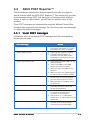
ASUS POST Reporter™ .......................................................... 3-3
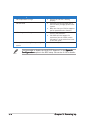
3.3.1 Vocal POST messages ............................................ 3-3
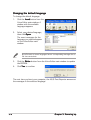
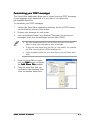
3.3.2 Winbond Voice Editor ............................................. 3-5
Chapter 4: BIOS setup
4.1
4.2
4.3
4.4
iv
Managing and updating your BIOS ........................................ 4-1
4.1.1 Creating a bootable floppy disk .............................. 4-1
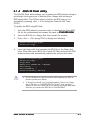
4.1.2 AFUDOS utility ........................................................ 4-2
4.1.3 ASUS CrashFree BIOS 2 utility ................................ 4-5
4.1.4 ASUS EZ Flash utility .............................................. 4-7
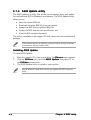
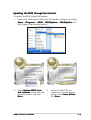
4.1.5 ASUS Update utility ................................................ 4-8
BIOS setup program ........................................................... 4-11
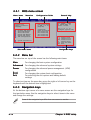
4.2.1 BIOS menu screen ................................................. 4-12
4.2.2 Menu bar ............................................................... 4-12
4.2.3 Navigation keys .................................................... 4-12
4.2.4 Menu items ........................................................... 4-13
4.2.5 Sub-menu items ................................................... 4-13
4.2.6 Configuration fields .............................................. 4-13
4.2.7 Pop-up window ..................................................... 4-13
4.2.8 Scroll bar .............................................................. 4-13
4.2.9 General help .......................................................... 4-13
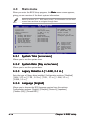
Main menu .......................................................................... 4-14
4.3.1 System Time ......................................................... 4-14
4.3.2 System Date ......................................................... 4-14
4.3.3 Legacy Diskette A ................................................ 4-14
4.3.4 Language .............................................................. 4-14
4.3.5 Primary, Third and Fourth IDE Master/Slave ......... 4-15
4.3.6 IDE Configuration .................................................. 4-16
4.3.7 System Information .............................................. 4-18
Advanced menu .................................................................. 4-19
4.4.1 JumperFree Configuration .................................... 4-19
4.4.2 LAN Cable Status ................................................. 4-23
4.4.3 USB Configuration ................................................. 4-24
4.4.4 CPU Configuration ................................................. 4-25
4.4.5 Chipset ................................................................. 4-27