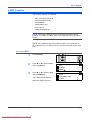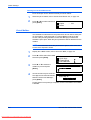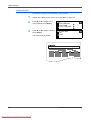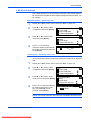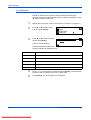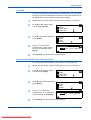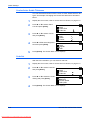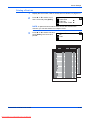
1
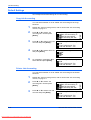
KM-1650
KM-2050
KM-2550
Advanced Operation Guide
Downloaded From ManualsPrinter.com Manuals
Downloaded From ManualsPrinter.com Manuals
Legal Information
CAUTION: No liability is assumed for any damage caused by
improper installation
Notice
The information in this guide is subject to change without notification.
Additional pages may be inserted in future editions. The user is asked to
excuse any technical inaccuracies or typographical errors in the present
edition.
No responsibility is assumed if accidents occur while the user is following
the instructions in this manual. No responsibility is assumed for defects in
the printer’s firmware (contents of its read-only memory).
Copyright
This guide, any copyrightable subject matter sold or provided with or in
connection with the sale of the machine, are protected by copyright. All
rights are reserved. Any copies made of all or part of this manual, or any
copyrightable subject must contain the same copyright notice as the
material from which the copying is done.
Regarding Trade names
PRESCRIBE is a registered trademark of Kyocera Corporation. KPDL and
KIR (Kyocera Image Refinement) are trademarks of Kyocera Corporation.
Diablo 630 is a product of Xerox Corporation. IBM Proprinter X24E is a
product of International Business Machines Corporation. Epson LQ-850 is
a product of Seiko Epson Corporation. Hewlett-Packard, PCL, and PJL are
registered trademarks of Hewlett-Packard Company. Centronics is a trade
name of Centronics Data Computer Corp. PostScript is a registered
trademark of Adobe Systems Incorporated. Macintosh is a registered
trademark of Apple computer, Inc. Microsoft, Windows, and Windows NT
are registered trademarks of Microsoft Corporation. PowerPC is a
trademark of International Business Machines Corporation. ENERGY
STAR is a U.S. registered mark. All other brand and product names are
registered trademarks or trademarks of their respective companies.
ADVANCED OPERATION GUIDE
Downloaded From ManualsPrinter.com Manuals
i
ii
Downloaded From ManualsPrinter.com Manuals
ADVANCED OPERATION GUIDE
Introduction
This Advanced Operation Guide has the following chapters:
•
1
Copy Functions
Explains the copier functions available on the
machine.
•
2
Printer Settings
Explains the settings available for the printer
functions.
•
3
System Settings
Explains the general settings available on the
machine.
•
4
Job Accounting
Explains the Job Accounting function and settings.
•
Appendix
Contains machine specifications.
ADVANCED OPERATION GUIDE
Downloaded From ManualsPrinter.com Manuals
iii
Guides Included
The following guides are included with this machine. Refer to the guide that
corresponds to your particular objective.
Basic Operation Guide
The Basic Operation Guide contains procedural steps for initial installation and set-up
of the machine and connection to a computer. It also includes basic procedures for
using the machine as a copier and printer and has a Troubleshooting section.
Advanced Operation Guide (this guide)
This Advanced Operation Guide contains explanations on copier and printer functions
as well as default settings adjusted on the machine.
KX Printer Driver Operation Guide
Describes how to install and set-up the printer driver.
PRESCRIBE Technical Reference
PRESCRIBE is the native language of these printers. This Technical Reference
contains information about how printing is performed using the PRESCRIBE
commands, as well as a font and emulation description.
PRESCRIBE Command Reference
Gives a detailed explanation of the PRESCRIBE command syntax and parameters with
the aid of print examples. This guide is stored on the CD-ROM as a PDF document.
iv
Downloaded From ManualsPrinter.com Manuals
Conventions
This manual uses the following conventions.
Convention
Description
Italic Typeface
Used to emphasise a key word,
phrase or message. In addition,
references to other publications
are displayed in italic typeface.
Open the Multi-Bypass Tray.
Bracket Bold Text
Typeface
Used to emphasise the
selection of a feature mode or
key.
Press [Enter].
Notes
Used to provide additional or
useful information about a
function or feature.
Important
Caution
Warning
Example
NOTE: To ensure best copying quality,
it is recommended this cleaning task is
performed at least once a month.
Use to provide important
information.
IMPORTANT: Never use water, thinner
or other organic solvents to clean the slit
glass.
Cautions are statements that
suggest mechanical damage as
a result of an action.
CAUTION: For safety purposes,
Used to alert users to the
possibility of personal injury.
WARNING: High voltage is present
in the charger section.
always remove the power plug from the
outlet when cleaning the machine.
Measurements
This guide contains information that corresponds to using both the inch
and metric versions of the machine. The screens and messages shown in
the guide reflect the inch version of the machine. When using the metric
version, refer to the messages on your machine.
ADVANCED OPERATION GUIDE
Downloaded From ManualsPrinter.com Manuals
v
vi
Downloaded From ManualsPrinter.com Manuals
ADVANCED OPERATION GUIDE
Contents
Legal Information . . . . . . . . . . . . . . . . . . . . . . . . . . . . . . . . . . . . . . . . . . . . . Legal and Safety-i
Introduction
Guides Included . . . . . . . . . . . . . . . . . . . . . . . . . . . . . . . . . . . . . . . . . . . . . . . . . . . . . . . . . . . iv
Conventions . . . . . . . . . . . . . . . . . . . . . . . . . . . . . . . . . . . . . . . . . . . . . . . . . . . . . . . . . . . . . . . v
1
Copy Functions
Original Size . . . . . . . . . . . . . . . . . . . . . . . . . . . . . . . . . . . . . . . . . . . . . . . . . . . . . . . . . . . . . 1-2
Original Placement . . . . . . . . . . . . . . . . . . . . . . . . . . . . . . . . . . . . . . . . . . . . . . . . . . . . . . . . 1-4
Offset Mode. . . . . . . . . . . . . . . . . . . . . . . . . . . . . . . . . . . . . . . . . . . . . . . . . . . . . . . . . . . . . . 1-5
Stapling . . . . . . . . . . . . . . . . . . . . . . . . . . . . . . . . . . . . . . . . . . . . . . . . . . . . . . . . . . . . . . . . . 1-6
Combine Mode . . . . . . . . . . . . . . . . . . . . . . . . . . . . . . . . . . . . . . . . . . . . . . . . . . . . . . . . . . . 1-7
Margin Mode . . . . . . . . . . . . . . . . . . . . . . . . . . . . . . . . . . . . . . . . . . . . . . . . . . . . . . . . . . . . 1-12
Border Erase Mode . . . . . . . . . . . . . . . . . . . . . . . . . . . . . . . . . . . . . . . . . . . . . . . . . . . . . . . 1-13
Continuous Scan. . . . . . . . . . . . . . . . . . . . . . . . . . . . . . . . . . . . . . . . . . . . . . . . . . . . . . . . . 1-14
Auto Rotation . . . . . . . . . . . . . . . . . . . . . . . . . . . . . . . . . . . . . . . . . . . . . . . . . . . . . . . . . . . 1-15
EcoPrint Mode. . . . . . . . . . . . . . . . . . . . . . . . . . . . . . . . . . . . . . . . . . . . . . . . . . . . . . . . . . . 1-16
Auto Selection Mode . . . . . . . . . . . . . . . . . . . . . . . . . . . . . . . . . . . . . . . . . . . . . . . . . . . . . . 1-17
Program Function . . . . . . . . . . . . . . . . . . . . . . . . . . . . . . . . . . . . . . . . . . . . . . . . . . . . . . . . 1-18
2
Printer Settings
Status Page. . . . . . . . . . . . . . . . . . . . . . . . . . . . . . . . . . . . . . . . . . . . . . . . . . . . . . . . . . . . . . 2-2
e-MPS Function . . . . . . . . . . . . . . . . . . . . . . . . . . . . . . . . . . . . . . . . . . . . . . . . . . . . . . . . . . 2-3
Interface . . . . . . . . . . . . . . . . . . . . . . . . . . . . . . . . . . . . . . . . . . . . . . . . . . . . . . . . . . . . . . . 2-11
Emulation . . . . . . . . . . . . . . . . . . . . . . . . . . . . . . . . . . . . . . . . . . . . . . . . . . . . . . . . . . . . . . 2-18
Font . . . . . . . . . . . . . . . . . . . . . . . . . . . . . . . . . . . . . . . . . . . . . . . . . . . . . . . . . . . . . . . . . . . 2-21
Print Configuration . . . . . . . . . . . . . . . . . . . . . . . . . . . . . . . . . . . . . . . . . . . . . . . . . . . . . . . 2-26
Print Quality. . . . . . . . . . . . . . . . . . . . . . . . . . . . . . . . . . . . . . . . . . . . . . . . . . . . . . . . . . . . . 2-31
Memory Card Operation . . . . . . . . . . . . . . . . . . . . . . . . . . . . . . . . . . . . . . . . . . . . . . . . . . . 2-34
Hard Disk Operation . . . . . . . . . . . . . . . . . . . . . . . . . . . . . . . . . . . . . . . . . . . . . . . . . . . . . . 2-40
RAM Disk Operation . . . . . . . . . . . . . . . . . . . . . . . . . . . . . . . . . . . . . . . . . . . . . . . . . . . . . . 2-41
Paper Handling . . . . . . . . . . . . . . . . . . . . . . . . . . . . . . . . . . . . . . . . . . . . . . . . . . . . . . . . . . 2-44
Other Printer Settings . . . . . . . . . . . . . . . . . . . . . . . . . . . . . . . . . . . . . . . . . . . . . . . . . . . . . 2-48
3
System Settings
Copy Default Settings . . . . . . . . . . . . . . . . . . . . . . . . . . . . . . . . . . . . . . . . . . . . . . . . . . . . . . 3-2
Machine Default Settings . . . . . . . . . . . . . . . . . . . . . . . . . . . . . . . . . . . . . . . . . . . . . . . . . . 3-14
Viewing and Printing the Total Counter . . . . . . . . . . . . . . . . . . . . . . . . . . . . . . . . . . . . . . . . 3-28
Report Output . . . . . . . . . . . . . . . . . . . . . . . . . . . . . . . . . . . . . . . . . . . . . . . . . . . . . . . . . . . 3-30
Language Setting . . . . . . . . . . . . . . . . . . . . . . . . . . . . . . . . . . . . . . . . . . . . . . . . . . . . . . . . 3-32
User Adjustment . . . . . . . . . . . . . . . . . . . . . . . . . . . . . . . . . . . . . . . . . . . . . . . . . . . . . . . . . 3-33
4
Job Accounting
ADVANCED OPERATION GUIDE
Downloaded From ManualsPrinter.com Manuals
vii
Contents
Job Accounting Mode . . . . . . . . . . . . . . . . . . . . . . . . . . . . . . . . . . . . . . . . . . . . . . . . . . . . . . 4-2
Managing Accounts. . . . . . . . . . . . . . . . . . . . . . . . . . . . . . . . . . . . . . . . . . . . . . . . . . . . . . . . 4-4
Default Settings. . . . . . . . . . . . . . . . . . . . . . . . . . . . . . . . . . . . . . . . . . . . . . . . . . . . . . . . . . 4-12
Using Job Accounting . . . . . . . . . . . . . . . . . . . . . . . . . . . . . . . . . . . . . . . . . . . . . . . . . . . . . 4-15
Appendix
Paper. . . . . . . . . . . . . . . . . . . . . . . . . . . . . . . . . . . . . . . . . . . . . . . . . . . . . . . . . . . . .Appendix-2
Specifications . . . . . . . . . . . . . . . . . . . . . . . . . . . . . . . . . . . . . . . . . . . . . . . . . . . . . Appendix-11
Glossary . . . . . . . . . . . . . . . . . . . . . . . . . . . . . . . . . . . . . . . . . . . . . . . . . . . . . . . . .Appendix-17
viii
Downloaded From ManualsPrinter.com Manuals
ADVANCED OPERATION GUIDE
1 Copy Functions
This chapter explains how to use the copier functions of the
machine.
•
•
•
•
•
•
•
•
•
•
•
•
ADVANCED OPERATION GUIDE
Downloaded From ManualsPrinter.com Manuals
Original Size ................................................................. 1-2
Original Placement ....................................................... 1-4
Offset Mode.................................................................. 1-5
Stapling......................................................................... 1-6
Combine Mode ............................................................. 1-7
Margin Mode .............................................................. 1-12
Border Erase Mode .................................................... 1-13
Continuous Scan ........................................................ 1-14
Auto Rotation.............................................................. 1-15
EcoPrint Mode............................................................ 1-16
Auto Selection Mode .................................................. 1-17
Program Function....................................................... 1-18
1-1
Copy Functions
Original Size
Use Original Size to select the size of original being scanned. The
selection must match the physical size of the original.
The following Original Size options are available:
•
Regular Size - use to select a standard original size.
•
Other Regular Size - use for additional standard original sizes.
•
Input Size - use this option to enter a custom original size if the size
required is not displayed.
Regular Size
Use the following procedure to select a standard original size.
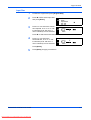
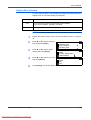
1
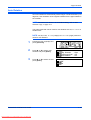
Position the original and press [Original Size].
2
Press S or T to select the
original size required and press
[Enter].
Original Size:
* Auto
Input Size
Select Auto to allow the machine
to automatically select the same size as the original on the platen.
3
Press [Start]. Copying commences.
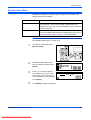
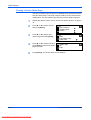
Other Regular Size
Use the following procedure to select additional standard original sizes.
1
Position the original and press [Original Size].
2
Press S or T to select Other
Regular Size and press [Enter].
Original Size:
Other Regular Size
3
Press S or T to select the
original size required and press
[Enter].
4
Press [Start]. Copying commences.
1-2
Downloaded From ManualsPrinter.com Manuals
Other Regular Size:
ADVANCED OPERATION GUIDE
Copy Functions
Input Size
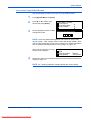
1
Position the original and press [Original Size].
2
Press S or T to select Input Size
Original Size:
and press [Enter].
* Auto
Input Size
3
Press < or > to select the vertical
Input Size:
size required, 2" to 11 5/8" in 1/8"
increments (50 to 297 mm in 1
mm increments) can be selected.
2"
2"
Press T to select the horizontal size.
4
Press < or > to select the
Input Size:
horizontal size, 2" to 17" in 1/8"
increments (50 to 432 mm in 1
mm increments) can be selected.
2"
2"
Press [Enter].
5
ADVANCED OPERATION GUIDE
Downloaded From ManualsPrinter.com Manuals
Press [Start]. Copying commences.
1-3
Copy Functions
Original Placement
You must specify the orientation of the original when using the following
functions:
-
Duplex Copying
Split Copying (from 2-sided originals)
Margin mode
Border Erase mode
Combine mode
Auto Selection mode (Optional)
Stapling (Optional)
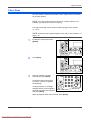
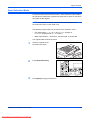
When the originals are positioned on the Platen:
Original
Rear
Left Top
When the originals are loaded in the Document Processor:
Original
Rear
Left Top
NOTE: To change the default setting for Original Orientation, refer to
Original Orientation, on page 3-20.
1
Press [Function].
2
Press S or T to select Orig.
direction and press [Enter].
Function:
End
Orig. Direction
: Rear
Continuous Scan : Off
3
Press S or T to select Rear or
Left top and press [Enter].
Orig. Direction:
* Rear
Left top
1-4
Downloaded From ManualsPrinter.com Manuals
ADVANCED OPERATION GUIDE
Copy Functions
Offset Mode
Use this mode to change the orientation of the output at the end of each
set for easy division.
NOTE: If the Document Processor (option) or Finisher (option) is not
installed, use this function with Sort copying.
The paper sizes that can be used for Offset copying are A4, B5 and
11 × 8 1/2"
NOTE: Ensure the Auto Rotation feature is On, refer to Auto Rotation, on
page 1-15.
1
Position the original and press
[Offset].
2
Press [Sort].
3
Enter the number of copies
required and press [Start].
If using the optional Document
Processor, copying completes
automatically.
If using the platen, a message
displays when the next original is
required. Position the next original
and press [Start].
When all originals have been scanned, press [Enter].
ADVANCED OPERATION GUIDE
Downloaded From ManualsPrinter.com Manuals
1-5
Copy Functions
Stapling
Copies can be stapled in the upper left or upper right corner.
NOTE: The optional Finisher must be installed.
The orientation of originals and the stapling position is shown below.
Original
Copy
Original
Copy
1
Position the original and press
[Staple].
2
Press S or T to select the
stapling position and press
[Enter].
3
Press [Start].
Staple:
Left Top
Right Top
If using the optional Document
Processor, copying completes
automatically.
If using the platen, a message
displays when the next original is
required. Position the next original
and press [Start].
When all originals have been scanned, press [Enter].
1-6
Downloaded From ManualsPrinter.com Manuals
ADVANCED OPERATION GUIDE
Copy Functions
Combine Mode
The images from either 2 or 4
originals can be reduced and
combined onto a single copy. The
Border Line of each original can
also be marked with a solid or
dotted line.
2
1
1
The following Combine modes
are available:
Original
2
Copy
NOTE: Both the Original Size and the Copy Paper Size must be regular
sizes.
Mode
Description
2 in 1
Copies two originals onto one sheet. This mode can also be used in
conjunction with Duplex Mode (optional) in order to copy four originals
onto both sides of one sheet.
2
1
Original
4 in 1 (Vertical
Arrangement)
4 in 1 (Horizontal
Arrangement)
Downloaded From ManualsPrinter.com Manuals
2
Copy
Copies four originals onto one sheet. This mode can also be used in
conjunction with Duplex Mode (optional) in order to copy eight originals
onto both sides of one sheet.
Original
ADVANCED OPERATION GUIDE
1
Copy
1-7
Copy Functions
2 in 1
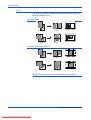
The following illustrations indicate how the orientation of the original will
affect the resulting copies:
Using the Platen
Original
Copy
Original
Copy
Using the Document Processor
Original
Original
Copy
Copy
NOTE: Ensure that the first page of the originals is scanned first.
1-8
Downloaded From ManualsPrinter.com Manuals
ADVANCED OPERATION GUIDE
Copy Functions
4 in 1 (Horizontal Arrangement)
The following illustrations indicate how the orientation of the original will
affect the resulting copies:
Using the Platen
Original
Copy
Original
Copy
Using the Document Processor
Original
Copy
Original
Copy
NOTE: Ensure that the first page of the originals is scanned first.
ADVANCED OPERATION GUIDE
Downloaded From ManualsPrinter.com Manuals
1-9
Copy Functions
4 in 1 (Vertical Arrangement)
The following illustrations indicate how the orientation of the original will
affect the resulting copies:
Using the Platen
Original
Original
Copy
Copy
Using the Document Processor
Original
Original
Copy
Copy
NOTE: Ensure that the first page of the originals is scanned first.
1-10
Downloaded From ManualsPrinter.com Manuals
ADVANCED OPERATION GUIDE
Copy Functions
Borderline Types
The following borderline types are available.
Copy
Borderline type
2 in 1
4 in 1 (horizontal arrangement)/
4 in 1 (vertical arrangement)
None
Solid
Dotted
Mark or Cropmark
Using Combine Mode
1
Position the original and press
[Combine].
2
Press S or T to select the
combine option required and
press [Enter].
3
Press S or T to select the Border
Border Line:
Line type and press [Enter].
None
Solid
Dotted
ADVANCED OPERATION GUIDE
Downloaded From ManualsPrinter.com Manuals
Combine:
2 in 1
4 in 1 (Z)
4 in 1 (N)
1-11
Copy Functions
4
Press [Start].
If using the optional Document
Processor, copying completes
automatically.
If using the platen, a message
displays when the next original is
required. Position the next original
and press [Start].
When all originals have been scanned, press [Enter].
Margin Mode
The image of the original can be shifted to make a margin (blank) space at
the left or top side of the copy. You can set the width of each margin to
1/8" to 3/4" in 1/8" increments (1 mm to 18 mm in 1 mm increments).
NOTE: To set the default value for Margin Width, refer to Margin Width
Default Value, on page 3-11.
1
Position the original and press
[Margin].
2
Press S or T to select Left
Margin or Top Margin and press
[Enter].
3
Press < or > to select the Margin
Margin Width:
Width, 1/8" to 3/4" in 1/8"
1/4"
1/8"
increments (1 mm to 18 mm in 1
mm increments) can be selected.
Margin:
Left Margin
Top Margin
3/4"
Press [Enter].
4
1-12
Downloaded From ManualsPrinter.com Manuals
Press [Start]. Copying commences.
ADVANCED OPERATION GUIDE
Copy Functions
Border Erase Mode
Shadows that appear around the edges of copies can be erased. The
following modes are available:
Mode
Description
Sheet Erase
Use this mode to erase shadows which appear when using
sheet originals. You can set the width of the border to be
erased from 1/8" to 3/4" in 1/8" increments (1 mm to 18 mm in
1 mm increments).
Book Erase
Use this mode to produce clean copies from a thick book. You
can set the width of the border to be erased from 1/8" to 3/4" in
1/8" increments (1 mm to 18 mm in 1 mm increments).
NOTE: To set the default value for Border Erase width, refer to Border
Erase Width Default Value, on page 3-12.
1
Position the original and press
[Border Erase].
2
Press S or T to select Sheet
Erase or Book Erase and press
[Enter].
3
Press < or > to set the Border
Border Erase Width:
Erase Width, 1/8" to 3/4" in 1/8"
1/4"
1/8"
increments (1 mm to 18 mm in 1
mm increments) can be selected.
Margin:Erase:
Border
Left Margin
Sheet
Erase
Top Margin
Book
Erase
3/4"
Press [Enter].
4
ADVANCED OPERATION GUIDE
Downloaded From ManualsPrinter.com Manuals
Press [Start]. Copying commences.
1-13
Copy Functions
Continuous Scan
Using Continuous Scan, originals can be scanned individually or in blocks
but still be processed as a single job. The originals are scanned into the
machine’s memory until all the originals have been scanned, copies are
then made.
1
Position the first original(s) and
press [Function].
2
Press S or T to select
Continuous Scan and press
[Enter].
Function:
End
Orig. Direction
: Rear
Continuous Scan : Off
3
Press S or T to select On and
press [Enter].
Continuous Scan:
* Off
On
4
Press S or T to select End and press [Enter].
5
Press [Start].
Position the next original(s) and
press [Start]. Repeat the
procedure to scan the remaining
originals.
When all originals have been
scanned, press [Enter].
Copying commences.
1-14
Downloaded From ManualsPrinter.com Manuals
ADVANCED OPERATION GUIDE
Copy Functions
Auto Rotation
Use Auto Rotation to automatically rotate images counterclockwise by 90
degrees, if the orientation of the original is different to the paper loaded in
the cassette.
NOTE: To enable Auto Rotation as the default setting, refer to Auto
Rotation Copy, on page 3-11.
The paper sizes that can be used for Auto Rotation are A4, 11 × 8 1/2" or
smaller sizes
NOTE: A3, B4, Folio, 11 × 17" (Ledger) or 8 1/2 × 14" (Legal) cannot be
used for Auto Rotation.
1
Position the first original(s) and
press [Function].
2
Press S or T to select Auto
Rotation and press [Enter].
Function:
Orig. Direction
: Rear
Continuous Scan : Off
Auto Rotation
: On
3
Press S or T to select On and
press [Enter].
Auto Rotation:
Off
On
*
ADVANCED OPERATION GUIDE
Downloaded From ManualsPrinter.com Manuals
1-15
Copy Functions
EcoPrint Mode
Ecoprint mode reduces toner consumption. Use this mode when high
quality copies are not necessary, for example, for draft copies.
NOTE: The copy exposure will be a little lighter.
To set the EcoPrint mode as the default setting, refer to EcoPrint Mode,
on page 3-4.
1
Position the first original(s) and
press [Function].
2
Press S or T to select EcoPrint
and press [Enter].
Function:
Continuous Scan : Off
Auto Rotation
: On
EcoPrint
: Off
3
Press S or T to select On and
press [Enter].
EcoPrint:
* Off
On
1-16
Downloaded From ManualsPrinter.com Manuals
ADVANCED OPERATION GUIDE
Copy Functions
Auto Selection Mode
If using the optional Document Processor, Auto Selection mode enables
the machine to detect each original size and produce copies on the same
size paper as the original.
NOTE: The maximum number of sheets that can be loaded in the
Document Processor in this mode is 30.
The following original sizes can be used in Auto Selection mode:
•
Inch Specification — 11 × 8 1/2" and 11 × 17" (Ledger) or
8 1/2 × 14" (Legal) and 8 1/2 × 11" (Letter)
•
Metric Specification — A3 and A4, folio and A4R, or B4 and B5.
The original width must be the same.
1
Load the originals in the
Document Processor.
2
Press [Auto Selection].
3
Press [Start]. Copying commences.
ADVANCED OPERATION GUIDE
Downloaded From ManualsPrinter.com Manuals
1-17
Copy Functions
Program Function
Up to eight combinations of copy modes and functions displayed on the
operation panel can be registered as a single program.
Registering a Program
1
Select the copy options to be registered (for example 5 copies, Sort,
Margin) and press [Program].
2
Press S or T to select Register
program and press [Enter].
3
Press S or T to select the
Register program:
program number required (1 to 8)
Program #1
and press [Enter].
Program #2
Program #3
The program is registered.
Program:
Program #7
Program #8
Register program.
NOTE: You can also select the program number using a numeric key.
Using a Program
1
Press [Program].
2
Press S or T to select the
program number required and
press [Enter].
Program:
Program #1
Program #2
Program #3
NOTE: You can also select the program number using a numeric key.
3
Position the originals and press [Start].
Copies are produced using the settings registered in the program.
1-18
Downloaded From ManualsPrinter.com Manuals
ADVANCED OPERATION GUIDE
2 Printer Settings
This section explains how to change settings which are
required for the printer functions of the machine.
•
•
•
•
•
•
•
•
•
•
•
•
ADVANCED OPERATION GUIDE
Downloaded From ManualsPrinter.com Manuals
Status Page .................................................................. 2-2
e-MPS Function............................................................ 2-3
Interface ......................................................................2-11
Emulation ................................................................... 2-18
Font ............................................................................ 2-21
Print Configuration...................................................... 2-26
Print Quality................................................................ 2-31
Memory Card Operation............................................. 2-34
Hard Disk Operation................................................... 2-40
RAM Disk Operation................................................... 2-41
Paper Handling........................................................... 2-44
Other Printer Settings................................................. 2-48
2-1
Printer Settings
Status Page
The printer default settings, the memory capacity, and other details are
printed on the Status Page.
1
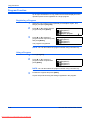
Press [Printer].
2
Press S or T to select MENU
and press [Enter].
Ready
GO
CANCEL
MENU
3
Press S or T to select Print
Status Page and press [Enter].
Menu
Back
Print Status Page
Interface
4
Press S or T to select Print and
press [Enter].
Print Status Page
No
Print
The Status Page is printed.
2-2
Downloaded From ManualsPrinter.com Manuals
ADVANCED OPERATION GUIDE
Printer Settings
e-MPS Function
The following settings are available:
•
Quick Copy/Proof-and-Hold
•
Private Print/Stored Job
•
Virtual Mailbox
•
Virtual Mailbox List
•
Code Job List
•
e-MPS Detail Settings
NOTE: To use the e-MPS functions, the optional Hard Disk must be
installed. For details on e-MPS, refer to the KX Printer Driver Operation
Guide.
NOTE: If the RAM Disk Operation (refer to page 2-41) is switched On,
the e-MPS function can still be used for Proof-and-hold and Private Print
jobs.
Access e-MPS
1
Press [Printer].
2
Press S or T to select MENU
and press [Enter].
Ready
GO
CANCEL
MENU
3
Press S or T to select e-MPS
and press [Enter].
Menu
Back
Print Status Page
e-MPS
The e-MPS screen displays.
Select the options required.
ADVANCED OPERATION GUIDE
Downloaded From ManualsPrinter.com Manuals
2-3
Printer Settings
Quick Copy/Proof-and-Hold
Quick Copy and Proof-and-hold are selected from the printer driver.
When a Quick Copy job is received, the machine stores it in memory until
the user enters the number of copies required and prints the job.
When a Proof-and-hold job is received, the machine prints one set and
then stores the job in memory. The user can check the proof, change the
number of copies if required and print the remaining sets.
NOTE: For information about the printer driver options, refer to the KX
Printer Driver Operation Guide.
1
2
Access e-MPS, refer to Access e-MPS, on page 2-3.
Press S or T to select Quick
Copy and press [Enter].
e-MPS
Back
Quick Copy
Private/Stored
3
Press S or T to select the user
name specified by the printer
driver and press [Enter].
Select User Name
Press S or T to select the job
name specified by the printer
driver and press [Enter].
Select JOB
4
5
tom
List
Use the numeric keys to enter the
Select User Name
number of copies and press
:
Copies
[Enter].
Delete
001
Printing commences.
Deleting Quick Copy/Proof-and-Hold
Quick copy/proof-and-hold jobs stored in memory are deleted
automatically when the power is switched off. Use the following
instructions to delete a job manually.
1
Select the job to delete, refer to Quick Copy/Proof-and-Hold, on page 2-4.
2
Press S or T to select Delete and
Select User Name
press [Enter].
:
Copies
Delete
2-4
Downloaded From ManualsPrinter.com Manuals
001
ADVANCED OPERATION GUIDE
Printer Settings
Private Print/Stored Job
If Private is selected on the printer driver, the user enters a 4-digit access
code prior to sending the job. The job is then held in memory until the user
enters the same 4-digit access code to enable the job to print. The data is
cleared after printing.
If Stored job is selected, there is no restriction on access. The job is printed
and then stored in memory.
NOTE: For information about the printer driver options, refer to the KX
Printer Driver Operation Guide.
1
Display the e-MPS screen, refer to Access e-MPS, on page 2-3.
2
Press S or T to select Private/
Stored and press [Enter].
e-MPS
Back
Quick Copy
Private/Stored
3
Press S or T to select the user
name specified by the printer
driver and press [Enter].
Select User Name
Press S or T to select the job
name specified by the printer
driver and press [Enter].
Select JOB
4
tom
List
5
Use the numeric keys to enter the
List
4-digit access code specified on
the printer driver and press
[Enter].
6
Use the numeric keys to enter the
Select User Name
number of copies and press
:
Copies
[Enter].
Delete
Enter User ID
001
Printing commences.
ADVANCED OPERATION GUIDE
Downloaded From ManualsPrinter.com Manuals
2-5
Printer Settings
Deleting Private Print/Stored Job
Each stored job can be deleted manually as shown below:
1
Select the job to delete, refer to Private Print/Stored Job, on page 2-5.
2
Press S or T to select Delete and
Select User Name
press [Enter].
:
Copies
Delete
001
Virtual Mailbox
Virtual Mailbox is selected from the printer driver and is used to store jobs
on the machine. A job will remain in a Virtual Mailbox until the 5-digit
access code (set using KM-NET Printer Disk Manager) is entered to
enable the job to print. When the job is printed the data is deleted from the
mailbox.
NOTE: For information about the printer driver options, refer to the KX
Printer Driver Operation Guide.
1
Display the e-MPS screen, refer to Access e-MPS, on page 2-3.
2
Press S or T to select Print VMB
e-MPS
Data and press [Enter].
Quick Copy
Private/Stored
Print VMB Data
3
Press S or T to select the
mailbox to print and press
[Enter].
4
Print VMB Data
001: File B
Use the numeric keys to enter the
001:File B
five-digit access code set with the
Enter User ID
KM-NET Printer Disk Manager,
press [Enter].
Printing starts. Once printing is complete, the document data in the mailbox
is deleted.
2-6
Downloaded From ManualsPrinter.com Manuals
ADVANCED OPERATION GUIDE
Printer Settings
Virtual Mailbox List
A list can be printed which shows the current Virtual Mailbox numbers, the
data stored in a mailbox, the size of data stored and other information.
1
Display the e-MPS screen, refer to Access e-MPS, on page 2-3.
2
Press S or T to select List of
VMB and press [Enter].
e-MPS
Private/Stored
Print VMB Data
List of VMB
3
Press S or T to select Print and
press [Enter].
List of VMB
No
Print
The virtual mailbox list is printed.
VIRTUAL MAIL BOX LIST
ADVANCED OPERATION GUIDE
Downloaded From ManualsPrinter.com Manuals
2-7
Printer Settings
Code Job List
Permanent code jobs in the hard disk can be printed.
1
Display the e-MPS screen, refer to Access e-MPS, on page 2-3.
2
Press S or T to select List of
code JOB and press [Enter].
e-MPS
Print VMB Data
List of VMB
List of Code JOB
3
Press S or T to select Print and
press [Enter].
List of Code JOB
No
Print
The code job list is printed.
PERMANENT CODE JOB LIST
2-8
Downloaded From ManualsPrinter.com Manuals
ADVANCED OPERATION GUIDE
Printer Settings
e-MPS Detail Settings
The e-MPS settings such as the maximum number of documents that can
be stored on the hard disk and the capacity assigned to each function, can
be changed.
Maximum Number - Quick Copy Jobs
1
Display the e-MPS screen, refer to Access e-MPS, on page 2-3.
2
Press S or T to select e-MPS
Configuration and press [Enter].
e-MPS
List of VMB
List of Code JOB
e-MPS Configuration
3
Press S or T to select Quick
Copy and press [Enter].
e-MPS Configuration
Back
Quick Copy
Temp Code Job Size
4
Press < or > to select the
Quick Copy
maximum number of jobs that can
32
be stored, 0 to 50 can be selected.
Press [Enter].
(0
50)
Total Capacity - Temporary Code Jobs
Use to set the total capacity for storage of temporary code jobs on the hard
disk.
1
Display the e-MPS screen, refer to Access e-MPS, on page 2-3.
2
Press S or T to select e-MPS
Configuration and press [Enter].
3
Press S or T to select Temp
e-MPS Configuration
Code Job Size and press [Enter].
Back
Quick Copy
Temp Code Job Size
4
Press < or > to select the capacity
Temporary Code Job Size
for storage of temporary code
1550 Mbyte
jobs, 0 to 9999 MB can be
selected. Press [Enter].
e-MPS
List of VMB
List of Code JOB
e-MPS Configuration
NOTE: The actual maximum size is the size of available hard disk space.
ADVANCED OPERATION GUIDE
Downloaded From ManualsPrinter.com Manuals
2-9
Printer Settings
Total Capacity - Permanent Code Jobs
Use to set the total capacity for storage of permanent code jobs on the hard
disk.
1
Display the e-MPS screen, refer to Access e-MPS, on page 2-3.
2
Press S or T to select e-MPS
Configuration and press [Enter].
3
Press S or T to select Perm
e-MPS Configuration
Code Job Size and press [Enter].
Quick Copy
Temp Code Job Size
Perm Code Job Size
4
Press < or > to select the total
Permanent Code Job Size
capacity for storage of permanent
1550 Mbyte
code jobs, 0 to 9999 MB can be
selected. Press [Enter].
e-MPS
List of VMB
List of Code JOB
e-MPS Configuration
NOTE: The actual maximum size is the size of available hard disk space.
Total Capacity - Virtual Mailboxes
Use to set the total capacity for storage of virtual mailboxes on the hard
disk.
1
Display the e-MPS screen, refer to Access e-MPS, on page 2-3.
2
Press S or T to select e-MPS
Configuration and press [Enter].
3
Press S or T to select VMB Size
e-MPS Configuration
and press [Enter].
Temp Code Job Size
Perm Code Job Size
VMB Size
4
Press < or > to select the capacity
VMB Size
for storage of virtual mailboxes
1550 Mbyte
(VMB), 0 to 9999 MB can be
selected. Press [Enter].
e-MPS
List of VMB
List of Code JOB
e-MPS Configuration
NOTE: The actual maximum size is the size of available hard disk space.
2-10
Downloaded From ManualsPrinter.com Manuals
ADVANCED OPERATION GUIDE
Printer Settings
Interface
This machine is equipped with a parallel, USB and network interface as
standard.
The following settings are available:
•
Parallel Interface
•
Network Setting
•
IP Address Setting
•
Subnet Mask Setting
•
Default Gateway
•
Network Status Page Printing
Access the Interface Screen
1
Press [Printer].
2
Press S or T to select MENU
and press [Enter].
Ready
GO
CANCEL
MENU
3
Press S or T to select Interface
and press [Enter].
Menu
Back
Print Status Page
Interface
Setup the options required.
Parallel Interface
The parallel interface supports bi-directional/high-speed mode. The
transmission/reception modes that can be set are shown below.
Mode
Auto
Normal
High speed
ADVANCED OPERATION GUIDE
Downloaded From ManualsPrinter.com Manuals
Description
The printer automatically changes its communication mode
according to the connected computer. We recommend you
leave this setting unchanged.
The printer uses the standard communication method
prescribed for Centronics interfaces.
This mode enables faster data transmission between the
printer and the computer. Select this mode if printing
problems occur when the printer is connected to a
workstation.
2-11
Printer Settings
Mode
Nibble (high)
Description
High speed data communication is used in compliance with
the IEEE 1284 standard.
NOTE: Use a parallel interface cable that complies with the IEEE 1284
standard.
1
Display the Interface screen, refer to Access the Interface Screen, on page
2-11.
2
Press S or T to select Parallel
and press [Enter].
Interface
Back
Parallel
Network
3
Press S or T to select the
transmission/reception mode
required and press [Enter].
Parallel
Back
Auto
Normal
4
Press [Reset]. The Printer Basic screen displays.
Network Setting
To perform network printing, network setup is required. This section
describes the tasks required for using the network function.
NOTE: Before setting the IP Address, ask your Network Administrator to
obtain the address and prepare it.
NetWare
Set this option to On if connecting to a NetWare network.
1
Display the Interface screen, refer to Access the Interface Screen, on page
2-11.
2
Press S or T to select Network
and press [Enter].
Interface
Back
Parallel
Network
3
Press S or T to select NetWare
and press [Enter].
Network Setting
Back
NetWare
TCP/IP
2-12
Downloaded From ManualsPrinter.com Manuals
ADVANCED OPERATION GUIDE
Printer Settings
4
Press S or T to select On or Off
and press [Enter]. If On is
selected, Change # displays.
5
Press S or T to select Change #
NetWare
and press [Enter].
On
Off
Change #
6
Press S or T to select the frame
mode and press [Enter].
7
Press [Reset]. The Printer Basic screen displays.
NetWare
Back
On
Off
NetWare Frame
Back
Auto
802.3
EtherTalk
Set this option to On if connecting to an Apple Macintosh computer.
1
Display the Interface screen, refer to Access the Interface Screen, on page
2-11.
2
Press S or T to select Network
and press [Enter].
3
Press S or T to select EtherTalk
Network Setting
and press [Enter].
NetWare
TCP/IP
EtherTalk
4
Press S or T to select On and
press [Enter].
5
Press [Reset]. The Printer Basic screen displays.
ADVANCED OPERATION GUIDE
Downloaded From ManualsPrinter.com Manuals
Interface
Back
Parallel
Network
EtherTalk
Back
On
Off
2-13
Printer Settings
TCP/IP
Set this option to On if connecting to a Windows network via TCP/IP.
1
Display the Interface screen, refer to Access the Interface Screen, on page
2-11.
2
Press S or T to select Network
and press [Enter].
Interface
Back
Parallel
Network
3
Press S or T to select TCP/IP
and press [Enter].
Network Setting
Back
NetWare
TCP/IP
4
Press S or T to select On and
press [Enter].
TCP/IP
Back
On
Off
DHCP
Set this option to On if using DHCP (Dynamic Host Configuration Protocol).
1
Display the TCP/IP screen, refer to TCP/IP, on page 2-14.
2
Press S or T to select Change #
TCP/IP
and press [Enter].
On
Off
Change #
3
Press S or T to select DHCP and
TCP/IP Setting
press [Enter].
Back
DHCP
IP Address
4
Press S or T to select On and
press [Enter].
2-14
Downloaded From ManualsPrinter.com Manuals
DHCP
Back
On
Off
ADVANCED OPERATION GUIDE
Printer Settings
IP Address Setting
Use the following procedure to register an IP Address to the machine.
Check with your network administrator before performing this procedure.
If you use the following procedure to register the IP Address manually,
ensure DHCP is Off and TCP/IP is On.
NOTE: Any changes made to network settings become valid after you
power the machine off and on again.
1
Display the TCP/IP screen, refer to TCP/IP, on page 2-14.
2
Press S or T to select Change #
TCP/IP
and press [Enter].
On
Off
Change #
3
Press S or T to select IP
Address and press [Enter].
TCP/IP Setting
Back
DHCP
IP Address
4
Press S or T to select IP
Address and press [Enter].
TCP/IP Setting
Back
DHCP
IP Address
5
Use the keypad to enter the
address. Enter the first segment
of the IP Address in the
highlighted area and press [#].
IP Address
6
0.
0.
0.
0
0.
0.
0
Enter the next segment and press
IP Address
[#].
Enter the remaining segments
using the same procedure.
10 .
Press [Enter] when the entire address has been entered.
ADVANCED OPERATION GUIDE
Downloaded From ManualsPrinter.com Manuals
2-15
Printer Settings
Subnet Mask Setting
Continue from the previous Step 6 to register the Subnet Mask address.
NOTE: If you are not sure of the appropriate Subnet Mask address,
contact your Network Administrator.
1
Display the TCP/IP Setting screen.
2
Press S or T to select Subnet
Mask and press [Enter].
3
Enter the Subnet Mask address
Subnet Mask
using the same procedure used
for the IP Address in steps 8 - 9 of
0.
0.
IP Address Setting.
TCP/IP Setting
DHCP
IP Address
Subnet Mask
0.
0
Press [Enter] when the entire address has been entered.
Default Gateway
Continue from the previous Step 3 to register the Default Gateway.
NOTE: If you are not sure of the appropriate Default Gateway address,
contact your Network Administrator.
1
Access the TCP/IP Setting screen.
2
Press S or T to select Gateway
and press [Enter].
3
Enter the Gateway address using
Gateway
the same procedure used for the
IP Address in steps 8 - 9 of IP
0.
Address Setting.
TCP/IP Setting
IP Address
Subnet Mask
Gateway
0.
0.
0
Press [Enter] when the entire address has been entered.
4
When you have entered all the network settings, press [Reset].
The Printer Basic screen displays.
2-16
Downloaded From ManualsPrinter.com Manuals
ADVANCED OPERATION GUIDE
Printer Settings
Network Status Page Printing
When printing the Status Page, you can also print the network status page
in succession.
1
Display the Interface screen, refer to Access the Interface Screen, on page
2-11.
2
Press S or T to select Network
press [Enter].
Interface
Back
Parallel
Network
3
Press S or T to select Network
Status Page and press [Enter].
Network Setting
TCP/IP
EtherTalk
Network Status Page
4
Press S or T to select On or Off
and press [Enter].
Network Status Page Setting
Back
On
Off
5
Press [Reset]. The Printer Basic screen displays.
ADVANCED OPERATION GUIDE
Downloaded From ManualsPrinter.com Manuals
2-17
Printer Settings
Emulation
The following settings are available:
•
Emulation Mode Selection
•
KC-GL Pen Thickness
•
KPDL Error Printing
•
KPDL (AUTO) Alternative Emulation Selection
NOTE: You can set the emulation for each interface.
Emulation Mode Selection
Emulation modes that can be used with this machine: PCL6, KC-GL,
KDPL, KDPL (AUTO), Line Printer, IBM Proprinter, Diablo 630, EPSON
LQ-850
If you set KC-GL, you can set the thickness of the pen and page size.
If you set KPDL (AUTO), switching between KPDL and an alternative
emulation mode will be automatically performed according to the print
data.
If you set KPDL or KPDL (AUTO), the details of any error that occurs during
printing can be printed.
1
Press [Printer].
2
Press S or T to select MENU
and press [Enter].
3
Press S or T to select Emulation
Menu
and press [Enter].
Print Status Page
Interface
Emulation
4
Press S or T to select the
interface and press [Enter].
Interface
Back
Parallel
Network
5
Press S or T to select the
emulation mode and press
[Enter].
Emulation
Back
PCL 6
KC-GL
2-18
Downloaded From ManualsPrinter.com Manuals
Ready
GO
CANCEL
MENU
ADVANCED OPERATION GUIDE
Printer Settings
If you have selected KC-GL, refer to KC-GL Pen Thickness, on page 2-19.
If you have selected KPDL or KPDL (AUTO), refer to KPDL Error Printing,
on page 2-20.
If you have selected KPDL (AUTO), refer to KPDL (AUTO) Alternative
Emulation Selection, on page 2-20.
KC-GL Pen Thickness
If you have selected KC-GL emulation, you can set the thicknesses of the
eight pens and the page size. Continue the procedure from step 5 of
Emulation Mode Selection to setup.
1
Press S or T to select KC-GL
Pen Adjust and press [Enter].
KC-GL
Back
KC-GL Pen Adjust
KC-GL Page Set
2
Press S or T to select the pen
required and press [Enter].
KC-GL Pen Adjust
Back
Pen (1)
Pen (2)
3
Press < or > to select the
thickness (number of dots) and
press [Enter].
Pen Width
1 dot(s)
(01
4
Press S or T to select Back and press [Enter].
5
Press S or T to select KC-GL
Page Set and press [Enter].
KC-GL
Back
KC-GL Pen Adjust
KC-GL Page Set
6
Press S or T to select the page
size and press [Enter].
KC-GL Page Set
B1
B0
SPSZ
99)
NOTE: SPSZ is the size specified with the PRESCRIBE SPSZ
command. For details of the PRESCRIBE commands, refer to the
PRESCRIBE Command Reference Manual.
7
ADVANCED OPERATION GUIDE
Downloaded From ManualsPrinter.com Manuals
Press [Reset]. The Printer Basic screen displays.
2-19
Printer Settings
KPDL Error Printing
The details of any error that occurs during printing in the KPDL emulation
mode can be printed. Continue the procedure from step 5 of Emulation
Mode Selection to set up.
1
Press S or T to select Print
KPDL Errs and press [Enter].
If On is selected, the details of any
error will be printed.
2
KPDL
Back
Print KPDL Errs
Press [Reset]. The Printer Basic screen displays.
KPDL (AUTO) Alternative Emulation Selection
If you set KPDL (AUTO), switching between KPDL and an alternative
emulation mode will be automatically performed according to print data.
Continue the procedure from step 5 of emulation mode selection to setup.
Available emulation modes: PCL6, KC-GL, Line Printer, IBM Proprinter,
DIABLO 630, EPSON LQ-850
1
Press S or T to select Alt.
Emulation and press [Enter].
KPDL(AUTO)
Back
Alt. Emulation
Print KPDL Errs
2
Press S or T to select the
emulation mode and press
[Enter].
Alt. Emulation
Back
PCL 6
KC-GL
3
Press [Reset]. The Printer Basic screen displays.
2-20
Downloaded From ManualsPrinter.com Manuals
ADVANCED OPERATION GUIDE
Printer Settings
Font
You can select the default Font for the current interface. The default Font
can be one of the internal fonts or a font stored in the optional Memory
Card.
The following settings are available:
•
Font Selection
•
Font Size
•
Courier/Letter Gothic Font Character Pitch
•
Courier/Letter Gothic Thickness
•
Code Set
•
Printing a Font List
NOTE: You can set the font for each interface.
Access the Font Screen
1
Press [Printer].
2
Press S or T to select MENU
and press [Enter].
Ready
GO
CANCEL
MENU
3
Press S or T to select Font and
press [Enter].
Menu
Interface
Emulation
Font
4
Press S or T to select the
Interface
interface to set and press [Enter].
Back
Parallel
The Font screen displays.
Network
Select the options required.
ADVANCED OPERATION GUIDE
Downloaded From ManualsPrinter.com Manuals
2-21
Printer Settings
Font Selection
NOTE: If optional fonts as well as internal fonts are stored on the
machine, a screen for selecting Internal font or Option font displays. Press
S or T to select the font to set.
1
Display the Font screen, refer to Access the Font Screen, on page 2-21.
2
Press S or T to select Select
Font and press [Enter].
Font
3
Press S or T to select the Font
ID and press [Enter].
SelectIDFont
Font
Back
I000
I000
Detail
The font number displays.
Back
Select Font
Code Set
Characters displayed before font
numbers indicate the following items.
Display
Description
I
Internal font
S
Downloaded fonts
M
Fonts in memory card
H
Fonts in RAM disk or optional hard disk
O
Fonts in optional ROM
4
Press < or > to select the font number and press [Enter]. For internal font
numbers, refer to Printing a Font List, on page 2-25.
5
Press [Reset]. The Printer Basic screen displays.
2-22
Downloaded From ManualsPrinter.com Manuals
ADVANCED OPERATION GUIDE
Printer Settings
Font Size
If you have selected a proportional font as the default font, you can set the
font size. If you have selected the Courier font or the Letter Gothic font as
the default font, only the Character Pitch setting displays.
1
Display the Font screen, refer to Access the Font Screen, on page 2-21.
2
Press S or T to select Select
Font and press [Enter].
3
Press S or T to select Detail and
Select Font
press [Enter].
I000Back
I000
Detail
4
Press < or > to select the
character size, 4.00 to 999.75
point can be selected. Press
[Enter].
5
Font
Back
Select Font
Code Set
Font Size Setting
8.50Point (4.00
999.75)
Press [Reset]. The Printer Basic screen displays.
Courier/Letter Gothic Font Character Pitch
You can set the character pitch for the Courier or Letter Gothic font.
1
Display the Font screen, refer to Access the Font Screen, on page 2-21.
2
Press S or T to select Select
Font and press [Enter].
3
Press S or T to select Detail and
Select Font
press [Enter].
I000Back
I000
Detail
4
Press < or > to select the
character pitch, 0.44 to 99.99 cpi
can be selected. Press [Enter].
5
ADVANCED OPERATION GUIDE
Downloaded From ManualsPrinter.com Manuals
Font
Back
Select Font
Code Set
Font Pitch Setting
10.00CPI
(0.44
99.99)
Press [Reset]. The Printer Basic screen displays.
2-23
Printer Settings
Courier/Letter Gothic Thickness
You can select the thickness of the Courier or Letter Gothic font from two
types. An example of changing the Courier font thickness is described
below.
1
Display the Font screen, refer to Access the Font Screen, on page 2-21.
2
Press S or T to select Select
Font and press [Enter].
Font
3
Press S or T to select Courier
and press [Enter].
Select Font
I000
Detail
Courier
4
Press S or T to select Regular or
Courier
Dark and press [Enter].
Back
Regular
Dark
5
Press [Reset]. The Printer Basic screen displays.
Back
Select Font
Code Set
Code Set
With the PCL6 emulation, you can select a code set.
1
Display the Font screen, refer to Access the Font Screen, on page 2-21.
2
Press S or T to select Code Set
and press [Enter].
Font
3
Press S or T to select the Code
Setting and press [Enter].
Code Setting
IBM PC-8
PC-855 Serbia
ISO Cyrillic
4
Press [Reset]. The Printer Basic screen displays.
2-24
Downloaded From ManualsPrinter.com Manuals
Back
Select Font
Code Set
ADVANCED OPERATION GUIDE
Printer Settings
Printing a Font List
1
Display the Font screen, refer to Access the Font Screen, on page 2-21.
2
Press S or T to select List of
Inter. Fonts and press [Enter].
Font
Select Font
Code Set
List of Inter. Fonts
NOTE: If optional fonts as well as internal fonts are stored on the
machine, you can also select List of Option Fonts.
3
Press S or T to select Print and
press [Enter]. The Font List is
printed.
List of Inter. Fonts
No
Print
Internal Scalable and Bitmapped Fonts List
Font Name
Scalable/Bitmap
Password
Internal Scalable and Bitmapped Fonts List
Font Name
ADVANCED OPERATION GUIDE
Downloaded From ManualsPrinter.com Manuals
Scalable/Bitmap
Password
PRESCRIBE
Selection
[FSET]
Font ID
PRESCRIBE
Selection
[FSET]
Font ID
2-25
Printer Settings
Print Configuration
The following settings are available:
•
Number of Copies
•
Zoom
•
Print Orientation
•
Page Protect Mode
•
Line Feed (LF) Action
•
Carriage Return (CR) Action
•
Wide A4
NOTE: You can set the print configuration for each interface.
Access the Page Set Screen
1
Press [Printer].
2
Press S or T to select MENU
and press [Enter].
Ready
GO
CANCEL
MENU
3
Press S or T to select Page Set
and press [Enter].
Menu
Emulation
Font
Page Set
4
Press S or T to select the
interface and press [Enter].
Interface
Back
Parallel
Network
The Page Set screen displays.
Change the options required
using the instructions starting on page 2-27.
2-26
Downloaded From ManualsPrinter.com Manuals
ADVANCED OPERATION GUIDE
Printer Settings
Number of Copies
You can set the number of copies to be printed, any number from 1 to 999
can be selected.
1
Display the Page Set screen, refer to Access the Page Set Screen, on
page 2-26.
2
Press S or T to select Copies
and press [Enter].
3
Press < or > to select the number
Copies
of copies,1 to 999 can be
1
selected. Press [Enter].
4
Press [Reset]. The Printer Basic screen displays.
Page Set
Back
Copies
Zoom(Reduce)
Zoom
If you specify the Paper Size (original size) and the Output Size, the
machine reduces the image at a preset magnification ratio to print onto the
specified Output Size paper.
1
Display the Page Set screen, refer to Access the Page Set Screen, on
page 2-26.
2
Press S or T to select Zoom
(Reduce) and press [Enter].
3
Press S or T to select the paper
Zoom(Reduce)
size and press >.
Paper size
Print size
Cassette
Cassette
4
5
ADVANCED OPERATION GUIDE
Downloaded From ManualsPrinter.com Manuals
Page Set
Back
Copies
Zoom(Reduce)
Press S or T to select the output
Zoom(Reduce)
size. The reduction ratio is
Paper size
automatically set and displayed. 8.5x11
Press [Enter].
Print size
8.5x11 98%
100%
98 %
Press [Reset]. The Printer Basic screen displays.
2-27
Printer Settings
Print Orientation
You can select the Print Orientation from Portrait and Landscape.
1
Display the Page Set screen, refer to Access the Page Set Screen, on
page 2-26.
2
Press S or T to select
Orientation and press [Enter].
3
Press S or T to select Portrait or
Orientation
Landscape and press [Enter].
Back
Portrait
Landscape
4
Press [Reset]. The Printer Basic screen displays.
Page Set
Copies
Zoom(Reduce)
Orientation
Page Protect Mode
To maintain the printer memory efficiently, the default setting of this mode
is Auto. This menu is not usually displayed. If a print overrun error occurs
due to insufficient printer memory, Page Protect is forcibly set to On. After
the print overrun error occurs, reset this setting to Auto.
1
Display the Page Set screen, refer to Access the Page Set Screen, on
page 2-26.
2
Press S or T to select Page
Protect and press [Enter].
Page Set
Zoom(Reduce)
Orientation
Page Protect
3
Press S or T to select Auto and
press [Enter].
Page Protect
Back
Auto
On
4
Press [Reset]. The Printer Basic screen displays.
2-28
Downloaded From ManualsPrinter.com Manuals
ADVANCED OPERATION GUIDE
Printer Settings
Line Feed (LF) Action
Use to set the action taken by the machine when it receives a Line Feed
code (0AH).
1
Display the Page Set screen, refer to Access the Page Set Screen, on
page 2-26.
2
Press S or T to select LF Action
and press [Enter].
3
Press S or T to select the action
LF Action
from LF only, CR and LF, and
Back
Ignore LF, and press [Enter].
LF only
-
4
Page Set
Orientation
Page Protect
LF Action
CR and LF
LF only: Performs a line
feed.
CR and LF: Performs a line feed and carriage return.
Ignore LF: Does not perform a line feed.
Press [Reset]. The Printer Basic screen displays.
Carriage Return (CR) Action
Use to set the action taken by the machine when it receives a Carriage
Return code (0DH).
1
Display the Page Set screen, refer to Access the Page Set Screen, on
page 2-26.
2
Press S or T to select CR Action
Page Set
and press [Enter].
Page Protect
LF Action
CR Action
3
Press S or T to select the action
CR Action
from CR only, CR and LF, and
Back
Ignore CR, and press [Enter].
CR only
-
4
ADVANCED OPERATION GUIDE
Downloaded From ManualsPrinter.com Manuals
CR and LF
CR only: Performs a
carriage return.
CR and LF: Performs a carriage return and line feed.
Ignore CR: Does not perform a carriage return.
Press [Reset]. The Printer Basic screen displays.
2-29
Printer Settings
Wide A4
The print area of A4 size can be enlarged.
1
Display the Page Set screen, refer to Access the Page Set Screen, on
page 2-26.
2
Press S or T to select Wide A4
and press [Enter].
Page Set
LF Action
CR Action
Wide A4
3
Press S or T to select On or Off
and press [Enter].
Wide A4
Back
On
Off
4
Press [Reset]. The Printer Basic screen displays.
2-30
Downloaded From ManualsPrinter.com Manuals
ADVANCED OPERATION GUIDE
Printer Settings
Print Quality
The following settings are available:
•
KIR Mode
•
EcoPrint
•
Resolution
•
Print Density
Access the Print Quality Screen
1
Press [Printer].
2
Press S or T to select MENU
and press [Enter].
3
Press S or T to select Print
Quality and press [Enter].
Ready
GO
CANCEL
MENU
Menu
Font
Page Set
The Print Quality screen displays.
Print Quality
Select the options required.
KIR Mode
Smoothing changes the print quality to 2400 dpi equivalent × 600 dpi.
1
Display the Print Quality screen, refer to Access the Print Quality Screen,
on page 2-31.
2
Press S or T to select KIR Mode
Print Quality
and press [Enter].
Back
KIR Mode
EcoPrint Mode
3
Press S or T to select On or Off
and press [Enter].
4
Press [Reset]. The Printer Basic screen displays.
ADVANCED OPERATION GUIDE
Downloaded From ManualsPrinter.com Manuals
KIR Mode
Back
On
Off
2-31
Printer Settings
EcoPrint
EcoPrint mode allows printing with less toner consumption. Use this mode
when high quality printing is not necessary, for example, for draft printing.
1
Display the Print Quality screen, refer to Access the Print Quality Screen,
on page 2-31.
2
Press S or T to select EcoPrint
Mode and press [Enter].
Print Quality
Back
KIR Mode
EcoPrint Mode
3
Press S or T to select On or Off
and press [Enter].
EcoPrint Mode
Back
On
Off
4
Press [Reset]. The Printer Basic screen displays.
Resolution
With this machine, three types of resolution are available: 300 dpi, 600 dpi,
and Fast 1200 Mode.
1
Display the Print Quality screen, refer to Access the Print Quality Screen,
on page 2-31.
2
Press S or T to select Resolution
Print Quality
and press [Enter].
Print Quality
EcoPrint Mode
Resolution
3
Press S or T to select Fast 1200
Resolution
Mode, 600 dpi or 300 dpi and
Back
press [Enter].
Fast1200 Mode
600dpi
4
Press [Reset]. The Printer Basic screen displays.
2-32
Downloaded From ManualsPrinter.com Manuals
ADVANCED OPERATION GUIDE
Printer Settings
Print Density
The print density can be set between five levels, 1 (light) to 5 (dark).
1
Display the Print Quality screen, refer to Access the Print Quality Screen,
on page 2-31.
2
Press S or T to select Print
Density and press [Enter].
Print Quality
EcoPrint Mode
Resolution
Print Density
3
Press < or > to select the Print
Density and press [Enter].
Print Density
4
ADVANCED OPERATION GUIDE
Downloaded From ManualsPrinter.com Manuals
3
Press [Reset]. The Printer Basic screen displays.
2-33
Printer Settings
Memory Card Operation
If the optional Memory Card is installed in this machine, Read, Write and
Delete can be performed for different types of data.
The following options are available:
•
Reading Font Data
•
Reading Macro Data
•
Reading Data
•
Reading Program
•
Writing Data
•
Deleting Data
•
Deleting Font Data
•
Deleting Program Data
•
Deleting Macro Data
•
Deleting Language Data
•
Formatting Memory Card
•
Printing a Partition List
Access the Memory Card Screen
1
Press [Printer].
2
Press S or T to select MENU
and press [Enter].
Ready
GO
CANCEL
MENU
3
Press S or T to select Memory
Card and press [Enter].
Menu
HARD DISK
RAM Disk Mode
Memory Card
The Memory Card screen
displays.
Select the options required.
2-34
Downloaded From ManualsPrinter.com Manuals
ADVANCED OPERATION GUIDE
Printer Settings
Reading Font Data
1
Display the Memory Card screen, refer to Access the Memory Card
Screen, on page 2-34.
2
Press S or T to select Read
Fonts and press [Enter].
3
Press S or T to select OK and press [Enter].
Memory Card
Back
Read Fonts
Read Macro
Fonts are read from the Memory Card.
4
Press [Reset]. The Printer Basic screen displays.
Reading Macro Data
1
Display the Memory Card screen, refer to Access the Memory Card
Screen, on page 2-34.
2
Press S or T to select Read
Macro and press [Enter].
3
Press S or T to select OK and press [Enter]. Macros are read from the
Memory Card.
4
Press [Reset]. The Printer Basic screen displays.
1
Display the Memory Card screen, refer to Access the Memory Card
Screen, on page 2-34.
2
Press S or T to select Read Data
Memory Card
and press [Enter].
Read Fonts
Read Macro
Read Data
3
Press S or T to select the data to read and press [Enter].
Memory Card
Back
Read Fonts
Read Macro
Reading Data
The selected data is read from the Memory Card.
4
ADVANCED OPERATION GUIDE
Downloaded From ManualsPrinter.com Manuals
Press [Reset]. The Printer Basic screen displays.
2-35
Printer Settings
Reading Program
1
Display the Memory Card screen, refer to Access the Memory Card
Screen, on page 2-34.
2
Press S or T to select Read
Program and press [Enter].
3
Press S or T to select the program to read and press [Enter].
Memory Card
Read Macro
Read Data
Read Program
The selected program is read from the Memory Card.
4
Press [Reset]. The Printer Basic screen displays.
1
Display the Memory Card screen, refer to Access the Memory Card
Screen, on page 2-34.
2
Press S or T to select Write Data
Memory Card
and press [Enter].
Read Data
Read Program
Write Data
3
Press S or T to select OK and press [Enter]. GO and CANCEL display.
Writing Data
NOTE: If you select CANCEL and press [Enter], data is not written.
4
Send data from your computer to the machine.
When the data is received, the message display changes to Processing
data. When reception is complete, the message display changes to
Waiting.
5
Press S or T to select GO and press [Enter].
The data is written to the Memory Card.
2-36
Downloaded From ManualsPrinter.com Manuals
ADVANCED OPERATION GUIDE
Printer Settings
Deleting Data
1
Display the Memory Card screen, refer to Access the Memory Card
Screen, on page 2-34.
2
Press S or T to select Delete
Data and press [Enter].
3
Press S or T to select the data to delete and press [Enter].
Memory Card
Read Program
Write Data
Delete Data
The selected data is deleted from the Memory Card.
4
Press [Reset]. The Printer Basic screen displays.
Deleting Font Data
1
Display the Memory Card screen, refer to Access the Memory Card
Screen, on page 2-34.
2
Press S or T to select Delete
Font and press [Enter].
3
Press S or T to select the font to delete and press [Enter].
Memory Card
Write Data
Delete Data
Delete Font
The selected font is deleted from the Memory Card.
4
Press [Reset]. The Printer Basic screen displays.
Deleting Program Data
1
Display the Memory Card screen, refer to Access the Memory Card
Screen, on page 2-34.
2
Press S or T to select Delete
Program and press [Enter].
3
Press S or T to select the program to delete and press [Enter].
Memory Card
Delete Data
Delete Font
Delete Program
The selected program is deleted from the Memory Card.
4
ADVANCED OPERATION GUIDE
Downloaded From ManualsPrinter.com Manuals
Press [Reset]. The Printer Basic screen displays.
2-37
Printer Settings
Deleting Macro Data
1
Display the Memory Card screen, refer to Access the Memory Card
Screen, on page 2-34.
2
Press S or T to select Delete
Macro and press [Enter].
3
Press S or T to select the macro data to delete and press [Enter].
Memory Card
Delete Font
Delete Program
Delete Macro
The selected macro data is deleted from the Memory Card.
4
Press [Reset]. The Printer Basic screen displays.
Deleting Language Data
1
Display the Memory Card screen, refer to Access the Memory Card
Screen, on page 2-34.
2
Press S or T to select Delete the
Memory Card
language and press [Enter].
Delete Program
Delete Macro
Delete the language
3
Press S or T to select the language data to delete and press [Enter].
The selected language data is deleted from the Memory Card.
4
Press [Reset]. The Printer Basic screen displays.
Formatting Memory Card
NOTE: Ensure the Memory Card is formatted using this machine. Any
Memory Card formatted with other equipment cannot be used.
1
Display the Memory Card screen, refer to Access the Memory Card
Screen, on page 2-34.
2
Press S or T to select Format
and press [Enter].
3
Press S or T to select OK and press [Enter].
2-38
Downloaded From ManualsPrinter.com Manuals
Memory Card
Back
Format
ADVANCED OPERATION GUIDE
Printer Settings
Formatting of the Memory Card starts. When formatting is complete,
format information is printed.
FORMAT INFORMATION
Printing a Partition List
1
Display the Memory Card screen, refer to Access the Memory Card
Screen, on page 2-34.
2
Press S or T to select List of
Partitions and press [Enter].
Memory Card
Delete Macro
Delete the language
List of Partitions
3
Press S or T to select Print and
press [Enter].
List of Partitions
No
Print
The partition list is printed.
PARTITION LIST
ADVANCED OPERATION GUIDE
Downloaded From ManualsPrinter.com Manuals
2-39
Printer Settings
Hard Disk Operation
If the optional Hard Disk is installed in this machine, Read, Write and
Delete can be performed for different types of data.
The Hard Disk can also be formatted and a Partition List printed.
Access Hard Disk
1
Press [Printer].
2
Press S or T to select MENU
and press [Enter].
3
Press S or T to select HARD
DISK and press [Enter].
2-40
Downloaded From ManualsPrinter.com Manuals
Ready
GO
CANCEL
MENU
Menu
Page Set
Print Quality
The operation procedure for each
HARD DISK
item is the same as the Memory
Card operation, refer to Memory Card Operation, on page 2-34.
ADVANCED OPERATION GUIDE
Printer Settings
RAM Disk Operation
RAM Disk Functions
This machine is equipped with RAM Disk functions. The RAM Disk is a
virtual disk unit that uses a part of the memory. If you assign a certain size
of the memory to the RAM Disk, you can use it for electronic sorting (for
reduction of total print time) and storage and reading of data. Also you can
use the e-MPS function (refer to page 2-3).
IMPORTANT: Data written to the RAM Disk is deleted when the machine
is reset or the main power is switched off ({).
The RAM Disk area is assigned from the user available memory.
Consequently, printing speed may be lower or insufficient memory occurs
depending on the RAM Disk setting value.
The RAM Disk functions are disabled as the default setting. To use the
RAM Disk functions, setup as follows.
1
Press [Printer].
2
Press S or T to select MENU
and press [Enter].
3
Press S or T to select RAM Disk
Menu
Mode and press [Enter].
Page Set
Print Quality
RAM Disk Mode
4
Press S or T to select On and
press [Enter].
Change # displays.
5
Press [Reset].
6
Press S or T to select Yes and
press [Enter].
The machine restarts.
ADVANCED OPERATION GUIDE
Downloaded From ManualsPrinter.com Manuals
Ready
GO
CANCEL
MENU
RAM Disk Mode
Back
On
Off
Do you want to restart?
Yes
No
2-41
Printer Settings
RAM Disk Operation
1
Press [Printer].
2
Press S or T to select MENU
and press [Enter].
3
Press S or T to select RAM Disk
Menu
Mode and press [Enter].
Page Set
Print Quality
RAM Disk Mode
4
Press S or T to select Change #
RAM Disk Mode
and press [Enter].
On
Off
The operation procedure for each
Change #
item is the same as the Memory
Card operation, refer to Memory Card Operation, on page 2-34.
Ready
GO
CANCEL
MENU
RAM Disk Size
1
Press [Printer].
2
Press S or T to select MENU
and press [Enter].
3
Press S or T to select RAM Disk
Menu
Mode and press [Enter].
Page Set
Print Quality
RAM Disk Mode
4
Press S or T to select Change #
RAM Disk Mode
and press [Enter].
On
Off
Change #
5
Press S or T to select RAM Disk
RAM Disk Mode Setting
Size and press [Enter].
Back
RAM Disk Size
List of Partitions
2-42
Downloaded From ManualsPrinter.com Manuals
Ready
GO
CANCEL
MENU
ADVANCED OPERATION GUIDE
Printer Settings
6
Press < or > to select the RAM
RAM Disk size
disk size, 1 to 1024 Mbyte can be
28 Mbyte
selected. Press [Enter].
7
Press [Reset].
8
Press S or T to select Yes and
press [Enter].
The machine restarts.
ADVANCED OPERATION GUIDE
Downloaded From ManualsPrinter.com Manuals
Do you want to restart?
Yes
No
2-43
Printer Settings
Paper Handling
The following settings are available:
•
Multi-Bypass Tray Mode
•
Paper Source
•
Duplex Print Mode
•
Output Destination
•
Override A4/Letter
Access the Paper Handling Screen
1
Press [Printer].
2
Press S or T to select MENU
and press [Enter].
Ready
GO
CANCEL
MENU
3
Press S or T to select Paper
Handling and press [Enter].
Menu
Print Quality
RAM Disk Mode
Paper Handling
The Paper Handling screen
displays.
Select the options required.
Multi-Bypass Tray Mode
If you select First, any paper loaded in the Multi-Bypass Tray will be fed.
1
Display the Paper Handling screen, refer to Access the Paper Handling
Screen, on page 2-44.
2
Press S or T to select Bypass
Mode and press [Enter].
Paper Handling
Back
Bypass Mode
Feed Select
3
Press S or T to select Cassette
or First and press [Enter].
Bypass Mode
Back
Cassette
First
4
Press [Reset]. The Printer Basic screen displays.
2-44
Downloaded From ManualsPrinter.com Manuals
ADVANCED OPERATION GUIDE
Printer Settings
Paper Source
Use to set the Paper Source to be selected first.
1
Display the Paper Handling screen, refer to Access the Paper Handling
Screen, on page 2-44.
2
Press S or T to select Feed
Select and press [Enter].
3
Press S or T to select the paper
Feed Select
source and press [Enter].
Back
Bypass
Cassette 1
4
Press [Reset]. The Printer Basic screen displays.
Paper Handling
Back
Bypass Mode
Feed Select
Duplex Print Mode
Use to set the binding position on finished prints for duplex printing.
Setting
Binding position
Short Edge Bind
Binding at a short edge
Long Edge Bind
Binding at a long edge
NOTE: This setting is displayed only if the optional Duplex Unit is
installed.
ADVANCED OPERATION GUIDE
Downloaded From ManualsPrinter.com Manuals
2-45
Printer Settings
1
Display the Paper Handling screen, refer to Access the Paper Handling
Screen, on page 2-44.
2
Press S or T to select Duplex
Mode and press [Enter].
Paper Handling
Bypass Mode
Feed Select
Duplex Mode
3
Press S or T to select Short
edge bind or Long edge bind and
press [Enter].
Duplex Mode
Back
None
Short Edge Bind
4
Press [Reset]. The Printer Basic screen displays.
Output Destination
Use to set the paper Output Destination.
Setting
Output destination
Top Tray
Main body output tray
Finisher
Optional Finisher
Job Separator
Optional Job Separator
NOTE: This item is displayed only if the optional Finisher or Job
Separator is installed.
1
Display the Paper Handling screen, refer to Access the Paper Handling
Screen, on page 2-44.
2
Press S or T to select Stack
Select and press [Enter].
3
Press S or T to select the paper
Select Output Tray
output destination and press
Back
[Enter].
Top Tray
Finisher
4
Press [Reset]. The Printer Basic screen displays.
2-46
Downloaded From ManualsPrinter.com Manuals
Paper Handling
Bypass Mode
Feed Select
Stack Select
ADVANCED OPERATION GUIDE
Printer Settings
Override A4/Letter
The A4 and 8 1/2 × 11" (Letter) sizes can be regarded as the same size.
1
Display the Paper Handling screen, refer to Access the Paper Handling
Screen, on page 2-44.
2
Press S or T to select Override
A4/LT and press [Enter].
Paper Handling
Feed Select
Stack Select
Override A4/LT
3
Press S or T to select On or
Off and press [Enter].
Override A4/LT
Back
On
Off
4
Press [Reset]. The Printer Basic screen displays.
ADVANCED OPERATION GUIDE
Downloaded From ManualsPrinter.com Manuals
2-47
Printer Settings
Other Printer Settings
You can set the following items for other printer settings.
•
Form Feed Timeout
•
Received Data Dump
•
Printer Function Resetting
•
Resource Protect Mode
•
Auto Continue
•
Duplex Error Detection
•
Stapling Error Detection
•
Printing a Service Status Page
Access the Others Screen
1
Press [Printer].
2
Press S or T to select MENU
and press [Enter].
Ready
GO
CANCEL
MENU
3
Press S or T to select Others
and press [Enter]. The Others
screen displays.
Menu
RAM Disk Mode
Paper Handling
Others
Select the options required.
2-48
Downloaded From ManualsPrinter.com Manuals
ADVANCED OPERATION GUIDE
Printer Settings
Form Feed Timeout
If this machine does not receive any information indicating the end of data
after receiving the last data, the machine waits for a certain time without
printing the last page. When the preset time elapses, the machine
automatically performs a form feed. If you set the time to 0, the machine
does not perform a form feed until GO is manually selected.
1
Display the Others screen, refer to Access the Others Screen, on page 248.
2
Press S or T to select Form
Others
Feed Time Out and press [Enter].
Back
Form Feed Time-Out
Print HEX-DUMP
3
Press < or > to set the time, 0 to
495 seconds in 5 second
increments can be selected.
Press [Enter].
4
Form Feed Time-Out
30 sec.
(0
495)
Press [Reset]. The Printer Basic screen displays.
Received Data Dump
You can print data received as hexadecimal codes for debugging
programs and files.
1
Display the Others screen, refer to Access the Others Screen, on page 248.
2
Press S or T to select Print HEXOthers
DUMP and press [Enter].
Back
Form Feed Time-Out
Print HEX-DUMP
3
Press S or T to select OK and
press [Enter].
Waiting displays and then the
Printer Basic screen.
Print HEX-DUMP
Back
OK
4
Send data to the printer, dump pages are printed.
5
Press S or T to select GO and press [Enter].
6
Press [Reset]. The Printer Basic screen displays.
ADVANCED OPERATION GUIDE
Downloaded From ManualsPrinter.com Manuals
2-49
Printer Settings
Printer Function Resetting
This function resets the printer’s temporary settings (such as the current
page orientation and font) to the default settings.
1
Display the Others screen, refer to Access the Others Screen, on page 248.
2
Press S or T to select Printer
Reset and press [Enter].
Others
Form Feed Time-Out
Print HEX-DUMP
Printer Reset
3
Press S or T to select OK and
press [Enter].
Printer Reset
Back
OK
The printer functions are reset.
Resource Protect Mode
The Resource Protect Mode protects the resource data such as
downloaded fonts and macros and memorizes the PCL resources even if
the emulation mode is switched off. If you select Permanent, temporary
resources are not protected. If you select Perm/Temp, temporary
resources are protected.
1
Display the Others screen, refer to Access the Others Screen, on page 248.
2
Press S or T to select Resource
Others
Prot and press [Enter].
Print HEX-DUMP
Printer Reset
Resource Prot.
3
Press S or T to select Off,
Permanent or Perm/Temp and
press [Enter].
Resource Prot.
Back
Off
Permanent
4
2-50
Downloaded From ManualsPrinter.com Manuals
Press [Reset]. The Printer Basic screen displays.
ADVANCED OPERATION GUIDE
Printer Settings
Auto Continue
If any of the following error messages appear, the error can be cleared and
printing can be continued after the preset recovery time elapses (auto
continue).
•
Memory Overflow
•
Print overrun
•
KPDL error
•
File not found
•
HARD DISK error
•
RAM disk error
•
MemoryCard err
•
Illegal Account
•
Exceeded Max.out
•
Account error
•
Duplex disabled
•
Add Staples
•
e-MPS not stored
•
Opt. ROM error
You can also set the time that elapses before Auto Continue is activated.
1
Display the Others screen, refer to Access the Others Screen, on page 248.
2
Press S or T to select Auto
Continue and press [Enter].
Others
Printer Reset
Resource Prot.
Auto Continue
3
Press S or T to select On or Off
and press [Enter]. If you have
selected On, Change # displays.
Auto Continue
Back
On
Off
4
To set the time that elapses
Auto Continue
before Auto Continue is activated,
On
press S or T to select Change #
Off
and press [Enter].
Change #
The Auto Continue (time) screen displays.
5
6
ADVANCED OPERATION GUIDE
Downloaded From ManualsPrinter.com Manuals
Press < or > to select the time, 0
to 495 seconds in 5 second
increments can be selected.
Press [Enter].
Auto Continue (Time)
30 sec.
(0
495)
Press [Reset]. The Printer Basic screen displays.
2-51
Printer Settings
Duplex Error Detection
This setting is available if the optional Duplex Unit is installed. You can
select whether or not to display Duplex disabled Press GO when you select
duplex printing and specify a paper type that cannot be used for duplex
printing, such as label.
Setting
Processing
On
If you select GO, one-sided printing is performed.
If you select CANCEL, printing is canceled.
Off
One-sided printing is performed.
1
Display the Others screen, refer to Access the Others Screen, on page 248.
2
Press S or T to select Finishing
Error and press [Enter].
Others
Resource Prot.
Auto Continue
Finishing Error
3
Press S or T to select Proces.
Duplex print and press [Enter].
Finishing Error
Back
Proces. Duplex print
Staple Setting
4
Press S or T to select On or Off
and press [Enter].
Duplex Print Process
Back
On
Off
5
Press [Reset]. The Printer Basic screen displays.
2-52
Downloaded From ManualsPrinter.com Manuals
ADVANCED OPERATION GUIDE
Printer Settings
Stapling Error Detection
You can select whether or not to display Add Staples and Press GO when
staples have run out while stapling is performed.
Setting
Processing
On
If you select GO, printing is performed without stapling.
If you select CANCEL, printing is canceled.
Off
Printing is performed without stapling.
NOTE: This setting is displayed only if the optional Finisher is installed.
1
Display the Others screen, refer to Access the Others Screen, on page 248.
2
Press S or T to select Finishing
Error and press [Enter].
Others
Resource Prot.
Auto Continue
Finishing Error
3
Press S or T to select Staple
Setting and press [Enter].
Finishing Error
Back
Proces. Duplex print
Staple Setting
4
Press S or T to select On or Off
and press [Enter].
Staple Setting
Back
On
Off
5
Press [Reset]. The Printer Basic screen displays.
ADVANCED OPERATION GUIDE
Downloaded From ManualsPrinter.com Manuals
2-53
Printer Settings
Printing a Service Status Page
The Service Status Page contains more detailed printer setting information
than the Status Page. This page is mainly used by service personnel for
maintenance. Use the following procedure to print this page if required.
1
Display the Others screen, refer to Access the Others Screen, on page 248.
2
Press S or T to select Service
and press [Enter].
Others
Auto Continue
Finishing Error
Service
3
Press S or T to select Print
Status Page and press [Enter].
Service
Back
Print Status Page
Paper Feed
4
Press S or T to select Print and
press [Enter]. The Service Status
page is printed.
Print Status Page
No
Print
5
Press [Reset]. The Printer Basic screen displays.
2-54
Downloaded From ManualsPrinter.com Manuals
ADVANCED OPERATION GUIDE
3 System Settings
This chapter explains the system settings available on the
machine.
•
•
•
•
•
•
ADVANCED OPERATION GUIDE
Downloaded From ManualsPrinter.com Manuals
Copy Default Settings................................................... 3-2
Machine Default Settings ........................................... 3-14
Viewing and Printing the Total Counter ...................... 3-28
Report Output............................................................. 3-30
Language Setting ....................................................... 3-32
User Adjustment......................................................... 3-33
3-1
System Settings
Copy Default Settings
Initial Mode is the state the machine enters after warm-up or if Reset is
pressed. If no operations are performed for a preset period of time, the
machine returns to initial mode. Any settings that have been selected will
be cleared.
In the factory default setting, paper of the same size as the original is
selected automatically (Auto Paper Selection mode), the copy
magnification ratio is set to 100 %, the number of copies to be made is set
to 1 and the Image Quality is set to Text + Photo mode.
Use these instructions to customize the settings to meet your
requirements.
The following settings are available:
3-2
Downloaded From ManualsPrinter.com Manuals
•
Exposure Mode
•
Original Image Quality
•
EcoPrint Mode
•
Background Color Adjustment
•
Paper Selection
•
Paper Type in Auto Paper Selection
•
Priority Cassette
•
Default Magnification
•
Auto Exposure Adjustment
•
Auto OCR Exposure Adjustment
•
Exposure Adjustment for Text + Photo Originals
•
Exposure Adjustment for Text Originals
•
Exposure Adjustment for Photo Originals
•
Sort Copying
•
Offset Copying
•
Auto Rotation Copy
•
Margin Width Default Value
•
Border Erase Width Default Value
•
Number of Copies Limit
•
Black Streaking Reduction Processing
ADVANCED OPERATION GUIDE
System Settings
Access the Copy Default Screen
Use the following procedure to access the Copy Default screen.
1
Press [System Menu / Counter].
2
Press S or T to select Copy
default and press [Enter].
3
Use the keypad to enter the 4 digit
Enter Pin Code using # key.
management code.
System Menu / Counter:
Print Report
Job Accounting
Copy Default
NOTE: The factory default management code varies for each model:
16 ppm model = 1600, 20 ppm model = 2000, and 25 ppm model = 2500.
The four-digit management code can be changed. For further information
refer to Administrator Management Code Change, on page 3-25.
If the code is accepted, the Copy
Default screen displays.
4
Copy Default:
End
Exposure Mode
Orig Quality
: Manual
:Text+Photo
Change the options to the default settings required using the instructions
starting on page 3-4.
NOTE: An * (asterisk) against a setting indicates the current setting.
ADVANCED OPERATION GUIDE
Downloaded From ManualsPrinter.com Manuals
3-3
System Settings
Exposure Mode
Set the default Exposure mode to Auto or Manual.
1
Display the Copy Default screen, refer to Access the Copy Default Screen,
on page 3-3.
2
Press S or T to select Exposure
Mode and press [Enter].
Copy Default:
End
Exposure Mode
Orig Quality
3
Press S or T to select Auto or
Exposure Mode:
Manual as the default setting and
Auto
press [Enter].
* Manual
4
Press [Reset]. The Copier Basic screen returns.
: Manual
:Text+Photo
Original Image Quality
Use to set the default Original Image Quality mode.
1
Display the Copy Default screen, refer to Access the Copy Default Screen,
on page 3-3.
2
Press S or T to select Orig
Quality and press [Enter].
Copy Default:
End
Exposure Mode
Orig Quality
3
Press S or T to select
Original Image Quality:
Text+Photo, Text or Photo as the
* Text+Photo
default setting and press [Enter].
Text
Photo
4
Press [Reset]. The Copier Basic screen returns.
:Manual
:Text+Photo
EcoPrint Mode
Use to select EcoPrint mode as the default setting.
1
Display the Copy Default screen, refer to Access the Copy Default Screen,
on page 3-3.
2
Press S or T to select EcoPrint
and press [Enter].
3-4
Downloaded From ManualsPrinter.com Manuals
Copy Default:
Exposure Mode
Orig Quality
EcoPrint
:Manual
:Text+Photo
:Off
ADVANCED OPERATION GUIDE
System Settings
3
Press S or T to select On to
enable Ecoprint Mode as the
default. If you do not wish to use
EcoPrint Mode as the default,
select Off. Press [Enter].
4
Press [Reset]. The Copier Basic screen returns.
EcoPrint:
* Off
On
Background Color Adjustment
If the Background Color is too dark or light, use this option to adjust it.
1
Display the Copy Default screen, refer to Access the Copy Default Screen,
on page 3-3.
2
Press S or T to select
Background adjst and press
[Enter].
3
Press < or > to adjust the
Background Adjustment:
background color to the required
default. Move right to darken the
1
2
4
*3
background color, or left to lighten
the background color. Press
[Enter].
4
Copy Default:
Orig Quality
:Text+Photo
EcoPrint
:Off
Background Adjst :3
5
Press [Reset]. The Copier Basic screen returns.
Paper Selection
Use to automatically select the cassette that contains the same size paper
as the original, or to have a fixed cassette with priority.
1
Display the Copy Default screen, refer to Access the Copy Default Screen,
on page 3-3.
2
Press S or T to select Paper
Select and press [Enter].
Copy Default:
EcoPrint
Background Adjst
Paper Select
3
Press S or T to select Auto or
Default cassette and press
[Enter].
Paper Select:
* Auto
Default Cassette
4
Press [Reset]. The Copier Basic screen returns.
ADVANCED OPERATION GUIDE
Downloaded From ManualsPrinter.com Manuals
: Off
:3
: Auto
3-5
System Settings
Paper Type in Auto Paper Selection
Paper selected in Auto Paper Selection mode can be limited to a certain
paper type.
Paper types that can be set: Plain, Transparency, Preprinted, Labels,
Bond, Recycled, Vellum, Rough, Letterhead, Color, Prepunched,
Envelope, Cardstock, Thick paper, High quality, and Custom 1 (to 8)
NOTE: You can select a paper type from the paper types that are
currently set for the cassettes, refer to Paper Type (cassettes 1 to 4), on
page 3-17.
1
Display the Copy Default screen, refer to Access the Copy Default Screen,
on page 3-3.
2
Press S or T to select Paper type
Copy Default:
(Auto) and press [Enter].
Background Adjst
Paper Select
Paper Type(Auto)
3
Press S or T to select Off or On
and press [Enter].
Paper Type(Auto):
Off
* On
4
If you have selected On, press S
or T to select the paper type
required and press [Enter].
Paper Type(Auto):
Plain
Preprinted
5
Press [Reset]. The Copier Basic screen returns.
3-6
Downloaded From ManualsPrinter.com Manuals
:3
: Auto
: Plain
ADVANCED OPERATION GUIDE
System Settings
Priority Cassette
You can select the cassette (1 to 4) that is automatically selected with
priority.
NOTE: For the 16 ppm model, cassettes 2 to 4 are included in the
optional Paper Feeder. For the 20 and 25 ppm models, cassettes 3 and 4
are included in the optional Paper Feeder. This setting displays only if the
optional Paper Feeder is installed.
IMPORTANT: You cannot set the Multi-Bypass Tray as the priority
cassette.
1
Display the Copy Default screen, refer to Access the Copy Default Screen,
on page 3-3.
2
Press S or T to select Default
Cassette and press [Enter].
3
Press S or T to select the priority
Default Cassette:
cassette and press [Enter].
* Cassette 1
Cassette 2
Cassette 3
4
Press [Reset]. The Copier Basic screen returns.
Copy Default:
Paper Select
Paper Type(Auto)
Default Cassette
: Auto
: Plain
: Casset.1
Default Magnification
Select whether or not to set the Auto Zoom Ratio selection mode when a
cassette is selected.
1
Display the Copy Default screen, refer to Access the Copy Default Screen,
on page 3-3.
2
Press S or T to select Default
Magnif and press [Enter].
Copy Default:
Paper Type(Auto)
Default Cassette
Default Magnif.
3
Press S or T to select 100% or
Auto % and press [Enter].
Default Magnification:
* 100%
Auto %
4
Press [Reset]. The Copier Basic screen returns.
ADVANCED OPERATION GUIDE
Downloaded From ManualsPrinter.com Manuals
: Plain
: Casset.1
: 100%
3-7
System Settings
Auto Exposure Adjustment
Adjusts the overall density in Auto Exposure mode.
1
Display the Copy Default screen, refer to Access the Copy Default Screen,
on page 3-3.
2
Press S or T to select Adj.Auto
expos and press [Enter].
3
Press < or > to adjust the
Adjust auto exposure:
exposure. Move right to darken
the density, or left to lighten it and
press [Enter].
4
Press [Reset]. The Copier Basic screen returns.
Copy Default:
Default Cassette
Default Magnif.
Adj. Auto expos.
: Casset.1
: 100%
: 4
Auto OCR Exposure Adjustment
Adjusts the overall density of scanning for OCR when using the optional
Scanner functions.
1
Display the Copy Default screen, refer to Access the Copy Default Screen,
on page 3-3.
2
Press S or T to select Auto
expos.(OCR) and press [Enter].
3
Press < or > to adjust the
Adjust Auto OCR Density:
exposure. Move right to darken
the density, or left to lighten it and
press [Enter].
4
Press [Reset]. The Copier Basic screen returns.
3-8
Downloaded From ManualsPrinter.com Manuals
Copy Default:
Default Magnif.
Adj. Auto expos.
Auto expos.(OCR)
: 100%
: 4
: 4
ADVANCED OPERATION GUIDE
System Settings
Exposure Adjustment for Text + Photo Originals
Adjusts the density of the central value in Manual Exposure mode for Text
+ Photo originals.
1
Display the Copy Default screen, refer to Access the Copy Default Screen,
on page 3-3.
2
Press S or T to select Txt+Photo
Copy Default:
Dens and press [Enter].
Default Magnif.
Adj. Auto expos.
Txt+Photo Dens.
3
Press < or > to adjust the
Text+Photo Orig. Dens. Adj.:
exposure. Move right to darken
the density, or left to lighten it and
press [Enter].
4
Press [Reset]. The Copier Basic screen returns.
: 100%
: 4
: 4
Exposure Adjustment for Text Originals
Adjusts the density of the central value in Manual Exposure mode for Text
originals.
1
Display the Copy Default screen, refer to Access the Copy Default Screen,
on page 3-3.
2
Press S or T to select Txt Ori
Density and press [Enter].
3
Press < or > to adjust the
Text Original Density Adjust:
exposure. Move right to darken
the density, or left to lighten it and
press [Enter].
4
Press [Reset]. The Copier Basic screen returns.
ADVANCED OPERATION GUIDE
Downloaded From ManualsPrinter.com Manuals
Copy Default:
Auto expos.(OCR)
Txt+Photo Dens.
Txt Ori Density
: 4
: 4
: 4
3-9
System Settings
Exposure Adjustment for Photo Originals
Adjusts the density of the central value in Manual Exposure mode for
Photo originals.
1
Display the Copy Default screen, refer to Access the Copy Default Screen,
on page 3-3.
2
Press S or T to select Photo Ori
Dnsity and press [Enter].
3
Press < or > to adjust the
Photo Original Density Adjust:
exposure. Move right to darken
the density, or left to lighten it and
press [Enter].
4
Press [Reset]. The Copier Basic screen returns.
Copy Default:
Txt+Photo Dens.
Txt Ori Density
Photo Ori Dnsity
: 4
: 4
: 4
Sort Copying
If the optional Document Processor is installed, select whether or not to set
the Sort Copy mode as a default setting.
NOTE: This item is displayed only if the optional Document Processor is
installed.
1
Display the Copy Default screen, refer to Access the Copy Default Screen,
on page 3-3.
2
Press S or T to select Sort and
press [Enter].
Copy Default:
Txt Ori Density
Photo Ori Dnsity
Sort
3
Press S or T to select On or Off
and press [Enter].
Sort:
*
4
3-10
Downloaded From ManualsPrinter.com Manuals
: 4
: 4
: On
Off
On
Press [Reset]. The Copier Basic screen returns.
ADVANCED OPERATION GUIDE
System Settings
Offset Copying
Use to set Offset Copy mode as the default setting.
1
Display the Copy Default screen, refer to Access the Copy Default Screen,
on page 3-3.
2
Press S or T to select Offset and
Copy Default:
press [Enter].
Photo Ori Dnsity
Sort
Offset
3
Press S or T to select On or Off
and press [Enter].
4
Press [Reset]. The Copier Basic screen returns.
:4
: On
: Off
Offset:
* Off
On
Auto Rotation Copy
Use to select Auto Rotation Copy mode as the default setting.
1
Display the Copy Default screen, refer to Access the Copy Default Screen,
on page 3-3.
2
Press S or T to select Auto
Rotation and press [Enter].
Copy Default:
Sort
Offset
Auto Rotation
3
Press S or T to select On or Off
and press [Enter].
Auto Rotation:
Off
On
*
4
Press [Reset]. The Copier Basic screen returns.
: On
: Off
: On
Margin Width Default Value
Use to set the default value of Margin Width.
1
Display the Copy Default screen, refer to Access the Copy Default Screen,
on page 3-3.
2
Press S or T to select Margin
Width and press [Enter].
ADVANCED OPERATION GUIDE
Downloaded From ManualsPrinter.com Manuals
Copy Default:
Offset
Auto Rotation
Margin Width
: Off
: On
: 1/4"
3-11
System Settings
3
4
Press S or T to select the default
Margin Width:
margin width. You can select from
1/4"
1/8"
1/8" to 3/4" in 1/8" increments [1
mm to 18 mm in 1 mm
increments] and press [Enter].
3/4"
Press [Reset]. The Copier Basic screen returns.
Border Erase Width Default Value
Use to set the default value for the Border Erase Width.
1
Display the Copy Default screen, refer to Access the Copy Default Screen,
on page 3-3.
2
Press S or T to select Border
Erase Width and press [Enter].
3
Press S or T to select the default
Border Erase Width:
Border Erase width. You can
1/4"
1/8"
select from 1/8" to 3/4" in 1/8"
increments (1 mm to 18 mm in 1
mm increments) and press
[Enter].
4
Copy Default:
Auto Rotation
Margin Width
BorderEraseWidth
: On
: 1/4"
: 1/4"
3/4"
Press [Reset]. The Copier Basic screen returns.
Number of Copies Limit
Use to set the limit for the number of copies that can be selected at a time.
1
Display the Copy Default screen, refer to Access the Copy Default Screen,
on page 3-3.
2
Press S or T to select Copy Limit
Copy Default:
and press [Enter].
Margin Width
BorderEraseWidth
Copy Limit
3
Use the numeric keys to enter the
Copy Limit:
maximum number of copies (1 to
999
999) and press [Enter].
: 1/4"
: 1/4"
: 999Set
Sets
# keys
4
3-12
Downloaded From ManualsPrinter.com Manuals
Press [Reset]. The Copier Basic screen returns.
ADVANCED OPERATION GUIDE
System Settings
Black Streaking Reduction Processing
If black streaks (streaks that are not contained in the original image)
appear on copies from the optional Document Processor, you can make
black streaking less noticeable. Black Streaking Reduction processing
reduces the reproducibility of fine characters, therefore it is recommended
to use the factory default setting.
To use the Black Streaking Reduction processing, first select Weak. If
black streaking is not reduced, select Strong
1
Display the Copy Default screen, refer to Access the Copy Default Screen,
on page 3-3.
2
Press S or T to select Corr.
Black line and press [Enter].
Copy Default:
BorderEraseWidth
Copy Limit
Corr. Black Line
3
Press S or T to select None,
Weak or Strong and press
[Enter].
Correct. Fine black line:
* None
Weak
Strong
4
Press [Reset]. The Copier Basic screen returns.
ADVANCED OPERATION GUIDE
Downloaded From ManualsPrinter.com Manuals
: 1/4"
: 999Set
: None
3-13
System Settings
Machine Default Settings
The machine enters Initial Mode after warm-up or if Reset is pressed. The
options and settings which the machine returns to in Initial Mode are the
default settings.
Use these instructions to customize the default settings to meet your
requirements.
The following settings are available:
3-14
Downloaded From ManualsPrinter.com Manuals
•
Auto Cassette Switching
•
Paper Size (cassettes 1 to 4)
•
Paper Type (cassettes 1 to 4)
•
Multi-Bypass Tray Confirmation Display
•
Paper Weight for Paper Type
•
Duplex Print for Paper Type
•
Custom Paper Type
•
Original Orientation
•
Auto Sleep Time
•
Auto Low Power Time
•
Copy Output Destination
•
Fax Output Destination
•
Default Operation Mode
•
Key Sound
•
Date and Time
•
Display Contrast Adjustment
•
Administrator Management Code Change
•
Auto Sleep
•
Auto Clear
•
Auto Clear Time
•
Silent Mode
ADVANCED OPERATION GUIDE
System Settings
Access the Machine Default Screen
Use the following procedure to access the Machine Default screen.
1
Press [System Menu / Counter].
2
Press S or T to select Machine
default and press [Enter].
3
Use the keypad to enter the 4 digit
Enter Pin Code using # key.
management code.
System Menu / Counter:
Job Accounting
Copy Default
Machine Default
NOTE: The factory default management code varies for each model:
16 ppm model = 1600, 20 ppm model = 2000, and 25 ppm model = 2500.
The four-digit management code can be changed. For further information
refer to Administrator Management Code Change, on page 3-25.
If the code is accepted, the
Machine Default:
Machine Default screen displays.
End
Auto Cassette SW
Paper Size(1st)
4
: On
: Auto I
Change the options to the default settings required using the instructions
starting on page 3-4.
NOTE: An * (asterisk) against a setting indicates the current setting.
ADVANCED OPERATION GUIDE
Downloaded From ManualsPrinter.com Manuals
3-15
System Settings
Auto Cassette Switching
If multiple cassettes contain the same size paper and the paper in one
cassette runs out during copying, the Automatic Cassette Switching
function will switch paper feed from the empty cassette to another cassette
containing paper of the same size and orientation.
To prohibit switching to a cassette that has a different paper type, select
On/Only Same Paper Type.
NOTE: To use this function on the 16 ppm model, the Optional Paper
Feeder must be installed.
1
Display the Machine default screen, refer to Access the Machine Default
Screen, on page 3-15.
2
Press S or T to select Auto
Cassette SW and press [Enter].
Machine Default:
End
Auto Cassette SW
Paper Size(1st)
3
Press S or T to select On/All
types of paper, On/Only same
paper type, or Off and press
[Enter].
4
Press [Reset]. The Copier Basic screen returns.
: On
: Auto I
Automatic Cassette Switching:
* Off
On/All types of paper
On/Only same paper type
Paper Size (cassettes 1 to 4)
Use to set the paper sizes for cassettes 1 to 4. To detect the paper size
automatically, set to Auto Detection Metric or Auto Detection Inch.
NOTE: For the 16 ppm model, cassettes 2 to 4 are included in the
optional paper feeder. For the 20 and 25 ppm model, cassettes 3 and 4
are included in the optional Paper Feeder. This setting is displayed only if
the optional Paper Feeder is installed.
1
Display the Machine default screen, refer to Access the Machine Default
Screen, on page 3-15.
2
A Paper Size option is available
for each cassette. Press S or T
to select the Paper Size option
required, and press [Enter].
Machine Default:
End
Auto Cassette SW
Paper Size(1st)
Press S or T to select Auto
Detection Metric, Auto Detection
Inch or a paper size and press
[Enter].
Paper Size (1st cassette):
Auto Detection Metric
*Auto Detection Inch
3
3-16
Downloaded From ManualsPrinter.com Manuals
: On
: Auto I
ADVANCED OPERATION GUIDE
System Settings
4
Press [Reset]. The Copier Basic screen returns.
Paper Type (cassettes 1 to 4)
Use to set the paper types for cassettes 1 to 4.
Paper types that can be set: Plain, Preprinted, Bond, Recycled, Rough,
Letterhead, Color, Prepunched, High quality and Custom 1 to 8.
NOTE: For the 16 ppm model, cassettes 2 to 4 are included in the
optional paper feeder. For the 20 and 25 ppm model, cassettes 3 and 4
are included in the optional Paper Feeder. This setting is displayed only if
the optional Paper Feeder is installed.
1
Display the Machine default screen, refer to Access the Machine Default
Screen, on page 3-15.
2
A Paper Type option is available
for each cassette. Press S or T
to select the Paper Type option
required and press [Enter].
3
Press S or T to select the paper
Paper Type (1st cassette):
type and press [Enter].
*Plain
Preprinted
Bond
4
Press [Reset]. The Copier Basic screen returns.
Machine Default:
Paper Size(3rd)
Paper Size(4th)
Paper Type(1st)
: Auto I
: Auto I
: Plain
Multi-Bypass Tray Confirmation Display
Use to select to display the Bypass Paper Size screen when pressing the
Paper Select key to select the Multi-Bypass Tray.
1
Display the Machine default screen, refer to Access the Machine Default
Screen, on page 3-15.
2
Press S or T to select Check
Bypass and press [Enter].
Machine Default:
Paper Type(3rd)
Paper Type(4th)
Check Bypass
3
Press S or T to select On or Off
and press [Enter].
Check Bypass Sizing:
* Off
On
4
Press [Reset]. The Copier Basic screen returns.
ADVANCED OPERATION GUIDE
Downloaded From ManualsPrinter.com Manuals
: Plain
: Plain
: Off
3-17
System Settings
Paper Weight for Paper Type
Use to set the Paper Weight for each Paper Type.
Paper weight types that can be set: Super-Heavy, Heavy3, Heavy2,
Heavy1, Middle3, Middle2, Middle1 and Light.
1
Display the Machine default screen, refer to Access the Machine Default
Screen, on page 3-15.
2
Press S or T to select P.type
(Weight) and press [Enter].
3
Press S or T to select the paper
Paper type (Paper Weight):
type and press [Enter].
End
Plain
: Middle 2
Transparency
: S. Heavy
4
Press S or T to select the paper
Plain:
weight and press [Enter].
Repeat the procedure to set the
weight for each paper type.
Machine Default:
Paper Type(4th) : Plain
: Off
Check Bypass
P. Type (Weight)
*
Heavy 1
Middle 3
Middle 2
5
When you have finished changing
Paper type (Paper Weight):
the settings, press S or T to
End
select End and press [Enter].
Plain
: Middle 2
Transparency
: S. Heavy
6
Press [Reset]. The Copier Basic screen returns.
Duplex Print for Paper Type
Use to set the use of custom paper (1 to 8) for duplex printing.
1
Display the Machine default screen, refer to Access the Machine Default
Screen, on page 3-15.
2
Press S or T to select P.type
(Duplex) and press [Enter].
3
Press S or T to select the paper
Select paper type(2sided):
type and press [Enter].
End
Custom 1
: On
Custom 2
: On
3-18
Downloaded From ManualsPrinter.com Manuals
Machine Default:
Check Bypass
: Off
P. Type (Weight)
P. Type (2sided)
ADVANCED OPERATION GUIDE
System Settings
4
Press S or T to select On or Off
and press [Enter].
5
When you have finished changing
Select paper type(2sided):
the settings, press S or T to
End
select End and press [Enter].
Custom 1
: On
Custom 2
: On
6
Press [Reset]. The Copier Basic screen returns.
Custom 1:
Off
* On
Custom Paper Type
Printing onto prepunched paper, preprinted paper or letterhead in onesided mode and two-sided mode from the same paper source may cause
displacement of hole positions, or reverse orientations on both sides. Set
Match Print Direction to match the orientation in one-sided printing and
two-sided printing.
Example: Paper is set as shown in the illustration.
Setting
One-sided printing
Two-sided printing
Match Print Direction
Fast Mode
NOTE: Setting of Match Print Direction will decrease the speed of onesided printing slightly.
When Match Print Direction is set, load the paper with the side for the first
page face-down as shown in illustration A. If the optional Finisher is
installed, load the paper with the side for the first page face-down as shown
in illustration B.
A
B
If the optional Finisher is installed, the stapling mode may cause incorrect
orientation of printing depending on the stapling position.
ADVANCED OPERATION GUIDE
Downloaded From ManualsPrinter.com Manuals
3-19
System Settings
1
Display the Machine default screen, refer to Access the Machine Default
Screen, on page 3-15.
2
Press S or T to select Special P.
Machine Default:
type and press [Enter].
P. Type (Weight)
P. Type (2sided)
Specific P. Type :Fast Mode
3
Press S or T to select Match
Print Direction or Fast Mode and
press [Enter].
4
Press [Reset]. The Copier Basic screen returns.
Specific Paper Type:
Match Print Direction
* Fast Mode
Original Orientation
Use to set the default Original Orientation.
1
Display the Machine default screen, refer to Access the Machine Default
Screen, on page 3-15.
2
Press S or T to select Orig.
direction and press [Enter].
Machine Default:
P. Type (2sided)
Specific P. Type : Fast Mode
Orig. Direction
: Rear
3
Press S or T to select Rear or
Left top and press [Enter].
Orig. Direction:
* Rear
Left top
4
Press [Reset]. The Copier Basic screen returns.
Auto Sleep Time
Use to set the time that elapses before the Auto Sleep function is activated
if the function has been enabled.
Time that can be set:
•
Inch Specification — 1 to 240 minutes (in 1 minute increments)
•
Metric Specification — 1 to 120 minutes (in 1 minute increments)
NOTE: It is recommended to set a longer time if you use the machine
frequently.
1
3-20
Downloaded From ManualsPrinter.com Manuals
Display the Machine default screen, refer to Access the Machine Default
Screen, on page 3-15.
ADVANCED OPERATION GUIDE
System Settings
2
Press S or T to select Sleep
mode time and press [Enter].
3
Press < or > to select the time
Sleep Mode Time:
required from 1 to 240 minutes or
30Min. 1-240Min.
1 to 120 minutes and press
[Enter].
4
Press [Reset]. The Copier Basic screen returns.
Machine Default:
Specific P. Type
Orig. Direction
Sleep Mode Time
:Fast Mode
:Rear
:30Min.
Auto Low Power Time
Use to set the time that elapses before Low Power mode is automatically
activated.
Time that can be set:
•
Inch Specification — 1 to 240 minutes (in 1 minute increments)
•
Metric Specification — 1 to 120 minutes (in 1 minute increments)
1
Display the Machine default screen, refer to Access the Machine Default
Screen, on page 3-15.
2
Press S or T to select Low power
Machine Default:
time and press [Enter].
Orig. Direction
: Rear
Sleep Mode Time : 30Min.
Low Power Time : 15Min.
3
Press < or > to select the time
Low Power Mode Time:
required from 1 to 240 minutes or
15Min. 1-240Min.
1 to 120 minutes and press
[Enter].
4
Press [Reset]. The Copier Basic screen returns.
Copy Output Destination
Use to set the paper output destination with priority for copying.
Setting Item
Output Destination
Top Tray
Main body output tray
Finisher
Optional Finisher
Job Separator
ADVANCED OPERATION GUIDE
Downloaded From ManualsPrinter.com Manuals
Optional Job Separator
3-21
System Settings
NOTE: This item is displayed only if the optional Finisher or Job
Separator is installed.
1
Display the Machine default screen, refer to Access the Machine Default
Screen, on page 3-15.
2
Press S or T to select Copy
Otput Destn and press [Enter].
3
Press S or T to select the output
Copy Output Destination:
destination required and press
* Top Tray
[Enter].
Finisher
4
Press [Reset]. The Copier Basic screen returns.
Machine Default:
Sleep Mode Time : 30Min.
Low Power Time : 15Min.
Copy Otput Destn : Top Tray
Fax Output Destination
Use to set the paper output destination with priority for received fax data
and various reports.
Setting Item
Output Destination
Top Tray
Main body output tray
Finisher
Optional Finisher
Job Separator
Optional Job Separator
NOTE: This item is displayed only if the optional Fax kit and Finisher or
Job Separator are installed.
1
Display the Machine default screen, refer to Access the Machine Default
Screen, on page 3-15.
2
Press S or T to select Fax
Output Destn and press [Enter].
3
Press S or T to select the output
Fax Output Destination:
destination required and press
* Top Tray
[Enter].
Finisher
4
Press [Reset]. The Copier Basic screen returns.
3-22
Downloaded From ManualsPrinter.com Manuals
Machine Default:
Low Power Time : 30Min.
Copy Otput Destn : Top Tray
Fax Output Destn : Top Tray
ADVANCED OPERATION GUIDE
System Settings
Default Operation Mode
Select the default screen to be displayed when the power is switched on.
The Copy or Fax screen can be displayed.
NOTE: This item is displayed only if the optional Fax kit is installed.
1
Display the Machine default screen, refer to Access the Machine Default
Screen, on page 3-15.
2
Press S or T to select Main
mode and press [Enter].
Machine Default:
Copy Otput Destn : Top Tray
Fax Output Destn : Top Tray
Main Mode
: Copy
3
Press S or T to select Copy
mode or Fax mode and press
[Enter].
Select the Main Mode:
* Copy Mode
Fax Mode
4
Press [Reset]. The Copier Basic screen returns.
Key Sound
Use to enable a beep sound each time a key on the Operation Panel is
pressed.
1
Display the Machine default screen, refer to Access the Machine Default
Screen, on page 3-15.
2
Press S or T to select Key sound
Machine Default:
On/Off and press [Enter].
Sleep Mode Time : 30Min.
Low Power Time : 15Min.
Key Sound On/Off : On
3
Press S or T to select Off or On
and press [Enter].
4
Press [Reset]. The Copier Basic screen returns.
ADVANCED OPERATION GUIDE
Downloaded From ManualsPrinter.com Manuals
Key Sound On/Off:
Off
* On
3-23
System Settings
Date and Time
Use to register the current date and time, the time difference from
Greenwich Mean Time (GMT), and the summer time setting.
1
Display the Machine default screen, refer to Access the Machine Default
Screen, on page 3-15.
2
Press S or T to select Date/Time
Machine Default:
and press [Enter].
Low Power Time
Key Sound On/Off
Date/Time
3
Press S or T to select Time
Zone.
Press < or > key to set the time
difference from Greenwich Mean
Time.
4
5
Date/Time:
End
Press the < key or the > key to set
Time
the current time.
DST
Press S or T to select DST
(Summer time).
Press S or T to select Year.
Press < or > to set the current
year.
7
Date/Time:
: 06:33
Time
: Off
DST
Time Zone : GMT+00:00
Press S or T to select Time.
Press < or > to set On or Off.
6
Press S or T to select Month.
Press < or > to set the current
month.
Date/Time:
End
Time
DST
Press S or T to select Day.
9
When the date and time settings
Date/Time:
have been entered, press S or T
End
to select End and press [Enter].
Time
DST
Downloaded From ManualsPrinter.com Manuals
: 06:33
: Off
Date/Time:
Time Zone : GMT +00:00
Year
: 7
Month
: 11
Date/Time:
Year
Press < or > to set the current day.
Month
Day
3-24
: 06:33
: Off
Date/Time:
DST
: Off
Time Zone : GMT+00:00
Year
: 7
8
10
: 15Min.
: On
: 06:33
: 7
: 11
: 28
: 06:33
: Off
Press [Reset]. The Copier Basic screen displays.
ADVANCED OPERATION GUIDE
System Settings
Display Contrast Adjustment
Use to adjust the Display Contrast if required.
1
Display the Machine default screen, refer to Access the Machine Default
Screen, on page 3-15.
2
Press S or T to select Display
Contrast and press [Enter].
3
Press < or > to adjust the contrast.
Display Contrast Adjustment:
Move left to darken the contrast,
*
or right to lightens the contrast
and press [Enter].
4
Press [Reset]. The Copier Basic screen returns.
Machine Default:
Key Sound On/Off
Date/Time
Display Contrast
: On
: 08:48
:
Administrator Management Code Change
You can change the 4-digit Management Code for the machine
administrator.
IMPORTANT: If you change the Management Code, ensure you note it
down. If you forget the code, contact your Service Representative.
NOTE: The factory default management code varies for each model:
16 ppm model = 1600, 20 ppm model = 2000, and 25 ppm model = 2500.
1
Press S or T to select PIN #
Change or MGMT Code.
Machine Default:
Date/Time
Display Contrast
PIN # Change
: 08:48
:
NOTE: If using a metric machine, this option displays as MGMT Code
entry.
2
Use the numeric keys to enter the
Management Code Change:
new Administrator Management
1600
Code and press [Enter].
# keys
3
ADVANCED OPERATION GUIDE
Downloaded From ManualsPrinter.com Manuals
Press [Reset]. The Copier Basic screen returns.
3-25
System Settings
Auto Sleep
Use to set the machine to enter sleep mode automatically when a preset
period of time of non-use elapses.
NOTE: This setting is displayed only on the inch specification machine.
If the Auto Sleep function causes inconvenience, it is recommended to try
a longer time period before disabling the function. If you disable this
function, it is not displayed.
1
Display the Machine default screen, refer to Access the Machine Default
Screen, on page 3-15.
2
Press S or T to select Auto
Sleep and press [Enter].
Machine Default:
Display Contrast
PIN # Change
Auto Sleep
3
Press S or T to select On or Off
and press [Enter].
4
Press [Reset]. The Copier Basic screen returns.
:
: On
Auto Sleep:
Off
On
*
Auto Clear
Using Auto Clear, once a specified amount of time has passed after
copying stops (between 10 and 270 seconds), the machine returns to the
current default settings. Copies can be made continually using the same
settings (e.g. copy mode, number of copies, and exposure mode) if each
job is started before the Auto Clear function is activated.
1
Display the Machine default screen, refer to Access the Machine Default
Screen, on page 3-15.
2
Press S or T to select Auto Clear
Machine Default:
and press [Enter].
PIN # Change
Auto Sleep
Auto Clear
3
Press S or T to select On or Off
and press [Enter].
4
Press [Reset]. The Copier Basic screen returns.
3-26
Downloaded From ManualsPrinter.com Manuals
: On
: On
Auto Clear:
Off
* On
ADVANCED OPERATION GUIDE
System Settings
Auto Clear Time
Use to set the time that elapses from completion of copying to activation of
the Auto Clear function, if it is enabled.
Time that can be set: 10 to 270 seconds (in 10 second increments)
NOTE: This item is not displayed if the Auto Clear function is Off.
1
Display the Machine default screen, refer to Access the Machine Default
Screen, on page 3-15.
2
Press S or T to select Auto Clear
Machine Default:
Time and press [Enter].
Auto Sleep
Auto Clear
Auto Clear Time
3
Press < or > to select the time
Auto Clear Time:
from 10 to 270 seconds and press
90Sec. 10-270Sec.
[Enter].
4
Press [Reset]. The Copier Basic screen returns.
: On
: On
: 90Sec.
Silent Mode
This mode reduces the operating noise caused by the machine.
1
Display the Machine default screen, refer to Access the Machine Default
Screen, on page 3-15.
2
Press S or T to select Silent
Mode and press [Enter].
Machine Default:
Auto Sleep
Auto Clear
Silent Mode
3
Press S or T to select On or Off
and press [Enter].
Silent Mode:
Off
* On
4
Press [Reset]. The Copier Basic screen returns.
ADVANCED OPERATION GUIDE
Downloaded From ManualsPrinter.com Manuals
: On
: Off
: On
3-27
System Settings
Viewing and Printing the Total Counter
You can view the total counts on the Operation Panel and print a counter
report.
Viewing the Total Counter
NOTE: You can view the Output Counter and the Scanning Counter.
1
Press [System Menu / Counter].
2
Press S or T to select Counter
check and press [Enter].
System Menu / Counter:
Language
Bypass Setting
Counter Check
3
Press S or T to select Output
count or Scan count and press
[Enter].
Counter Check:
End
Output Count
Scan Count
4
Press S or T to view the counter.
Output Count:
End
Copy
Printer
: 1.234.567
: 0.001.234
5
When you have finished viewing the counters, press S or T to select End
and press [Enter].
6
Press [Reset]. The Copier Basic screen returns.
Printing the Counter Report
NOTE: Ensure that A4/11 × 8 1/2" paper is loaded in the cassette when
printing the counter report.
1
Press [System Menu / Counter].
2
Press S or T to select Counter
check and press [Enter].
3
Press S or T to select Print
Counter Check:
counter report and press [Enter].
Output Count
Scan Count
The counter report is printed.
Print counter report
3-28
Downloaded From ManualsPrinter.com Manuals
System Menu / Counter:
Language
Bypass Setting
Counter Check
ADVANCED OPERATION GUIDE
System Settings
4
Press [Reset]. The Copier Basic screen returns.
Example: Counter report
ADVANCED OPERATION GUIDE
Downloaded From ManualsPrinter.com Manuals
3-29
System Settings
Report Output
You can output the following reports from the Operation Panel.
Copy Status Report
Machine Status Report
3-30
Downloaded From ManualsPrinter.com Manuals
ADVANCED OPERATION GUIDE
System Settings
Coverage Report
NOTE: Ensure that A4/11 × 8 1/2" paper is loaded in the cassette prior to
printing a report.
A coverage report details the number of printed sheets and the average of
blackness ratio for each paper size. The following items are included.
-
Total Toner Coverage report
Copy Toner Coverage report
Printer Toner Coverage report
Fax Toner Coverage report
1
Press [System Menu / Counter].
2
Press S or T to select Print
Report and press [Enter].
3
Press S or T to select the report
Print Report:
to print and press [Enter].
End
Copy Report
The report is printed.
Machine Report
4
Press [Reset]. The Copier Basic screen returns.
ADVANCED OPERATION GUIDE
Downloaded From ManualsPrinter.com Manuals
System Menu / Counter:
Bypass Setting
Counter Check
Print Report
3-31
System Settings
Language Setting
You can select the language that will be used in the message display.
The following languages are available for selection:
•
Inch Specification — English, French (Français), Spanish (Español),
and Japanese (
)
•
Metric Specification — English, German (Deutsch), French (Français),
Spanish (Español), and Italian (Italiano)
1
Press [System Menu / Counter].
2
Press S or T to select Language
System Menu / Counter:
and press [Enter].
End
Language
Bypass Setting
3
Press S or T to select the
language required and press
[Enter].
Language:
* English
Francais
Espanol
The message display returns to
the Copier Basic screen, and the language changes.
3-32
Downloaded From ManualsPrinter.com Manuals
ADVANCED OPERATION GUIDE
System Settings
User Adjustment
NOTE: This setting displays only on the 25 ppm model.
Drum Refresh
If output images are deformed or unnecessary white points appear,
perform a Drum Refresh. It takes approximately two minutes.
NOTE: Ensure that A3, A4, 11 × 17" (Ledger), or 11 × 8 1/2" paper is
loaded in the Multi-Bypass Tray.
1
Press [System Menu / Counter].
2
Press S or T to select User
Adjustment and press [Enter].
System Menu / Counter:
Machine Default
Printer Default
User Adjustment
3
Press S or T to select Drum
refresh and press [Enter].
User Adjustment:
End
Drum refresh
4
Press S or T to select Yes and
press [Enter].
Do you
Now
drum
want
refreshing.
to refresh drum?
Yes
No
Drum refresh starts.
5
When Drum refresh has finished,
press S or T to select End and
press [Enter].
6
Press [Reset]. The Copier Basic screen returns.
ADVANCED OPERATION GUIDE
Downloaded From ManualsPrinter.com Manuals
1
User Adjustment:
End
Drum refresh
3-33
System Settings
3-34
Downloaded From ManualsPrinter.com Manuals
ADVANCED OPERATION GUIDE
4 Job Accounting
This chapter explains the Job Accounting functions of the
machine.
•
•
•
•
ADVANCED OPERATION GUIDE
Downloaded From ManualsPrinter.com Manuals
Job Accounting Mode................................................... 4-2
Managing Accounts...................................................... 4-4
Default Settings .......................................................... 4-12
Using Job Accounting................................................. 4-15
4-1
Job Accounting
Job Accounting Mode
Use Job Accounting mode to control the total number of copies and prints
by setting an ID-code for each account.
Job Accounting mode has the following features.
•
Controls the Copy functions, printer functions, and optional scanner/
fax functions using ID-codes.
•
Controls up to 100 accounts.
•
ID-codes can have up to eight digits.
•
Counts the number of copies for all accounts and individual accounts.
•
You can limit of number of sheets up to 999,999 in 1 sheet increments.
•
You can clear the counter for all accounts and individual accounts.
The following functions are available in the Job Accounting mode.
Job Accounting
mode
Managing Accounts
Reference
page
Description
•
Registration — Registers ID-codes and limit of
use. Up to 100 ID-codes can be registered.
•
Deletion — Deletes registered accounts.
•
Change of limit of use — Changes the limit of
use for each account.
4-4
All Account
Management
Viewing the total count, printing a Job Accounting
report, and counter clear for all accounts can be
performed.
4-10
Individual Account
Management
Counting of the total count and counter clear for
individual accounts can be performed.
4-10
Enabling Job
Accounting
Switching the Job Accounting function On or Off.
4-11
Default Settings
Adjusting the default settings for Job Accounting
mode.
4-12
NOTE: For settings on the computer required for using Job Accounting
concerning the printer functions, refer to the KX Printer Driver Operation
Guide.
NOTE: In addition, the Job Accounting mode that can be set from the
computer is available. For details, refer to the KM-NET for Accounting
Operation Guide.
4-2
Downloaded From ManualsPrinter.com Manuals
ADVANCED OPERATION GUIDE
Job Accounting
Access the Job Accounting Screen
Use the following procedure to display the Job Accounting screen.
1
Press [System Menu / Counter].
2
Press S or T to select Job
Accounting and press [Enter].
3
Use the keypad to enter the 4 digit
Enter Pin Code using # key.
management code.
System Menu / Counter:
Counter Check
Print Report
Job Accounting
NOTE: The factory default management code varies for each model:
16 ppm model = 1600, 20 ppm model = 2000, and 25 ppm model = 2500.
The four-digit management code can be changed. For further information
refer to Administrator Management Code Change, on page 3-25.
If the code is accepted, the Job
Accounting screen displays.
4
ADVANCED OPERATION GUIDE
Downloaded From ManualsPrinter.com Manuals
Job Accounting:
[ On ]
End
Job Accounting Total
Each Job Accounting TL
Setup the options required using the instructions starting on page 4-4.
4-3
Job Accounting
Managing Accounts
Registering a New Account
Register an ID-code and set the Limit of Use for each account.
1
Display the Job Accounting screen, refer to Access the Job Accounting
Screen, on page 4-3.
2
Press S or T to select Edit Job
Accounting and press [Enter].
Job Accounting:
[ On ]
End
Job Accounting Total
Each Job Accounting TL
3
Press S or T to select New
registration and press [Enter].
Edit Job Accounting:
End
New registration
Delete
Use the numeric keys to enter a 1
New registration:
to 8 digit ID-code, 0 to 99999999
can be used.
Account ID
NOTE: If you try to register an ID-code that has been already entered, an
error occurs. Enter another ID-code and press [Enter].
When the ID-code is registered,
Please wait displays.
4
5
Please wait.
Set the Limit in use for each
Limit in use:
function, refer to Limit of Use, on
End
page 4-5. You can set the Limit of
Copy
use for each registered account.
Printer
On completion, press S or T to
select End and press [Enter].
Limit in use:
End
Copy
Printer
: Able use
: Able use
: Able use
: Able use
NOTE: You can change the management method to set the count limit
for copying and printing respectively. For details, refer to the KM-NET for
Accounting Operation Guide.
4-4
Downloaded From ManualsPrinter.com Manuals
ADVANCED OPERATION GUIDE
Job Accounting
Limit of Use
Use to set the Limit of Use for each registered account. Restrictions can be
setup for each available function.
Copy Restriction
Use to permit or prohibit copying.
NOTE: This item displays if Copy Job Accounting is set to On, refer to
Copy Job Accounting, on page 4-12.
1
Display the Limit in use screen, refer to Registering a New Account, on
page 4-4.
2
Press S or T to select Copy and
Limit in use:
press [Enter].
End
Copy
Printer
3
Press S or T to select Able to
use or Unable to use, and press
the [Enter] key.
-
: Able use
: Able use
Copy:
* Able to use
Unable to use
Able to use — Permits
copying.
Unable to use — Prohibits copying.
The Limit in use screen displays.
Print Restriction
Use to permit or prohibit printing.
NOTE: This item displays if Printer Job Accounting is set to On, refer to
Printer Job Accounting, on page 4-12.
1
Display the Limit in use screen, refer to Registering a New Account, on
page 4-4.
2
Press S or T to select Printer
and press [Enter].
ADVANCED OPERATION GUIDE
Downloaded From ManualsPrinter.com Manuals
Limit in use:
End
Copy
Printer
: Able use
: Able use
4-5
Job Accounting
3
Press S or T to select Able to
use or Unable to use and press
the [Enter].
-
Printer:
* Able to use
Unable to use
Able to use — Permits
printing.
Unable to use — Prohibits printing.
The Limit in use screen displays.
Output Limit
Use to limit the total number of copies or prints, or to set No Limit.
NOTE: This item does not display if both Copy Restriction and Print
Restriction are set to Unable to use.
1
Display the Limit in use screen, refer to Registering a New Account, on
page 4-4.
2
Press S or T to select Output
limit and press [Enter].
3
Press S or T to select No limit or
Output Limit
Counter limit and press [Enter]
* No Limit
Counter Limit
- No limit — Does not set
the limit of count.
- Counter limit — Set the limit of count (0 to 999,999).
Limit in use:
Copy
Printer
Output Limit
: Able use
: Able use
: No limit
If Counter limit is selected, the Counter limit Default Value screen displays.
Use the numeric keys to enter the
Counter Limit Default Value:
counter limit, up to 999,999 can
be entered in 1 sheet increments.
999.999 Limitation
Press [Enter].
The Limit in use screen displays.
4-6
Downloaded From ManualsPrinter.com Manuals
ADVANCED OPERATION GUIDE
Job Accounting
Scanner Transmission Limit
Use to permit or prohibit scanning if the optional Network Scanner kit is
installed. If scanning is permitted, the total number of scanning
transmissions can be limited or set to No Limit.
NOTE: This item displays if Scanner Job Accounting is set to On, refer to
Scanner Job Accounting, on page 4-13.
1
Display the Limit in use screen, refer to Registering a New Account, on
page 4-4.
2
Press S or T to select Scanner
TX and press [Enter].
Limit in use:
Printer
Output Limit
Scanner TX
3
Press S or T to select No limit,
Counter limit or Is not permitted
and press [Enter].
Scanner Transmitting:
* No Limit
Counter Limit
Is not permitted
-
: Able use
: Able use
: No limit
No limit — Does not set
the limit of count of scanner transmission.
Counter limit — Set the limit of count of scanner transmission (0 to
999,999).
Is not permitted — Prohibits use of scanner transmission.
If Counter limit is selected, the Counter limit Default Value screen displays.
Use the numeric keys to enter the
Counter Limit Default Value:
counter limit, up to 999,999 can
be entered in 1 sheet increments.
999.999 Limitation
Press [Enter].
The Limit in use screen displays.
ADVANCED OPERATION GUIDE
Downloaded From ManualsPrinter.com Manuals
4-7
Job Accounting
Fax Transmission Limit
Use to permit or prohibit faxing if the optional Fax kit is installed. If faxing
is permitted, the total number of fax transmissions can be limited or set to
No Limit.
NOTE: This item displays if Fax Job Accounting is set to On, refer to Fax
Job Accounting, on page 4-13.
1
Display the Limit in use screen, refer to Registering a New Account, on
page 4-4.
2
Press S or T to select Fax TX
and press [Enter].
Limit in use:
Output Limit
Scanner TX
Fax TX
3
Press S or T to select No limit,
Counter limit or Is not permitted
and press [Enter].
Fax Transmitting:
* No Limit
Counter Limit
Is not permitted
-
: No limit
: No limit
: No limit
No limit — Does not set
the limit of count of fax transmission.
Counter limit — Set the limit of count of fax transmission (0 to
999,999).
Is not permitted — Prohibits use of fax transmission.
If Counter limit is selected, the Counter limit Default Value screen displays.
Use the numeric keys to enter the
Counter Limit Default Value:
counter limit, up to 999,999 can
be entered in 1 sheet increments.
999.999 Limitation
Press [Enter].
The Limit in use screen displays.
Deleting an Account
Use to delete a registered account.
1
Display the Job Accounting screen, refer to Access the Job Accounting
Screen, on page 4-3.
2
Press S or T to select Edit Job
Accounting and press [Enter].
3
Press S or T to select Delete and
Edit Job Accounting:
press [Enter].
End
New registration
Delete
4-8
Downloaded From ManualsPrinter.com Manuals
[ On ]
Job Accounting:
Each Job Accounting TL
Edit Job Accounting
Job Accountg Def. Set.
ADVANCED OPERATION GUIDE
Job Accounting
4
Press S or T to select the IDDelete:
code to delete and press [Enter].
End
11111111
22222222
A confirmation screen displays.
Press S or T to select Yes and
press [Enter].
: 123.456
: 000.234
Delete?
Yes
No
To delete another account, repeat
the procedure.
5
On completion, press S or T to
select End and press [Enter].
Delete:
End
22222222
33333333
: 000.234
: 006.101
Changing Limit of Use
Use to change the Limit of use that has been setup.
NOTE: To set the limit of use in managing accounts, you must set Copy
Job Accounting and Printer Job Accounting to On. If the optional Network
Scanner kit or Fax kit is installed, set Scanner Job Accounting or Fax Job
Accounting to On, refer to Default Settings, on page 4-12.
1
Display the Job Accounting screen, refer to Access the Job Accounting
Screen, on page 4-3.
2
Press S or T to select Edit Job
Accounting and press [Enter].
[ On ]
Job Accounting:
Each Job Accounting TL
Edit Job Accounting
Job Accountg Def. Set.
3
Press S or T to select Change
limit in use and press [Enter].
Edit Job Accounting:
New registration
Delete
Change limit in use
4
Press S or T to select the IDcode to change and press
[Enter].
Change limit in use:
End
11111111
22222222
: 123.456
: 000.234
Change limit in use:
End
11111111
22222222
: 123.456
: 000.234
Change the limit.
5
ADVANCED OPERATION GUIDE
Downloaded From ManualsPrinter.com Manuals
On completion, press S or T to
select End and press [Enter].
4-9
Job Accounting
All Account Management
Use to view the total output count, print a Job Accounting report, and clear
the counter for all accounts.
1
Display the Job Accounting screen, refer to Access the Job Accounting
Screen, on page 4-3.
2
Press S or T to select Job
Accounting Total and press
[Enter].
Job Accounting:
[ On ]
End
Job Accounting Total
Each Job Accounting TL
The total output count of all accounts displays.
3
To print the Job Accounting
report, press S or T to select
Print Report and press [Enter].
Job Accounting Total:
End
Print Report
Counter clear
1. 234. 567
To clear the counter, press S or
T to select Counter clear and
press [Enter].
Job Accounting Total:
End
Print Report
Counter clear
1. 234. 567
A confirmation screen displays.
Clear counter?
Yes
No
Example: Job Accounting report
4
Press S or T to select Yes and
press [Enter].
5
On completion, press S or T to
select End and press [Enter].
Job Accounting Total:
End
Print Report
Counter clear
0. 000. 000
Individual Account Management
You can see the output count and clear the counter for individual accounts.
4-10
Downloaded From ManualsPrinter.com Manuals
ADVANCED OPERATION GUIDE
Job Accounting
1
Display the Job Accounting screen, refer to Access the Job Accounting
Screen, on page 4-3.
2
Press S or T to select Each Job
Job Accounting:
[ On ]
Accounting TL and press [Enter].
End
Job Accounting Total
Each Job Accounting TL
The output counts for individual
accounts display.
3
Each Job Accnt Ttl/Cntr clear:
End
11111111
: 123.456
: 000.234
22222222
To clear the counter, press S or
Clear counter?
T to select the ID-code and press
Yes
[Enter].
No
A confirmation screen displays.
Press S or T to select Yes and press [Enter].
4
On completion, press S or T to
select End and press [Enter].
Each Job Accnt Ttl/Cntr clear:
End
11111111
: 000.000
: 000.234
22222222
Enabling Job Accounting
Use to switch the Job Accounting function On or Off.
1
Display the Job Accounting screen, refer to Access the Job Accounting
Screen, on page 4-3.
2
Press S or T to select Job
Accounting On/Off and press
[Enter].
[ On ]
Job Accounting:
Edit Job Accounting
Job Accountg Def. Set.
Job Accounting On/Off
3
Press S or T to select Off or On
and press [Enter].
Job Accounting:
Off
* On
4
Press [Reset].
If you have selected On, the ID-code screen displays.
ADVANCED OPERATION GUIDE
Downloaded From ManualsPrinter.com Manuals
4-11
Job Accounting
Default Settings
Use to adjust the default settings for Job Accounting.
Copy Job Accounting
You can select whether or not to enable Job Accounting for the Copy
functions.
1
Display the Job Accounting screen, refer to Access the Job Accounting
Screen, on page 4-3.
2
Press S or T to select Job
Accountg Def. Set and press
[Enter].
[ On ]
Job Accounting:
Each Job Accounting TL
Edit Job Accounting
Job Accountg Def. Set.
3
Press S or T to select Copy Job
Account and press [Enter].
Job Accounting Default Setting:
End
Copy Job Account.: On
Prnt Job Account. : On
4
Press S or T to select Off or On
and press [Enter].
Copy Job Accounting:
Off
On
*
5
On completion, press S or T to
select End and press [Enter].
Job Accounting Default Setting:
End
Copy Job Account.: On
Prnt Job Account. : On
Printer Job Accounting
You can select whether or not to enable Job Accounting for the Printer
functions.
1
Display the Job Accounting screen, refer to Access the Job Accounting
Screen, on page 4-3.
2
Press S or T to select Job
Accountg Def. Set and press
[Enter].
[ On ]
Job Accounting:
Each Job Accounting TL
Edit Job Accounting
Job Accountg Def. Set.
3
Press S or T to select Prnt Job
Account and press [Enter].
Job Accounting Default Setting:
End
Copy Job Account.: On
Prnt Job Account. : On
4-12
Downloaded From ManualsPrinter.com Manuals
ADVANCED OPERATION GUIDE
Job Accounting
4
Press S or T to select Off or On
and press [Enter].
Printer Job Accounting:
Off
* On
5
On completion, press S or T to
select End and press [Enter].
Job Accounting Default Setting:
End
Copy Job Account.: On
Prnt Job Account. : On
Scanner Job Accounting
You can select whether or not to enable Job Accounting for the Scanner
functions.
NOTE: This item displays if the optional Network Scanner kit is installed.
1
Display the Job Accounting screen, refer to Access the Job Accounting
Screen, on page 4-3.
2
Press S or T to select Job
Accountg Def. Set and press
[Enter].
[ On ]
Job Accounting:
Each Job Accounting TL
Edit Job Accounting
Job Accountg Def. Set.
3
Press S or T to select Scanner
Job Accnt and press [Enter].
Job Accounting Default Setting:
Copy Job Account. : On
Prnt Job Account. : On
Scanner Job Accnt : On
4
Press S or T to select Off or On
and press [Enter].
Scanner Job Accounting:
Off
* On
5
On completion, press S or T to
select End and press [Enter].
Job Accounting Default Setting:
End
Copy Job Account.: On
Prnt Job Account. : On
Fax Job Accounting
You can select whether or not to enable Job Accounting for the Fax
functions.
NOTE: This item displays if the optional Fax kit is installed.
1
ADVANCED OPERATION GUIDE
Downloaded From ManualsPrinter.com Manuals
Display the Job Accounting screen, refer to Access the Job Accounting
Screen, on page 4-3.
4-13
Job Accounting
2
Press S or T to select Job
Accountg Def. Set and press
[Enter].
[ On ]
Job Accounting:
Each Job Accounting TL
Edit Job Accounting
Job Accountg Def. Set.
3
Press S or T to select Fax Job
Accountng and press [Enter].
Job Accounting Default Setting:
Prnt Job Account. : On
Scanner Job Accnt : On
Fax Job Accountng : On
4
Press S or T to select Off or On
and press [Enter].
Fax Job Accounting:
Off
* On
5
On completion, press S or T to
select End and press [Enter].
Job Accounting Default Setting:
End
Copy Job Account.: On
Prnt Job Account. : On
Excess Limit Setting
Use to select which action the machine takes when the limit set has been
exceeded. You can select to prohibit use of the machine immediately,
prohibit use after the current job has completed, or to display a warning
message.
1
Display the Job Accounting screen, refer to Access the Job Accounting
Screen, on page 4-3.
2
Press S or T to select Job
Accountg Def. Set and press
[Enter].
[ On ]
Job Accounting:
Each Job Accounting TL
Edit Job Accounting
Job Accountg Def. Set.
3
Press S or T to select Excess
limit Set and press [Enter].
Job Accounting Default Setting:
Scanner Job Accnt
: On
Fax Job Accountng : On
: Prohibit
Excess limit Set.
4
Press S or T to select Stop job
immediately, Stop after job done
or Only warning and press
[Enter].
Excess limit Setting:
* Stop job immediately
Stop after job done
Only warning
5
On completion, press S or T to
select End and press [Enter].
Job Accounting Default Setting:
End
Copy Job Account.: On
Prnt Job Account. : On
4-14
Downloaded From ManualsPrinter.com Manuals
ADVANCED OPERATION GUIDE
Job Accounting
Using Job Accounting
Copy Operation
To perform copying operations when Job Accounting is enabled, enter
your ID-code using the numeric keys.
1
Enter the ID-code using the
numeric keys and press [Enter].
The Copier Basic screen displays.
Enter Account ID.
********
: Confirm
NOTE: If you enter an incorrect code, press [Stop/Clear] and enter the
code again.
If the entered ID-code does not match any registered ID-code, an error
sound is emitted. Enter the correct ID-code and press [Enter].
2
Perform the copy operation.
3
When copying is complete, press
the Job Accounting key.
Printer Operation
To use Job Accounting for printing, options must be selected in the printer
driver. For details, refer to the KX Printer Driver Operation Guide.
ADVANCED OPERATION GUIDE
Downloaded From ManualsPrinter.com Manuals
4-15
Job Accounting
4-16
Downloaded From ManualsPrinter.com Manuals
ADVANCED OPERATION GUIDE
Appendix
The Appendix contains the following specifications:
•
•
•
ADVANCED OPERATION GUIDE
Downloaded From ManualsPrinter.com Manuals
Paper............................................................... Appendix-2
Specifications .................................................Appendix-11
Glossary ........................................................ Appendix-17
Appendix-1
Appendix
Paper
General Guidelines
The machine is designed to print on standard copier paper (the type used
in ordinary dry copier machines), but it can also accept a variety of other
types of paper within the limits specified below.
NOTE: The manufacturer assumes no liability for problems that occur
when paper not satisfying these requirements is used.
Selection of the right paper is important. Using the wrong paper can result
in paper jams, curling, poor print quality, and paper waste, and in extreme
cases can damage the machine. The guidelines given below will increase
the productivity of your office by ensuring efficient, trouble-free printing and
reducing wear and tear on the machine.
Paper Availability
Most types of paper are compatible with a variety of machines. Paper
intended for xerographic copiers can also be used with the machine.
There are three general grades of paper: economy, standard, and
premium. The most significant difference between grades is the ease with
which they pass through the machine. This is affected by the smoothness,
size, and moisture content of the paper, and the way in which the paper is
cut. The higher the grade of paper you use, the less risk there will be of
paper jams and other problems, and the higher the level of quality your
printed output will reflect.
Differences between paper from different suppliers can also affect the
machine’s performance. A high-quality printer cannot produce high-quality
results when the wrong paper is used. Low-priced paper is not economical
in the long run if it causes printing problems.
Paper in each grade is available in a range of basis weights (defined later).
The traditional standard weights are 16, 20, and 28 pounds (60 to 105 g/
m²).
Paper Specifications
The following table summarizes the basic paper specifications. Details are
given on the following pages.
Item
Weight
Appendix-2
Downloaded From ManualsPrinter.com Manuals
Specification
Cassette: 60 to 105 g/m² (16 to 28 lb/ream)
Multi-Bypass Tray: 60 to 163 g/m²
(16 to 43 lb/ream)
ADVANCED OPERATION GUIDE
Appendix
Item
Thickness
Specification
0.086 to 0.110 mm (3.4 to 4.3 mils)
Dimensional accuracy ±0.7 mm (±0.0276 inches)
Squareness of corners 90° ±0.2°
Moisture content
4 % to 6 %
Direction of grain
Long grain
Pulp content
80 % or more
Selecting the Right Paper
This section describes the guidelines for selecting paper.
Condition
Avoid using paper that is bent at the edges, curled, dirty, torn, embossed,
or contaminated with lint, clay, or paper shreds.
Use of paper in these conditions can lead to illegible printing and paper
jams, and can shorten the life of the machine. In particular, avoid using
paper with a surface coating or other surface treatment. Paper should have
as smooth and even a surface as possible.
Composition
Do not use paper that has been coated or surface-treated and contains
plastic or carbon. The heat of fusing can cause such paper to give off
harmful fumes.
Bond paper should contain at least 80 % pulp. Not more than 20 % of the
total paper content should consist of cotton or other fibers.
Paper Sizes
Cassettes and the Multi-Bypass Tray are available for the paper sizes
listed in the table below. The dimensional tolerances are ±0.7 mm
(±0.0276 inches) for the length and width. The angle at the corners must
be 90° ±0.2°.
Multi-Bypass Tray
Cassette or Multi-Bypass Tray
B6R (128 × 182 mm)
A3 (297 × 420 mm)
A6R (105 × 148 mm)
B4 (257 × 364 mm)
Postcard (100 × 148 mm)
A4 (297 × 210 mm)
Return postcard (148 × 200 mm)
A4R (210 × 297 mm)
Executive (7 1/4 × 10 1/2")
B5 (257 × 182 mm)
ADVANCED OPERATION GUIDE
Downloaded From ManualsPrinter.com Manuals
Appendix-3
Appendix
Multi-Bypass Tray
Cassette or Multi-Bypass Tray
Envelope DL (110 × 220 mm)
B5R (182 × 257 mm)
Envelope C5 (162 × 229 mm)
A5R (148 × 210 mm)
Envelope C4 (229 × 324 mm)
Folio (210 × 330 mm)
ISO B5 (176 × 250 mm)
11 × 17" (Ledger)
Comm.#10 (4 1/8 × 9 1/2")
8 1/2 × 14" (Legal)
Comm.#9 (3 7/8 × 8 7/8")
11 × 8 1/2"
Comm.#6-3/4 (3 5/8 × 6 1/2")
8 1/2 × 11" (Letter)
Monarch (3 7/8 × 7 1/2")
5 1/2 × 8 1/2" (Statement)
Custom: 3 7/8 × 5 7/8" to 11 5/8 × 17",
98 × 148 to 297 × 432 mm
Smoothness
The paper should have a smooth, uncoated surface. Paper with a rough or
sandy surface can cause voids in the printed output. Paper that is too
smooth can cause multiple feeding and fogging problems. (Fogging is a
gray background effect.)
Basis weight
Basis weight is the weight of paper expressed in grams per square meter
(g/m²). Paper that is too heavy or too light may cause feed errors or paper
jams as well as premature wear of the product. Uneven weight of paper,
namely uneven paper thickness may cause multiple-sheet feeding or print
quality problems such as blurring because of poor toner fusing.
The recommended basis weight is between 60 and 105 g/m² (16 and 28
lb/ream) for the cassette and between 45 and 160 g/m² (12 and 42 lb/
ream) for the multi-bypass tray.
Thickness
The paper used with the machine should be neither extremely thick nor
extremely thin. If you are having problems with paper jams, multiple feeds,
and faint printing, the paper you are using may be too thin. If you are having
problems with paper jams and blurred printing the paper may be too thick.
The correct thickness is 0.086 to 0.110 mm (3.4 to 4.3 mils).
Moisture Content
Moisture content is defined as the percent ratio of moisture to the dry mass
of the paper. Moisture can affect the paper’s appearance, feed ability, curl,
electrostatic properties, and toner fusing characteristics.
Appendix-4
Downloaded From ManualsPrinter.com Manuals
ADVANCED OPERATION GUIDE
Appendix
The moisture content of the paper varies with the relative humidity in the
room. When the relative humidity is high and the paper absorbs moisture,
the paper edges expand, becoming wavy in appearance. When the relative
humidity is low and the paper loses moisture, the edges shrink and tighten,
and print contrast may suffer.
Wavy or tight edges can cause jams and alignment anomalies. The
moisture content of the paper should be 4 to 6 %.
To ensure correct moisture content, it is important to store the paper in a
controlled environment. Some tips on moisture control are:
•
•
•
•
•
Store paper in a cool, dry location.
Keep the paper in its wrapping as long as possible. Re-wrap paper
that is not in use.
Store paper in its original carton. Place a pallet etc. under the carton
to separate it from the floor.
After removing paper from storage, let it stand in the same room as
the machine for 48 hours before use.
Avoid leaving paper where it is exposed to heat, sunlight, or damp.
Paper Grain
When paper is manufactured, it is cut into sheets with the grain running
parallel to the length (long grain) or parallel to the width (short grain). Short
grain paper can cause feeding problems in the machine. All paper used in
the machine should be long grain.
Other Paper Properties
Porosity: Indicates the density of paper fiber.
Stiffness: Limp paper may buckle in the machine, resulting in paper jams.
Curl: Most paper naturally tends to curl one way if left unpacked. When
paper passes through the fixing unit, it curls upward a little. To produce flat
printouts, load the paper so that the upward pressure from the machine
can correct their curling.
Electrostatic discharge: During the printing process the paper is
electrostatically charged to attract the toner. The paper must be able to
release this charge so that printed sheets do not cling together in the
Output Tray.
Whiteness: The contrast of the printed page depends on the whiteness of
the paper. Whiter paper provides a sharper, brighter appearance.
Quality control: Uneven sheet size, corners that are not square, ragged
edges, welded (uncut) sheets, and crushed edges and corners can cause
the machine to malfunction in various ways. A quality paper supplier
should take considerable care to ensure that these problems do not occur.
ADVANCED OPERATION GUIDE
Downloaded From ManualsPrinter.com Manuals
Appendix-5
Appendix
Packaging: Paper should be packed in a sturdy carton to protect it from
damage during transport. Quality paper obtained from a reputable supplier
is usually correctly packaged.
Special treatment: It is recommended not to use paper with the following
treatment even if the paper satisfies the basic specifications. To use this
type of paper, perform a test prior to purchasing large amounts.
-
Glazed paper
Watermarked paper
Paper with uneven surface
Paper with perforations
Special Paper
The following types of special paper can be used:
-
Transparency
Preprinted paper
Label
Bond paper
Recycled paper
Thin paper (45 to 64 g/m²)
Letterhead
Color paper
Prepunched paper
Envelope
Postcard
Thick paper (90 to 160 g/m²)
High-quality paper
Use paper that is sold specifically for use with copiers or printers (heatfusing type). When using transparencies, labels, thin paper, envelopes,
postcards, or thick paper, feed the paper from the Multi-Bypass Tray.
Appendix-6
Downloaded From ManualsPrinter.com Manuals
ADVANCED OPERATION GUIDE
Appendix
Since the composition and quality of special paper vary considerably,
special paper is more likely than white bond paper to give trouble during
printing. No liability will be assumed if moisture and so forth given off during
printing on special paper causes harm to the machine or operator.
NOTE: Before purchasing any type of special paper, test a sample on the
machine and check that printing quality is satisfactory.
Transparency
Transparency must be able to withstand the heat of fusing during the
printing process. It should satisfy the conditions in the table below.
Item
Specification
Tolerance of heat
Must tolerate at least 190°C (374°F)
Thickness
0.100 to 0.110 mm (3.9 to 4.3 mils)
Material
Polyester
Dimensional accuracy
±0.7 mm (±0.0276 in)
Squareness of corners
90° ±0.2°
To avoid problems, feed transparencies from the Multi-Bypass Tray,
loaded with the long side toward the main body.
If transparency jams frequently, pull the top of the sheet very gently as it
leaves the machine.
Labels
Labels must be fed from the Multi-Bypass Tray.
The basic rule for printing on adhesive labels is that the adhesive must
never come into contact with any part of the machine. Adhesive paper
sticking to the drum or rollers will damage the machine.
Label paper has a structure
comprising of three layers, as
shown in the diagram. The top
Top sheet (white
sheet is printed on. The adhesive
bond paper)
layer consists of pressureAdhesive
sensitive adhesives. The carrier
Carrier sheet
sheet (also called the linear or
backing sheet) holds the labels
until used. Due to the complexity
of its composition, adhesivebacked label paper is particularly likely to give printing problems.
Adhesive label paper must be entirely covered by its top sheet, with no
spaces between the individual labels. Labels with spaces in between are
liable to peel off, causing serious paper jam problems.
ADVANCED OPERATION GUIDE
Downloaded From ManualsPrinter.com Manuals
Appendix-7
Appendix
Some label paper is manufactured with an extra margin of top sheet
around the edge. Do not remove the extra top sheet from the carrier sheet
until after printing is finished.
Acceptable
Unacceptable
Top sheet
Carrier sheet
The table below lists the specifications for adhesive label paper.
Item
Specification
Weight of top sheet
44 to 74 g/m² (12 to 20 lb/ream)
Composite weight
104 to 151 g/m² (28 to 40 lb/ream)
Thickness of top sheet
0.086 to 0.107 mm (3.9 to 4.2 mils)
Composite thickness
0.115 to 0.145 mm (4.5 to 5.7 mils)
Moisture content
4 to 6 % (composite)
Postcards
Fan the stack of postcards and
align the edges before loading
them in the MP tray. Make sure
the postcards you are going to set
are not curled. Feeding curled
postcards may cause paper jams.
Rough
edge
Rough
edge
Some postcards have rough
edges on the back (those are
created when the paper is cut). In
this case, put the postcards on a flat place and rub the edges with, for
example, a ruler to smooth them.
Envelopes
Feed envelopes from the Multi-Bypass Tray.
Since the composition of an envelope is complex, consistent printing
quality over the entire envelope surface may be difficult. Thin envelopes
may wrinkled when they pass through the machine. Before purchasing
envelopes, perform a test to check to if the printing result is satisfactory.
Adhere to the following guidelines:
Appendix-8
Downloaded From ManualsPrinter.com Manuals
ADVANCED OPERATION GUIDE
Appendix
•
Unpack the envelopes just before using them, do not use envelopes
which have been left out for a long time.
•
Do not use any envelopes on which adhesive is exposed. Even if
adhesive is not exposed, if simple peeling of paper exposes adhesive,
do not use such envelopes. If a small piece of paper that covers the
adhesive is peeled in this machine, a serious failure may occur.
•
Do not use envelopes with special treatment. Do not use envelopes
with a grommet for winding a string, those with an open window or
those with a window to which film treatment is applied.
•
If paper jams occur, load fewer envelopes at a time.
•
When printing onto multiple envelopes, avoid stacking more than 10
envelopes in the Output Tray to prevent paper jams.
Thick Paper
Fan the stack of paper and align the edges before loading them in the MP
tray. Some types of paper have rough edges on the back (those are
created when the paper is cut). In this case, put the paper on a flat place
and rub the edges once or twice with, for example, a ruler to smooth them.
Feeding rough edged paper may cause paper jams.
NOTE: If the paper jams even after you smooth it out, load the paper in
the Multi-Bypass Tray with the leading edge raised up a few millimeters as
shown in the illustration below.
Colored Paper
Colored paper should satisfy the same conditions as white bond paper,
refer to Paper Specifications, on page Appendix-2. In addition, the
pigments used in the paper must be able to withstand the heat of fusing
during the printing process (up to 200°C or 392°F).
Preprinted Paper
Preprinted paper should satisfy the same conditions as white bond paper,
refer to Paper Specifications, on page Appendix-2.The preprinted ink must
be able to withstand the heat of fusing during the printing process, and
must not be affected by silicone oil.
Do not use paper with any kind of surface treatment, such as the type of
paper commonly used for calendars.
ADVANCED OPERATION GUIDE
Downloaded From ManualsPrinter.com Manuals
Appendix-9
Appendix
Recycled paper
Select recycled paper that meets the same specifications as the white
bond paper except for whiteness, refer to Paper Specifications, on page
Appendix-2.
NOTE: Before purchasing recycled paper, test a sample on the machine
and check that the printing quality is satisfactory.
Appendix-10
Downloaded From ManualsPrinter.com Manuals
ADVANCED OPERATION GUIDE
Appendix
Specifications
NOTE: Specifications are subject to change without notice.
Machine
Copying System
Indirect Electrostatic System
Original Types
Accommodated
Sheets, Books, and 3-dimensional objects (maximum original
size: A3/11 × 17")
Copy Sizes
-
Cassette
A3, B4, A4, A4R, B5, B5R, A5R, Folio, 11 × 17" (Ledger),
8 1/2 × 14" (Legal), 11 × 8 1/2", 8 1/2 × 11" (Letter), 5 1/2 × 8 1/2"
(Statement), 8 1/2 × 13" (Oficio II)
-
Multi-Bypass Tray
A3 to A6R, Postcard, Folio, 11 × 17" (Ledger) to 5 1/2 × 8 1/2"
(Statement)
-
Width that Cannot be
Copied
0.5 to 5.5 mm
Paper
For further information refer to Paper, on page Appendix-2.
Paper Feed Source Capacity
-
Cassette
300 sheets (80 g/m²), 100 sheets (90 to 105 g/m²)
-
Multi-Bypass Tray
50 sheets (80 g/m²)
(25 sheets for A3, B4, Folio, 11 × 17" (Ledger), 8 1/2 × 14"
(Legal), 8 1/2 × 13" (Oficio II)
Output Tray Capacity
250 sheets (80 g/m²)
Warm-up Time
Less than 20 seconds
Time for recovery from Low Power mode: 10 seconds
Time for recovery from Sleep Mode: 20 seconds
(At room temperature: around 73.4 °F (23 °C), humidity:
around 50 %)
Memory
-
For Copier
64 MB
-
For Printer
64 MB
-
Additional Memory
For copier: 16 MB, 32 MB, 64 MB, and 128 MB
For printer: 32 MB, 64 MB, 128 MB, and 256 MB
Operating Environment
-
Temperature
10 to 32.5 °C
-
Relative Humidity
15 to 80 %
-
Altitude
2,000 m maximum
-
Illumination
1,500 lux maximum
Power Source
ADVANCED OPERATION GUIDE
Downloaded From ManualsPrinter.com Manuals
120 V AC, 60 Hz, 9.0 A
220 to 240 V AC, 50/60 Hz, 5.0 A
Appendix-11
Appendix
Dimensions
(W) × (D) × (H)
16ppm model:
22 5/8 × 23 3/8 × 21 7/16"
574 × 593 × 545 mm
20/25 ppm model:
22 5/8 x 23 3/8 x 25 9/16"
574 x 593 x 650mm
Weight
16 ppm model: Approx 92.4lbs/42kg
20/25 ppm model: Approx107.8lbs/49kg
Noise Emission
Required Space
(W) × (D)
70 dB(A)
32 9/16 × 23 3/8"
827 × 593 mm
Copier
Copying Speed:
-
-
Platen (1:1)
Document Processor
(1:1)
First Copy Time
Appendix-12
Downloaded From ManualsPrinter.com Manuals
16 ppm model
A3/11 × 17" (Ledger): 8 sheets/minute
B4/8 1/2 × 14" (Legal): 8 sheets/minute
A4/11 × 8 1/2": 16 sheets/minute
A4R/8 1/2 × 11" (Letter): 13 sheets/minute
B5: 16 sheets/minute
B5R: 13 sheets/minute
A5R: 10 sheets/minute
A6R: 10 sheets/minute
20 ppm model
A3/11 × 17" (Ledger): 10 sheets/minute
B4/8 1/2 × 14" (Legal): 11 sheets/minute
A4/11 × 8 1/2": 20 sheets/minute
A4R/8 1/2 × 11" (Letter): 13 sheets/minute
B5: 20 sheets/minute
B5R: 13 sheets/minute
A5R: 10 sheets/minute
A6R: 10 sheets/minute
25 ppm model
A3/11 × 17" (Ledger): 13 sheets/minute
B4/8 1/2 × 14" (Legal): 13 sheets/minute
A4/11 × 8 1/2": 25 sheets/minute
A4R/8 1/2 × 11" (Letter): 15 sheets/minute
B5: 25 sheets/minute
B5R: 15 sheets/minute
A5R: 12 sheets/minute
A6R: 11 sheets/minute
16 ppm model
A4/11 × 8 1/2": 16 sheets/minute
20 ppm model
A4/11 × 8 1/2": 20 sheets/minute
25 ppm model
A4/11 × 8 1/2": 25 sheets/minute
16/20 ppm
model
5.9 seconds or less (1:1, A4/11 × 8 1/2")
25 ppm model
5.0 seconds or less (1:1, A4/11 × 8 1/2")
ADVANCED OPERATION GUIDE
Appendix
Resolution
Scanning: 600 × 600 dpi
Printing: 600 × 600 dpi
Continuous Copying
1 to 999 sheets
Copying Magnification
Any ratio from 25 to 200 % (1 % increments) and fixed
magnifications.
ADVANCED OPERATION GUIDE
Downloaded From ManualsPrinter.com Manuals
Appendix-13
Appendix
Printer
Printing Speed
Same As Copying Speed.
First Print Time
16/20 ppm model
Approx. 5.5 seconds (1:1, A4/
11 × 8 1/2")
25 ppm model
Approx. 4.9 seconds (1:1, A4/
11 × 8 1/2")
Resolution
300 dpi, 600 dpi, Fast 1200 mode
Applicable OS
Microsoft Windows 95/98/Me
Microsoft Windows NT4.x/2000/XP
Apple Macintosh OS 9.x/OS X 10.x
UNIX/Linux
Interface
Parallel interface: 1 (based on IEEE1284)
Network interface: 1
USB 2.0: 1 (USB Hi-Speed)
Network interface card (optional): 1
Document Processor (Option)
Original Feed System
Automatic Feeding
Acceptable Originals
Sheets of paper
Original Sizes
Max.: A3/11 × 17"
Min.: A5R/5 1/2 × 8 1/2"
Original Paper Weight
One-sided originals: 45 g/m² to 160 g/m²
Two-sided originals: 50 g/m² to 120 g/m²
Acceptable Number of
Originals
50 sheets (50 g/m² to 80 g/m²)
Dimensions
(W) × (D) × (H)
21 3/4 × 19 1/8 × 4 11/16"
552 × 483 × 120 mm
Weight
Approx. 13.2 lbs/6 kg
Paper Feeder (Option)
Paper Feed System
Automatic feeding from cassettes (300-sheet [80 g/m²]
capacity)
Paper Sizes
A3, B4, A4, A4R, B5, B5R, A5R, Folio, 11 × 17" (Ledger),
8 1/2 × 14" (Legal), 11 × 8 1/2", 8 1/2 × 11" (Letter), 5 1/2 × 8 1/2"
(Statement), 8 1/2 × 13" (Oficio II)
Acceptable Paper
Weight: 64 to 105 g/m²
Types: Standard paper, recycled paper, and color paper
Dimensions
(W) × (D) × (H)
22 7/16 × 21 3/16 × 5 5/16"
570 × 538 × 135 mm
Weight
Approx. 15.4 lbs/7 kg
Appendix-14
Downloaded From ManualsPrinter.com Manuals
ADVANCED OPERATION GUIDE
Appendix
Duplex Unit (Option)
System
Internal type
Paper Sizes
A3, B4, A4, A4R, B5, B5R, A5R, Folio, 11 × 17" (Ledger),
8 1/2 × 14" (Legal), 11 × 8 1/2", 8 1/2 × 11" (Letter), 5 1/2 × 8 1/2"
(Statement), 8 1/2 × 13" (Oficio II)
Acceptable Paper
Weight: 64 to 90 g/m²
Types: Standard Paper, Recycled Paper, and Color Paper
Dimensions
(W) × (D) × (H)
14 1/2 × 2 1/16 × 7 1/16"
368 × 53 × 180 mm
Weight
Approx. 1.4 lbs/0.65 kg
Finisher (Option)
Number of Trays
1
Paper Sizes
A3, B4, A4, A4R, B5, Folio, 11 × 17" (Ledger), 8 1/2 × 14"
(Legal), 11 × 8 1/2", 8 1/2 × 11" (Letter), 8 1/2 × 13" (Oficio II)
Acceptable Paper
Weight: 60 to 105 g/m²
Types: Standard Paper, Recycled Paper, Color Paper, Thin
Paper, Thick Paper, and Letterhead
Dimensions
(W) × (D) × (H)
12 13/16 × 17 11/16 × 6 1/2"
325 × 450 × 165 mm
Weight
Approx. 17.6 lbs/8 kg
Job Separator (Option)
Number of Trays
1
Tray Capacity
100 sheets (80 g/m²)
Paper Sizes
A3, B4, A4, A4R, B5, B5R, A5R, Folio, 11 × 17" (Ledger),
8 1/2 × 14" (Legal), 11 × 8 1/2", 8 1/2 × 11" (Letter), 5 1/2 × 8 1/2"
(Statement), 8 1/2 × 13" (Oficio II)
Acceptable Paper
Weight: 45 to 160 g/m²
Types: Standard Paper, Recycled Paper, Color Paper, Thin
Paper, Thick Paper, Letterhead, and Tracing Paper
Dimensions
(W) × (D) × (H)
21 7/16 × 17 11/16 × 2 3/4"
545 × 450 × 70 mm
Weight
Approx. 3.3 lbs/1.5 kg
ADVANCED OPERATION GUIDE
Downloaded From ManualsPrinter.com Manuals
Appendix-15
Appendix
Environmental Specifications
Recovery time from Low Power mode
10 seconds
Transition time to Low Power mode (at time of
purchase)
15 minutes
Transition time to Auto Sleep mode (at time of
purchase)
30 minutes (16 and 20 ppm models)
45 minutes (25 ppm model)
Duplex (2-sided) Copying
Option
Paper Feed
Recycled Paper made from 100 % recycled
pulp may be used with this product.
NOTE: Please consult with your Dealer or Service Representative if
additional specifications are required.
Appendix-16
Downloaded From ManualsPrinter.com Manuals
ADVANCED OPERATION GUIDE
Appendix
Glossary
Additional memory
An additional memory (optional) is used for increasing the memory
capacity of this machine. In this machine, a memory can be added for the
copier functions and the printer functions respectively. (For copier: 16 MB,
32 MB, 64 MB, and 128 MB/for printer: 32 MB, 64 MB, 128 MB, and 256
MB) For DIMM that can be used in this machine, contact your dealer.
AppleTalk
AppleTalk offers file sharing and printer sharing and it also enables you to
utilize application software that is on another computer on the same
AppleTalk network.
APS (Auto Paper Selection)
This mode will automatically select copy paper of the same size as the
original.
Default Gateway
This indicates the device, such as a computer or router, that serves as the
entrance/exit (gateway) for accessing computers outside of the network
that you are on. When no specific gateway is designated for a destination
IP address, data is sent to the host that is designated as the Default
Gateway.
DHCP (Dynamic Host
Configuration Protocol)
This is a protocol that automatically resolves the IP address, Subnet Mask
and Gateway address on a TCP/IP network. Use of DHCP minimizes the
load of network administration, especially on network environments with a
large number of client computers where it is not specifically necessary to
assign a separate IP address to each client, including printers.
dpi (dots per inch)
This indicates the number of dots printed per inch (25.4 mm) as a unit for
expressing resolution.
EcoPrint
This is a printing mode that reduces toner consumption. Pages printed in
the EcoPrint mode are lighter than pages printed in the normal mode.
Emulation
This refers to emulation of other manufacturers’ printers. The printer
emulates operation of the following printers: PCL6, KPDL, KC-GL, Line
Printer, IBM Proprinter, DIABLO 630, and EPSON LQ-850.
Form Feed Timeout
While data is being sent to a printer, some pauses may occur. At this time,
the printer waits for the next data without making a page break. Form feed
timeout is a function to wait only a preset amount of time before it executes
an automatic page break. After the waiting period begins, once the
designated amount of time is exceeded, the printer will automatically
process the currently received data and print it out. If the machine has
received no print data for the last page, the printer ends processing of that
job without outputting paper.
IEEE1284
This is a standard used when connecting a printer to a computer, and was
established by the Institute of Electrical and Electronic Engineers in 1994.
IP Access control
This is a function to prohibit access to this machine from a host with an IP
address that is not approved.
IP Address (Internet Protocol
Address)
ADVANCED OPERATION GUIDE
Downloaded From ManualsPrinter.com Manuals
The Internet Protocol address is a unique number that represents a
specific computer in a network. The format of an IP Address is four
Appendix-17
Appendix
numbers separated by dots, e.g. 192.168.110.171. Each number should
be a decimal between 0 and 255.
IPP (Internet Print Protocol)
This enables output to the printer from a printer driver over the Internet or
an intranet and via an IPP port. Using IPP, output to a remote printer is
possible over the Internet.
KIR
This is smoothing function. It uses software to enhance the printer’s
resolution and produce high-quality printing. The default setting is On.
KPDL
KPDL is Kyocera’s implementation of the PostScript page description
language Level3.
Logical Printer
This is a software interface that exists between the Windows OS and the
printers connected to it. A printer refers to the actual device that prints out,
while a logical printer refers to the software interface that resides on the
printer server.By using this interface, the method of processing print jobs
as well as the method of sending that job to its destination (local port,
network port, file or remote printer sharing) is determined. When printing a
document, the document data is first spooled (stored) in the logical printer
from which it is then sent to the actual printer.
Low power mode
This mode is provided to save power. It is activated when the machine is
not used for a preset period of time.In this mode, the machine consumes
less power than in standby mode. The default time period is 15 minutes.
The default setting can be changed.
Multi-Bypass tray
This tray is used instead of the cassette when printing on envelopes,
postcards, transparency sheets, and labels.
NetBEUI (NetBIOS Extended
User Interface)
An enhanced version of the NetBIOS protocol, it enables the utilization of
more advanced functions on small-scale networks than do other protocols
such as TCP/IP, etc.
Outline font
With outline fonts, character outlines are represented with numerical
expressions and fonts can be enlarged or reduced in different ways by
changing the numeric values of those expressions. Printing remains clear
even if you enlarge fonts, since the characters are defined with outlines
represented with numerical expressions. You can specify the font size in
steps of 0.25 points up to 999.75 points.
Parallel interface
With this interface, data transfer between the printer and the computer
takes place in 8-bit chunks. The printer can perform IEEE1284 compatible
bi-directional communications.
PostScript
This is a page description language developed by Adobe Systems, Inc. It
enables flexible font functions and highly-functional graphics, allowing
higher quality printing.
PPM (prints per minute)
Printer driver
Appendix-18
Downloaded From ManualsPrinter.com Manuals
This indicates the number of A4 size printouts made in one minute.
The printer driver makes it possible for you to print data created using
application software. The printer driver for the printer is contained on the
ADVANCED OPERATION GUIDE
Appendix
CD-ROM supplied with the printer. Install the printer driver on the computer
connected to the printer.
Sleep mode
This mode is provided to save power. It is activated when the machine is
not used for a preset period of time.In this mode, power is reduced to the
minimum. The default time period is 30 minutes. The default setting can be
changed.
SMTP (Simple Mail Transfer
Protocol)
This is a protocol for the transmission of e-mail over the Internet or an
intranet. It is used for transferring mail between mail servers as well as for
sending mail from each client to their server.
SNMP (Simple Network
Management Protocol)
This is a protocol for the management of networks that use TCP/IP
(Transmission Control Protocol/Internet Protocol).
Status page
This lists machine conditions, such as the machine’s memory, the total
number of prints and scans, and paper source settings. You can print the
status page from the operation panel.
Subnet Mask
This is a 32-bit numerical value that defines which bits of the IP address
specify the network address and which specify the host address.
TCP/IP (Transmission Control
Protocol/Internet Protocol)
TCP/IP is a suite of protocols designed to define the way computers and
other devices communicate with each other over a network.
USB (Universal Serial Bus)
ADVANCED OPERATION GUIDE
Downloaded From ManualsPrinter.com Manuals
An interface standard for low to middle speed serial interfaces. This printer
supports Hi-Speed USB 2.0. The maximum transfer rate is 480 Mbps and
the maximum cable length is 5 meters (16 feet).
Appendix-19
Appendix
Appendix-20
Downloaded From ManualsPrinter.com Manuals
ADVANCED OPERATION GUIDE
Index
Numerics
2-in-1 1-8
4-in-1 (horizontal arrangement) 1-9
4-in-1 (vertical arrangement) 1-10
A
Access
Copy default screen 3-3
e-Mps 2-3
Font screen 2-21
Hard disk 2-40
Interface screen 2-11
Job accounting screen 4-3
Machine default screen 3-15
Memory card screen 2-34
Others screen 2-48
Page set screen 2-26
Paper handling screen 2-44
Print quality screen 2-31
Additional memory Appendix-17
Administrator management code change 325
All account management 4-10
Auto cassette switching 3-16
Auto clear 3-26
Auto clear time 3-27
Auto continue 2-51
Auto exposure adjustment 3-8
Auto low power time 3-21
Auto OCR exposure adjustment 3-8
Auto paper selection Appendix-17
Auto rotation 1-15, 3-11
Auto selection mode 1-17
Auto sleep 3-26
Auto sleep time 3-20
B
Background color adjustment 3-5
Black streaking reduction processing 3-13
ADVANCED OPERATION GUIDE
Downloaded From ManualsPrinter.com Manuals
Book erase 1-13
Border erase mode 1-13
Book erase 1-13
Sheet erase 1-13
Border erase width default value 3-12
Borderline types 1-11
C
Carriage return (CR) action 2-29
Code job list 2-8
Code set 2-24
Color paper Appendix-9
Combine mode 1-7
2-in-1 1-8
4-in-1 (horizontal arrangement) 1-9
4-in-1 (vertical arrangement) 1-10
Borderline types 1-11
Continuous scan
Copy
Continuous scan 1-14
Copier functions Appendix-12
Copier specifications Appendix-12
Copy
Auto rotation 1-15
Auto selection mode 1-17
Border erase mode 1-13
Combine mode 1-7
Ecoprint mode 1-16
Margin mode 1-12
Offset mode 1-5
Original placement 1-4
Original size 1-2
Program function 1-18
Stapling 1-6
Copy default screen access 3-3
Copy job accounting 4-12
Copy output destination 3-21
Copy restriction 4-5
Copy status report 3-30
Copying speed Appendix-12
Counter report 3-28
Coverage report 3-31
1
Custom paper type 3-19
Exposure mode 3-4
D
F
Date and time 3-24
Default gateway 2-16
Default magnification 3-7
Default operation mode 3-23
Default settings 4-12
Deleting an account 4-8
DHCP 2-14
Display contrast adjustment 3-25
Document processor (option) Appendix-14
Document Processor Specifications
Fax job accounting 4-13
Fax output destination 3-22
Fax transmission limit 4-8
Finisher (option) Appendix-15
Finisher specifications Appendix-15
First Copy Time Appendix-12
First Print Time Appendix-14
Font 2-21
Code set 2-24
Courier/Letter Gothic 2-23, 2-24
Courier/Letter Gothic character pitch 2-
Appendix-14
dpi Appendix-17
Drum refresh 3-33
23
Duplex print for paper type 3-18
Duplex print mode 2-45
Duplex printing error detection 2-52
Duplex unit (option) Appendix-15
Duplex unit specifications Appendix-15
Courier/Letter Gothic thickness 2-24
Selection 2-22
Size 2-23
Font list 2-25
Font screen access 2-21
Form feed timeout 2-49
E
H
EcoPrint 2-32, 3-4
Ecoprint mode 1-16
e-mps access 2-3
e-MPS function 2-3
Emulation mode 2-18
KPDL (AUTO) 2-20
KPDL error 2-20
Pen thickness 2-19
Selection 2-18
Enabling job accounting 4-11
Envelope Appendix-8
Environmental specifications Appendix-16
Error detection
Duplex 2-52
Stapling 2-53
EtherTalk 2-13
Excess limit setting 4-14
Exposure adjustment for photo originals 3-
Hard disk 2-40
hard disk access 2-40
10
Exposure adjustment for text + photo
originals 3-9
Exposure adjustment for text originals 3-9
2
Downloaded From ManualsPrinter.com Manuals
I
Individual account management 4-10
Interface 2-11
Network 2-12
Parallel 2-11
Interface screen access 2-11
IP access control Appendix-17
IP address setting 2-15
J
Job accounting 4-2
Changing limit of use 4-9
Copy 4-12
Excess limit setting 4-14
Fax 4-13
Limit in use 4-4
Limit of use 4-5
ADVANCED OPERATION GUIDE
Printer 4-12
Scanner 4-13
Job accounting default settings 4-12
Job accounting report 4-10
Job accounting screen access 4-3
Job separator (option) Appendix-15
Job separator specifications Appendix-15
EtherTalk 2-13
IP address 2-15
NetWare 2-12
Subnet mask 2-16
TCP/IP 2-14
Network status page 2-17
Number of copies 2-27
Number of copies limit 3-12
K
Key sound 3-23
KIR mode 2-31
KPDL (AUTO) alternative emulation 2-20
KPDL error 2-20
L
Label Appendix-7
Language setting 3-32
Limit of use 4-5
Line feed (LF) action 2-29
Low power mode Appendix-18
M
Machine default screen access 3-15
Machine default settings 3-14
Machine specifications Appendix-11
Machine status report 3-30
Management code 3-3, 3-15, 4-3
Managing accounts 4-4
Managing all accounts 4-10
Managing individual accounts 4-10
Margin mode 1-12
Margin width default value 3-11
Memory card 2-34
Memory card screen access 2-34
Multi-bypass tray Appendix-18
Multi-bypass tray confirmation display 3-17
Multi-bypass tray mode 2-44
N
NetWare 2-12
Network setting 2-12
Default gateway 2-16
DHCP 2-14
ADVANCED OPERATION GUIDE
Downloaded From ManualsPrinter.com Manuals
O
Offset copying 3-11
Offset mode 1-5
Original image quality 3-4
Original orientation 3-20
Original placement 1-4
Original Size
Selecting 1-2
Original size 1-2
Other printer settings 2-48
Other regular size 1-2
Others screen access 2-48
Outline font Appendix-18
Output destination 2-46
Output limit 4-6
Override A4/Letter 2-47
P
Page protect mode 2-28
Page set screen access 2-26
Paper 2-44, Appendix-2
Duplex print mode 2-45
Handling 2-44
Multi-bypass tray 2-44
Output destination 2-46
Paper source 2-45
Paper feeder (option) Appendix-14
Paper feeder specifications Appendix-14
Paper handling screen access 2-44
Paper Input
Specifications Appendix-2
Paper selection 3-5
Paper size (cassettes) 3-16
Paper Specifications Appendix-2
Paper type (cassettes) 3-17
Paper type in auto paper selection 3-6
3
Paper weight for paper type 3-18
Parallel interface 2-11
Permanent code jobs 2-10
Postcard Appendix-8
Preprinted paper Appendix-9
Print
Carriage return (CR) action 2-29
Code job list 2-8
Emulation mode 2-18
Font 2-21
Interface 2-11
Line feed (LF) action 2-29
Number of copies 2-27
Page protect mode 2-28
Private print/stored job 2-5
Proof and hold 2-4
Quick copy 2-4
Virtual mailbox 2-6
Wide A4 2-30
Zoom 2-27
Print density 2-33
Print quality
EcoPrint 2-32
KIR mode 2-31
Print density 2-33
Resolution 2-32
Print quality screen access 2-31
Print restriction 4-5
Printer functions Appendix-14
Printer job accounting 4-12
Printer reset 2-50
Printer specifications Appendix-14
Printing a font list 2-25
Printing a service status page 2-54
Printing a status page 2-2
Printing speed Appendix-14
Priority cassette 3-7
Private print/stored job 2-5
Delete 2-6
Program function 1-18
Registering a program 1-18
Using a program 1-18
Proof and hold 2-4
Proof-and-Hold 2-4
4
Downloaded From ManualsPrinter.com Manuals
Q
Quick copy 2-4
Quick copy jobs 2-9
R
RAM disk 2-41
RAM disk size 2-42
Received data dump 2-49
Recycled paper Appendix-10
Registering a new account 4-4
Registering a program 1-18
Regular size 1-2
Report output 3-30
Reports 3-30
Copy status report 3-30
Coverage report 3-31
Machine status report 3-30
Reset 2-50
Resolution 2-32, Appendix-13, Appendix-14
Resource protect mode 2-50
S
Scanner job accounting 4-13
Scanner transmission limit 4-7
Selecting Original Size 1-2
Service status page 2-54
Settings
Summer time (DST) 3-24
Time zone 3-24
Sheet erase 1-13
Silent Mode 3-27
Sleep mode Appendix-19
Special paper Appendix-6
Specifications
Copier Appendix-12
Document processor (option) Appendix-14
Duplex unit Appendix-15
Environmental Appendix-16
Finisher (option) Appendix-15
Job separator (option) Appendix-15
Machine Appendix-11
Paper Appendix-2
Paper feeder (option) Appendix-14
ADVANCED OPERATION GUIDE
Printer Appendix-14
Stapling 1-6
Stapling error detection 2-53
Status page 2-2
Subnet mask setting 2-16
Summer time 3-24
Total counter 3-28
Transparency Appendix-7
T
V
TCP/IP 2-14
Temporary code jobs 2-9
Thick paper Appendix-9
Time Zone 3-24
Total capacity
Permanent code jobs 2-10
Quick copy jobs 2-9
Temporary code jobs 2-9
Virtual mailboxes 2-10
Virtual mailbox 2-6
Virtual mailboxes 2-10
ADVANCED OPERATION GUIDE
Downloaded From ManualsPrinter.com Manuals
U
Using job accounting 4-15
W
Wide A4 2-30
Z
Zoom 2-27
5
6
Downloaded From ManualsPrinter.com Manuals
ADVANCED OPERATION GUIDE
MEMO
Downloaded From ManualsPrinter.com Manuals
For best print results and machine performance, we recommend that you use only KYOCERA MITA
original supplies for your KYOCERA MITA products.
E1
Downloaded From ManualsPrinter.com Manuals
Downloaded From ManualsPrinter.com Manuals
Downloaded From ManualsPrinter.com Manuals
2004.7