1
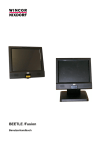
BEETLE /Fusion
Operating Manual
The reproduction, transmission or use of this document or its contents is not
permitted without express authority.
Offenders will be liable for damages.
All rights, including rights created by patent grant or registration of a utility model
or design, are reserved.
Delivery subject to availability; technical modifications possible.
Copyright© Wincor Nixdorf International GmbH, 2011
BEETLE /Fusion
Operating Manual
Edition Jul 2012
Contents
Contents
Manufacturer’s Certification ......................................................1
Tested Safety ...........................................................................1
FCC-Class A Declaration .........................................................2
BSMI (EMC for Taiwan) ...........................................................2
Technical & Regulatory Information on Wireless....................3
Wireless Interoperability ...........................................................3
Safety Instructions....................................................................3
Regulatory Information .............................................................4
Local Restriction of 802.11a, 802.11b, 802.11g, and
802.11n Radio Usage ..........................................................4
Europe-EU Declaration of Conformity ......................................5
France ..................................................................................6
Symbols used in this guide.......................................................7
Important Safety Precautions....................................................8
Overview....................................................................................10
Components ...........................................................................10
Front view – wall mount version .............................................12
Front view – desktop version..................................................12
Front view – desktop version..................................................13
Rear View...............................................................................14
BEETLE /Fusion – Operating Manual
01750166736 G
Contents
Turning on BEETLE /Fusion ....................................................15
Turning off BEETLE /Fusion...................................................17
Brightness adjustment............................................................17
Touch screen ............................................................................18
How to Operate ......................................................................18
Cleaning Instructions..............................................................19
Camera ......................................................................................20
Operation................................................................................20
Barcode reader .........................................................................21
Notes on the laser ..................................................................21
Proximity Sensor ......................................................................22
Appendix ...................................................................................23
Technical Data for BEETLE /Fusion 12..................................23
Technical data for BEETLE /Fusion 15 ..................................24
Technical data for BEETLE /Fusion 19 ..................................25
AC Power Adapter..................................................................26
Power Cord Selection.............................................................27
System specification...............................................................28
I/O connection ports ...............................................................31
Total Available Power of External I/O Ports ...........................32
Approved Printer List..............................................................34
01750166736 G
BEETLE /Fusion – Operating Manual
Manufacturer’s Certification
Manufacturer’s Certification
The device complies with the requirements of the EEC
directive 2004/108/EC with regard to “Electromagnetic
compatibility” and 2006/95/EC “Low Voltage Directive”.
Tested Safety
The BEETLE /Fusion has been provided with the symbol
for “Tested Safety”.
In addition, the device has received the UL symbol and
cUL symbol.
01750166736G
BEETLE /Fusion – Operating Manual
1
Manufacturer’s Certification
FCC-Class A Declaration
This equipment has been tested and found to comply with the limits for a ClassA
digital device, pursuant to part 15 of the FCC Rules. These limits are designed
to provide reasonable protection against harmful interference when the equipment is operated in a commercial environment. This equipment generates, uses,
and can radiate radio frequency energy and, if not installed and used in
accordance with the instruction manual, may cause harmful interference to radio
communications. Operation of this equipment in a residential area may cause
harmful interference in which case the user will be required to correct the interference at his own expense. Modifications not authorized by the manufacturer
may void user’s authority to operate this device.
This class A digital apparatus complies with Canadian ICES-003.
Cet appareil numerique de la classe A est conforme à la norme NMB-003 du
Canada.
BSMI (EMC for Taiwan)
The device complies with the requirements of the BSMI
(Bureau of Standards, Metrology and Inspection, Ministry of
Economic Affairs) directive CNS13438 with regard to
“Electromagnetic compatibility” with the limits for a Class B
product.
2
BEETLE /Fusion – Operating Manual
01750166736 G
Manufacturer’s Certification
Technical & Regulatory Information on
Wireless
Wireless Interoperability
The WLAN adapter integrated in the BEETLE /Fusion is designed to be
interoperable with any wireless LAN product that is based on direct sequence
spread spectrum (DSSS) and to comply with the following standards:
·
IEEE Std 802.11b Standard on 2.4 GHz Wireless LAN
·
IEEE Std 802.11g Standard on 2.4 GHz Wireless LAN
·
IEEE Std 802.11a Standard on 5 GHz Wireless LAN
·
IEEE Std 802.11 Draft-N on 5 GHz Wireless LAN
Safety Instructions
The WLAN adapter, like other radio devices, emits radio frequency
electromagnetic energy. The level of energy emitted by the adapter, however,
is less than the electromagnetic energy emitted by other wireless devices
such as mobile phones. The adapter operates within the guidelines found in
radio frequency safety standards and recommendations. These standards
and recommendations reflect the consensus of the scientific community and
result from deliberations of panels and committees of scientists who
continually review and interpret the extensive research literature. In some
situations or environments, the use of the adapter may be restricted by the
proprietor of the building or responsible representatives of the applicable
organization. Examples of such situations may include:
01750166736G
·
Hospital
·
Any other environment where the risk of interference with other
devices or services is perceived or identified as being harmful.
BEETLE /Fusion – Operating Manual
3
Manufacturer’s Certification
If you are uncertain of the policy that applies to the use of wireless devices in
a specific organization or environment (a hospital, for example), you are
encouraged to ask for authorization to use the adapter before you turn it on.
Regulatory Information
The WLAN adapter must be installed and used in strict accordance with the
manufacturer's instructions as described in the user documentation that
comes with the product. The manufacturer is not responsible for any radio or
television interference caused by unauthorized modification of the devices
included with the WLAN adapter kit, or the substitution or attachment of
connecting cables and equipment other than that specified by the
Manufacturer. The correction of interference caused by such unauthorized
modification, substitution or attachment is the responsibility of the user. The
manufacturer and its authorized resellers or distributors are not liable for any
damage or violation of government regulations that may arise from the user
failing to comply with these guidelines.
Local Restriction of 802.11a, 802.11b, 802.11g, and 802.11n
Radio Usage
CAUTION: Due to the fact that the frequencies used by 802.11a, 802.11b,
802.11g and 802.11n wireless LAN devices may not yet be harmonized in all
countries, 802.11a, 802.11b, 802.11g and 802.11n products are designed for
use only in specific countries, and are not allowed to be operated in countries
other than those of designated use. As a user of these products, you are
responsible for ensuring that the products are used only in the countries for
which they were intended and for verifying that they are configured with the
correct selection of frequency and channel for the country of use. Any
deviation from permissible settings and restrictions in the country of use could
be an infringement of national law and may be punished as such.
4
BEETLE /Fusion – Operating Manual
01750166736 G
Manufacturer’s Certification
Europe-EU Declaration of Conformity
This equipment complies with the essential requirements of the European
Union directive R&TTE 1999/5/EC.
Cet équipement est conforme aux principales caractéristiques définies dans la
Directive européenne R&TTE 1999/5/CE.
Die Geräte erfüllen die grundlegenden Anforderungen der R&TTE-Richtlinie
1999/5/EG.
Questa apparecchiatura è conforme ai requisiti essenziali della Direttiva
Europea R&TTE 1999/5/CE.
Este equipo cumple los requisitos principales de la Directiva R&TTE
1999/5/CE de la UE, "Equipos de Terminales de Radio y
Telecomunicaciones".
Este equipamento cumpre os requisitos essenciais da Directiva R&TTE
1999/5/CE do Parlamento Europeu e do Conselho.
O exoplismos autos plhroi tis basikes apaits ths koinotikhs odhgias EU
R&TTE 1999/5/E
Deze apparatuur voldoet aan de noodzakelijke vereisten van EU-richtlijn
betreffende radioapparatuur en telecommunicatie-eindapparatuur R&TTE
1999/5/EG.
Dette udstyr opfylder de Væsentlige krav i EU's direktiv R&TTE 1999/5/EC om
Radio- og teleterminaludstyr.
Dette utstyret er i overensstemmelse med hovedkravene i R&TTE-direktivet
(1999/5/EC) fra EU.
01750166736G
BEETLE /Fusion – Operating Manual
5
Manufacturer’s Certification
Utrustningen uppfyller kraven för EU-direktivet 1999/5/EC om ansluten
teleutrustning och ömsesidigt erkännande av utrustningens överensstämmelse (R&TTE).
Tämä laite vastaa EU:n radio- ja telepäätelaitedirektiivin (EU R&TTE Directive
1999/5/EC) vaatimuksia.
This product is intended to be used in all countries of the European Economic
Area when operating in IEEE 802.11b and/or IEEE 802.11g mode at 2.4 GHz
(see France below). When operating in the IEEE 802.11a mode at 5 GHz,
however, the product is restricted further.
France
In all Metropolitan départements, wireless LAN frequencies can be used
under the following conditions, either for public or private use:
6
·
Indoor use: maximum power (EIRP) of 100 mW for the entire 24002483.5 MHz frequency band.
·
Outdoor use: maximum power (EIRP) of 100 mW for the 2400-2454
MHz band and with maximum power (EIRP) of 10 mW for the 24542483.5 MHz band.
BEETLE /Fusion – Operating Manual
01750166736 G
Introduction
Introduction
This operating manual provides all the information required for the operation
of Fusion system.
Having studied the operating manual, you will be able to properly operate the
system.
Symbols used in this guide
-
Text following this mark represents an item in a list.
““
Text in quotation marks contains references to other
chapters or sections in this document.
●
Paragraphs following this symbol are actions to be
performed in the specific order.
! WARNING
? NOTE
01750166736G
Texts following this symbol are actions to be performed in
order to avoid damage or injury.
This symbol identifies paragraphs which contain general
notes to facilitate use of the device and help avoid operating
errors.
BEETLE /Fusion – Operating Manual
7
Introduction
Important Safety Precautions
! WARNING
Please read the following notes carefully before doing any work on the
device.
This device complies with the relevant safety regulations for information
processing equipment.
8
-
Note the warning and information labels on the device.
-
The device is equipped with a safety-tested power cable, which must be
connected only to a grounded outlet.
-
Ensure that the correct power cord with safety approval is used (see
chapter “Appendix”, is as specified in the “Power Cord Selection”).
-
Always hold the plug when removing the power cable. Never pull the
cable itself.
-
Install cables in such a way that they will not be damaged or crushed in
any way.
-
Have damaged power cables replaced immediately.
-
The lithium battery must be disposed of in accordance with local
regulations for special waste.
-
If the display element is damaged and the liquid crystal solution leaks out
onto your hands or clothing, please wash your hands or clothing
immediately under running water for at least 15 minutes, using soap or
alcohol. If the liquid comes into contact with your eyes, consult a medical
doctor immediately.
-
Make sure that there is always free access to sockets used or to the
electrical circuit-breakers of the house installation.
BEETLE /Fusion – Operating Manual
01750166736 G
Introduction
-
In case of an emergency (e.g. damaged cabinets, control or power
cables, liquids or foreign objects in the device), switch off the device
immediately and inform the customer service responsible for you.
-
During the thunderstorm, data transmission lines must not be connected
or disconnected.
-
Only use accessories and extension components that have been
approved by us. Nonobservance can result in damage to the system or
violations of regulations concerning safety, radio interference and
agronomical requirements.
-
To clean the device only use cleaning agents approved by Wincor Nixdorf
International GmbH.
Repairs
! WARNING
Repair work may only be carried out by authorized personnel.
Unauthorized opening of the device or repair work carried out improperly not
only could result in considerable danger to the user but also cancel all the
warranty and liability agreements.
In case of noncompliance, Wincor Nixdorf International GmbH excludes all
liability.
01750166736G
BEETLE /Fusion – Operating Manual
9
Overview
Overview
The BEETLE /Fusion is a family of POS terminal that is configurable for wall
mount or desktop application. It is designed for indoor installation.
Components
The configuration of the Fusion may comprise of the following components:
-
Processor options:
Category A
Category B
Category C
o Celeron M 1.0GHz
o Celeron Dual Core,
T3100 1.9GHz
o Atom D425 1.8GHz
o Celeron M 1.5GHz
-
Min. 512MB RAM (up to 2GB RAM)
-
Mass storage options:
§
160GB 2.5” hard disk (min.)
§
8GB, 16GB, 32GB, 64GB SSD
-
Display options:
§
15” or 12.1” (4:3)
o Non Touch
o Capacitive Touch
o Resistive Touch
§
-
10
o Core 2 Duo, P8400
2.26GHz
o Atom D525 1.8GHz,
dual-core
18.5” wide (16:9)
o Infra-Red Touch
Cash drawer and NVRAM (optional)
BEETLE /Fusion – Operating Manual
01750166736 G
Overview
-
01750166736G
Mounting options:
§
wall mount version
§
desktop version
BEETLE /Fusion – Operating Manual
11
Overview
Front view – wall mount version
Camera &
microphone
Display
Stereo speakers
LED ON/OFF
Barcode reader
Power ON/OFF
Proximity sensor Brightness
adjustment
12
BEETLE /Fusion – Operating Manual
01750166736 G
Overview
Front view – desktop version
Camera &
microphone
Display
Stereo speakers
LED ON/OFF
Brightness
adjustment
Barcode reader
Proximity sensor
Power ON/OFF
Desktop stand
01750166736G
BEETLE /Fusion – Operating Manual
13
Overview
Rear View
Access cover
for customer
display
interface
Access cover
for HDD, CF &
miniPCle
Access cover
for memory
module
100mm VESA
mount holes
Cable Cover
Front
bezel
14
Back cover assembly consisting of a
plastic exterior cover with an inner
metal shield
BEETLE /Fusion – Operating Manual
01750166736 G
Basic Operation
Turning on BEETLE /Fusion
To put the system in operation, observe the following:
·
Remove the cable cover.
·
Inset the IEC connector of the cable into power supply.
·
Plug the 24V plug into the jack on the BEETLE / FUSION (see arrow
below).
·
Put the safety plug in the socket of the building installation.
Plug in the 24V power supply plug
here
01750166736G
BEETLE /Fusion – Operating Manual
15
Basic Operation
·
Turn on the unit by pressing the power button (1) at the bottom right of the
screen unit (1). The LED on / off lights should be visible (2)
2 LED On/Off
1 Power ON/OFF
·
Once the application is started, the system is ready.
Should the system not running up, turn off the unit again. To do this, press the
power button about 5 seconds.
Check all connections on a fixed and correct position and turn the power back
on.
If the problem persists, turn the unit off again and pull the plug. Inform the
Technical Support, Wincor Nixdorf.
16
BEETLE /Fusion – Operating Manual
01750166736 G
Basic Operation
Turning off BEETLE /Fusion
To turn off the system, shut down the operating system. Press the power
button for about 5 seconds and observe the LED light to be off.
If possible, disconnect the power cord to completely disconnect the unit from
the mains.
Brightness adjustment
·
The key for this setting are at the lower right side of the display unit (see
figure below).
·
Press the ‘Arrow Up’ or ‘Arrow Down’ buttons to adjust the brightness
until the appropriate adjustment is acceptable by the user.
01750166736G
BEETLE /Fusion – Operating Manual
17
Touch Screen
Touch screen
How to Operate
Touching the touch screen has the same effect as clicking the left mouse
button. Depending on the selected touch screen option, the user
experience with touch is different.
For capacitive touch it responds to very light touch, and only touch using
bare finger is possible.
As for resistive touch it requires slightly harder touch to get a response,
and touch with glove is possible.
IR touch responds to very light touch, or even effective when there is no
physical touch on the touch screen as it detect the touch whenever
fingers or any objects that has responded to its IR ray. Due to its
sensitivity, always make sure that the IR touch screen is dust free to
obtain optimum touch performance.
18
BEETLE /Fusion – Operating Manual
01750166736 G
Touch screen
Cleaning Instructions
Always turn off the system before cleaning!
The glass surface of your Touch Screen should be cleaned with a mild,
abrasive free, commercially available glass cleaning product. All pH
neutral materials (pH 6 to 8) are good for cleaning. Cleaners with pH
values 9 to 10 are not recommended. Cleaning with water and isopropyl
alcohol is possible as well. Do not use solvents containing acetic acid.
Use a soft, fine-meshed cloth to clean the surface. Dampen the cloth
slightly and then clean the screen.
A wrong maintenance may cause damages to the screen, which are not
covered by guarantee or warranty.
01750166736G
BEETLE /Fusion – Operating Manual
19
Camera
Camera
Operation
The digital camera with integrated digital microphone is located near the
top edge of the BEETLE /Fusion. Picture or video can be taken under
the control of the software application.
The range of focus for the digital camera is from 60cm onward.
? NOTE
Camera option is NOT available for BEETLE /Fusion 12.
20
BEETLE /Fusion – Operating Manual
01750166736 G
Camera
Barcode reader
Hold the barcode in a landscape format underneath the barcode reader.
The laser beam will start automatically. The laser beam must cover the
whole width of the barcode.
A successful reading of the barcode will be quit with a beep.
Notes on the laser
01750166736G
BEETLE /Fusion – Operating Manual
21
Camera
Proximity Sensor
With the proximity sensor persons as well as objects of comparable size,
moving within the detection area of the sensor, are detected and are
signalled to the application program via evaluation electronics.
The application can react to this message e. g. by sending out acoustic
signals or by changing the content on the monitor.
22
BEETLE /Fusion – Operating Manual
01750166736 G
Appendix
Appendix
Technical Data for BEETLE /Fusion 12
Wall mount
Desktop
296 mm
96 mm
320 mm
420 mm
265 mm
320 mm
Weight of device
6.3 kg
9.0 kg
Climatic category
Operating
Transport
Storage
IEC 721-3-3 class 3K3+ 5° to +40°C
IEC 721-3-2 class 2K2 -25° to +60°C
IEC 721-3-1 class 1K2 +5° to +40°C
Rated Input voltage
Cat A & B
24V DC (nominal)
Cat C
24V DC (nominal)
Rated Input current
7.5A
4.16A
Certifications
CE, FCC, CB, UL,
TUV-GS, CCC, BSMI
CE, CB, CCC, BSMI
Dimensions
Height
Depth
Width
Remarks
01750166736G
Resistive touch only
BEETLE /Fusion – Operating Manual
23
Appendix
Technical data for BEETLE /Fusion 15
Wall mount
Desktop
336 mm
96 mm
370 mm
430 mm
265 mm
370 mm
Weight of device
6.8 kg
9.5 kg
Climatic category
Operating
Transport
Storage
IEC 721-3-3 class 3K3+ 5° to +40°C
IEC 721-3-2 class 2K2 -25° to +60°C
IEC 721-3-1 class 1K2 +5° to +40°C
Rated Input voltage
Cat A & B
24V DC (nominal)
Cat C
24V DC (nominal)
Rated Input current
5.0A / 7.5A
4.16A
CE, FCC, CB, UL,
TUV-GS, CCC, BSMI
R&TTE (Cat A only) note1
CE, FCC, CB, UL,
TUV-GS, CCC, BSMI
Dimensions
Height
Depth
Width
Certifications
note1: Certification applicable to Intel 512AN-MMW module only
24
BEETLE /Fusion – Operating Manual
01750166736 G
Appendix
Technical data for BEETLE /Fusion 19
Wall mount
Desktop
342 mm
96 mm
476 mm
434 mm
265 mm
476 mm
Weight of device
8.0 kg
10.7 kg
Climatic category
Operating
Transport
Storage
IEC 721-3-3 class 3K3+ 5° to +40°C
IEC 721-3-2 class 2K2 -25° to +60°C
IEC 721-3-1 class 1K2 +5° to +40°C
Rated Input voltage
Cat B
24V DC (nominal)
Rated Input current
7.5A
Dimensions
Height
Depth
Width
Certifications
CE, FCC, CB, UL,
TUV-GS, CCC, BSMI
R&TTE (Cat B only) note1
note1: Certification applicable to Intel 512AN-MMW module only
01750166736G
BEETLE /Fusion – Operating Manual
25
Appendix
AC Power Adapter
The AC power adapter used must be Wincor Nixdorf’s qualified and has to
meet the following minimum requirements and industry standards:
26
Rated Input voltage
100 - 240 Vac
Input Voltage range
90 to 264Vac
Input Frequency range
47 to 63 Hz
Rated Output voltage
24V ± 5%,
Rated Output current
4.16A (mini if BEETLE /Fusion rating is 4.16A
5.0A (min) if BEETLE /Fusion rating is 5.0A
7.5A (min) if BEETLE /Fusion rating is 7.5A
Approvals &
Certification
UL Listed, TUV-GS, BSMI, CCC, CE
BEETLE /Fusion – Operating Manual
01750166736 G
Appendix
Power Cord Selection
If the power cord is not provided with the system, the user has to ensure that
a certified power cord is used as required by the Safety Regulation of the
country.
Countries
Safety Approvals
USA
UL
Canada
CSA
Germany
VDE
Japan
PSE
Taiwan
BSMI
China
CCC
For other countries not mentioned in the above list, please check with the
local authority.
01750166736G
BEETLE /Fusion – Operating Manual
27
Appendix
System specification
High-End
Entry-Level
Processors
Celeron M 1.0GHz or
Atom D425 1.8GHz or
Celeron T3100 1.9GHz or
Celeron M 1.5GHz
Atom D525 1.8GHz
Core 2 Duo P8400
2.26GHz
Chipset
Intel 910GMLE,
ICH6M
Intel Atom, ICH8M
Intel GM45, ICH9M-E
Memory
Two memory slot,
each support up to
1GB 400MHz DDR2
un-buffered SODIMM
One memory slot,
support up to 2GB
1067MHz DDR3 unbuffered SODIMM.
One memory slot, support
up to 4GB 1067MHz
DDR3 un-buffered
SODIMM.
Video
Integrated Graphic controller, dual-independent display
Audio
AC97 codec sound
On-board 2 x 2W power amplifier
Integrated speakers
28
BEETLE /Fusion – Operating Manual
01750166736 G
Appendix
Network
On-board 10/100/1000 LAN (Ethernet)
Optional Wireless LAN 802.11 a/b/g/Draft-n with embedded antenna via miniPCIe
External
Interfaces (User
accessible)
1 x Keyboard/Mouse, PS/2
1 x CRT
2 x Standard USB (Type A)
1 x 24V Powered USB
1 x 12V Powered USB
1 x Standard RS232C
3 x Powered RS232C
1 x eSATA (not hot-pluggable)
1 x 10/100/1000 LAN
1 x Line-out/Speaker
1 x Line-in/Mic-in
1 x Cashdrawer (optional)
1 x 5/12VDC Output
Expansion Ports
1 x mini PCI Express
1 x Compact Flash (Type I & II)
Power
connectors
01750166736G
1 x 24V DC, 4-pin (input)
1 x 5/12V DC, 5-pin mini-DIN (output)
BEETLE /Fusion – Operating Manual
29
Appendix
NVRAM
4K bits (optional)
Mass storage
2.5” Hard disk, 160GB minimum
8GB, 16GB, 32GB & 64GB SSD (MLC type)
Fusion 12
Primary Display
Resolution
Brightness
Contrast ratio
Touch screen
option
12.1” SVGA
800 x 600
370 cd/m2
450
Fusion 15
Fusion 19
15” XGA
1024 x 768
250 cd/m2
300
18.5” WXGA
1366 x 768
250 cd/m2
1000
Capacitive or Resistive
Camera option –
integrated camera
with microphone
X
P
Infra-Red
P
.
30
BEETLE /Fusion – Operating Manual
01750166736 G
Appendix
I/O connection ports
USB
(RJ45) note1, 2
PS/2
COM2
COM3
COM1
VGA
LAN
Cashdrawer
(RJ12) note2
COM5
(touch) note1
COM4
USB3
24V
USB1
USB2
USB4
12V
eSATA
Audio
5/12V
Output
note1:
Proprietary interfaces, for
Wincor specific devices only.
note2:
Externally accessible port is
optional.
01750166736G
COM6
(RJ45) note1
24V
Input
Spk-Out
(internal) note1
BEETLE /Fusion – Operating Manual
31
Appendix
Total Available Power of External I/O Ports
The total power available for the external IO ports depends on the choice of
AC power adapter used. Below is the Wincor Nixdorf’s approved AC power
adapter for BEETLE /Fusion.
Wincor P/N
Model Name
Output Power
Rating of AC
Power Adapter
Total power available
for External I/O Ports
01750167073
FSP120-ACA
120W
40W
01750171156
FSP180-AAAN1
180W
100W
01750205088
ADP-1002-24V
100W
65W
IMPORTANT NOTE:
Table below shows a list of free external I/O ports and the corresponding
power ratings. Before connecting additional peripherals to these ports, service
engineer or trained technician must check and ensure that the power
consumptions of the peripherals do not exceed the maximum output powers
of the ports and that the total power consumption does not exceed the total
available power of the selected of AC power adapter, especially when using
the output connector USB3(24V) or USB4(12V).
32
BEETLE /Fusion – Operating Manual
01750166736 G
Appendix
Rated
Voltage
(V)
Max
Current
(A)
Max Power
(W)
COM2&3
(combined)
12
1
12
5
1
5
COM4
12
1
12
5
0.5
2.5
Depends on the power
adapter used.
USB1
5
0.5
2.5
See above table for the
USB2
5
0.5
2.5
applicable total
USB3 (+24Vdc
powered)
5
0.5
2.5
available power
I/O Port Name
Max Total Power
consumption
(W)
24
3
72
5
0.5
2.5
USB4 (+12Vdc
powered)
12
3
36
USB5 (mini-PCIe)
5
0.5
2.5
5/12V Output
12
1.5
18
5
1.5
7.5
Other Notes:
1. To avoid damage to the system, installation of additional
peripherals should be done by service engineer or trained
technician.
01750166736G
2.
For Cat A & B processor options, only use 180W power adapter
or of higher rating if a printer is to be connected to the +24Vdc
powered USB port.
3.
See the Approved Printer List in the following section if printer is
used with the +24Vdc Powered USB port
4.
For model BEETLE /Fusion 19, the USB3 24V powered USB
output and the USB4 12V powered USB output are not Limited
Power Source according to IEC 60950. The intended
peripherals are UL Listed product. Please consult Wincor
Nixdorf if in doubt.
BEETLE /Fusion – Operating Manual
33
Appendix
Approved Printer List
The following are the approved printers that are allowed to be
connected to the BEETLE /Fusion’s +24Vdc Powered USB port:
Model
Manufacturer
1
TH230
Wincor Nixdorf
2
TH320
Wincor Nixdorf
3
TH420
Wincor Nixdorf
4
ND210
Wincor Nixdorf
5
ND77
Wincor Nixdorf
6
TH200 series
Wincor Nixdorf
! WARNING
Connecting printer that are not in the above approved list to
the +24Vdc Powered USB port may cause safety hazard and
endanger the user and the nearby people. Please consult
Wincor Nixdorf if in doubt.
34
BEETLE /Fusion – Operating Manual
01750166736 G
Published by
Wincor Nixdorf Pte Ltd
2, Kallang Sector
Singapore 349277
Part No.: 01750166736 G