1
Nothing Comes Close To A Cobra
™
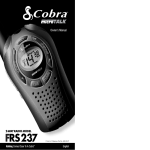
FRS237
English
2
Printed in Philippines Part No. 480-052-P
English
©2002 Cobra® Electronics Corporation
6500 West Cortland Street
Chicago, Illinois 60707 USA
www.cobra.com
For Assistance Outside Canada, the U.S.A. or in French
Contact Your Local Dealer
2-WAY RADIO MODEL
Guide d’utilisation
Secondary Icons
Main Icons
Introduction
Intro
Commodité et sécurité
Operation
Customer
Warranty
Il est facile de rester en contact avec
la famille et les amis avec un
Assistance
poste émetteur-récepteur microTALK®. Cet appareil vous sera utile
dans de très nombreuses circonstances :
Pour communiquer avec vos compagnons pendant une randonnée pédestre,
pendant une excursion à vélo ou au travail ; pour garder le contact avec la
famille et les amis au milieu de la foule lors d’évènements publics ; pour parler
à des compagnons
de voyage d’un véhicule à l’autre ; pour parler avec les
Secondary Icons
voisins ; pour se fixer un point de rencontre dans un centre commercial.
Accrochez votre microTALK®
Agrafe de ceinture
et partez à l’aventure !
L’agrafe de ceinture et la dragonne vous permettent
de transporter le poste émetteur-récepteur microTALK®
partout où vous allez.
Dragonne
L’agrafe
de ceinture se fixe en un tour de main à une
Notice
ceinture, un sac à main ou un sac à dos. Il suffit de
pincer l’agrafe entre vos doigts et de l’installer là où
vous voulez.
Intro
For Assistance
InWarranty
Canada or the U.S.A.
Customer
Assistance
In this user’s
manual, you should find all the information you need
to operate your microTALK® radio. If you require further assistance
after reading this manual, Cobra® Electronics offers the following
customer assistance services:
Automated Help Desk
English only. 24 hours a day, 7 days a week 773-889-3087 (phone).
Customer Assistance Operators
English and Spanish. 8:00 a.m. to 6:00 p.m. CT,
Monday through Friday (except holidays) 773-889-3087 (phone).
Questions
English and Spanish. Faxes can be received at 773-622-2269 (fax).
Notice
Technical Assistance
English only. www.cobra.com (on-line: Frequently Asked Questions).
English and Spanish. [email protected] (e-mail).
Operation
Service à la clientèle
Customer Assistance
Intro
Main Icons
Wrist Strap
Secondary Icons
Belt Clip
Secure your microTALK®
radio while on the go.
Carrying your microTALK® radio with you is
easy when using the belt clip or wrist strap.
The belt
clip easily attaches to your belt, purse,
Notice
or backpack. Simply squeeze the clip and place
it where you prefer.
Staying in touch with your family
and friends is
Assistance
convenient and easy when using your microTALK®
radio. Some of the many uses you will discover include:
Communicating with others while hiking, biking, and working; keeping
track of family and friends at a crowded public event; checking with
travel companions in another car; talking with neighbors; arranging
Secondary Icons
meeting
spots with others while shopping at the mall.
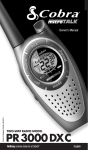
Owner’s Manual
POSTE ÉMETTEURRÉCEPTEUR
FRS237
Intro
Introduction
Operation
Customer
Warranty
Making Life Easier & Safer
Rien n’est comparable à un Cobra™
Pour obtenir
au Canada et aux États-Unis
Operation
Customerde l’aide
Warranty
Assistancedans ce guide d’installation, les renseignements qui
Vous trouverez
vous permettront d’utiliser les nombreuses fonctions du poste émetteurrécepteur microTALK®. Si vous avez besoin d’aide après avoir lu ce guide,
Cobra® Electronics offre à sa clientèle les services suivants :
Centre d’assistance automatisé
En anglais seulement. 24 heures sur 24, 7 jours sur 7 773-889-3087 (téléphone).
Préposés à l’aide à la clientèle
En anglais et en espagnol. Entre 8 h et 18 h, HNC, du lundi au vendredi
(sauf les jours fériés) - 773-889-3087 (téléphone).
Questions par télécopieur
En anglais et en espagnol. Envoyez votre télécopie au 773-622-2269.
Assistance technique
Notice
En anglais seulement. www.cobra.com - service en ligne :
« Frequently Asked Questions » (Foire aux questions).
En anglais et en espagnol. [email protected] (courriel).
Pour obtenir de l’aide hors des États-Unis ou en français,
communiquez avec votre détaillant.
Imprimé en Philippines n° de pièce 480-052-P
2
©2002 Cobra® Electronics Corporation
6500 West Cortland Street
Chicago, Illinois 60707 USA
www.cobra.com
Français
Français
Product Features
Introduction
Intro
Operation
Customer
Assistance
Warranty
Antenna
Intro
Features
Wrist Strap
Connector
• Two-Way Radio
With a range
up to three (3)
kilometers
(2 miles).
Belt Clip
Secondary Icons
Product Features
Introduction
Battery
Compartment
Operation
Customer
Assistance
Backlit LCD
Display
Receive/Transmit
Tower Icon
Lock
Icon
Introduction
Warranty
Roger
Beep Icon
• Backlit LCD
Display
External Speaker/
Microphone Jack
• Scan
(channel,
privacy code)
Notice
• Water Resistant
Talk
Button
Intro
Pull Down Lock Latch
Notice
• Speaker/
Microphone Jack
On/Off
Power
Button
Insert Batteries
Secondary Icons
• Call Alert
(10 selectable
tones)
Lock
Button
Main Icons
Intro
Backlit
LCD
Display
• Maximum
Customer
Range Extender
Operation
Assistance
• Belt Clip
• Wrist Strap
Volume Up/
Down Button(s)
Secondary Icons
Mode
Button
Call
Button
Notice
Speaker/
Microphone
3
English
Contact your local Cobra® dealer or
Cobra® directly for optional battery
pack and desktop charger accessories.
• “Roger Beep”
(selectable On/Off)
• Auto Squelch
4
Notice
CTCSS Privacy
Code Numbers
Main Channel
Numbers
Warranty
Intro
Scan Icon
Power
Saver Icon
Intro
Industry Canada Notice: Operation is subject to the following two (2)
conditions: 1) this device may not cause interference, and 2) this device
must accept any interference, including interference that may cause
undesired operation of the device.
«IC» before the equipment certification number signifies that the Industry
Canada technical specifications were met. It does not guarantee
that the certified product will operate to the user’s satisfaction.
Important FCC Licensing Information
This device complies with part 15 of the FCC Rules. Operation is subject
to the following two conditions: (1) This device may not cause harmful
interference, and (2) this device must accept any interference received,
Secondary Icons
including interference that may cause undesired operation.
FCC Warnings: Replacement or substitution of transistors, regular diodes or
other parts of a unique nature, with parts other than those recommended by
Cobra®, may cause a violation of the technical regulations of part 95 of the FCC
Rules, or violation of Type Acceptance requirements of Part 2 of the Rules.
English
Warranty
Warranty
Main Icons
• Battery/
Power Saver
Channel
Up/Down
Buttons
Customer
®
Assistance
Batteries
•
To Install or Replace Batteries:
1. Remove belt clip by releasing belt clip
latch andCustomer
sliding clipWarranty
up.
Operation
Assistance
2. Pull down
on the Battery Door Latch to
remove
the battery compartment cover.
Notice
3. Insert four (4) AAA batteries. (Always use high
quality alkaline batteries.) Position batteries
according to polarity markings.
4. Replace Battery Compartment cover and belt clip.
Main Icons
• Lock
Light/Max
Range
Button
Icons
RemoveSecondary
Belt Clip
• 38 Privacy Codes
Battery Door
Latch
Customer Assistance
Operation
Caring for Your microTALK Radio
•
Your microTALK® radio will give you years of trouble-free service if
cared for properly. Handle the radio gently. Keep the radio away from
dust. Never put the radio in water or in a damp place. Avoid exposure
Main Icons
to extreme
temperatures.
Battery
Low
• 14 Channels
Secondary Icons
Operation
Intro
Operation
Customer
Assistance
Warranty
The Basics to Get You Started
Your microTALK® radio is easy to use.
To get started, simply:
1. Press the Power button to turn On your radio.
Operation
Customer
Warranty
Secondary Icons
2. PressAssistance
the Channel Up or Channel Down
button to select a channel.
Both radios must be tuned to the
same channel to communicate.
3.Notice
Press and hold the Talk button while
speaking into the microphone.
4. When finished talking, release the Talk
button and listen for a response.
Nothing comes close to a Cobra™
5
Using Your Radio
Operation
Intro
Operation
On/Off Power
Secondary Icons
Battery Low
Notice
Battery Save Mode
Main Icons
Talk Button
Intro
5 cm (2 inches)
From Mouth
Secondary Icons
Customer
Assistance
Warranty
Turning On Your microTALK® Radio
•
To Turn On Your Radio:
1. Press and hold the Power button until you
hear a series of audible tones indicating
the radio is On.
Your microTALK® radio is now in Standby Mode,
ready to receive transmissions. The radio is
always in Standby Mode except when the Talk,
Call or Mode buttons are pressed.
Battery Low
•
When battery power is low, the Battery Low icon
will blink. Your batteries should be replaced or
recharged, if using rechargeable batteries.
Auto Battery Save
•
Your microTALK® radio has a unique circuit
designed to extend battery life. If there are no
transmissions within ten (10) seconds, the radio
will automatically switch to Battery Save Mode
and Power Saver icon will flash in the display.
This will not affect the radio’s ability to receive
incoming transmissions.
Communicating with Another Person
•
To Talk To Another Person:
1. Press and hold the Talk button.
Operation
Customer
2. With theAssistance
microphoneWarranty
about five (5)
centimeters (2 inches) from your mouth,
speak in a normal voice.
3. Release the Talk button when you are
finished talking and listen for a response.
You cannot receive incoming calls while
pressing the Talk button.
Introduction
Operation
Customer Assistance Warranty
Customer
Warranty
Scrolling Through
Assistance
the Mode Function
•
By scrolling through the Mode function, you will
be able to select or turn On preferred features of
your microTALK® radio. When scrolling through
Main Icons
the Mode function, your radio features will be
Secondary Icons
displayed in the same predetermined order:
Set Privacy Code
Set Channel Scan
Set Privacy Code Scan
Set Call Tones
Intro
Operation
Customer
Warranty
Set “RogerAssistance
Beep” On/Off
Mode Button
Intro
Operation
Notice
Channel Button
Main Icons
Secondary Icons
Channel Number
Channels
To Select a Channel:
1. With the radio On, select any of the
14 channels by pressing the Channel Up
or Channel Down button.
•
Both radios must be tuned to the
same channel to communicate.
Intro
38 Privacy Codes
Secondary Icons
Operation
Notice
Customer
Assistance
Warranty
CTCSS Privacy Codes
•
CTCSS (Continuous Tone Coded Squelch System)
is an advanced tone coding system allowing you
to select one of 38 privacy codes to reduce
interference from other users on the channel.
Notice
If you are using a privacy code, both
radios must be tuned to the same channel
and privacy code to communicate. Each
channel will remember the last privacy
code you selected.
Both radios must be tuned to
the same channel to communicate.
Notice
6
English
Nothing comes close to a Cobra™
7
Using Your Radio
Operation
Introduction
Operation
Intro
Intro Button
Operation
Mode
Privacy Code
Secondary Icons
Channel Button
Notice
Listening
Volume Button
Volume Level
8
English
Customer
Assistance
Warranty
To Select a Privacy Code:
1. After selecting a channel, press the Mode
button until the small numbers next to the
channel number flash on the LCD.
2. Press the Channel Up or Channel Down button
to select a privacy code. You can hold the Up
or Down button for fast advance.
3. When your desired privacy code is displayed:
a. Press the Mode button to enter the new
setting and proceed to other functions.
b. Press the Lock button to enter the new
setting and return to Standby Mode.
c. Do not press any buttons for 15 seconds
to enter the new setting and return to
Standby Mode.
Listening for a Response
•
When You are Finished Talking:
1. Release the Talk button to receive incoming
transmissions. Your microTALK® radio is
always in Standby Mode while the Talk or
Call buttons are not pressed.
Volume
•
To Adjust the Volume:
1. Press the Volume Up or Volume Down button.
A double beep sound is used to indicate
the minimum and maximum volume levels
(L1 through L7).
Operation
Intro
Customer Assistance Warranty
Customer
Warranty
Assistance
Operation
Customer
Warranty
Call Button
Assistance
•
To Alert Another Person That You Are Calling:
1. Press and release the Call button.
The other person will hear a two (2) second call
Secondary Icons
tone. You cannot send or receive transmissions
the two (2) second call tone.
Secondaryduring
Icons
Call Button
Main Icons
See page 11 on how to select
between ten (10) call tone settings.
Notice
Intro
Mode Button
Secondary Icons
Scanning Channels
Scan
•
®
Your microTALK
radio can automatically scan
Notice
Operation
Customer
Warranty
main channels
(1
through
14)
or
the
privacy
codes
Assistance
(00 through 38) within one (1) main channel.
To Scan Main Channels:
1. Press the Mode button until the Scan icon and
the main channel number flashes on the display.
2. Press the Channel Up or Channel Down button
to begin scanning the main channels.
The radio ignores privacy codes
while scanning main channels.
Channel Button
3.Notice
The Scan icon will continue to be displayed
when Scan is On. Your radio will continue to
scan all main channels and stop if an incoming
transmission is detected.Your radio will remain
on that channel for ten (10) seconds. During this
time, you can:
a. Press and hold the Talk button and
communicate with others. Your radio
will remain on that channel and return
to Standby Mode.
b. Press the Channel Up or Channel Down
button to resume scanning channels.
c. Press the Mode button to proceed to
privacy code scanning (see page 10 for
further details).
Nothing comes close to a Cobra™
9
Using Your Radio
Operation
Intro
Operation
Secondary Icons
Channel Button
Notice
Select Channel
Mode Button
Scan Privacy Codes
10 English
Customer
Assistance
Warranty
If you press the Talk button while scanning
and not within ten (10) seconds of receiving
a transmission you will transmit on the last
channel you transmitted or received on.
If you do not press any button within ten (10)
seconds, your radio will automatically resume
scanning main channels.
To Scan Privacy Codes:
1. While in Standby Mode, press the Channel Up
or Channel Down button to choose the main
channel you wish to scan.
2. Press the Mode button until the Scan icon and
the privacy code number flashes on the display.
3. Press the Channel Up or Channel Down button
and your radio will begin scanning privacy
codes within the main channel you selected.
4. The Scan icon will continue to be displayed
when Scan is On. Your radio will continue
to scan privacy codes and stop an incoming
transmission is detected. Your radio will remain
on that channel and privacy code for ten (10)
seconds. During this time, you can:
a. Press and hold the Talk button to
communicate with others. Your radio
will remain on that channel and privacy
code and return to Standby Mode.
b. Press the Channel Up or Channel Down
button to resume scanning privacy codes.
c. Press the Mode button to proceed to
other functions.
If you press the Talk button while scanning
and not within ten (10) seconds of receiving
a transmission you will transmit on the last
channel you transmitted or received on.
If you do not press any button within ten (10)
seconds, your radio will automatically resume
scanning privacy codes.
Introduction
Operation
Customer Assistance Warranty
Customer
Warranty
10 Call Tone Settings
Assistance
•
You can choose between ten (10) different call
tone settings to transmit a unique call alert.
To Change a Call Tone Setting:
Call Tone Setting
1. Press the Mode button until the letter “C”
and the current call tone number (1 through
Secondary Icons
10) is displayed. The current call tone will
sound for one (1) second.
2. Press the Channel Up or Channel Down
Channel Button
button to hear the other call tone settings.
3. a. Press the Mode button to enter the new
settingNotice
and proceed to other functions.
b. Press the Lock button to enter the new
setting and return to Standby Mode.
Mode Button
Mode Button
Roger Beep Off
Channel Button
Intro
Operation
“Roger Beep” Confirmation Tone
•
Your listener will hear an audible tone when you
release the Talk button. This alerts the other party
that you are finished talking and it is OK for them
to speak. This feature can be turned On or Off.
To Turn “Roger Beep” On or Off:
When turning On your microTALK® radio
for the first time, “Roger Beep” will be On.
1. Press the Mode button until the Roger
Beep icon flashes. The current On or
Off setting is displayed.
2. Press the Channel Up or Channel Down
button to select “Roger Beep” On or Off.
3. a. Press the Mode button to enter the new
setting and proceed to other functions.
b. Press the Lock button to enter the new
setting and return to Standby Mode.
The setting you select will be saved when you
turn your radio Off and On again. When the
“Roger Beep” is On, the “Roger Beep” icon
will be displayed.
Nothing comes close to a Cobra™
11
Using Your Radio
Operation
Intro
Operation
Light/Max Range
Secondary Icons
Notice
Light/Max Range
Customer
Assistance
Warranty
Introduction
Operation
Display Illumination
•
To Illuminate Your Display:
1. Press and release the Light/Max Range button
to illuminate the display for ten (10) seconds.
Lock Button
Auto Squelch/Maximum Range
•
Your microTALK® radio is equipped with Auto
Squelch, which automatically shuts Off weak
transmissions and unwanted noise due to
terrain, conditions, or if you’ve reached your
maximum range limit.
You can temporarily turn Off Auto Squelch or
turn On Maximum Range Extender, allowing all
signals to be received and extending the maximum
range of your radio.
To Temporarily Turn Off Auto Squelch:
1. Press the Light/Max Range button less
than five (5) seconds.
If you hear two (2) beeps, you have turned the
Maximum Range Extender On (see below).
To Turn Maximum Range Extender On:
1. Press and hold the Light/Max Range button
for at least five (5) seconds until you hear
two (2) beeps which indicates the Maximum
Range Extender is On.
To Turn Maximum Range Extender Off:
1. Press and release the Light/Max Range
button or change channels.
Lock Mode
Customer Assistance Warranty
Customer
Warranty
Lock Function Assistance
The Lock function locks the Channel,
Mode, and Power buttons to prevent
accidental operation.
To Turn the Lock On or Off:
Press and hold the Lock button for
Secondary1.
Icons
two (2) seconds.
A double beep sound is used to confirm
your Lock On or Off request. When in
Lock Mode, the Lock icon will be displayed.
Speaker/Microphone
Main Icons
Maximum Range
Intro
Reduced Range
Secondary Icons
Reduced Range
Intro
Operation
•
Speaker/Microphone
Jack
Notice
•
Your microTALK® radio can be fitted with
an external Speaker/Microphone, freeing
your hands for other tasks. See page 16
for optional accessories ordering instructions.
Only Cobra® authorized accessories are
recommended.
To Attach Your Speaker/Microphone:
1. Open the Speaker/Microphone tab on
top of your microTALK® radio.
2. Insert the plug into the Speaker/
Microphone jack.
microTALK® Range
Your microTALK® radio has a range of up
to three (3) kilometers (2 miles). Your range
will vary depending
onWarranty
terrain and conditions.
Operation
Customer
Assistance
In flat, open
country your radio will operate
at maximum range.
Buildings and foliage in the path of the signal
can reduce the range.
Dense foliage and hilly terrain will further
reduce the signal.
•
Remember, you can achieve maximum
range by using Maximum Range
Extender. See page 12 for details.
Notice
12 English
Nothing comes close to a Cobra™
13
General Specifications
o
A
1
2
3
4
5
6
7
8
9
10
11
12
13
14
Operation
ons
Notice
B
C
462.5625
462.5875
462.6125
Notice
462.6375
462.6625
462.6875
462.7125
467.5625
467.5875
467.6125
467.6375
467.6625
467.6875
467.7125
Customer
Assistance
0.5
0.5
0.5
0.5
0.5
0.5
0.5
0.5
0.5
0.5
0.5
0.5
0.5
0.5
Warranty
The Cobra®
line of quality
products includes:
CB Radios
microTALK® Radios
Radar/Laser Detectors
Safety Alert® Traffic Warning
Systems
Accessories
GPS (Global
Positioning System)
HighGear™ Accessories
14 English
1. Sensitivity
For 12 DB SINAD . . . . . . . . . . dBm
For Call Signal Detection . . . . dBm
2. Max. Audio Output
@10% THD . . . . . . . . . . . . . . . mW
3. Max. S/N Ratio
@ 1mV RF Input . . . . . . . . . . . dB
4. Squelch
a) Sensitivity . . . . . . . . . . . . . . dBm
b) Attack Time . . . . . . . . . . . . . mS
c) Closing Time . . . . . . . . . . . . mS
5. Audio Frequency Response
@ 300 HZ . . . . . . . . . . . . . . . . . dB
@ 2500 HZ . . . . . . . . . . . . . . . . dB
6. Signal Displacement BW . . . +/-KHZ
7. Adjacent Channel Rejection . . . dB
Main Icons
8. Intermodulation Rejection . . . . dB
9. Spurious Response Rejection . dB
C. Transmitter
1. Power . . . . . . . . . . . . . . . . . . .mW
2. Carrier Frequency StabilityIntro
. . . ±Hz
3. Modulation Limiting . . . . . . . . KHz
4. Carrier Attack Time . . . . . . . . . mS
5. Audio Frequency Response
@ 300 HZ . . . . . . . . . . . . . . . . . dB
@ 2500 HZ . . . . . . . . . . . . . . . . dB
6. Audio Distortion . . . . . . . . . . . . %
7. Hum Noise . . . . . . . . . . . . . . . . dB
Secondary Icons
8. Transient Frequency Behavior
a) TX On . . . . . . . . . . . . . . . . . mS
b) TX Off . . . . . . . . . . . . . . . . . mS
D. Power Supply
1. Battery Life (5:5:90 RATIO)
With Alkaline Batteries . . . . . . . HR
2. Battery Operating Range . . . . . . V
Operation
Intro
Customer Assistance Warranty
Operation
Customer
Warranty
Nominal
A = Channel No. For
14 Channel FRS Models
B = Frequency in MHz
Secondary Icons
C = Power in Watts
B. Receiver
If you have any questions about operation
Assistanceor installing
your new Cobra® product, or if you are missing parts…
®
Please call Cobra first! DO NOT RETURN THIS PRODUCT
TO THE STORE! See customer service on page 2.
-121
-121
Product Service
200
50
-121
150
200
-3
-10
5
60
65
55
Nominal
A. FRS Frequency
Allocation
Introduction
Warranty
500
500
Operation
2.5
80
-12
+6
3
30
30
5
Nominal
Customer
Assistance
Unit
Operation
Unit
Intro
Unit
Operation
Notice
24
4.2 - 6.0
For Products Purchased in Canada
For out of warranty service, ship prepaid this product to: AVS Technologies Inc., 2100 TransCanada
Icons
Secondary
Hwy S., Montreal, Quebec,
H9P 2N4.
We reserve the right to repair or replace the radio with an
equivalent product. Please include the following information: Date of Purchase, Model Number,
Dealer Purchased From, Dealer Address, Dealer Phone Number.
For Products Purchased in the U.S.A.
If your product should require factory service, please call Cobra® first before sending your radio.
This will ensure the fastest turn-around time on your repair. You may be asked to send your radio to the
Cobra® factory. It will be necessary to furnish the following to have the product serviced and returned.
1) For Warranty Repair include some form of proof-of-purchase, such as a mechanical reproduction
or carbon of a sales receipt. If you send the original receipt, it cannot be returned; 2) Send the entire
Noticewith the radio. Include a typed or clearly
product; 3) Enclose a description of what is happening
printed name and address of where the radio is to be returned; 4) Pack radio securely to prevent
damage in transit. If possible, use the original packing material; 5) Ship prepaid and insured by way
of a traceable carrier such as United Parcel Service (UPS) or First Class Mail to avoid loss in transit
to Cobra® Factory Service, Cobra® Electronics Corporation, 6500 West Cortland Street, Chicago,
Illinois 60707 USA; 6) If the radio is in warranty, upon receipt of your radio it will either be repaired or
exchanged depending on the model. Please allow approximately 3 – 4 weeks before contacting Cobra®
for status. If the radio is out of warranty, a letter will automatically be sent informing you of the repair
charge or replacement charge. If you have any questions, please call 773-889-3087 for assistance.
Warranty
Limited 1-Year Warranty For Products Purchased in Canada.
®
Customer
Warranty
Your new Cobra
FRS is covered by a one (1) year replacement warranty. If any manufacturing defect
Assistance
becomes apparent in this product within one (1) year from the original date of purchase, it will be
replaced. Please return the FRS radio to your dealer with original or copy of dated proof of purchase.
This warranty does not cover damages due to careless handling, negligence, accident, abuse or failure
to follow operating instructions. Alteration of this product or defacing of the serial number cancels all
obligations of this warranty. This warranty gives you specified legal rights. Additional warranty rights
may be provided by law in some areas.
Limited 1-Year Warranty For Products Purchased in the U.S.A.
Cobra® Electronics Corporation warrants that its Cobra® FRS radios, and the component parts thereof,
will be free of defects in workmanship and materials for a period of one (1) year from the date of first
consumer purchase. This warranty may be enforced by the first consumer purchaser, provided that the
product is utilized within the U.S.A. Cobra® will, without charge, repair or replace, at its option, defective
FRS radios, products or component parts upon delivery to the Cobra® Factory Service department,
accompanied by proof of the date of first consumer purchase, such as a duplicated copy of a sales receipt.
You must pay any initial shipping charges required to ship the product for warranty service, but the return
charges will be at Cobra®’s expense, if the product is repaired or replaced under warranty. This warranty
gives you specific legal rights, and you may also have other rights which may vary from state to state.
Exclusions: This limited warranty does not apply: 1) To any product damaged by accident; 2) In the
event of misuse or abuse of the product or as a result of unauthorized alterations or repairs; 3) If the serial
number has been altered, defaced, or removed; 4) If the owner of the product resides outside the U.S.A.
All implied warranties, including warranties of merchantability and fitness for a particular purpose are
limited in duration to the length of this warranty. Cobra® shall not be liable for any incidental, consequential
or other damages; including, without limitation, damages resulting from loss of use or cost of installation.
Some states do not allow limitations on how long an implied warranty lasts and/or do not allow the
exclusion or limitation of incidental or consequential damages, so the above limitations may not apply to
you. For products purchased outside the U.S.A., please contact your local dealer for warranty information.
Nothing comes close to a Cobra™
15
Intro
Adresse (autre qu’un casier postal)
Nom
Service à la clientèle
Operation
Customer
Assistance
Accessoires
et bon de commande
Product Features
Warranty
Province
Ville
Secondary Icons
Notice
Optional Accessories
You can find accessories
at your local Cobra® dealer,
or in the U.S.A. you can order
directly from Cobra.®
Code postal
Pays
Téléphone
Numéro de carte de crédit
Type : ❒ Visa ❒ Mastercard ❒ Discover
Date d’exp.
Signature
N° de l’article
Coût unitaire
É.-U.
Qté
Montant
Canada
Notice
Ordering From Canada
Call 514-683-1771 for pricing.
For credit card orders, complete and
return this order form to fax number
514-683-5307. Or call 514-683-1771
(Press 1 from the main menu) 9:00 a.m.
Operation
Customer
Warranty
to 5:00 p.m.Assistance
EST, Monday through Friday.
Make check or money order payable to:
AVS Technologies, Inc.
2100 Trans Canada Highway South
Montreal, Quebec H9P 2N4
**Quebec residents only.
Total
Commandes en
provenance des É.-U.
Total partiel É.-U.
(Taxe, le cas échéant)
Manutention et transport
Pour les
Total partiel Canada
États suivants :
AK, HI et PR, ajoutez
TPS 7 %
des frais additionnels
de 26,95 $ pour le
**TVQ 7,5 %
service FedEx Next
Manutention et
Day ou 10,95 $ pour
transport
le service FedEx 2nd
Total
Day. Fins de semaines
exclus.
et jours
Main
Icons fériés
$5.50
**Résidents du Québec seulement.
Tableau des taxes pour les É.-U.
Commandes en
Ohio, Wisconsin 5 % ; Indiana,
provenance du Canada
Michigan 6 % ; Illinois 8,75 %.
Pour connaître les prix,
Pour connaître les prix, composez
omposez le 514-683-1771.
le 773-889-3087 ou allez à l’adresse
Pour les commandes par carte de crédit,
suivante : www.cobra.com
remplissez ce bon de commande et envoyez-le
Pour les commandes par carte de crédit,
par télécopieur au 514-683-5307. Ou encore,
remplissez ce bon de commande et envoyez-le
Intro
Operation
Customer
Warranty sur le 1 à
composez le 514-683-1771
(appuyez
par télécopieur au 773-622-2269. Ou encore,
partir du menuAssistance
principal) entre 9 h et 17 HNE,
composez le 773-889-3087 (appuyez sur le 1
du lundi au vendredi.
à partir du menu principal) entre 8 h et 18 HNC,
Libellez le chèque ou le mandat au nom de :
du lundi au vendredi.
AVS Technologies, Inc.
Libellez le chèque ou le mandat au nom de :
2100 route Transcanadienne Sud
Cobra® Electronics, Attn : Accessories Dept.
Montréal,
Québec H9P 2N4
6500 West Cortland Street
Prévoyez de 4 à 6 semaines pour la livraison au Canada.
Chicago, IL 60707 USA
Secondary Icons
Les prix peuvent être modifiés sans préavis.
Pour commander en ligne, visitez notre site Web :
www.cobra.com
Prévoyez de 2 à 3 semaines pour la livraison aux
États-Unis. Les prix peuvent être modifiés sans préavis.
Amount
Accessoires en option
Vous pouvez trouver des accessoires
chez votre revendeur local Cobra®
ou, aux États-Unis, il est possible
de les commander directement
auprès de Cobra®.
Qty
Exp. Date
Country
Manutenion
Montant
et transport
10,00 $ et moins . . . 3,00 $
10,01 $-25,00 $ . . . . 5,50 $
25,01 $-50,00 $ . . . . 7,50 $
50,01 $-90,00 $ . . . 10,50 $
90,01 $-130,00 $ . . 13,50 $
130,01 $-200,00 $ . 16,50 $
200,01 $ et plus . . . . . 10%
du total
$5.50
G.S.T. 7%
Canada
Cost Each
Zip
Warranty
Notice
**QST 7.5%
Shipping/
Handling
Canada Subtotal
Shipping/Handling
(Tax if Applicable)
U.S. Subtotal
U.S.
Item #
Type: ❒ Visa ❒ Mastercard ❒ Discover
State/Province
Customer
Assistance
Accessories & Order Form
16 Français
16 English
Please allow 4-6 weeks for delivery in Canada.
Prices subject to change without notice.
Please allow 2-3 weeks for delivery in the U.S.
Prices subject to change without notice.
Call 773-889-3087 for pricing
or visit www.cobra.com.
For credit card orders, complete and
return this order form to fax number
773-622-2269. Or call 773-889-3087
Intro
(Press 1 from the main menu) 8:00
a.m.
to 6:00 p.m. CT, Monday through Friday.
Make check or money order payable to:
Cobra® Electronics, Attn: Accessories Dept.
6500 West Cortland Street
Chicago, IL 60707 USA
Secondary Icons
To order online, please visit
our website:
www.cobra.com.
Amount Shipping/Handling
$10.00 or less . . . . . $3.00 For AK, HI and PR
$10.01-$25.00 . . . . . $5.50 add additional $26.95
$25.01-$50.00 . . . . . $7.50 for FedEx Next Day
$50.01-$90.00 . . . . $10.50 or $10.95 for FedEx
$90.01-$130.00 . . . $13.50 2nd Day. Excludes
$130.01-$200.00 . . $16.50 weekends and
$200.01 plus . . . . . 10% of holidays shipments.
purchase
U.S. Tax Table
Ohio, Wisconsin add 5%; Indiana,
Main Icons
Michigan add 6%; Illinois add 8.75%.
Ordering From U.S.
Notice
Customer Signature
Credit Card Number
Telephone
City
Address (No P.O. Boxes)
Name
Operation
Customer Assistance