1
When you finished programming section 001, you pressed ##. The first # got you out of section 001,
and the second # got you out of programming altogether. If you want to continue programming when
you finish a section, just use one #, and you can go on to another section. Let's do section 005 (System
Times).
m
Here there is a small difference between the old and new systems. The new panels allow different
timing for each partition, so you must tell the system which partition you are setting up. So, if you are
programming a 1616/1832/1864, choose section 005 and enter a two digit number representing the
partition; for our purposes, we l assume it Partition 1 (the only one you are using). Then proceed to
the next paragraph. If you are programming one of the old panels, then ignore my previous sentence.
ro
ni
c
s.
co
As you see on the worksheet, there are four system times to be programmed: entry delay 1, entry delay
2, exit delay, and bell cut-off. Let's say you are happy with the default values for the last three items,
but you want delay 1 to be longer (say 60 seconds). Begin Installer Programming, then enter 005 to
program the System Times. Since entry delay 1 is the first item in that section, enter 060 (for 60
seconds), then # to exit that section with the other three values unchanged. What if you were satisfied
with the default values for entry delay 1 and 2, but you wanted to change the exit delay from 120 to 60
seconds? After entering 005 to go into that section, you have to first enter 030 for entry delay 1, then
045 for entry delay 2 (those are the default values). Only then could you enter the 060 for exit delay,
followed by # to exit. So even though you didn't change the first two items, you still had to enter them
before you could get to the third item, just as you did in defining the zones.
w
w
.m
ai
ne
le
ct
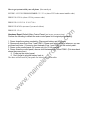
How about an example? New system, leaving Delay1 at default of 30 seconds, change Delay2 to 60
seconds, change the Exit Delay to 90 seconds. Here how:
*8
Installer Code
005 (the programming section)
01 (the partition) SKIP THIS ENTRY FOR THE OLD SYSTEMS
030 (30 seconds for Delay1)
060 (60 seconds for Delay2)
090 (90 seconds for the Exit Delay)
## (Exit Programming)
OTHER PROGRAMMING
w
By now, you should be getting the hang of this "programming" thing. There is one other type of entry
that you need to understand. Look at section 013 in the worksheet. This section contains the First
System Option Code. There are eight items in this section and each item can be toggled on or off by
pressing its number. Zone numbers 1 through 8 on the keypad display show the current settings for
these options. By default, options 1, 2, 4, 5, and 8 are off. Options 3, 6, and 7 are on. If you look at
the keypad, only numbers 3, 6, and 7 are on. Let's say you want to use normally closed loops instead of
End-Of-Line resistors. You would want to turn option 1 on, so you would enter 013 to get into that
section, then press 1 to toggle option 1 on (the number 1 will turn on). You can toggle any of the 8
options on or off by simply pressing the corresponding number. This applies to any of the sections
where you must turn options on or off, rather than entering values.
When
eypad Programmingwas mentioned earlier, you were told that you could, and probably should,