1
Before You Begin
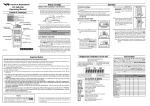
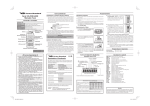
Battery Pack Installation and Removal
VX-160E/-180E
Operating Manual
Ì To install the battery, hold the transceiver with your left hand, so
your palm is over the speaker and your thumb is on the top of the
belt clip. Insert the battery pack into the battery compartment on
the back of the radio while tilting the Belt Clip outward, then
a ck
Tilt th e B elt Clip
close the Battery
te ry P
th e B at
In se rt
Pack Latch until it
locks in place with
a “Click.”
Controls & Connectors
LED Indicator
Glows Green
Blinking Green
Glows Red
Blinking Red
Blinking Yellow
Monitor on (except 5-Tone Mode)
Busy Channel (or SQL off)
Transmitting
Battery Voltage is low
Receiving a Selective Call
Close the Bat tery Pack Latc h
CH (Channel) Selector
Antenna
Operation
VOL/PWR Knob
Ì To remove the battery, turn the radio off and remove any protective cases. Open the Battery Pack latch on the bottom of the radio, then slide the battery downward and out from the radio while
holding the Belt Clip.
Preliminary Steps
Ì Install a charged battery pack onto the transceiver, as described
previously.
Ì Screw the supplied antenna onto the Antenna jack. Never attempt
to operate this transceiver without an antenna connected.
Ì If you have a Speaker/Microphone, we recommend that it not be
connected until you are familiar with the basic operation of the
VX-160E/-180E.
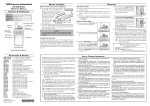
Operation Quick Start
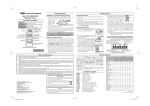
Ì Turn the top panel’s VOL/PWR
knob clockwise to turn on the radio
on.
Caution!
Push To Talk
(PTT) Switch
MIC/SP Jack
(External Mic/Earphone)
Do not attempt to open any of the rechargeable battery
packs, as they could explode if accidentally short-circuited.
Low Battery Indication
Speaker
Monitor Key
LCD (VX-180E)
Microphone
Soft KEY (VX-180E)
Battery Pack Latch
E C 0 3 7 N 2 0 1
Ì As the battery discharges during use, the voltage gradually becomes lower. When the battery voltage becomes to low, substitute a freshly charged battery and recharge the depleted pack.
The TX/BUSY indicator on the top of the radio will blink red
(on the VX-180E, the “
” icon will appear on the LCD) when
the battery voltage is low.
Ì Avoid recharging Ni-MH batteries often with little use between charges, as this can degrade the charge capacity. We
recommend that you carry an extra, fully-charged pack with
you so the operational battery may be used until depletion
(this “deep cycling” technique promotes better long-term battery capacity).
Ì Turn the top panel’s CH selector
CH
VOL/PWR
knob to choose the desired operating channel.
Ì Rotate the VOL/PWR knob to set the
volume level. If no signal is present,
press and hold in the MONITOR key
(the lower button on the left side) for
more than 1.5 seconds; background noise will now be heard, and
you may use this to set the VOL/PWR knob for the desired audio level.
Ì Press and hold in the MONITOR key
for more than 1.5 seconds (or press
the MONITOR key twice) to quiet
the noise and resume normal (quiet)
monitoring (default).
MONITOR
Ì To transmit, press and hold in the
PTT switch. Speak into the microphone area of the front panel grille
(lower left-hand corner) in a normal
voice level. To return to the Receive
mode, release the PTT switch.
PTT
Ì If a Speaker/Microphone is available, remove the plastic cap and
its two mounting screws from the right side of the transceiver,
then insert the plug from the Speaker/Microphone into the MIC/
SP jack; secure the plug using the screws supplied with the
Speaker/Microphone. Hold the speaker grille up next to your ear
while receiving. To transmit, press the PTT switch on the Speaker/
Microphone, just as you would on the main transceiver’s body.
Note:Save the original plastic cap and its mounting screws. They
should be re-installed when not using the Speaker/Microphone.
Display Icons & Indicators (VX-180E Only)
This indicator confirms that DUAL WATCH is active.
This indicator confirms that
this channel will be skipped
during scan.
This icon is the “Low Battery” indicator, which appears when the
battery voltage becomes too low
for proper operation.
This indicator will
appears during this
“Scan Pause” condition.
This indicator confirms that 2
or 5-TONE DECODE is active.
8 Character Alpha-numeric Invertible Display.
Key Functions
Important Notice!
H Please read this manual carefully to become familiar with the features of this transceiver.
H When transmitting, hold the radio in a vertical position with its microphone 2.5 to 5 cm away from your mouth and keep the
antenna at least 2.5 cm away from your head and body.
H The radio must be used with a maximum operating duty cycle not exceeding 50%, in typical Push-to-Talk (PTT) configurations.
DO NOT transmit for more than 50% of total radio use time (50% duty cycle). Transmitting more than 50% of the time can
cause RF exposure compliance requirements to be exceeded.
The radio is transmitting when the red LED on the top of the radio is illuminated. You can cause the radio to transmit by
pressing the PTT button.
H DO NOT transmit when the radio is used in Body Worn configuration with the following accessory: belt-clip (Parts # CP7321001).
It must be used ONLY for (1) there is a 4 cm distance from the body during transmitting, (2) monitoring purposes, using the
speaker only and (3) for carrying purposes.
H Battery Pack shall not be exposed to excessive heat such as sunshine, fire or the like.
H Always use Vertex Standard authorized accessories.
Notice !
There are no owner-serviceable parts inside the transceiver. All service jobs must be referred to an authorized
VERTEX STANDARD Service Representative. Consult
your Authorized VERTEX STANDARD Dealer for installation of optional accessories.
VERTEX STANDARD CO., LTD.
4-8-8 Nakameguro, Meguro-Ku, Tokyo 153-8644, Japan
VERTEX STANDARD
US Headquarters
10900 Walker Street, Cypress, CA 90630, U.S.A.
YAESU UK LTD.
Unit 12, Sun Valley Business Park, Winnall Close
Winchester, Hampshire, SO23 0LB, U.K.
VERTEX STANDARD HK LTD.
Unit 1306-1308, 13F., Millennium City 2, 378 Kwun Tong Road,
Kwun Tong, Kowloon, Hong Kong
VERTEX STANDARD (AUSTRALIA) PTY., LTD.
Tally Ho Business Park, 10 Wesley Court, East Burwood, VIC, 3151
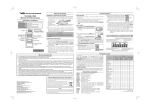
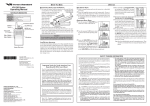
The VX-180E provides programmable [A], [B], and [C] function
keys, and both the
and
provide programmable
keys. These Soft keys functions can be customized
(set to other functions), via programming by your VERTEX STANDARD dealer, to meet your communications/network requirements.
The possible Soft key programming features are illustrated below,
and their functions are explained in the next chapter. For further
details, contact your VERTEX STANDARD dealer.
For future reference, check the box next to each function that has
been assigned to the Soft key on your particular radio, and keep
it handy.
Accessories & Options
FNB-83
FBA-25A
CD-30
PA-38C
PA-38U
MH-45B4B
MH-37A4B
VC-25
ATV-8A
ATV-8B
ATV-8C
ATV-6XL
ATU-6A
ATU-6C
CT-42
CT-27
CE51
7.2 V 1400 mAh Ni-MH Battery
Alkaline Battery Case
Desktop Charger
230 VAC AC Adapter
230 VAC AC Adapter
Speaker/Microphone
Earpiece Microphone
VOX Headset
VHF Antenna, 134~151 MHz (Stubby)
VHF Antenna, 150~163 MHz (Stubby)
VHF Antenna, 161~174 MHz (Stubby)
VHF Antenna, 134~174 MHz (Untuned)
UHF Antenna, 410~430 MHz
UHF Antenna, 440~470 MHz
PC Programming Cable
Radio to Radio Programming Cable
Programming Software
[A ]
Function
Press
None
Monitor
Squelch off
Low Power
Lock*
Lamp*
Channel Up*
Channel Down*
Scan
Follow-me Scan
Dual Watch
Talk Around
Add/Del*
Reset
Speed Dial
TX Save Off
Call 1
Call 2
Call 3
Code Select*
Code Up*
Code Down*
Emergency
Group**
---
Press
and
Hold
[B ]
Press
---
Soft Key
[C ]
Press
and
Hold
Press
---
Press
and
Hold
MONITOR Key
Press
Press
and
Hold
--* VX-180E only
** 32 Channel Version only
Description of Operating Functions
Monitor
Talk Around
Press the assigned Soft key momentarily to override (disable) the Tone
squelch (For the 5-Tone mode, please ask to your nearest Vertex Standard dealers).
Press (or Press and hold) the assigned Soft to activate the Talk Around
feature when you are operating on duplex channel systems (separate
receive and transmit frequencies, utilizing a “repeater” station). The
Talk Around feature allows you to bypass the repeater station and talk
directly to a station that is nearby. This feature has no effect when you
are operating on “Simplex” channels, where the receive and transmit
frequencies are already the same.
Note that your dealer may have made provision for “Talk Around”
channels by programming “repeater” and “Talk Around” frequencies
on two adjacent channels. If so, the key may be used for one of the
other Pre-Programmed Functions.
Squelch OFF
Press (or Press and hold) the assigned Soft key to hear background
noise (unmute the audio).
Background noise or incoming signals will now be heard whether or
not a matching tone is present on the signal.
Press and hold in the assigned Soft key for more than 1 seconds to
override both the Noise and Tone squelch. Again press and hold in the
assigned Soft key for more than 1 seconds (or press the assigned Soft
key twice) to resume normal (quiet) Noise and Tone squelch action.
Press (or Press and hold) the assigned Soft key to set the radio's transmitter to the “Low Power” mode, thus extending battery life. Press the
assigned Soft key again to return to “High Power” operation when in
difficult terrain.
Lock
Reset
Press (or Press and hold) the assigned Soft key to lock the Soft keys
(except Emergency, Lock and Monitor key); thus, the [A], [B], [C],
and MONITOR keys can be disabled to prevent radio settings from
being disturbed.
Press (or Press and hold) the assigned soft key to reset the 2-Tone or 5Tone sequential signaling System.
Lamp
Press (or Press and hold) the assigned Soft key to illuminate the LCD
for five seconds.
Channel Up
Press (or Press and hold) the assigned Soft key to switch to a higher
operating channel number.
Channel Down
Press (or Press and hold) the assigned Soft key to switch to a lower
operating channel number.
Scan
The Scanning feature is used to monitor multiple channels programmed
into the transceiver. While scanning, the radio will check each channel for the presence of a signal, and will stop on a channel if a signal is
present.
Ì To activate scanning:
Press (or Press and hold) the assigned Soft key.
The scanner will search the channels, looking for active ones; it
will pause each time it finds a channel on which someone is speaking.
Ì To stop scanning:
Press (or Press and hold) the assigned Soft key.
Operation will revert to the channel to which the CH knob is set.
Follow-Me Scan
“Follow-Me” Scan feature checks a User-assigned Priority Channel
regularly as you scan the other channels. Thus, if only Channels 1, 3,
and 5 (of the 8 available channels) are designated for “Scanning,” the
user may nonetheless assign Channel as the “User-assigned” Priority
Channel via the “Follow-Me” feature.
Press the assigned Soft key to activate “Follow-Me” scanning, then
turn the CH selector knob to the channel which you want to designate
as the “User-Assigned Priority Channel”. When the scanner stops on
an “active” channel, the User-assigned Priority Channel will automatically be checked every few seconds.
Dual Watch
The Dual Watch feature is similar to the Scan feature, except that only
two channels are monitored: the current operating channel, and the
“Priority” channel.
Ì To activate Dual Watch:
Press (or Press and hold) the assigned Soft key.
The scanner will search the two channels; it will pause each time it
finds a channel on which someone is speaking.
Ì To stop Dual Watch:
Press the assigned Soft key.
Operation will revert to the channel to which the CH knob is set.
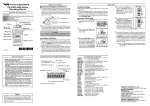
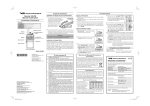
We, YAESU UK Ltd. declare under our sole responsibility that the
following equipment complies with the essential requirements of
the Directive 1999/5/EC.
Type of Equipment:
Brand Name:
Model Number:
Manufacturer:
Address of Manufacturer:
Add/Del
The Add/Del feature allows the user to arrange a custom Scan.
Press (or Press and hold) the assigned Soft key to delete/restore the
current channel to/from your scanning list.
When you delete a current channel, “SKIP” will appear on the LCD
after pressing the Soft key. When you restore a current channel, “SKIP”
indicator on the LCD will turn off.
Low Power
Declaration of Conformity
FM Transceiver
VERTEX STANDARD
VX-160EV, VX-160EU, VX-180EV, and VX-180EU
Vertex Standard Co., Ltd.
4-8-8 Nakameguro Meguro-Ku, Tokyo
153-8644, Japan
Applicable Standards:
This equipment is tested and conforms to the essential requirements of directive, as included in following standards.
EN 300 086-2 V1.1.1
Radio Standard:
EN 301 489-1 V1.6.1
EN 301 489-5 V1.3.1
EMC Standard:
EN 60065 (2006)
Speed Dial
Safety Standard:
Your Dealer may have pre-programmed Auto-Dial telephone number
memories into your radio.
To dial a number, just press (or Press and hold) the Dealer-assigned
Soft key for Speed Dialing. The DTMF tones sent during the dialing
sequence will be heard in the speaker.
The technical documentation as required by the Conformity Assessment procedures is kept at the following address:
TX Save Off
Press (or Press and hold) the assigned Soft key to disable the Transmit
Battery Saver, if you are operating in a location where high power is
almost always needed.
The Transmit Battery Saver helps extend battery life by reducing transmit power when a very strong signal from an apparently nearby station is being received. Under some circumstances, though, your handheld radio may not be heard well at the other end of the communication path, and high power may be necessary at all times.
Call 1
Press (or Press and hold) the assigned Soft key to send the 5-Tone
sequential Code which is set to the present channel.
Call 2 / 3
Press (or Press and hold) the assigned Soft Key to send the pre-programmed 5-Tone sequential Code.
Code Select
Press (or Press and hold) the assigned Soft Key to engage the setting
of the 5-Tone sequential Code.
While setting the sequential code, press (or Press and hold) this key to
move the cursor to the next character.
Code Up
Press (or Press and hold) the assigned Soft Key to switch to a higher
paging code number for the 5-Tone sequential signaling System.
While setting the sequential code, press (or Press and hold) this key to
switch to a higher sequential Code number.
Code Down
Press (or Press and hold) the assigned Soft Key to switch to a lower
paging code number for the 5-Tone sequential signaling System.
While setting the sequential code, press (or Press and hold) this key to
switch to a lower sequential Code number.
Emergency
The VX-160E/-180E includes an “Emergency” feature which may be
useful if you have someone monitoring on the same frequency as your
transceiver’s channel. For further details contact your nearest Vertex
Standard dealer.
Group (32 Channel Version only)
The 32-channel Version is capable of separating its 32 channels into
either of 2 groups (Group-A: CH 1~CH 16, Group-B: CH17~CH32).
Press (or press and hold in) the assigned Soft Key to change the between Group-A and Group-B.
Company:
Address:
YAESU UK Ltd.
Unit 12, Sun Valley Business Park, Winnall Close
Winchester, Hampshire, SO23 0LB, U.K.
ATTENTION
IN
CASE OF USE
This transceiver works on frequencies which are not generally permitted.
For frequency allocation, apply for a licence at your local
spectrum management authority.
For actual usage contact
your dealer or sales shop
in order to get your transceiver adjusted to the allocated frequency range.
List of the practicable area
AUT BEL BGR CYP CZE DEU
DNK ESP EST FIN FRA GBR
GRC HUN IRL
ITA
LTU LUX
LVA MLT NLD POL PRT ROU
SVK SVN SWE CHE ISL
LIE
NOR
Disposal of your Electronic and
Electric Equipment
Products with the symbol (crossed-out wheeled bin) cannot
be disposed as household waste.
Electronic and Electric Equipment should be recycled at a
facility capable of handling these items and their waste
byproducts.
In EU countries, please contact your local equipment supplier representative or service center for
information about the waste collection system in
your country.