1
Projecting Images
29
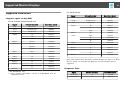
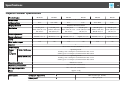
Amount of Memory
256 MB or more
Recommended: 512 MB or more
Hard Disk
Space
20 MB or more
Display
Resolution of no less than 640x480 and no higher than
1600x1200.
Display color in 16-bit color or greater
Connecting for the first time
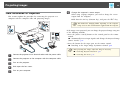
The first time you connect the projector and the computer using the USB
cable, the driver needs to be installed. The procedure is different for
Windows and Mac OS.
a
*1 Service Pack 4 only
*2 Except for Service Pack 1
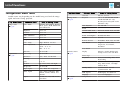
For Mac OS
OS
Mac OS X 10.5.x
Mac OS X 10.6.x
CPU
Power PC G4 1GHz or faster
Recommended: Core Duo 1.83GHz or faster
Amount of
Memory
512 MB or more
Hard Disk
Space
20 MB or more
Display
Resolution of no less than 640x480 and no higher than
1600x1200.
Display color in 16-bit color or greater
• You do not need to install the driver the next time you connect.
• When inputting images from multiple sources, change the input
source to USB Display.
• If you use a USB hub, the connection may not operate correctly.
Connect the USB cable directly to the projector.
• Depending on the model used and the area of purchase, the USB
cable may not be supplied with the projector.
For Windows
a
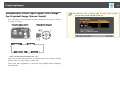
Connect the computer's USB port to the projector's USB(TypeB)
port using a USB cable.
a
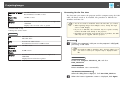
For Windows 2000 or Windows XP, a message asking you if
you want to restart your computer may be displayed. Select
No.
For Windows 2000
Double-click Computer, EPSON PJ_UD, and then
EMP_UDSE.EXE.
For Windows XP
Driver installation starts automatically.
For Windows Vista/Windows 7
When the dialog box is displayed, click Run EMP_UDSE.exe.
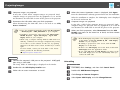
b
When the License Agreement screen is displayed, click Agree.