1
3.5.6
1.
2.
3.
4.
5.
6.
7.
8.
3.6
RDM DMX Address Setup
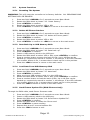
Press and hold <MENUS> for 2 seconds to enter Menu Mode.
Rotate the PAN wheel to locate “05. RDM DMX Address setup”.
Press <ENTER> to confirm.
Rotate the PAN wheel to select YES or NO; If YES and you press
<ENTER> you will enter RDM operation.
The ProKontrol™ MH will search and show the number of RDM
devices.
Rotate the PAN wheel to select an RDM device; rotate the TILT wheel
to adjust the DMX address of the RDM device. Press <ENTER> to
confirm.
Press <SWAP> to switch the information of the selected device,
Press <DEL> to verify the selected device.
Press <ESC> to return to the main men
Manual Fixture Control
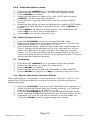
1. Press the <FIXTURE> button to activate FIXTURE mode.
2. Select the desired fixtures with the number buttons (1-16) and the
PAGE button (PAGE A: 1-16, PAGE B: 17-32).
3. Move the faders and/or wheels to adjust the DMX output values. In
Step 2, fixtures can be selected one by one; Alternatively, you can
select more fixtures in a single operation. For example, to select
Fixture 1-8, you can press and hold the number button 1 and then
press the number button 8, Fixture 1-8 will all be selected. The same
can be applied to deselect fixtures.
3.7
1.
2.
3.
4.
5.
3.8
Fade Mode
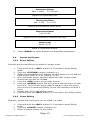
Press and hold <MENUS> for 2 seconds to enter Menu Mode.
Rotate the PAN wheel to locate “04. Fade mode”.
Press <ENTER> to confirm.
Rotate the PAN wheel to select ALL CHANNEL or ONLY PAN/TILT.
Press <ENTER> to confirm or <ESC> to return to the main menu.
Built-In Movement and Color Effects
There are 9 built-in “movements” in the ProKontrol™ MH, and 7 built-in color
macros for LED fixtures. Before running a movement, all fixtures must be
patched correctly.
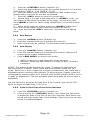
1. Press the <FIXTURE> button to enter FIXTURE mode (indicator on).
2. Select the desired fixtures with the number buttons (1-16) and the
PAGE button (PAGE A: 1-16, PAGE B: 17-32).
3. Press the <MOVEMENT> button to activate the MOVEMENT mode.
4. Select a desired MOVEMENT/MACRO with the number buttons (1-16).
5. Movement 1-9 is for the pan/tilt movement of moving heads. By
using the <SWAP> button, toggle through the options.
ProKontrol MH Manual Rev. A Page 12
© 2013 Blizzard Lighting, LLC