1
01227C SCD371 USA+ESP~022
2/2/07 11:08 AM
Page 9
ESPAÑOL
ENGLISH
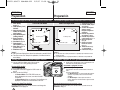
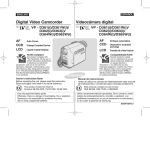
Getting to Know Your Camcorder
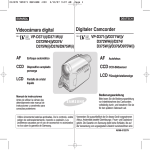
Introducción a la videocámara
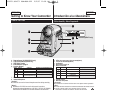
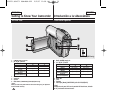
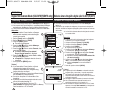
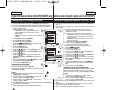
Front & Left View
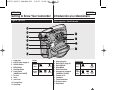
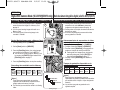
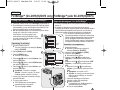
Vistas frontal y lateral izquierda
%
!
1.
2.
3.
4.
5.
6.
&
$
*
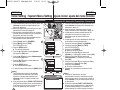
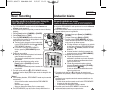
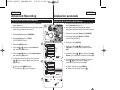
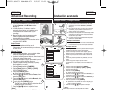
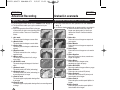
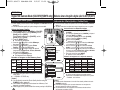
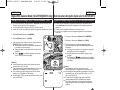
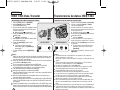
Lens
Remote Sensor (SC-D375(H)/D975 only)
Light (SC-D372/D375(H)/D975 only)
TAPE EJECT Switch
EASY.Q Button ➥page 35
Function Buttons
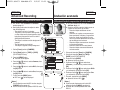
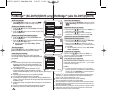
Button <Player>
œœ
REW
√√
FF
√ ❙❙ PLAY/STILL
■
STOP
^
@
#
<Camera>
<M.Player> (SC-D375(H)/D975 only)
REC SEARCH –
REV
REC SEARCH +
FWD
FADE
S.SHOW (SLIDE SHOW)
C.NITE/LIGHT
MULTI (MULTI DISPLAY)
(SC-D372/D375(H)/D975 only)
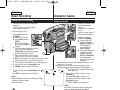
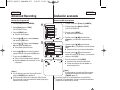
7. TFT LCD Screen
8. Internal Microphone
[ Caution ]
Be careful not to cover the internal microphone and lens during recording.
[ Notes ]
■ Illustrations of SC-D375 are used in this owner’s instructions.
■ Although the external appearances of SC-D371, SC-D372, SC-D375(H)
and SC-D975 are different, they are both operated in the same way.
1.
2.
3.
4.
5.
6.
(SC-D375(H)/D975 only)
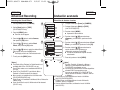
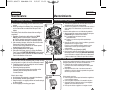
Objetivo
Sensor de control remoto (sólo SC-D375(H)/D975)
Luz (sólo SC-D372/D375(H)/D975)
TAPE EJECT
Botón EASY.Q ➥pág. 35
Botón de funciones
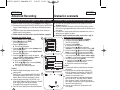
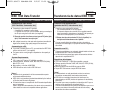
Botón
<Player>
<Camera>
<M.Player> (sólo SC-D375(H)/D975)
œœ
REW
REC SEARCH –
REV
√√
FF
REC SEARCH +
FWD
√ ❙❙
PLAY/STILL
FADE
S.SHOW (SLIDE SHOW)
C.NITE/LIGHT
■
STOP
MULTI (MULTI DISPLAY)
(sólo SC-D372/D375(H)/D975)
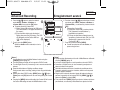
7. Pantalla LCD TFT
8. Micrófono incorporado
[ Precaución ]
Tenga cuidado de no cubrir el micrófono interno ni el objetivo durante la grabación.
[ Notas ]
■ En este manual de instrucciones se utilizan las ilustraciones del modelo SC-D375.
■ Aunque el aspecto externo de los modelos SC-D371, SC-D372,
SC-D375(H) u SC-D975 son diferentes, funcionan de igual forma.
9