1
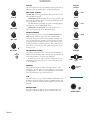
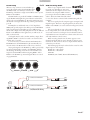
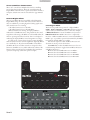
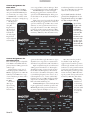
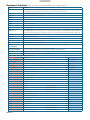
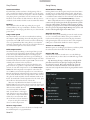
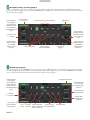
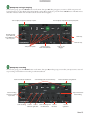
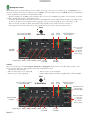
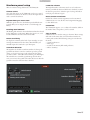
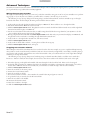
Keyboard shortcuts Key ctrl - L ctrl - R ctrl - F ctrl - A ctrl - C ctrl - E ctrl - V ctrl - X ctrl - Z shift - ctrl - shift - ctrl - These actions can be accessed directly from the computer keyboard. Action Locate the current track. This will highlight the track you most recently loaded. Pressing ctrl - L again will alternate between the tracks recently loaded on both decks. Reveal - the highlighted song is opened in a file browser. Find - moves the cursor to the search box. Select all. Copy text in edit mode. Edit text. Paste text in edit mode. Cut text in edit mode. Undo last track load. Move focus up / down through the library or crates. Note that if you have a song highlighted in the song view, and use shift - ctrl - you will move up or down through the library or crates. When you release the shift or ctrl key, the focus will go back to the song view so that you can move up and down through songs using . Add tracks to the prepare window. Start a new mic recording. Open the track in your default MP3/WAV/OGG/AIF player. Zoom the main waveform display. Alternate focus between crates or songs. Remove track from library, remove track from crate, delete crate (does not delete the file). ctrl - P ctrl - N ctrl - O - or + tab ctrl - del and ctrl - backspace Delete the file from your library and send to the recycle bin. ctrl - shift - del and (Note to iTunes users: files in your iTunes library cannot be deleted this way). ctrl - shift - backspace Toggle the input reverse switch ctrl - shift - / Clear search string if searching, or exit Scratch LIVE . esc Note: Playback, cue and speed controls use Shift or Caps Lock Left Deck Action Load the highlighted song to a deck. ctrl - or shift - Load the track currently on one deck onto the other deck as well. ctrl - shift - Swap the two currently playing tracks from one deck to the other. ctrl - / shift - alt - ctrl - , (comma) 12345 F1 F2 F3 Q W E R T Unload the track from a deck. (shift - option - or on some Macs). Place a cue point. Jump to cue points in track. (rel and int modes) Switch deck to abs mode. Switch deck to rel mode. Switch deck to int mode. Play / pause reverse. Play / pause forward. Pitch down. Pitch up. Bend down. (rel and int modes) Y U I O P [ ctrl - [ alt - Q alt - W alt - E alt - R ctrl - I Bend up. Censor. Go to temporary cue point. Set / adjust loop in-point. Set / adjust loop out-point. Loop on / off. Loop with jump. Load previous track. Load next track. Rewind. Fast forward. Set temporary cue point. Manual-26 (rel and int modes) (rel and int modes) (rel and int modes) (rel and int modes) (rel and int modes) (rel and int modes) Right Deck ctrl - or shift - ctrl - shift - ctrl - / shift - alt - ctrl - . (period) 67890 F6 F7 F8 A S D F G H J K L ; ' ctrl - ' alt - A alt - S alt - D alt - F ctrl - K