1
13
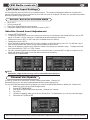
XM Radio controls
Display Settings
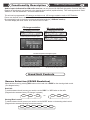
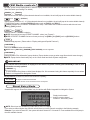
Displaying Channel Information
Track number, Minutes, and Seconds are
used to display the selected satellite
channel number.
NOTE: For cars with the Radio integrated
into the Navigation System, “DISC” number
MUST BE “invisible” or “12” in order to
have all ten numbers available for “Direct entry”.
Artist Name
Song Title
Channel Name
NOTE: On some Radios both DISC number and TRACK number
must be different from “0” or “invisible in order for TEXT to be displayed properly.
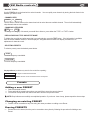
Minutes and Seconds are
used to display selected satellite
channel number.
NOTE: Present if MD-TEXT is supported by the Radio
Receiver (may differ on Head units model and year)
NOTE: Please check channel 081, 092
and 123 to make sure those channel
numbers are displayed properly.
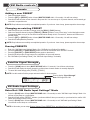
XM Sound Level Adjustment
@
@
@
@
@
@
@
@
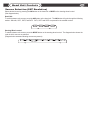
Enter into “XM Radio Input Settings” Mode ( See “XM Radio Input Settings” for details).
Select the desired satellite channel.
Activate the “SCAN” function on your head unit.
Set the desired volume at your head unit.
While “SCAN” is active use [SCROLL UP] to increase volume and [SCROLL DOWN] to decrease volume.
Sound level [01..31] will be displayed as Seconds on you head unit.
Deactivate “SCAN” function.
Exit “XM Radio Input Settings” Mode ( See “XM Radio Input Settings” for details).
NOTE: Remember, a high sound level may result in noticeable sound distortion.