1
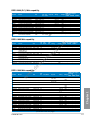
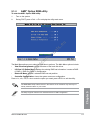
Integrated Graphics [Auto]
Enables the integrated graphics controller. Coniguration options: [Auto] [Force]
UMA Frame Buffer Size [Auto]
This item appears only when you set the previous item to [Force]. Coniguration options:
[Auto] [32M] [64M] [128M] [256M] [512M] [1G] [2G]
HDMI/DVI Port Output [Auto]
Sets the HDMI/DVI port output type. Coniguration options: [Auto] [HDMI] [DVI]
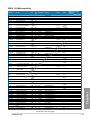
PCIEX16_1 [Auto]
3.5.5
Onboard Devices Coniguration
HD Audio Device [Enabled]
.e
u
Coniguration options: [Auto] [Force X16] [Force X8]
Enables the High Deinition Audio Controller.
[Disabled]
Disables the controller.
ua
ls
[Enabled]
em
an
The following two items appear only when you set the HD Audio Device item to [Enabled].
Front Panel Type [HD]
ev
ic
Allows you to set the front panel audio connector (AAFP) mode to legacy AC’97 or highdeinition audio depending on the audio standard that the front panel audio module supports.
Sets the front panel audio connector (AAFP) mode to high deinition audio.
[AC97]
Sets the front panel audio connector (AAFP) mode to legacy AC’97.
.d
[HD]
Sets to [SPDIF] for SPDIF audio output.
w
[HDMI]
Sets to [HDMI] for HDMI audio output.
w
[SPDIF]
w
SPDIF Out Type [SPDIF]
Realtek LAN Controller [Enabled]
[Enabled]
Enables the Realtek LAN controller.
[Disabled]
Disables the controller.
Realtek PXE OPROM [Disabled]
Chapter 3
This item appears only when you set the Realtek LAN Controller item to [Enabled] and allows
you to enable or disable the Rom Help of the Realtek LAN controller.
Coniguration options: [Enabled] [Disabled]
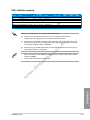
Asmedia USB 3.0 Controller [Enabled]
[Enabled]
Enables the onboard USB 3.0 controller.
[Disabled]
Disables the controller.
ASUS F2A85-M PRO
3-17