1
Watching TV
Turning on the power
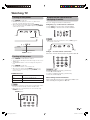
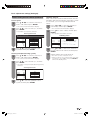
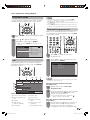
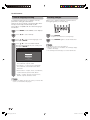
Press POWER on the TV.
• POWER indicator (Green): The TV is on. (After a few
seconds, an image appears with sound.)
• After turning the power “ON” by pressing POWER on the
TV, you can turn the power ON/OFF by pressing POWER
on the remote control.
Simple button operations for
changing channels
You can change channels in several ways.
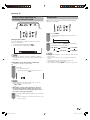
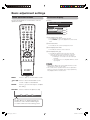
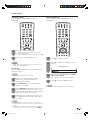
Using CHr/s on the remote control unit
• Press CHr to increase the channel number.
• Press CHs to decrease the channel number.
POWER button
NOTE
• CHr/s on the TV operates the same as CHr/s on
the remote control unit.
POWER indicator
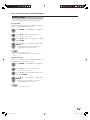
Using 0 — 9 on the remote control unit
Select the channels directly by pressing buttons 0 to 9.
Turning off the power
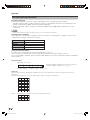
Press POWER on the remote control.
• The TV enters standby mode and the image on the screen
disappears.
• The POWER indicator on the TV changes from green to
red.
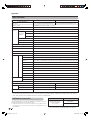
Press POWER on the TV.
• The POWER indicator on the TV turns off.
• When the TV is turned off by POWER on the TV, you
cannot turn on the power by pressing POWER on the
remote control.
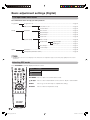
POWER indicator
Off
Power off
Red
The TV is in standby mode.
Green
The TV is on.
a
To select a 1-digit channel (e.g. channel 2):
• Press 0, followed by 2.
To select a 2-digit channel (e.g. channel 12):
• Press 1, followed by 2.
When viewing Teletext information
View a page directly which is 3-digit page number from
100 to 899 by pressing buttons 0 to 9.
NOTE
• If you are not going to use this TV for a long period of time,
be sure to remove the AC cord from the AC outlet.
• Minor power is consumed when the TV is turned off by
POWER on the TV.
POWER button
15
46PD7X_en_b.indd 15
2007/01/12 16:30:00