1
Applying Effects to a Sound
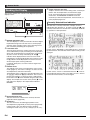
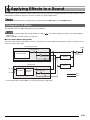
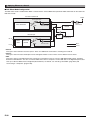
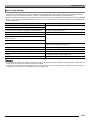
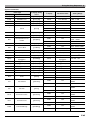
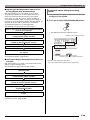
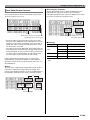
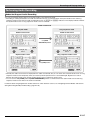
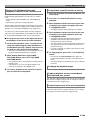
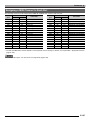
■ DSP Effect Mode Configuration
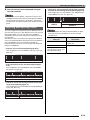
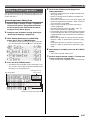
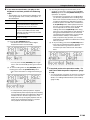
The DSP effect mode is enabled while “DSP” is selected for the “Chorus/DSP”effect parameter. DSP and reverb can be used in the
DSP effect mode.
Part A01-A16, B01-B16
Output
Part Volume/Pan
Tone Generator
DSP
Off
On
Master
Volume/Pan
Reverb Send
Reverb
DSP Reverb Send
External Input
DSP
Volume/Pan
DSP Volume/Pan
Mic In
Noise
Gate
Inst In
Auto Level DSP
Control
Off
On
Reverb Send
Mono
Stereo
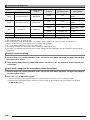
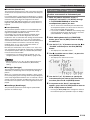
• Reverb
This type of effect simulates acoustic spaces. There are 10 different reverb effects, including room and hall.
• Chorus
This type of effect increases the depth of notes and applies vibrato to notes. There are five different chorus effects.
• DSP
This type of effect is inserted between the sound source and output. There are a total of 100 different DSP effects, including
distortion and modulation. You also can transfer DSP effects from a computer or create DSP data on the Digital Keyboard, and
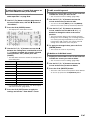
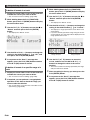
store up to 100 user DSP effects in Digital Keyboard memory. For details, see “Creating a User DSP” (page E-35) and
“Connecting to a Computer” (page E-140).
E-32