1
8. Lens and Lamp manipulations
8.2.1
Access controls
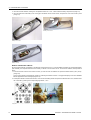
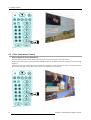
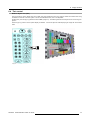
Access to the control with the Remote control
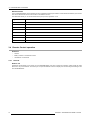
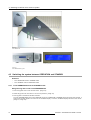
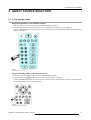
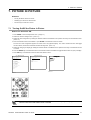
1. Enter the adjustment menus by pressing ENTER or ADJ.
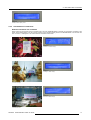
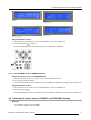
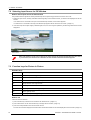
The general menu will be displayed. (menu 8-10)
2. Use the up or down arrow keys to select Image Settings and press ENTER to select.
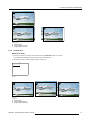
If you shoot with your remote control directly to the projector, the Image Settings menu for the projector will be displayed.
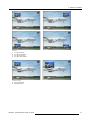
(menu 8-11)
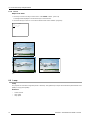
If you shoot with your remote control to the master, the Image Settings menu for the master will be displayed. (menu 8-12)
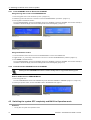
3. Use the up or down arrow keys to select Display and press ENTER to select.
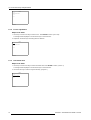
The Display list menu will be displayed. (menu 8-13)
4. Use the up or down arrow keys to select the display you want to adjust. E.g. projector 1. Press ENTER to select.
The Image settings for the selected display will be displayed.
Cine VERSUM System
Image Settings
Advanced Settings
Installation
Service
1
2
3
4
5
6
7
8
NO MODULE
NO MODULE
VIDEO [VIDEO]
NO MODULE
NO MODULE
NO MODULE
RGB-YUV [RGB]
NO MODULE
Image Settings
Display
Brightness
Contrast
Gamma
Color Temperature
Primary [Projector]
Lamp mode [Single]
Lamp power [Normal]
Master
Back
Image Settings
Master
Brightness
Contrast
Saturation
Tint
Display
Back
Display List
Plasma 1
Plasma 2
Projector 1
Projector 2
Back
Shutdown
Menu 8-11
Back
Menu 8-12
Menu 8-13
Menu 8-10
8.2.2
Lamp mode
Different modes
As the projector is equipped with 2 lamps it can play in different modes.
When both lamps are ignited, the light output is high, this mode is called “dual”. When one lamp fails in dual mode, the projector
continues the projection using the remaining lamp.
In stead of dual mode, it is possible to ignite the least used lamp by selecting Single.
Lamp mode selection is only possible if the projector is not forced to use a specific lamp (lamp 1 or lamp 2)
Changing the mode
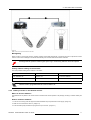
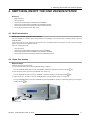
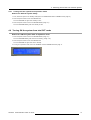
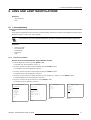
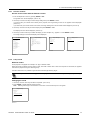
1. Use the up or down arrow keys to select Lamp Mode. (menu 8-14)
2. Press ENTER to toggle between Single and Dual.
Note: Switching from single to dual will take a some time as the second lamp has to be ignited.
Image Settings
Display
Brightness
Contrast
Gamma
Color Temperature
Primary [Projector]
Lamp mode [Single]
Lamp power [Normal]
Master
Back
Menu 8-14
R5976667 CINEVERSUM SYSTEM 01102003
35