1
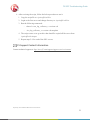
F5 SDC Troubleshooting Guide Configure system.txt using native SCTP (Refer to relevant documentation, for example: U10SSS-SwEnv-PM.pdf). Get license from dialogic per specific server and put it in the /opt/DSI directory Verify that the right parameters (based on customer’s configuration) are configured in the config.txt file according to the relevant documentation (U10SSS-SwEnv-PM.pdf). Test SNSLI command. It should be configured as a SCTP client. SCTP Client Shows in GUI Too Many Addresses 3.2.1 Error Description In general SCTP’s multi-homing enables any number of IP connections in one SCTP channel. The F5 SDC can only support at most two IP addresses for one SCTP channel. Each virtual server and each static client/server peer needs to be configured with at most two IP addresses. 3.2.2 Causes Client tried to connect to more than two addresses. 3.2.3 Resolution System’s IP tables need to be configured such that only two IP addresses are connected to each SCTP connection. Proprietary and Confidential Information of F5 Networks 7