1
Making Measurements
Performing Stimulus-Response Measurements
Performing Stimulus-Response Measurements
This section shows you how to perform stimulus-response measurements. The
combination of using the Agilent 83438A for broadband stimulus and the optical spectrum analyzer for selective response provides the following benefits:
•
•
•
•
All wavelengths are available simultaneously
Fast measurement speeds
Small coherence length
High dynamic range and high resolution
Measurements for DWDM systems
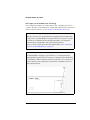
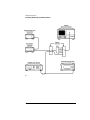
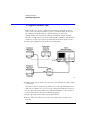
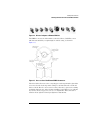
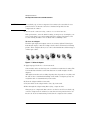
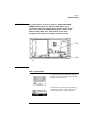
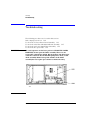
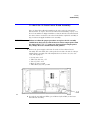
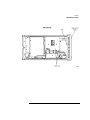
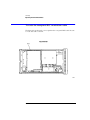
The following figure shows a system which is well suited for characterizing
dense wavelength-division multiplexed (DWDM) components. Because of the
high-power density of the Agilent 83438A, you can easily characterize such
items as the crosstalk of dimultiplexers and the reverse path of optical isolators.
The polarization controller is used to characterize polarization dependencies
of a device. For example, the center wavelength shift or the polarization
dependent loss of a demultiplexer. If your instrument has Option 009 installed,
it contains a built-in polarizer.
Increasing wavelength accuracy
When measuring deep-notch filters, increased absolute wavelength accuracy
may be required. To increase wavelength accuracy, the combination of an
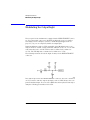
Agilent 8168E/F tunable laser source and the Agilent 86120A multi-wavelength meter can be used to calibrate the optical spectrum analyzer. Simply
enter the difference between the two wavelength readings (optical spectrum
analyzer and multi-wavelength meter) into the optical spectrum analyzer as a
correction factor. Refer to the user’s guide for the optical spectrum analyzer to
learn how to enter correction factors. If you use this technique, be aware that
the Agilent 8168E/F measures wavelength in a vacuum and the optical spectrum analyzer measures wavelength in air unless you change its settings.
2-3