1
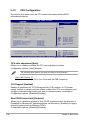
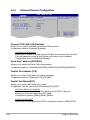
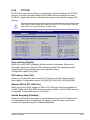
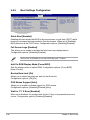
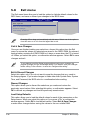
Power On By PCIE Devices [Disabled]
When set to [Enabled], this parameter allows you to turn on the system through a
PCI Express card. This feature requires an ATX power supply that provides at least
1A on the +5VSB lead. Configuration options: [Disabled] [Enabled]
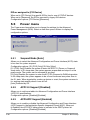
Power On By PS/2 Keyboard [Disabled]
Allows you to use specific keys on the keyboard to turn on the system. This
feature requires an ATX power supply that provides at least 1A on the +5VSB lead.
Configuration options: [Disabled] [Space Bar] [Ctrl-Esc] [Power Key]
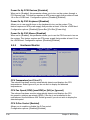
Power On By PS/2 Mouse [Disabled]
When set to [Enabled], this parameter allows you to use the PS/2 mouse to turn on
the system. This feature requires an ATX power supply that provides at least 1A on
the +5VSB lead. Configuration options: [Disabled] [Enabled]
5.5.5
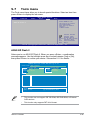
Main
Hardware Monitor
Advanced
Power
BIOS SETUP UTILITY
Boot
Tools
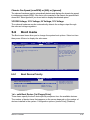
Hardware Monitor
Exit
CPU Temperature
CPU Temperature [50.5ºC/122.5ºF]
CPU Fan Speed [2884RPM]
CPU Q-Fan Control [Enabled]
Chassis Fan Speed [N/A]
VCORE Voltage [ 1.360V]
3.3V Voltage [ 3.280V]
5V Voltage [ 5.094V]
12V Voltage [11.932V]
v02.58 (C)Copyright 1985-2007, American Megatrends, Inc.
CPU Temperature [xxxºC/xxxºF]
The onboard hardware monitor automatically detects and displays the CPU
temperatures. Select Ignored if you do not wish to display the detected
temperatures.
CPU Fan Speed (RPM) [xxxxRPM] or [N/A] or [Ignored]
The onboard hardware monitor automatically detects and displays the CPU
fan speed in rotations per minute (RPM). If the fan is not connected to the
motherboard, the field shows N/A. Select Ignored if you do not wish to display the
detected speed.
CPU Q-Fan Control [Enabled]
Allows you to enable or disable the Q-Fan control.
Configuration options: [Disabled] [Enabled]
5-30
Chapter 5: BIOS setup