1
CAUTION:
• When you disconnect the AC adapter, disconnect from the electrical outlet first and
then from the Tablet Computer. A reverse procedure may damage the AC adapter or
the Tablet Computer.
• When unplugging the connector, always hold the plug head. Never pull on the cord.
Turning the Tablet Computer On and Off
Turning On
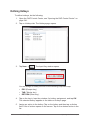
1. Make sure that the Tablet Computer is either connected to TouAC power
or the battery pack is charged.
2. Press the power button ( ). Notice the screen remains blank for 8 ~ 10
seconds but the power LED lights up.
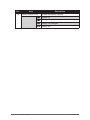
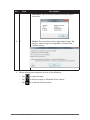
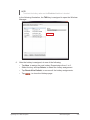
The power LED indicator ( ) shows two different states:
• Solid green: Tablet computer is turned on
• Blinking green: Tablet computer is in sleep mode.
• Off: Tablet computer is turned off.
Getting Started
DAP Technologies
1-17