1
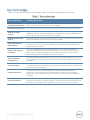
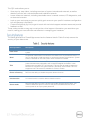
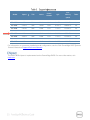
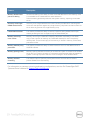
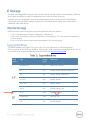
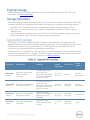
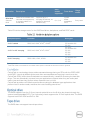
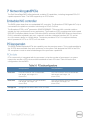
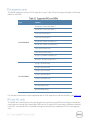
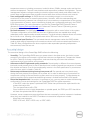
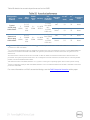
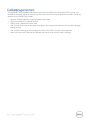
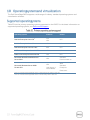
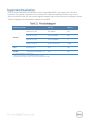
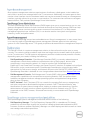
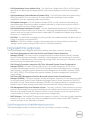
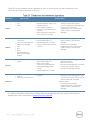
This QRL code allows you to: View step-by-step videos, including overviews of system internals and externals, as well as detailed, concise, task-oriented videos and installation wizards Locate reference materials, including searchable owner’s manual content, LCD diagnostics, and an electrical overview Look up your service tag so you can quickly gain access to your specific hardware configuration info and warranty information Contact Dell directly (by link) to get in touch with technical support and sales teams and provide feedback to Dell These codes provide an easy way to retrieve the critical support information you need when you need it, making you more efficient and effective in managing your hardware. The latest generation of PowerEdge servers has the features listed in Table 5 to help ensure the security of your data center. Security feature Description Cover latch A tooled latch is integrated on the top cover with a coin key lock to secure the system. Bezel An optional metal bezel is mounted to the chassis front to provide the Dell ID. A lock on the bezel is used to protect un-authorized access to hard drives. System status is viewable on the LCD screen when the bezel is installed. TPM The Trusted Platform Module (TPM) is used to generate/store keys, protect/authenticate passwords, and create/store digital certificates. It also supports the Intel Xeon TXT functionality. TPM can also be used to enable the BitLocker™ hard drive encryption feature in Windows Server 2008. TPM 1.2 is supported. No TPM version is available for China or Russia. Power-off security BIOS has the ability to disable the power button function. Intrusion alert An internal switch is used to detect chassis intrusion. Secure mode BIOS has the ability to enter a secure boot mode through system setup. This mode includes the option to lock out the power and NMI switches on the control panel or set up a system password.