1
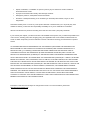
The Computer Power Switch should be in the ON position.
The Computer Video Card should be snugly fitted in its slot.
Monitor Is Stuck In Active
Off-Mode"
Make sure the monitor's video cable is properly connected to the computer.
Inspect the monitor's video cable and make sure no pin is bent.
Make sure your computer is operational by hitting the CAPS LOCK key on
the keyboard while observing the CAPS LOCK LED. The LED should either
turn ON or OFF after hitting the CAPS LOCK key.
Missing one of the primary
Inspect the monitor's video cable and make sure that no pin is damaged.
colors
Make sure the monitor's video cable is properly connected to the computer.
(RED,
GREEN,
or
BLUE)
Screen image is not centered
or sized properly
Picture
has
color
defects
(white does not look white)
Horizontal
or
Adjust H-Position and V-Position or press hot-key (Power/AUTO).
vertical
disturbances on the screen
Adjust RGB color or select desired color temperature.
Use Windows 95/98/2000/ME/XP shut-down mode Adjust CLOCK and
FOCUS.
Press to auto-adjust.
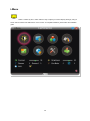
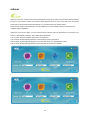
Use I-menu software from CD(or download from AOC official website), select
Display not on whole screen
in default resolution
“reset” option to adjust.
ration
52