1
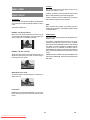
The speed of advance ( AUDIO CD PLAYBACK 32x) or reverse ( 2x, 2x, 4x, 4x, 8x, 8x, 16x, 16x, Preparations 32x) changes for every press of the or button. You can also resume normal play using these buttons. Press on the power button of your audio system if the player has been connected to an audio system. Normal play is resumed when the SELECT button is pressed or PLAY/PAUSE button is pressed again. Basic Play 1. Press the OPERATE button NOTE: 2. Press OPEN/CLOSE to open the disc tray. No sound will be heard during rapid advance or rapid reverse. 3. Place a disc onto the tray Hold the disc without touching either of its surfaces, position it with the printed title side facing up, align it with the guides, and place it in its proper position. 4. Press OPEN/CLOSE. Skipping Ahead or Back to Tracks Skipping ahead (Next) on the remote control Play is commenced. Press SKIP/ FRAME After operation or SKIP When the unit is not in use, remove the disc and press OPERATE to turn the unit off. A track is skipped each time the button is pressed. on the main unit during play. Skipping back Press SKIP/ FRAME NOTE: If the disc is placed upside down (and it is a single sided disc), the VFD display on the player will indicate NO DISC. control or SKIP (Previous) on the remote on the main unit during play. When it is pressed again, a track is skipped. PAUSE For your reference: Press PLAY/PAUSE once during play. When symbol appears while a button is being operated, it means that the player prohibits the corresponding operation. The play suspends. To return to normal play press PLAY/PAUSE again. Stopping Play Press stop twice. Direct Selection of Tracks For your convenience: Selecting by Time When STOP is pressed once, while the play continues, the unit records the point where the play stopped and if the PLAY key is pressed, play resumes from the point where STOP key was pressed. Press PLAY / PAUSE again, and play will resume from this point. When the tray is opened or the STOP is pressed again, the RESUME function will be cleared. You can play the audio CD starting from any time point you want. To stop the play permanently, press STOP twice. When the STOP button is pressed for the first time, a message PRESS SELECT TO CONTINUE will appear on the screen to remind you if you want to continue the play. To stop the play, press the STOP button again or you can press PLAY/ PAUSE to continue. Press SEARCH MODE on the remote control once time during playback. The time search box is displayed on the screen as DISC GOTO:_: _ _ : _ _ Player goes to entered time of the disc. Press SEARCH MODE on the remote control two times during playback. The time search box is displayed on the screen as TRACK GOTO:_: _ _ : _ _ Player goes to entered time of the current track. Rapid Advance / Rapid Reverse Press SLOW/SEARCH ( Fast reverse or Fast forward) on the remote control during play. Press SEARCH MODE on the remote control three times during playback. The time search box is displayed on the screen as SELECT TRACK :_ _ / _ _ Player goes to entered track of the disc. Enter the time using number buttons. - 26 Downloaded From Disc-Player.com Sharp Manuals EN