1
BT Freestyle 6100 – Edition 2-1 – 24.06.04 – 6239
32
Handset settings
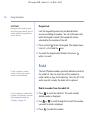
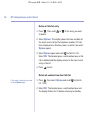
Switch off an alarm that has been set
1. Select Menu, scroll
to Set Time and select OK.
2. Scroll
or
to Alarm and select OK. Then use
or
to display Off and select OK. The displays shows
Alarm Off.
3. Press
Changing the time format will not
only alter the time display but also
the format of the call times
recorded in the Calls list.
If you have more than one
handset, changing the time format
will affect all handsets.
to exit.
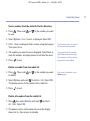
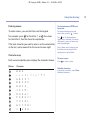
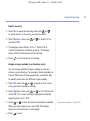
Change the time format
1. Select Menu, scroll
2. Scroll
or
or
to Set Time and select OK.
to Time Format and select OK.
3. Use
or
to choose 12 or 24 Hour and select OK.
The displays shows Saved.
4. Press
to exit.