1
xi and SW AR HVxi
xi Operation, cont’d
SW ARxi
Using the software
To run the RS-232 2-4-6-8 Control Program, do the
following:
SW Switchers
1. Double-click on the RS-232 2-4-6-8 Control Pgm icon in
the Extron Electronics group or folder.
The RS-232 2-4-6-8 Control Program
appears.
4
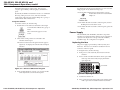
2. From the Com menu, click on the comm port that is
connected to the RS-232 2-4-6-8 adapter port.
3. From the Size menu, click on the switcher type.
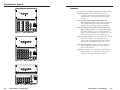
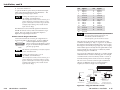
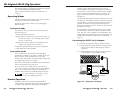
Numbered buttons representing the switcher front
panel buttons appear in the window (figure 27).
Chapter Four
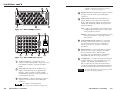
Figure 27 — RS-232 2-4-6-8 Control Program
4. Using the mouse, click on the desired input.
5. When you are finished, click on Exit.
SW AR MX, SW AR MX HV, and
SW 6 Component Operation
For information about program features, click on the
2-4-6-8 ctrlr notes icon in the “Extron
Electronics” group or folder.
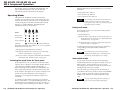
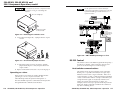
Operating Modes
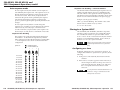
Slaving to a System 4LD/C
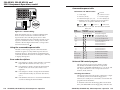
RS-232 Control
Power Supply
3-6
xi and SW AR HVxi
xi • Operation
SW ARxi
Artisan Technology Group - Quality Instrumentation ... Guaranteed | (888) 88-SOURCE | www.artisantg.com