1
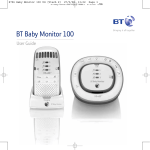
BT Baby Monitor 100
User Guide
Section
Welcome…
to your BT Baby Monitor 100
TM
• Digital sound quality with high definition sound (Hi-dS )
lets you hear your baby breathe, gurgle, snuffle or cry
with complete clarity.
• Wireless range of up to 300m outdoors and up to 50m
indoors (in ideal conditions) - giving you the freedom to
move around with clear reception and no interference from
other baby monitors.
• Out of range warning.
• Link light provides continuous confidence that the Parent unit
is receiving a signal from the Baby unit and will alert
you if the link is lost.
• 3 lullabies.
• Talk Back feature lets you instantly reassure and calm
your baby.
• Adjustable nightlight brightness on Baby unit.
• Mains or battery operation.
• Rechargeable batteries in Parent unit.
Section
This User Guide provides you with all the
information you need to get the most
from your BT Baby Monitor 100.
Please read this guide carefully and keep
it for future reference.
Need help?
If you have any problems setting up or using your BT Baby
Monitor 100 (or would like additional or replacement
batteries), call the BT Baby Monitor Helpline 0808 100 6554*.
Alternatively, you may also find the answer in ‘Help’
at the back of this guide.
* Calls made from within the UK mainland network are free.
Mobile and international call costs may vary.
Got everything?
• Baby unit
• Parent unit
• 2 x AA rechargeable
batteries for Parent unit
• Parent unit charger
• 2 x mains power adapters
(item code 045327)
• Travel bag
• Wall mounting bracket for
the Baby unit
In this guide
Setting up
Important safety information . . . . . . . . . . . . 6
Parent unit . . . . . . . . . . . . . . . . . . . . . . . . . . . 7
Baby unit . . . . . . . . . . . . . . . . . . . . . . . . . . . . 8
Check the connection . . . . . . . . . . . . . . . . . . 9
Getting to know your Baby Monitor
Parent unit . . . . . . . . . . . . . . . . . . . . . . . . . . . 10
Parent unit charger . . . . . . . . . . . . . . . . . . . . 11
Baby unit . . . . . . . . . . . . . . . . . . . . . . . . . . . . 12
Back of Baby unit. . . . . . . . . . . . . . . . . . . . . . 13
5
Help . . . . . . . . . . . . . . . . . . . . . . . . . . . . . . . . 20
General information
Cleaning . . . . . . . . . . . . . . . . . . . . . . . . . . . . . 22
Guarantee . . . . . . . . . . . . . . . . . . . . . . . . . . . . 22
Product disposal instructions . . . . . . . . . . . . 23
R&TTE . . . . . . . . . . . . . . . . . . . . . . . . . . . . . . . 23
Declaration of Conformance . . . . . . . . . . . . . 23
User Guide formats . . . . . . . . . . . . . . . . . . . . 23
Using your BT Baby Monitor 100
Switching on/off . . . . . . . . . . . . . . . . . . . . . . 14
Changing Baby unit from
battery to mains power . . . . . . . . . . . . . . . . . 14
Adjust speaker volume at the Parent unit . . 15
Talk Back . . . . . . . . . . . . . . . . . . . . . . . . . . . . . 15
Adjust Talk Back volume . . . . . . . . . . . . . . . . 15
Paging . . . . . . . . . . . . . . . . . . . . . . . . . . . . . . 16
Nightlight . . . . . . . . . . . . . . . . . . . . . . . . . . . . 16
Sensitivity . . . . . . . . . . . . . . . . . . . . . . . . . . . . 17
Select a sensitivity level . . . . . . . . . . . . . . . . . 18
Sound level visual indicator. . . . . . . . . . . . . . 18
Mute (loudspeaker off) . . . . . . . . . . . . . . . . . 18
Alert tone when the loudspeaker is off . . . . 18
Lullaby . . . . . . . . . . . . . . . . . . . . . . . . . . . . . . 19
Playing a lullaby . . . . . . . . . . . . . . . . . . . . . . . 19
If you experience any problems, please call the Helpline on 0808 100 6554*
6
Setting up
Important safety information
Your BT Baby Monitor 100 is designed to be an aid and should
not be used as a substitute for responsible and proper adult
supervision.
Make sure the Baby unit, Parent unit and mains adapter cable
are kept out of reach of your baby – at least one metre away.
Never place the Baby unit inside your baby’s cot, bed
or playpen.
Never cover your Parent or Baby units (e.g. with clothes,
towels or blankets).
Never use or place your Parent or Baby units in moist places or
near water.
If travelling abroad, make sure that the voltage shown on the
mains power adapter corresponds to the local mains power
before connecting to the power supply.
There is a risk of explosion if the batteries are replaced by an
incorrect type.
Dispose of used batteries according to the instructions.
Always dispose of batteries in accordance with applicable
waste disposal regulations, never in your household rubbish.
If you experience any problems, please call the Helpline on 0808 100 6554*
Setting up
Parent unit
Battery performance - Parent unit
1. Plug the mains power cable into the socket marked
on the back of the Parent unit charger.
Connect the other end to the mains power and switch on.
2. Remove the battery compartment cover and insert the 2 x AA
rechargeable batteries into the battery compartment on the
Parent unit and replace the battery compartment cover as
shown. You should always ensure you have inserted batteries
in the Parent unit.
Rechargeable batteries in the Parent unit
give up to 14 hours continuous performance.
Please note however, that new batteries do
not reach full capacity until they have been
in normal use for several days.
Running rechargeable batteries right down
at least once a week will help them last as
long as possible. The charge capacity of
rechargeable batteries will reduce with time
as they wear out, so reducing the
performance time of the Parent unit.
Eventually they will need to be replaced.
New batteries can be obtained from the BT
Baby Monitor Helpline 0808 100 6554*.
The Parent unit rechargeable batteries will
lose charge over a period of time, even if
switched off.
Battery low warning – Parent unit
When the batteries are low – approximately
within 1 hour and 30 minutes of running
out – the Parent unit light will come on.
If the batteries are completely flat the
Parent unit will switch off.
Place the Parent unit back on the charger
to charge the batteries. It is advisable to
keep the Parent unit on the charger as
much as possible or ideally all the time.
To speed up the charging process turn the
Parent unit off when charging if it’s not
being used.
WARNING
3. Slot the Parent unit into the charger, the red charging light
comes on. Charge the batteries for 16 hours before switching
on the Parent unit.
Note: if you ever need to remove the batteries, remove the
battery compartment cover and tip the parent unit until they
slide out.
The re-chargeable battery icon
in
the battery compartment means that only
re-chargeable batteries can be used.
Never use non-rechargeable batteries in
your Parent unit. Use only the
recommended type – 2 x AA rechargeable
(1300mAh NiMH) batteries – using other
types could permanently damage your unit.
Charge the batteries in accordance with the
instructions given in this user guide.
The Parent unit can still be used when it is
in the charger.
If you experience any problems, please call the Helpline on 0808 100 6554*
7
8
Setting up
Battery performance – Baby unit
The recommended batteries are 4 x AA
alkaline. Not included.
With new batteries, your Baby unit will
give up to 14 hours continuous
performance with the night lights
switched off. This will be less if the
lights are switched on.
When the Baby unit is not being used
and is disconnected from the mains
power, you should ensure you remove
the batteries. This will prevent the
batteries discharging.
It is recommended that the same
batteries should not be used for more
than 48 hours continuously. Use of old
batteries may result in the unit not
functioning correctly and could
damage the Baby unit.
Battery low warning – Baby unit
When the batteries are low –
approximately within 30 minutes of
running out – the Baby unit light
will come on. However, this
will depend on the type of
batteries used.
Temperature range
The features on your BT Baby Monitor
100 have been designed to work
normally at any temperature between
0°C and 40°C.
Baby unit
Once your Parent unit has been fully charged:
1. Plug the power cable into the socket marked
on the back of the Baby unit.
Connect the other end to the mains power and switch on.
Using batteries
Your Baby unit also works on battery power, so that you can
use it even when you are not near to a mains power socket or
during a power cut.
1. Using your finger or a coin, turn the battery lock on the back
of the Baby unit anticlockwise so the groove is vertical then
lift off the cover.
2. Insert 4 x AA alkaline batteries (not supplied) as shown.
Battery lock
Child tamper proof lock for
the battery compartment.
If you experience any problems, please call the Helpline on 0808 100 6554*
Setting up
3. Replace the battery cover, turning the battery lock into the
vertical position again to lock it.
Check the connection
When both Units are switched on, the green link lights on both
Units will come on.
WARNING!
Use only the mains power adapter
supplied. Using an incorrect adapter
may permanently damage your BT
Baby Monitor 100.
If the link between the Units is broken at any time, the link
lights will turn red and flash slowly.
The Baby unit will only work from the
batteries if the mains power is off or
disconnected.
At the Parent unit, you will also hear an alert signal (3 beeps
every 30 seconds) to warn you that there is no communication
between the Units. If this happens, check that the mains
power is plugged in and switched on at the Baby Unit.
Also check that the units are within range of one another.
During continual use the Baby unit and Parent unit charger
power adapters may become warm to the touch. This is
normal and not something to be concerned about.
In the event of power failure, when the power is restored all
your settings will remain unchanged.
If you experience any problems, please call the Helpline on 0808 100 6554*
9
10
Getting to know your Baby Monitor
Parent unit
From the Parent unit you can listen to your baby and operate the Baby unit by remote control.
Talk (on side of unit)
Press to talk to your baby.
Lullaby LEDs
Green on – When the selected
lullably is being played.
Up
Increase speaker volume.
Increase sensitivity when reviewing
the setting.
Change lullaby when playing.
Mute LED
Green on – When speaker is muted.
Mute
Press to switch the speaker off, press
again to switch it back on.
Sensitivity
Press to review and change
the sensitivity setting.
Down
Decrease speaker volume.
LED Link indicator
Green On
– Linked to Baby unit
Green flashing – Not linked to Baby unit
– first 30 seconds
Red Flashing
– Not linked to Baby unit
– for longer than 30 seconds.
Sensitivity / Volume level LEDs
During use, lights indicate:
– Sensitivity level
– Parent unit volume level
– How loudly baby is crying
Battery status LED
– Red flashing when batteries are low.
Lullaby
Press to start playing a lullaby,
press again to stop.
Power on/off
Press and hold to switch the power
on or off.
Microphone
Decrease sensitivity when
reviewing the setting.
Change lullaby when playing.
If you experience any problems, please call the Helpline on 0808 100 6554*
Getting to know your Baby Monitor
Parent unit charger
Front
Charging light
Indicates Parent
unit is charging.
Back
Power socket
For connection to
mains power.
If you experience any problems, please call the Helpline on 0808 100 6554*
11
12
Getting to know your Baby Monitor
Baby unit
Page
Press to page the
Parent unit – useful
for finding when it
is misplaced.
Brightness
Nightlight
Press to adjust the
Press to switch
nightlight brightness nightlight on or off.
(once nightlight is
switched on).
There are three levels.
Up/Down/Volume
Increase or decrease
speaker volume
for playback of
lullabies and talk
back volume only.
Play/Stop
Press to play lullaby,
press again to stop.
Lullaby
Press to select
lullaby 1, 2, 3
or Play All.
Link light
Green when linked to
Parent unit.
Flashes if not linked first 30 seconds.
Flashes when Talk is
pressed on Parent unit.
Red flashing if not linked
longer than 30 seconds.
Battery light
Red when battery
is low.
Lullaby lights
Indicates which
lullaby is playing.
Power on/off
Press to switch
on or off.
Microphone
Nightlight illuminates
If you experience any problems, please call the Helpline on 0808 100 6554*
Getting to know your Baby Monitor
Back of Baby unit
Power socket
For connection
to mains power.
Underside
Battery lock
Child tamper proof lock for the
battery compartment.
If you experience any problems, please call the Helpline on 0808 100 6554*
13
14
Using your BT Baby Monitor 100
Helpline
If you have any problems using
your BT Baby Monitor 100,
call 0808 100 6554*.
Switching on/off
Switch on the Parent unit
1. Press and hold
until all LEDs briefly illuminate. The
Parent unit is now switched on and will search for and link
itself to the Baby unit.
Switch on the Baby unit
1. To switch on, press
. All LEDs and the nightlight briefly
illuminate. When the green link LED stops flashing and
remains a steady green, the unit is within range of the Parent
unit and is ready to use.
If you place the Parent and Baby units
too close together you will hear a high
pitched noise, this is normal. The units
are designed to be located at a
distance from one another, e.g. in
separate rooms.
Do not press the Talk button when
the Baby unit and Parent unit are
positioned in the same room. Highpitch noise will be generated if the Talk
button is pressed when Baby unit and
Parent unit are close to each other or
within 3 metres distance.
Put down / mute the Parent unit
before you go into the nursery in order
to prevent any high-pitched whistle /
feedback.
Switching off both units
1. To switch Off, press
until the link light goes off.
Changing Baby unit from battery to mains power
To conserve battery power on the Baby unit or when the
batteries are low or flat, plug the Baby unit into the mains.
If currently running on batteries and switched on, changing
from battery to mains power will be instant and not affect
any of the settings.
You can use the Parent unit to monitor baby while it is charging.
If you experience any problems, please call the Helpline on 0808 100 6554*
Using your BT Baby Monitor 100
Adjust speaker volume at the Parent unit
There are 5 volume levels (and off) on the Parent unit.
The LEDs indicate the level. The first 4 levels are shown as
green and the 5th level as red. Red is the highest level.
1. Press
or
to select the required level.
The LEDs that indicate the volume
level of the Parent unit are actually the
second to sixth LEDs, since the first
LED is the link status indicator.
If
is used on the Parent unit when
the volume is set to level 1 it will
activate the Mute function.
Talk Back
You can use the Talk Back feature to comfort and reassure
your baby.
1. Press and hold
Whilst using Talk Back you will not be
able to hear your baby until you
release the
button.
on the Parent unit to speak to baby.
The green link lights on both units flash.
2. Release
to hear your baby again.
Adjust Talk Back volume
The Baby unit has 5 volume levels.
1. Press
or
on the Baby unit to increase or decrease
the volume. This also affects the lullaby volumes.
If the Parent unit has its volume
muted, pressing the
button will
un-mute the Parent unit and set the
volume to level 3 automatically.
If you experience any problems, please call the Helpline on 0808 100 6554*
15
16
Using your BT Baby Monitor 100
Paging
You can use the
button on the Baby unit to find the
Parent unit. This will also reset the speaker volume level, in
case it has been switched off (muted).
1. Press
on the Baby unit. If the Parent unit volume was set
to off (muted), this will automatically reset the volume to the
default volume. The paging alert will sound.
2. To stop the Page alert, press any button on the Parent unit, or
press
again on the Baby unit. If no button is pressed, the
paging tone will stop after 2 minutes.
Nightlight
Set a comforting nightlight with a choice of three
brightness levels.
1. On the Baby unit, press
2. Press
to switch the nightlight On or Off.
repeatedly to select the brightness settings.
If you experience any problems, please call the Helpline on 0808 100 6554*
Using your BT Baby Monitor 100
Sensitivity
You can change the sensitivity of your BT Baby Monitor 100
to determine how much noise your baby must make before
the sound is heard at the Parent unit.
There are 5 different levels.
Level 1 is the least sensitive setting (shown by two green
LEDs) and will require your baby to make a loud noise before
the sound is heard at the Parent unit.
Level 2 to 4 correspond to progressively quieter baby noises
that are required before the sound is heard at the Parent unit.
Level 5 is the most sensitive setting (shown by five green and
one red LED), and any noise made by your baby (no matter
how quiet) will be heard at the Parent unit.
Sensitivity levels 1-5 are indicated by the number of LEDs
illuminated after pressing
.
LED Link indicator = Green or red LED
Level 1
Level 2
Green LEDs
Level 3
Level 4
Level 5 = Red LED
Red LEDs
If you set the sensitivity level too low,
only louder sounds in the baby’s room
will be picked up and communicated
back to you via the Parent unit.
The Unit will not pick up quieter
background noises.
The 5 sensitivity level LED indicators
start at the second LED on the
Parent unit. The first LED is the link
status indicator.
If you experience any problems, please call the Helpline on 0808 100 6554*
17
18
Using your BT Baby Monitor 100
Select sensitivity level
1. Press
to view the current sensitivity setting (as shown by
the LEDs).
2. Press
or
to change the sensitivity setting.
Sound level visual indicator
The sound level visual indicator LEDs
start at the second LED. The first LED
is the link status indicator.
The noise level from baby’s room is indicated by the LEDS on
the Parent unit. So even if the loudspeaker is turned down or
off (muted), you can be alerted visually.
There are 7 LED noise indicators - 4 green and 3 red covering a range of noise levels from 0dB up to 40dB.
Mute (loudspeaker off) – Parent unit only
You can prevent sounds from coming out of the Parent
unit loudspeaker by pressing
. The mute active
LED
illuminates.
To restore sounds press
again.
The volume
or
buttons can also be used to
activate and deactivate mute.
Alert tone when the loudspeaker is off
If the Parent unit loudspeaker is turned off, and the noise level
from baby’s room reaches the 2nd red LED level, the unit will
beep to alert you. This is independent of any sensitivity setting
you may have set.
If you experience any problems, please call the Helpline on 0808 100 6554*
Using your BT Baby Monitor 100
Lullaby
The Baby unit plays lullabies to gently soothe your baby back to
sleep. Each lullaby is played repeatedly for 15 minutes. Select
one of the three melodies or select Play All for a medley of all 3
lullabies for 15 minutes. The Lullaby LEDs indicate which lullaby
is playing or if all 3 are being played.
While a lullaby is playing you can still
access any of the other functions.
The lullaby may stop part way through
playback. This is normal because
playback stops after 15 minutes.
The volume of the lullaby can only
be controlled by the Baby unit volume
and
buttons.
Playing a lullaby
At the Baby unit:
1. Press
. The Lullaby 1 LED is switched on. Press
to select Lullaby 2, Lullaby 3 or all three lullabies.
2. Press
to start playing the Lullabies.
3. Press
at the Baby unit OR
again
at the Parent unit to stop.
At the Parent unit:
1. Press
. Lullabies at the Baby unit will start to play.
2. Press
or
to select between lullabies, or all 3
lullabies. Lullaby selection is indicated on the Parent unit
lullaby selection LEDs.
3. To stop the lullaby, press
.
If you experience any problems, please call the Helpline on 0808 100 6554*
19
20
Help
Helpline
If you have any problems using your BT Baby Monitor 100, call 0808 100 6554*.
Power lights do not come on
• If using the mains power adapters make sure they are plugged in and switched on.
• If using batteries, check they are correctly installed and not drained.
Link light does not come on
• Check that both the Baby and Parent units are switched on.
• If using batteries check that they are correctly installed and that they are not drained.
Link light is flashing green
• If you have pressed
to use the Talk Back feature, the link light will flash to indicate one-way
communication between the units.
• The Units are searching for a communication link. Check they are within range of one another and
that the mains power (or batteries) are properly connected.
If you experience any problems, please call the Helpline on 0808 100 6554*
Help
Link light is red
• The link between your Units is broken. You will also hear an alert on the Parent unit to let you
know there is no communication between the Units. If this happens, check that the mains power
(or batteries) is correctly connected and that the Units are within range of one another.
Battery low on Parent unit
• Put the Parent unit back on the charger to charge.
• Place Parent unit back on the charger as frequently as possible or ideally leave it on the charger to
ensure the batteries remain charged.
• To shorten the charging time you can turn the Parent unit off if it is not being used while it is
charging.
Parent unit remains silent or very quiet
• The sensitivity setting may be too low, see page 17.
• You may have set the volume too low, see page 15.
You can hear a high pitched noise
• The Units are too close to each other, or the volume setting is too high.
Talk Back feature is not working
• Check that the volume is loud enough at the Baby unit, see page 15.
If you experience any problems, please call the Helpline on 0808 100 6554*
21
22
General information
Cleaning
Within the 12 month guarantee period
Both Units have splash resistant grilles and casing.
To clean, wipe with a damp cloth.
Prior to returning your product, please read the Help
section beginning on page 20 or contact the BT Baby
Monitor Helpline on 0808 100 6554* for assistance.
Additional answers to Frequently Asked Questions are
available from www.bt.com/producthelp
Guarantee
Your BT Baby Monitor 100 is guaranteed for a period
of 12 months from the date of purchase.
Subject to the terms listed below, the guarantee will
provide for the repair of, or at BT’s or its agent’s
discretion the option to replace the BT Baby Monitor
100 or any component thereof, which is identified as
faulty or below standard, or as a result of inferior
workmanship of materials. Products over 28 days old
from the date of purchase may be replaced with a
refurbished or repaired product.
The conditions of this guarantee are:
• The guarantee shall only apply to defects that occur
within the 12 month guarantee period.
• Proof of purchase is required.
• The equipment is returned to BT or its agent as
instructed.
• This guarantee does not cover the batteries and any
faults or defects caused by accidents, misuse, fair wear
and tear, neglect, tampering with the equipment, or
any attempt at adjustment or repair other than
through approved agents.
• This guarantee does not affect your statutory rights.
In the unlikely event of a defect occurring, the
Helpdesk will issue a Fault Reference Authorisation
(FRA) number and instructions for replacement or
repair. Please note you will need the FRA number
before returning the product. This does not affect your
statutory rights.
Outside of the 12 month guarantee period:
If your product needs repair after the guarantee
period has ended or if you require technical assistance
outside of the 12 month guarantee period, please call
BT’s approved technical support agent, Helpdesk
Solutions on 0870 240 5029.
Returning your product
If the Helpline is unable to remedy your problem they
will issue a Fault Reference Authorisation number and
ask you to return the product to your original place of
purchase. Where possible, pack the product in its
original packaging. Please remember to include all
parts, including the power supply adapters and the
original batteries.
For guarantee purposes proof of purchase is required
so please keep your receipt.
If you experience any problems, please call the Helpline on 0808 100 6554*
General information
Product disposal instructions
R&TTE
The symbol shown here and on the product
means that the product is classed as Electrical
or Electronic Equipment and should not be
disposed with other household or commercial
waste at the end of its working life.
This product is intended for use within the UK.
The Waste of Electrical and Electronic Equipment
(WEEE) Directive (2002/96/EC) has been put in place
to recycle products using best available recovery and
recycling techniques to minimize the impact on the
environment, treat any hazardous substances and
avoid the increasing landfill.
Product disposal instructions for residential users
When you have no further use for it, please remove
any batteries and dispose of them and the product as
per your local authority’s recycling processes. For
more information please contact your local authority
or the retailer where the product was purchased.
Product disposal instructions for business users
Business users should contact their suppliers and
check the terms and conditions of the purchase
contract and ensure that this product is not mixed
with other commercial waste for disposal.
This equipment complies with the essential
requirements for the Radio Equipment and
Telecommunications Terminal Equipment Directive
1999/5/EC.
Declaration of Conformance
Hereby, Vtech declares that this BT Baby Monitor 100
is in compliance with the essential requirements and
other relevant provisions of Directive 1999/5/EC.
The Declaration of Conformance for the
BT Baby Monitor 100 is available from
www.bt.com/producthelp.
User Guide formats
This document is also available in other formats, such
as Large print, Braille and Audio CD. If you would like
a copy, please call 0808 100 6554*.
If you experience any problems, please call the Helpline on 0808 100 6554*
23
BT &
Working together, supporting energy saving products
BT & British Gas have joined forces to help our customers find new ways to save energy
around the home, so we can all do our bit for the environment & save money too!
Offices worldwide
The services described in this publication are subject to availability
and may be modified from time to time. Services and equipment
are provided subject to British Telecommunications plc’s respective
standard conditions of contract. Nothing in this publication forms
any part of any contract.
© British Telecommunications plc 2010.
Registered Office: 81 Newgate Street, London EC1A 7AJ.
Registered in England No. 1800000.
Designed and produced by The Art & Design Partnership Ltd.
Printed in China
BT Baby Monitor 100 (05/10) Issue 4