1
PDL SERIES LOCKS
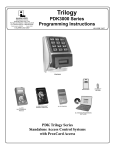
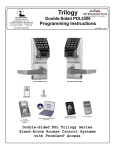
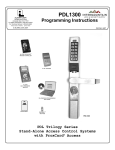
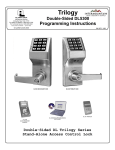
THE ALARM LOCK TRILOGY PDL-SERIES STAND-ALONE ACCESS CONTROL SYSTEM IS A SERIES OF STATE-OFTHE-ART MICROPROCESSOR-BASED PROGRAMMABLE KEYPAD-ENTRY AND PROXIMITY SECURITY LOCKS.
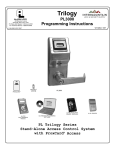
PDL3000, PDL3500 & ETPDL
PDL3000
Features an HID compatible ProxCard® reader, and a real-time clock/calendar
that automatically adjusts for Daylight Saving Time and allows for automated
programming of events. Features three methods of programming: (1) all features can be programmed manually through the keypad; (2) you can transfer programming instructions directly from your laptop or desktop PC using DL Windows software and a special AL-PCI cable; and (3) data can be transferred from
your PC to your PDL lock via the AL DTM2 handheld Data Transfer Module. In
addition, data can be retrieved from the lock in one of three ways (1) through an
infrared printer; (2) directly from the lock to the PC; or (3) through an AL-DTM2 to
your PC.
The PDL Series locks include several lock types: a cylindrical-based lock
(PDL3000), a mortise-based lock for additional hardware security (PDL3500),
and a mortise-based lock for use with push bar applications (ETPDL).
Programming is identical for all locks.
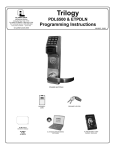
PDL3500
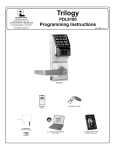
ETPDL
Note: ProxCard® and ProxKey® are trademarks of the HID© Corporation.
Table of Contents
PDL Series Lock Features ................................. 3
Programming Functions Overview ...................15
Supported Products ........................................... 4
Programming Functions .....................................16-29
Lock Design Overview ....................................... 5
Groups and Scheduled Group 1 Examples .....30
Terminology Used in this Manual..................... 6
Programming Record Sheet...............................32
Programming Levels .......................................... 8
User Code Record Sheet ....................................33
Conventions Used in this Manual..................... 9
Schedule Record Sheet ......................................34
LED and Sounder Indicators ............................. 9
Glossary ................................................................35-36
Product Communication Examples ................. 10
Warranty ................................................................36
Wiring and Power Up.......................................... 11
Quick Start............................................................ 12
Testing the Codes Entered ................................ 14
2