1
AudioCodes Customer Support
Software Upgrade
Q1:
How do I upgrade the MP-20x software?
A:
¾ To upgrade the MP-20x software:
1. Logon to the Web interface.
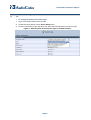
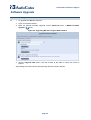
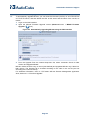
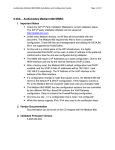
2. Open the ‘MP20X Firmware Upgrade’ screen (Advanced menu > MP20X Firmware
Upgrade
icon).
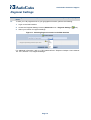
Figure 22: Upgrading MP-20x using the Web Interface
3. Click the Upgrade Now button, and then browse to the folder in which the rmt file is
located.
After loading the rmt file, MP-20x automatically reboots to factory defaults.
Page 22