1
Accessories and Tips
This chapter shows you how to use accessories with your smartphone, as well as
provide useful tips for when you are using your smartphone.
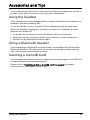
Using the headset
Your smartphone comes packaged with a headset with built-in microphone for
handsfree use when making calls.
To use the headset, plug it into the 3.5 mm headphone jack on the phone.
When the headset is plugged in, all audio is routed to the headset, and the
speakers are turned off.
• To answer an incoming call, press the button on the microphone.
• Adjust the volume using the volume control buttons on the smartphone.
• End the call by pressing the button again.
Using a Bluetooth headset
Your smartphone’s Bluetooth functions make it compatible with all standard
Bluetooth headsets. This allows you to use the unit handsfree when making
calls, without the inconvenience of wires.
Inserting a microSD Card
Your smartphone features a memory expansion slot that accepts a microSD card
to expand memory and storage capacity.
Please refer to “Installing a SIM or microSD card“ on page 8 for proper
instructions on installing a microSD Card.
Using the headset
41