1
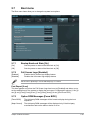
2.7.4
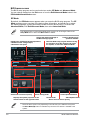
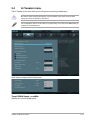
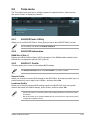
Setup Mode [EZ Mode]
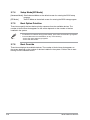
2.7.5
Boot Option Priorities
[Advanced Mode] Sets Advanced Mode as the default screen for entering the BIOS setup
program.
[EZ Mode]
Sets EZ Mode as the default screen for entering the BIOS setup program.
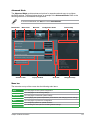
These items specify the boot device priority sequence from the available devices. The
number of device items that appears on the screen depends on the number of devices
installed in the system.
• To select the boot device during system startup, press <F8> when ASUS Logo appears.
• To access Windows OS in Safe Mode, do any of the following:
- Press <F5> when ASUS Logo appears.
- Press <F8> after POST.
2.7.6
Boot Override
These items displays the available devices. The number of device items that appears on
the screen depends on the number of devices installed in the system. Click an item to start
booting from the selected device.
2-26
ASUS P8H61-M LE Series